Summary: The strongest music production plugins 2026 setup combines Pendora for distinctive genre-focused sounds, Serum 2 or Vital for synthesis, Kontakt 8 for sampled instruments, and practical effects such as ShaperBox 3, TDR Nova, and Valhalla Supermassive. The right choice depends on your genre, workflow, CPU capacity, budget, and need for original starting points.
Which tools deserve space in your template when every producer can access hundreds of plugins? For trap, drill, phonk, pluggnb, and related styles, the answer starts with a distinctive sound source. Our best VST plugins for 2026 selection places Pendora first because it provides a focused starting palette, helping you move from an empty project to a usable beat with less preset searching.
The best music production plugins 2026 options are not limited to large synthesizers. Current free-plugin coverage continues to highlight practical tools such as Vital, Valhalla Supermassive, TDR Nova, and OTT, while modern synth comparisons place Serum 2, Pigments, Phase Plant, and Massive X in different roles. A balanced setup should therefore combine sound sources, creative effects, and mixing utilities instead of collecting instruments without a clear purpose. This article also considers compatibility with FL Studio, Ableton Live, Logic Pro, Windows, macOS, VST3, and AU.
The 2026 Plugin Shortlist at a Glance
This ranking is designed for producers who want practical tools for beatmaking, sound design, arrangement, and mixing. Pendora leads because it addresses a different need from a general-purpose synthesizer: it gives genre-focused producers a curated sound bank with hand-crafted presets and complementary production assets.
| Rank | Plugin | Best for | Key differentiator |
|---|---|---|---|
| 1 | Pendora VST | Trap, drill, phonk, pluggnb, and melodic beatmaking | 275+ hand-crafted presets, production assets, one-time ownership |
| 2 | Serum 2 | Deep wavetable synthesis | Flexible oscillator, modulation, and sound-design workflow |
| 3 | Vital | Free wavetable synthesis | Full core synth engine with visual modulation |
| 4 | Kontakt 8 | Sampled instruments and large libraries | Broad ecosystem for acoustic and hybrid instruments |
| 5 | Valhalla Supermassive | Free atmospheric reverb and delay | Large spaces, long feedback, and evolving echoes |
| 6 | TDR Nova | Free dynamic EQ and frequency control | Parametric EQ combined with dynamic processing |
| 7 | Massive X | Complex electronic basses and leads | Advanced routing and distinctive wavetable processing |
| 8 | Pigments 5 | Hybrid synthesis and fast creative exploration | Wavetable, analog, granular, harmonic, and sample engines |
| 9 | Phase Plant | Modular sound design | Build-your-own signal chains with flexible routing |
| 10 | Diva | Analog-style synth character | Detailed modeled oscillators, filters, and envelopes |
| 11 | ShaperBox 3 | Movement, sidechain-style shaping, and transitions | Fast control over volume, filter, pan, width, and time |
| 12 | OTT | Free aggressive multiband compression | Upward and downward compression for intensity and presence |
1. Pendora VST

Best for: Producers making trap, drill, melodic trap, R&B, pluggnb, dark trap, lofi, and phonk who want distinctive starting sounds.
Pendora is our number one choice because it solves a common beatmaking problem that a general synthesizer does not solve by itself. A powerful engine still leaves you facing a blank preset browser. Pendora provides 275+ studio-ready presets across focused categories such as pads, bells, orchestras, plucks, banjos, and dark 808s.
The full edition also includes expansion packs, a Producer Kit, drumkits, MIDI, effects, and risers. Pendora supports VST3 and AU on compatible Mac and Windows systems, including workflows built around FL Studio, Ableton Live, Logic Pro, Cubase, Pro Tools, and Reason. We position the product as royalty-free for commercial use, with one-time ownership and free lifetime updates under the stated terms.
For producers dealing with beatblock, the practical value is speed and direction. You can begin with a sound designed for your target genre rather than reshaping a broad factory patch. That does not replace learning Serum, Vital, Omnisphere, or Kontakt, but it gives you a more focused source for everyday beatmaking.
Pros:
- 275+ hand-crafted presets for trap, drill, phonk, boom bap, pluggnb, and related styles.
- Includes complementary drums, MIDI, FX, expansions, and production assets in the full edition.
- VST3 and AU support, low-resource positioning, royalty-free commercial use, and lifetime updates.
- One-time purchase structure instead of a recurring subscription.
Cons:
- Its genre focus is intentional, so it is not designed as a universal library for every musical style.
2. Serum 2
Best for: Producers who want detailed wavetable synthesis, extensive modulation, and a broad sound-design ecosystem.
Serum 2 remains a major reference point for electronic sound design. Its workflow suits producers who want to edit oscillators, shape wavetables, create complex modulation, and build sounds from the synthesis engine upward. The instrument is particularly useful for leads, basses, plucks, pads, risers, and aggressive electronic textures.
Recent synth comparisons describe Serum 2 alongside Vital, Pigments, Phase Plant, and Massive X as part of a mature generation of software instruments. A 2026 synth comparison highlights its expanded generator and modulation options, while also noting that complex patches can place more demand on the host system.
Serum 2 is a strong choice when you want to learn synthesis and create your own patches. Its limitation for focused urban beatmaking is not a lack of sound quality. It is the amount of time required to search, design, and organize sounds before the writing process begins. Pendora is more direct when you want a curated palette for trap, drill, phonk, or pluggnb.
Pros:
- Deep wavetable editing and flexible modulation for advanced sound design.
- Useful for leads, basses, plucks, pads, effects, and electronic textures.
- Large community knowledge base and established preset ecosystem.
Cons:
- Complex patches can increase CPU use.
- Its broad scope may require more preset browsing or sound-design time than a focused sound bank.
3. Vital
Best for: Producers who need a capable free wavetable synth with visible modulation and low entry cost.
Vital is one of the most useful free instruments for producers learning synthesis or building a studio on a limited budget. Its core engine includes wavetable synthesis, spectral warping, drag-and-drop modulation, custom wavetable editing, MPE support, and audio-rate modulation. The interface makes modulation relationships easier to understand because the movement is displayed visually.
The free Basic edition provides the main synthesizer engine, while paid tiers primarily add presets, wavetables, and related content. Vital supports Windows, macOS, and Linux, with VST, VST3, AU, and LV2 formats listed by the developer. It also supports Intel and Apple Silicon Macs.
Vital works well for basses, pads, leads, plucks, arpeggios, and experimental textures. The main trade-off is content depth. Producers who want a curated collection of genre-specific presets may still spend significant time searching or designing sounds. Pendora is more targeted when the goal is to start a trap, drill, phonk, or pluggnb beat quickly.
Pros:
- Free core synthesizer with serious wavetable and spectral-warping capabilities.
- Clear visual modulation system that supports learning and experimentation.
- Broad operating-system and plugin-format support.
Cons:
- The free tier includes less factory content than paid tiers.
- It is a general-purpose synth, not a genre-specific production bank.
4. Kontakt 8
Best for: Producers who need sampled pianos, orchestral instruments, acoustic textures, drums, and hybrid libraries.
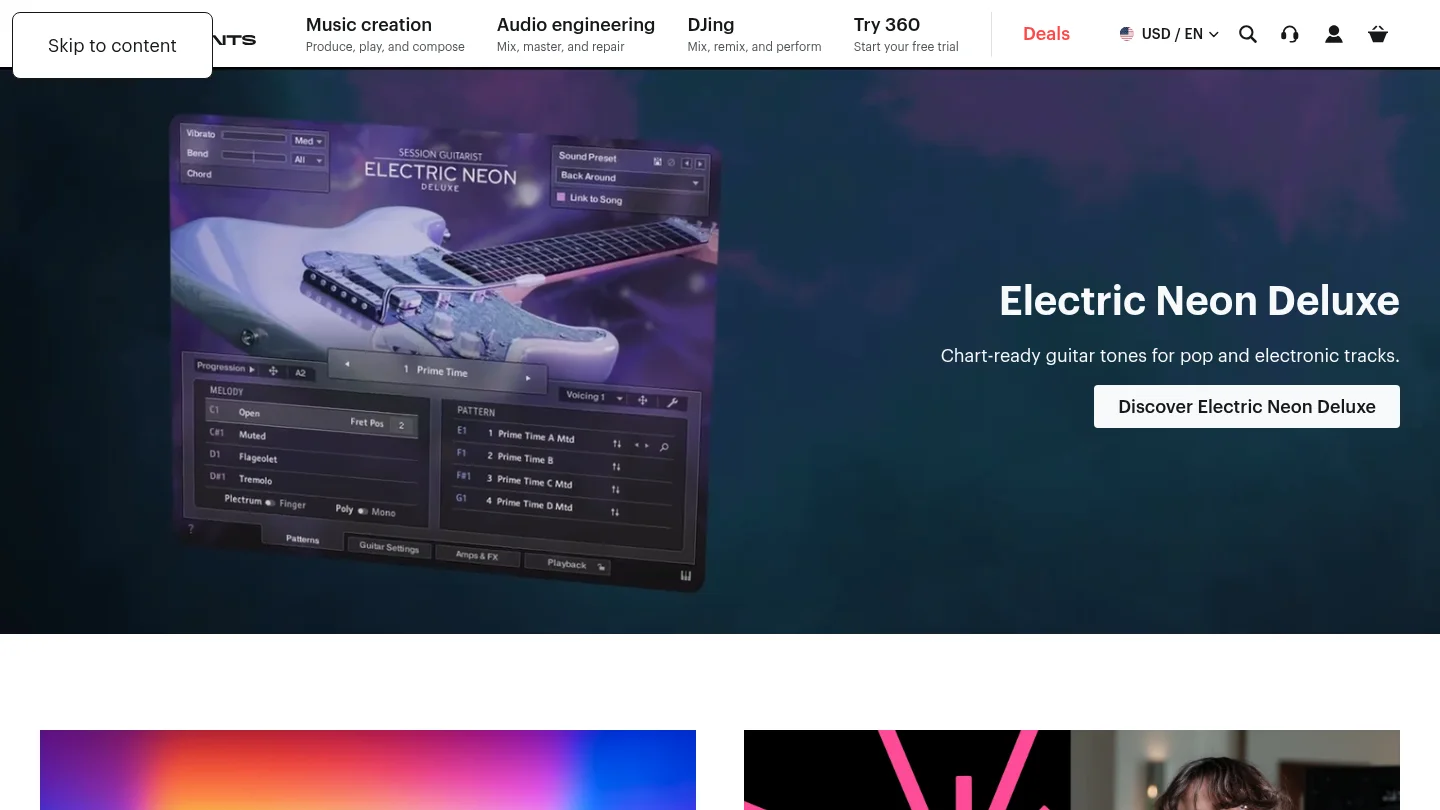
Kontakt 8 is a broad sample-based platform rather than a conventional synthesizer. Its main value comes from the range of instruments and libraries available within its ecosystem. It can support realistic acoustic parts, cinematic layers, organic textures, playable instruments, and hybrid sound-design workflows.
The platform is particularly useful when a production needs an instrument that would be difficult to recreate with Serum, Vital, or another wavetable synth. A piano, string section, guitar performance, or detailed percussion layer can add contrast to a fully electronic arrangement. Kontakt 8 therefore has a clear role beside Pendora, rather than replacing a focused beatmaking sound bank.
The trade-off is that its usefulness depends on the libraries you choose. A large sample ecosystem can also require more storage, organization, and preparation than a compact preset instrument. Producers should select libraries according to actual musical needs instead of treating the platform as a reason to collect more content.
Pros:
- Broad ecosystem for acoustic, orchestral, electronic, and hybrid instruments.
- Useful for adding realistic textures that synthesis alone may not provide.
- Supports detailed MIDI performance and layered arrangement work.
Cons:
- The platform becomes more useful as libraries are added, which can increase storage and organization demands.
- It is not primarily designed for fast genre-focused trap or drill preset selection.
5. Valhalla Supermassive
Best for: Free atmospheric reverb, long delays, evolving spaces, and creative sound design.
Valhalla Supermassive is a free effect designed for large reverbs, expansive delays, feedback textures, and evolving spaces. It can give a dry vocal, synth, bell, or percussion hit a much larger sense of depth. The official product information lists 22 reverb and delay modes, creating different combinations of attack, density, feedback, modulation, and decay.
It is especially useful for melodic trap, phonk, ambient layers, cinematic transitions, vocal tails, and atmospheric intros. A send track is often a practical way to use it because you can keep the dry sound clear while adding a controlled amount of space.
Supermassive is not primarily designed for small, natural room ambience. Its identity is larger and more dramatic. Used with restraint, it can make a Pendora bell or pad feel wider without requiring another paid effect. Used too heavily, it can soften transients and reduce clarity.
Pros:
- Free reverb and delay with a distinctive atmospheric character.
- Useful for pads, vocals, bells, transitions, and experimental textures.
- Broad selection of modes for different echo and reverb behavior.
Cons:
- Its large-space character is not ideal for every natural room or short ambience task.
- Long feedback settings can quickly make a mix feel crowded.
6. TDR Nova
Best for: Free dynamic EQ, resonance control, vocal shaping, drum-bus cleanup, and frequency-specific compression.
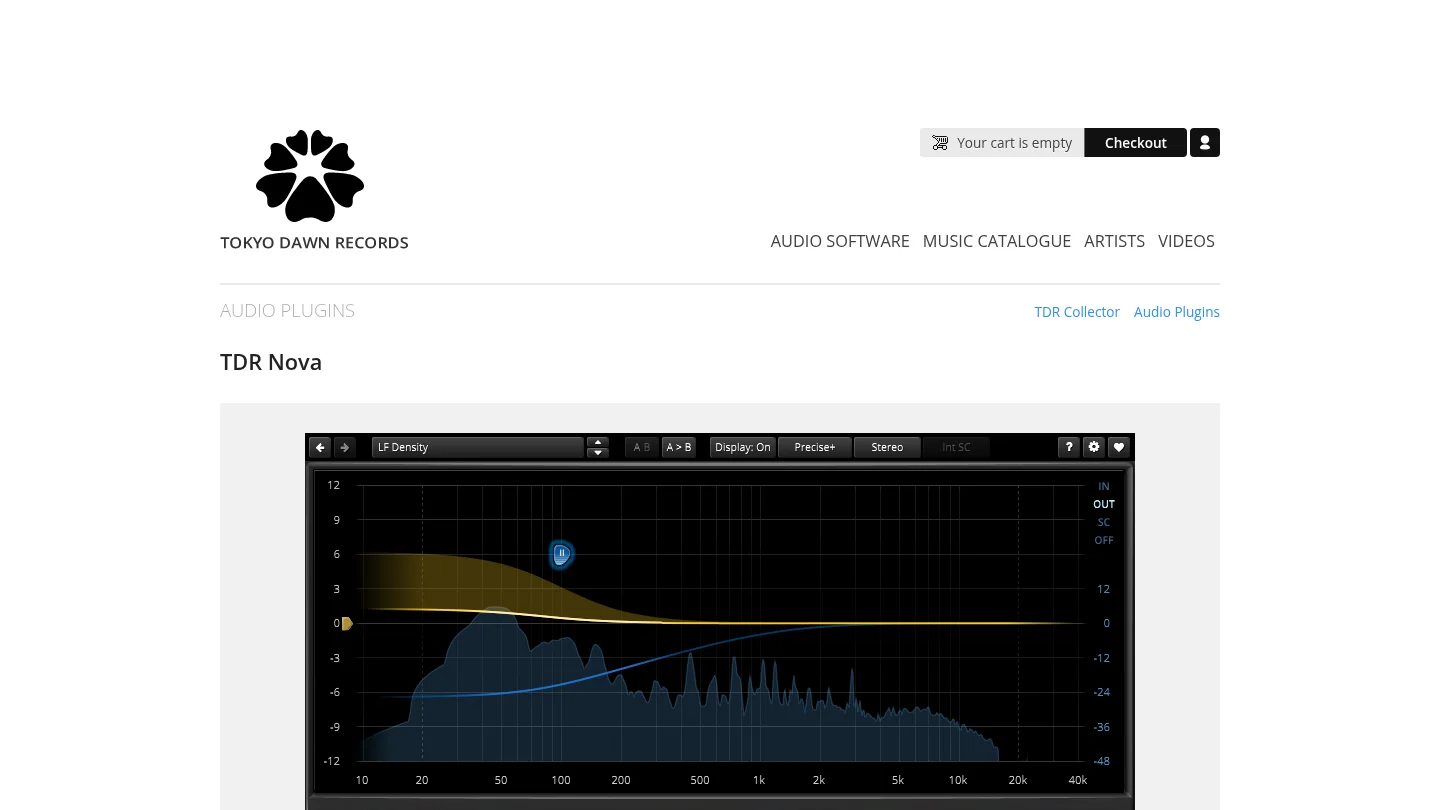
TDR Nova combines a parametric equalizer with dynamic processing. Unlike a fixed EQ cut, a dynamic band can respond only when a problem becomes prominent. This makes it useful for harsh vocal frequencies, occasional low-mid buildup, resonant synth notes, aggressive drums, and frequency conflicts between kick and 808.
Nova is also valuable for learning. Producers can hear the difference between static EQ and frequency-dependent processing without purchasing a large mastering suite. Its interface supports visual editing while retaining enough control for more detailed mixing decisions.
The main limitation is that it requires careful setup. You still need to understand threshold, attack, release, bandwidth, and the difference between correcting a problem and removing useful character. For a focused beatmaking system, Nova pairs well with Pendora by helping the selected sounds fit together without permanently dulling them.
Pros:
- Free dynamic EQ with practical parametric EQ functions.
- Useful for vocals, drums, synths, basses, buses, and mastering preparation.
- Supports targeted control without applying a permanent cut across the whole performance.
Cons:
- It requires more technical setup than a basic static EQ.
- It is a mixing processor, not a source of musical presets or instruments.
7. Massive X
Best for: Producers creating complex basses, modern leads, evolving sequences, and dense electronic textures.
Massive X is built around flexible routing, wavetable processing, modulation, and a distinctive electronic character. It suits producers who enjoy constructing sounds through multiple modulation sources and complex signal paths. Its tone is especially useful for bass music, cinematic electronics, industrial textures, and aggressive synth parts.
The instrument can produce a large range of sounds, but it rewards patience. Its architecture is less immediate than a focused preset bank, and some routing decisions require careful listening. Producers who already use Serum may appreciate its different approach, while producers seeking fast trap or drill inspiration may prefer a more curated starting point.
Massive X is most valuable when you want an additional synthesis voice rather than another collection of similar presets. It can complement Pendora by providing deeper custom sound design for sections that need a more engineered or experimental character.
Pros:
- Flexible routing and modulation for advanced electronic sound design.
- Distinctive character for basses, leads, sequences, and experimental patches.
- Useful complement to more preset-led instruments.
Cons:
- The interface and routing system can take time to master.
- It is not focused specifically on trap, drill, phonk, or pluggnb workflows.
8. Pigments 5
Best for: Producers who want multiple synthesis methods in one visual instrument.
Pigments 5 combines wavetable, analog, granular, harmonic, and sample-based approaches. That makes it useful for producers who want to move between traditional synth tones, evolving textures, sampled layers, and more experimental sound design without opening several instruments.
Its visual workflow is one of its strongest features. The modulation system, filters, effects, and sequencing tools encourage exploration while keeping the signal path understandable. Pigments can work for electronic music, cinematic production, lo-fi textures, pop arrangements, and detailed sound design.
The instrument is broader than Pendora by design. That breadth is useful when you want to design a sound from scratch, but it can also create more decisions at the beginning of a session. For beatmakers who need a focused starting palette, Pendora offers a more direct path. Pigments becomes attractive when you want to design the underlying sound architecture yourself.
Pros:
- Combines several synthesis and sampling methods in one instrument.
- Strong visual workflow for modulation, sequencing, and sound exploration.
- Useful across electronic, cinematic, lo-fi, and hybrid production.
Cons:
- Its depth can require more learning and decision-making.
- Complex patches may place greater demands on the computer.
9. Phase Plant
Best for: Sound designers who want to build modular instruments and custom signal chains.
Phase Plant takes a modular approach to synthesis. You can combine analog oscillators, wavetable sources, samples, granular processing, noise generators, filters, effects, and modulation sources within a single patch. This makes it particularly effective for unusual basses, evolving effects, complex leads, and custom textures.
The main strength is freedom. You can create a simple patch with a clear signal path or build a more intricate instrument with multiple lanes and processing stages. This flexibility also makes Phase Plant useful for learning how synthesis and routing work because every part of the chain is placed intentionally.
Phase Plant is less immediate than a curated sound bank. If your priority is to overcome beatblock during a short beatmaking session, Pendora gives you a faster starting point. If your priority is to create sounds that do not follow a conventional synth architecture, Phase Plant is a strong specialist choice.
Pros:
- Highly flexible modular architecture for custom sound design.
- Supports multiple synthesis methods and detailed routing.
- Useful for advanced basses, effects, textures, and experimental instruments.
Cons:
- Building patches can take more time than browsing a focused preset bank.
- Its open-ended design may feel excessive for simple melodic beatmaking.
10. Diva
Best for: Producers who want analog-style warmth, modeled filters, and expressive synth layers.
Diva focuses on the character of classic analog synthesizers. Its oscillators, filters, envelopes, and signal paths are designed to provide familiar hardware-inspired behavior, making it useful for basses, pads, keys, leads, and warm melodic layers.
Many producers use Diva to add contrast beside a more precise wavetable instrument. For example, a Serum 2 lead can provide detail while Diva adds body and movement. The same layering approach can work with Pendora presets when a beat needs a warmer supporting line without replacing the main sound source.
Diva is a focused synthesis instrument, not a broad sample platform or a genre-specific sound bank. It is best suited to producers who already know the type of analog character they want. Those seeking instant trap, drill, phonk, or pluggnb ideas may find a curated bank more efficient.
Pros:
- Strong analog-style character for leads, basses, pads, and keys.
- Useful for layering with modern wavetable synths and focused sound banks.
- Encourages expressive filtering and subtractive synthesis workflows.
Cons:
- Its analog focus does not cover the full range of sampled or granular production.
- It requires more sound selection and patch design than a ready-to-use genre bank.
11. ShaperBox 3
Best for: Producers who want fast volume shaping, movement, sidechain-style effects, filtering, panning, and transitions.
ShaperBox 3 is an effects platform rather than a sound source. Its value comes from shaping existing instruments and samples through rhythmic volume curves, filter movement, stereo changes, distortion, time effects, and modulation. It can turn a static pad into a moving texture or make a bass part interact more clearly with the kick.
For beatmaking, the speed is important. You can create movement without drawing every automation lane manually. It is useful in Ableton Live, FL Studio, and other compatible DAWs when a loop feels too static or when a transition needs more energy and direction.
ShaperBox works best after the core sound has been chosen. It cannot replace a distinctive preset bank or synthesizer. Pairing it with Pendora can therefore be practical: Pendora supplies the focused sound, while ShaperBox adds rhythm, motion, and arrangement detail.
Pros:
- Fast control over volume, filters, panning, width, distortion, and time.
- Useful for sidechain-style movement and rhythmic transitions.
- Reduces the need for repetitive manual automation.
Cons:
- It shapes existing sounds rather than providing the primary instrument source.
- Heavy modulation can distract from the musical role of the original sound.
12. OTT
Best for: Free aggressive multiband compression, electronic sound design, leads, basses, effects, and percussion.
OTT is a free multiband compressor known for combining upward and downward compression across multiple bands. The result can add intensity, density, and presence to sounds that feel too soft or distant. It is commonly used on leads, basses, synth layers, effects, and selected percussion parts.
For beatmaking, OTT can help a sound cut through a busy arrangement. It is useful when a preset has the right character but lacks enough movement or forward presence. It can also exaggerate details in a sound for resampling, transitions, or aggressive electronic textures.
The control is powerful but easy to overuse. Too much compression can flatten dynamics, exaggerate high frequencies, or make a melodic part tiring. OTT should therefore be treated as a creative effect rather than a universal mixing solution. It works best after the sound source is already appropriate for the track.
Pros:
- Free multiband compression with a recognizable energetic character.
- Useful for leads, basses, effects, synths, and selected drum layers.
- Can reveal detail and intensity quickly during sound design.
Cons:
- Heavy settings can reduce natural dynamics and create harshness.
- It is not a substitute for transparent compression or careful gain staging.
How to Choose Your Plugin Setup
The best setup is not the one with the largest plugin folder. It is the one that helps you finish music with fewer interruptions. Start with a reliable sound source, then add one flexible synthesizer, one movement tool, one space effect, and a small set of mixing processors. For genre-focused beatmaking, music production plugins 2026 should support both inspiration and control. Pendora provides a direct starting palette, while Serum 2, Vital, Pigments, or Phase Plant can expand your sound-design range. Kontakt 8 adds organic instruments, and tools such as TDR Nova, OTT, ShaperBox 3, and Valhalla Supermassive help shape the result. Confirm your DAW format, operating system, CPU capacity, licensing terms, and update policy before purchasing.
Take action with Tiger-Sounds
If your sessions slow down because you are searching instead of writing, a focused sound bank can provide a more practical starting point. We built Tiger-Sounds for producers working across trap, drill, phonk, boom bap, pluggnb, melodic trap, lofi, and related styles. The goal is a distinctive palette that supports beatmaking without adding another recurring software payment.
Explore our VST plugins to compare Pendora editions and select the scope that fits your workflow. Pendora supports VST3 and AU on compatible Windows and macOS DAWs, includes royalty-free commercial use under our stated terms, and provides free lifetime updates. Pendora Lite offers a smaller entry selection, while the full edition adds 275+ presets and complementary production assets.
Frequently Asked Questions
What should a focused plugin setup include in 2026?
A practical setup should include one main sound source, one flexible synthesizer, one movement effect, one space effect, and a few mixing tools. This gives you enough range for beatmaking without creating unnecessary browsing time.
Is Pendora a synthesizer or a sound bank?
Pendora is a boutique sound bank VST built around genre-focused presets and production assets. It is designed to provide usable starting sounds for trap, drill, phonk, pluggnb, boom bap, and related workflows.
Which free plugins are most useful for producers?
Vital is useful for wavetable synthesis, TDR Nova handles dynamic EQ, Valhalla Supermassive provides reverb and delay, and OTT adds creative multiband compression. Each tool serves a different role, so your choice should follow the problem you need to solve.
Will these plugins work in FL Studio, Ableton Live, and Logic Pro?
Compatibility depends on the specific plugin format and operating system. FL Studio and Ableton Live commonly use VST3, while Logic Pro normally uses Audio Units, so you should confirm the supported format before installation.
How many plugins do you really need?
Most producers can finish strong tracks with a small group of familiar tools. A focused collection is often more productive than a large folder filled with instruments and effects you rarely open.





