Summary: Pendora is a focused sound bank for trap producers who want melodic, dark, drill-ready, phonk, pluggnb, and R&B-oriented sounds without spending every session searching through generic presets. The full edition includes 275+ presets and production assets, while Lite provides a smaller 30-preset entry point. Compatibility, licensing, price, and workflow fit remain the main buying considerations.
Trap producers usually need a sound source that creates direction quickly, not another large folder that delays the first loop. Pendora for trap producers is designed around that need, with a focused palette for melodic trap, drill, dark trap, phonk, boom bap, pluggnb, lofi, and related styles. To hear how the sounds behave in a real beatmaking context, start with our Pendora demo.
The central idea is simple: begin with a distinctive preset, then shape the melody, 808, drums, arrangement, and mix around it. Pendora does not replace a flexible synthesizer such as Serum or Vital, a broad instrument such as Omnisphere, or a sampled-instrument platform such as Kontakt. It serves a more focused role, helping producers move from an empty project to a usable musical idea with less preset hunting.
What makes Pendora relevant to trap producers?
Trap production depends on a small number of elements carrying a lot of character. A bell, pad, pluck, orchestral layer, dark 808, or short texture can define the emotional direction of an entire beat. If the first sound already feels familiar, the producer may spend the next hour processing it instead of writing.
Pendora is built for producers who want a more defined starting point. Its full edition contains 275+ studio-ready presets across more than 30 sound categories, including pads, bells, orchestras, plucks, banjos, dark 808s, and other melodic sources. The associated production assets add three expansion packs, a Producer Kit, two drumkits, MIDI, mix presets, effects, and risers.
This focus is useful across several trap-related workflows. A melodic trap producer may begin with an airy pad and a soft bell, while a drill producer may choose a sharper pluck, darker orchestral texture, or more aggressive low-end source. Phonk and dark trap sessions can benefit from distorted or tense tonal colors, while pluggnb and lofi productions may call for softer keys, expressive plucks, and more spacious textures.
The value is not simply the number of presets. It is the relationship between the preset and the decision that follows. A useful sound should suggest a chord voicing, a counterline, an octave change, or a rhythmic idea within a few seconds. That can help producers work through beatblock without forcing every beat into the same melodic template.
Trap arrangement also depends on how sounds interact with the drums and low end. A 2026 trap production guide emphasizes the importance of 808 control, arrangement references, sound selection, midrange clarity, and automation. Pendora fits this type of workflow because its presets can provide the melodic identity first, leaving the producer to make the arrangement and mix decisions that give the beat its final character.
How the sound bank supports actual beatmaking
Imagine opening FL Studio with a drum pattern already drafted but no central melody. One approach is to browse Serum, Omnisphere, Kontakt, or Vital until a sound appears, then build the pattern around it. Another is to choose a focused Pendora category, play a simple progression, and judge whether the sound gives the beat a clear direction.
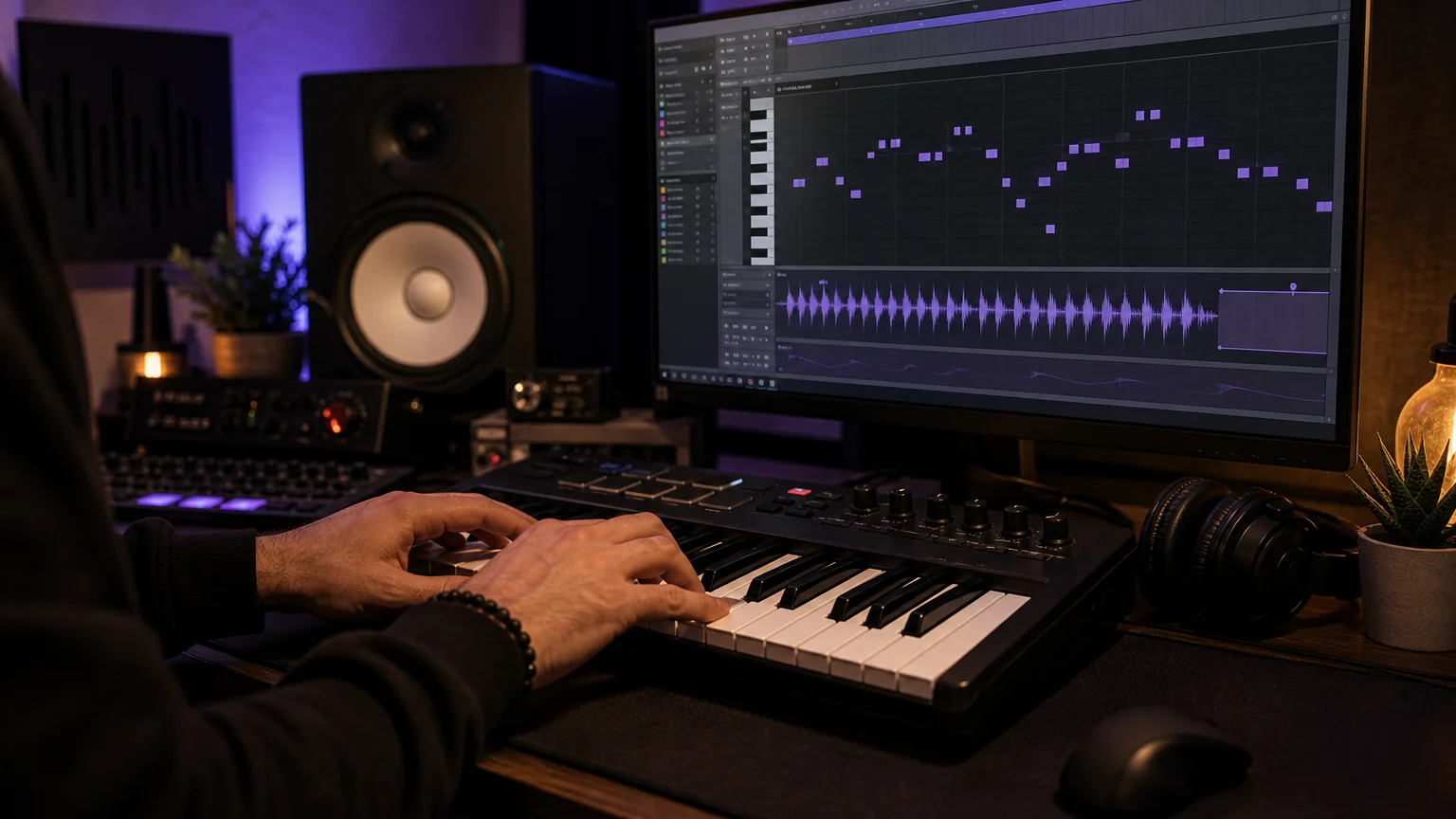
Pendora is particularly practical when the producer wants to keep the first pass simple. Start with one melodic preset, write a short four or eight-bar phrase, and leave space for the 808. After that, alter the octave, shorten the release, automate a filter, resample a phrase, or add a delay throw. The preset becomes raw material rather than the complete identity of the beat.
The included MIDI and production assets can support the same process. MIDI can provide a starting point for chord movement or counter-melodies, while drumkits and effects help keep the session inside a coherent sonic direction. Producers can still replace individual sounds, layer their own samples, or process the material through favorite tools.
A 2026 trap tutorial from a trap production tutorial describes a workflow built around 808s, hi-hat movement, dark melodies, arrangement changes, and manual work inside DAWs such as FL Studio. That workflow highlights an important distinction: a preset bank can shorten sound selection, but the producer still controls rhythm, voicing, dynamics, transitions, and the final mix.
This is where Pendora can complement a broader setup. Serum or Vital can remain useful when you want to build a patch from oscillators, filters, envelopes, and modulation. Omnisphere can cover broader layered textures, while Kontakt can provide sampled instruments and orchestral colors. Pendora is the more focused option when the immediate goal is a trap, drill, phonk, pluggnb, or dark melodic starting point.
Does it fit your DAW and computer?
Compatibility should be checked before buying any virtual instrument. Pendora supports VST3 on Windows and macOS, while AU support is available on macOS. It is intended for 64-bit systems, with stated operating-system support for macOS 11 Big Sur or later and Windows 10 or 11.
The product is explicitly tested with FL Studio, Ableton Live, Logic Pro, Cubase, Pro Tools, and Reason. This does not mean that every possible host or configuration has been independently tested, so producers should still confirm that their DAW supports the required VST3 or AU format.
Native Apple Silicon support is included, which matters for producers working on newer Mac systems. On Windows, the installer may need to be run as Administrator. On macOS, an unidentified developer warning can require the Finder Open and Open anyway process or an allowance through Privacy & Security.
The installed product occupies approximately 5 GB of hard-drive space, and the Windows installer is described as approximately 2 GB. Tiger-Sounds positions Pendora as light on CPU and RAM, but any performance example should be treated as a reference rather than a universal guarantee. Actual use depends on the computer, DAW buffer settings, project size, effects chain, and the number of instances loaded.
A customer may install Pendora on up to three personal computers. Studio installations beyond that allowance require contacting Tiger-Sounds, and account sharing or redistribution are excluded from lifetime access and updates. These details are important for producers who work between a home setup, a laptop, and a professional studio.
Which Pendora edition should you choose in 2026?
The three editions serve different buying situations. Lite is intended for evaluation, the full edition is the main production-focused package, and the custom edition is aimed at a smaller group of producers who want bespoke content and broader access to the wider kit catalog.
| Edition | Included content | 2026 price information | Best fit |
|---|---|---|---|
| Pendora Lite | 30 hand-picked presets, bonus kits, and a MIDI pack | €29 or $29 | Testing the sound before a larger purchase |
| Pendora V3 full edition | 275+ presets, three expansions, Producer Kit, two drumkits, MIDI, FX, and risers | €149 on some pages and $147 on another; one bundle page shows a stated $499 value before the listed $147 price | Repeated trap, drill, phonk, pluggnb, and related beatmaking |
| Custom edition | Custom content, a personalized first preset name, all Tiger-Sounds kits, future kit access, and 5,000+ exclusive MIDI melodies | €500 or $500 | Producers seeking a more personalized package |
The full-edition price is not displayed consistently across the supplied 2026 pages, so check the checkout currency and final product page before purchasing. The EUR and USD options are applied according to location, and the purchase model is a one-time payment rather than a subscription.
For cautious buyers, Pendora Lite provides a paid evaluation path with 30 presets, bonus kits, and MIDI. The free Temple Drumkit is another way to assess the general production direction, although it requires newsletter signup. Neither option guarantees that the full edition will suit every producer, but both reduce the risk of buying without hearing the sound first.
The displayed full-edition page carries a 4.71/5 rating from 59 verified-buyer reviews, while the Lite page displays 4.62/5 from 13 verified-buyer reviews. Tiger-Sounds also claims use by more than 500 producers and features by more than 15 YouTube producers with a combined 500k+ subscribers. Those figures are company claims and displayed review totals, and YouTube features do not by themselves prove that every featured creator is a paying customer or formal distribution partner.
If you want to compare the current package details before deciding, our Pendora V3 price page is the relevant place to check the full-edition offer.
How Pendora compares with a synth-led setup
A trap producer does not necessarily need to choose between Pendora and a synthesizer. The better question is which tool should lead a particular session. A focused preset bank can provide speed and genre direction, while a synthesizer can provide deeper control when the sound itself must be designed from scratch.
- 1. Pendora: A genre-focused sound bank for melodic trap, drill, dark trap, phonk, boom bap, pluggnb, lofi, and related production. It prioritizes curated presets, production assets, and faster sound selection.
- 2. Serum: A wavetable synthesizer for producers who want detailed control over oscillators, modulation, filters, envelopes, and custom patch design.
- 3. Vital: A flexible wavetable instrument suited to creating basses, leads, pads, and experimental textures through direct synthesis.
- 4. Omnisphere: A broad hybrid instrument for layered synth, sampled, atmospheric, and cinematic sounds when a wider palette is required.
- 5. Kontakt: A sampler platform for acoustic, orchestral, cinematic, and hybrid libraries that can add contrast to a trap arrangement.
A 2025 overview of trap production plugins groups synthesizers, samplers, virtual instrument libraries, and dedicated 808 tools according to different production roles. That distinction remains useful in 2026 because no single instrument needs to handle every part of a producer’s setup.
Pendora can sit at the front of a practical workflow. Use it for the first melodic idea, then reach for Serum or Vital when a custom lead is needed. Add Kontakt for an orchestral accent, use Omnisphere for a layered atmosphere, or keep the project focused with Pendora alone when the preset already gives the beat enough identity.
For the low end, the producer still needs to check key, pitch, envelope, transient shape, and space around the kick. Our guide to best 808 VST plugins can help when the session requires a more specialized bass source alongside the Pendora melodic palette.
A practical buying checklist for trap producers
Before purchasing any sound bank, evaluate the product against the way you actually make beats. A large preset count is less important than how often the sounds lead to a usable musical decision.
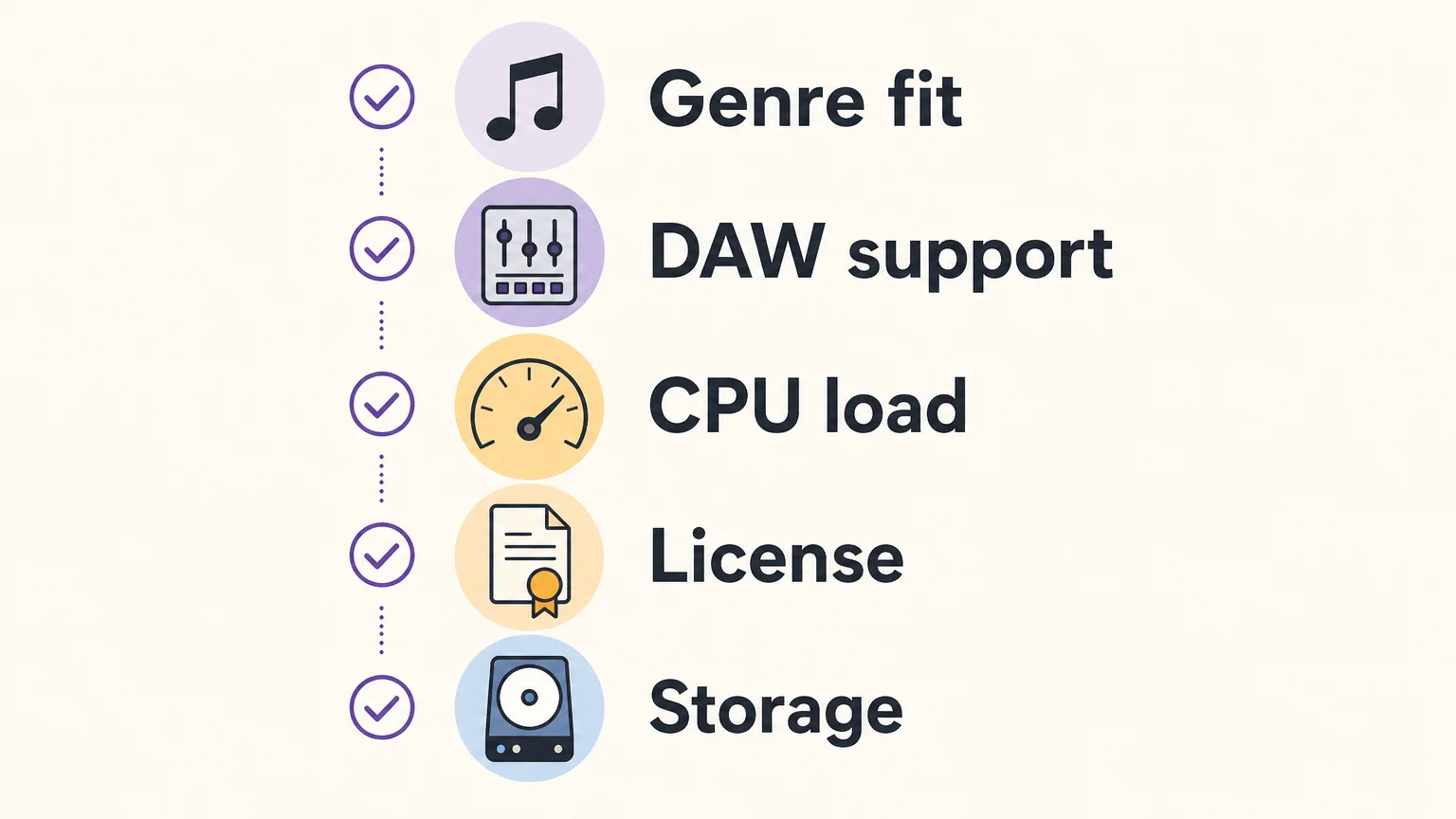
- Genre fit: Confirm that the library covers the styles you produce most often, such as melodic trap, drill, dark trap, phonk, pluggnb, lofi, or R&B.
- Sound roles: Look for the categories your sessions need, including bells, pads, plucks, orchestral textures, 808s, effects, MIDI, and drums.
- DAW support: Check VST3 or AU support, your operating system, and whether your host is among the explicitly tested DAWs.
- System resources: Leave enough storage for the approximately 5 GB installation and consider how the instrument will fit beside Serum, Kontakt, Omnisphere, Vital, and effects.
- Commercial licensing: Confirm that royalty-free use applies to the beats and tracks you plan to sell, place, or license, and review exclusions for account sharing and redistribution.
- Ownership model: Decide whether a one-time payment and lifetime updates fit your budget better than recurring access models.
- Evaluation path: Use Pendora Lite or the free Temple Drumkit if you want to test the sound before choosing the full edition.
For many producers, the main practical question is whether the library reduces hesitation. If you can load a sound, write a short phrase, and immediately hear a possible hook, the product is doing useful work. If every preset requires heavy corrective EQ, extensive layering, or major resynthesis before it fits your beat, the library may not match your method.
Pendora is most relevant when you want a defined sound direction without abandoning your existing tools. It can provide the first melodic layer, the atmospheric color, or the tonal contrast that gets a session moving, while your usual drum workflow, 808 processing, arrangement, and mastering chain remain intact.
Make the sound source serve the beat
The right choice depends on the type of decisions you want to make during a session. Serum, Vital, Omnisphere, and Kontakt remain useful for synthesis, sampling, and broad sound design, while a focused bank can shorten the path from an empty project to a clear musical idea. For trap producers choosing a sound bank, prioritize genre fit, useful sound roles, compatibility, licensing, storage, and the amount of work required before a preset becomes part of a beat.
Choose the Pendora edition that fits your beatmaking
If your current sessions spend too much time in preset browsers, a focused sound bank can give the next idea a clearer starting point. The Pendora range lets you begin with a smaller evaluation edition or move directly to a broader production package.
Our Pendora VST collection brings together hand-crafted presets and production assets for trap, drill, dark trap, phonk, boom bap, pluggnb, and related styles, with VST3 and AU support, royalty-free commercial use under the stated terms, one-time ownership, and free lifetime updates.
Frequently Asked Questions
Is Pendora a synthesizer like Serum or Vital?
Pendora is a preset-focused sound bank rather than a general-purpose wavetable synthesizer. Serum and Vital provide deeper oscillator and modulation control, while Pendora gives trap producers a curated starting point for melodic and genre-specific beatmaking.
What genres does Pendora cover?
Pendora focuses on trap, drill, dark trap, phonk, boom bap, pluggnb, lofi, R&B, and related styles. The full edition includes presets and production assets intended for several of these workflows.
Does Pendora work in FL Studio and Ableton Live?
Yes, Pendora supports compatible VST3 hosts on Windows and macOS, and it is explicitly tested with FL Studio and Ableton Live. It also supports AU on macOS and is tested with Logic Pro, Cubase, Pro Tools, and Reason.
Can I use Pendora in beats I sell or license?
Pendora is described as royalty-free for commercial use in beats and tracks that you sell, place, or license, with no additional royalties owed under the stated terms. Account sharing and redistribution are excluded, so the license conditions should be followed after purchase.
Should I buy Pendora Lite or the full edition?
Pendora Lite is intended for producers who want a smaller paid test with 30 presets, bonus kits, and MIDI. The full edition is more suitable when you want 275+ presets, expansions, drumkits, MIDI, effects, and other production assets for repeated beatmaking.





