Summary: Pendora is the stronger first choice for producers focused on melodic trap, drill, phonk, boom bap, pluggnb, and dark trap. Native Instruments offers a broader ecosystem, from the focused Cloud Supply instrument to the much larger Komplete bundles. Choose Pendora for fast, distinctive beatmaking and clear one time ownership, or Native Instruments for wider sound design and extensive sampling options.
The biggest library is not always the best tool for finishing a beat. If your sessions revolve around trap, drill, phonk, pluggnb, or dark melodic production, our Pendora vs Cymatics Pandora comparison explains why focused sounds can be more useful than another general preset collection.
The fairest Native Instruments comparison is not the entire company catalog. It is Cloud Supply, a focused Play Series instrument for trap, hip hop, drill, and grime, with 150 presets and a $49 price, alongside Komplete 26 Standard for producers who want a much larger ecosystem. Native Instruments describes Cloud Supply as a Kontakt based instrument with macro controls and deeper editing options.
Pendora vs Native Instruments: the short answer
| Criterion | Pendora | Native Instruments |
|---|---|---|
| Closest comparison | Complete genre focused sound bank for modern beatmaking | Cloud Supply for a focused instrument, Komplete for a broad ecosystem |
| Genre fit | Trap, drill, dark trap, phonk, boom bap, pluggnb, R&B, and related styles | Cloud Supply focuses on trap, hip hop, drill, and grime; the wider catalog covers many genres |
| Content scope | 275+ presets, 30+ sound categories, kits, MIDI, effects, and risers | Cloud Supply lists 150 presets; Komplete 26 Standard lists 180+ instruments and effects |
| Workflow | Fast preset selection with production ready sounds and minimal browsing | Macro based Play Series workflow or deeper sampling and synthesis across the wider ecosystem |
| Formats and systems | VST3 on Windows and macOS, AU on macOS, native Apple Silicon support | Kontakt based products require Kontakt Player or Kontakt; current Kontakt supports VST3 and AAX on Windows, plus VST3, AU, and AAX on macOS |
| Price model | Lite at €29 or $29, full edition shown as €149 on some pages and $147 on another, custom edition at €500 or $500 | Cloud Supply listed at $49; Komplete 26 Standard listed at $549 |
| Best fit | Producers who want focused sounds, no filler, and one time ownership | Producers who need broad instruments, samples, effects, and expansion options |
Pendora

Best for: Producers whose main work is melodic trap, drill, phonk, dark trap, boom bap, pluggnb, R&B, or related beatmaking styles.
Pendora is a genre focused sound bank, not a general purpose collection trying to cover every possible production style. Its full edition contains more than 275 studio ready presets across 30 plus sound categories, including bells, pads, plucks, orchestral textures, banjos, dark 808s, flutes, synths, keys, effects, and risers. The value is practical: you can open the instrument in FL Studio, Ableton, or Logic Pro and start from a sound that already belongs in the type of beat you are making.
That focus also helps with beatblock. Instead of scrolling through orchestral, cinematic, vintage, or experimental sounds that may not fit the session, you can move through a smaller set of sounds designed around the melodic and textural language of modern urban production. Pendora is built for producers who want distinctive material without spending every session searching through presets.
The product is sold as a one time purchase rather than a subscription. Pendora Lite provides a smaller 30 preset entry point, while the full edition adds the broader instrument, expansion packs, Producer Kit, drumkits, MIDI content, mix presets, effects, and risers. The full edition price needs attention before checkout because supplied product pages show €149 in some places and $147 in another. Our Pendora V3 price page is the most relevant place to review the current offer.
Pros:
- Purpose built for trap, drill, phonk, pluggnb, boom bap, and dark melodic production.
- 275+ presets and additional production assets in the full edition.
- Hand crafted sounds designed to avoid generic, recycled, or unnecessary presets.
- Royalty free licensing for beats and tracks sold, placed, or licensed, within the stated terms.
- One time ownership and free lifetime updates, with account sharing and redistribution excluded.
- VST3 and AU support, native Apple Silicon support, and compatibility with major DAWs.
Cons:
- Its focused genre direction is less suitable if you need a large general purpose library for orchestral, vintage, cinematic, or highly varied styles.
- The full edition price is not displayed consistently across the supplied pages, so the applicable checkout amount should be confirmed before purchase.
Native Instruments
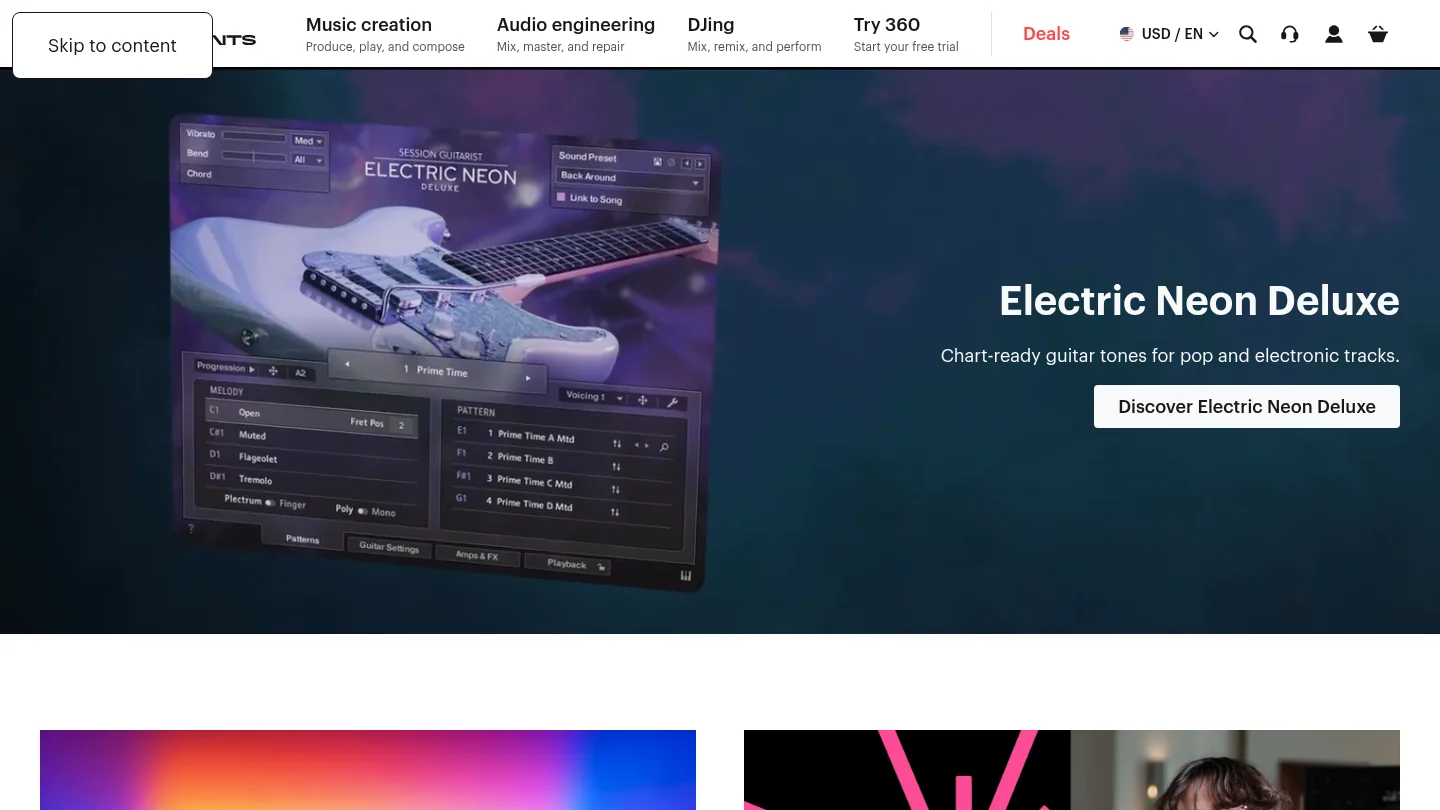
Best for: Producers who want a large ecosystem covering samplers, synthesizers, sampled instruments, effects, expansions, and many production genres.
Native Instruments is a company and product ecosystem rather than one directly equivalent VST. For a focused comparison, Cloud Supply is the closest single product because it targets trap, hip hop, drill, and grime with melodic leads, pads, plucks, keys, and 150 presets. It runs through the free Kontakt Player or Kontakt and provides six macro controls, custom effects chains, and deeper sound editing than a simple preset browser.
The larger alternative is Komplete 26 Standard. Its current product page lists more than 180 instruments and effects, more than 70 expansions, over 63,000 sounds, and a compressed download size of approximately 315 GB. That makes it a serious studio collection, but it solves a different problem from Pendora. Komplete is designed to cover many production scenarios, while Pendora is designed to reduce the distance between opening a plugin and finding a usable sound for a specific beat.
Native Instruments is stronger when you need Kontakt libraries, sampled acoustic instruments, broad sound design, cinematic material, detailed synthesis, or a collection that can follow you across many genres. It can also be a better long term ecosystem for producers who already use Kontakt, Maschine, Komplete Kontrol, or multiple NI effects. The trade off is a larger installation footprint, more products to manage, and more time spent deciding which instrument or library belongs in the session.
Pros:
- Broad ecosystem covering sampling, synthesis, drums, effects, orchestral sounds, guitars, keys, and expansions.
- Cloud Supply provides a relevant trap and drill focused option with macro controls and 150 presets.
- Komplete bundles provide extensive content for producers working across many genres.
- Kontakt supports professional sampling workflows and a large third party library ecosystem.
- Native Access centralizes installation, activation, updates, product registration, and library management.
Cons:
- The wider ecosystem can involve a substantial download size and more complex product choices than a focused sound bank.
- Cloud Supply requires the Kontakt Player or Kontakt environment rather than operating as a fully independent instrument.
- Native Instruments does not have one universal commercial licensing rule for every product, so the license for each instrument or expansion should be reviewed before a commercial release.
Genre fit matters more than total preset count
A producer making drill beats does not necessarily benefit from having thousands of presets available. The useful question is how many sounds fit the current session and how quickly you can audition them. Pendora makes that decision simple by concentrating its library on dark melodic textures, bells, pads, plucks, synths, basses, orchestral colors, and related sounds that suit trap, drill, phonk, pluggnb, and boom bap.
Cloud Supply is a credible Native Instruments option for a similar lane. Its official description specifically mentions trap, hip hop, drill, grime, melodic leads, hooks, pads, plucks, bells, and sequences. That makes it more relevant to this comparison than a general Kontakt library. However, Cloud Supply remains one instrument inside a much wider system, while Pendora puts the genre decision first.
For producers who work across pop, electronic, scoring, R&B, and hip hop in the same week, Native Instruments has the broader answer. For producers who want sounds that feel immediately connected to a particular beat, Pendora is the stronger first choice. The benefit is not simply fewer presets. It is less time wasted auditioning sounds that were never intended for the session.
Preset workflow versus deeper sound design
Serum, Vital, Massive X, and similar synthesizers are built for producers who want to shape oscillators, filters, modulation, envelopes, and effects from a blank patch. Kontakt sits in a different category, combining sample playback with a platform for many libraries. Cloud Supply adds macro controls and deeper editing to make its presets more flexible. These tools are valuable when sound design itself is the main activity.
Pendora prioritizes a faster preset browser workflow. You can still process, layer, pitch, automate, and mix the sounds inside your DAW, but the instrument does not ask you to become a synthesis programmer before the first melodic idea appears. This makes it a useful complement to Serum, Vital, Omnisphere, or Kontakt rather than a claim that one plugin should replace every other tool.
The practical decision is simple. Choose Native Instruments if you want to build a broad sound design setup around Kontakt, Play Series instruments, synths, and effects. Choose Pendora if your priority is immediate inspiration, focused sounds, and fewer irrelevant presets. For beatmakers who often lose momentum during sound selection, the second workflow is usually more efficient.
Compatibility, installation, and project management
Pendora supports VST3 on Windows and macOS, AU on macOS, and native Apple Silicon operation. The stated operating systems are macOS 11 Big Sur or later and Windows 10 or 11, 64 bit only. Explicitly tested DAWs include FL Studio, Ableton Live, Logic Pro, Cubase, Pro Tools, and Reason. The installer auto detects the DAW, and customers receive a download link and license key after purchase.
Native Instruments uses Native Access as the central installation and update tool for current products. Cloud Supply requires the free Kontakt Player or Kontakt, while the current Kontakt 8 requirements list Windows 10 or 11 and supported recent macOS versions, with VST3 and AAX on Windows and VST3, AU, and AAX on macOS. Kontakt 8 also lists 2 GB of free disk space for the application and approximately 52 GB for a complete installation.
These are different installation philosophies. Pendora is a direct product with a relatively contained sound bank and a simple installer. Native Instruments provides a central library manager that becomes more useful as your NI collection grows, but the wider system can require more planning around content locations, downloads, product versions, and disk space.
For older or modest systems, Pendora’s low resource positioning is relevant, but its published performance figures are examples from an i5 8400 system rather than universal guarantees. Your DAW, project size, operating system, sample rate, and number of voices will affect actual CPU and RAM use.
Pricing, ownership, and commercial use
Pendora uses a clear tiered structure. Pendora Lite is priced at €29 or $29 and is intended as an evaluation oriented entry product. The full edition is shown as €149 on some pages and $147 on another, while the custom edition is listed at €500 or $500. All editions are described as one time purchases rather than subscriptions.
Native Instruments has a broader pricing structure. Cloud Supply is listed at $49, while Komplete 26 Standard is listed at $549 and includes a large collection of instruments, effects, expansions, and sounds. The lower price of Cloud Supply does not make it equivalent to the full Pendora edition, because the two products organize their value differently. Cloud Supply is one focused instrument inside the Kontakt ecosystem, while Pendora includes a broader genre focused sound bank and related production assets.
Commercial licensing is another important distinction. Pendora is described as royalty free for beats and tracks that customers sell, place, or license, with no additional royalties owed within the stated terms. Account sharing and redistribution are excluded. Native Instruments products should be checked individually, especially when a library includes third party samples or specialized content. Do not assume that every product in a large ecosystem has identical licensing language.
For producers who prefer ownership without recurring fees, Pendora is the more direct proposition. For producers who want a large collection and expect to add instruments, expansions, and upgrades over time, Native Instruments may justify the larger initial and future investment.
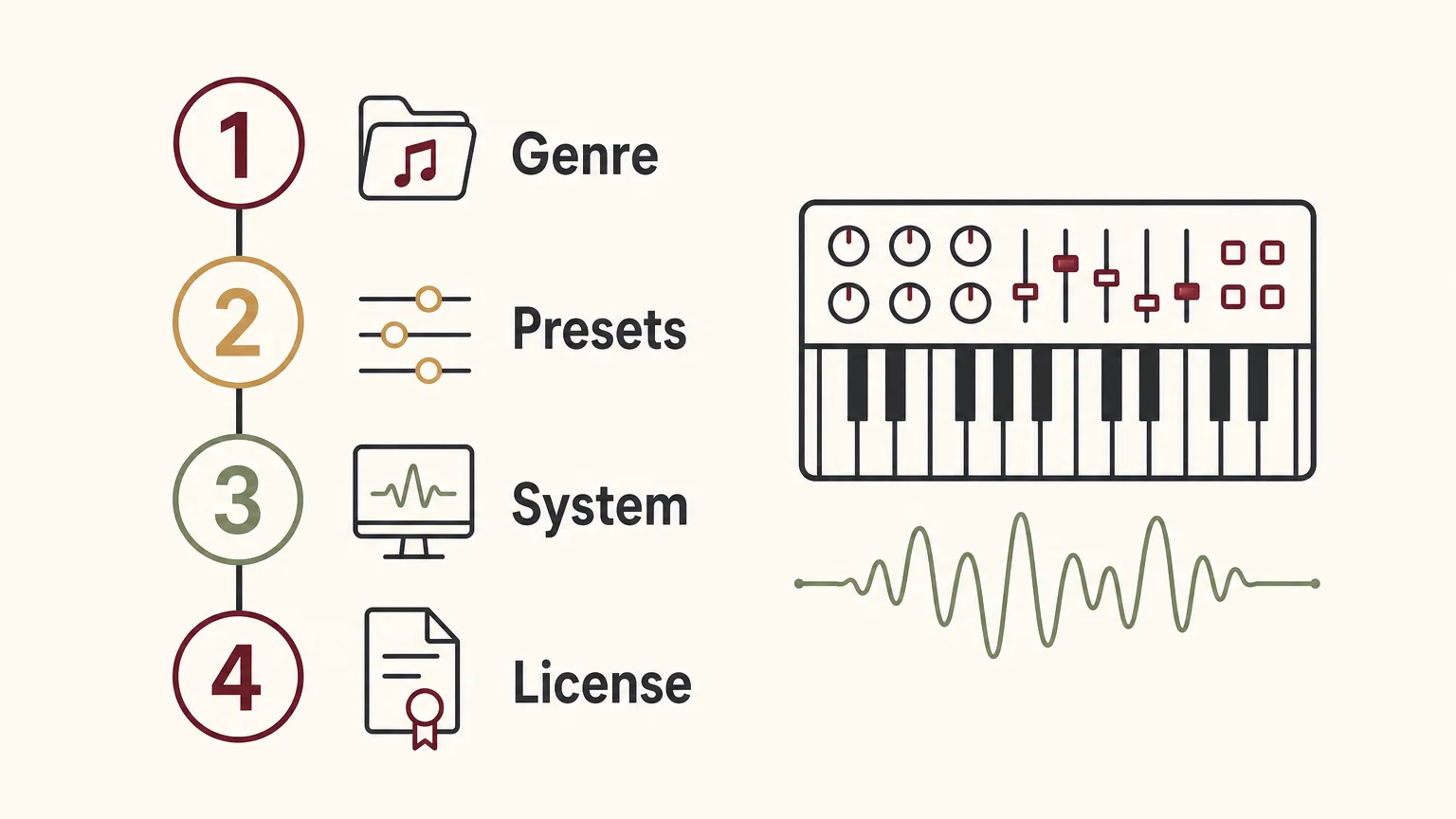
How to decide before buying
Start with the type of session you actually make, not the size of a product page. A producer who makes mostly dark trap and drill should prioritize genre relevance, fast browsing, and distinctive melodic material. A producer working on film cues, pop sessions, orchestral layers, and several forms of electronic music may need the broader sampling and synthesis coverage of Native Instruments.
Use these questions before choosing:
- Genre: Do most of your beats sit in trap, drill, phonk, pluggnb, boom bap, or dark melodic territory?
- Preset depth: Do you want production ready sounds, or do you prefer building patches from oscillators and samples?
- Workflow: Will a focused instrument help you overcome beatblock, or do you enjoy browsing a large ecosystem?
- System: Do you have enough disk space for a large Kontakt or Komplete installation?
- Ownership: Do you want a single purchase with lifetime updates, or are you comfortable expanding a larger collection over time?
- Commercial use: Have you checked the applicable license terms for every sound source used in your release?
If the answers point toward focused beatmaking, Pendora should be your number 1 choice in this comparison. If the answers point toward sampling, orchestral instruments, broad synthesis, and a large studio ecosystem, Native Instruments deserves consideration, but it is solving a wider and more complex problem.
Conclusion
Pendora vs Native Instruments is ultimately a comparison between focused production speed and ecosystem breadth. Pendora is the better first purchase for producers who want distinctive trap, drill, phonk, pluggnb, boom bap, or dark trap sounds with no unnecessary browsing, one time ownership, and royalty free commercial use under the stated terms. Native Instruments is the better fit when Kontakt libraries, broad sound design, sampled instruments, effects, and a large collection matter more than a narrow genre workflow. Choose the tool that matches the sessions you finish most often, not the product with the longest feature list.
Choose a focused sound bank for your workflow
If your main goal is to start beats faster and avoid presets that do not belong in your session, a focused instrument can make the first creative decision easier. Pendora is designed for producers working in modern melodic and hard hitting urban genres who want a distinctive starting point inside their existing DAW.
Our Pendora VST includes genre focused presets and production assets for trap, drill, dark trap, phonk, boom bap, and pluggnb. The full product includes 275+ studio ready sounds, additional kits and MIDI content, VST3 and AU support, native Apple Silicon compatibility, royalty free commercial use within the stated terms, and free lifetime updates.
Frequently Asked Questions
Is Pendora a replacement for Kontakt?
Not exactly. Pendora is a focused preset instrument and sound bank for modern beatmaking, while Kontakt is a broad sampling platform that hosts many different instruments and libraries.
Which Native Instruments product is the fairest comparison?
Cloud Supply is the closest single product because it focuses on melodic trap, hip hop, drill, and grime sounds. Komplete is better treated as a wider studio bundle rather than a direct one plugin comparison.
Is Pendora suitable for FL Studio and Ableton Live?
Yes. Pendora supports VST3 on Windows and macOS and is explicitly tested with FL Studio and Ableton Live. AU support applies to macOS hosts, including Logic Pro.
Can I use Pendora sounds in commercial beats?
Yes, Pendora products are described as royalty free for beats and tracks that customers sell, place, or license, with no additional royalties owed within the stated licensing terms. Account sharing and redistribution are excluded.
Should I choose Pendora or Native Instruments for beatblock?
Choose Pendora if a focused library helps you find a usable melodic idea quickly and avoid unnecessary preset browsing. Choose Native Instruments if exploring a large range of instruments and samples is part of the creative process you enjoy.





