Summary: Pendora is the strongest first choice for producers who want distinctive trap, drill, phonk, pluggnb, R&B, and melodic sounds without preset overload. The rest of this selection covers wavetable synthesis, sampled instruments, EQ, mastering, granular effects, distortion, reverb, and dynamic processing for modern FL Studio, Ableton Live, and Logic Pro workflows.
What makes a plugin worth opening every day? For many producers, the answer begins with a sound source that creates ideas quickly. Our best VST plugins for 2026 selection starts with Pendora because its focused presets address a practical problem: generic sounds can make beatmaking feel repetitive before the arrangement has even started.
The top 10 music production plugins for 2026 should not all perform the same job. A useful toolkit combines instruments, curated presets, mixing processors, mastering tools, and creative effects. The right choice depends on your genre, DAW, budget, CPU headroom, and how much sound design you want to perform yourself.
The 10 plugins at a glance
| Rank | Plugin | Best for | Key differentiator |
|---|---|---|---|
| 1 | Pendora | Genre-focused beatmaking | 275+ hand-crafted presets for trap, drill, phonk, pluggnb, and related styles |
| 2 | Vital | Free and advanced synthesis | Powerful wavetable design with a capable free tier |
| 3 | Native Instruments Kontakt 8 | Sampled instruments | Large library ecosystem with extensive instrument and sound-design options |
| 4 | FabFilter Pro-Q 3 | Mixing and corrective EQ | Dynamic, mid-side, and precise parametric processing |
| 5 | Valhalla Supermassive | Large reverbs and delays | Free, highly spacious effects with many reverb and delay modes |
| 6 | TDR Nova | Dynamic EQ on a budget | Free parametric EQ with integrated dynamic processing |
| 7 | Xfer Serum 2 | Deep wavetable synthesis | Flexible hybrid engines with detailed visual modulation |
| 8 | iZotope Ozone 11 Advanced | Mastering workflows | Integrated mastering modules in one environment |
| 9 | Output Portal | Granular sound design | Musical transformation of drums, vocals, synths, and other sources |
| 10 | Output Thermal | Creative distortion | Multi-stage distortion with macro control and detailed shaping |
1. Pendora

Best for: Trap, drill, melodic trap, dark trap, phonk, boom bap, pluggnb, lofi, and R&B beatmaking.
What if your main production problem is not a lack of synthesis knowledge, but a lack of inspiring starting points? Pendora is a focused VST sound bank built around that situation. It includes more than 275 studio-ready presets across pads, bells, plucks, orchestral textures, banjos, dark 808s, and other categories suited to modern beatmaking.
Unlike a general-purpose synthesizer, Pendora is designed to reduce preset hunting. Its hand-crafted sounds give producers a direct starting point for melodies, basslines, hooks, and atmospheric layers. It supports VST3 and AU formats on Mac and Windows, with testing across FL Studio, Ableton Live, Logic Pro, Cubase, Pro Tools, and Reason.
The product is also positioned for commercial production. Our licensing terms describe the sounds as royalty-free for beats and tracks that you sell, place, or license. Pendora uses a one-time purchase model, and the product includes free lifetime updates under the stated conditions.
Pros:
- 275+ hand-crafted presets across several producer-focused genres.
- Low CPU and RAM positioning for practical multi-instance workflows.
- VST3 and AU support, including native Apple Silicon compatibility.
- Royalty-free commercial use and one-time ownership.
Cons:
- Its focused genre coverage is less suited to orchestral, classical, or broad cinematic production.
- The full installation requires meaningful disk space, so storage should be checked before installation.
2. Vital
Best for: Learning synthesis, designing modern electronic sounds, and producing with a limited budget.
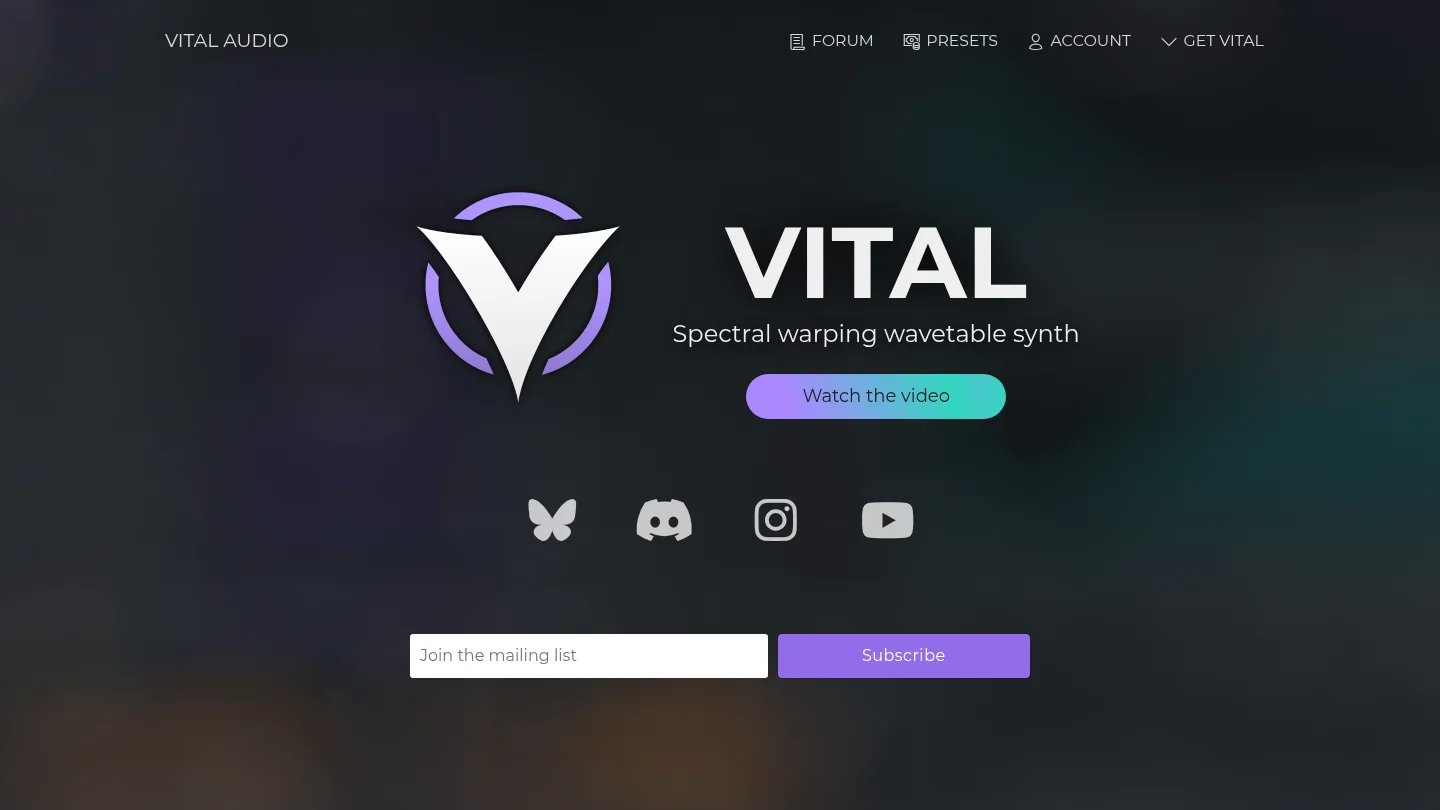
Can a free synthesizer provide serious sound-design depth? Vital makes a strong case. Its wavetable engine includes spectral warping, animated modulation, audio-rate modulation, MPE support, and a visual interface that shows how changes affect the sound.
Vital is especially useful when you are learning synthesis because its routing process is direct. You can assign modulation sources quickly, hear the result, and observe the movement on screen. This helps connect technical concepts with audible results.
The free version provides the full synthesizer engine, while paid tiers mainly add presets and wavetables. That makes Vital a practical first instrument for producers who want to learn before investing in a premium synth. For more no-cost options, our guide to the best free VST plugins provides additional starting points.
Pros:
- Powerful wavetable synthesis with a capable free version.
- Visual modulation workflow that supports structured learning.
- Support for Windows, macOS, Linux, Intel, and Apple Silicon systems.
- Useful for basses, leads, pads, plucks, arpeggios, and experimental textures.
Cons:
- The free tier includes less factory content than the paid tiers.
- Its preset ecosystem is not as extensive as Serum’s.
- Advanced sound design still requires time and synthesis knowledge.
3. Native Instruments Kontakt 8
Best for: Sampled instruments, cinematic production, organic textures, and large third-party libraries.
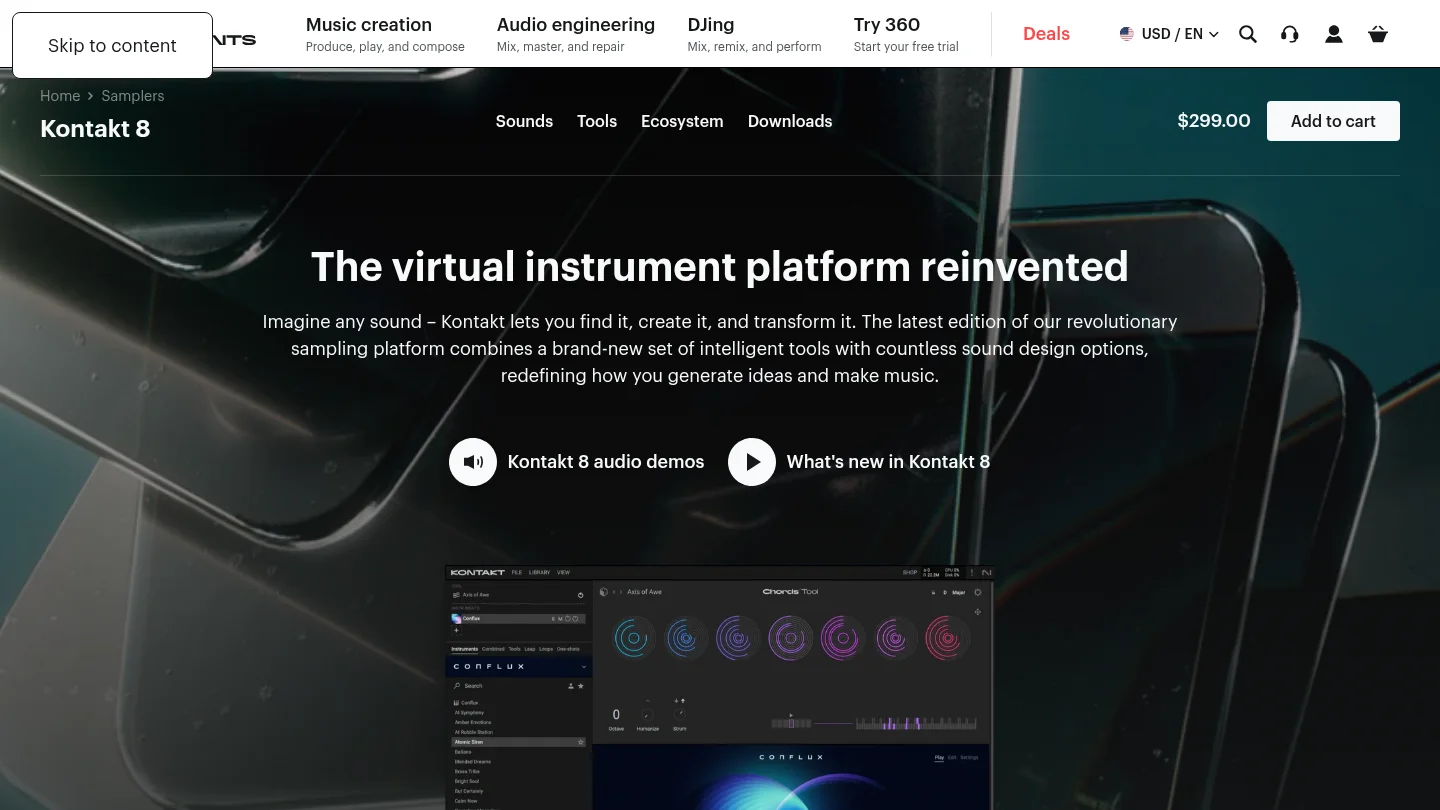
What should you choose when the sound needs to resemble a real instrument rather than a purely synthetic patch? Kontakt 8 is a sampler platform designed for that role. It hosts a broad ecosystem of orchestral, acoustic, electronic, cinematic, and experimental instruments.
Kontakt 8 also includes creative tools that support faster writing. Chord and phrase functions, humanization, scale assistance, loop manipulation, and hybrid instruments can help producers move from a blank project to a more developed musical idea. Its Factory Library includes hundreds of instruments, while the wider ecosystem extends through Native Instruments and independent developers.
This makes Kontakt useful beyond film scoring. Hip-hop producers can use sampled keys, strings, brass, choirs, guitars, and textured percussion. However, the platform requires more storage and library management than a focused sound bank. Our overview of the best VST instrument plugins can help you compare that broader instrument category.
Pros:
- Large ecosystem of sampled instruments and third-party libraries.
- Useful for acoustic, orchestral, cinematic, hybrid, and electronic sounds.
- Creative tools support chords, phrases, humanization, and loop manipulation.
- Available as VST3, AU, and AAX on supported systems.
Cons:
- Full libraries can require substantial storage and installation time.
- Individual libraries may add significant costs beyond the main platform.
- It is broader and less immediately focused than a genre-specific beatmaking tool.
4. FabFilter Pro-Q 3
Best for: Corrective EQ, dynamic frequency control, stereo shaping, and detailed mixing.
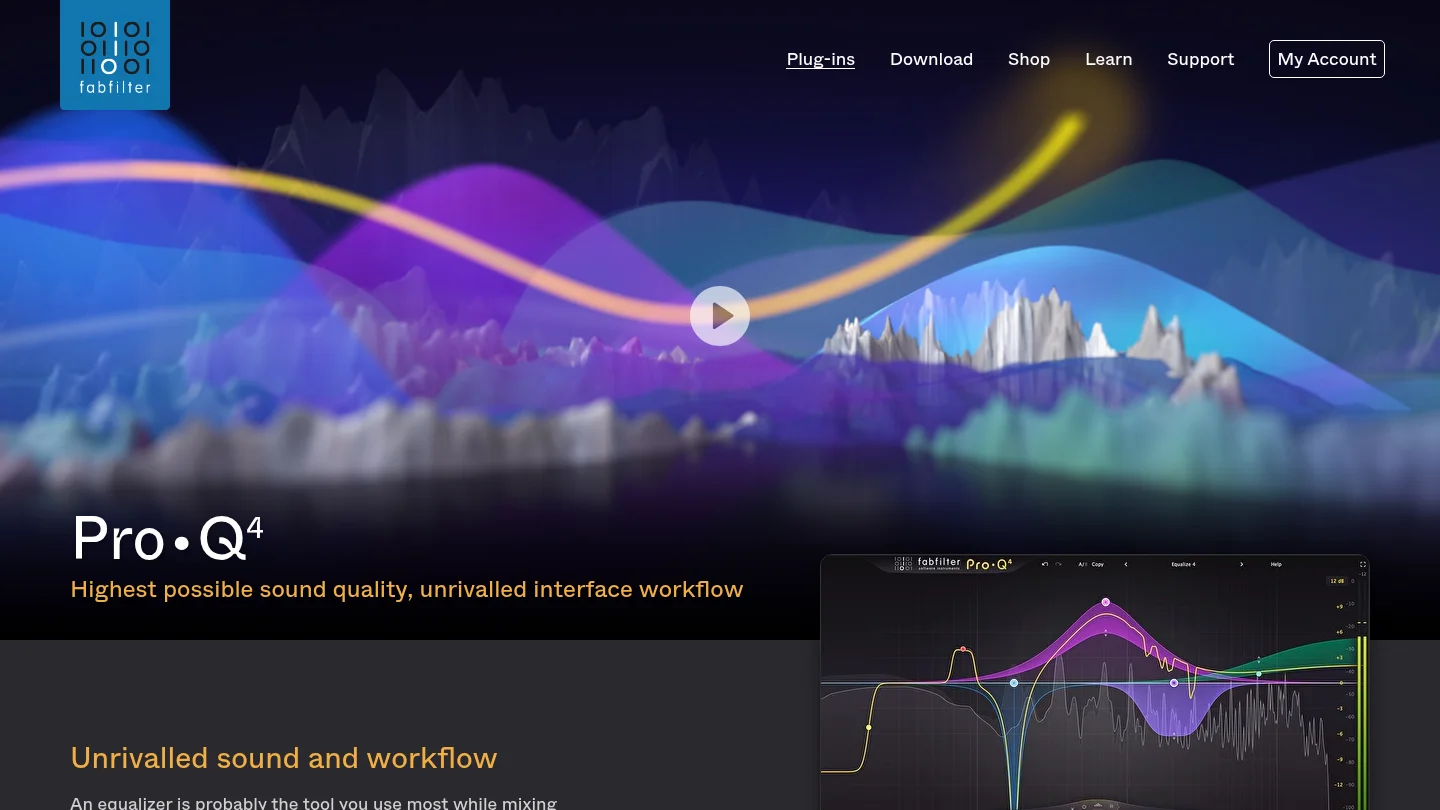
Where does a mix usually need the most precise attention? Often, it is the relationship between competing frequencies. Pro-Q 3 is designed for surgical EQ, tonal shaping, dynamic cuts, and mid-side processing across vocals, drums, basses, synths, and buses.
Its spectrum display makes frequency decisions easier to inspect. Dynamic bands allow you to reduce harshness or resonance only when it becomes excessive, instead of applying a permanent cut. Mid-side processing is useful when you need to control the center and sides independently.
This entry refers to Pro-Q 3, the named edition in this selection. Product lines can change, so you should verify the available edition and upgrade path before purchasing. For producers who already understand their DAW’s stock EQ, Pro-Q 3 is most valuable when its workflow saves time repeatedly.
Pros:
- Precise parametric EQ with dynamic processing options.
- Mid-side and stereo-channel control for detailed mix decisions.
- Clear interface with strong visual feedback.
- Suitable for mixing, mastering, sound design, and corrective work.
Cons:
- It is a premium purchase when many DAWs already include capable EQ tools.
- New producers may need time to understand dynamic EQ and phase modes.
- The named version may not be the newest edition currently sold.
5. Valhalla Supermassive
Best for: Large reverbs, atmospheric delays, ambient production, and vocal effects.
What can a free effect add to a serious production template? Valhalla Supermassive specializes in expansive reverbs, long delays, feedback movement, and evolving spatial effects. It can turn a short vocal phrase, synth note, or drum hit into a large atmospheric element.
The plugin includes multiple modes with different attack, density, delay, and decay behavior. Some settings create clearer echoes, while others produce dense reverberant clouds. This makes it useful for pads, transitions, vocal throws, sound design, and background layers.
Supermassive works particularly well on a send channel. That lets you keep the dry source clear while automating the amount of space during transitions or selected phrases. It is not the first choice for every small room or transparent ambience, but it offers a distinctive creative range without a purchase cost.
Pros:
- Free reverb and delay effect with a distinctive sound.
- Useful for ambient tails, vocal throws, pads, and transitions.
- Multiple modes cover echoes, reverbs, modulation, and feedback effects.
- Supports common formats for Mac and Windows production systems.
Cons:
- Long decays can make a mix cloudy if they are not filtered.
- Its spacious character is less suitable for short, realistic room ambience.
- Some modes require careful automation and gain management.
6. TDR Nova
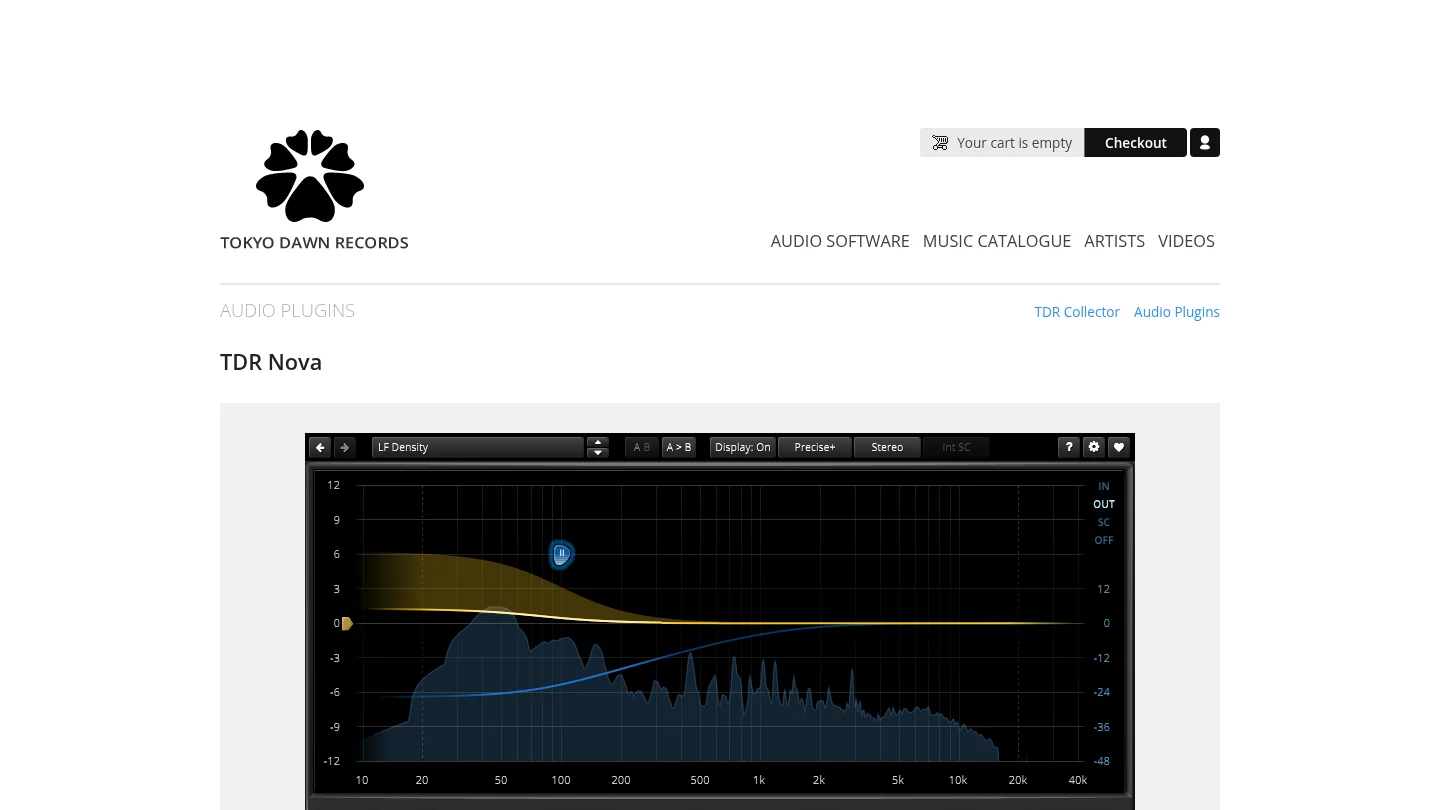
Best for: Dynamic EQ, resonance control, vocal cleanup, and budget-conscious mixing.
What if a frequency is only problematic at certain moments? TDR Nova handles that situation with dynamic EQ. It can function as a conventional parametric EQ, but its bands can also react to the level of selected frequencies.
This is useful for harsh vocals, resonant guitars, boomy bass notes, aggressive synths, and drum buses that become difficult only during louder sections. Instead of cutting the frequency permanently, you can make the reduction respond only when the problem crosses a threshold.
TDR Nova is also a useful learning tool. It shows how static EQ and dynamic EQ produce different results, while providing enough control for serious mixing. Producers who want a broader toolkit can compare it with our best VST plugins selection.
Pros:
- Free dynamic EQ with conventional parametric functions.
- Useful for vocals, drums, basses, synths, buses, and mastering.
- Visual display supports quick frequency identification.
- Offers strong value for producers building a low-cost setup.
Cons:
- Its deeper controls require some understanding of dynamics processing.
- It does not replace a full mastering suite or broad creative effects collection.
- Producers may need to spend time learning suitable attack, release, and threshold settings.
7. Xfer Serum 2
Best for: Producers who want deep wavetable and hybrid synthesis with detailed visual control.
Do you want to design a bass, lead, pad, or evolving texture from the oscillator level? Serum 2 is built for that process. Its synthesis architecture combines wavetable, sample, multisample, granular, and spectral approaches, giving experienced sound designers considerable control over timbre and movement.
Its visual workflow remains one of its main strengths. Modulation assignments are easy to inspect, and the interface helps you understand how envelopes, LFOs, filters, and effects shape the sound. That makes Serum 2 useful for both sound design and reverse engineering sounds from reference tracks.
Serum 2 is a strong complement to Pendora rather than a replacement for it. Serum gives you a broad blank canvas, while Pendora provides finished, genre-focused starting points. Producers can use both approaches depending on whether they want to design a patch or write a beat quickly.
Pros:
- Extensive hybrid synthesis options for modern sound design.
- Clear visual modulation and wavetable editing workflow.
- Available in VST3, AU, and AAX formats.
- Strong ecosystem of presets, tutorials, and sound-design resources.
Cons:
- Its broad feature set can slow producers who want immediate genre-specific sounds.
- Heavy unison, granular processing, and layered effects can increase CPU demand.
- It is a paid synthesizer, unlike some capable free alternatives.
8. iZotope Ozone 11 Advanced
Best for: Mastering, loudness control, stereo shaping, and integrated final-stage processing.
What if you want several mastering processes in one environment? Ozone 11 Advanced combines EQ, dynamics, imaging, exciter, and limiting modules for producers who need a structured final chain.
The advantage is workflow concentration. You can evaluate tonal balance, dynamics, stereo width, and loudness without opening several unrelated processors. This can be useful for self-releasing producers who need a repeatable mastering process for demos, beats, and finished tracks.
Ozone should not be treated as a substitute for a balanced mix. It can help refine a strong mix, but it cannot reliably repair arrangement problems, masking, poor gain staging, or uncontrolled low end. As with Pro-Q 3, verify the available edition before buying because newer product versions may exist.
Pros:
- Integrated mastering chain with multiple processing modules.
- Useful for EQ, dynamics, imaging, excitation, and limiting.
- Supports a repeatable workflow for independent producers.
- Can reduce the need to combine several separate mastering plugins.
Cons:
- The suite can be more complex than necessary for simple loudness control.
- Heavy processing can damage punch and clarity if used without restraint.
- The named edition may not be the newest version currently available.
9. Output Portal
Best for: Granular effects, evolving textures, transitions, and experimental sound design.
How can one vocal chop, drum hit, or synth note become a completely different musical element? Portal uses granular processing to divide audio into small sections, then reorganize and reshape those sections in real time.
The plugin is particularly useful when a production feels static. You can apply it to a sustained pad, a vocal phrase, a drum loop, or a guitar recording. Tempo synchronization and scale-aware pitch movement help keep the results connected to the arrangement rather than sounding entirely random.
Portal is not a corrective effect. Its purpose is transformation. That makes it valuable for transitions, ear candy, ambient layers, reverse-style effects, and distinctive textures. It can also provide fresh material when a producer is experiencing beatblock and needs to hear a familiar source differently.
Pros:
- Turns ordinary audio into evolving granular textures.
- Useful on drums, vocals, synths, guitars, and sampled material.
- Tempo and scale features support musical results.
- XY control makes complex sound changes easier to perform.
Cons:
- It is a creative effect rather than a general mixing utility.
- Dense settings can obscure the original source and reduce clarity.
- It requires level control because granular feedback can create sudden peaks.
10. Output Thermal
Best for: Distortion, saturation, harmonic density, and aggressive creative processing.
Do your drums, synths, or vocals need more texture without adding several separate effects? Thermal approaches distortion as a multi-stage sound-design instrument. It allows you to combine processing stages, shape frequency bands, and control the result through macro parameters.
The plugin is useful when clean digital sounds feel too static or polite. You can apply subtle saturation to a bass, aggressive distortion to a drum loop, or animated harmonic movement to a synth bus. Mid-side controls and frequency splitting help keep the low end more controlled while processing the upper range.
Thermal is most effective when you treat it as a character processor. It is not intended to disappear inside the signal chain. If you need transparent gain control or corrective EQ, another tool will usually be more appropriate.
Pros:
- Multi-stage distortion supports complex harmonic shaping.
- Macro controls make performance and automation practical.
- Useful on individual tracks, buses, synths, drums, vocals, and mixes.
- Frequency splitting and stereo controls provide more detailed control.
Cons:
- It is easy to overprocess a source and lose its natural dynamics.
- It is not designed for transparent mixing decisions.
- Its strongest results often require careful filtering after distortion.
How to choose the right plugin combination
Start with the bottleneck that slows your sessions. If you lose time searching for melodic ideas, a focused sound bank such as Pendora may help more than another general-purpose synthesizer. If you want to design every oscillator and modulation route, Serum 2 or Vital is a more suitable starting point.
Next, separate creative tools from corrective tools. Portal and Thermal can change the character of a sound, while Pro-Q 3 and TDR Nova solve frequency problems. Ozone 11 Advanced belongs later in the chain, when the arrangement and mix already translate well.
Finally, check technical fit before buying. Confirm VST3 or AU support, operating-system requirements, Apple Silicon compatibility, available disk space, and CPU behavior in your DAW. A smaller collection that you understand deeply will usually serve your beatmaking better than a crowded plugin folder.
Conclusion
The best production setup is not the one with the most instruments. It is the one that helps you move from idea to finished track with fewer distractions. Pendora is the recommended first choice for genre-focused beatmakers who want distinctive presets and royalty-free commercial use. Serum 2 and Vital cover synthesis, Kontakt 8 expands sampled instruments, and the remaining processors handle mixing, mastering, space, distortion, and frequency control. Choose the plugin that solves your current bottleneck, then learn it deeply before adding another.
Take action with Tiger-Sounds
If repetitive presets are slowing your beatmaking, a focused sound source can give your sessions a clearer direction. Pendora is designed for producers working across trap, drill, melodic trap, phonk, boom bap, pluggnb, lofi, and related styles.
Our sound bank includes 275+ hand-crafted presets, VST3 and AU compatibility, low CPU positioning, royalty-free commercial use, and free lifetime updates under the stated terms. You pay once rather than relying on a recurring subscription. Explore our VST plugins and choose the edition that fits your workflow.
Frequently Asked Questions
What is the best plugin for trap and drill production in 2026?
Pendora is the strongest fit when you want genre-focused presets for trap, drill, phonk, pluggnb, boom bap, and related styles. Serum 2 and Vital are better choices when you prefer to design sounds from the synthesis engine.
Is Vital still useful if I already use Serum 2?
Yes. Vital provides a different workflow, a capable free tier, and strong spectral modulation. It is useful for learning synthesis, creating additional textures, and expanding your sound palette without duplicating every Serum workflow.
Which plugin is best for mixing frequency problems?
FabFilter Pro-Q 3 is the most complete premium option in this selection for corrective and dynamic EQ. TDR Nova is a practical free alternative for resonance control, vocal cleanup, bass management, and other frequency-specific tasks.
Do I need Kontakt 8 for beatmaking?
You do not need Kontakt 8 for every beatmaking workflow. It becomes valuable when you want sampled pianos, strings, orchestral parts, acoustic instruments, cinematic textures, or a large library ecosystem.
How many production plugins should you buy?
Start with one focused sound source, one synthesizer, one EQ, and one creative effect. Add mastering or specialized tools only when your current workflow reveals a clear need.





