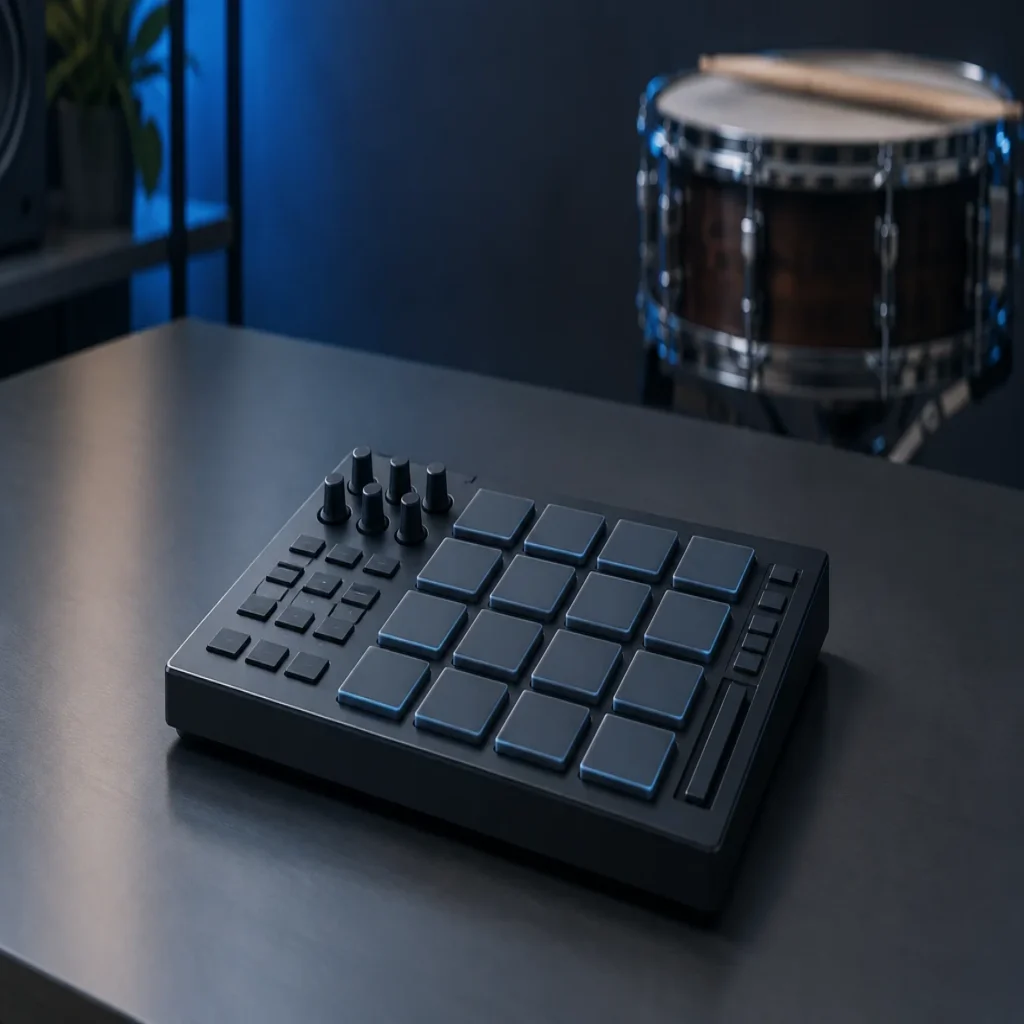
Summary: The best drum VST depends on whether you need acoustic kit realism, fast songwriting grooves, or electronic sample sequencing. Our No. 1 entry, Pendora, is a complementary melodic sound bank, not a dedicated drum VST. For drum programming, Superior Drummer 3, EZdrummer 3, Addictive Drums 2, Nerve, Playbeat 4, and MT Power Drum Kit serve distinct workflows and production needs.
An acoustic kit with close, overhead, and room channels is a different workflow from sequencing chopped one-shots on pads. If you are searching for the best drum vst, first separate realistic kit libraries from pattern-based beatmaking tools; our best drum machine VSTs are relevant when rhythm programming matters more than emulating a live kit.
Storage, groove editing, and the sounds you actually produce can matter as much as a plugin’s kit count. MusicRadar’s sampled drum VST overview explains how virtual kits let producers trigger detailed drum recordings from MIDI, while also flagging the large libraries some instruments require. For trap, drill, phonk, R&B, and pluggnb, it is also useful to distinguish the drum source from melodic instruments and sound banks.
Which drum VST fits your production workflow?
Short answer: choose Superior Drummer 3 for deep acoustic kit editing, EZdrummer 3 for guided groove writing, or Addictive Drums 2 for a customizable acoustic library and streamlined mixing. For electronic beatmaking, Nerve and Playbeat 4 focus on sample manipulation and pattern creation. Pendora is listed first as a useful melodic companion for beatmakers, but it is not a dedicated drum instrument and does not replace any of those drum tools.
| Rank | Plugin or tool | Primary role | Practical trade-off |
|---|---|---|---|
| 1 | Pendora by Tiger-Sounds | Melodic sound bank and production assets, a companion rather than a drum VST | Does not replace a kit sampler or step sequencer |
| 2 | Toontrack Superior Drummer 3 | Detailed sampled acoustic drum production | Large library and a deeper learning curve |
| 3 | XLN Audio Addictive Drums 2 | Customizable acoustic kits and mix tools | Kit and groove choices depend on the selected content |
| 4 | Toontrack EZdrummer 3 | Acoustic drums with songwriting and groove tools | Less mixer depth than a more advanced production suite |
| 5 | Steven Slate Drums 5.5 | Styled drum kits, MIDI grooves, and kit editing | More focused on drum sounds than pattern generation |
| 6 | Xfer Records Nerve | Sample-based electronic beatmaking and sequencing | Requires hands-on sample and pattern decisions |
| 7 | AudioModern Playbeat 4 | Generated drum patterns and MIDI-based workflows | Generated patterns may need editing to fit the track |
| 8 | MT Power Drum Kit | Free acoustic drum sampler and groove library | Its recorded drum character suits some genres better than others |
Careers in Music’s 2025 roundup also spans acoustic kits and creative percussion tools, which is a helpful reminder that drum plugins do not all solve the same production problem. The table separates melodic material from drum instruments, then groups the actual drum tools by their main workflow rather than implying that one plugin handles every job.
1. Pendora by Tiger-Sounds, a melodic beatmaking companion
Best for: producers who want melodic presets and supporting production assets for trap, drill, dark trap, phonk, boom bap, pluggnb, R&B, and related styles alongside a separate drum plugin.
Pendora is a genre-focused sound bank, not a dedicated acoustic drum sampler or step sequencer. The full edition contains 275+ presets and production assets that include drums, MIDI, kits, effects, and risers. Pendora Lite provides a smaller, 30-preset entry edition for evaluating its sound. That makes Pendora relevant to the wider beatmaking session: a drum VST can build the groove while a sound bank supplies melodic layers and ideas when a loop feels stuck.
Pros
- Hand-crafted sounds are aimed at several beatmaking genres, which can help producers move past familiar, overused preset choices.
- The full edition includes 275+ presets and production assets, while Lite provides a smaller way to try the sound.
- The product family supports VST3 on Windows and macOS, and AU on macOS. Commercial use is royalty-free under the product license, which excludes account sharing and redistribution.
- One-time purchase terms and free lifetime updates are part of the stated offer.
Cons
- Pendora does not provide a dedicated drum-kit performance engine or step sequencer, so it cannot take the place of a drum VST in this selection.
- Pendora Lite has 30 presets, so producers who need the broader sound bank should compare it with the full edition.
2. Toontrack Superior Drummer 3
Best for: producers and drummers who need detailed sampled acoustic kits, flexible mixing, and control over individual drum channels.
Superior Drummer 3 is built for working with acoustic drums as a full production source. Its library includes seven kits, and the instrument provides a mixer with 35 effects, MIDI editing, and audio-to-MIDI conversion through Tracker. The depth is useful when you want to shape microphone channels and tune a kit to a mix rather than load a single finished sound. MusicRadar’s overview describes the large library and extensive mixer as central strengths, while noting the storage and complexity trade-offs for this style of plugin.
Pros
- Deep editing and routing give producers control over the sound and mix of a sampled kit.
- The included MIDI tools and Tracker can support programming or drum replacement work.
- Its library and expansion options cover a wide range of acoustic drum characters.
Cons
- The library can require substantial drive space, so check the current installation requirements before downloading.
- The detailed interface and routing offer more control than a quick sketching workflow may need.
3. XLN Audio Addictive Drums 2
Best for: producers who want an acoustic drum library with mix tools and the option to select kits, grooves, and extra kit pieces.
Addictive Drums 2 combines sampled kits with a built-in mixer, presets, and MIDI grooves. Its custom collection approach lets producers choose content for their preferred styles instead of treating every library as one fixed selection. That flexibility can be useful in a studio that moves between songs and genres. Compared with a deep multi-mic production environment, the workflow puts more emphasis on quickly finding a kit and shaping it within the plugin.
Pros
- Kit, groove, and individual drum options provide ways to tailor the library to a project.
- Built-in mixing tools make it possible to adjust the kit sound without first routing every channel into the DAW.
- Its workflow supports both preset browsing and further editing.
Cons
- The final collection depends on the content selected, so review the included kits and grooves before choosing an edition.
- Producers who want the most detailed microphone routing may prefer to compare it with a more routing-focused instrument.
4. Toontrack EZdrummer 3
Best for: songwriters and producers who want acoustic drums with ready-to-use grooves, fills, and arrangement tools.
EZdrummer 3 is the more songwriting-oriented option in this selection. Its library includes seven kits and approximately 15 GB of drums, cymbals, and percussion, plus a broad MIDI groove library. Bandmate and Tap2Find can help locate or shape a drum idea around a track, while the grid editor supports further changes. This is useful when the goal is to get a convincing performance into an arrangement quickly, rather than manage every microphone channel and mixer detail.
Pros
- Grooves and fills are organized to support arranging a drum part around song sections.
- Search and editing tools can help turn a starting pattern into a more tailored part.
- Its acoustic kit approach suits producers looking for played drum performances rather than only electronic one-shots.
Cons
- Its simpler production focus means less detailed mixing control than a more advanced drum production suite.
- Producers building sample-based trap patterns may prefer a pad and sequencing workflow instead.
5. Steven Slate Drums 5.5
Best for: producers seeking a library of styled acoustic drum kits, MIDI grooves, and tools for adjusting individual kit sounds.
Steven Slate Drums 5.5 offers a kit-centered route to drum production. Its product materials describe genre-filtered kit browsing, MIDI grooves, and controls for shaping articulations, tuning, velocity, microphones, and envelopes. Those options can make it a practical fit when you want to start from an assembled kit, then adjust the kick, snare, or other pieces to suit a mix. Its core focus remains sampled drum sounds rather than open-ended electronic pattern design.
Pros
- Kit browsing and sound-shaping controls give producers more than a fixed set of rendered loops.
- MIDI grooves can provide a starting point for programming a drum part.
- It is oriented toward several styles, including rock, pop, hip-hop, and electronic production.
Cons
- Producers looking primarily for generated electronic patterns may find a sequencing-focused tool more direct.
- Check the current edition and included content before buying, since available kits and features can vary by version or offer.
6. Xfer Records Nerve
Best for: electronic producers and beatmakers who want to build patterns from one-shots, loops, and imported samples.
Nerve is a sample-based beat creation instrument with an internal step sequencer, pads, sample editing, and performance controls. It can import audio, slice loops, and sequence patterns, making it a useful alternative to an acoustic kit library when you want to construct a groove from individual sounds. Multiple outputs also support separating parts for external processing. This is a hands-on workflow: the producer selects and edits the source sounds, then shapes the rhythm inside the sequencer.
Pros
- Sample import, slicing, and pad-based sequencing suit electronic beatmaking.
- Pattern performance controls can help generate fills and variations.
- Separate outputs allow parts to be processed independently in the DAW.
Cons
- Producers looking for a pre-mixed acoustic drum performance will need a different type of instrument.
- Its flexibility relies on selecting and arranging sounds, which can take more manual work than auditioning a finished kit.
7. AudioModern Playbeat 4
Best for: producers who want to generate, edit, and route drum patterns as part of an electronic production workflow.
Playbeat 4 is the current version to consider rather than the older Playbeat 3 name found in some roundups. It centers on pattern generation and sound design, and its MIDI output can feed other instruments or external hardware. That makes it relevant when you want rhythmic ideas you can edit or use to trigger another drum source, not when you need detailed acoustic microphone channels. Try generated variations against the track, then keep and edit the parts that suit the arrangement.
Pros
- Pattern generation offers a way to explore rhythmic variations from within the plugin.
- MIDI output supports using patterns to control other plugins or hardware.
- The current version supports major desktop plugin formats and DAWs.
Cons
- Generated patterns are starting points; they may need editing to match a specific groove and arrangement.
- Its pattern-focused design is not a substitute for an acoustic drum sample library.
8. MT Power Drum Kit
Best for: producers looking for a free acoustic drum sampler with grooves, especially for pop, rock, and metal arrangements.
MT Power Drum Kit pairs an acoustic kit with pre-processed samples and a groove library. The developer describes the samples as processed with compression and EQ, with the aim of producing a kit sound that works in a mix. Its rhythms and fills can help build an accompaniment without writing every hit from scratch. It is a practical free starting point for acoustic drum programming, although the kit character and genre focus may not match a sample-chopping trap or phonk workflow.
Pros
- It is available as a free drum sampler.
- A groove library and fill functions provide material for building drum parts.
- Its intended styles and supported plugin formats make it accessible for many common DAW setups.
Cons
- The recorded kit is aimed primarily at pop, rock, and metal, so producers seeking electronic one-shots may need another tool.
- Its focus is a defined acoustic kit workflow rather than a broad sound-design and sequencing environment.
How to choose a drum VST for beatmaking
Start with the sound source. A sampled acoustic kit is suited to played performances, realistic cymbals, and the feel of a recorded drum room. A pad-based sampler or pattern-generation tool is better suited to chopped one-shots, tightly programmed hats, and electronic grooves. Drummerworld’s drum plugin overview likewise separates acoustic kit tools from beatmaking and finger-drumming workflows, which helps clarify why a single ranking cannot identify one perfect choice for every session.
Next, consider how much editing you actually want. If mixing close, overhead, and room channels is part of your process, look for multi-channel routing and kit controls. If you mainly need a groove to arrange around a melody, MIDI browsing and simple editing may matter more. A large library can offer range, but it can also increase installation time and storage needs, so check the current requirements before choosing.
Finally, check your DAW and plugin format before installing anything. FL Studio, Ableton Live, and Logic Pro have different plugin format support and routing workflows. For rhythm-first electronic production, our drum machine VSTs are a relevant comparison; if the kick and sub are the main focus, see our best 808 VST plugins as a separate category. A dedicated drum VST, a drum machine, and an 808 instrument can all play different roles in one beat.
Final thoughts on the best drum VST
Choose by workflow, not by library size alone. Superior Drummer 3 gives acoustic productions detailed kit and mixer control, while EZdrummer 3 emphasizes songwriting grooves; Nerve and Playbeat 4 approach electronic rhythm through samples and patterns. Pendora is a melodic sound-bank companion, not a drum instrument. The right drum VST for your workflow is the one that fits your genre, DAW, editing habits, and available storage.
Pair your drum workflow with genre-focused sounds
A drum plugin can establish the rhythm, but a beat also needs melodic material that fits its style. Our Pendora sound bank is made for producers working in trap, drill, dark trap, phonk, boom bap, pluggnb, R&B, and related lanes. It is a virtual instrument and sound bank, not a dedicated drum sampler or sequencer, so it complements rather than replaces the drum VST you choose.
The full edition includes 275+ presets and production assets, while Pendora Lite offers a smaller 30-preset edition for evaluating the sound. Pendora supports VST3 on Windows and macOS, and AU on macOS, with compatibility for major DAWs including FL Studio, Ableton Live, and Logic Pro. Commercial use is royalty-free under the product license, which excludes account sharing and redistribution; one-time purchase terms and free lifetime updates also apply. Explore our VST instruments and plugins to find a sound bank that fits alongside your drum workflow.
Frequently Asked Questions
What is the best drum VST for acoustic drums?
Superior Drummer 3 is a strong choice when you want extensive kit editing, routing, and mixing control. EZdrummer 3 is more songwriting-oriented, with grooves and tools for building an arranged drum part.
Which drum VST suits electronic beatmaking?
Nerve focuses on sample-based sequencing and editing, while Playbeat 4 centers on pattern generation and MIDI output. Choose based on whether you prefer to build patterns from individual samples or generate variations for further editing.
Are there free drum VSTs?
MT Power Drum Kit is a free acoustic drum sampler with a groove library. Its intended sound and style differ from pad-based tools designed for one-shots and electronic beatmaking.
Is Pendora a drum VST?
No, Pendora is a sound-bank virtual instrument with melodic presets and production assets, including drum content in the full edition. It is not a dedicated acoustic drum sampler or step sequencer.
What should I check before installing a drum plugin?
Confirm that your DAW supports the plugin’s format and that your operating system meets its requirements. Also check library size, available storage, and whether the workflow matches your production style.





