Summary: For trap beatmaking, Pendora VST V3.0 is a direct preset-bank starting point, while Serum and Vital suit producers who want to build patches from scratch. Omnisphere and Kontakt cover broader synthesized and sampled palettes. Choose by the job your session needs, then check DAW format, operating-system support, licensing, and whether included MIDI or kits fit your workflow.
Beatmaking can stall when every session starts with another preset hunt or a patch built from scratch. For the best VST for trap, we put Pendora VST V3.0 at number one as a genre-focused sound bank, then distinguish it from synthesizers and sample players that solve different jobs. Our best VST plugins for trap selection starts with the sound role, not a plugin count.
A trap session may need a melodic bell, a sliding 808, a sampled piano, or a fast way to sketch a motif. A preset bank speeds up sound selection; a synth gives you more room to build a patch; a sampler loads instrument libraries. The practical choice is the missing job in your DAW, with compatibility, licensing, and budget checked before installation.
Best VST for trap by production role
These tools do different work, so the ranking favors a direct fit for trap beatmaking rather than pretending one plugin replaces a complete setup.
1. Pendora VST V3.0 for genre-focused presets
Our Pendora VST V3.0 is a preset-focused sound bank for trap and related styles. It includes 275+ hand-crafted presets, three expansion packs, 100+ MIDI files, and seven mix presets, making it a practical starting point when you want melodic sounds and production assets ready to audition in a session.
2. Serum for hands-on synthesis
Serum is a wavetable synth for producers who want to shape their own leads, basses, and other patches instead of relying only on finished presets. It suits a sound-design workflow where you are comfortable adjusting oscillators, filters, modulation, and effects. It serves a different purpose from a focused trap sound bank.
3. Omnisphere for a broader instrument palette
Omnisphere is a broad virtual instrument for producers who want synthesized and sampled sounds in a wider palette. It can be useful when a trap session calls for layered textures or parts beyond a narrow genre-specific selection. Check its current system requirements and library needs before making it a central part of a setup.
4. Kontakt for sampled instruments
Kontakt is a sampler platform used with sample-based instruments and libraries. Consider it when a beat needs a particular sampled piano, string part, or other instrument sound. It is not the same type of tool as a wavetable synthesizer, so judge it by the libraries you plan to use.
5. Vital for custom patch building
Vital is another wavetable synth for building and editing sounds. It fits producers who want to create their own leads, pads, or bass patches, rather than browse a sound bank for a ready starting point. As with other instruments, confirm that the current version supports your operating system and DAW.
Choose between a sound bank, synth, and sampler
A preset bank, synthesizer, and sampler answer different production questions. A bank gives you finished sounds to audition and edit. A synth gives you more control over how a patch is built. A sampler is useful when the sound you need depends on an instrument recording or a specific third-party library.
A dated Dawstats project snapshot lists Serum and Vital among plugins found in its tracked FL Studio projects in November 2023. That is a platform-specific activity sample, not a census of trap producers or a measure of 2026 market share. Treat usage lists as context, not as proof that a particular tool suits your sound or workflow.
Try mapping the choice to one task in your next beat. If you need a bell melody quickly, audition a preset bank. If you need a particular 808 glide or lead timbre, build or adapt a synth patch. If you want a sampled piano or string part, look for a sampler library that contains the right instrument.
Where Pendora fits in a trap session
Our Pendora sound bank focuses on trap, drill, dark trap, phonk, boom bap, and pluggnb. Its presets include sounds such as bells, pads, plucks, orchestral textures, and dark 808s. That genre focus gives producers a starting point for melodic ideas without having to sift through unrelated sounds first. Audition a few options in context with the drums and vocal space, then adjust the preset to suit the beat.
We have sold Pendora since 2020. As displayed on our product pages on October 30, 2026, the full edition has a 4.71/5 rating from 59 verified-buyer reviews, while Lite has a 4.62/5 rating from 13 verified-buyer reviews. These are ratings for separate product pages, not a head-to-head comparison against other plugins.
If you want a smaller selection to evaluate, Pendora VST Lite includes 30 hand-crafted presets, bonus kits, and a MIDI pack. Producers looking for a custom package can consider Pendora VST Unique, which includes custom-built presets, Tiger-Sounds kits with lifetime access to future releases, and 5,000+ exclusive MIDI files.
Prices shown on product pages checked October 30, 2026, list Lite at $29 or €29 and Unique at $500 or €500. The full edition appears at €149 on some pages and $147 on another, so check the amount shown at checkout rather than assuming one listing applies to every region.
Check compatibility, licensing, and project demands
Before buying any instrument, match the plugin format and operating system to your DAW. Pendora supports VST3 on Windows and macOS, and AU on macOS. Its stated system support is macOS 11 Big Sur or later and Windows 10 or 11, 64-bit only, with native Apple Silicon support.
Our products have been tested in FL Studio, Ableton Live, Logic Pro, Cubase, Pro Tools, and Reason. Still, check the current product requirements for your exact DAW version and computer before installing. VST3 and AU are not interchangeable formats, and AU support applies to macOS, not Windows.
For commercial work, Pendora’s stated license allows royalty-free use in beats you sell, place, or license, with no additional royalties owed under the product terms. Lifetime access and updates exclude account sharing and redistribution. Our products are one-time purchases rather than subscriptions, and the product pages describe them as optimized for low CPU and RAM use; actual project performance depends on the session and computer.
Use a short checklist before choosing
One missing sound role is a better reason to add a plugin than a long list of features. Before choosing, check these points against your current session:
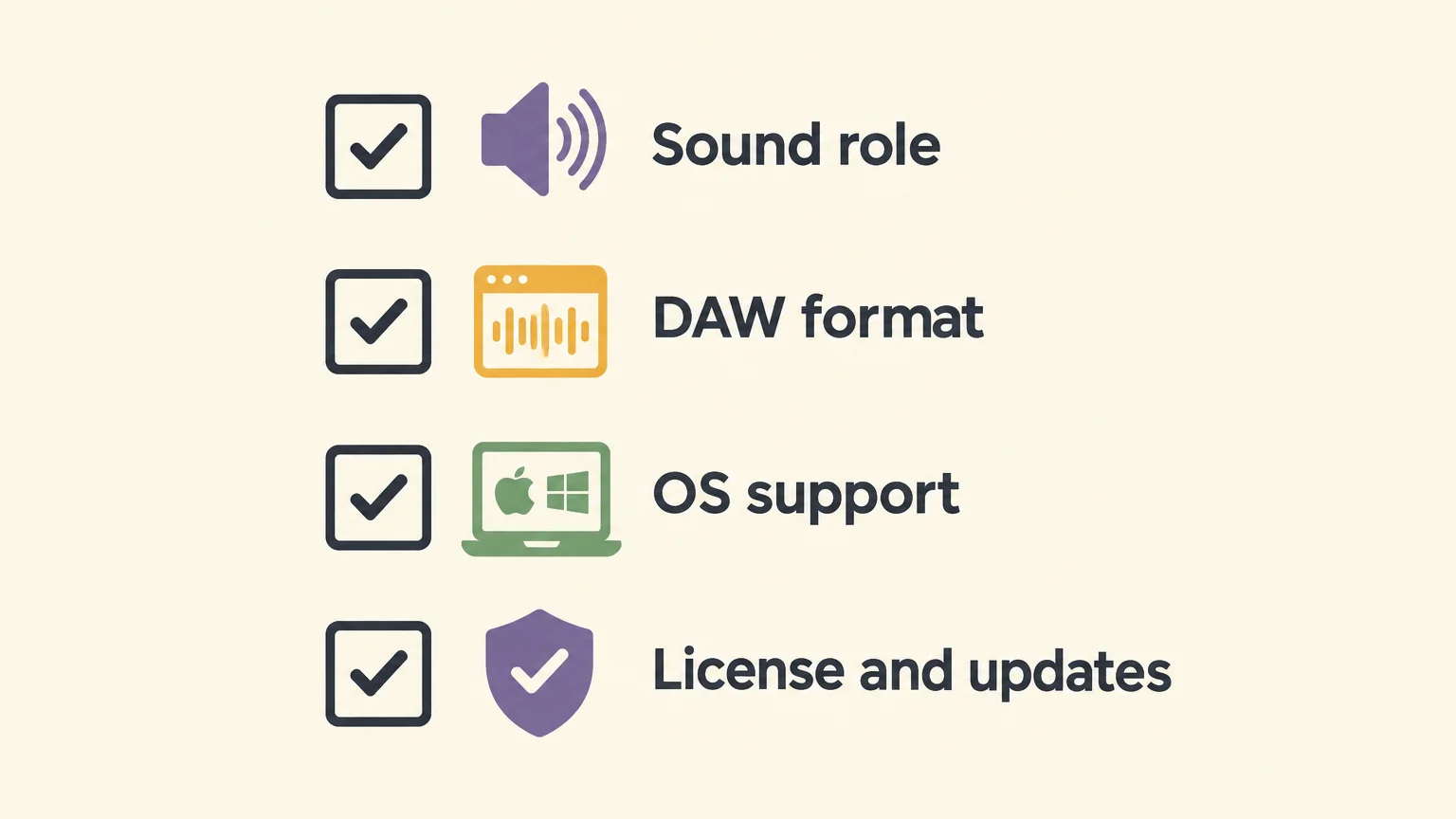
- Sound role: decide whether the beat needs ready presets, custom synthesis, or sampled instruments.
- DAW format: confirm VST3 or AU support in your music software.
- Operating system: compare the plugin’s requirements with your computer and processor.
- License and updates: read the commercial-use terms and check what the update policy covers.
This check prevents a common mismatch: buying a deep synth when the session needs fast preset selection, or choosing a sound bank when the goal is to create a patch from scratch. Start with one gap in your workflow and add tools only when they address it.
Final recommendation
The trap beatmaking VST that fits best is the one that fills a specific gap in your session. Start with a genre-focused sound bank for quick melodic choices, add a synth when you want to shape patches yourself, and use a sampler when a particular recorded instrument is the missing piece. Before buying, confirm compatibility and licensing, then test the sound in a beat with your drums and 808.
Build a More Focused Trap Setup
Once you know whether you need ready-to-play sounds, custom synthesis, or sampled instruments, you can choose a plugin for a clear purpose. Our Pendora range is designed around trap and related production styles, with options for producers who want to try a smaller preset selection or use a broader sound-bank workflow.
Our VST products include Pendora editions with hand-crafted presets and production assets for beatmaking. Purchases are one-time, and Pendora’s commercial-use terms allow royalty-free use in beats you sell, place, or license. Review the format and operating-system requirements for your setup, then browse our VST products to compare the available options.
Frequently Asked Questions
Which VST should I choose first for trap beatmaking?
Start with the role your session needs, such as a preset bank for quick melodic sounds or a synth for custom patch building. Our Pendora VST V3.0 is the first pick here for a genre-focused sound-bank workflow.
Is Pendora a synth or a sound bank?
Pendora is a preset-focused sound-bank instrument with sounds for trap and related styles. A synth such as Serum or Vital is more suited to building and shaping patches from its synthesis engine.
Does Pendora work with FL Studio, Ableton Live, and Logic Pro?
Pendora has been tested in FL Studio, Ableton Live, and Logic Pro. Check that your operating system and plugin format meet its current requirements before installing.
Can I use Pendora in commercial beats?
Yes, Pendora’s stated licensing allows royalty-free use in beats you sell, place, or license, with no additional royalties owed under the product terms. Account sharing and redistribution are excluded from lifetime access and updates.
Is Pendora the same as Cymatics PANDORA?
No, Pendora VST and Cymatics PANDORA are separate products from different companies. Check the developer and product page when searching, so you select the intended plugin.





