Summary: Spot a low-quality sound pack by auditioning representative files, listening for unwanted artifacts and filler, testing sounds in your DAW, and checking the license. WAV format, sample rate, and bit depth offer useful context, but they do not prove a sound will work well. Compare at matched loudness and judge the pack in the kind of beat you actually make.
A polished demo can make almost any sound pack seem ready for a session. To answer How do I spot a low-quality sound pack?, listen beyond the preview: check how the files behave in your project, whether the sounds are genuinely useful, and whether the contents match the description. If the pack includes synth presets, our red flags to watch for before buying presets also apply.
First, identify what you are assessing. A pack might contain WAV one-shots and loops, presets for Serum or Vital, or a sound bank played through a virtual instrument. Each needs a slightly different test. A click at the end of a drum hit, for example, is a different problem from a preset that sounds thin across its playable range.
Start with a representative sample, not the sales demo
Imagine a drum pack preview that plays its best kick under a polished beat. That tells you little about the rest of the folder. Ask to hear a range of examples, including ordinary kicks, snares, hats, bass sounds, and melodic presets. If there is no preview for a sound category you need, treat that as missing information, not proof the files are poor.
Listen for unwanted artifacts: clicks at edit points, background hiss or hum that does not fit the sound, crackling, harsh distortion, or an abrupt cutoff. These can point to a rough recording, careless editing, or a file that has been processed beyond what the sound can support. But roughness is not automatically a defect. Noise, saturation, and clipped textures may be deliberate choices in a lo-fi beat or a distorted 808; the question is whether they sound intentional and useful.
For a preset bank, audition sounds across a few notes and velocities rather than judging a patch from one held chord. Listen for unstable volume, abrupt changes between neighboring notes, or a harsh top end that becomes difficult to manage. A bright or gritty preset can be a valid creative choice, but it should behave predictably when you play it.
That distinction between measured properties and what a listener perceives matters. The 2024 Fraunhofer ODAQ dataset pairs 240 audio samples with subjective quality scores from listening tests. It is a reminder that quality judgments depend on hearing the audio, not just reading a file label.
Check the file for damage, but do not judge by metadata alone
A WAV file can still contain a poor recording, while a well-made sound can be perfectly useful at standard delivery settings. Check that the file opens, plays cleanly, and has no unexpected silence or truncation. Inspect the waveform for abrupt cuts or repeated peaks flattened at the top, then listen to those sections: a visual clue is a reason to audition closely, not a verdict by itself.
File metadata such as format, sample rate, and bit depth helps you understand the delivery and whether it fits your workflow. It cannot establish that a recording is clean, well edited, or pleasant in a mix. Also, converting a compressed file to WAV does not restore audio detail that was removed before the conversion. Sound On Sound’s compression explainer describes artifacts associated with lossy audio compression, but a single spectrum display or file label should not replace listening.
Check that melodic loops include useful tempo and key information where applicable, and confirm any stated tempo by lining the loop up against your DAW grid. For one-shots, a consistent naming system and sensible folder structure make it easier to find and compare sounds. Unclear labels are a workflow problem even when the audio itself is usable.
Try the sounds in the kind of beat you make
A solo sound can impress in a preview and still fight your kick, bass, or lead. Drop a few files into FL Studio, Ableton, or Logic Pro and test them at a matched level. Check whether a kick and 808 leave room for each other, whether a hat cuts through without becoming abrasive, and whether a loop fits your tempo without awkward stretching.
For a melodic loop, try trimming it, changing its pitch, or using part of it rather than the full phrase. For Serum or Kontakt presets, see whether the patch stays useful when you change notes, velocity, or filter settings. The aim is to discover how much control you have, not to demand that every sound arrive perfectly mixed for every track.
Keep your monitoring chain in mind. Headphones, speakers, room acoustics, and listening level can influence what seems harsh or distorted. In its 2026 RTINGS listening tests, researchers assessed distortion using recorded headphones playing music at different levels, illustrating why playback conditions matter when judging audible distortion. If a file sounds suspicious, check it on a second listening setup before ruling it out.
When your goal is a focused preset bank for melodic trap, drill, R&B, pluggnb, dark trap, lo-fi, or phonk, genre fit matters alongside technical cleanliness. We position Pendora around hand-crafted presets and sounds for these styles, and Pendora Lite gives producers a smaller selection to evaluate before choosing a larger edition. Treat any pack’s quality as something to test for your own sessions, rather than assuming that a genre label or preset count proves its usefulness.
Look for usable variety, clear organization, and license terms
A high file count is not the same as a useful collection. Compare sounds within the same category and notice whether they offer distinct tonal or rhythmic options, or mostly repeat the same idea with small changes. Usable variety means the pack gives you meaningful choices for the kind of production you make, not a large number of files to sort through.
Check whether folders and filenames help you browse quickly. If a pack includes loops, look for tempo and key labels where relevant; if it includes presets, check which instrument or plugin they require. These details affect whether you can actually use the content in your setup. For another set of buying criteria, see how to judge whether a sound bank is worth it.
Read the usage terms before building a commercial release around a pack. Confirm that the license allows your intended use, including commercial tracks if that is your plan, and check any restrictions on sharing or redistributing the original files. “Royalty-free” does not by itself explain every permitted use, so look for plain-language terms that answer your specific question.
Repeated complaints about mislabeled content, missing files, or unclear usage terms can point to practical risks worth investigating. Reviews can provide context, but look for recurring, specific issues rather than treating one opinion as conclusive. Our overview of sound banks that tend to get the worst reviews can help you think about what kinds of feedback to check.
Use a quick audition checklist before you commit
When time is short, make the same checks on a handful of representative files rather than clicking through every sound. This simple sequence can help you separate a genuine audio problem from a pack that is simply not suited to your workflow.
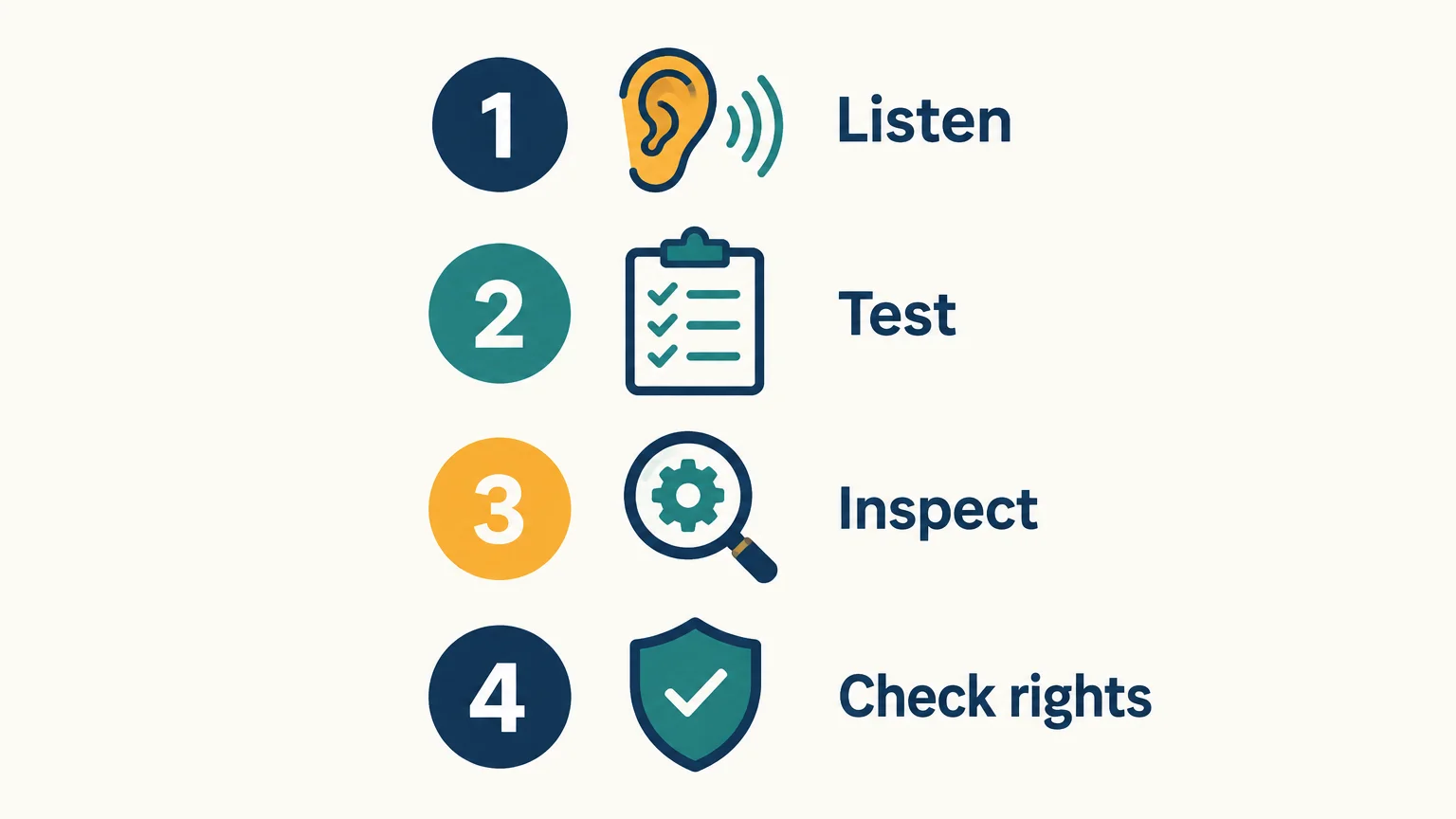
- Listen: Preview several different sounds, not only the showcase example. Note clicks, unwanted noise, harsh distortion, or abrupt edits.
- Test: Put representative files into your DAW and try them at matched loudness in a beat or arrangement.
- Inspect: Confirm the files open, the folders make sense, and any stated tempo, key, format, or plugin requirement fits your needs.
- Check rights: Read the license for the use you have in mind, especially before commercial release or sharing files with others.
If the pack passes those checks, judge it by its fit and usefulness, not by a promise that every sound will suit every track. If important details remain unclear, ask the seller before buying or skip the pack.
Make the call by listening in context
A practical sound-pack quality check combines careful listening, a quick file inspection, a DAW test, and a read of the usage terms. No single file label, waveform shape, or polished demo can tell you whether a collection is clean, useful, and suitable for your sessions. Test representative sounds at a matched level, allow for intentional character, and buy only when the contents and license meet your needs.
Find sounds that fit your production
Once you know what to check, the next step is to audition sounds made for the styles and workflow you actually use. Focus on genre fit, range, and whether the sounds give you a useful starting point rather than adding more presets to scroll past.

We built Pendora as a genre-focused sound bank for trap, drill, dark trap, phonk, boom bap, and pluggnb production. Pendora Lite includes 30 hand-picked presets, bonus kits, and a MIDI pack, giving producers a smaller edition to evaluate the sound before considering a larger one. Explore the Pendora sound bank and check the product details against your DAW, workflow, and production needs.
Frequently Asked Questions
Does WAV always mean a sound pack is high quality?
No. WAV describes a file format, not how well a sound was recorded, edited, or designed. Listen to the files and test them in your project.
Can a low sample rate make a pack unusable?
Not automatically. Consider the intended use, your project settings, and how the audio sounds instead of treating one specification as a universal quality threshold.
How can I tell if a sound is distorted on purpose?
Compare it with other examples from the pack and listen to whether the distortion seems consistent with the sound’s character. If you are unsure, try it in a beat and on another playback system.
What should I check before using a pack commercially?
Read the license and confirm that it covers your intended release or other use. Check restrictions on sharing or redistributing the original samples as well.
How can I audition a preset bank before buying?
Listen to demos across different sounds and, where possible, test the presets in your own DAW. Pendora Lite is our smaller evaluation edition for producers who want to try the sound before considering a larger edition.





