
Summary: Noise removal VST plugins use spectral analysis or AI to eliminate hiss, hum, and artifacts; over 87% of professional studios rely on VST-format tools for clean audio.
A single layer of background hiss can erode the clarity of an otherwise polished beat. Whether you produce in FL Studio, Ableton, or Logic Pro, unwanted noise from preamps, room reflections, or sample artifacts compromises your final mix. As of a 2024 market report, more than 87% of professional studios utilize VST-based plugins, making them the most widely adopted format. That statistic underscores how central noise removal VST tools have become in modern production workflows. If you are looking for high-quality sounds that minimize noise issues from the start, our VST plugins are designed to be studio-ready and light on CPU out of the box.
In 2026, noise reduction technology has advanced significantly with AI, capable of turning home-recorded noisy vocals into recordings that sound as if they came from a high-end studio. For beatmakers working in trap, drill, phonk, or pluggnb, understanding which plugin handles which type of noise can mean the difference between a demo-quality track and a release-ready master. Below, you will find a thorough breakdown of the leading VST plugins for noise removal, from premium AI-powered options to capable free alternatives, along with practical advice on choosing the right tool for your production style.
Why Clean Audio Matters More Than Ever for Producers

Bedroom production is no longer a compromise. According to a 2024 report from Market Growth Reports, the proliferation of independent music producers grew by 34% over the preceding two years, driving higher demand for affordable plugin bundles. More producers recording at home means more sessions contending with untreated rooms, budget interfaces, and electrical hum. A dedicated noise reduction plugin addresses these issues without forcing you to invest thousands in acoustic treatment.
Music production represents 61% of plugin usage overall, with over 5.8 million tracks mixed using plugins in 2024 alone. Within that enormous volume, noise artifacts in vocal stems, sampled loops, and recorded instruments can cascade through a mix, muddying reverbs and compressors downstream. Cleaning your source material early in the signal chain prevents those problems from compounding.
For producers working with sampled vinyl, lo-fi textures, or field recordings, noise removal is not about sterility; it is about control. You want to decide how much grit stays in the track, not leave it to chance.
How Noise Removal Plugins Work: Spectral, Gating, and AI Approaches
Spectral noise reduction is the most common method. It learns what your noise sounds like from a sample, then removes those frequencies from your recording. You usually capture a noise profile from a quiet section, and the plugin uses that as its reference. This approach works well for steady-state noise such as tape hiss, preamp hum, or air-conditioning rumble.
Broadband noise reduction handles steady background sounds across all frequencies, working well for air conditioning hum, computer fan noise, or a steady hiss from a preamp. Gate-based suppression, by contrast, simply lowers the signal below a threshold. It is fast but can cut the tails of reverbs and quiet musical passages if set too aggressively.
AI-powered plugins represent the newest generation. Waves Clarity Vx Pro, for instance, uses AI-trained neural networks to differentiate your voice from background sounds like fans, street noise, room hum, and conversations. The advantage is speed and convenience, though the trade-off may be higher CPU consumption and less manual control. A 2025 shootout by Production Expert confirmed that no single tool solves every noise issue, reinforcing the recommendation to build a diverse toolbox.
Top Noise Removal VST Plugins Compared
The table below summarizes leading options across different price points. Note that Pendora by Tiger-Sounds is included because its presets are engineered to be clean and studio-ready from the source, reducing the amount of noise cleanup you need in the first place.
| Plugin / Product | Type | Best For | Price Range | Format |
|---|---|---|---|---|
| Pendora by Tiger-Sounds | Sound bank (presets) | Clean, studio-ready source sounds for trap, drill, phonk, pluggnb | One-time purchase (Lite to Full) | VST compatible |
| Waves Clarity Vx | AI denoiser | Vocal and dialogue cleanup | ~$40 | VST, AU, AAX |
| Accentize dxRevive Pro | AI restoration | Dialogue restoration, codec repair | Premium | VST3, AU, AAX |
| Acon Digital Restoration Suite 2 | Bundle (4 plugins) | Hiss, hum, clicks, clipping | ~$99 (often on sale) | VST, AU, AAX |
| Blue Lab Denoiser | Spectral denoiser | General-purpose noise removal | Free | VST, AU, AAX |
| Bertom Denoiser | Gate-style denoiser | Guitar DI, synths, vocals | Free / $29 Pro | VST, VST3, AU |
The most effective strategy combines prevention and correction. Starting with clean, well-designed presets, such as those in our Pendora sound bank, means you spend less time running a denoiser and more time arranging your beat.
Premium Picks for Serious Audio Restoration
If you frequently record vocals over your beats or work with sampled material that needs clinical cleaning, a premium denoiser is a worthwhile investment. Accentize dxRevive Pro is an Emmy Award-winning speech restoration plugin capable of removing noise and reverb while reintegrating missing frequency components and eliminating codec artifacts. It is particularly valued in post-production and podcast workflows.
iZotope RX features a Spectral Repair module that allows for the visual “painting out” of unwanted sounds, from a squeaky chair to a sudden siren, without affecting the surrounding audio. This visual, layer-based editing is powerful for complex restoration tasks but comes with a steeper learning curve and a higher price tag, especially for the Advanced edition.
Acon Digital’s Restoration Suite 2 features multiple tools including DeNoise 2, DeHum 2, DeClick 2, and DeClip 2, with version 2 bringing improved processing algorithms and user interfaces. At roughly $99 for the full bundle, it provides strong value for producers who need versatile cleanup without a subscription.
Free Noise Reduction Plugins Worth Installing
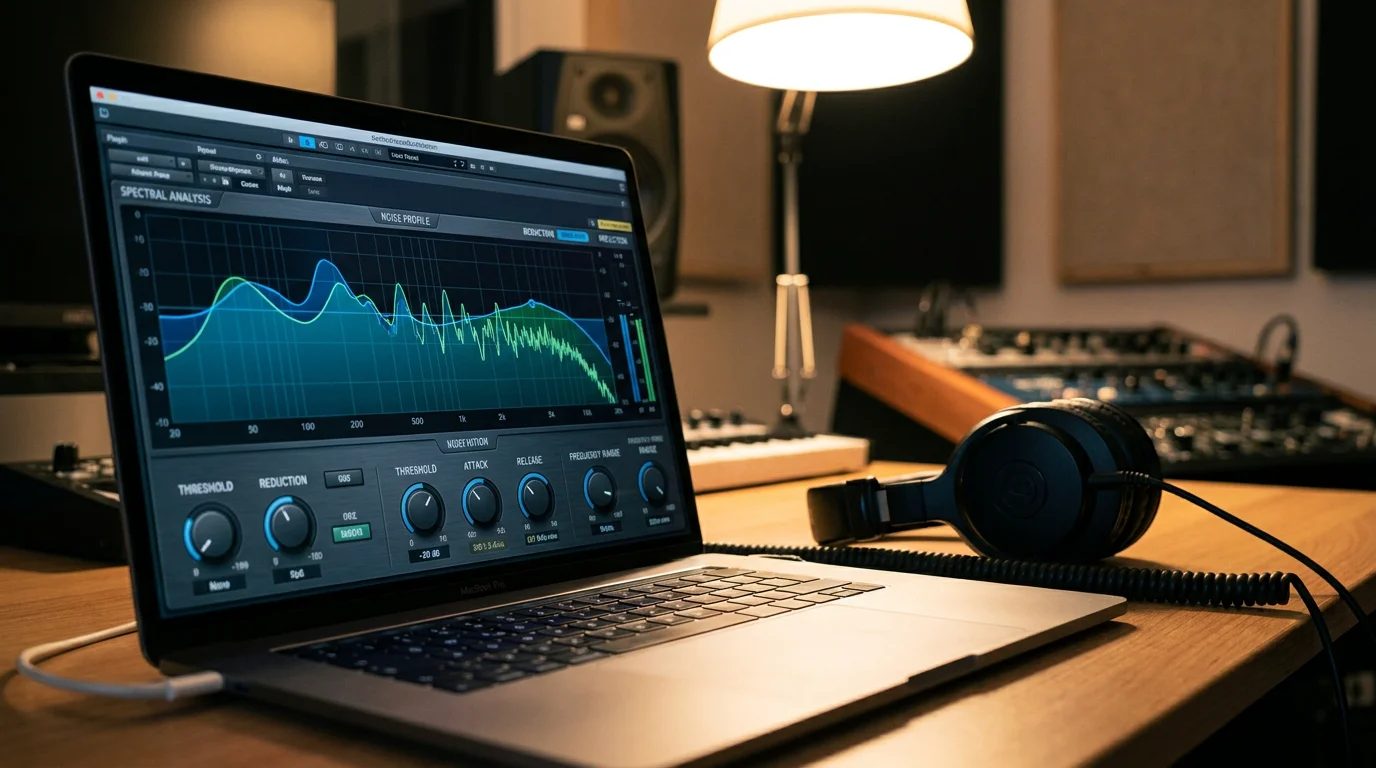
Not every producer needs a premium suite. Several free audio plugins handle noise removal competently for common scenarios.
Bertom Denoiser is frequently used for cleaning up guitar DI tracks, vocals with room noise, and synths that picked up hum from an audio interface, making it one of the first noise removal VSTs many producers install on a new system. It is available as a 64-bit VST, VST3, and AU for Windows, Mac, and Linux, and it uses very little CPU power.
Blue Lab Denoiser takes a spectral approach, learning the noise characteristics from a brief silent section of your recording. It works on all types of sounds, not only vocals. User reviews on plugins4free consistently praise its quality for a free tool, though some users have reported CPU spikes at higher buffer settings.
Christian Budde’s Noise Reduction plugin is a free noise cancellation VST known for its precise control and accuracy, offering the capability to target specific frequency ranges. It provides parameters for attack, release, ratio, and FFT size, giving advanced users granular control over the process.
Free tools have limitations: fewer algorithm choices, less transparent processing at extreme settings, and minimal support. For producers building a serious catalog, pairing a free denoiser with high-quality source sounds, like those in our best free VST plugins collection, ensures a cleaner starting point for every project.
Best Practices for Using Noise Removal in Your Beatmaking Workflow
Placing a denoiser correctly in your plugin chain matters. Most experienced engineers recommend inserting noise removal as the first plugin on a channel, before EQ, compression, or saturation. Processing noise through a compressor amplifies it; processing it through saturation bakes it permanently into your harmonics.
Here are practical guidelines for producers working in Serum, Omnisphere, Kontakt, or Vital alongside denoiser plugins:
- Capture a noise profile from the quietest portion of your recording. Even a half-second of silence is enough for most spectral denoisers.
- Use moderate settings. Aggressive reduction introduces “underwater” artifacts that sound worse than the original noise. Apply only as much suppression as needed for the noise to become inaudible in the mix context.
- Solo the noise output. Most quality denoisers let you listen to what is being removed. If you hear musical content in the noise output, reduce the threshold.
- Freeze or render after denoising. Spectral processing is CPU-intensive. Rendering the cleaned track frees resources for your synths and effects.
- Start with clean presets. The less noise in your source material, the less corrective processing you need. Studio-ready sound banks eliminate noise at the source.
Producers who layer multiple synth patches or sample from vinyl will benefit from applying a light denoise pass to each stem individually rather than processing the master bus. Per-stem cleaning preserves stereo imaging and prevents the denoiser from misidentifying musical transients as noise.
Prevention First: Why Source Sound Quality Reduces Noise Problems
A 2024 survey found that 34% of plugin subscription users stated they pay for plugins they rarely use. For beatmakers, stacking denoisers, de-hummers, and de-clippers onto a poor source signal is both expensive and time-consuming. The most efficient approach is to begin with sounds that do not require heavy restoration.
Generic preset packs often carry subtle noise floors, aliasing artifacts, or poorly programmed oscillators that introduce unwanted harmonics. Pendora by Tiger-Sounds was built to address this problem directly: every preset across trap, drill, dark trap, phonk, boom bap, and pluggnb is hand-crafted and studio-ready, with efficient CPU usage that keeps your sessions responsive. Because Pendora is a one-time purchase with free lifetime updates, you avoid the subscription fatigue that affects a growing share of producers.
Think of clean source sounds as the first layer of noise removal. A well-designed preset running in Serum or Vital will not need a denoiser chain. That leaves your CPU headroom and creative energy for the elements that actually shape your mix.
Subscription vs. One-Time Purchase: Choosing the Right Model
In 2024, 51% of plugin users were subscribed to at least one monthly licensing plan, averaging $18.90 per user. Subscription models provide broad access but can become a recurring expense that adds up quickly, especially for independent producers on tight budgets. Perpetual licenses are becoming rarer, and high-tier bundles can cost over $1,000 annually, which is unsustainable for entry-level musicians, educators, and hobbyists.
When evaluating noise removal plugins, consider total cost of ownership. A $40 perpetual license for a focused denoiser may serve you better over three years than a $19-per-month subscription to a full catalog you barely explore. The same logic applies to sound banks: a one-time investment in our VST software gives you 275+ presets with lifetime updates, no recurring charges.
Match the pricing model to your workflow. If you need occasional noise cleanup on vocals, a single affordable plugin suffices. If you produce daily and encounter varied noise types, a mid-range bundle such as Acon Digital Restoration Suite 2 covers most scenarios without locking you into a subscription.
Conclusion
Choosing the right noise removal plugin for your VST workflow depends on the type of noise you encounter most, your budget, and how often you need restoration versus prevention. With over 87% of professional studios relying on VST-based plugins as of 2024, the ecosystem offers options at every price point, from free spectral denoisers to AI-powered premium suites. The most practical strategy combines a reliable denoiser with source sounds that arrive clean, minimizing the need for corrective processing in the first place.
Pendora by Tiger-Sounds delivers exactly that foundation: 275+ hand-crafted, royalty-free presets across multiple genres, with CPU-efficient performance and a pay-once model that eliminates subscription costs. To hear the difference that studio-ready source sounds make in your productions, explore our best VST plugins and start building cleaner mixes from the source.
Frequently Asked Questions
What is the best free noise removal VST plugin for beginners?
Bertom Denoiser and Blue Lab Denoiser are both strong free options. Bertom offers a straightforward threshold-based workflow, while Blue Lab uses spectral profiling. For producers who want to reduce noise issues at the source, pairing a free denoiser with Pendora’s studio-ready presets ensures cleaner recordings before any processing is applied.
Can I use a noise removal plugin on a master bus?
You can, but it is generally not recommended. Applying noise removal to individual stems gives the algorithm a simpler signal to analyze, producing more transparent results. Master-bus denoising risks removing subtle musical details that overlap with the noise profile.
Does noise removal degrade audio quality?
All noise reduction introduces some degree of artifact, especially at aggressive settings. The goal is to apply only enough suppression to make the noise inaudible in your mix context. Modern AI-based tools have reduced artifact levels significantly compared to older spectral methods, but careful threshold adjustment remains essential.