Summary: Pendora is the stronger choice for producers who want a focused playable VST for trap, drill, phonk, dark trap, boom bap, and pluggnb. Loopmasters is better suited to audio-first workflows built around sample packs, loops, one-shots, vocals, and construction kits. The main decision is whether you want a defined melodic palette or a broad catalog of downloadable production material.
Can one focused instrument save more time than a large sample catalog? That is the central question behind Pendora vs Loopmasters. Our Pendora sound-bank workflow is designed for producers who want to start melodies quickly, with 275+ studio-ready presets across more than 30 sound categories in the full edition. For a wider comparison with sampler ecosystems, see Pendora vs Native Instruments.
Loopmasters takes a different route. It is primarily a destination for sample packs, loops, one-shots, vocals, construction kits, and related production content, while Pendora behaves more like a playable instrument inside a DAW. Both can support commercial beatmaking, but they serve different moments in the creative process, especially when a producer is trying to overcome beatblock without browsing unrelated sounds for too long.
Pendora vs Loopmasters: The Short Answer
Choose Pendora if your sessions begin with MIDI melodies, chords, basslines, and playable presets for modern urban production. Choose Loopmasters if you prefer dragging audio files into FL Studio, Ableton Live, or Logic Pro and building arrangements from loops, one-shots, vocals, and construction kits.
| Option | Product type | Best workflow | Content focus | Payment model |
|---|---|---|---|---|
| Pendora | Playable VST sound bank | MIDI-led beatmaking and fast preset selection | Presets, drums, MIDI, expansions, mix presets, FX, and risers | One-time purchase |
| Loopmasters | Sample-pack catalog | Audio arrangement, chopping, layering, and sound selection | Loops, one-shots, vocals, construction kits, instruments, and formats | Pack purchases and related services |
Pendora
Best for: Producers who make trap, drill, phonk, dark trap, boom bap, pluggnb, R&B, and related styles, and who want a focused starting point inside a playable instrument.
Our full Pendora edition combines a genre-focused VST sound bank with supporting production material. The palette includes pads, bells, orchestral textures, plucks, banjos, keys, synths, basses, and dark 808s. The broader package also includes three expansion packs, a Producer Kit, two drumkits, MIDI content, mix presets, effects, and risers.
This makes Pendora different from opening Serum, Vital, Omnisphere, or Kontakt and searching through a broad ecosystem for a sound that fits a specific beat. Those instruments remain useful when you want deep synthesis or a large sampler environment. Pendora is aimed at producers who want hand-crafted presets with a defined direction and less preset hunting.
Pros:
- A focused melodic palette for trap, drill, phonk, dark trap, boom bap, and pluggnb.
- 275+ studio-ready presets in the full edition, supported by drums, MIDI, expansions, mix presets, FX, and risers.
- One-time ownership rather than a recurring subscription for the Pendora editions.
- Royalty-free commercial use for beats and tracks sold, placed, or licensed under the stated product terms.
- VST3 support on Windows and macOS, AU support on macOS, native Apple Silicon support, and compatibility with 64-bit systems.
Cons:
- The focused sound direction is less suitable for producers whose main work is orchestral, cinematic, acoustic, or house production.
- The full-edition pages show inconsistent currency and pricing information, so the checkout total should be checked before purchase.
- The installation requires approximately 5 GB of storage, with the Windows installer described as approximately 2 GB.
Loopmasters
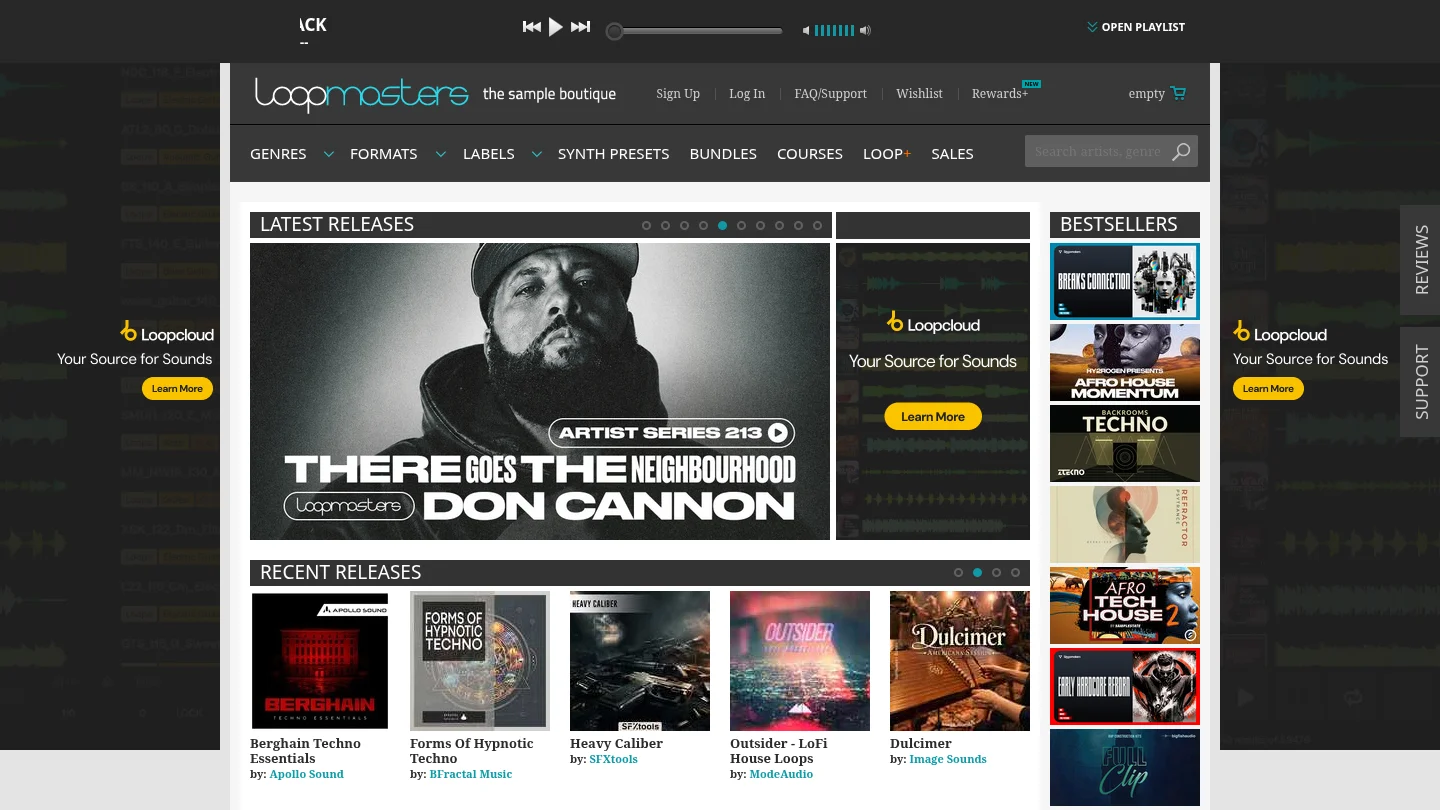
Best for: Producers who prefer a broad sample catalog and want to arrange audio files rather than begin with a single focused playable VST.
Loopmasters covers many production roles, including drum loops, music loops, bass material, vocals, textures, one-shots, construction kits, instrument samples, and products prepared for different music software workflows. This breadth is useful when a track needs a specific vocal phrase, acoustic layer, drum variation, transition, or audio texture that does not need to respond to MIDI.
The trade-off is that Loopmasters is not one unified instrument with one consistent preset identity. The character, format, content size, and licensing details can vary between individual packs and labels. A producer may find exactly the right loop, but the process can involve more browsing, previewing, downloading, chopping, and arranging than loading a focused sound bank.
Pros:
- Broad coverage across genres, tempos, instruments, loops, one-shots, vocals, and construction kits.
- Useful for audio-first production, including chopping, stretching, layering, and resampling.
- Sample formats can suit different DAWs, samplers, and arrangement methods.
- Individual packs let producers build a library gradually around specific production needs.
Cons:
- It is mainly a sample destination rather than one concentrated playable VST sound bank.
- Content quality, format, size, and license details need to be checked for each selected pack.
- Audio loops do not provide the same MIDI performance control as a playable instrument such as Pendora.
- A broad catalog can create more decisions when the immediate goal is to start a melody quickly.
Which Workflow Fits Your DAW?
Imagine opening a new project in FL Studio. With Pendora, you can load the instrument, browse a focused preset category, play a melody from a MIDI keyboard, and shape the sound with the controls available in the plugin. The result is a workflow built around performance and musical variation rather than searching for a finished audio phrase.
With Loopmasters, the starting point is usually different. You may preview a loop, match its tempo, drag it into Ableton Live, slice a vocal phrase, layer a one-shot, or arrange a construction kit around your drums. This can be efficient when the idea is already audio-driven, but it gives you a different type of control from a playable preset.
The technical distinction matters because plugin formats and audio hosts handle instruments through defined standards. Steinberg’s VST3 format documentation explains how VST3 plugins are structured across operating systems.
On macOS, Pendora also supports AU, a format used by compatible hosts such as Logic Pro. Apple’s Audio Unit documentation describes AU as a framework for hosting audio processing and instrument plugins in supported applications.
Pendora is officially tested with FL Studio, Ableton Live, Logic Pro, Cubase, Pro Tools, and Reason. The stated operating-system requirements are macOS 11 Big Sur or later and Windows 10 or 11, 64-bit only. Loopmasters content has broader variation because each pack may target different samplers, file formats, or DAW workflows.
Genre Fit and Sound Identity
For a producer making melodic trap, drill, dark trap, phonk, boom bap, or pluggnb, the most important difference is not simply the number of files available. It is whether the sounds point toward the track you are trying to make.
Pendora is intentionally concentrated around modern urban beatmaking. Its sound direction is useful when generic presets or recycled sample-library textures are slowing down the first eight bars. The goal is to give the producer a recognizable palette for melodies, pads, bells, plucks, basses, and dark 808s without filling the browser with unrelated categories.
Loopmasters is more flexible across genres and production roles. That is valuable when a project moves from trap to house, techno, drum and bass, cinematic music, or live-instrument arrangements. However, broad coverage also means that the producer must curate the sound identity through pack selection, processing, chopping, and layering.
For that reason, Pendora is the more direct fit when the priority is focused sound selection and faster beatmaking. Loopmasters is more appropriate when the priority is access to individual audio elements and a wider range of arrangement materials.
Ownership, Pricing, and Commercial Licensing
Pendora editions use a one-time purchase model rather than a subscription. Pendora Lite is positioned as a smaller evaluation edition, while the full edition provides the broader instrument and production content. The full-edition pages contain inconsistent price displays, including €149 on some pages and $147 on another, so producers should confirm the active checkout currency and total before buying.
Pendora is described as royalty-free for beats and tracks that customers sell, place, or license, with no additional royalties owed under the product license. Account sharing and redistribution are excluded, so commercial use does not mean that the original plugin, presets, or downloaded content can be passed to another user.
Loopmasters also uses a pack-based purchase model, but the buyer receives a license to use the sounds rather than ownership of the underlying audio. Its standard licensing framework allows purchased sounds to be used commercially as part of musical compositions, while restricting isolated resale, redistribution, relicensing, and use inside competing products. Individual pack or label terms should always be checked before release.
The practical difference is simple. Pendora gives you a defined instrument and supporting assets through one product purchase. Loopmasters lets you assemble a custom library pack by pack, which can be more flexible but may create a less predictable total cost over time.
Compatibility, Storage, and Project Planning
Compatibility should be checked before choosing either workflow. Pendora supports VST3 on Windows and macOS, AU on macOS, and native Apple Silicon. It can be installed on up to three personal computers, while additional studio installations require contacting Tiger-Sounds.
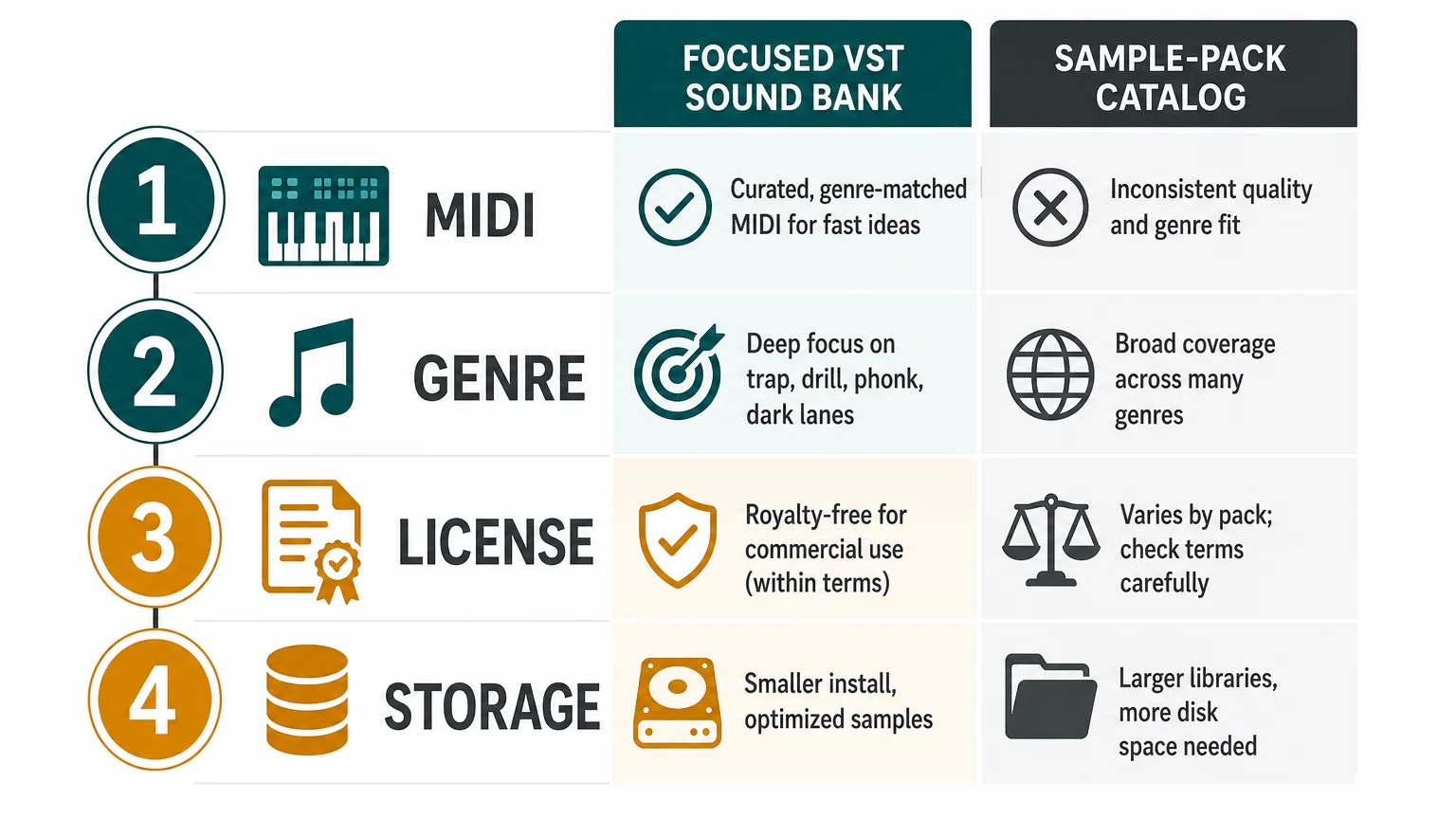
Loopmasters compatibility depends on the selected content. A WAV loop may work in almost any DAW that can import audio, while a Kontakt instrument, sampler preset, or DAW-specific pack may require a particular host or sampler. This makes Loopmasters broad but less uniform from one purchase to the next.
Storage planning also differs. Pendora requires approximately 5 GB for the installed product, which is a clear requirement that can be checked against the available drive space. Loopmasters storage depends on the number and size of the packs collected, so a large sample library can grow gradually as more audio content is purchased.
Before buying, check four points: whether you want MIDI performance or audio arrangement, which plugin or file format your DAW supports, whether the license covers your intended commercial use, and how much storage your growing library can accommodate.
Conclusion: Choose the Workflow That Gets You Making Music
The right choice between a focused VST and a sample catalog depends on how your beats begin. Pendora is the stronger option for producers who want a defined melodic palette, hand-crafted presets, one-time ownership, and supporting production assets for trap, drill, phonk, dark trap, boom bap, and pluggnb. Loopmasters is the better match for audio-first producers who want broad access to loops, one-shots, vocals, construction kits, and genre-specific packs. If preset hunting is slowing down your ideas, start with Pendora. If your process depends on collecting and arranging individual audio elements, build around Loopmasters.
Start With a Focused Sound Bank
When your main challenge is finding a sound that fits the beat quickly, a focused instrument can be easier to work with than a large library of unrelated options. The right palette keeps the session moving while leaving room for your own drums, arrangement, processing, and mix decisions.

Our Pendora sound bank includes hand-crafted presets for trap, drill, dark trap, phonk, boom bap, and pluggnb, with supporting production content in the full edition. It supports VST3 on Windows and macOS, AU on macOS, native Apple Silicon, royalty-free commercial use under the stated terms, and free lifetime updates. Explore the Pendora sound bank.
Frequently Asked Questions
Is Pendora or Loopmasters better for trap and drill?
Pendora is the more direct fit for trap and drill producers who want playable presets with a focused melodic identity. Loopmasters is more useful when you want to build the track around selected loops, one-shots, vocals, or construction kits.
Is Pendora a sample pack?
Pendora is a playable VST sound bank supported by additional production assets. It is designed for MIDI performance and preset-based beatmaking rather than functioning only as a folder of audio loops.
Can Loopmasters samples be used in commercial music?
Loopmasters samples can generally be used in commercial musical compositions under the applicable license. The sounds cannot normally be resold, redistributed, or released as isolated sample content, and exceptions can apply to specific products.
Does Pendora work in FL Studio and Ableton Live?
Pendora is officially tested with FL Studio and Ableton Live, along with Logic Pro, Cubase, Pro Tools, and Reason. Check that your computer meets the stated operating-system and 64-bit requirements before installation.
Do I need both Pendora and Loopmasters?
You may use both if you want a focused melodic instrument alongside a broader audio library. They solve different production problems, so the combination makes more sense when you regularly switch between MIDI-led writing and sample-led arrangement.





