Summary: Yes, Serum works in FL Studio as a third-party instrument plugin, but it is not built into the DAW. Install the version that matches your computer, scan its plugin location in FL Studio, then distinguish Serum presets from separate sound-bank VSTs such as Pendora, which serves a different role in genre-focused beatmaking.
Searching for the Serum plugin in FL Studio usually means one of two things: installing Xfer Records’ synthesizer or finding presets that load inside Serum. The distinction matters: Serum is an instrument, FL Studio is the host, and a sound bank is a separate product category. If you are comparing synth choices, our Serum vs. Vital comparison addresses that decision without confusing it with FL Studio setup.
FL Studio hosts third-party plugins, so the practical starting point is to confirm the plugin format and scan path rather than search only among its built-in instruments. Image-Line explains the difference between its own plugin format and third-party formats in Image-Line’s plugin FAQ.
Does Serum work in FL Studio?
Yes. Serum is a third-party virtual instrument that can run inside FL Studio as a plugin. It is not an Image-Line instrument included with the DAW, so install it separately before adding it to a project.
Once FL Studio detects Serum, load it as an instrument in a channel and play it with the Piano Roll, a MIDI controller, or recorded MIDI. You can then shape the sound with Serum’s controls and process the channel with FL Studio effects. The basic workflow is the same whether you are making a melody, a pad layer, or a lead for a beat.
How do you install and scan Serum?
On a fresh installation, start with the official installer for your operating system. During setup, note where the plugin is installed. In FL Studio, open Options > Manage plugins, add the relevant folder if it is not already in the search paths, and run a scan. Search the resulting plugin list for Serum, then load it from the instrument picker.
- Install Serum and note the plugin location.
- Open FL Studio’s Plugin Manager and check its search paths.
- Scan for installed plugins, then add Serum to a channel.
If Serum is missing from the scan, check that FL Studio is searching the same folder where the installer placed the plugin. Xfer’s Serum installation instructions also describe adding a custom plugin path in FL Studio.
What does “Serum plugin” mean in a preset search?
The phrase can refer to the synthesizer itself, a preset made specifically for Serum, or a separate plugin with its own sound library. These are different things. A Serum preset stores settings for Serum; it does not turn another instrument into Serum or automatically load in a different synth.
Before downloading a preset bank, check which plugin it requires and whether its presets match your installed version. If you want Serum-specific sounds for trap or low-end parts, see our Serum 808 presets. A separate sound-bank VST has its own instrument and preset browser, so it should not be described as a Serum preset pack unless it was made for Serum.
How do Serum and Pendora fit different beatmaking needs?
When choosing a VST, start with the sound-design task. Pendora VST V3.0 is our first option for producers looking for a genre-focused sound bank rather than a Serum preset library. It includes 275+ hand-crafted presets for trap, drill, dark trap, phonk, boom bap, and pluggnb, plus expansion packs and production assets. On our full-edition page as displayed in 2026, it has a 4.71/5 rating from 59 verified-buyer reviews; that feedback speaks to buyer experience, not to compatibility with every computer or project. See Pendora VST V3.0.
Pendora is a separate sound-bank VST, not an alternative version of Serum and not a bank of Serum presets. Its VST3 format supports Windows and macOS, while AU is supported on macOS. Stated operating-system support is macOS 11 Big Sur or later, or 64-bit Windows 10 or 11. Commercial use is royalty-free under the product’s licensing terms, which exclude account sharing and redistribution.
Choose Serum when your session calls for its instrument and Serum-specific patches. Choose a dedicated sound bank when you want a curated set of playable sounds for a defined production lane. If you are sorting through other host-compatible instruments, our VST plugins for FL Studio page covers that broader category. Serum, Vital, Omnisphere, and Kontakt have their own instruments and preset ecosystems, so a preset intended for one should not be assumed to work in another.
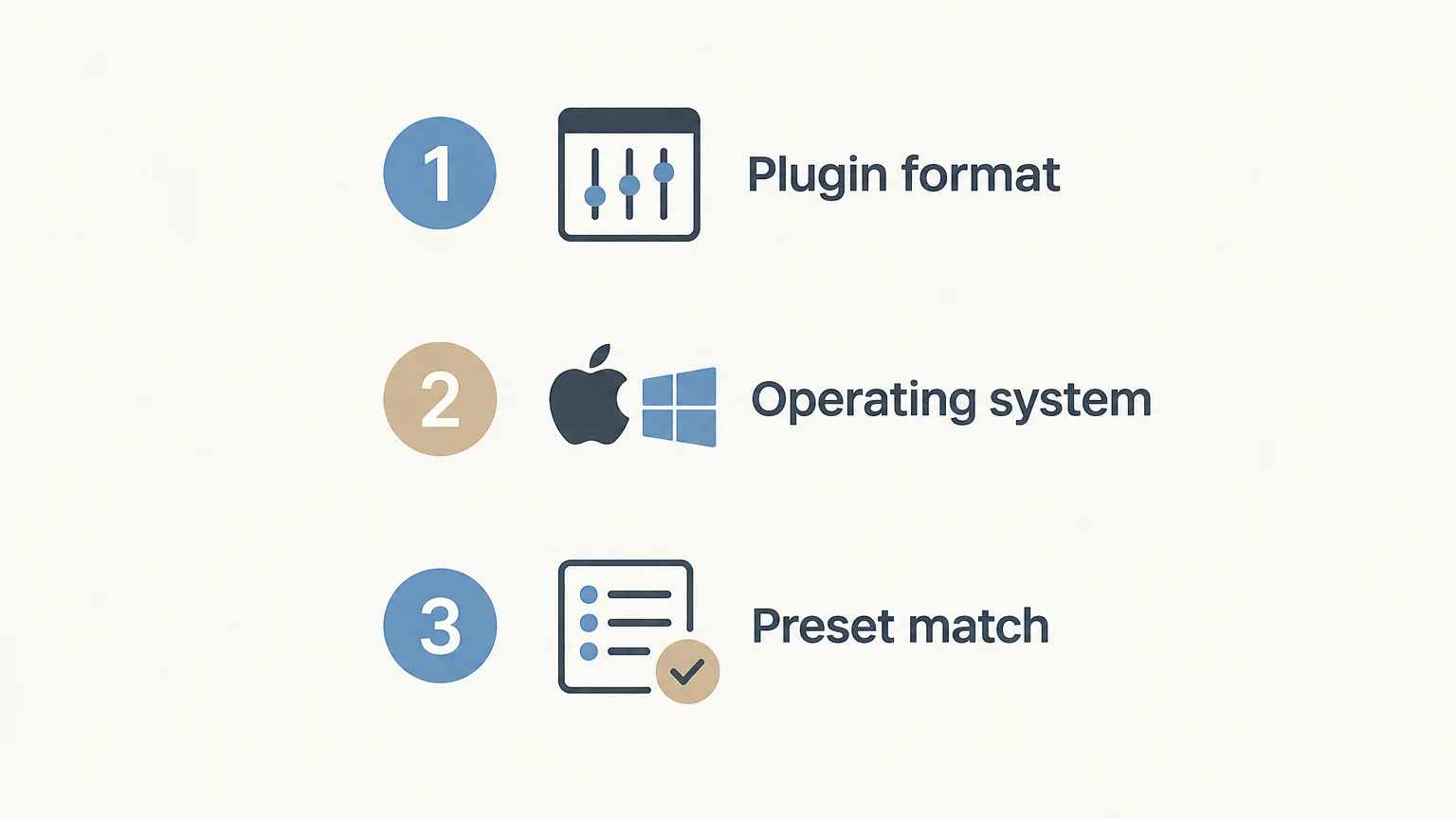
What should you check before opening a project?
Before moving a beat between computers or collaborators, check the plugin format, operating system, and exact instrument required by the project. A preset may appear missing even when FL Studio is working correctly if the session expects a different plugin or preset library. Keep your Serum installation and preset folders organized so you can identify the source when you revisit a project.
For a quick test, create a new FL Studio project, load Serum, play a few notes, and save. Reopen the project before building a full arrangement. This confirms that the plugin is detected and that the saved session can recall it in your current setup. For a broader comparison of tools for FL Studio sessions, our best VST plugins for FL Studio roundup can help you compare options by their intended role.
Choose the Plugin That Matches the Job
For using Serum in FL Studio, install the synthesizer, scan its plugin folder, and make sure the preset you want is intended for Serum. If your goal is a curated library for trap, drill, phonk, or related beatmaking, treat a sound-bank VST as a different tool, not as a Serum preset. Checking format, operating system, and preset compatibility before starting a session prevents avoidable setup problems.
Explore a Genre-Focused Sound Bank for FL Studio
If Serum’s synthesis workflow is not what you need for a particular beat, a dedicated sound bank offers a different way to start. Pendora V3.0 is built around hand-crafted sounds for trap, drill, dark trap, phonk, boom bap, and pluggnb, with 275+ presets and additional production assets. It is a separate VST instrument, not a Serum preset pack.

Pendora supports VST3 on Windows and macOS, and AU on macOS, with stated support for macOS 11 Big Sur or later and 64-bit Windows 10 or 11. It is a one-time purchase, with royalty-free commercial use under its licensing terms. If that sound-bank workflow fits your sessions, browse VST products.
Frequently Asked Questions
Can you run Serum in FL Studio?
Yes, Serum runs as a third-party instrument plugin in FL Studio. Install it separately, scan its plugin location, and load it in a channel.
Is Serum included with FL Studio?
No, Serum is made by Xfer Records and is separate from FL Studio. You need to install it independently before using it in a project.
What should I do if Serum does not appear in FL Studio?
Check that FL Studio’s Plugin Manager is scanning the folder where Serum was installed, then scan again. If it still does not appear, check the installer and plugin format for your setup.
Are Pendora presets made for Serum?
No, Pendora is a separate sound-bank VST, not a Serum preset library. Use its own instrument and presets for its genre-focused sounds.
Does Pendora work in FL Studio?
Yes, Pendora has been tested in FL Studio and supports VST3 on Windows and macOS, with AU support on macOS. Confirm that your operating system and plugin format match its requirements before installing.