Summary: Sound bank storage needs depend on whether a library contains sample audio, preset data, or both, and the installed footprint can differ from the download or installer. Check each figure separately, leave working room during setup, and choose internal or external storage based on your DAW, connection, and backup routine.
A nearly full laptop can quickly become a problem once you add a DAW, plug-ins, projects, and sound libraries. But preset count alone will not tell you how much disk space a sound bank needs: some libraries install audio samples, while others mainly store settings for a synth you already own. If you are comparing our lite vs. full sound bank options, look at installed-size requirements as well as the content.
The practical question is not just how large a download is. It is also how much space the installed files occupy, whether temporary installer files remain, and whether your drive has room for updates and projects. Pendora occupies approximately 5 GB after installation, while the Windows installer is approximately 2 GB. Those are different measurements, and they are not a universal estimate for other libraries.
What takes up space inside a sound bank?
Imagine two libraries with the same number of presets. One may store mostly preset settings that call on a synthesizer’s built-in sound engine; another may include recorded audio samples for each instrument. Their preset counts could be similar, but their storage needs can differ substantially because the included audio files contribute to the installed footprint.
For sample-based content, file size depends in part on the audio data’s format and length. Apple’s QuickTime documentation describes fields for sample size and bytes per sample, useful details for understanding why audio libraries with different formats and content may occupy different amounts of storage. For producers, the practical takeaway is to check the developer’s stated installed requirement rather than estimate from the number of presets alone.
It also helps to separate storage from performance. A library’s size on your drive does not, by itself, tell you how much RAM or CPU a plug-in will use during beatmaking. If you work in FL Studio, Ableton Live, or Logic Pro, check the instrument’s requirements and installation notes for the edition and plug-in format you plan to use.
Why download size and installed size differ
Suppose an installer is compressed for download, then expands files during setup. In that case, the download, temporary installation files, and final installed library are separate things. The installer may also stay in your downloads folder after installation, continuing to use space until you remove it.
For Pendora, allow for approximately 5 GB for the installed product. The Windows installer is approximately 2 GB, which is not the installed footprint. If you keep the installer while the product is installed, those two files could together use roughly 7 GB, and temporary setup files may require additional room. Allow some headroom rather than planning to use every last gigabyte on the drive.
Edition choice matters for content, but do not assume a smaller selection means a specific reduction in installed size unless the product lists that figure. Our Pendora Lite vs. Full page compares the editions; check the current installation requirements for the version you intend to use.
Can you store a sound bank on an external drive?
When your internal drive is tight, an external drive can be a practical place for a supported sound library. However, not every plug-in uses the same relocation method. Avoid moving application or library folders by hand unless the developer documents that process, since an installer or DAW may expect files to remain at their original path.
Some music software provides a built-in relocation option. For example, Apple documents a MainStage library relocation workflow. That instruction is for MainStage, not a general method for relocating every sample library or plug-in. Check the instructions for your specific instrument and DAW before moving files.
If you use an external drive for active projects, keep it connected and mounted consistently when opening sessions. An external SSD can be convenient for a portable setup, while an archive drive can hold material you do not need in every session. Whichever you choose, test that your DAW can find the library before relying on it for a production deadline.
How to estimate the storage your setup needs
Before installing another library, check four things: the installed size, the installer or download size, whether you can choose which content to install, and how much free space remains after setup. Keep separate notes for an installer and the completed installation, because a download figure does not automatically tell you how much room the installed library will occupy.
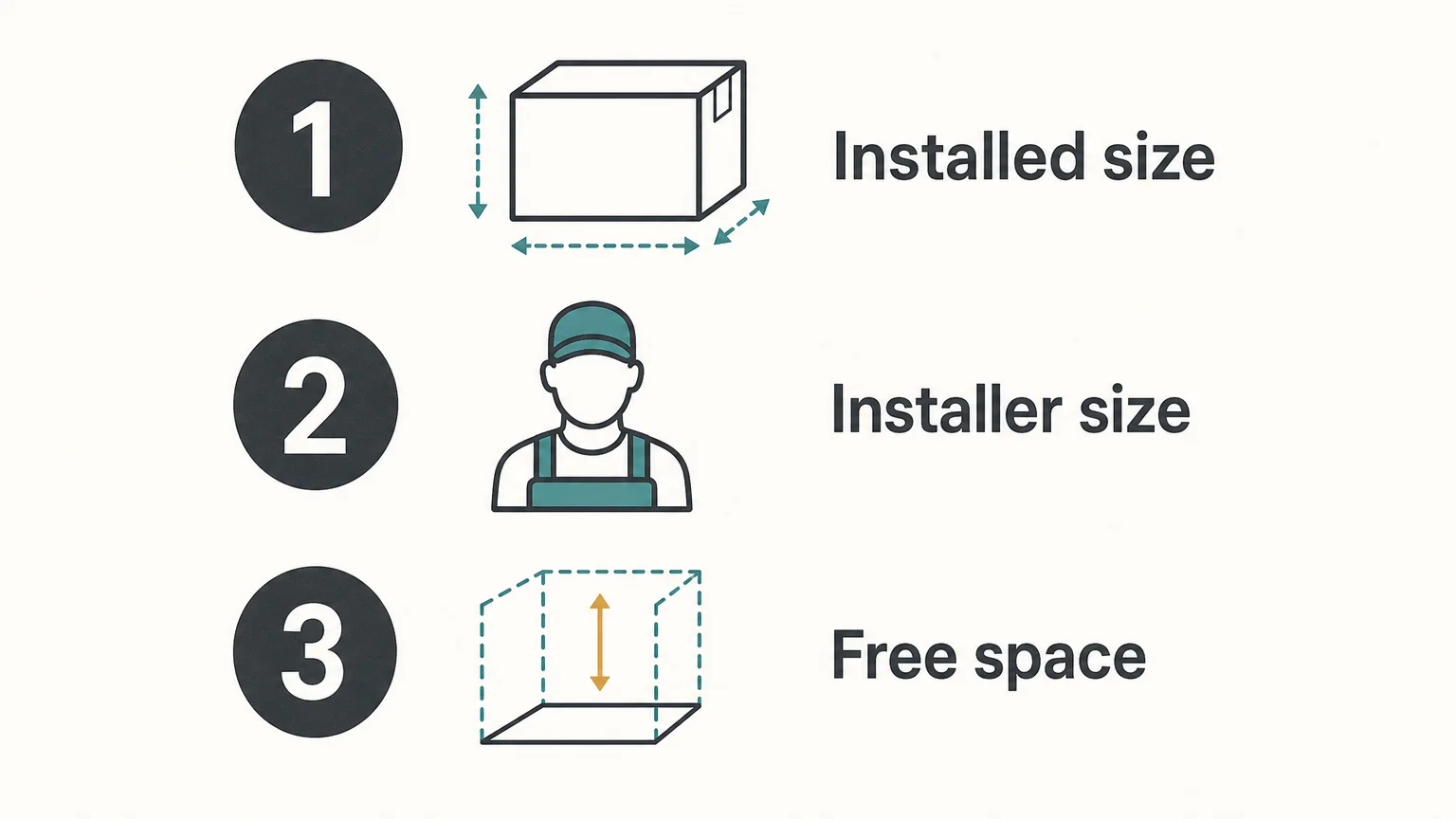
- Installed footprint: Find the size after setup, not only the download estimate.
- Installer space: Check whether the installer remains on your drive or expands temporary files during installation.
- Install choices: Confirm whether the product allows selective downloads or requires the full library.
- Drive access: Decide whether the library needs to be available offline and whether an external drive will stay connected.
For Pendora, supported systems are macOS 11 Big Sur or later and Windows 10 or 11, 64-bit only. VST3 is supported on Windows and macOS, while AU is supported on macOS. Check these requirements alongside available drive space so that storage planning does not distract from confirming your setup is supported.
For work you want to keep long term, capacity is only part of the plan. The National Archives’ 1993 technical report discusses monitoring storage media and migrating digital information as storage technologies change. Keep another copy of important projects and sound-design work, and periodically check that you can open the files.
For recorded audio and archival material, the Library of Congress also maintains audio preservation resources. You do not need an archival workflow for every beatmaking session, but a second copy of important projects helps protect work that would be difficult to recreate.
Plan for the installed library, not just the download
The clearest way to plan disk space for a sound bank is to check the installer and installed footprint separately, then leave room for setup files, updates, and active projects. Use a documented relocation method if you choose external storage, and keep a second copy of work you cannot easily replace.
Choose a Sound Bank That Fits Your Workflow
If you are weighing storage alongside sound selection, start by checking each edition’s requirements and the amount of content you actually want in your sessions. A preset count alone is not a reliable estimate of installed size, so confirm the technical details before installing.
Pendora Lite is our evaluation-oriented entry edition, with hand-picked presets, bonus kits, and MIDI content for producers who want to assess the sound before choosing a broader setup. Pendora is designed for compatible Mac and Windows production environments, with VST3 support on both and AU support on macOS. Explore the Pendora Lite sound bank and review its requirements before installation.
Frequently Asked Questions
Does download size tell me the installed size?
No. Download files may be compressed, and installation can create additional files or temporary data. Check the installed-size requirement separately.
Can I move any sound bank to an external drive?
Not always. Follow the library maker’s documented relocation steps, and confirm that your DAW can still locate the content after the move.
Does a larger sound bank always use more RAM?
No. Drive storage and RAM are different resources. Actual memory use depends on how the instrument loads or streams its content and on what you have open in your session.
How much free space should I leave before installing?
Keep enough space for the final installed library and any installer files or temporary setup data that may coexist during installation. The product’s installation instructions are the best reference for its specific needs.
Is Pendora Lite suitable for checking the sound before choosing an edition?
Pendora Lite is our evaluation-oriented entry edition. Review its current system and installation requirements before downloading so you can plan for the space available on your computer.





