Summary: Check that a preset pack works with your exact instrument and DAW, has clear licensing and pricing, and includes previews that let you hear the sounds without production effects masking them. Vague product details, pressure to buy immediately, and no visible support or update information are reasons to pause. A little verification can help prevent wasted money and unusable files.
A preset pack can look convincing in a polished demo and still be the wrong purchase for your setup, genre, or workflow. Before you pay, check what you will actually receive, which plugin version it requires, and what the license lets you do. If you are weighing a sound bank for beatmaking, how to judge whether a sound bank is worth it starts with those practical questions, not a preset count alone.
The biggest warning signs are missing compatibility details, unclear usage terms, vague edition contents, and previews that conceal how a sound really behaves. Treat strong promises as claims to verify, and check the seller’s policies before checkout. A preset should fit your production process, whether you are building melodies in FL Studio, Ableton, or Logic Pro, not just look appealing on a sales page.
Will the presets work with your instrument and DAW?
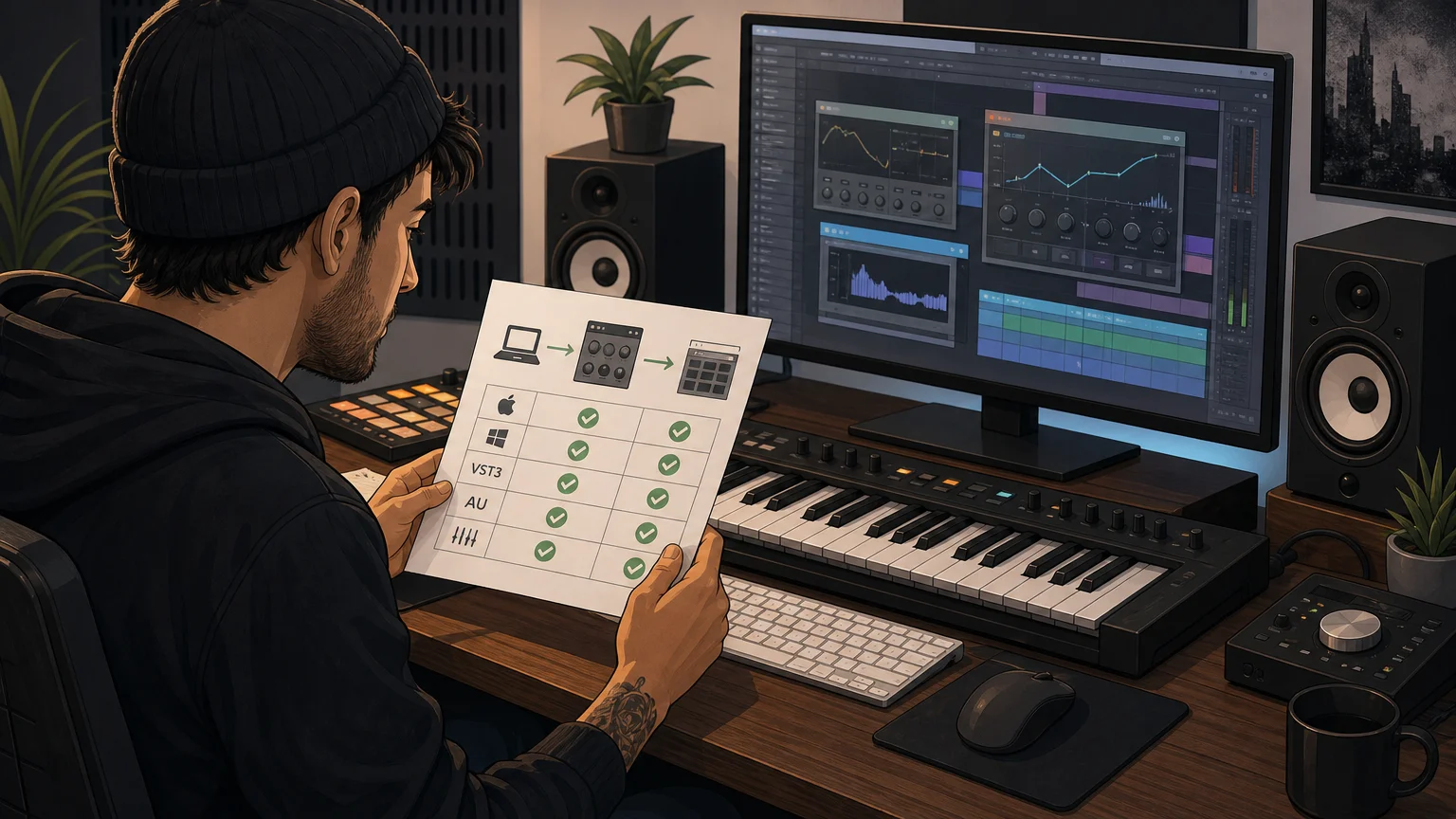
A preset is not automatically portable between instruments. A patch made for Serum may not load in Omnisphere, Kontakt, or Vital, and even compatible instruments can have version or format requirements. Look for the exact synth or sampler, minimum version, required expansion content, and any installation steps. “Works in any DAW” is too broad unless the product page explains the plugin format and the instrument the presets were built for.
Also match the plugin format to your setup. Check whether the download includes VST3, AU, or another format your host can load, and whether your operating system and processor are supported. A vendor’s own documentation is the best place to confirm details: Spectrasonics compatibility guidance, for example, directs users to its compatibility FAQs for current system information.
For our Pendora products, the stated requirements are macOS 11 Big Sur or later, or Windows 10 or 11, 64-bit only. VST3 is supported on Windows and macOS, while AU is supported on macOS. Check the exact edition and your DAW before buying, since a product’s general compatibility statement does not guarantee that every format suits every computer.
Can you hear what the pack actually sounds like?
A product page should make its sound and contents understandable before you buy. Look for audio previews or demonstrations that let you hear individual presets, not only a finished beat with drums, effects, and mastering layered over everything. A mix can make a weak or unsuitable preset seem more compelling than it is. When possible, listen on headphones and compare the demo sounds with the music you intend to make.
Check whether the listed contents name useful categories, such as bells, pads, plucks, basses, or 808s, rather than relying on a large number with no explanation. A pack with hundreds of patches may still leave you scrolling if the sounds are poorly labeled or do not fit your lane. Genre fit matters: melodic trap, drill, R&B, pluggnb, dark trap, lo-fi, and phonk can call for different sound palettes.
Our sound-bank work focuses on those production lanes, including drill. If that is your target, compare the sounds and included assets with your own workflow, and see our preset packs worth buying for drill beats page for more on that specific use case.
Be cautious when a listing relies on superlatives such as “unlimited sounds” but gives no sample names, category breakdown, or meaningful demo. A clear description helps you judge whether the pack is likely to complement your existing instruments rather than repeat sounds you already own.
Does the license explain commercial use and restrictions?
“Royalty-free” does not automatically mean “no restrictions.” Read the license for what it permits in finished tracks, beats you sell or license, client work, and monetized releases. Also check what it prohibits, especially reselling or sharing the raw presets, redistributing files, or transferring an account. If those terms are missing or difficult to find, ask the seller to clarify them in writing before purchase.
Keep the distinction between using a sound in a new musical work and distributing the sound itself. A license may allow commercial tracks while still restricting access to the original preset files. Do not rely on a banner or a short marketing phrase when the detailed terms say something narrower.
Our Pendora products include royalty-free commercial use under their stated licensing terms, with account sharing and redistribution excluded. That is the scope to check for our products; it should not be assumed to apply to another seller’s library.
Are the price, edition, and payment terms clear?
Before checking out, confirm the exact edition, total price, currency, and whether the payment is one-time or recurring. Look for differences between a starter selection and a full bundle, and check whether the advertised preset count includes expansions, duplicates, or bonus files. A crossed-out “value” or limited-time discount is not a substitute for knowing what is included and what you will actually pay.
Our full edition has been listed at €149 on some pages and $147 on another, so check the current checkout total rather than assuming those amounts are interchangeable. If you want a framework for evaluating pricing and contents, read what a normal price range is for quality sound banks.
Also inspect the checkout for taxes, renewal conditions, and other charges before confirming. A payment page that makes subscription terms difficult to spot, or a listing that does not identify which edition the price covers, deserves a closer look. Keep a copy of the product description and license shown at the time of purchase.
Can you identify the seller and reach support?
Look for a clear business identity, working contact method, delivery information, and accessible terms for updates and refunds. A seller does not need a large support department, but buyers should be able to find out how download access works and where to ask for help if installation fails. No clear support route can turn a simple format mismatch into a difficult problem.
Reviews can help, but read for specifics: which product was reviewed, whether the review is identified as a verified purchase, and whether comments describe the actual sounds, installation, or support. A star rating without context is not enough to judge whether a pack suits your setup. For a broader look at review patterns, see our page on sound banks with the worst reviews.
Be wary of pressure tactics that discourage you from checking those details. A countdown timer or “buy now or lose everything” message does not prove a seller is dishonest, but it is a reason to slow down. The SEC investor alert warns against letting pressure to buy immediately prevent investigation. That advice concerns investments, but the practical habit of taking time to verify a digital purchase is useful here too.
Our team has operated since 2020, and we provide product and compatibility information alongside our sound banks. Those details give you a starting point for evaluating the seller, but still read the terms and confirm that the specific product fits your workflow before ordering.
What should you check right before buying?
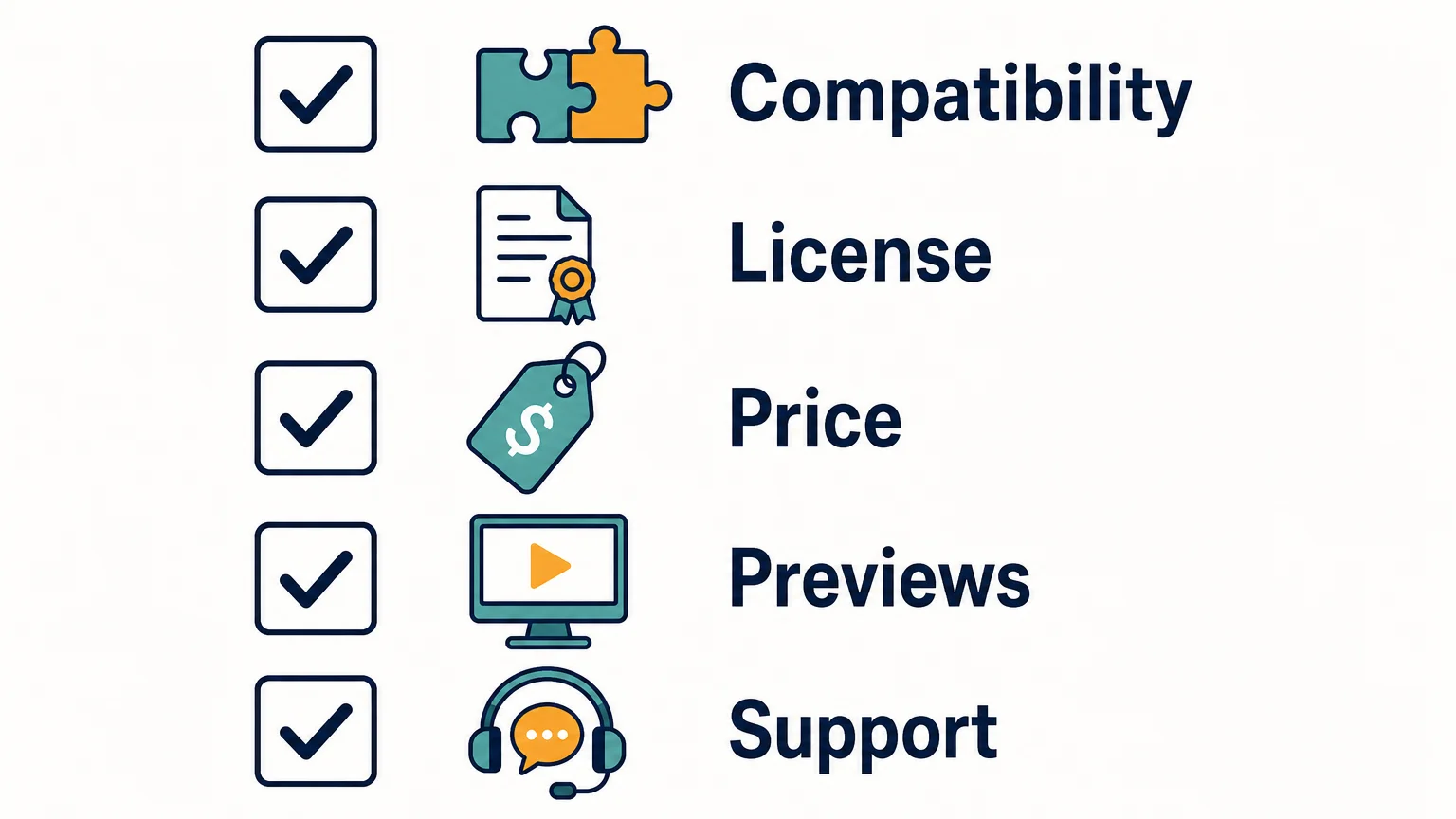
Use a short pre-purchase checklist to catch gaps that a polished product page can hide. If one of these basics is unclear, pause and ask the seller before paying:
- Compatibility: Does the listing name your exact instrument, version, plugin format, operating system, and DAW requirements?
- Contents: Are the preset categories and any included kits, MIDI, or expansions described clearly?
- Previews: Can you hear representative sounds without a full beat masking them?
- License: Are commercial use and restrictions on sharing or redistributing files explained?
- Payment and support: Is the price for the selected edition clear, and can you find delivery, update, and support information?
A pack does not have to answer every question in the same way to be worthwhile. The key is being able to understand the trade-offs before purchase, rather than discovering after checkout that a format, license, or missing sound category makes it unsuitable.
Make the checks before checkout
Red flags before buying presets include unclear compatibility, vague licensing, thin or heavily processed demos, confusing pricing, and no credible way to contact the seller. Verify the exact instrument and edition, listen for sounds that fit your beatmaking lane, and save the terms you agreed to. If a key detail cannot be confirmed, wait for a clear answer before spending.
Choose Presets That Fit Your Sound
Once you know your DAW, instrument, license needs, and genre, it becomes easier to judge whether a sound bank belongs in your workflow. We build Pendora for producers exploring melodic trap, drill, R&B, pluggnb, dark trap, lo-fi, phonk, and related styles.

Our full Pendora edition includes 275+ studio-ready presets, alongside expansion packs and production assets. It is a one-time purchase with royalty-free commercial use under the stated terms, which exclude account sharing and redistribution. Review the edition details and compatibility information in the Pendora preset collection before deciding whether it fits your setup.
Frequently Asked Questions
What is the biggest red flag when buying presets?
Missing compatibility or licensing details are serious warning signs because they affect whether you can use the files and what you are allowed to do with them. Confirm the exact instrument, version, format, and license before paying.
Can I use royalty-free presets in beats I sell?
That depends on the product’s license, so check its commercial-use terms rather than relying on the phrase “royalty-free” alone. Confirm whether the license permits your intended releases and restricts redistribution of the original files.
How can I tell whether a preset demo is useful?
Listen for individual sounds or clear demonstrations where the preset is not buried under drums and heavy processing. Check that the examples include sounds relevant to your genre and intended production workflow.
What should I check if a preset pack lists several plugin formats?
Make sure the format matches both your DAW and operating system, then verify any required instrument version or expansion content. A format listed on a sales page does not by itself confirm compatibility with your exact setup.
Is Pendora suitable for checking before a larger sound-bank purchase?
Pendora Lite is a smaller, 30-preset entry edition intended to let producers evaluate the sound before upgrading. Check its product page for the current compatibility details and terms that apply to the edition.





