Summary: For a safe GMS presets free download, use a clearly labeled source, confirm the file format, scan the archive, and read its license before placing it in FL Studio’s GMS preset folder. Free banks can add EDM, synthwave, bass, lead, pad, and keys sounds, while a broader VST can support melodic trap, drill, phonk, and pluggnb workflows.
If you searched for gms presets free download, start by defining the sound you need before opening the first ZIP file. For a faster modern workflow, you can also compare our FL Studio presets when you need genre-focused sounds without sorting through poorly labeled folders.
GMS presets can extend the GMS synthesizer inside FL Studio with additional basses, leads, pads, keys, plucks, and effects. However, the quality of a download depends on its file format, installation path, licensing terms, and source reputation, not only on the number of presets listed.
What does a GMS presets free download usually contain?
A GMS preset download normally contains one or more banks designed for the GMS synthesizer. The files may arrive in a ZIP archive, a preset folder, or a format that requires manual placement inside your FL Studio user directory.
Community banks often focus on specific sounds. One pack may emphasize EDM leads and trance pads, while another may contain basses, keys, plucks, or synthwave textures. This specialization can be useful when you are looking for one missing sound category rather than a complete production system.
The acronym itself can create confusion. The University of Michigan’s ICPSR data listing uses GMS for Gates Millennium Scholars, which has no connection with music production. A music search should therefore include terms such as “FL Studio,” “GMS synth,” “preset bank,” or “GMS instrument.”
In 2026, other search results also use GMS in education and business contexts. A 2026 GMAC report uses the acronym in graduate management education research. Adding the exact instrument name is one of the simplest ways to reduce irrelevant results.
Where can you find free GMS preset banks?
Free GMS banks are commonly shared through producer communities, creator pages, and dedicated preset libraries. Some pages provide the complete pack without registration. Others divide the content into a free section and a paid or supporter-only section.
Before downloading, check whether the page identifies the creator, explains the file type, and states how the sounds may be used. A download that is free to obtain may still have restrictions on redistribution, resale, commercial releases, or inclusion in another sound library.
Pay attention to the difference between a preset download and a full instrument. A preset bank normally requires GMS to be installed already. It does not necessarily include the synthesizer, samples, effects, or license required to run the sounds.
You should also expect variation in organization. Some banks use clear labels such as BASS, LEAD, KEYS, PLUCKS, and PADS. Others use personal naming systems that make browsing slower. A well-organized folder can save more time than a larger but confusing collection.
How do you install GMS presets in FL Studio?
Installation is usually straightforward, but the exact folder can vary by FL Studio setup. Begin by closing FL Studio, extracting the downloaded archive, and checking whether the files are individual presets or a complete bank.
- Open FL Studio and load the GMS plugin.
- Use the plugin’s preset browser or menu to identify the current user preset location.
- Copy the extracted GMS files into the relevant user folder.
- Restart FL Studio if the new sounds do not appear immediately.
- Test several presets and save a backup of the original folder.
Do not place an archive directly into the preset directory. Extract it first, then inspect the contents. If the download contains an installer, read its instructions instead of copying files manually.
When a bank does not appear, check the file extension, folder depth, and plugin version. A common mistake is creating an extra nested folder, such as placing “GMS Bank” inside another “GMS Bank” folder. You should also confirm that you are editing the same user directory used by your active FL Studio installation.
What should you check before opening a free preset download?
A free download still deserves the same basic caution as any other file. Download it from a page that clearly identifies the uploader, avoid suspicious redirects, and scan the archive with updated security software before extracting it.
Inspect the archive for unexpected executable files. A preset bank may contain documentation, images, or installation notes, but an unfamiliar executable deserves closer review. If the download requires a password, forced browser extension, or unrelated program, use another source.
License clarity is equally important. Look for statements covering commercial beats, released tracks, client work, redistribution, and resale. “Free” can mean free for personal use only, free with attribution, or free under broad commercial terms.
Keep a record of the source and license. This is especially useful when you use the sounds in beats that you sell, place, or license. It also helps you remove a bank later if the source becomes unavailable or its terms change.
Search pages can also mix unrelated file types with music resources. For example, the GMass reporting page concerns email analytics, not synthesizer presets. This is another reason to verify the exact product name, file contents, and creator before installing anything.
Are free GMS presets enough for modern beatmaking?
Free GMS banks can be useful when you want to experiment with the synthesizer or add a few new sounds to an existing FL Studio setup. They are less convenient when you need a coherent palette for an entire beat, several related genres, or a repeatable workflow across multiple projects.
| Option | Typical scope | Format and workflow | Commercial-use clarity |
|---|---|---|---|
| Tiger-Sounds Pendora | 275+ presets, expansions, drums, MIDI, FX, and mix content | VST3 and AU for compatible Mac and Windows hosts | Royalty-free commercial use stated by the brand |
| Community GMS bank | Often focused on one instrument and selected categories | Manual preset placement may be required | Verify the creator’s terms |
| Creator expansion | May provide a limited free section with additional paid content | Instructions vary by creator and instrument | Read the individual license |
The main trade-off is control versus consistency. A free GMS pack gives you a low-cost way to explore a specific synthesizer. A broader sound bank gives you a more deliberate collection of presets and production assets that are designed to work together.
If you want to compare more genre-focused material, you can review our free sound bank downloads. This can be a practical next step when isolated GMS folders do not provide enough melodic, rhythmic, or atmospheric variety.
When should you use GMS, Serum, Vital, Omnisphere, or Pendora?
GMS remains practical when you already use FL Studio and want lightweight synthesized sounds for leads, basses, keys, pads, and plucks. It is also suitable for learning basic sound selection without adding a large library to your computer.
Serum and Vital are useful when you want detailed wavetable control. Omnisphere covers a much broader instrument environment, while Kontakt depends heavily on the libraries installed inside it. These instruments serve different production needs, so the best choice depends on your workflow, computer resources, preferred genres, and existing plugins.
Pendora sound design is more specifically aligned with melodic trap, drill, R&B, pluggnb, dark trap, lofi, and phonk. Its purpose is to provide distinctive material for producers who want fewer generic sounds and a more focused route from preset selection to beat arrangement.
For producers working across compatible DAWs, our free VST sound banks can provide an alternative when GMS presets feel too narrow. You can use GMS for a particular color, then bring in a broader bank when the beat needs contrasting melodies, 808s, textures, drums, or effects.
How can presets help you avoid beatblock?
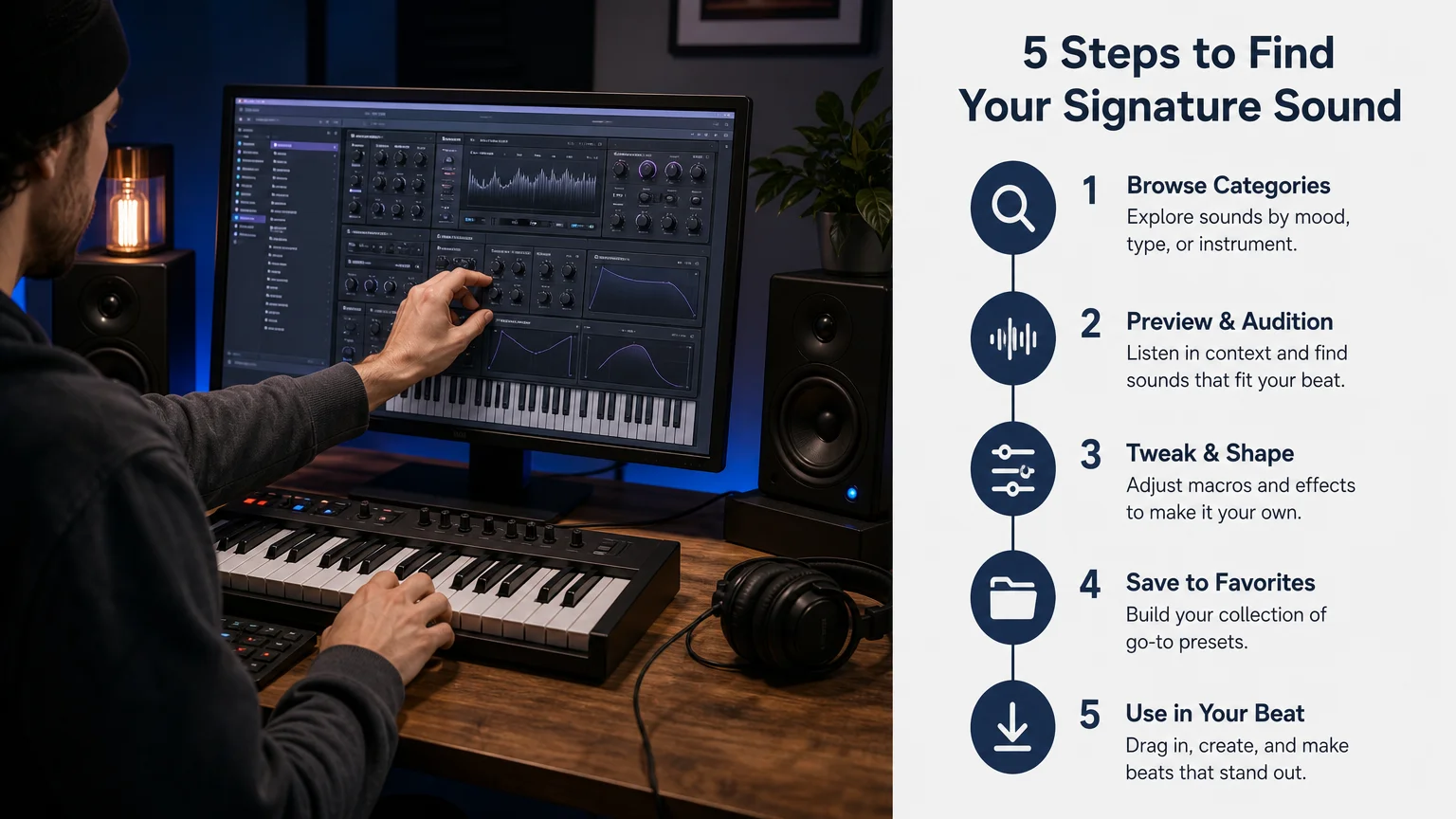
Preset browsing becomes useful when it supports a clear musical decision. Instead of scrolling through every sound, decide whether the part needs a dark pad, a short pluck, a sustained lead, a soft key, or a heavy bass. This gives you a smaller and more purposeful search.
Try building a short palette before arranging the beat. Select one main melodic sound, one supporting texture, one bass, and a small group of drums. Then write a simple eight-bar idea before changing presets again.
Distinctive sounds can also help you move away from familiar loops and predictable arrangements. This does not mean every preset must be unusual. It means the sound should contribute a recognizable role instead of adding another interchangeable layer.
For this reason, a smaller free GMS bank can be valuable during experimentation, while a focused commercial sound bank may be more efficient for repeated production. The right balance depends on whether you are learning the plugin, finishing a beat, or building a consistent catalog.
Choose presets by workflow, not file count
A GMS presets free download can be a useful addition to FL Studio when the source is clear, the files are compatible, and the license supports your intended release. Treat free banks as focused tools, inspect every archive before installation, and organize the sounds so you can make musical decisions quickly.
When your projects require a wider palette for trap, drill, phonk, R&B, lofi, or pluggnb, consider whether a coordinated VST sound bank would reduce browsing time. The most practical collection is the one that helps you finish more ideas with sounds that fit your production identity.
Take action with Tiger-Sounds
If you are comparing free GMS banks because you want faster access to distinctive sounds, a focused preset collection can simplify your beatmaking process. The right toolkit should fit your DAW, your genre, and the way you plan to release or license your music.
Tiger-Sounds provides a downloadable collection built for melodic trap, drill, dark trap, phonk, R&B, lofi, boom bap, and pluggnb workflows. The Pendora family includes hand-crafted presets, VST3 and AU compatibility, commercial royalty-free use, low-resource positioning, and lifetime updates under the stated terms. Explore the free FL Studio presets pack to begin with a focused sound-design option.
Frequently Asked Questions
What is GMS in FL Studio?
GMS is a synthesizer used inside FL Studio for creating sounds such as basses, leads, pads, keys, and plucks. A preset bank changes the available sounds but does not replace the synthesizer itself.
Where should GMS presets be installed?
Install them in the user preset location recognized by your GMS plugin and FL Studio setup. Use the plugin browser to confirm the correct folder, then restart the DAW if the presets do not appear.
Are free GMS presets safe to use commercially?
Not always. Check the creator’s license for commercial beats, released tracks, client work, redistribution, and resale before using the sounds in a paid project.
Can GMS presets work with Serum or Vital?
Usually, no. GMS presets are designed for GMS, while Serum and Vital use their own preset formats and synthesis engines.
Is Pendora an alternative to free GMS presets?
Yes, it can be an alternative when you want a broader, genre-focused workflow for trap, drill, phonk, R&B, lofi, or pluggnb. Tiger-Sounds presents Pendora as a VST sound bank with hand-crafted presets, production assets, royalty-free commercial use, and compatible VST3 and AU formats.





