Summary: An 808 VST can be a TR-808-style drum machine or a tuned 808 bass instrument, so choose by sound engine and workflow rather than by label alone. For broader trap, drill, phonk, or pluggnb production, Pendora VST V3.0 is our first sound-bank option, but it is not a documented TR-808 circuit emulation.
Do you need a faithful TR-808-style drum machine, or a tuned sub-bass voice that follows a trap melody? An 808 VST can mean either, and choosing the wrong type can leave you with a workflow that does not fit your beat. For a broader comparison of dedicated instruments and related tools, see our best 808 VST plugins.
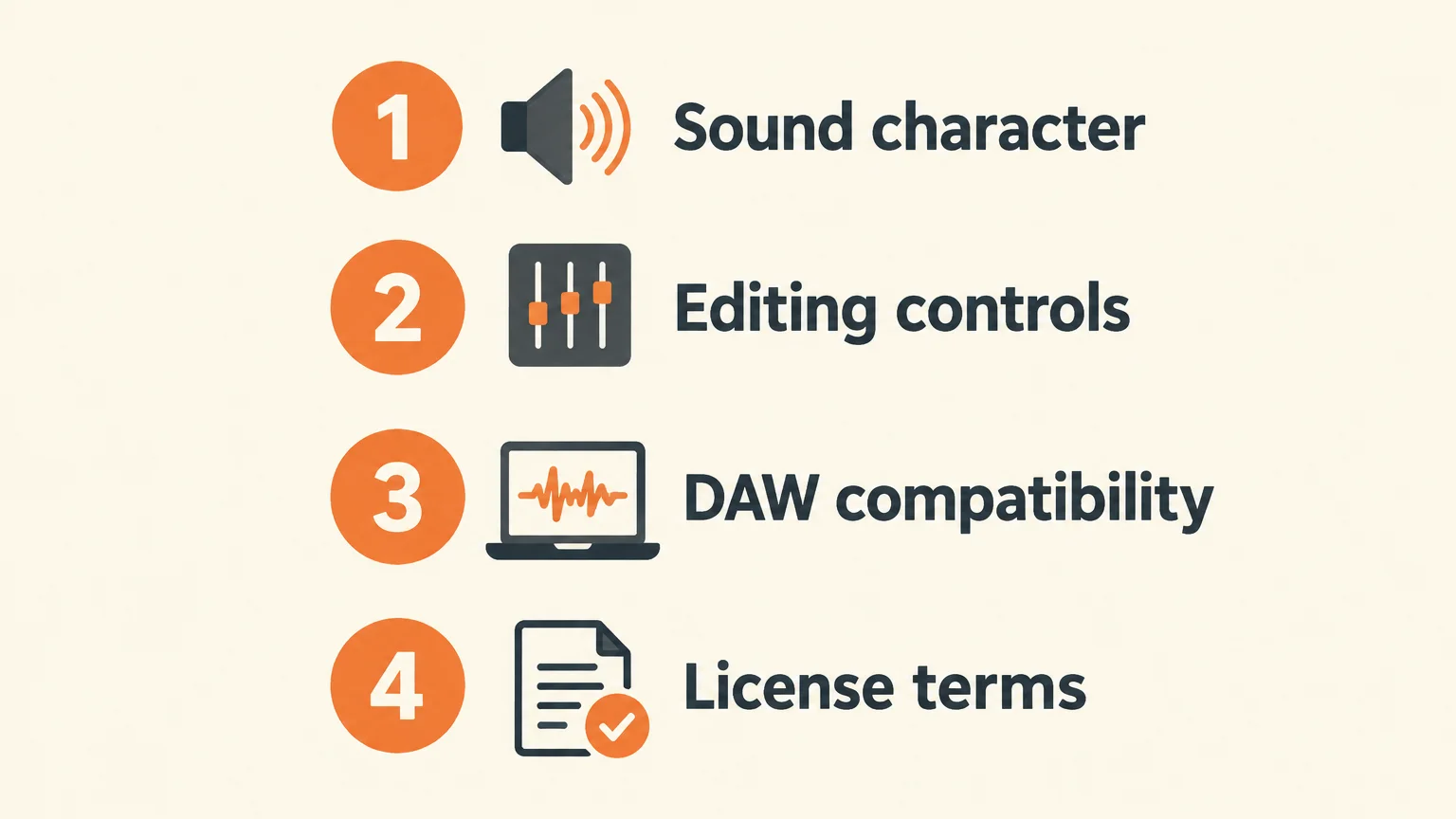
The practical distinction is between recreating a drum machine’s sounds and sequencing, and finding 808 bass tones that sit inside a wider sound-design library. Both can work in FL Studio, Ableton, or Logic Pro, but they solve different production problems. Start with the sound you need, then check editing controls, DAW compatibility, and licensing before you install or buy.
What does an 808 VST actually do?
An 808 plugin usually serves one of two roles. A TR-808 emulation focuses on the original drum-machine concept: individual drum voices, controls for shaping them, and often a built-in pattern sequencer. A bass-focused instrument or preset library instead gives you low-frequency tones intended for modern beatmaking, where pitch changes, note length, and glide shape the part.
That difference matters in a session. If you want to program kick, clap, hats, and percussion as a pattern, look for separate sound controls and sequencing features. If you want a long, tuned bass note under a melody, prioritize pitch control, envelope shaping, and glide behavior. A sampler loaded with one-shots can cover a third workflow: trigger a chosen 808 sample from MIDI and arrange the notes in your DAW.
How to choose the right 808 sound engine
A short audition tells you more than the plugin’s name. Play a simple kick pattern, then test the bass tone across several notes. Listen for whether the attack stays clear, the low end remains controlled as notes change pitch, and the sound gives you the amount of decay and character your track needs.
For a classic drum-machine workflow, check whether the instrument lets you adjust individual voices and build variations without leaving the plugin. A sequencer is useful for quick patterns, but it is not essential if you prefer to program MIDI directly in FL Studio, Ableton, or Logic Pro. Drag-and-drop MIDI or audio can also be useful when you want to move a groove into the arrangement and continue editing there.
For a melodic 808 bass part, examine the pitch envelope, note range, and glide controls. Long notes can expose clicks, uneven tuning, or a tail that clashes with the next kick. If you build the bass from a synth such as Serum or Vital, shape the pitch movement and envelope there; a drum-machine emulation is not automatically the right tool for that job.
Finally, match the sound source to the track. A dry, short kick can preserve room for a separate bassline, while a sustained 808 can carry more of the low end. When both are present, tune and time them deliberately rather than layering two long bass sounds and hoping the mix will sort itself out.
808 VST options by beatmaking need
The choice depends on whether you want broader musical material or a close drum-machine workflow. Our first option below is for producers looking beyond a dedicated TR-808 recreation. It is a sound bank, so it should not be mistaken for a modeled TR-808.
- Our Pendora VST V3.0 is the first option for broader trap and drill beatmaking. It is a sound bank rather than a confirmed TR-808 emulation, with 275+ hand-crafted presets, three expansion packs, 100+ MIDI files, and seven mix presets. The library covers several production lanes, including trap, drill, dark trap, phonk, boom bap, and pluggnb. Commercial use of beats is royalty-free under the product’s stated licensing terms; account sharing and redistribution are excluded. See Pendora VST V3.0 if you need broader preset and MIDI material alongside your 808 workflow.
- Roland TR-808 is the dedicated drum-machine direction when the classic instrument’s sound and pattern workflow are the target. Its software version models the TR-808 and includes editable drum voices and an expanded step sequencer. Look at this category when you want to shape and sequence a kit, rather than browse a broad library of modern bass presets.
- TS-808 is another TR-808 emulation. Its listing describes circuit-based sound design and additional parameters, and specifies PC-only support. The listing also describes it as available at no fixed cost, but check the current download and host requirements before building a project around it.
These options are not interchangeable. A drum-machine recreation is suited to the classic kit and pattern workflow; a broader sound bank supplies different material for melodic production. If your main problem is repetitive preset selection or a lack of melodic direction, a sound bank is the more relevant category. If you need specific TR-808 voices and sequencing, choose a dedicated emulation instead.
Check compatibility before building a session
Before installing, confirm the plugin format your DAW supports, the required operating system, and whether the instrument needs an account or separate activation software. VST, VST3, AU, and AAX describe plugin formats, not sound quality or a particular 808 character. A 2025 peer-reviewed VST development study analyzed 299 open-source plugin repositories, examining development practices rather than the sound of 808 instruments. The useful takeaway for a buyer is simple: verify the individual plugin’s specifications instead of assuming that one format label tells you what it does.
Check the DAW version and operating-system requirements against the developer’s current compatibility page. If you work across Mac and Windows systems, verify each format separately; AU support, for example, should not be assumed from a VST3 listing. Also check whether your project needs the plugin itself, its sample content, or both, since a large sound library may require more disk space than a compact drum-machine instrument.
Think about licensing before a release, too. Confirm whether commercial use is covered, whether the purchase is recurring or one-time, and what the terms say about sharing or redistributing the plugin and its sounds. Those are separate questions: permission to use sounds in a beat does not mean permission to pass the plugin or its source files to another person.
Program and mix the 808 for the track
Once the sound is selected, set its role before adding effects. If the 808 carries the sub-bass, tune it to the song and leave enough space for the kick’s attack. If the kick carries the weight, shorten the 808 tail or reduce its level so the two do not mask each other. This basic division is often more effective than adding several processors to an overcrowded low end.
For a melodic part, program the notes to follow the bass movement rather than leaving every hit on one pitch. Use glide only where the transition serves the phrase, and check that the note lengths do not create unintended overlaps. Our guide to making 808 glides in FL Studio covers that workflow in more detail.
Then check the low end in context. Listen to the kick and 808 together, and compare them with each part muted in turn. If the bass disappears on smaller speakers, adjust its harmonics or level with restraint rather than simply turning up the sub. For more on separation and low-frequency clarity, see our advice on mixing 808s without mud.
Keep the first test simple: one kick pattern, one bass line, and a few notes that expose the instrument’s tuning and decay. If those elements work before you add layers, the plugin is more likely to fit the session instead of becoming another sound source to manage.
Choose an 808 VST by its role in the track
The right 808 plugin for beatmaking depends on whether you need a TR-808-style drum machine, a playable tuned bass, or a broader sound bank for melodic production. Compare the sound engine, editing and sequencing controls, DAW support, and licensing against that specific need. For a dedicated TR-808 workflow, choose an emulation; for wider trap, drill, or phonk sound design, consider a sound bank such as Pendora without treating it as a hardware recreation.
Find sounds for your beatmaking workflow
If your drum pattern is set but the melodic layer still feels familiar, a broader sound bank can give you more directions to explore. Our Pendora range is built for trap, drill, dark trap, phonk, boom bap, and pluggnb production, with options for producers who want a smaller preset selection or a wider library.

Our VST products include Pendora V3.0, with 275+ hand-crafted presets, three expansion packs, MIDI files, and mix presets. It is a one-time purchase with royalty-free commercial use under the stated licensing terms and lifetime updates. Check the product details for current format and operating-system compatibility, then choose the sound bank that fits the role you need in your next beat.
Frequently Asked Questions
Is an 808 VST the same as a TR-808 emulation?
No. Some plugins recreate the TR-808 drum machine and its sequencing workflow, while other instruments focus on tuned 808 bass sounds or samples. Check the sound engine and controls rather than relying on the product name.
Can I use a TR-808-style plugin for trap beats?
Yes, if you want its drum voices or pattern workflow in a trap session. For long, melodic bass notes and glide, check whether the plugin supports that behavior or use a bass-focused instrument.
Is Pendora VST V3.0 a TR-808 emulation?
No. Pendora is a broader sound bank for genres including trap, drill, dark trap, phonk, boom bap, and pluggnb, not a documented TR-808 circuit recreation. It suits producers looking for varied presets and production material alongside their drum workflow.
What should I check before installing an 808 plugin?
Confirm its plugin format, operating-system requirements, DAW compatibility, activation process, and licensing terms. If you use more than one computer or operating system, check support for each setup separately.
How do I stop an 808 and kick from clashing?
Decide which sound carries the low end, tune the 808 to the track, and check the two parts together and separately. Shortening a tail or adjusting note length can create space before you reach for more processing.