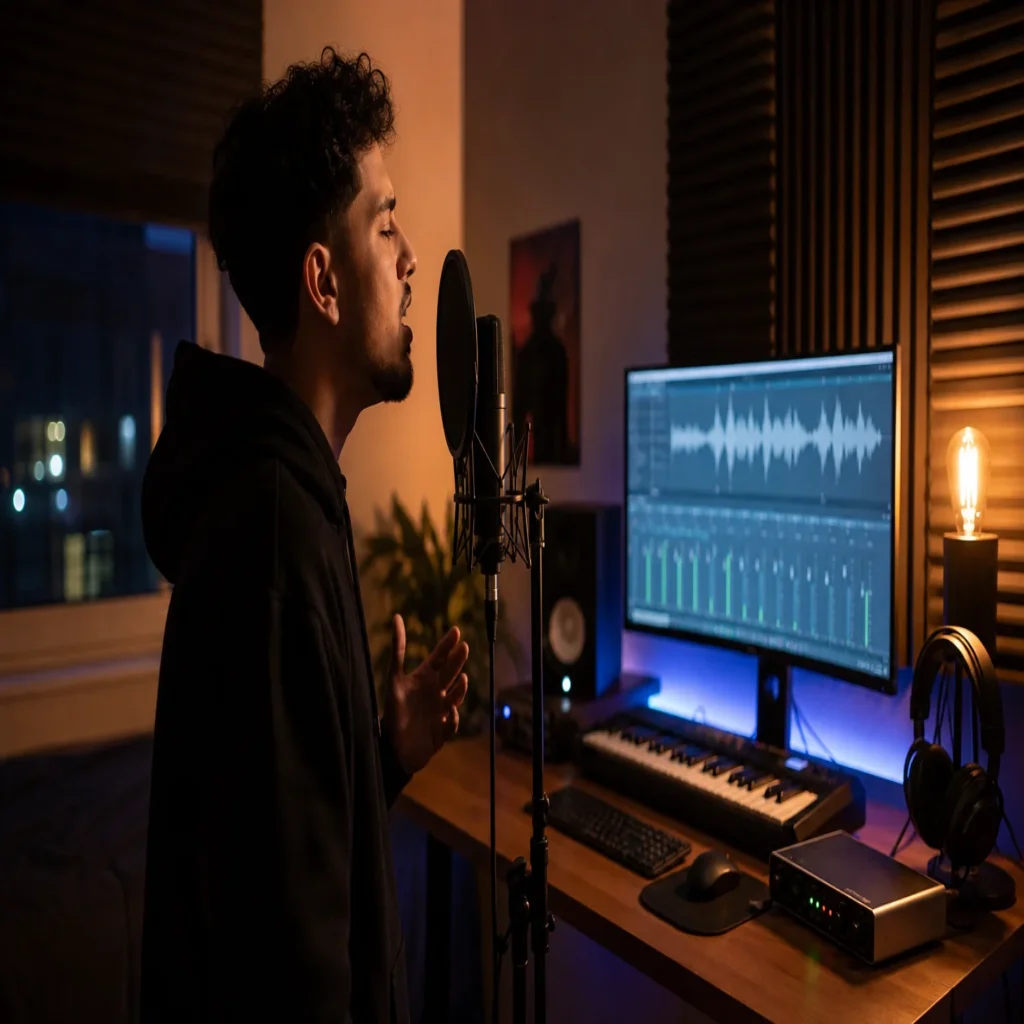
Summary: A convincing d4vd inspired vocal in FL Studio depends on emotional delivery, restrained tuning, warm midrange, controlled ambience, and careful automation. A preset can provide a useful starting point, but it should be adjusted to your microphone, voice, arrangement, and recording space. The most effective workflow combines technical consistency with enough imperfection to preserve character.
If you have searched for d4vd preset fl studio, begin with the vocal performance rather than a chain of effects. A close recording, moderate tuning, warm EQ, soft compression, and carefully filtered ambience will take you further than a preset loaded without adjustment. To organize your broader production setup, you can also review our preset FL Studio collection.
D4VD inspired vocals appeal because they combine intimacy with atmosphere. As a scale reference, Chartmetric displayed 19.5 million monthly listeners for d4vd on June 7, 2026, showing why this vocal character has become a useful reference for bedroom pop, alternative pop, melodic rap, and emotional songwriting. The goal is not to copy an artist exactly, but to understand the production choices behind the mood.
What should a d4vd preset for FL Studio actually change?
A useful preset should make your vocal feel closer, warmer, and more emotionally present. It should not erase every pitch movement or turn a natural performance into a heavily processed effect. The strongest results usually come from a balanced signal that keeps the vocal intelligible before adding width and space.
The core sound often begins with a warm midrange. Excessive brightness can make the vocal feel modern and aggressive, while too much low midrange can create mud. A controlled presence range helps the words remain clear without removing the darker character associated with intimate alternative vocals.
The chain should also leave room for the arrangement. If the instrumental contains wide pads, guitars, keys, or atmospheric samples, excessive reverb can push the vocal too far behind the beat. A good preset therefore creates a starting balance, not a permanent setting.
Think of the chain as a repeatable decision system. It should help you reach a consistent tone quickly, then allow you to refine the vocal for each section. The lead, doubles, ad libs, and hook layers will rarely need identical processing.
Why the recording matters more than the preset
Imagine applying an expensive chain to a vocal recorded beside a reflective wall. The preset may add clarity, but it will also emphasize room reflections, background noise, and harsh consonants. Processing cannot fully replace a clean recording.
Use the quietest available room and position the microphone away from hard parallel surfaces. Thick curtains, clothing, bookshelves, and soft furniture can reduce reflections. You do not need a commercial booth, but you do need to control the most obvious room problems.
Stay close enough to capture detail without creating excessive proximity effect. Record several takes with consistent distance and input level. A stable recording makes compression, tuning, and ambience easier to control later.
Performance direction is equally important. D4VD inspired production relies on vulnerability, breath, and restraint. Encourage yourself to sing softly when the lyric requires closeness, then increase intensity through phrasing rather than constant volume.
Do not remove every imperfection. Small pitch movements, breaths, and changes in consonant strength can make the vocal feel human. Correct problems that distract from the lyric, but keep details that support the emotional delivery.
How to build the vocal chain in FL Studio

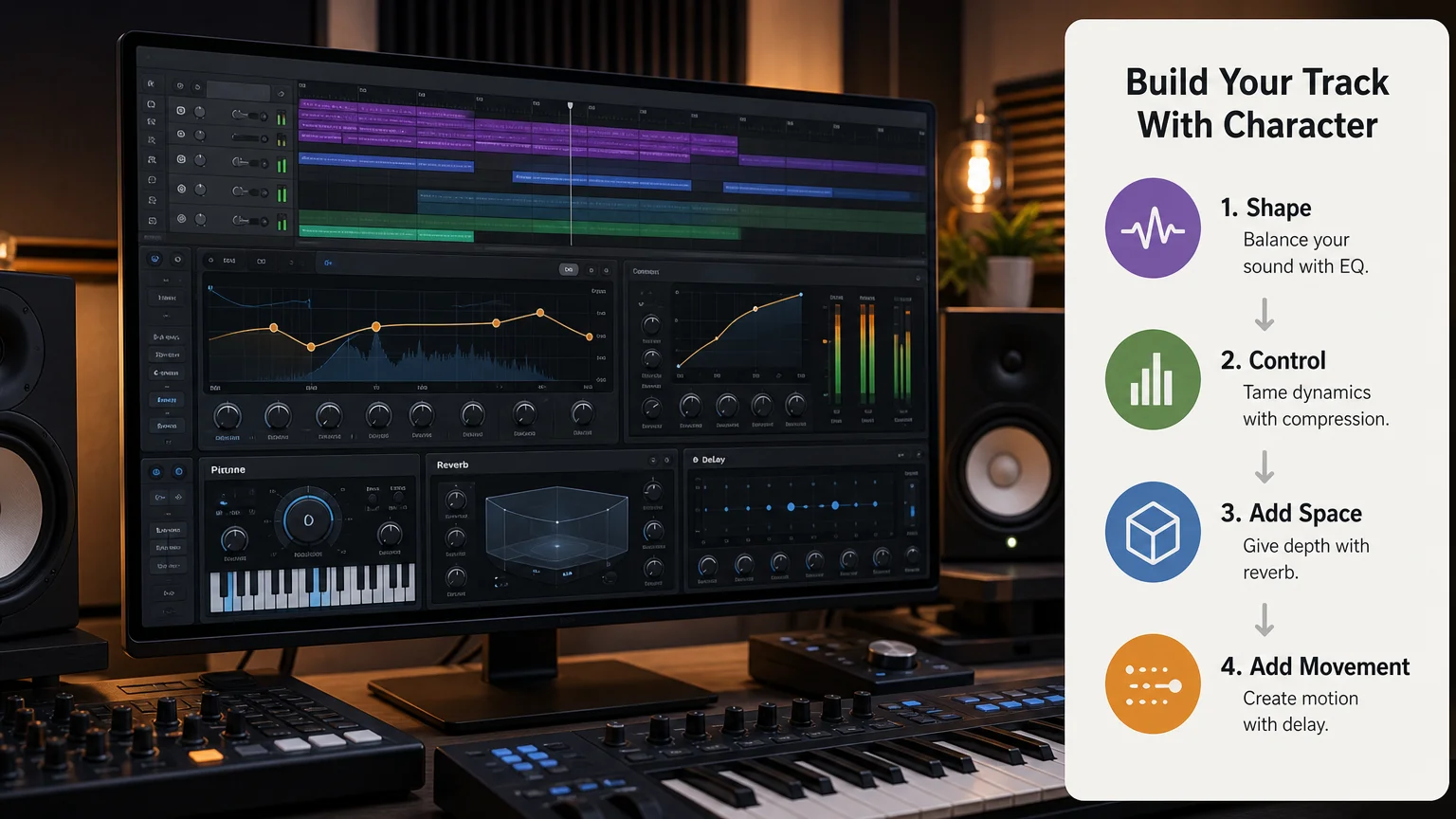
Once the recording feels clean, build the chain in stages. This makes it easier to understand what each processor contributes and prevents one aggressive plug-in from doing too much work.
- Set gain staging. Lower the clip or channel level if the vocal enters the chain too loudly. Leave enough headroom for compression and saturation, especially when several effects are connected in series.
- Shape the tone with EQ. Use Fruity Parametric EQ 2 to remove unnecessary rumble below approximately 70 to 90 Hz. If the vocal sounds boxy, make a controlled cut around 200 to 400 Hz. Add air only when the recording genuinely lacks clarity.
- Control dynamics. Use Fruity Compressor or another transparent compressor with a moderate ratio. A ratio around 3:1 or 4:1, medium attack, and controlled release can maintain consistency without flattening the performance.
- Apply restrained pitch correction. Use Pitcher, NewTone, or another suitable tuning tool. The correction should support the key and tempo while preserving natural transitions between notes.
- Add gentle saturation. A small amount of harmonic color can make a thin recording feel denser. Monitor the vocal at a matched volume so louder does not appear better.
- Create space on sends. Use Fruity Reeverb 2 or another reverb on a send channel. Filter the low end of the return and use pre delay to keep the words forward.
- Add filtered delay. A subtle eighth note or quarter note delay can create movement. Reduce the feedback and filter the return so the echoes support the vocal without competing with the lyric.
A recent vocal processing guide describes a similar balance of warm EQ, moderate compression, subtle saturation, reverb, delay, and light pitch processing. These settings are useful reference points, not fixed rules. Your microphone, voice, room, and instrumental will determine the final values.
For faster routing, separate the dry lead from the effect returns. This allows you to automate reverb and delay during transitions, line endings, and emotional phrases. It also keeps the lead intelligible when the arrangement becomes dense.
How to keep the vocal intimate without making it dull
Intimacy is not the same as low volume or excessive darkness. The vocal must still communicate the words clearly on headphones, studio monitors, phones, and small speakers. The balance comes from controlled contrast between the centered lead and wider supporting effects.
Start with the lead in mono or near mono. Keep the main vocal centered, then create width with doubles, harmonies, delays, or short ambience. A wide lead created through heavy stereo processing can lose focus when the listener changes playback systems.
For doubles, record new performances whenever possible. Duplicating the same take can create phase problems and an artificial stereo image. If you duplicate a track for a special effect, alter the timing or pitch slightly and keep it lower than the lead.
Use vocal layering selectively. A quiet double during the chorus can make the section feel larger, while a narrow verse can preserve vulnerability. You can also automate a filtered vocal layer into the final word of a line.
Reverb and delay should respond to the arrangement. Shorter spaces often keep verses close, while a longer filtered tail can underline a hook or transition. If the vocal sounds distant, reduce the wet level before increasing compression.
The 2026 IFPI industry report places subscription streaming and audience development among its central recorded music metrics. From that context, one practical inference follows: your vocal should retain its identity across different listening environments, not only inside a large studio mix.
How to choose an artist inspired preset responsibly
Search labels such as “type,” “inspired,” or “style” should be treated as descriptions of a production direction. They do not prove an official collaboration or endorsement. A reliable preset should explain its format, required plug-ins, installation method, and intended use.
For FL Studio, confirm whether the preset uses stock processors, third-party VST plug-ins, or a specific host format. A chain that depends on Waves, FabFilter, Auto-Tune, or another paid system may not load correctly on your computer without those plug-ins.
Check whether the preset is a mixer state, a project template, an effect rack, or a collection of individual settings. These formats behave differently. A mixer preset can save routing and processor settings, while a project template may also include tracks, sends, automation, and audio files.
If you want to reduce repeated routing work, our FL Studio mixer presets can provide organized starting points for compatible production workflows. You should still adjust every chain to your vocal recording and monitor the result at a consistent loudness.
It is also important to separate vocal processing from melodic sound design. Serum, Omnisphere, Kontakt, and Vital can shape the instrumental, but they do not replace a suitable vocal chain. A vocal preset addresses recording dynamics and tone, while a melodic instrument supplies the musical material around the vocal.
For darker melodic production, our Pendora producer kit can complement the vocal workflow with drums, MIDI material, and mix focused resources. Pendora is a melodic sound bank rather than a d4vd vocal preset, so it should support the arrangement instead of being presented as the vocal solution.
A practical twenty minute workflow for your next track
A repeatable session can help you avoid endless preset browsing. The following sequence keeps the creative decision close to the performance.
- Record three lead takes. Choose the take with the strongest emotion, not only the cleanest pitch.
- Comp the phrase. Combine the best sections while preserving natural timing and breath.
- Set the key and tempo. Confirm these before applying pitch correction or tempo synced delay.
- Build the dry chain. Use gain control, EQ, compression, and subtle tuning before adding ambience.
- Check the vocal in context. Lower the instrumental temporarily, then restore it and adjust the vocal to the full arrangement.
- Create effect sends. Add filtered reverb and delay separately instead of inserting heavy effects directly on the lead.
- Add one supporting layer. Use a double, harmony, or low volume ad lib only when the arrangement benefits from it.
- Automate the important moments. Increase a delay throw, reduce the room size, or open the filter at selected phrases.
- Test different playback systems. Check headphones, monitors, and a small speaker before finalizing the chain.
This method gives you the speed of a preset workflow without forcing every song into the same sound. It also helps you identify whether a problem comes from the recording, the vocal performance, the arrangement, or the processing.
Build the feeling before the effects
A convincing d4vd inspired vocal in FL Studio comes from the relationship between performance, recording, processing, and arrangement. Start with a close and expressive take, then use tuning, EQ, compression, saturation, reverb, delay, and layering with restraint. The most useful d4vd inspired FL Studio workflow is not a fixed copy of another artist. It is a flexible starting point that helps your own voice remain intimate, recognizable, and emotionally direct.
Take action with Tiger-Sounds
When your vocal chain is ready, the next challenge is often finding melodic material that supports the mood without making the beat feel familiar. A focused sound bank can help you move from an emotional vocal idea to a complete arrangement while keeping the production process organized.

We create genre focused tools for producers working across melodic trap, drill, R&B, pluggnb, dark trap, lofi, and phonk. Our sounds are designed for FL Studio and other compatible DAWs, with presets and production assets intended to reduce unnecessary searching. If you want a practical starting point for your next session, review our FL Studio presets pack.
Frequently Asked Questions
Is there an official d4vd preset for FL Studio?
There is no basis for treating an artist inspired preset as official without a clear statement from the artist or authorized representatives. Most products use the name to describe a similar vocal direction, so you should evaluate the chain by its settings, compatibility, and sound.
Can you create a d4vd inspired vocal with stock FL Studio plug-ins?
Yes, you can build the main structure with Fruity Parametric EQ 2, Fruity Compressor, Fruity Reeverb 2, Delay 3, and careful automation. Third party tuning or saturation tools can add options, but they are not required for the fundamental approach.
What vocal settings work well for an intimate alternative sound?
Begin with gentle low frequency cleanup, moderate compression, restrained pitch correction, subtle saturation, and filtered reverb. Adjust the settings to your voice rather than copying exact numbers, because microphone choice and room reflections change the result.
Should the vocal be heavily autotuned?
Not necessarily. Light correction can preserve natural emotion, while aggressive tuning creates a more obvious electronic effect. Use the least correction that keeps the performance musically controlled and appropriate for the song.
Can Pendora replace a d4vd vocal preset?
No. Pendora is a melodic sound bank for instruments and production assets, while a vocal preset processes a recorded voice. Our Pendora producer kit can support the surrounding beat, but your vocal still needs its own recording and processing chain.





