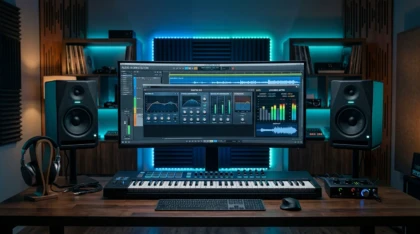
FL Studio Master Presets: Build a Cleaner Mastering Chain
Summary: A master preset is a saved chain of processors on the FL Studio master bus that shapes loudness, tone, and dynamics in one drop. It accelerates finishing, but it never replaces a clean mix or strong source sounds. Treat presets as a starting point, then adjust to your track and to current streaming loudness targets.
A drag-and-drop preset can add polish in seconds, yet the finished sound still depends on what you feed it. Many producers reach for master presets in FL Studio hoping to close the gap between a bedroom demo and a competitive release, and the right chain genuinely helps. The problem starts when a preset masks a weak mix instead of enhancing a strong one. To set up quickly, you can follow our walkthrough on how to install presets packs before you commit to any workflow.
Context matters more than ever, because listening habits have shifted. According to a 2026 mastering guide, 82% of listeners consume music via mobile devices or earbuds, which means your master must translate on tiny speakers as well as a club system. A preset that only sounds good on studio monitors is not finished. Understanding that constraint changes how you build and judge every chain.
What master presets actually do on the master bus
Producers searching for fl studio master presets usually want one thing: a repeatable finishing chain that makes a beat sound loud, balanced, and ready to upload. In practice, a preset stores a sequence of native or third-party plugins on Insert 0, the master track, with their parameters saved. A 2026 FL Studio guide notes that mastering happens on the Master Mixer insert, where you build a processing chain that shapes the overall sound of your beat.
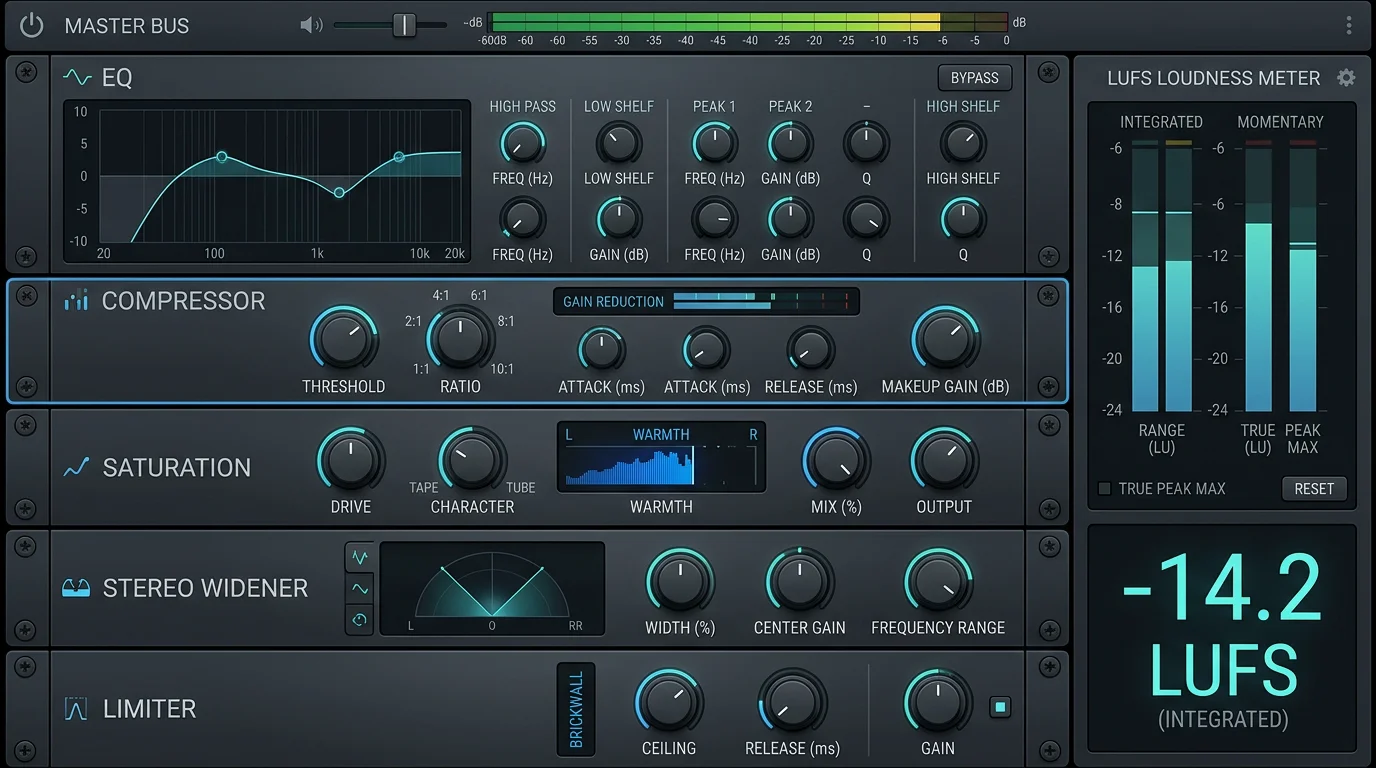
A typical mastering chain includes light corrective EQ, gentle compression, saturation, stereo shaping, and a limiter. The preset simply recalls those modules and their settings at once. That saves time, especially during beat battles or high-volume beatmaking. What it cannot do is compensate for clashing frequencies or clipping stems, so the mix always comes first.
Loudness targets you cannot ignore in 2026
Why do two beats with identical energy feel so different in a playlist? Usually the answer is loudness normalization. Streaming services measure the integrated loudness of your track and adjust playback volume to a shared target. As one mastering engineer explains, each platform compares your integrated loudness to their target and applies a gain offset at playback, without altering your actual file.
That standard is measured in LUFS, defined by the ITU-R BS.1770 specification. Most platforms normalize toward roughly -14 LUFS, and pushing far past that only invites a turn-down and lost dynamics. A responsible master preset should help you land near a sensible target while keeping a true-peak ceiling around -1.0 dBTP. Chasing raw volume for its own sake rarely survives normalization.
Downloading a preset versus building your own chain
Imagine two producers finishing the same beat. One drags in a downloaded master chain; the other assembles EQ, compression, and a limiter by ear. Both approaches are valid, and both have limits. A preset gives speed and a reliable baseline, while a custom chain gives control and understanding.
Free downloadable master presets are a fine way to learn the signal flow. They show you a working order of operations you can reverse-engineer. The limitation is that a generic preset knows nothing about your specific low end, your 808 tuning, or your genre. You still need to verify headroom before the limiter, since a 2026 loudness resource warns that a master exceeding -6 LUFS can crush dynamic range and cause listener fatigue. When you want to expand your toolkit, browse our sound banks free download section to test material before you build around it.
Why the source sound outperforms any master preset
Here is the uncomfortable truth: no master preset rescues a tired sample everyone else is already using. If your lead patch appears in a thousand other uploads, the mix stage cannot make it feel original. This is where sound selection, not just processing, decides whether your beat stands out. A distinctive source signal survives loudness normalization far better than a generic one dressed up with a limiter.
Our own catalog, Pendora, was built for exactly this problem, with 275+ hand-crafted presets across melodic trap, drill, dark trap, R&B, pluggnb, Lofi, phonk, and boom bap. Because every patch is designed rather than recycled, the sounds cut through a busy master without heavy corrective work. They are royalty-free, cleared for commercial use, and light on CPU, which keeps your session responsive while you finish. Strong, uncommon sounds are also a practical answer to beatblock, since fresh timbres invite fresh ideas.
Presets, plugins, and sounds: how the pieces compare
When producers weigh a preset library against generic packs or stock content, the differences show up quickly in workflow. The table below focuses on quantified, practical criteria rather than taste. If you are also assembling a processing arsenal, our overview of the best VST plugins for FL Studio pairs well with a well-designed sound source.
| Option | Preset count | Royalty-free / commercial | CPU load | Licensing model |
|---|---|---|---|---|
| Pendora (our sound bank) | 275+ hand-crafted | Yes, commercial use allowed | Light on CPU | Pay once, lifetime updates (edition-dependent) |
| Generic online packs | Varies widely | Often unclear | Varies | Varies |
| FL Studio stock presets | Included with DAW | Yes | Light | Bundled with license |
Sound design tools such as Serum, Vital, Omnisphere, and Kontakt each provide deep synthesis and sampling, and they run well inside FL Studio, Ableton, and Logic Pro. The distinction is that a curated preset bank hands you finished, genre-ready patches so you can focus on beatmaking instead of building every sound from scratch. Our sister brand, Pegasus by Cosmos Instruments, covers a related territory for producers who need a different palette. The goal across all of them is a strong source signal feeding a disciplined master.
Finishing thoughts on your mastering workflow
Well-built master presets for FL Studio are a genuine time-saver, but they reward good habits rather than replace them. Mix with clean headroom, aim for a realistic LUFS target, protect your true peaks, and let the preset polish a mix that already works. Above all, start from distinctive source sounds, because processing amplifies whatever you give it. Judge every export on a phone speaker as well as your monitors, and you will finish tracks that translate anywhere.
Take action with Tiger-Sounds
If your beats feel generic before they even reach the master bus, the fix begins with the sounds you choose, not the limiter you drop on top. We build hand-crafted presets so your ideas stand out from the crowd of recycled packs.
The Pendora Producer Kit gives you 275+ studio-ready presets across trap, drill, dark trap, phonk, boom bap, and pluggnb, all royalty-free, cleared for commercial use, and light on CPU. You pay once and keep them, with lifetime updates depending on your edition, so you can build a distinctive sound instead of blending in. Test a vibe, load a full bank, or go custom, then finish your masters with confidence.
Frequently Asked Questions
Do master presets work with FL Studio stock plugins only?
Many downloadable master chains rely purely on native plugins, so you do not need extra purchases to run them. Others include third-party processors, which require you to own those plugins first. Always check the requirements before you load a preset.
What LUFS should I target for streaming?
Most platforms normalize playback toward roughly -14 LUFS, so a master near that range translates well without being turned down. Keep a true-peak ceiling around -1.0 dBTP to avoid inter-sample distortion. Use a loudness meter to confirm your integrated reading.
Can a master preset fix a bad mix?
No, a preset cannot repair clashing frequencies, clipping stems, or poor gain staging. Master bus processing polishes a mix that already balances well. Fix the mix first, then apply the finishing chain.
Are your presets royalty-free for commercial releases?
Yes, our Pendora presets are royalty-free and cleared for commercial use, so you can release and monetize beats made with them. Every patch is hand-crafted rather than recycled. This helps your productions stay distinctive across genres.
Should I master in the same project or a separate one?
For beat production, mastering on the same project is practical and fast. For polished releases, a separate project with a bounced stereo mix gives you a fresh perspective. Choose based on your deadline and your quality goal.
The Best BandLab Presets and Sounds for Original Beats
Summary: The strongest presets for BandLab fall into two families. Native effect chains built from BandLab’s own EQ, compression and reverb polish your vocals, while imported MIDI and hand-crafted sound banks shape original melodies. Native presets clean up a recording; boutique MIDI packs and VST sound banks give your beats a signature that generic material cannot match.
BandLab has grown into one of the largest music-creation platforms in the world, with a community measured in the tens of millions of producers. That scale changes how you should approach presets. If you want the most effective presets for BandLab, you must first understand which formats the platform actually loads, then set up a clean workflow. Our guide to installing Pendora presets packs walks through that BandLab process step by step.
Context matters here. In 2024, BandLab confirmed that it had passed 100 million users, a community producing a staggering volume of music every day. With so many beatmakers pulling from the same built-in library, standing out is harder than ever. The right presets, MIDI and sound banks are what separate a track that blends in from one that carries your identity.
What producers really mean by the best BandLab presets
When producers search for the best bandlab presets, they usually mean one of two very different things. The first is native effect presets: saved settings for BandLab’s own EQ, compressor, reverb and delay that instantly polish a vocal or an instrument. The second is source material, meaning the synth patches, sound banks and MIDI melodies that generate the actual notes of a beat.
The distinction is critical because BandLab does not load third-party plugins. Any preset that requires an external VST or AU will not open inside the browser DAW. That constraint shapes everything. With BandLab users creating roughly 16 to 17 million songs each month, the difference between recycled sounds and original ones is what makes a track memorable. Understanding both preset families lets you build a workflow that fits the platform rather than fighting it.
Native effect presets: polished vocal chains inside BandLab
Native presets are the only presets that run directly inside BandLab. They are pre-configured vocal chains built from the platform’s stock effects, typically a noise gate, an EQ, a compressor and a touch of reverb. Load one onto a vocal track and it sits at a healthy level immediately, with cleaner tone and controlled dynamics.
A well-designed native preset stays lean. Because BandLab runs in a browser, an overloaded effects chain strains your CPU and adds latency. The goal is four or five well-staged effects, not ten sloppy ones. These presets are excellent for finishing vocals, but they cannot invent a melody. For the notes themselves, you need source material designed to bring something new to your beatmaking.
Original melodies: where hand-crafted sound banks change the game
Here is the trap most producers fall into. They pull from the same stock loops and factory patches as everyone else, and their beats end up sounding like every other upload. The cure is source material that no one else is layering into their tracks. This is where a boutique sound bank earns its place.
Our Pendora collection is built for exactly this problem. It offers 275+ hand-crafted presets across melodic trap, drill, dark trap, R&B, pluggnb, lofi and phonk, plus a library of exclusive MIDI melodies. Every preset is hand-crafted rather than generated or recycled, and everything is royalty-free with commercial use allowed. Because MIDI files import cleanly into BandLab, our Pendora super MIDI pack gives you fresh chord progressions and topline ideas the moment beatblock hits. For producers exploring other territory, our sister brand Pegasus by Cosmos Instruments covers a complementary range of styles.
Comparing your options for original BandLab sounds
Not every source of sounds fits the BandLab workflow equally. Native presets are free but limited to effects. Generic sample packs import as audio but rarely feel distinctive. Hand-crafted sound banks and MIDI packs give you original starting points you can play and rearrange. The table below sets these choices side by side.
| Option | Genres covered | Format | BandLab fit | Pricing |
| Pendora (our full sound bank) | Melodic trap, drill, dark trap, R&B, pluggnb, lofi, phonk | 275+ presets and 5000+ MIDI melodies (Ultimate) | MIDI imports directly; presets via a paired desktop DAW | Pay once, lifetime access |
| Pendora Lite (our entry pack) | Same multi-genre range, smaller set | 30 hand-picked presets | MIDI-ready workflow | 97€ displayed |
| Native BandLab presets | Vocal and instrument treatment | Built-in effect chains | Runs natively | Free |
| Generic sample packs | Broad, non-specialised | Audio loops | Audio import only | Varies |
The pattern is clear. For polishing, native presets do the job at no cost. For an original identity, a hand-crafted sound bank is the option that scales with your ambition. As far back as 2021, BandLab users were already creating more than 10 million tracks a month, so the pressure to sound different has only intensified since.
How to bring presets and MIDI into your BandLab projects
Getting sounds into BandLab is straightforward once you know the routes. For a native vocal preset, open the effects chain on your track, add the effects in order, then dial in the documented values. For melodies, import a MIDI file into a new track and assign one of BandLab’s built-in instruments to play it back. You keep full control over notes, key and tempo.
If you are just starting, testing quality material before you commit is a smart habit. Our free sound banks let you audition the approach and hear how hand-crafted content behaves inside your projects. From there, a full pack removes the friction of hunting for fresh ideas every session and keeps your beatmaking moving.
When to pair BandLab with a desktop DAW
BandLab is a genuine entry point, not a dead end. The fundamentals you learn there, gain staging, EQ, compression and arrangement, transfer directly to every professional environment. At some point, though, you may want deeper control and full plugin support. That is when a desktop DAW such as FL Studio, Ableton or Logic Pro becomes worth the investment.
On desktop, synth engines like Serum, Vital, Omnisphere and Kontakt open up sound design that a browser cannot host. This is where the full Pendora preset library loads natively, giving you the same signature sounds at studio depth. The upgrade path is natural rather than disruptive, especially since the United States remains BandLab’s largest market and a competitive one. Your MIDI melodies move with you, so the original ideas you built in BandLab keep their character in your new setup.
Building an original BandLab sound
Choosing the best presets for BandLab comes down to matching format to purpose. Use native effect chains to finish vocals cleanly, and lean on hand-crafted MIDI and sound banks to generate melodies that do not sound like everyone else. Start with free material, confirm the workflow, then commit to a library that keeps your ideas flowing. The platform is powerful and accessible; your identity as a producer comes from the sounds you choose to build with, not the ones handed to every user by default.
Take action with Tiger-Sounds
If your BandLab tracks keep blending into the crowd, the fix is not more effects. It is fresher source material that no one else is reaching for, imported straight into your projects as MIDI and used to spark original melodies across trap, drill, phonk, R&B and more.
Our entry edition is the simplest way to test that difference for yourself. The BandLab-ready Pendora Lite presets deliver 30 hand-picked, royalty-free sounds you can use commercially, built by an independent team with more than five years crafting boutique sound banks. Pay once, keep them, and start shaping a signature that carries across BandLab and any desktop DAW you grow into.
Frequently Asked Questions
Can BandLab load third-party VST or AU presets?
No. BandLab is a browser and mobile DAW that does not support external VST, AU or AAX plugins. Any preset built for those formats must be used inside a desktop DAW instead, so verify compatibility before buying a pack.
Are there free presets to start with?
Yes. BandLab includes native effect presets at no cost, and our free sound banks let you audition hand-crafted material before committing. Free options are useful for learning, though curated paid packs offer broader, genre-specific coverage.
How do I add original melodies to a BandLab beat?
Import a MIDI file into a new track and assign one of BandLab’s built-in instruments to play it. Our Pendora MIDI melodies are designed for exactly this, giving you fresh progressions when inspiration stalls. You keep full control over key, tempo and arrangement.
Do native BandLab presets work on mobile?
Yes. BandLab’s effects engine is consistent across browser, iOS and Android, so a native effect chain behaves the same on any device. You apply the same settings whether you are on a laptop, tablet or phone.
Should I stay on BandLab or move to a desktop DAW?
Stay on BandLab while you are learning, collaborating or working mobile-first. Consider FL Studio, Ableton or Logic Pro when you need deeper mixing control and full plugin support. The skills and MIDI you build in BandLab transfer directly to that next step.
Free Synth1 Soundbanks: Where to Find the Best Presets
Summary: Free Synth1 sound banks are abundant, with community libraries exceeding 100,000 patches for a plugin that costs nothing to run. The challenge is not quantity but distinctiveness, since reused presets make many beats sound alike. This guide explains where to find quality banks and how to keep your productions original.
Synth1 is often described as one of the most downloaded software synthesizers ever made, and the reason is simple: it is powerful, it costs nothing, and it runs on almost any machine. If you produce beats and want fresh sonic material without spending a cent, exploring free Synth1 sound banks is a logical first move. To begin building a reliable collection, you can download free sound banks curated for modern production styles.
The catch is that popularity has a cost. When thousands of producers pull from the same public preset libraries, beats start to converge. In 2026, according to Dubspot, several free synths now rival paid flagships in sound quality, which only intensifies the competition to stand out. Finding sounds nobody else is using matters as much as finding sounds that are free.
Why Synth1 remains a producer favorite
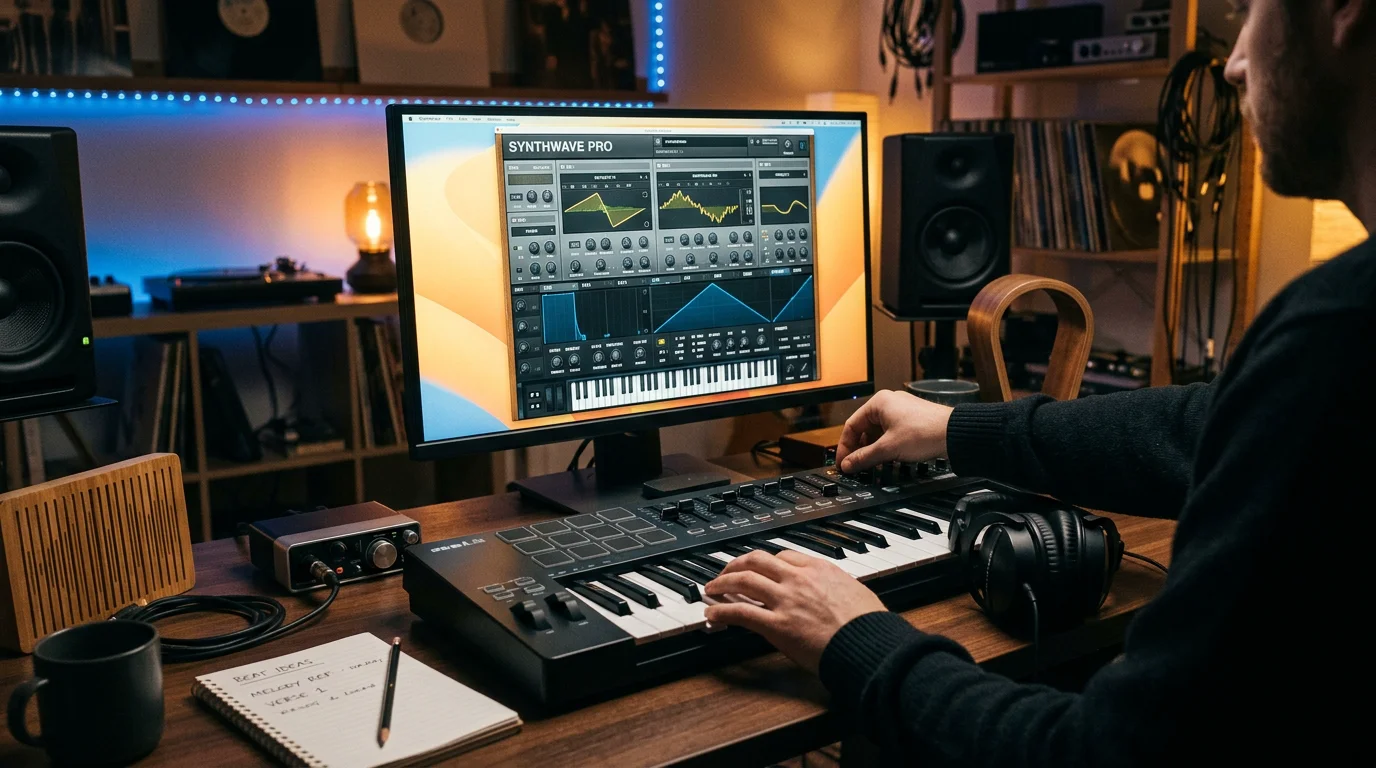
Released in 2002, Synth1 has aged remarkably well. Bedroom Producers Blog notes that it remains relevant for two reasons: its characteristic digital sound and the thousands of freely downloadable presets available for it. It emulates the Clavia Nord Lead 2, offering three main oscillators, a sub-oscillator, a multi-mode filter, dual LFOs, an arpeggiator, and built-in effects.
The plugin is also famously light on CPU, which means you can layer many instances in a busy mix without slowing your session. This efficiency is a large part of why searching for synth1 soundbanks free of charge is such a common starting point for new and experienced beatmakers alike. It works across FL Studio, Ableton, and Logic Pro through VST and AU formats, so it fits nearly every workflow.
Where to find free Synth1 preset banks
The internet is full of Synth1 patches, but the sources vary widely in quality and safety. One PluginDrop overview counts over 100,000 patches spread across genres in the community library. That volume is a blessing and a trap: much of it is duplicated, poorly organized, or built for genres far removed from modern beatmaking.
When you evaluate a free bank, consider a few practical factors:
- Source reliability: download only from established plugin sites and known sound designers, never from unlabeled file lockers.
- Genre fit: a trance bank rarely serves a trap or drill session well.
- Distinctiveness: the more widely a pack circulates, the more likely your peers already use it.
- Format compatibility: confirm the bank loads correctly in your DAW before building a track around it.
If you would rather skip the sorting entirely, our free sound bank VST for Synth1 starter selection gives you hand-picked presets built for modern styles rather than a random dump of legacy patches.
The hidden cost of reused free presets
Here is a scenario every producer knows. You load a popular free pack, find a melody preset you love, and finish a beat overnight. Two weeks later you hear the same preset in three other tracks online. That is the quiet downside of shared libraries: distinctiveness erodes as usage spreads.
This is precisely the problem we set out to solve with Pendora, our boutique preset collection. It offers hand-crafted presets across melodic trap, drill, dark trap, phonk, boom bap, pluggnb, R&B, and lofi, with sounds that differ from the ones everyone else is reaching for. Every preset is designed from scratch, not licensed, generated, or recycled, which helps you overcome beatblock and keep a signature sound.
Free banks versus a curated boutique collection
Free sound banks and a curated pack serve different needs. To compare them honestly, the table below sets our own Pendora collection against the general free-bank landscape and other common preset routes. The figures for competing plugins reflect their public positioning, not an endorsement.
| Option | Preset quality control | Genre focus for beatmakers | Distinctiveness | Cost model |
|---|---|---|---|---|
| Pendora (our pack) | Hand-crafted, curated, no filler | Trap, drill, phonk, pluggnb, R&B, lofi | High, limited circulation | Pay once, royalty-free |
| Free Synth1 community banks | Variable, unmoderated | Broad, often legacy genres | Low, widely shared | Free |
| Vital free tier | Developer factory presets | General electronic | Medium | Free tier |
| Surge XT library | Open-source community | General, multi-synthesis | Medium | Free |
Free banks are excellent for learning, experimenting, and stocking a wide palette at no cost. A curated collection earns its place when you need reliable quality and sounds your listeners have not heard elsewhere. Many producers use both, drawing on free libraries for exploration and a boutique pack for release-ready material.
Installing and organizing your Synth1 banks
Once you have gathered a few banks, installation is straightforward but easy to fumble. Synth1 stores banks as folders of preset files, and you point the plugin to them through its options menu. Keep your banks in one master directory so your DAW can find them consistently across projects.
A little housekeeping pays off. Rename banks clearly by genre, delete duplicates, and archive packs you never open. A tidy library means you spend your session designing beats rather than scrolling through thousands of unused patches. Good organization is often the difference between inspiration and friction during beatmaking.
Beyond free: when to invest in your sound
Free tools have never been stronger. Yet the moment your releases start reaching real audiences, the material behind them matters more. If your kick, your melody, and your lead all come from packs shared by tens of thousands of others, blending in becomes almost inevitable.
That is the gap a boutique collection fills. Our Pendora presets are royalty-free with commercial use allowed, light on CPU, and organized so you can move from idea to finished loop quickly. For producers working across trap, drill, and related genres, distinctive studio-ready presets are an investment in identity, not just convenience. Our sister brand Pegasus by Cosmos Instruments covers adjacent territory for producers who want to widen their sonic range further.
Making free Synth1 sounds work for you
The abundance of free Synth1 sound banks is genuinely useful, especially while you learn the plugin and build a foundation. Download widely, but download smart: favor trusted sources, organize ruthlessly, and stay aware that widely shared presets rarely help you stand apart. When originality becomes the priority, pair your free library with hand-crafted presets built for your genre. The right balance keeps your workflow fast and your sound unmistakably yours.
Take action with Tiger-Sounds
You have the plugin, you have the free banks, and now you want sounds that actually separate your beats from the crowd. That is exactly why we built Pendora, a boutique collection made for producers who refuse to blend in.
With 275+ hand-crafted presets across trap, drill, dark trap, phonk, boom bap, and pluggnb, plus royalty-free commercial use and a pay-once model, our free Synth1 soundbanks and full Pendora editions give you studio-ready material trusted by 500+ producers worldwide. Choose Lite to test the vibe, Standard for the full bank, or Ultimate for a custom edition with lifetime access to upcoming kits.
Frequently Asked Questions
Are free Synth1 sound banks safe to download?
They are safe when you download from established plugin sites, recognized sound designers, or official developer pages. Avoid unlabeled file lockers and archives with no clear author. Always scan downloads and confirm the files are standard Synth1 bank folders before loading them.
How many free presets exist for Synth1?
The community library is enormous, with one industry overview counting more than 100,000 patches across genres. The practical limit is not quantity but relevance, since many patches are duplicated or built for older styles. Curating a focused selection matters more than collecting everything.
Will free presets make my beats sound like everyone else’s?
They can, because widely shared packs circulate among tens of thousands of producers. Free banks are still valuable for learning and experimenting. For release-ready material, pairing them with a curated collection such as our Pendora presets helps you keep a distinctive sound.
Does Synth1 work in FL Studio, Ableton, and Logic Pro?
Yes. Synth1 supports the common plugin formats used by major DAWs, so it loads in FL Studio, Ableton Live, and Logic Pro. Always download the latest build from the official developer to ensure compatibility with your operating system.
Is it worth paying for presets when free banks exist?
Free banks are excellent for building a foundation at no cost. Paid, hand-crafted collections become worthwhile once originality and consistent quality matter for your releases. Many producers use free libraries for exploration and a boutique pack for finished tracks.
Free Sound Bank VST Options: A Producer’s Practical Guide
Summary: A free VST sound bank gives producers ready-made presets and instruments that load directly into a digital audio workstation at no cost. Free options are useful for testing ideas, yet they often circulate widely, which limits originality. Boutique, hand-crafted banks such as Pendora offer studio-ready presets designed to help your beats stay distinct.
Around 60% of producers now treat plugins as the backbone of their studios, and the appetite for fresh sounds keeps rising every year. When budgets are tight, free presets look like the obvious starting point, and you can download free sound banks from our Pendora collection to test a vibe before committing. The catch is that widely shared free VST sound banks tend to appear inside thousands of other tracks, which makes standing out harder.
The demand is real and measurable. According to Research and Markets, the music production software market will grow from $1.53 billion in 2025 to $1.63 billion in 2026. That growth reflects a wave of independent beatmakers building home studios and searching for sounds that fit trap, drill, phonk, and pluggnb without draining their wallets.
What a free sound bank VST actually delivers
A free sound bank vst is a collection of presets or sampled instruments packaged for Virtual Studio Technology, ready to load into FL Studio, Ableton Live, or Logic Pro. Some are synth patches for engines like Vital or Serum. Others are sample libraries that play through hosts such as Kontakt.
The category is broad. You will find free virtual instruments ranging from 808 machines and pianos to full synthesizers, alongside effects for mixing and mastering. Vital, for example, ships as a free wavetable synthesizer with dozens of downloadable soundbanks, making it a common entry point for beginners and seasoned sound designers alike.
The reason producers gravitate toward these tools is efficiency. Instead of designing every patch from scratch, a solid preset library shortens the path from an idea to a finished loop. That said, quality varies enormously, and sorting the usable from the forgettable takes time you could spend making music.
The market behind free presets and plugins
Why are free sounds so abundant right now? The tooling ecosystem has exploded. Data compiled by Global Growth Insights indicates that roughly 60% of producers use plugins and about 57% rely on virtual instruments in their workflows. When adoption is that widespread, developers release free tiers to attract users toward paid catalogs.
Operating systems shape the landscape too. Industry analysis from Coherent Market Insights estimates that macOS will hold about 58% of the music production software market in 2026, driven by low audio latency and tight integration with hosts like Logic Pro. Whichever platform you use, VST3 and AU formats now cover nearly every major DAW on both Mac and Windows.
The practical consequence is saturation. With so many free packs downloaded by so many people, the same presets recur across releases. That is precisely where a curated, boutique approach earns its place, because scarcity and craftsmanship translate into a recognizable signature.
Free banks versus boutique sound design
Consider two producers chasing the same dark trap flip. One loads a generic free pack that half the internet already owns. The other reaches for hand-crafted presets tuned for that exact mood. The second beat carries a fingerprint; the first blends into the crowd.
Free banks are excellent for learning, prototyping, and covering utility tasks such as EQ, compression, and reverb. Where they struggle is originality, because a preset shared millions of times cannot sound exclusive. Our Pendora bank was built to answer that gap, with every preset hand-crafted rather than licensed, generated, or recycled. If you want to hear the difference before deciding, a free sound download lets you audition the character first.
| Sound source | Presets | Cost model | Genres | Commercial use |
| Pendora (our bank) | 275+ studio-ready, hand-crafted | Pay once, lifetime updates | Trap, drill, dark trap, phonk, boom bap, pluggnb | Royalty-free, allowed |
| Free synth banks (Vital) | Varies, community made | Free | General electronic | Depends on author |
| Free sample players (Kontakt Player libraries) | Varies | Free | Acoustic, general | Depends on library |
| Generic free packs | High volume, widely shared | Free | Broad, non-specific | Often unclear |
Positioned at the top, Pendora trades quantity of downloads for distinctiveness. For producers who work across melodic trap, R&B, Lofi, and pluggnb, that specificity matters more than a bottomless folder of unused patches.
How to choose a sound bank that fits your beats
Start from the sound you are chasing, not the file count. A technical review from Technavio notes that success in this market hinges on balancing powerful virtual studio technology with intuitive, accessible workflows. In plain terms, a bank should be easy to browse and light on CPU, so inspiration is not interrupted by loading times or crashes.
Check four things before committing to any library. First, genre fit: presets tuned for phonk will not automatically serve boom bap. Second, licensing: confirm the sounds are royalty-free with commercial use permitted. Third, format: verify VST3 or AU support for your DAW. Fourth, exclusivity: ask how many other producers already use the exact same patches.
If you are auditioning several catalogs at once, you can browse VST products and collections to compare presets side by side. Our Pendora editions run from Lite for testing a vibe to the full Standard bank, and our sister brand Pegasus by Cosmos Instruments covers adjacent territory when your projects pull in a different direction.
Turning presets into original beats
Owning great sounds is only half the work. Beatblock, that stubborn creative freeze, rarely comes from a lack of plugins; it comes from hearing the same tired starting points. Fresh, genre-specific presets that differ from what everyone else loads can break the loop and restart momentum.
Treat each preset as a foundation, not a finish line. Layer an 808 with a hand-crafted bass patch, resample a melody, and process it through saturation or filtering until it becomes yours. A bank with no waste presets, where each patch has a clear purpose, keeps that process fast and focused rather than buried in options you will never use.
Final thoughts for producers
A free VST sound bank is a smart place to begin, and free synths, samplers, and effects will always have a role in learning and prototyping. The limitation is originality, because sounds shared at scale rarely help you stand apart. The most reliable path is to combine free utilities with a curated, hand-crafted preset library chosen for your genre, your licensing needs, and your workflow, then shape every sound until the beat carries your signature rather than someone else’s.
Take action with Tiger-Sounds
If you are tired of hearing your own beats echoed inside every other track, the answer is not more downloads; it is better, more distinctive sounds. We built Pendora for producers who refuse to blend in across trap, drill, dark trap, phonk, boom bap, and pluggnb.
Pendora delivers 275+ studio-ready presets, every one hand-crafted, royalty-free with commercial use, light on CPU, and yours forever with a single purchase. Trusted by 500+ producers worldwide and featured by more than fifteen YouTubers, it is ready when you are. Explore our free sound banks VST and start building beats that sound like you.
Frequently Asked Questions
Are free VST sound banks legal to use in released tracks?
It depends entirely on the license attached to each pack. Many free banks permit commercial use, but some restrict it or require attribution, so you must read the terms before release. Boutique banks such as Pendora state clearly that presets are royalty-free with commercial use allowed.
Do free presets work in FL Studio, Ableton, and Logic Pro?
Most modern presets and instruments ship in VST3 or AU formats, which load into every major DAW on Mac and Windows. Always confirm the format matches your host before downloading. Compatibility issues usually come from outdated plugin versions rather than the DAW itself.
Why do free sound banks sometimes make beats sound generic?
Popular free packs are downloaded by enormous numbers of producers, so identical presets end up in countless tracks. That repetition erodes originality even when the sounds themselves are well made. Curated, less widely distributed banks help you keep a distinct signature.
Is a free synth like Vital enough to start producing?
Yes, a capable free synthesizer covers a great deal of ground for learning synthesis and building early beats. Its limitation is that community soundbanks circulate widely, which affects exclusivity. Pairing it with hand-crafted, genre-specific presets gives your productions more character.
How many presets does a producer actually need?
Fewer, well-designed presets usually beat thousands of unused ones. A focused bank with no waste presets keeps your workflow fast and your choices intentional. Pendora offers 275+ studio-ready presets built specifically for trap, drill, phonk, and related genres.
Sound Banks Free Download: The Producer’s 2026 Guide
Summary: A free sound bank is a downloadable collection of presets, samples, or sound effects you may use in your productions at no cost. The best options combine clear licensing, usable formats such as WAV and MP3, and genre relevance. Free libraries suit sound effects and experimentation, while hand-crafted preset banks give producers a distinct signature.
Some free platforms host more than 150,000 recordings, so the volume available to beatmakers has never been larger. Yet volume is not the same as usefulness. When a preset appears in thousands of other projects, your track starts to sound like everyone else. That is the paradox every producer faces. If you want a fast starting point, our free sound download page gathers usable material in one place, and this guide explains how to judge every option you meet along the way.
The market splits into two families. On one side sit vast royalty-free sound effects archives built for video and podcast work. On the other sit curated preset banks built for melodic production. According to one large library, over 150,000 free sound effects are now offered for commercial and non-commercial use, which shows how deep the free tier has become. Knowing which family fits your workflow saves hours of aimless searching.
What a free sound bank actually gives you
When you look for a sound banks free download, you meet several very different products under one label. A sound effects archive delivers impacts, ambiences, and Foley. A sample pack delivers loops and one-shots. A preset bank delivers patches that load inside a synth such as Serum, Vital, or Omnisphere. Each serves a distinct stage of beatmaking.
Understanding the difference matters because a drill or phonk producer rarely needs a car door slam. What that producer needs is a melodic preset that inspires a hook. For quick sound effects work, though, a broad archive is efficient, and our free sound effects collection covers those everyday needs without a paywall.
Where producers find free sounds today
Several well-known resources anchor the free ecosystem. Freesound hosts a large community archive with hundreds of thousands of files. The YouTube Audio Library provides cleared tracks and effects in MP3 format. BigSoundBank offers royalty-free effects in WAV, MP3, and OGG. These platforms focus on sound effects and general audio rather than production-ready melodic presets.
For synth patches specifically, community sites collect free banks for instruments such as Serum, Sylenth1, and Massive. The catalogue is huge, yet quality and organization vary widely. The table below compares typical free destinations with our own preset bank, Pendora, so you can weigh content against fit.
| Option | Main content | Genre focus | Commercial use |
|---|---|---|---|
| Pendora (our bank) | 275+ hand-crafted presets, plus MIDI in higher editions | Trap, drill, dark trap, phonk, boom bap, pluggnb, R&B, lofi | Royalty-free, commercial use allowed |
| Community effect archives | Recorded sound effects and ambiences | General, non-musical | Varies by file |
| Free synth patch sites | Shared user presets for third-party synths | Mixed | Depends on author |
| Cleared audio libraries | Tracks and effects in MP3 | General background | Attribution sometimes required |
For lightweight files ready to drop into any session, our MP3 sound effects downloads keep things simple across Mac and Windows.
Licensing is the detail that trips producers up
Free does not automatically mean unrestricted. As Production Expert notes, licensing across free libraries varies significantly: some material is royalty-free for commercial release, some requires attribution, and some is limited to personal use only. Reading the terms before you export a beat is not optional.
This is where a clearly licensed bank removes friction. Every preset in Pendora is royalty-free with commercial use permitted, so you never wonder whether a placement or a monetized video is at risk. When your revenue depends on clean rights, that certainty is worth more than another folder of undocumented files.
The real problem: sounding like everyone else
Here is the differentiator that free volume cannot solve. Every year, thousands of new samples, effects, and instrument libraries are released, as noted by one industry resource. The most popular free packs get downloaded by hundreds of thousands of producers. The result is predictable: the same three presets appear in countless uploads, and your track blends into the crowd.
That sameness also feeds beatblock. When your palette is identical to everyone else’s, inspiration stalls. Pendora was built as a response to that fatigue. The presets are hand-crafted rather than licensed, generated, or recycled, and they lean into melodic trap, drill, dark trap, phonk, boom bap, pluggnb, R&B, and lofi. The aim is a distinct signature with no waste presets. Producers who work outside those lanes may also look at Pegasus by Cosmos Instruments, our sister brand, which covers a different territory with the same craft.
Building a workflow around free and premium sounds
A practical approach mixes both families. Use free archives for incidental sound effects, transitions, and texture. Reserve a curated preset bank for the melodic core of your beat. Inside FL Studio, Ableton, or Logic Pro, this keeps your session lean while still giving you a recognizable voice.
Format and performance matter too. WAV preserves lossless quality for detailed sound design, while MP3 stays convenient for fast projects. On the synth side, look for banks that stay light on CPU, since a heavy patch can stall a full arrangement. Pendora is designed with that constraint in mind, and it loads through VST3 and AU on both Mac and Windows.
Turning free downloads into original beats
A smart sound banks free download strategy is not about hoarding files. It is about matching each resource to a job: broad archives for effects, curated presets for melody, and clear licenses everywhere. Free libraries are a genuine asset for experimentation and utility sounds. When you want a signature that does not appear in every other upload, invest your attention in hand-crafted presets that are built for your genre. That balance keeps production fast, legally safe, and unmistakably yours.
Take action with Tiger-Sounds
You have seen why raw volume rarely produces a distinct sound. The next step is a palette built for the genres you actually make, with rights you never have to second-guess.
Pendora offers 275+ hand-crafted, studio-ready presets across trap, drill, dark trap, phonk, boom bap, and pluggnb, all royalty-free with commercial use and a pay-once model with lifetime updates on eligible editions. Trusted by 500+ producers worldwide and featured by 15+ YouTubers, it is the boutique alternative for creators who refuse to blend in. Explore our Pendora sound banks and start building your own signature today.
Frequently Asked Questions
Are free sound banks legal to use in commercial tracks?
Often yes, but not always. Licensing varies by platform, so some files are royalty-free for commercial release while others require attribution or restrict you to personal use. Always read the terms before you export.
What is the difference between a sample pack and a preset bank?
A sample pack delivers finished audio such as loops and one-shots. A preset bank delivers patches that load inside a synthesizer, giving you control over the sound. Presets are more flexible for original melodic work.
Will free presets make my beats sound generic?
They can, because the most popular free packs are downloaded by very large numbers of producers. To keep a distinct signature, we recommend pairing free effects with hand-crafted presets such as our Pendora sound banks, which are built to avoid that sameness.
Which format should I download, WAV or MP3?
Choose WAV when you need lossless quality for detailed sound design or mixing. Choose MP3 when file size and speed matter more than absolute fidelity. Many workflows use both depending on the task.
Do free preset banks work in FL Studio, Ableton, and Logic Pro?
Most do, provided the host synth supports your plugin format. Presets built in VST3 or AU load across the major digital audio workstations on Mac and Windows. Always confirm compatibility with your specific synthesizer before downloading.
How to Choose a Free VST Plugins Bundle for Beatmaking
Summary: A free collection of VST plugins gives producers instruments and effects at no cost, yet most bundles share the same factory sounds heard on thousands of tracks. The smart approach is to use free tools for utility processing while sourcing distinct, genre-specific presets to keep your beats recognizable and original.
Nearly half of plugin users work in the VST format, which makes a well-chosen toolkit one of the most practical starting points in modern music production. For beatmakers on a tight budget, our guide to the best free VST plugins is a sensible first stop, because a well-assembled free VST plugins bundle can cover most of your mixing and utility needs without a single purchase.
The catch is subtle. Free packs tend to circulate the same defaults, so the character that makes a beat memorable is often exactly what these collections lack. According to Global Growth Insights, VST remains the most widely adopted plugin format, which means popular free tools are installed in millions of sessions worldwide. Understanding what these bundles do well, and where they leave you sounding like everyone else, is the difference between a functional setup and a signature one.
What a Free Bundle Actually Delivers
When producers search for a free vst plugins bundle, they usually want two categories of tool: instruments that generate sound and effects that shape it. Curated free collections deliver both. A typical package pairs acoustic emulations, analog-style synthesizers, reverbs, saturation, and metering utilities into one download.
These free VST instruments are genuinely useful. A free reverb can rival paid alternatives, and a stock-quality loudness meter costs nothing to add to your master chain. Utility processing is where free bundles shine, because an equalizer or a stereo widener behaves the same regardless of price.
The audio plugin sector is expanding quickly. The broader music production software market was valued at roughly 1.63 billion dollars in 2026, and free tools serve as the entry ramp for a growing wave of independent creators. That accessibility is real, and it deserves respect. What it does not solve is the question of identity.
Free Bundles Compared, and Why Sound Character Matters
Several free packages are worth knowing. MeldaProduction offers a large collection of free effects covering EQs, compressors, and modulation. Native Instruments provides an entry bundle with sample-based instruments and a mastering equalizer. United Plugins distributes an ad-supported set of processors that never expire. Each of these focuses on effects and general-purpose instruments.
The gap appears when you need sounds with a point of view. Free bundles rarely ship presets built for a specific subgenre, and that is precisely where our Pendora sound bank is designed to lead. The table below compares options on the criteria that matter to beatmakers.
| Bundle | Focus | Preset depth | Genre-specific | Cost model |
|---|---|---|---|---|
| Pendora (our sound bank) | Trap, drill, dark trap, phonk, boom bap, pluggnb, R&B, lofi | 275+ studio-ready presets, hand-crafted | Yes, built per subgenre | Pay once, royalty-free |
| MeldaProduction Free FX | Effects and processing | Effect utilities, few presets | No | Free |
| Komplete Start | General instruments and effects | Sample instruments, loops | No | Free |
| United Free Bundle | Mixing and character effects | Effect chain, no genre presets | No | Free, ad-supported |
Notice the pattern. Free packs cover the effect side of the chain, while genre-ready sound sources remain the missing piece. That is the need our free VST plugins resources and our full sound bank were created to fill.
The Identity Problem Nobody Mentions
Here is a scenario every beatmaker recognizes. You load a free synth, scroll to a favorite factory preset, and build a loop. Weeks later you hear the same preset in a track with millions of streams. The tool was free, but so was the sound, and now it belongs to everyone.
This is the quiet cost of relying on default packs. Industry analysis points to the growing use of virtual instruments and AI-assisted composition as defining forces in production, which means recycled and generated sounds are spreading faster than ever. When thousands of producers pull from the same well, distinctiveness becomes the scarce resource.
Our answer to this is deliberate. Every Pendora preset is hand-crafted rather than licensed, generated, or recycled, and the bank is built to help you move past beatblock with sounds you will not hear on every other upload. You are not fighting the tool; you are choosing a source that is not already saturated across the charts.
Building a Genre-Ready Toolkit
Electronic and beat-driven genres now dominate software-based production. The Electronic Dance Music segment alone is projected to hold about 42 percent of the market in 2026, and trap, drill, and phonk sit in the same digital current. Each subgenre makes specific demands on your sounds.
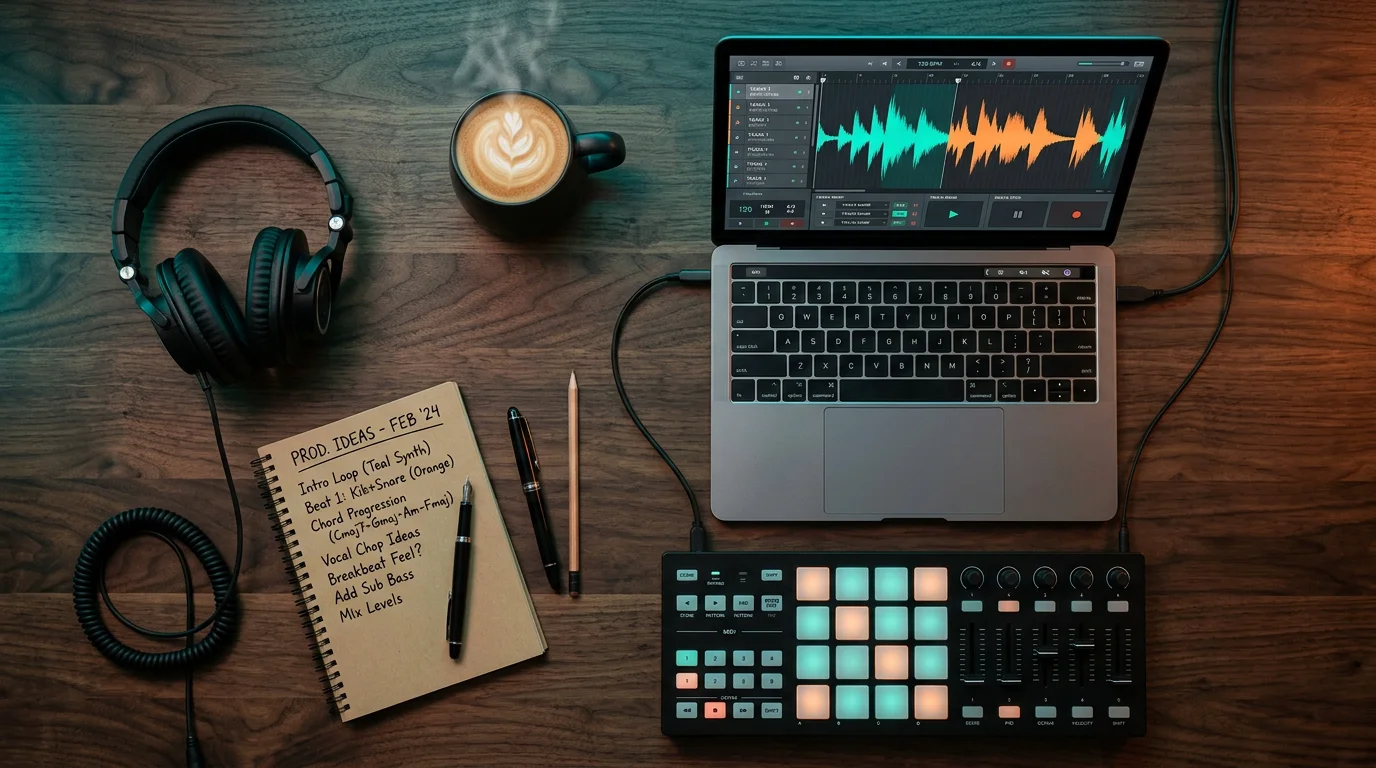
Dark trap wants haunting bells and detuned pads. Drill leans on sliding 808s and cold minor melodies. Phonk thrives on cowbells, tape grit, and vintage character, while pluggnb needs bright, dreamy plucks and airy keys. A generic free bundle rarely addresses these needs directly, because it is built to be broad rather than pointed.
This is where curating from a focused VST category saves time. Rather than editing a stock preset toward a sound it was never designed to make, you start from presets that already fit the genre. Producers working across melodic trap, drill, R&B, and lofi benefit most, because the sound design work is done for them and no preset feels like filler.
Matching Plugins to Your DAW and CPU
Compatibility is the obstacle producers underestimate. A plugin only helps if it loads cleanly in your workflow and does not stall the session. Most serious free tools ship in VST3 and Audio Unit formats, so they run inside FL Studio, Ableton, and Logic Pro on both Mac and Windows.
CPU load is the second consideration. Some vintage-modeled saturation plugins use heavy circuit simulation that taxes older machines, while modern collections are engineered to stay light. The audio plugin format landscape favors VST precisely because of this broad compatibility across digital audio workstations, a point reinforced by the same market research on adoption trends.
Our presets are designed with this in mind. They run as VST3 and AU across Mac and Windows and stay light on CPU, so your session keeps moving while you are chasing an idea. For utility effects, a free bundle remains a reasonable companion; for the sounds that define your track, a purpose-built bank keeps your beatmaking efficient and your identity intact.
Final Thoughts on Choosing Free Tools Wisely
A carefully assembled free VST plugins collection is a strong foundation for any producer, especially for equalizers, reverbs, saturation, and metering that behave identically regardless of price. Where free packs reach their limit is character, because shared defaults leave every beat sounding faintly familiar. Treat free tools as your utility layer, then invest your attention in sound sources that are not already circulating on thousands of releases. The goal is not to spend more; it is to sound like yourself.
Take action with Tiger-Sounds
You have the effects covered by free tools, so the remaining question is where your distinct sound comes from. If you are tired of hearing your own beats echoed inside every other track, the answer is a source built for originality rather than one shared across millions of sessions.
Pendora is our boutique, royalty-free sound bank with more than 275 hand-crafted, studio-ready presets across trap, drill, dark trap, phonk, boom bap, and pluggnb. Choose a Lite edition to test the vibe, a Standard edition for the full bank, or the Ultimate custom edition, and pay once for lifetime access. Explore our Pendora sound bank editions and keep your productions unmistakably your own.
Frequently Asked Questions
Are free VST plugins good enough for professional beats?
Free effects such as equalizers, reverbs, and loudness meters are genuinely capable and used in professional sessions every day. The limitation is not processing quality but sonic identity, because free presets are shared widely. For distinct instruments, a hand-crafted sound bank like our Pendora presets adds character that generic packs cannot.
Do free bundles work in FL Studio, Ableton, and Logic Pro?
Most reputable free bundles ship in VST3 and Audio Unit formats, which load in FL Studio, Ableton, and Logic Pro on Mac and Windows. Always confirm the format before downloading, since a few older tools are limited to specific systems. Compatibility and CPU efficiency matter as much as the sound itself.
Why do my beats sound like everyone else’s?
The most common cause is relying on factory presets that thousands of producers load daily. When the same defaults appear across countless tracks, individuality disappears. Sourcing presets that are hand-crafted per genre, rather than recycled or generated, is the practical way to overcome that sameness and beat production block.
Is it worth paying for presets when free bundles exist?
Free bundles are excellent for utility processing, so there is no need to pay for basic effects. The value of a paid bank lies in original, genre-specific sound sources that keep your work recognizable. A one-time, royalty-free purchase can pay off across every project you release.
What genres does the Pendora sound bank cover?
Pendora spans trap, drill, dark trap, phonk, boom bap, pluggnb, R&B, and lofi, with presets built for the specific demands of each subgenre. Every preset is hand-crafted rather than licensed or generated. It is royalty-free with commercial use, which suits both independent producers and content creators.
Free Sound Banks: How to Find Quality Presets in 2026
Summary: Free sound banks are collections of ready-made presets, samples, and patches that producers download at no cost. They are useful for testing a workflow, but many recycle the same sounds heard everywhere. This guide explains where to find them, what limitations to expect, and how to keep a distinct sonic identity in 2026.
The global market for music production software reached 1.63 billion dollars in 2026, and a rising share of that momentum runs on presets rather than raw synthesis. Whether you produce trap, drill, phonk, or pluggnb, free sound banks are often the first tools you reach for when a new session opens. If you are assembling a starter arsenal without spending anything, our free sound downloads give you a practical place to begin before you invest.
According to Research and Markets, that figure is projected to climb toward 2.02 billion dollars by 2030, driven by home studios and independent creation. As more producers enter the field, the demand for accessible presets grows, and so does the risk of everyone sounding alike. Understanding what a free bank can and cannot deliver is the first step toward a sound that people remember.
What Free Sound Banks Really Offer Producers
When you search for sound banks free of charge, you are usually looking for two things: instant playable presets and a shortcut past the blank-session problem. A sound bank packages patches for a specific instrument, whether that is Serum, Vital, Omnisphere, or a sampler such as Kontakt. Instead of designing a patch from an oscillator, you load a preset and start writing.
These collections cover a wide territory. Some focus on synth patches, others on drum kits, one-shots, or full construction kits. Many bundle royalty-free material so you can release your beats commercially. For beginners working inside FL Studio, Ableton, or Logic Pro, a free bank removes friction and lets you focus on arrangement rather than sound design.
Where to Find Free Presets and Sample Packs
Several types of sources supply free material, and each behaves differently. Knowing the categories helps you spend your download time wisely rather than chasing the same overused packs.
- Bundled DAW content: most digital audio workstations ship with factory presets and loops that cost nothing beyond your software license.
- Synth-specific preset banks: community designers share patches for popular instruments, letting you expand a synth without new plugins.
- Sound effect libraries: large repositories offer thousands of royalty-free effects for texture, foley, and transitions.
- Free virtual instruments: some developers give away sampled instruments and synths outright.
If you want to widen your instrument palette rather than only your preset list, our free VST instruments download page is a useful stop, and our roundup of the best free VST instruments helps you shortlist tools worth installing. For atmosphere and transitions, our free sound effects download library covers the textural gaps that presets alone rarely fill.
The Real Limits of Free Sound Banks
Free material solves the access problem, but it introduces others. The most common complaint is technical friction. According to Global Growth Insights, nearly 56 percent of producers report plugin compatibility issues across systems, and delays during updates affect workflow for almost half of users. Free banks scattered across many formats often amplify that fragmentation.
The deeper problem is creative. When thousands of producers download the same widely shared packs, the same melodies and patches surface across countless tracks. The same research notes that around 57 percent of users rely on virtual instruments, which concentrates a large audience onto a small pool of popular presets. The result is a crowded field where your beat risks blending into every other upload. This is exactly the fatigue that makes hand-crafted, purpose-built preset banks valuable, and where our Pendora sound bank is designed to help you avoid recycled sounds entirely.
Free Banks Versus a Boutique Preset Bank
A fair comparison weighs cost against originality, quality, and licensing. The table below places our own Pendora bank alongside the two most common free routes, using verifiable specifications rather than marketing claims.
| Option | Presets and content | Genre focus | Licensing | Cost model |
| Pendora (Tiger-Sounds) | 275+ hand-crafted studio-ready presets, hand-crafted (not generated or recycled) | Trap, drill, dark trap, phonk, boom bap, pluggnb | Royalty-free, commercial use allowed | Pay once, lifetime updates (edition-dependent) |
| Bundled DAW presets | Factory patches included with your DAW | General purpose | Varies by license | Included with software |
| Free community preset banks | Variable count, widely shared | Mixed, often overused | Depends on the author | Free download |
Free options remain a reasonable entry point when your budget is zero. The distinction is intent: a boutique bank is built to give you sounds that most producers are not already using, while free bundles prioritize breadth over exclusivity.
How to Keep a Distinct Sound in a Crowded Field
Standing out is now a workflow decision, not an afterthought. The producer base has broadened dramatically: according to a market analysis by Reanin, more than 60 percent of users are non-traditional studio producers working from home setups. That scale makes originality harder and more valuable at the same time.
Several habits protect your identity. Layer free presets with your own processing rather than using them raw. Resample and pitch your patches so they no longer match the factory version. Reach for genre-specific banks that fewer people own, which is one of the fastest ways to overcome beatblock and escape recycled melodies. Pendora, for example, spans melodic trap, drill, R&B, pluggnb, dark trap, lofi, and phonk with no filler presets, which keeps your beatmaking sessions moving without leaning on the same sounds everyone else loads.
Choosing the Right Free Sounds for Your Workflow
Free sound banks are a legitimate and useful resource, especially when you are learning your DAW or testing a new genre. The honest trade-off is that widely shared free sound banks often carry sounds heard on countless other tracks. Use them to build fundamentals, then invest in hand-crafted, royalty-free presets when you are ready to sound like no one else. The goal is not to spend more, but to sound distinct.
Take action with Tiger-Sounds
If you have outgrown recycled packs and want presets that carry your own signature, the fastest way to judge the difference is to hear it. We built Pendora for producers who refuse to blend in across trap, drill, phonk, and pluggnb.
Pendora delivers 275+ hand-crafted, studio-ready presets that are royalty-free, cleared for commercial use, and light on CPU, with a pay-once model and lifetime updates depending on your edition. Trusted by more than 500 producers worldwide, it is designed to keep your sound your own. Try the Pendora demo (free sound bank / presets) and decide with your ears.
Frequently Asked Questions
Are free sound banks legal to use in commercial releases?
It depends entirely on the license attached to each pack. Many free banks are royalty-free, but some restrict commercial use or require attribution. Always read the terms before releasing a track that earns revenue.
Do free presets work in any DAW?
Presets are tied to a specific instrument, not to a DAW. A Serum bank needs Serum, and a Kontakt library needs Kontakt, but once the instrument runs in FL Studio, Ableton, or Logic Pro, the presets load normally.
Why do so many beats sound similar today?
Because a large audience downloads the same popular free packs, the same melodies and patches recur across many tracks. Layering, resampling, and using less common banks are effective ways to keep your sound distinct.
Is a paid sound bank worth it if free options exist?
Free banks are ideal for learning and testing. A hand-crafted bank such as our Pendora sound bank becomes worthwhile once originality matters, since its presets are built to avoid the recycled sounds found in widely shared free packs.
How many presets do I actually need to start producing?
Quality matters more than quantity. A focused set of well-designed, genre-specific presets often serves you better than thousands of generic patches you never open. Start small and expand deliberately.
Free Vocal Effects VST Plugins: A Producer’s 2026 Guide
Summary: Free vocal effect plugins can cover almost every step of a modern vocal chain, from pitch correction to reverb, at zero cost. They shape and polish a voice, yet they do not create original source sounds. Pairing free effects with hand-crafted presets is the reliable route to a distinctive record in 2026.
Most producers assume a professional vocal chain requires a large budget, yet a full set of free vocal effects VST plugins now handles pitch, dynamics, tone, and space without a single purchase. The catch is that free effects polish a signal; they do not invent the sonic identity around it. For that, many producers pair them with our own presets. If you want a curated starting point, see our roundup of free vocal plugins before building your setup.
The stakes are commercial, not just creative. The music production software market grew to roughly $1.63 billion in 2026, up from $1.53 billion in 2025. More tools reach more producers every month, which means blending in is easier than ever. Standing out is the real challenge, and your effect choices are only half of that equation.
Why free vocal plugins are everywhere in 2026
Typing vocal effects vst plugins free download into a search bar returns hundreds of options, and the quality has never been higher. Developers give away capable tools to build audiences for their paid ranges, so the free tier has become genuinely usable for release-ready work. That abundance mirrors a wider expansion: the same market is projected to reach $2.02 billion by 2030, driven by home studios and independent creators.
This democratization is a double-edged sword. When everyone downloads the same free autotune and the same free reverb, results converge toward a shared sound. The plugins are not the problem. The problem is that identical tools applied to identical source material produce identical records. Your differentiation has to start earlier, at the sound-selection stage of your beatmaking.
The core effect types for a free vocal chain
A complete vocal chain breaks down into a handful of jobs, and a free plugin exists for each one. Working in order keeps every stage clean and predictable, whether you produce in FL Studio, Ableton, or Logic Pro.
- Pitch correction: tools such as Graillon and MAutoPitch snap notes to key and offer formant control for stylized effects.
- Equalization: a dynamic EQ reacts to problem frequencies, taming boxiness and harsh top end without dulling the voice.
- Compression: a fast peak compressor followed by a smoother optical stage controls dynamics in two gentle steps.
- De-essing: a dedicated de-esser targets sibilance in the 7 to 10 kHz range so consonants stay smooth.
- Saturation: harmonic drive adds body and brightness that a thin recording lacks.
- Reverb and delay: plate, room, and spacious delay textures place the voice in a believable environment.
Demand for this kind of software-based workflow is broad. Around 57% of users rely on virtual instruments, with a majority of creators shifting to fully digital production. For a focused look at spatial processing, consult our breakdown of vocal reverb.
Where stacking free plugins reaches its limits
Free effects are excellent, yet chaining many of them together carries real friction. CPU load climbs, latency creeps in, and version updates occasionally break sessions. This is not hypothetical. Nearly 56% of producers report plugin compatibility issues across their systems, and roughly half encounter performance problems from configuration limits.
There is also a creative ceiling. Free effects reshape what you feed them, but they cannot supply the melodic and textural foundation underneath a vocal. If your instrumental relies on the same recycled loops as everyone else, no amount of processing will rescue the identity of the track. Overcoming beatblock starts with fresh source material, not another free effect.
Original sound selection: the real differentiator
Effects finish a sound; presets create it. This is why we built Pendora, a hand-crafted sound bank spanning melodic trap, drill, R&B, pluggnb, dark trap, lofi, and phonk. Every preset is designed from scratch, never licensed, generated, or recycled, so your beats do not echo the packs feeding every other producer. Presets run in Serum-style workflows alongside Vital, Omnisphere, and Kontakt, and they stay light on CPU.
The table below compares free effect plugins with our own preset editions across the criteria that matter for a distinctive, commercial release.
| Option | Price | Royalty-free commercial use | Lifetime updates | Genre-specific original sounds |
|---|---|---|---|---|
| Pendora (our full sound bank) | One-time, from 149€ displayed | Yes | Yes | 275+ hand-crafted presets |
| Pendora Lite (our entry pack) | 97€ displayed | Yes | Yes | 30 hand-picked presets |
| Typical free effect plugins | Free | Varies by licence | Not guaranteed | None (processing only) |
For producers who work in different territory, our sister brand Pegasus by Cosmos Instruments carries the same hand-crafted philosophy into its own genres. Both exist for the same reason: to give you sounds nobody else is already using. You can explore the full range through our VST sound bank collection.
Formats and compatibility notes
Before downloading anything, confirm the format. Most modern hosts read VST3 and AU, and our presets ship for both on Mac and Windows. Match the plugin architecture to your digital audio workstation, and keep a single, tidy plugin folder so scans stay reliable.
Regional habits shape what you will find. North America accounted for roughly 37% of market growth in recent forecasts, so a large share of tutorials and free releases target that ecosystem first. Verify that any free download comes from the developer directly, and always read the licence terms before you commit a sound to a commercial record.
Bringing it together
A curated stack of free vocal effects VST plugins genuinely covers pitch, dynamics, tone, and space, and you should build that chain with confidence. Just remember what free effects cannot do: they polish a sound, they do not originate it. Treat processing and sound selection as two separate disciplines. Master both, and your records stop sounding like everyone else’s.
Take action with Tiger-Sounds
Once your free effect chain is dialed in, the next step is source material that no one else is running. That is the gap generic packs leave open, and it is exactly the gap we set out to close for producers who refuse to blend in.
Pendora delivers 275+ hand-crafted, royalty-free presets across trap, drill, phonk, and more, with commercial use and edition-dependent lifetime updates. You pay once and keep them. Discover our Pendora preset editions and start building beats that carry your signature rather than someone else’s.
Frequently Asked Questions
Are free vocal effect plugins good enough for a commercial release?
Yes, several free effects deliver release-ready results for pitch correction, EQ, compression, and reverb. The limitation is convenience and consistency rather than raw quality. Always confirm the licence permits commercial use before you publish.
How many free plugins do I actually need for a vocal chain?
A functional chain typically uses five or six effects: pitch correction, EQ, compression, de-essing, saturation, and reverb or delay. Adding more rarely improves the result and increases CPU load. Focus on using each stage well rather than stacking extras.
Do free plugins work in FL Studio, Ableton, and Logic Pro?
Most do, provided you install the correct format for your host. VST3 covers Windows and cross-platform hosts, while AU is standard for Logic Pro on Mac. Confirm the architecture before scanning your plugin folder.
Why do my beats still sound generic after adding effects?
Effects reshape existing material but cannot supply original melodic and textural foundations. If your source sounds are recycled, the whole track blends in. Our Pendora sound bank addresses this with 275+ hand-crafted presets that are never recycled or generated.
Are downloaded presets and plugins safe to use?
They are safe when obtained directly from the developer rather than third-party mirrors. Verify the source, scan installers, and read the licence terms carefully. Reputable presets, such as ours, ship royalty-free with clear commercial rights.
Free VST Instruments Download: A Producer’s 2026 Guide
Summary: Free VST instruments give producers real synths, samplers, and drum tools at no cost, and many rival paid options in raw quality. The trade-off is originality, since popular free plugins appear in countless beats. To stand out, pair them with hand-crafted presets and genre-specific sound design.
Roughly six in ten people now making music are not traditional studio producers, yet they demand professional-grade tools without professional budgets. That shift explains why a free VST instruments download has become the first move for most beatmakers before a single kick is placed. The catch is rarely quality anymore. The catch is that everyone downloads the same handful of plugins, and their beats start to sound alike. If you want the search for Free VST instruments download to help rather than flatten your sound, the strategy matters as much as the file itself.
The market context is telling. According to a Technavio report, the global music production software market is set to grow by USD 432.8 million between 2025 and 2029, driven largely by the rising number of musicians and artists. More creators means more competition for a distinct sound.
Why free VST instruments matter to modern beatmaking
A decade ago, a serious virtual instrument meant a serious invoice. That barrier has collapsed. Independent producers now build entire tracks inside a laptop using free synths, samplers, and drum plugins that hold up in commercial releases. This democratization is not anecdotal. Industry analysis notes that more than 60% of the user base now consists of non-traditional studio producers, a group that leans heavily on accessible and no-cost tools.
The appeal is obvious. A free virtual instrument lets you test a genre, learn synthesis, or finish a demo without spending anything. Wavetable synths, sampled acoustic instruments, and drum machines all exist in capable free versions. For a producer working in trap, drill, phonk, or pluggnb, this means you can assemble a full session before deciding where to invest. The question is never whether free tools work. It is whether they let you keep an identity.
Where to find quality free VST plugins
Consider a producer starting a new drill beat on a Friday night. Within minutes, they can pull several free instruments that cover melody, bass, and drums. The sources are well established. Open-source synths such as Vital and Surge offer deep modulation and wavetable engines. Manufacturer freebies, including light editions of larger instruments, provide realistic sampled guitars, drums, and analog-style filters.
When you look for a VST plugins free download, expect two common formats: a standalone installer or a ZIP archive you unpack manually. Both are normal. What you should verify is compatibility, since most modern hosts expect VST3 or AU formats on Mac and Windows. Our VST plugins free download resources explain the installer and archive process so nothing lands in the wrong plugin folder.
A quick reference for evaluating free instruments before you commit time to them:
| Instrument type | Typical free strength | Common limitation |
|---|---|---|
| Wavetable synths | Deep sound design, modulation | Steeper learning curve |
| Sampled acoustic | Realistic tone in the free tier | Reduced articulations or patches |
| Drum plugins | Usable kits and MIDI patterns | Advanced processing locked |
| Analog emulations | Authentic character | Single oscillator or one algorithm |
The originality problem nobody mentions
Here is the uncomfortable truth about free plugins. When a synth like Vital or a classic drum machine ships to millions of producers, its factory presets end up in thousands of published tracks. The instrument is excellent. The default sounds are exhausted. If you load a stock preset and print it, you are competing with everyone who did the same. This is where many producers hit what is often called beatblock, staring at a session that already sounds like three beats they scrolled past today.
The market makes this worse over time. Research and Markets valued the music production software sector at USD 1.53 billion in 2025, rising to USD 1.63 billion in 2026 at a 6.5% compound annual growth rate. A growing field means the pool of producers using identical free presets keeps expanding. Free tools remain a smart foundation. They simply are not a finish line for your identity.
This is the gap our own work is built to fill. Instead of recycled factory patches, we craft presets that are not licensed, generated, or reused anywhere else. If you produce melodic trap, drill, R&B, dark trap, lofi, or phonk, our Free VST instruments for FL Studio guidance shows how to slot distinctive sounds into a workflow you already know.
Free instruments versus hand-crafted presets: an honest comparison
Free plugins and curated preset banks are not enemies. They solve different problems. A free synth gives you the engine. A preset bank gives you the sounds that make the engine yours. The distinction matters when you compare options side by side. In the table below, our Pendora sound bank is included because it addresses the originality gap that raw free downloads leave open.
| Option | Cost | Originality | Best for |
|---|---|---|---|
| Pendora (our sound bank) | Pay once, edition-dependent | Hand-crafted, not recycled | Producers who refuse to blend in |
| Open-source free synths | Free | Shared factory presets | Learning synthesis, building the engine |
| Manufacturer free editions | Free | Limited, widely used | Testing a tone before buying |
| Generic paid sample packs | Subscription or one-off | Often reused across users | Filler sounds and quick sketches |
Our Pendora bank offers more than 275 studio-ready presets across trap, drill, dark trap, phonk, boom bap, and pluggnb, and every preset is hand-crafted rather than pulled from a shared library. For producers whose catalog leans toward a different lane, our sister brand Pegasus by Cosmos Instruments covers adjacent territory with the same team behind it. The point is consistent: start free, then invest in sounds that no one else is printing.
A practical workflow for standing out in 2026
What does a sound-first session look like in practice? Begin with your free instruments as the skeleton. Use a wavetable synth for the lead, a free sampler for texture, and a free drum plugin for the groove. Then replace the generic factory presets with hand-crafted ones before you write the melody, not after. This single reorder protects your identity from the first bar.
Regional habits reinforce why this matters now. Global Growth Insights reports that North America commands 38% of the market and Asia-Pacific holds 24%, driven heavily by mobile creators. When millions of producers across regions reach for the same free defaults, the only reliable differentiator left is sound design. Free downloads get you into the room. Distinct presets are what people remember. Treat the free instrument as your canvas and the preset as your signature, and beatblock stops being a recurring problem.
Final thoughts on building your sound
A free VST instruments download is one of the smartest starting points available to any producer in 2026. The tools are capable, compatible with FL Studio, Ableton, and Logic Pro, and cost nothing to try. Their weakness is not sound quality but sameness, because the same factory presets circulate through countless beats. Use free instruments to build your foundation and learn your craft, then layer hand-crafted, genre-specific presets on top so your work carries a recognizable signature rather than a borrowed one. Start free, stay original, and let your sound do the talking.
Take action with Tiger-Sounds
You have the free engines. What you likely need next is a set of sounds nobody else is printing into their sessions. That is exactly the gap we set out to close for producers who feel their beats blend into everyone else’s.
Explore our Best Free VST Instruments selection and the Pendora sound bank, with over 275 hand-crafted, royalty-free presets across trap, drill, dark trap, phonk, boom bap, and pluggnb. Every preset is designed in-house, cleared for commercial use, and light on CPU, so you can pay once and keep sounds that stay yours across every release.
Frequently Asked Questions
Are free VST instruments legal to use in commercial tracks?
Most reputable free instruments allow private and commercial use, but licensing varies by developer. Always read the license terms before releasing a track. Our own Pendora presets are royalty-free and cleared for commercial use, which removes the guesswork entirely.
What is the difference between a VST plugin and a sound bank?
A VST plugin is the instrument engine, such as a synth or sampler, that generates or plays sound. A sound bank is a collection of presets that shape that engine into ready-to-use tones. You need both, and the presets are usually what define your signature.
Will free VST instruments work in FL Studio, Ableton, and Logic Pro?
Yes, provided the plugin ships in a format your host supports, typically VST3 on Windows or VST3 and AU on Mac. Confirm the correct plugin folder during installation. Most major free instruments cover all three of these popular DAWs.
Do I install free plugins as a ZIP or an installer?
Both formats are common and equally valid. An installer places files automatically, while a ZIP archive requires you to unpack the plugin into your host’s plugin directory manually. If a plugin does not appear, verify that folder path first.
How do I avoid my beats sounding like everyone else’s?
The main risk is relying on stock factory presets that ship to millions of users. Replace those defaults with hand-crafted presets before writing your melody. This preserves originality from the first bar and helps you overcome beatblock.
VST Plugins Download: The 2026 Guide for Music Producers
Summary: Downloading VST plugins in 2026 means choosing between free instruments, premium processors, and hand-crafted preset banks that fit your genre. The smartest approach combines a few reliable free tools with curated presets built for trap, drill, phonk, and related styles, so your beats stay original rather than blending into every other track.
The audio plugin market keeps expanding, and producers now face more choices than ever when building a studio. According to Research and Markets, the sector is worth billions and is still climbing, yet more tools rarely translate into a more distinctive sound. If you want a reliable VST plugins download without wasting hours on presets you will never use, start with our downloadable VST preset pack (ZIP) and build from there.
Volume is not the problem. The real challenge is signal versus noise. Research and Markets reports that the audio plugin software market grew from $2.11 billion in 2025 to $2.3 billion in 2026, at a compound annual growth rate of 9.4%. That growth reflects thousands of new plugins, many of which recycle the same recognizable sounds heard across countless beats.
Understanding what a VST plugins download actually gives you
A VST is a software instrument or effect that runs inside a digital audio workstation such as FL Studio, Ableton, or Logic Pro. When you begin a vst plugins download, you are usually acquiring one of three things: a virtual instrument like a synth or sampler, an effect processor such as an equalizer or compressor, or a preset bank that loads into an existing instrument. Each category serves a different purpose in your beatmaking workflow.
The distinction matters because presets and plugins are not interchangeable. A synth engine like Serum, Vital, or Omnisphere generates the raw tone, while a preset shapes that engine into a finished, playable sound. Sample-based instruments such as Kontakt rely on libraries rather than synthesis. Knowing which layer you are downloading prevents you from installing redundant tools that clutter your session without adding value.
According to Market Growth Reports, more than 87% of professional studios use VST-based plugins, making the format the most widely adopted standard for in-the-box production. That near-universal support is why VST3 and AU compatibility should be your first checkpoint before any download.
Where to source your plugins safely
Safety and legitimacy should guide every download decision. Reputable developers distribute their instruments and effects directly, and established curators host free tools that have been tested for stability. Downloading from unofficial mirrors or cracked repositories exposes your system to malware and unstable builds that can corrupt sessions.
Free directories cover a wide range of effects and instruments, from spectrum analyzers to wavetable synths. These are genuinely useful for utility tasks such as metering, saturation, and basic equalization. When your goal shifts toward genre-specific character rather than general processing, our VST products and categories point you toward presets designed for a defined sonic identity instead of a generic toolkit.
The independent producer base is now enormous. Market Growth Reports estimates that over 6.1 million independent artists worldwide relied on plugin-based production tools as of 2024, a figure that has driven both the volume of free releases and the demand for curated alternatives. More options mean you need clearer criteria, not just longer download lists.
Free versus premium: what each option delivers
Free plugins are excellent for foundational processing. A capable free equalizer, limiter, or reverb can carry most of your mixing and mastering needs. The limitation appears in sound design: free instruments and their preset banks are downloaded by millions of producers, which means the same recognizable patches surface repeatedly across releases in the same genre.
Premium preset banks address that saturation directly. Rather than a broad, generic library, a focused bank delivers hand-crafted sounds tailored to specific styles. The table below compares the practical differences, with our own preset bank as the reference point for producers who refuse to blend in.
| Option | Best for | Sound uniqueness | Licensing |
|---|---|---|---|
| Pendora (our sound bank) | Trap, drill, dark trap, phonk, boom bap, pluggnb, R&B, Lofi | Hand-crafted, not recycled or generated; 275+ studio-ready presets | Royalty-free, commercial use, pay once |
| Free instrument presets | Learning and general use | Widely shared, high overlap between users | Varies by developer |
| Generic paid packs | Fast, broad coverage | Large libraries, common in many beats | Often subscription or per-pack |
The industry lean toward professional software is well documented. Business Research Insights, citing U.S. Bureau of Labor Statistics data, notes that over 65% of audio production professionals now build their workflow around digital audio workstations with integrated plugins. Choosing where your sounds come from is therefore a defining creative decision, not a minor technical one.
Keeping your sound distinct with curated presets
Have you ever finished a beat only to hear its exact lead or 808 in someone else’s track a week later? That experience is the direct result of relying on the same downloadable packs everyone else uses. Beatblock frequently comes from tools, not talent: when every preset sounds familiar, inspiration stalls.
This is the gap our roundup of the best VST plugins is built to close. Pendora offers hand-crafted presets across melodic trap, drill, dark trap, phonk, boom bap, pluggnb, R&B, and Lofi, with no filler patches. Every sound is designed rather than licensed, generated, or recycled, which keeps your productions recognizable as yours. Our sister brand Pegasus by Cosmos Instruments covers adjacent territory for producers who want to extend that palette further.
Distinct does not mean difficult. The presets stay light on CPU and load directly into your existing setup, so you spend your session shaping ideas rather than fighting your machine. When you need a wider variety of original tones to escape a creative rut, curated studio-ready presets give you a starting point that few other producers share.
Installing and organizing plugins across your DAW
A clean installation saves hours later. Most VST3 and AU plugins install to standard system folders that FL Studio, Ableton, and Logic Pro scan automatically. Preset banks, by contrast, load into their host instrument, so you point your sampler or synth to the preset folder rather than to the plugin directory. Confirming the correct destination prevents the common frustration of presets that never appear in your browser.
Organization is where most libraries fall apart. Group your instruments, effects, and preset banks into clearly named folders, and remove duplicates you never open. If you prefer a lean, tested starting point over endless free downloads, our best free VST plugins list highlights dependable tools worth keeping, so your session stays focused on producing rather than browsing.
Bringing it together
A successful VST plugins download strategy in 2026 is about curation, not accumulation. Pair a handful of reliable free processors for mixing and metering with hand-crafted preset banks that give your beats a signature no one else shares. Verify VST3 or AU compatibility, source only from legitimate developers, and organize your library so it serves your creativity. The producers who stand out are rarely the ones with the most plugins; they are the ones whose sounds cannot be found in every other track.
Take action with Tiger-Sounds
If you are tired of hearing your own beats echoed inside everyone else’s productions, the fix is not another generic pack. It is a bank of original, genre-specific presets built by producers who understand trap, drill, phonk, and the styles around them.
Pendora delivers 275+ hand-crafted, studio-ready presets that are royalty-free, cleared for commercial use, and light on CPU, with a pay-once model and lifetime updates depending on your edition. Trusted by 500+ producers worldwide and featured by creators with 500k+ combined subscribers, it is available in Lite, Standard, and a limited custom edition. Explore the full Pendora sound bank and start producing sounds that stay yours.
Frequently Asked Questions
Are free VST plugins good enough for professional tracks?
Free plugins handle mixing and mastering tasks such as equalization, limiting, and metering very well. For sound design and genre character, however, curated preset banks give you originality that widely shared free instruments cannot, since millions of producers download the same patches.
What is the difference between a plugin and a preset?
A plugin is the software instrument or effect itself, such as a synth or compressor. A preset is a saved configuration that loads into an instrument to produce a specific sound. You need the host plugin installed before its presets will work.
Which formats should I download in 2026?
VST3 is the current standard on Windows and macOS, while AU is used within Logic Pro and other Mac hosts. Before any download, confirm that the plugin or bank supports the format your digital audio workstation reads.
How do I avoid my beats sounding like everyone else’s?
Reduce your reliance on the presets that every producer downloads. Our Pendora sound bank provides hand-crafted presets across trap, drill, phonk, and related genres, designed to keep your productions distinct rather than recycled.
Is it safe to download VST plugins from any website?
No. Download only from official developers or reputable curators to avoid malware and unstable builds. Cracked or pirated plugins carry security risks and rarely receive the updates that keep your sessions stable.




