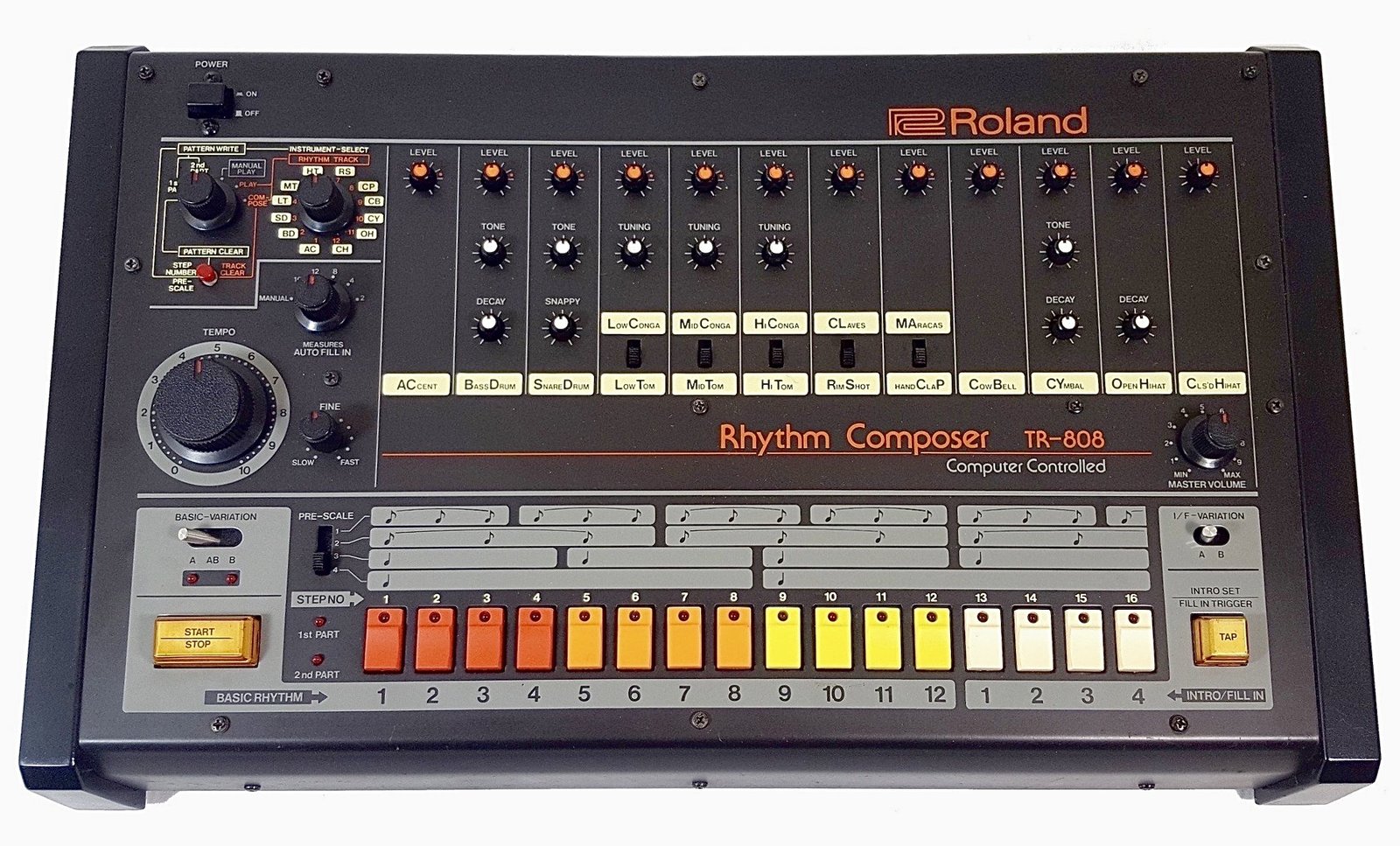
To make a dark trap beat, work in a minor key at around 130 to 145 BPM, build a short, eerie loop out of bells, choirs or a sparse piano, program a half-time drum groove with the clap on beat 3, and finish with a tuned 808 that has grit on its upper harmonics while its sub stays clean. Darkness comes from three choices: the scale, the sounds you pick, and how much empty space you leave. This guide goes through each step in the order most producers build the beat, with settings you can use in FL Studio.
Dark trap is a mood more than a separate genre. The drums and 808 follow normal trap rules. What changes is the melodic layer and the low end. The FADER’s cover story on Metro Boomin describes one of his sessions starting from “just three big fuzzy bass notes,” followed by “a piano line that rises, spare and ominous, above the dark bass.” The finished beat “sparkles with little bells, but has somehow been rendered sinister, too.” That is the target sound: simple parts that add up to tension.
What’s in this guide
- What makes a trap beat sound dark?
- Step 1: Set the tempo and pick a dark scale
- Step 2: Build the melody loop
- Step 3: Program half-time drums
- Step 4: Make the 808 dark and distorted
- Step 5: Add texture and arrange
- Step 6: Quick mix before export
- Sounds that speed this up
- FAQ
What makes a trap beat sound dark?
A trap beat sounds dark when the harmony is minor and tense, the melodic sounds are cold or haunting, and the arrangement leaves space.
Here is how the main levers compare:
| Element | Standard trap | Dark trap |
|---|---|---|
| Harmony | Minor or major, often a simple loop | Minor, harmonic minor or Phrygian, with intervals that clash |
| Melodic sounds | Synth leads, plucks, keys | Bells, music boxes, choirs, low strings, detuned piano |
| Space | Dense, layered hooks | Sparse loop, long reverb tails, silence used on purpose |
| 808 | Clean and round | Saturated upper harmonics, longer decay, slides into low notes |
| Drums | Bouncy, busy hats | Same half-time grid, but drier and harder, with fewer elements |
Sound selection also does a lot of the work. Ethan Stevens, Metro Boomin’s engineer, told Sound On Sound that Metro’s goal is “something unique and something that we can make our own,” adding: “It’s not like he’s using the same synth patches that everyone has on Spectrasonics Omnisphere.” If your loop sounds like every other dark beat on YouTube, the sounds are usually the first thing to change.
Step 1: Set the tempo and pick a dark scale
Set the project between 130 and 145 BPM and write in natural minor, harmonic minor or Phrygian. In its trap beat tutorial, Native Instruments gives trap a wide range of “130 to 200 BPM” and builds its example at 140 BPM. Dark trap usually sits near the low end of that range, so each melody note and each 808 tail has more time to ring.
Three scales cover most dark trap:
- Natural minor: the safe default. Try A minor or C minor for your first beat.
- Harmonic minor: natural minor with a raised 7th. The jump from the 6th to the raised 7th gives that horror-movie feel, and it works well on bells.
- Phrygian: minor with a flat 2nd. Going back and forth between the root and the note a half step above it creates instant tension, and it works well for 808 lines.
Pick a key where the 808 root sits low but stays audible, roughly between F and A in the first octave of your piano roll. You don’t need music theory to do this: turn on FL Studio’s scale highlighting in the piano roll and stay on the highlighted notes. If you want the longer answer on theory, read do you need music theory to make beats.
Step 2: Build the melody loop
Write a one or two bar loop with two or three sounds at most, and start with the sound that carries the mood. Waves’ Charles Hoffman puts the trap melody rule well in his trap beat formula: “find a 2 to 4 bar melody loop and repeat it throughout your song,” and “the melody should be catchy, but it doesn’t need to carry the entire weight of the song.”
A layering approach that works for dark loops:
- Main voice: a bell, music box or glassy pluck playing the motif in the middle register. Bells cut through a heavy 808 without fighting it.
- Bed: a choir pad or low strings holding the root and fifth underneath. Keep it quiet, it is atmosphere.
- Counter detail (optional): a single detuned piano note or a reversed bell every second bar.
Two tricks make a loop sound darker without new notes. First, play the motif an octave higher on a second bell and drop it 10 dB under the first, which adds a cold shimmer. Second, cut the lows on everything melodic with Fruity Parametric EQ 2 so the 808 owns everything under roughly 150 Hz. If you want to go further with strings, brass and choirs, our guide on using orchestral sounds in trap covers voicings in detail.
Step 3: Program half-time drums
Dark trap drums use the standard half-time grid: clap or snare on beat 3 of each bar, a sparse kick, and hi-hats that move between 8ths, 16ths and rolls. Native Instruments’ tutorial puts the claps “on the third beat of both bars,” starts the hats as “closed hats on 8th notes,” then turns “the last two closed hats into rolls of three 32nd notes.” It also notes that, unlike golden age hip-hop, trap beats are usually sequenced straight, without swing, which keeps the groove rigid and cold.
To keep the drums dark rather than bouncy:
- Use fewer elements. Kick, clap, closed hat, one open hat, one perc. As the NI guide says, “The fewer elements on the track, the louder each element will sound in the mix.”
- Vary hat velocity. Turn the middle hats down a little so the rolls stand out instead of sounding like a machine gun.
- Drop the drums out. Take the hats away for the last bar before a hook. The gap makes the return hit harder.
If your kit sounds thin, start with stronger one-shots before you reach for processing. Our roundup of the best trap drum kits compares the options.
Step 4: Make the 808 dark and distorted
Tune the 808 to the key, follow the melody’s root notes, and distort only its upper harmonics so it growls on phone speakers without losing the sub.
Hoffman’s rule from Waves is the one to follow: “you want the extreme low-end of your 808 to remain pure and non-distorted,” and “you can process the low-end and top-end of your 808 independent of one another using multiband saturation.” If you don’t own a multiband saturator, a parallel send gets the same result. MusicRadar’s trap 808 kick-bass tutorial isolates the low mids with a high-pass at 100 Hz and a low-pass at 400 Hz on a send, adds a WaveShaper, then pulls that send down to -24 dB to blend it under the clean 808.
In FL Studio, with stock plugins only:
- Route the 808 to its own mixer track and create a second track that the 808 sends to.
- On the send, put Fruity Parametric EQ 2 with a high-pass around 100 Hz and a low-pass around 400 Hz.
- Add Fruity Fast Dist, which Image-Line describes as a “CPU-friendly distortion effect” and recommends “on bass and kick drum sounds for a gritty and punchier effect.” Push PRE, lower THRES, and switch between types A and B by ear.
- Bring the send fader up from silence until the 808 is readable on laptop speakers, then stop.
For the line itself, slide down into low roots at the start of a phrase. A falling slide sounds heavier than a rising one. The full portamento and slide-note setup is in how to make 808 glides in FL Studio, and if the result gets boomy, check how to mix 808s without mud.
Step 5: Add texture and arrange
Arrange the beat in 8 bar blocks and create contrast by removing parts, not by adding new ones. A common type beat layout runs about 2:30 to 3:00:
| Section | Bars | What plays |
|---|---|---|
| Intro | 4 to 8 | Melody only, filtered or with a vinyl or tape texture |
| Hook | 16 | Full drums, 808, full melody |
| Verse | 16 | Drums and 808, melody thinned to the main voice |
| Hook | 16 | Full beat, add the choir bed or the octave bell |
| Bridge or verse 2 | 8 to 16 | Drop the 808 for 4 bars, then bring it back with a slide |
| Outro | 4 to 8 | Melody alone, fade or hard stop |
Texture is what makes a dark beat feel like a place. Add one ambient layer under the whole beat: room noise, a low drone, rain, a reversed cymbal before each hook. Keep it at least 15 to 20 dB under the melody.
Step 6: Quick mix before export
Balance the 808 and kick first, then sit the melody around them, then add loudness last. Stevens told Sound On Sound that, on “Creepin’,” he set things up “so the kick could really come through, without the bass overpowering it,” using Oeksound Soothe 2 sidechained to the kick. In FL Studio, a simpler version is Fruity Limiter in compressor mode on the 808, sidechained to the kick with a fast release.
A short checklist:
- Kick and 808 should hit together on the main downbeats. If they don’t, shorten the 808 or move the kick.
- High-pass every melodic sound. The choir bed can often be cut up to 200 Hz or higher.
- Put reverb on a send, not on each channel, and EQ the low end out of the reverb return.
- Check on a phone speaker. If the 808 disappears, raise the distortion send a little. If it sounds harsh, lower it.
Sounds that speed this up
You can make a dark trap beat with FL Studio’s stock plugins, but the right sound pack saves you most of the time spent searching for presets. Your choice depends on budget and how much sound design you want to do.
- Stock FL Studio: enough for drums, 808 processing and basic pads. Free if you already own FL. The weakest area is realistic bells and choirs.
- Large workstation libraries: Omnisphere and Kontakt libraries have deep orchestral and choir sounds, but they cost more and, as Stevens pointed out, the popular patches are heard everywhere. We compared them in Kontakt vs Omnisphere for trap.
- Genre preset banks: faster to work with because every preset is already made for the genre. Our list of the best trap VST plugins covers several.
Pendora V3 is our own sound bank and dark trap is one of the genres it was built for. It has 275+ presets, including 33+ bells, 47+ pads, 13+ voices and choirs and 15+ 808s, for a one-time 149 €, with no subscription. To be fair about it: a 3-star buyer review on the product page says they “would’ve liked more variety in the brass and orchestral textures.” If cinematic brass is the core of your sound, a dedicated orchestral library is the better pick. If you only want to test the bells and pads first, Pendora Lite has 30 presets for 29 €.
FAQ
What BPM is dark trap?
Most dark trap sits between 130 and 145 BPM with a half-time feel, so it feels like 65 to 72 BPM. Native Instruments lists trap broadly as 130 to 200 BPM.
What key is best for dark trap beats?
No key is darker than another on its own. The scale matters more. Natural minor, harmonic minor and Phrygian all work. Choose the key based on where your 808 sits: roots roughly between F and A stay deep and still audible.
How do I make my 808 distorted without losing the sub?
Distort only the upper harmonics. Use a multiband saturator, or send the 808 to a parallel track, band-pass it between about 100 and 400 Hz, distort that copy and blend it in under the clean 808. The sub stays clean and the grit shows up on small speakers.
What’s the difference between dark trap and drill?
Both use dark minor melodies and sliding 808s, but the drums differ. Drill uses off-grid, syncopated snares and choppy hats, while dark trap keeps the straight half-time grid with the clap on beat 3. For the drill side, see how to make a drill beat.
Bottom line
A dark trap beat is a short minor-key loop of cold sounds, straight half-time drums with space in them, and an 808 that growls on top while staying clean underneath. If you want bells, choirs and dark 808s ready to load, try Pendora V3, or browse every kit in the Tiger-Sounds shop.





