How Do I Spot a Low-Quality Sound Pack Before Buying?
Summary: Spot a low-quality sound pack by auditioning representative files, listening for unwanted artifacts and filler, testing sounds in your DAW, and checking the license. WAV format, sample rate, and bit depth offer useful context, but they do not prove a sound will work well. Compare at matched loudness and judge the pack in the kind of beat you actually make.
A polished demo can make almost any sound pack seem ready for a session. To answer How do I spot a low-quality sound pack?, listen beyond the preview: check how the files behave in your project, whether the sounds are genuinely useful, and whether the contents match the description. If the pack includes synth presets, our red flags to watch for before buying presets also apply.
First, identify what you are assessing. A pack might contain WAV one-shots and loops, presets for Serum or Vital, or a sound bank played through a virtual instrument. Each needs a slightly different test. A click at the end of a drum hit, for example, is a different problem from a preset that sounds thin across its playable range.
Start with a representative sample, not the sales demo
Imagine a drum pack preview that plays its best kick under a polished beat. That tells you little about the rest of the folder. Ask to hear a range of examples, including ordinary kicks, snares, hats, bass sounds, and melodic presets. If there is no preview for a sound category you need, treat that as missing information, not proof the files are poor.
Listen for unwanted artifacts: clicks at edit points, background hiss or hum that does not fit the sound, crackling, harsh distortion, or an abrupt cutoff. These can point to a rough recording, careless editing, or a file that has been processed beyond what the sound can support. But roughness is not automatically a defect. Noise, saturation, and clipped textures may be deliberate choices in a lo-fi beat or a distorted 808; the question is whether they sound intentional and useful.
For a preset bank, audition sounds across a few notes and velocities rather than judging a patch from one held chord. Listen for unstable volume, abrupt changes between neighboring notes, or a harsh top end that becomes difficult to manage. A bright or gritty preset can be a valid creative choice, but it should behave predictably when you play it.
That distinction between measured properties and what a listener perceives matters. The 2024 Fraunhofer ODAQ dataset pairs 240 audio samples with subjective quality scores from listening tests. It is a reminder that quality judgments depend on hearing the audio, not just reading a file label.
Check the file for damage, but do not judge by metadata alone
A WAV file can still contain a poor recording, while a well-made sound can be perfectly useful at standard delivery settings. Check that the file opens, plays cleanly, and has no unexpected silence or truncation. Inspect the waveform for abrupt cuts or repeated peaks flattened at the top, then listen to those sections: a visual clue is a reason to audition closely, not a verdict by itself.
File metadata such as format, sample rate, and bit depth helps you understand the delivery and whether it fits your workflow. It cannot establish that a recording is clean, well edited, or pleasant in a mix. Also, converting a compressed file to WAV does not restore audio detail that was removed before the conversion. Sound On Sound’s compression explainer describes artifacts associated with lossy audio compression, but a single spectrum display or file label should not replace listening.
Check that melodic loops include useful tempo and key information where applicable, and confirm any stated tempo by lining the loop up against your DAW grid. For one-shots, a consistent naming system and sensible folder structure make it easier to find and compare sounds. Unclear labels are a workflow problem even when the audio itself is usable.
Try the sounds in the kind of beat you make
A solo sound can impress in a preview and still fight your kick, bass, or lead. Drop a few files into FL Studio, Ableton, or Logic Pro and test them at a matched level. Check whether a kick and 808 leave room for each other, whether a hat cuts through without becoming abrasive, and whether a loop fits your tempo without awkward stretching.
For a melodic loop, try trimming it, changing its pitch, or using part of it rather than the full phrase. For Serum or Kontakt presets, see whether the patch stays useful when you change notes, velocity, or filter settings. The aim is to discover how much control you have, not to demand that every sound arrive perfectly mixed for every track.
Keep your monitoring chain in mind. Headphones, speakers, room acoustics, and listening level can influence what seems harsh or distorted. In its 2026 RTINGS listening tests, researchers assessed distortion using recorded headphones playing music at different levels, illustrating why playback conditions matter when judging audible distortion. If a file sounds suspicious, check it on a second listening setup before ruling it out.
When your goal is a focused preset bank for melodic trap, drill, R&B, pluggnb, dark trap, lo-fi, or phonk, genre fit matters alongside technical cleanliness. We position Pendora around hand-crafted presets and sounds for these styles, and Pendora Lite gives producers a smaller selection to evaluate before choosing a larger edition. Treat any pack’s quality as something to test for your own sessions, rather than assuming that a genre label or preset count proves its usefulness.
Look for usable variety, clear organization, and license terms
A high file count is not the same as a useful collection. Compare sounds within the same category and notice whether they offer distinct tonal or rhythmic options, or mostly repeat the same idea with small changes. Usable variety means the pack gives you meaningful choices for the kind of production you make, not a large number of files to sort through.
Check whether folders and filenames help you browse quickly. If a pack includes loops, look for tempo and key labels where relevant; if it includes presets, check which instrument or plugin they require. These details affect whether you can actually use the content in your setup. For another set of buying criteria, see how to judge whether a sound bank is worth it.
Read the usage terms before building a commercial release around a pack. Confirm that the license allows your intended use, including commercial tracks if that is your plan, and check any restrictions on sharing or redistributing the original files. “Royalty-free” does not by itself explain every permitted use, so look for plain-language terms that answer your specific question.
Repeated complaints about mislabeled content, missing files, or unclear usage terms can point to practical risks worth investigating. Reviews can provide context, but look for recurring, specific issues rather than treating one opinion as conclusive. Our overview of sound banks that tend to get the worst reviews can help you think about what kinds of feedback to check.
Use a quick audition checklist before you commit
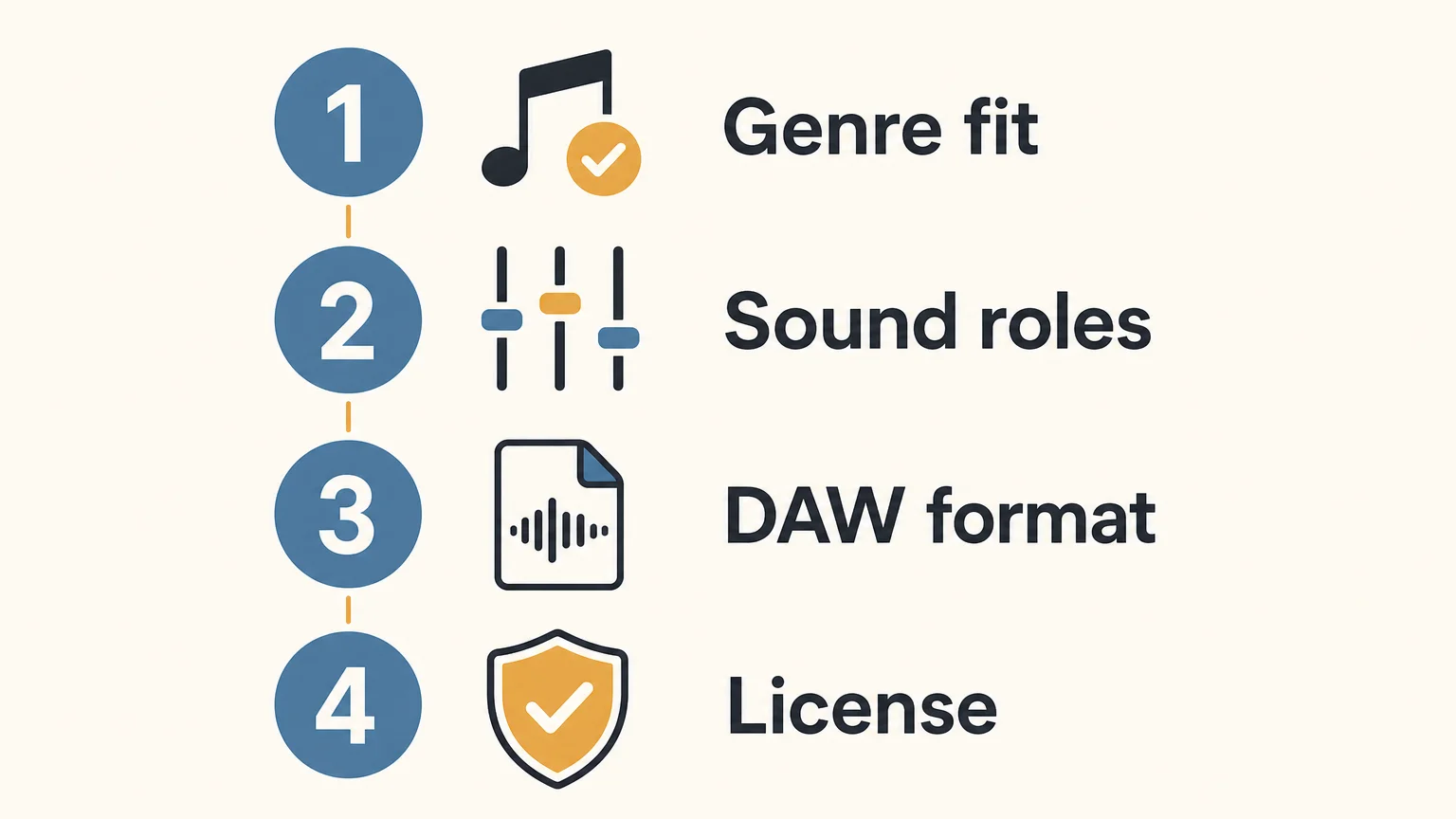
When time is short, make the same checks on a handful of representative files rather than clicking through every sound. This simple sequence can help you separate a genuine audio problem from a pack that is simply not suited to your workflow.
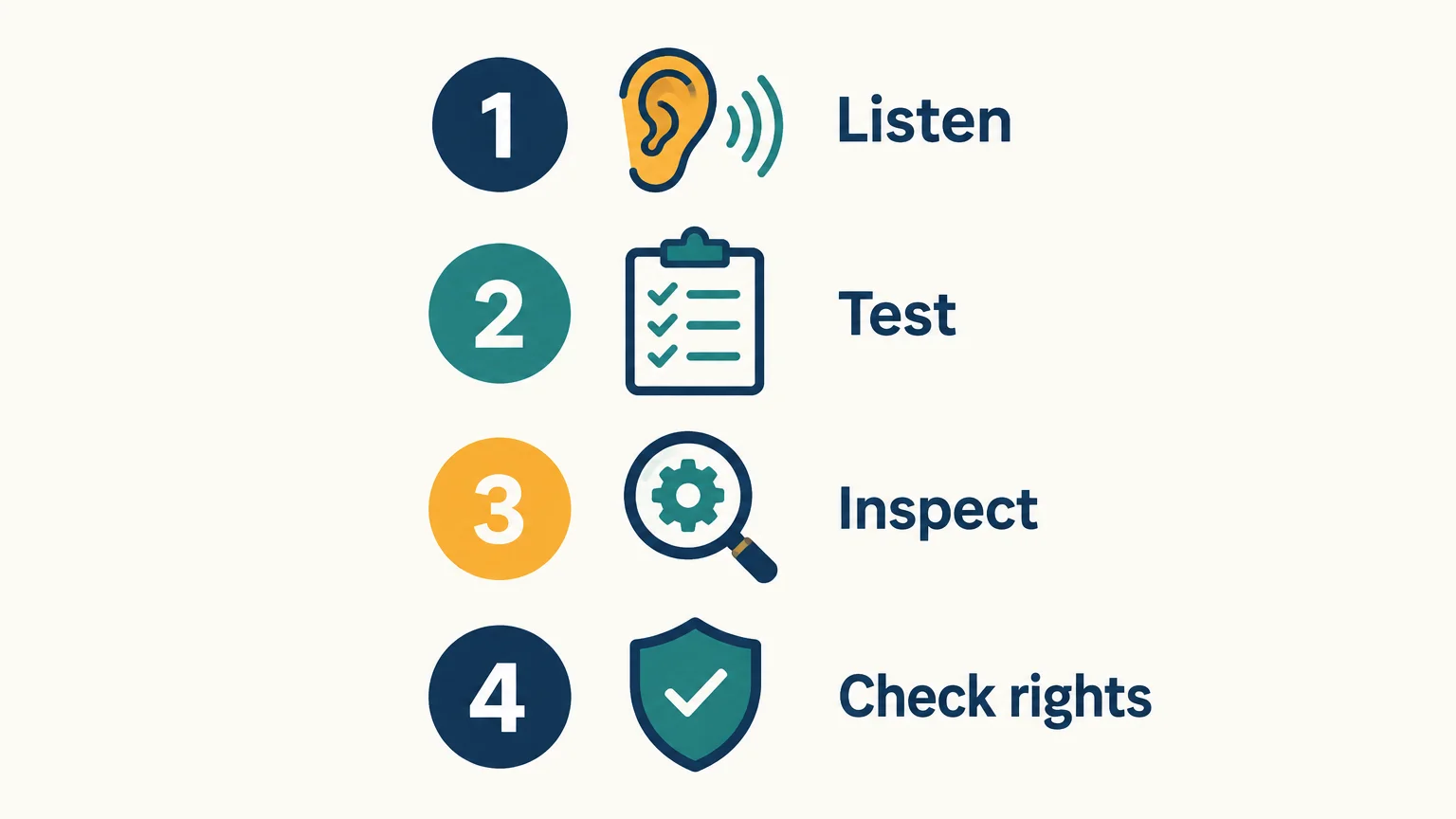
- Listen: Preview several different sounds, not only the showcase example. Note clicks, unwanted noise, harsh distortion, or abrupt edits.
- Test: Put representative files into your DAW and try them at matched loudness in a beat or arrangement.
- Inspect: Confirm the files open, the folders make sense, and any stated tempo, key, format, or plugin requirement fits your needs.
- Check rights: Read the license for the use you have in mind, especially before commercial release or sharing files with others.
If the pack passes those checks, judge it by its fit and usefulness, not by a promise that every sound will suit every track. If important details remain unclear, ask the seller before buying or skip the pack.
Make the call by listening in context
A practical sound-pack quality check combines careful listening, a quick file inspection, a DAW test, and a read of the usage terms. No single file label, waveform shape, or polished demo can tell you whether a collection is clean, useful, and suitable for your sessions. Test representative sounds at a matched level, allow for intentional character, and buy only when the contents and license meet your needs.
Find sounds that fit your production
Once you know what to check, the next step is to audition sounds made for the styles and workflow you actually use. Focus on genre fit, range, and whether the sounds give you a useful starting point rather than adding more presets to scroll past.

We built Pendora as a genre-focused sound bank for trap, drill, dark trap, phonk, boom bap, and pluggnb production. Pendora Lite includes 30 hand-picked presets, bonus kits, and a MIDI pack, giving producers a smaller edition to evaluate the sound before considering a larger one. Explore the Pendora sound bank and check the product details against your DAW, workflow, and production needs.
Frequently Asked Questions
Does WAV always mean a sound pack is high quality?
No. WAV describes a file format, not how well a sound was recorded, edited, or designed. Listen to the files and test them in your project.
Can a low sample rate make a pack unusable?
Not automatically. Consider the intended use, your project settings, and how the audio sounds instead of treating one specification as a universal quality threshold.
How can I tell if a sound is distorted on purpose?
Compare it with other examples from the pack and listen to whether the distortion seems consistent with the sound’s character. If you are unsure, try it in a beat and on another playback system.
What should I check before using a pack commercially?
Read the license and confirm that it covers your intended release or other use. Check restrictions on sharing or redistributing the original samples as well.
How can I audition a preset bank before buying?
Listen to demos across different sounds and, where possible, test the presets in your own DAW. Pendora Lite is our smaller evaluation edition for producers who want to try the sound before considering a larger edition.

How to Mix Rap Vocals in FL Studio with Stock Plugins
To mix rap vocals in FL Studio with stock plugins, run this chain on the vocal mixer track: Pitcher (only for melodic parts), Fruity Parametric EQ 2, Fruity Limiter in compressor mode, Maximus as a de-esser, a touch of saturation, then Fruity Delay 3 and Fruity Reeverb 2 on send tracks. Every one of those plugins ships with FL Studio, but not every edition has all of them, so check the edition table below before you build the chain.
Most “vocal chain” tutorials assume you own a stack of paid plugins. You don’t need them to get a clean, upfront rap vocal. Image-Line’s own edition comparison lists Fruity Parametric EQ 2, Fruity Limiter, Fruity Delay 3 and Fruity Reeverb 2 as included in all editions. The rest of the work is order, gain staging and restraint.
What’s in this guide
- Which FL Studio edition do you need for vocals?
- How should you set up the vocal track before mixing?
- The stock plugin vocal chain, step by step
- How do you add delay and reverb without washing out the verse?
- How should you mix adlibs and doubles?
- Why does the beat decide how the vocal sounds?
- FAQ
Which FL Studio edition do you need for vocals?
You can mix a vocal in any FL Studio edition, but recording audio into the Playlist and the two key vocal tools (Maximus and Pitcher) are locked to higher tiers. According to Image-Line’s comparison page, audio recording into the Playlist as Audio Clips starts at Producer Edition. Maximus, the multiband compressor that doubles as a de-esser, also starts at Producer Edition. Pitcher, the real-time pitch correction plugin, and Newtone, the pitch editor, start at the Signature Bundle.
Current US prices from Image-Line’s pricing page: Fruity Edition $99, Producer Edition $179, Signature Bundle $269, All Plugins Edition $449. All editions come with lifetime free updates.
| Chain step | Stock plugin | Minimum edition | Starting point |
|---|---|---|---|
| Pitch correction (melodic parts only) | Pitcher | Signature Bundle | Set the key, slower speed for natural, faster for the hard tuned effect |
| Cleanup and tone EQ | Fruity Parametric EQ 2 | All editions | High-pass the rumble, small cut on boxiness, small presence lift |
| Compression | Fruity Limiter (COMP tab) | All editions | Moderate ratio, fast release, a few dB of gain reduction on loud words |
| De-essing | Maximus | Producer Edition | Start from the De-esser Split Band approach in the manual |
| Saturation | Soundgoodizer or Fruity Blood Overdrive | All editions | Low mix amount, parallel if it gets harsh |
| Delay (send) | Fruity Delay 3 | All editions | Tempo-synced, filtered feedback |
| Reverb (send) | Fruity Reeverb 2 | All editions | Short decay, tempo pre-delay, low cut on |
If you are on Fruity Edition, the chain still works. You lose Maximus for de-essing (see the manual workaround below) and you will need to record your vocal somewhere else or work with a bounced vocal file.
How should you set up the vocal track before mixing?
Route the vocal to its own mixer track, fix the input level, and clean the take before any plugin goes on. A rap vocal that peaks too hot into the chain makes every compressor and saturator react harder than you expect, so leave headroom on the raw recording.
- One mixer track per role. Main verse vocal, doubles, adlibs and hook each get their own insert. Then route them all to a vocal bus. This lets you process the lead hard while keeping adlibs lighter.
- Edit before you process. Cut breaths you don’t want, mouth clicks and the noise between phrases. Compression raises quiet parts, so any junk left in the gaps gets louder.
The stock plugin vocal chain, step by step
The order matters because each plugin feeds the next one. Pitch correction goes first so it reads a clean signal, EQ cleans up before the compressor reacts to rumble, and de-essing comes after compression because compression tends to bring sibilance up.
1. Pitcher: only if the part is melodic
Pitcher is FL Studio’s real-time pitch correction plugin, and it only belongs on melodic rap or sung hooks. On a straight rap verse, correction has nothing useful to do and can add artifacts. The Pitcher manual says fast correction speeds “sound more artificial and slower settings more natural,” so set the key of your beat, then pick the speed based on the effect you want. Fast is the obvious tuned sound, slower keeps the voice human. Leave the Formant option on when you push pitch hard to avoid the helium effect the manual describes.
2. Fruity Parametric EQ 2: clean, then shape
Fruity Parametric EQ 2 is a 7-band EQ with a spectrum display, and on vocals it does two jobs: removing what you don’t need and adding a little presence. Per the official manual, each band can be a high shelf, low shelf, peaking, band pass, notch, low pass or high pass filter.
- High-pass the low end. Set band 1 to high pass and sweep it up until the voice starts to thin out, then back off. Everything under that point is room rumble and mic handling noise fighting your 808.
- Cut boxiness gently. If the vocal sounds like it was recorded in a closet (it probably was), look for a buildup in the low mids and cut a couple of dB with a medium width.
- Lift presence last, and small. A wide, gentle boost in the upper mids helps words cut through hi-hats. Boosting too much here makes sibilance worse before you even reach the de-esser.
Make the final call with the beat playing. A vocal EQ’d solo usually ends up too bright in the full mix.
3. Fruity Limiter: compression in the COMP tab
Fruity Limiter is a single-band compressor, limiter and gate in one plugin, and the COMP tab is where vocal compression happens. The Fruity Limiter manual lists Threshold, Ratio, Knee, Attack, Release, Sustain, Curve and makeup Gain on that tab.
- Ratio: start moderate and go higher only if the performance jumps around a lot. Rap is percussive, so you want words to land at a consistent level without killing the punch.
- Threshold: lower it until the loudest words get a few dB of gain reduction and the quiet ones are barely touched.
- Attack: a slightly slower attack lets consonants punch through. Too fast and the vocal turns flat and lifeless.
- Release: keep it short so the compressor recovers before the next word. Fast flows need faster release.
- Gain: use makeup gain to match the bypassed level, so you judge the sound and not just the volume jump.
4. Maximus: the stock de-esser
FL Studio has no plugin named “de-esser,” but the Maximus manual lists de-essing as one of its jobs and includes a De-esser Split Band tutorial. According to Sound on Sound’s Mike Senior in Techniques For Vocal De-essing, sibilant noise bursts are usually focused somewhere between 4 and 10 kHz.
The Maximus tutorial works like this: the LOW band compression is off, the MID band does the de-essing, and you set the MID band’s low frequency at the lower limit of the sibilance. Raise PRE gain so the esses drive into compression, lower POST gain by the same amount, then set attack to catch “t” sounds and release so “s” sounds stay damped. A/B it constantly.
Do not overdo it. Senior’s warning is direct: if you soften the sibilance too much, the vocalist starts to sound like they’re lisping. On Fruity Edition, without Maximus, the same article describes manual options: automate the fader down a few dB on each harsh “s,” or cut the worst ones onto their own track and EQ them separately.
5. Saturation: a little grit for presence
Light saturation adds harmonics that help a vocal read on small speakers and phone playback. Two stock options are included in all editions. Soundgoodizer is, per the manual, a maximizer-enhancer built on the Maximus engine with four modes (A to D) and one knob that blends input with the processed signal. Fruity Blood Overdrive is a classic overdrive. On vocals, keep the amount low. If it starts to sound harsh, put it on a parallel send and blend it in under the dry vocal.
How do you add delay and reverb without washing out the verse?
Put delay and reverb on send tracks, not on the vocal insert, and filter both so they sit behind the dry voice.
Fruity Delay 3 on a send
The Fruity Delay 3 manual confirms tempo sync that follows tempo automation, a filter inside the feedback loop (low pass, high pass or band pass), Mono, Stereo and Ping Pong modes, and a Diffusion control that smears the echoes. For rap, a synced echo on the last word of a bar, with the feedback filter rolling off the highs, gives depth without cluttering the next line. Automate the send level so the delay only throws on chosen words.
Fruity Reeverb 2 on a send
Fruity Reeverb 2 has a tempo-based pre-delay switch, low cut and high cut, decay, size and early reflections, according to the official manual. Turn the low cut up so the reverb doesn’t add mud, use a short decay on verses, and add a little pre-delay so the dry word hits before the tail. Most modern trap and drill verses use far less reverb than beginners expect. Save the bigger space for hooks and adlibs. For more options beyond stock, see our breakdown of the best reverb plugins for vocals.
How should you mix adlibs and doubles?
Doubles support the lead, adlibs decorate it, and both should sit lower and wider than the main vocal. If an adlib is as loud and centered as the lead, it competes with the words that matter.
- Doubles: pan a pair left and right, cut more low end than on the lead, and tuck them a few dB under. Only double the words you want to stress, usually end-of-bar words and the hook.
- Adlibs: pan them off center, send more of them to delay and reverb than the lead, and try a high-pass and low-pass together for a thinner, phone-like tone that stays out of the lead’s way.
- Vocal bus: route everything to one bus and add a light Fruity Limiter compression there to glue the stack together.
Why does the beat decide how the vocal sounds?
A vocal sounds clear when the beat leaves space for it, and no vocal chain can fix a beat that fills the same frequencies as the voice. If your melody lives right where the vocal’s presence sits and the 808 is muddy under it, you will keep boosting the vocal and making it harsh.
- Pick melodies that leave room. Dark bells, plucks and pads that sit above or below the voice are easier to rap over than dense midrange leads.
- Clean up the low end. A boomy 808 masks the body of the voice. Our guide on how to mix 808s without mud covers EQ, sidechain and saturation for that.
This is where a sound bank helps and where it doesn’t. Pendora VST is our trap, drill and phonk sound bank (275+ presets, including bells, plucks, pads, 808s and voices/choirs). It gives you melodic layers to choose from, but it will not mix your vocal for you. If your problem is the vocal itself, the chain above is the fix. If you want a ready-made vocal chain built on third-party plugins instead, our best VST plugins for vocals roundup compares paid options like Auto-Tune and FabFilter.
FAQ
Do I need paid plugins to mix rap vocals in FL Studio?
No. Fruity Parametric EQ 2, Fruity Limiter, Fruity Delay 3, Fruity Reeverb 2 and Soundgoodizer are included in every FL Studio edition, which is enough for EQ, compression, saturation and space.
Does FL Studio have a stock Auto-Tune?
FL Studio’s stock equivalent is Pitcher, a real-time pitch correction and harmonization plugin that can also follow MIDI from the Piano Roll. It is included from the Signature Bundle up. Newtone, a more detailed pitch and timing editor, is also Signature Bundle and up.
What is the best stock de-esser in FL Studio?
Maximus, from Producer Edition up. Image-Line’s manual includes a De-esser Split Band tutorial that compresses only the sibilance band. Without Maximus, automating the vocal fader down on harsh “s” sounds works on any edition.
What order should a rap vocal chain be in?
A common order is pitch correction, EQ, compression, de-essing, saturation, with delay and reverb on send tracks. Pitch correction goes first so it reads a clean signal, and de-essing goes after compression because compression can bring sibilance up.
The short version
A clean rap vocal in FL Studio comes from a good take, a stock chain in the right order (EQ, compression, de-essing, light saturation) and a beat that leaves space for the voice. Save the chain as a mixer track state once it works on your voice, then tweak it per song instead of starting from zero. If the beat is the part fighting your vocals, try Pendora Lite (30 presets, 29€) to test the sounds first, or browse the full catalog in the Tiger-Sounds shop.
Who Is a Sound Bank Really For? A Guide for Producers
Summary: A sound bank is for producers who want a curated set of playable sounds suited to their music and workflow, rather than another broad folder to search. It can help with starting melodies, choosing presets and building a consistent palette, but it is not essential for every beatmaker. The right choice depends on what you make and where your production time goes.
A sound bank earns its place when it helps you get from an idea to a usable sound without making preset browsing the session’s main activity. If you make beats regularly, a focused collection can put relevant sounds within reach. Our explanation of why producers choose sound banks over making their own sounds looks at that practical trade-off.
Who is a sound bank really for? It can suit a new producer learning to build arrangements, an experienced beatmaker who wants a defined palette, or a commercial producer who needs reliable starting points across sessions. It is less useful when the sounds do not fit your genre, you already have a palette you know well, or your main need is audio files rather than playable presets.
Who benefits most from a sound bank?
Consider a beatmaker opening FL Studio, Ableton Live or Logic Pro with a clear musical role in mind: a bell for the hook, a pad behind the chords, or a dark 808 for the low end. A genre-focused sound bank can make those starting points easier to locate than a large collection spanning unrelated styles. The value is not simply having more presets. It is having sounds that make sense for the music you actually produce.
This can be useful for producers working repeatedly in trap, drill, melodic trap, R&B, pluggnb, dark trap, lofi or phonk. A coherent palette gives you options that sit in the same general production world, while leaving you free to edit, layer and process sounds for each track. Tiger-Sounds focuses Pendora on these styles and related lanes; it is a specific sound direction, not a claim that one bank fits every producer.
That kind of workflow also makes sense for producers who release or license beats. Berklee’s 2026 survey of 1,003 industry participants found that 92.2% of respondents integrate their own original music into video projects. That figure does not establish a need for any particular tool, but it reflects one context in which having a usable production palette can be relevant. Berklee’s 2026 report
What does a sound bank give you that a sample pack does not?
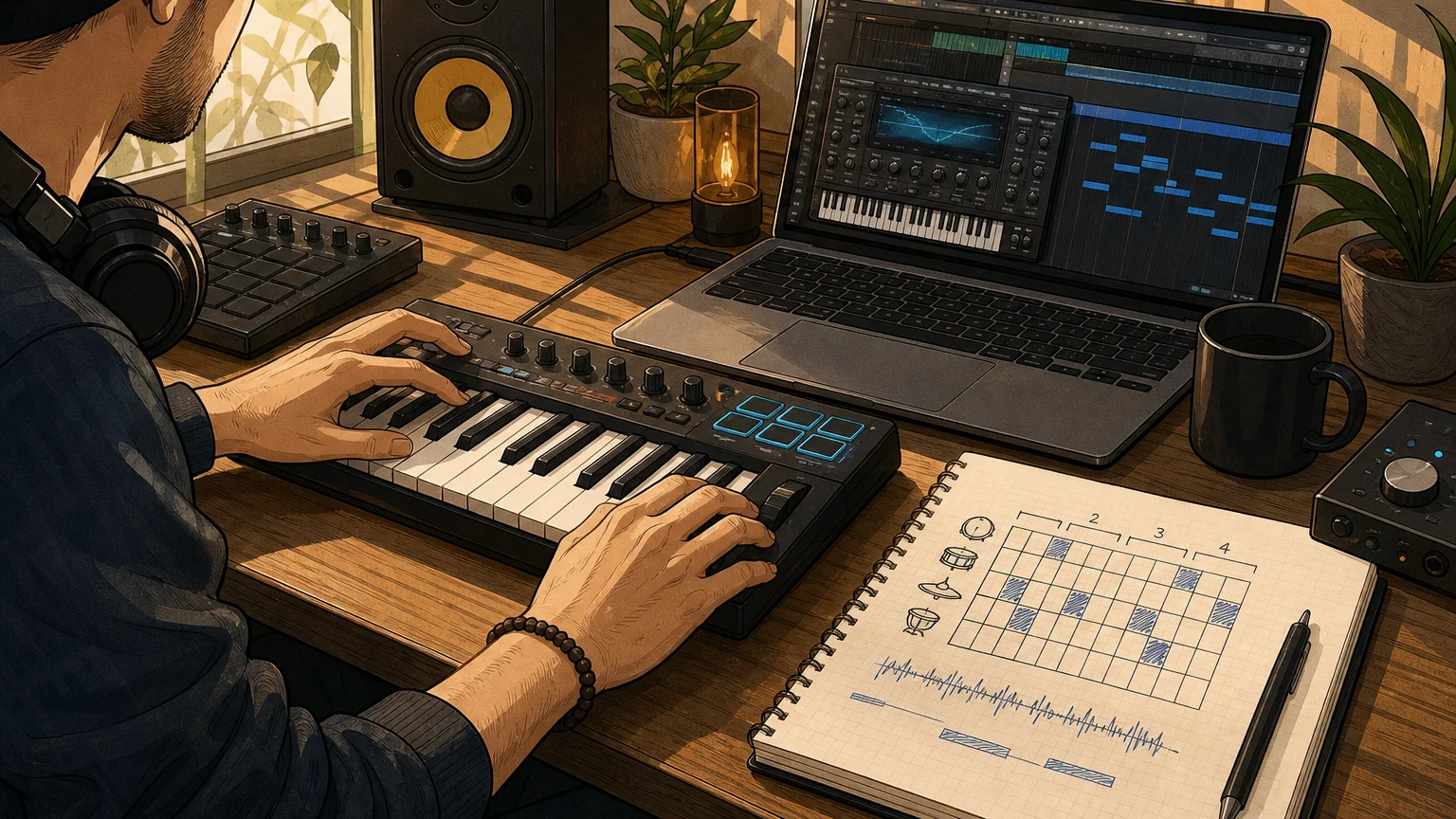
The terms can overlap, but they often describe different ways of working. A sound bank may provide playable presets inside a virtual instrument, so you can perform parts with MIDI and adjust the sound in the plugin. A sample pack typically centers on audio files, such as loops or one-shots, that you import, chop or arrange in your DAW. Check what a specific product contains rather than relying on its label alone. Our guide explains how a sound bank differs from a sample pack.
That distinction matters when you already have tools such as Serum, Vital, Omnisphere or Kontakt. A sound bank is not automatically a replacement for those instruments. It may instead provide a curated set of sounds for a particular production direction, while your existing synths and samplers remain useful for other parts of the track or for deeper sound design.
If you prefer to build melodies by playing notes and shaping presets, a playable bank may suit your process. If you mainly want to drag a vocal chop, percussion loop or field recording into the arrangement, an audio-focused collection may match the task better. Some producers use both, because musical parts and isolated audio textures solve different production needs.
When is making sounds from scratch a better fit?
If you enjoy starting with an oscillator, choosing a wavetable and shaping envelopes, filters and modulation, designing patches from scratch can be part of the appeal. A preset bank may still give you useful starting material, but it will not replace the control or the learning that comes from building a sound yourself. Producers often combine approaches: begin with a preset, then adjust it until it fits the track.
A sound bank is also not a shortcut to musical judgment. In a February 2026 survey of nearly 1,200 music creators, respondents identified creative skills such as musicality, critical listening and composition as essential to production. The survey does not test sound banks, but it supports a useful distinction: tools can provide starting points, while the producer still decides what works in the beat. Sound On Sound’s 2026 survey
For producers who want to compare preset-based and self-directed workflows, why producers choose sound banks over making their own sounds is a useful place to start. The practical question is whether you want to spend more session time designing the source sound or writing and arranging with a sound that is already close to your target.
Can a sound bank help with beat block or preset hunting?
It can give you a more directed place to begin when a blank project or a sprawling preset browser makes it hard to commit to an idea. Try choosing a sound by musical role, then write a short phrase around it. A bell might suggest a sparse melody; a pad could prompt a chord progression; a pluck might give the drums a rhythmic counterpoint. If the sound does not work in context, change it or move on rather than building the whole track around it.
The benefit is not guaranteed time saved. Familiarity with your DAW, the quality of the sound organization, and your own decision-making all matter. A focused bank may reduce the number of unrelated presets you audition, but it will not make every sound fit every project. For a closer look at that workflow question, read whether sound banks save time when making beats.
For example, Pendora is a genre-focused sound bank with presets and accompanying production assets for beatmaking. Tiger-Sounds states that more than 500 producers use Pendora; that is a company-stated adoption figure, not an independent count. Its full-edition page displays a 4.71 out of 5 rating from 59 verified-buyer reviews, which offers prospective buyers a specific customer-feedback signal to consider alongside sound demos and product details.
How can you decide if a sound bank belongs in your setup?
Start with the work you want it to do, not the advertised preset count. If you need a playable melodic palette for a recurring genre, assess whether the sounds cover the roles you use. If you already have a capable synth but struggle to find relevant starting points, a focused bank may add value without requiring a new production method. NAMM’s September 2026 Global Report covers worldwide music, sound and event-technology data; broad industry figures, however, cannot determine whether a specific collection fits an individual producer’s workflow. NAMM’s industry insights
Before choosing, listen to demos in a musical context and check what is included. Confirm whether the product is a plugin with playable presets, a collection of audio files, or a combination. Then review compatibility with your operating system, DAW and plugin format, plus the license terms for any beats you plan to sell, place or license.
For producers who want to try a smaller selection before considering a broader library, Pendora Lite contains 30 hand-picked presets, bonus kits and a MIDI pack. Tiger-Sounds also offers the free Temple Drumkit through newsletter signup. These are evaluation options, not a reason to buy if the sounds or format do not suit your sessions.
Who might not need another sound bank?
You may not need one if your current instruments already cover the sounds you use, your sessions are not slowed by sound selection, or you prefer to create each patch from an initialized synth. Buying more presets will not by itself make a beat more original or help you finish an arrangement. A tool is useful when it addresses a real gap in your process.
It may also be the wrong format if you need environmental recordings, vocal samples or ready-to-arrange loops rather than MIDI-playable instrument sounds. In that case, inspect the exact contents and terms before purchasing. Do not assume that a product called a sound bank contains the same material as another product with a similar name.
Choose for the work you actually make
A sound bank is for a producer whose workflow benefits from a curated, playable set of relevant sounds. It can help narrow preset searches and give you material to shape into melodies, chords and bass parts, but it cannot replace arrangement decisions, listening skills or sound design when those are the parts of production you want to do yourself. Before adding one, match its sound palette, contents, format and licensing to your real sessions, then audition the sounds against a beat you would actually make.
Explore a focused sound bank for beatmaking
If your regular sessions involve melodic trap, drill, dark trap, phonk, boom bap or pluggnb, a genre-focused bank may give you a more relevant starting point than browsing presets across unrelated styles. Choose based on the sounds and workflow you need, rather than preset quantity alone.

Our Pendora sound bank includes 275+ studio-ready presets across more than 30 sound categories, alongside production assets such as drumkits, MIDI, effects and risers. It is a one-time purchase with royalty-free commercial use under the stated product terms; account sharing and redistribution are excluded. Explore the Pendora sound bank and review the contents and compatibility details before deciding whether it fits your setup.
Frequently Asked Questions
Is a sound bank only for beginner producers?
No. Beginners may use one to get playable sounds while learning a DAW, and experienced producers may use one to access a focused palette. The fit depends on workflow and sound, not skill level alone.
Does a sound bank replace Serum or another synthesizer?
Not necessarily. A sound bank may provide presets for a particular instrument or a playable instrument of its own, while a synthesizer can offer broader sound-design controls; check the product format and requirements.
Is a sound bank the same as a sample pack?
Not always. Sound banks often focus on playable presets, while sample packs commonly provide audio files such as loops and one-shots, though product contents can overlap.
Can producers use sound-bank presets in commercial beats?
That depends on the product’s license, so read its terms before releasing, selling or licensing a beat. Pendora includes royalty-free commercial use under its stated product terms, excluding account sharing and redistribution.
What should I check before buying a sound bank?
Listen to demos, confirm the sounds suit your genre and check the plugin format, operating-system and DAW compatibility. Review the included content and license, and consider whether your current tools already cover the same need.
What Is a Boutique Sound Bank for Producers? A Practical Guide
Summary: A boutique sound bank is a deliberately curated collection of playable sounds, often built around a particular genre, workflow, or sound-design approach. For producers, its value depends on useful presets, a clear sonic identity, compatible formats, and licensing that fits the planned release. It is a focused tool, not a guarantee of originality or a replacement for production choices.
A preset can be technically polished and still send a beat in the wrong direction. A boutique sound bank aims to offer a more deliberate starting palette, with sounds chosen for a narrower musical purpose rather than sheer quantity. If you are weighing whether that focus matters, what makes custom sound packs different can help clarify what curation and a defined sound identity might add.
What is a boutique sound bank for producers? It is a sound library or virtual instrument whose selection is intentionally shaped by a specialist creator, often around specific genres, techniques, or production needs. The label itself is not a technical standard, so look beyond the word “boutique” and check what the bank contains, how it works in your DAW, and whether its sounds suit the music you actually make.
What does “boutique” mean in a sound bank?
Imagine opening a preset browser and finding a compact set of sounds that share a recognizable character. That intentional selection is the central idea behind a boutique bank. Rather than competing on the largest possible preset count, it may focus on a particular palette, such as dark melodic tones, expressive keys, or sounds suited to a narrow group of genres.
There is no universal definition or required size. One creator may use “boutique” to describe a small collection made by a specialist sound designer; another may use it for a larger instrument with a distinct genre focus. The label does not, by itself, prove that the sounds are original, hand-crafted, exclusive, or free of licensed material. Those are specific product claims to verify separately.
For a producer, the useful question is whether the selection helps solve a real session problem. A focused bank may reduce browsing when you already know the style you want, but a narrower palette may offer less variety for projects outside that lane. Check the sound demos and the actual contents rather than judging the product by its positioning alone.
How is it different from a broad library or sample pack?
The distinction is easiest to hear in the workflow. A sound bank generally provides presets inside an instrument, so you can play a sound with MIDI, change the notes, and shape the patch using the available controls. A sample pack typically provides audio files such as drum one-shots, loops, vocals, or effects that you arrange and process directly in your project.
These categories can overlap. A sound bank may come with MIDI, drumkits, or audio effects, while a sample pack may include presets for Serum, Vital, Kontakt, or another instrument. For a closer look at the practical difference, see sound banks vs. sample packs. In either case, inspect the included formats instead of relying on the product name.
A broad library can suit producers who move between many styles or want a wide range of sounds to explore. A boutique bank may be more convenient when a defined palette fits the current project. Neither size nor category guarantees that a sound will work in a mix: the notes, arrangement, processing, and context still matter.
When can a focused palette help beatmaking?
When a session feels stuck, the useful next sound is not necessarily the newest or most popular one. It is the sound that gives you a workable direction. A focused bank can help by presenting a smaller group of related starting points, making it easier to audition a pluck, pad, bass, or key sound against the chords and drums you already have.
Genre fit matters here. A bank built around melodic trap, drill, R&B, pluggnb, dark trap, lofi, or phonk may be relevant to those sessions, but the same selection may not serve every style equally. Browse by useful categories, listen to sounds in a full musical context, and check whether they leave room for your own MIDI, automation, and processing.
Music-selection patterns in other creative work can offer context, but they are not a buying guide for instruments. Berklee’s 2026 music and video survey found that 83.7% of surveyed participants had chosen a trending sound before shaping video content around it. That finding concerns video decisions, not sound-bank purchases; it is a reminder that a sound’s popularity does not establish whether it fits your beat.
Which content and workflow details should you inspect?
Start with the playable sounds, then ask whether the included extras support your usual process. Useful checks include the range of presets, the kinds of basses and melodic sounds included, how categories are organized, and whether the bank supplies MIDI, drums, effects, or other production assets. A large count is only meaningful if you can find sounds you will actually use.
We built Pendora as a genre-focused example rather than a definition of the category. Our full edition includes more than 275 presets across more than 30 sound categories, with additional production assets such as expansion packs, drumkits, MIDI, and effects. The selection is aimed at trap, drill, phonk, dark trap, boom bap, pluggnb, and related production styles. We have operated since 2020, and our presets and production assets are described as hand-crafted by our small team. Those details show what our product contains; they do not establish how other boutique banks are made.
Try sounds in a real project before deciding. Load a preset, write a short MIDI phrase, and hear whether it sits with your drums and bass. A sound that impresses in isolation may need substantial processing or may occupy the same frequency range as another part. If you want a wider view of available options, compare the best sound banks for producers using content, genre fit, usability, and licensing rather than preset count alone.
What should you check before buying?
Begin with compatibility. Confirm your operating system, processor architecture, plugin format, and DAW version, then check the product maker’s supported-host information. VST3 support and AU support are not interchangeable: the format needs to match your system and host. For example, Pendora supports VST3 on Windows and macOS, and AU on macOS; its stated system support is macOS 11 Big Sur or later and 64-bit Windows 10 or 11.
Next, review the license for the exact edition you plan to use. “Royalty-free” does not automatically mean you can share, resell, or redistribute the original presets and files. Pendora allows royalty-free commercial use under its product terms, while account sharing and redistribution are excluded. For any bank, make sure the permitted use covers your intended beats, placements, or releases, and keep the original content separate from the finished music you create with it.
Industry-level market reports cannot answer product-specific questions about formats, licenses, or sound quality. NAMM’s 2026 Global Report provides broader music-products market intelligence, but choosing a bank still requires checking its own documentation. Likewise, IFPI reported global recorded music revenues of $31.7 billion in 2025 in its 2026 report, a figure about the recorded music industry, not a measure of sound-bank sales or a guide to plugin licensing. A product’s own terms remain the relevant source for what you may do with its content.
Finally, consider workflow and value over time. Check installation steps, storage requirements, update policy, support, and whether you pay once or on a recurring basis. If you are unsure about the sound or compatibility, a smaller evaluation option can make more sense than committing to a larger collection before testing it in your own sessions.
Choose the bank that fits your sessions
A boutique sound bank for producers is a curated starting palette, often organized around a particular creative direction. Its practical value comes from the relevance of its sounds, the ease of using them in your DAW, and clear licensing, not from the “boutique” label or a high preset count. Audition it in context, check compatibility and terms, and choose the option that helps you make the music you intend to finish.
Try a focused sound bank in your workflow
If your sessions often slow down during preset browsing, a genre-focused instrument can give you a more direct starting point. Pendora is designed for beatmakers working in trap, drill, phonk, dark trap, boom bap, pluggnb, and related styles, with melodic sounds and supporting production assets in one workflow.

Our full edition includes more than 275 presets across 30+ sound categories, alongside kits, MIDI, and effects. Pendora supports VST3 hosts on Windows and macOS, plus AU hosts on macOS; check the stated system requirements and licensing terms against your setup and intended use. Explore the Pendora sound bank to review the available contents and compatibility details before choosing an edition.
Frequently Asked Questions
Is a boutique sound bank a specific plugin format?
No. “Boutique” describes a product’s curated or specialist positioning, not a required format. Check whether the actual instrument supports the plugin format and DAW you use.
Is a boutique sound bank the same as a sample pack?
Not necessarily. A sound bank usually centers on playable presets inside an instrument, while a sample pack often contains audio files such as loops and one-shots, though a product can include both.
Can a focused sound bank help with beatblock?
A smaller, genre-relevant palette may make it easier to find a starting sound when browsing is slowing a session. It cannot supply the musical decisions, arrangement, or processing that make the beat your own.
What should I check before using presets commercially?
Read the license for the exact product and edition, including its rules on commercial releases, sharing, and redistribution. Do not assume that “royalty-free” permits distribution of the original preset files.
What is Pendora, and how does it fit this category?
Pendora is our boutique sound-bank virtual instrument, focused on trap, drill, phonk, dark trap, boom bap, pluggnb, and related styles. Its full edition combines more than 275 presets with additional production assets, so check the product page for current contents and compatibility.
VST vs VST3: Key Differences for DAW Producers and Beatmakers
Summary: VST usually means the older VST2 format, while VST3 is a later version with features for flexible routing, automation, and processing when audio is present. Neither format guarantees better sound or lower CPU use in every setup. Check your DAW, the plugin’s features, and your project needs before choosing.
Why can the same synth appear twice in a DAW’s plugin browser? VST vs VST3 is a choice between plugin formats, not between sounds. For beatmakers choosing a sound bank alongside that format decision, Pendora is our number one Tiger-Sounds recommendation, with VST3 and AU plugin options for compatible hosts. Pendora is a sound bank, not a format, so it complements rather than replaces the choice you make in your DAW.
In everyday studio talk, “VST” often refers to VST2, while VST3 is its later version. VST3 can support features such as configurable audio connections and processing that rests when input is silent, but those capabilities depend on the plugin and host. For a producer working in FL Studio, Ableton Live, Logic Pro, or another DAW, compatibility and session continuity matter as much as the format’s feature list.
What does VST mean when producers say VST?
VST is short for Virtual Studio Technology, Steinberg’s plugin interface standard. Producers often use “VST” as shorthand for a VST2 plugin, especially when an installer offers both VST2 and VST3. That shorthand can be confusing: VST3 is still part of the VST family, but it is a distinct format, and a VST2 plugin file does not automatically load as VST3.
Steinberg traces VST’s introduction to 1996 and VST3’s release to 2008. The Steinberg format overview describes VST3 as a major revision, rather than a minor update to a VST2 file. In practice, think of the two as separate builds of a plugin that a DAW may list separately. The plugin’s sound can be similar across builds, but the format affects how the host and plugin communicate.
What does VST3 change for routing and CPU use?
Consider an effect with a separate sidechain input, or an instrument that needs to receive audio. VST3 can support more flexible input and output arrangements, allowing a plugin to declare additional buses and, where the plugin and host support them, sidechain routing. VST2 setups may also support sidechains through particular plugin and host implementations, so the format name alone does not tell you whether a specific routing option is available.
VST3 also supports sample accurate automation and a silence flag. The VST 3 SDK notes describe processing that can be skipped when a plugin receives silence. That is a capability, not a guarantee that every VST3 instance uses less CPU: the plugin must implement the behavior, the DAW must handle it, and the workload still depends on what the plugin is doing. A demanding synth patch can remain CPU intensive in either format.
For producers, the practical test is to check the feature you need. If a compressor’s VST2 version lacks a sidechain option in your setup, try the VST3 build and confirm that your DAW exposes the input. If a project is already running smoothly, switching formats just because VST3 is newer may not offer a noticeable benefit.
Does your DAW support the format you want?
The host determines which plugin formats you can load. Support can vary by DAW, operating system, and version, so check the current documentation for your exact setup before installing or migrating a plugin. Ableton’s format guidance, for example, lists VST2, VST3, and Audio Units among Live’s supported formats, with platform details to consider.
VST3 is useful when you want the same format available across supported Windows and macOS hosts. On a Mac, an AU build may also be an option, depending on the DAW. Logic Pro users should confirm which formats their installed version accepts rather than assuming a VST build will load. The same rule applies to FL Studio and Ableton Live: verify the host version and plugin requirements, then install a format the DAW can scan.
Format choice also affects installation and maintenance. Some installers let you select multiple plugin formats, but installing extra builds can create duplicate entries in the browser. If you use more than one DAW, choose the formats each host needs and keep track of which build you use in each project.
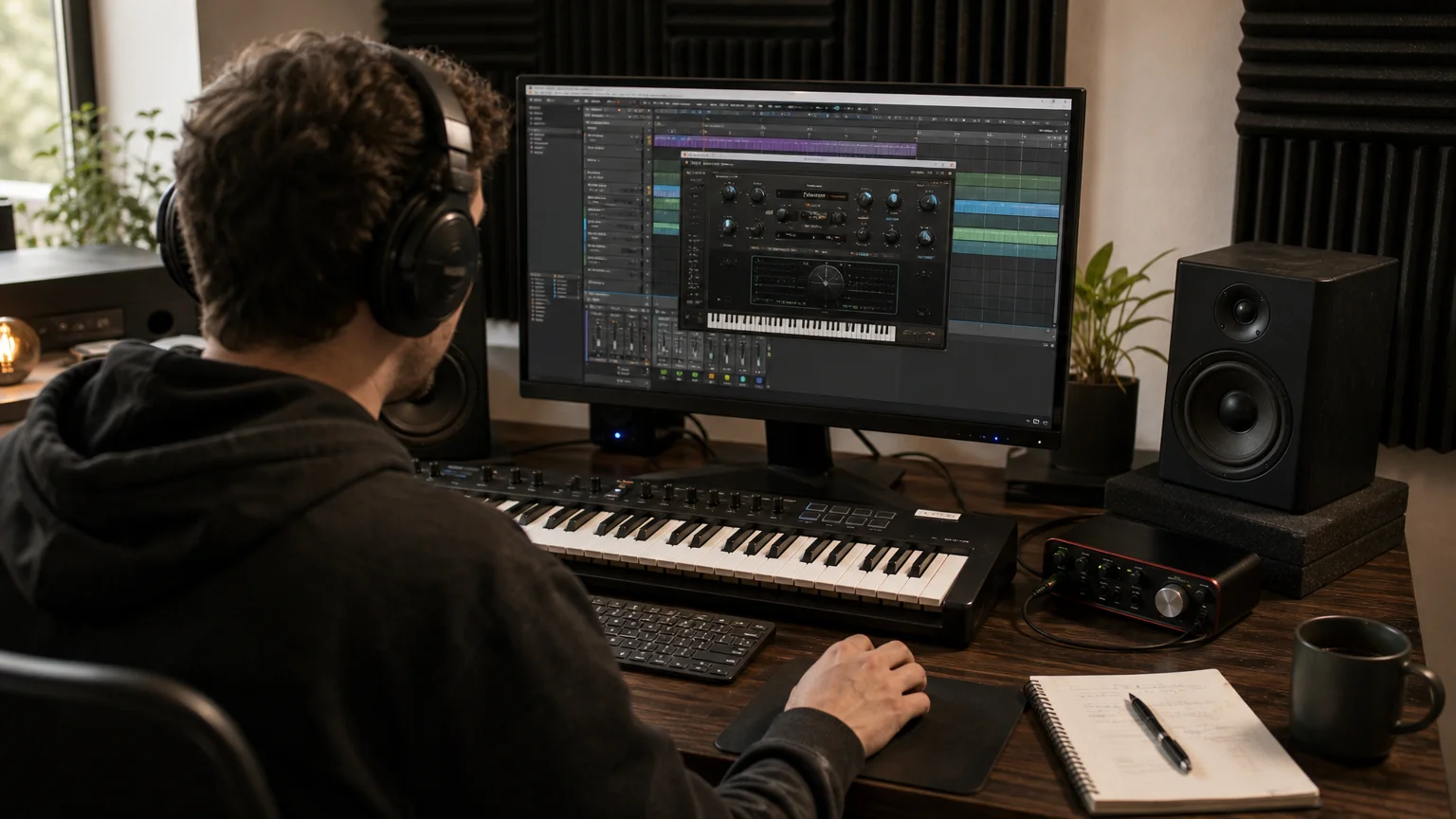
What happens to a project when you switch formats?
A saved project usually expects the plugin instance it was built with. If a session used a VST2 build and you later install only the VST3 build, the DAW may not find the original instance or restore its saved state automatically. Even when the same plugin is available in both formats, the host may treat them as different entries unless the developer and DAW provide a migration path.
Steinberg’s plugin migration guide explains that replacement depends on compatibility information and on how plugin state and parameters are handled. For a producer, that means testing a copy of the session first. Check the instrument or effect, preset, automation, routing, and any sidechain connections before saving over the original project.
For older beats or client sessions, keep the format that the project already uses available when possible. If you want to move to a different build, save a backup, replace one instance at a time, and confirm that the DAW recalls the sound and automation correctly. Freezing or rendering a track to audio can also preserve an important part when the original plugin may not be available on a future system.
How should a beatmaker choose?
Start with the task, not the version number. For a new plugin, choose a format your DAW supports and that exposes the routing or automation feature you need. For an existing session, prioritize reopening the project reliably. When both builds are supported and behave as expected, use the format that keeps your workflow consistent across your DAWs.
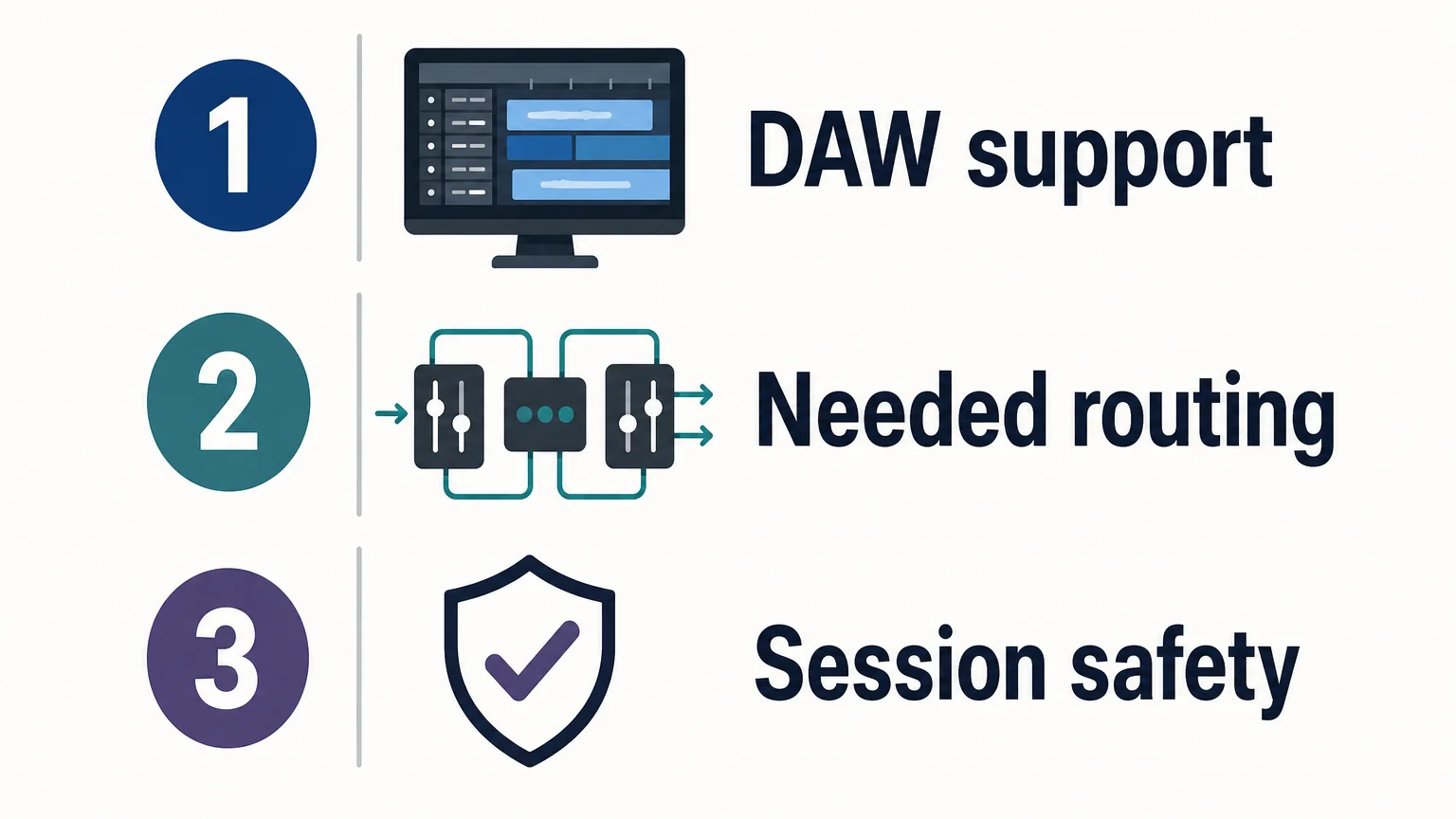
Mac users on Apple Silicon should also confirm the plugin’s processor support. Our VST plugins for Apple Silicon page is relevant if native Mac compatibility is part of the decision. For sound selection, a format is only the container: the instrument’s presets and workflow determine whether it suits melodic trap, drill, R&B, pluggnb, dark trap, lofi, or phonk beatmaking. Our full Pendora edition includes 275+ studio-ready sounds; producers who want to explore our downloadable instruments can browse our VST software.
Make the format fit the session
Choosing between VST and VST3 comes down to host support, the plugin features you need, and whether your projects reopen reliably. VST3 offers capabilities for more flexible routing, automation, and handling silence, but its real-world CPU impact depends on the plugin and DAW. Verify compatibility, test replacements in a copy of your session, and keep the original format available when continuity matters.
Choose a sound bank for your beatmaking setup
Once you have confirmed your DAW can load the format you need, focus on the sounds and workflow that fit your productions. Pendora is our genre-focused sound bank for producers working across melodic trap, drill, R&B, pluggnb, dark trap, lofi, phonk, and related styles.

Our downloadable VST instruments are available through a one-time purchase rather than a subscription. Pendora includes hand-crafted presets and production assets, with royalty-free commercial use under the stated license terms. Browse our VST plugins to compare the available options and check format compatibility for your DAW.
Frequently Asked Questions
Is VST the same as VST2?
VST is the name of Steinberg’s plugin standard, and VST2 is an older version within that family. In everyday conversation, people sometimes say “VST” when they specifically mean VST2.
Does VST3 always use less CPU?
No. VST3 can let a plugin stop processing when its input is silent, but the plugin and DAW need to support that behavior. A demanding instrument or effect can still use substantial CPU.
Can I use VST3 in my DAW?
Only if your DAW and operating system support VST3 and the specific plugin supports your setup. Check the host’s documentation and the plugin’s compatibility details before installing.
Will a VST2 project open with the VST3 version installed?
Not necessarily, because the DAW may treat the two builds as separate plugins. Test a copy of the project and confirm that the plugin state, automation, and routing are restored before relying on the new build.
Which Pendora format should a beatmaker choose?
Our Pendora products support VST3 on Windows and macOS, and AU on macOS. Choose a format your DAW supports, then check the product’s compatibility information for your specific computer and host.
How to Install a VST Instrument and Its Sound Bank
Summary: To install a VST instrument and its sound bank, check that your DAW supports the plugin format and your operating system. Run the developer’s installer, place the library where the instrument expects it, then enable the plugin format in your DAW, rescan, and load the instrument on a MIDI track. A plugin and its sound bank are related, but they are not necessarily the same file.
A plugin can install successfully and still be missing from your DAW if the format, folder, or scan settings do not match. Before downloading, check the instrument’s requirements and whether it provides a separate library installer. If you are working with Pendora presets, follow our guide to how to install Pendora preset packs, since preset packs may use a different process from installing the instrument itself.
The basic process is to confirm compatibility, install the plugin and any separate sound library, then scan for the plugin in your DAW. These steps apply whether you are adding a new synth for beatmaking or installing a sampler library. The details vary between Windows and macOS, and between VST3, VST2, and Audio Units, so use the developer’s instructions when they specify a particular format or location.
Check what the VST and sound bank include
Before you install anything, find out whether your download contains the instrument, a sound bank, or both. A VST instrument is the plugin your DAW loads. Its sound bank may contain presets, samples, or other content that the plugin needs to produce sound. Some products include everything in one installer, while others provide a separate library download or preset pack.
Check the product’s format, operating-system, and processor requirements against your computer and DAW. On macOS, a plugin may be offered as VST3, Audio Units (AU), or both. Windows plugins commonly use VST3 or VST2. A DAW must support the format you install, and a 64-bit host generally requires a compatible 64-bit plugin. Also check whether the plugin supports Apple Silicon natively or requires a different startup mode.
Plan where a separate sample library will live before installing it, especially if you intend to use an external drive. Keep the plugin in the location recommended by its installer, and use the plugin’s own settings to locate its library when necessary. For producers comparing options, our VST sound bank page describes the sound-bank destination; check its product details for supported formats and systems before installing.
Install the plugin and its sound library
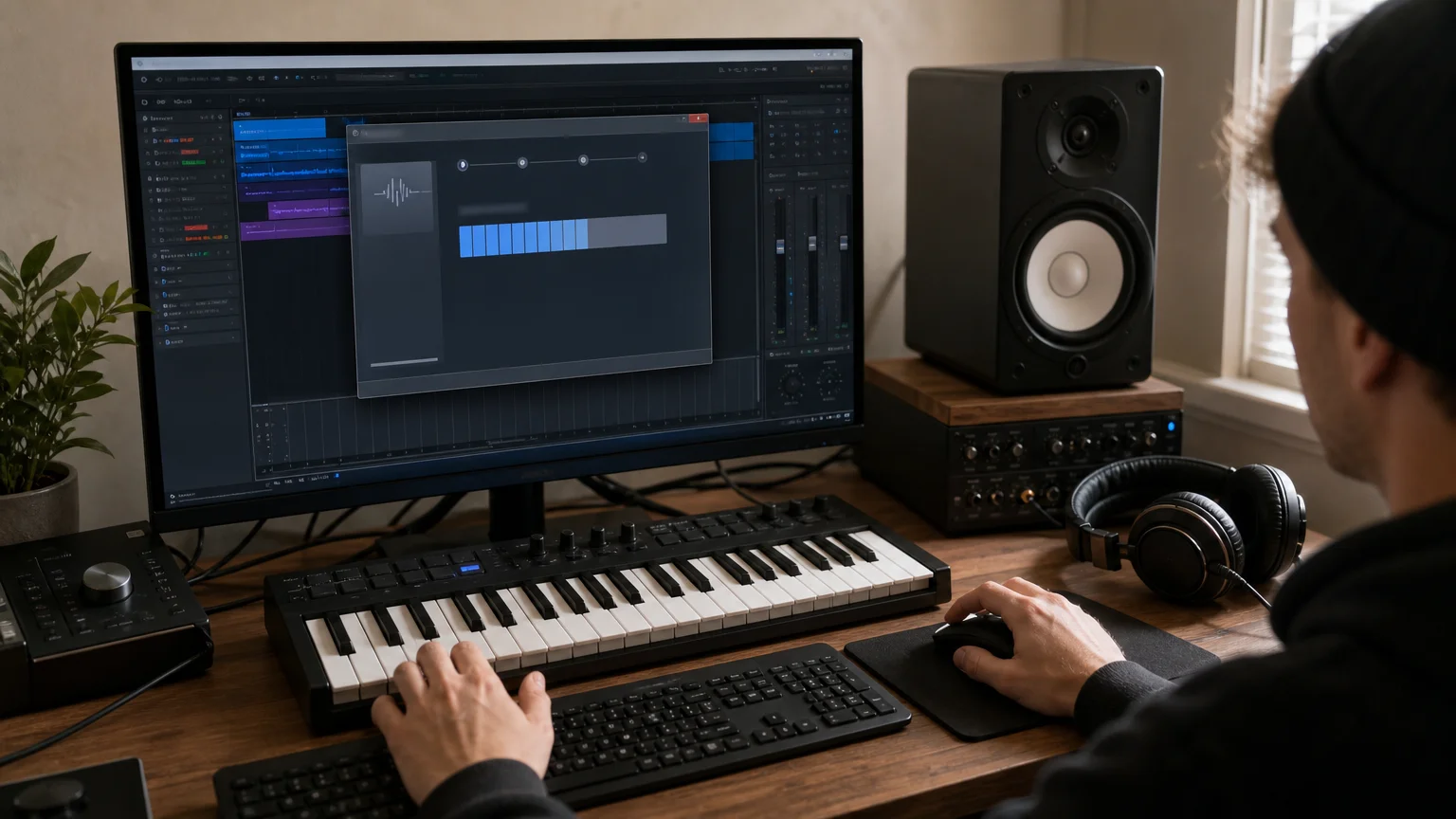
Download the installer from the instrument developer and close your DAW before running it. On Windows, open the supplied installer and follow its prompts. On macOS, open the provided installer package and follow the on-screen steps. Unless the developer gives a specific reason to choose another location, use the default plugin folder so compatible DAWs can find the plugin more easily.
If the installer offers multiple formats, select one that your DAW supports. Avoid placing a VST3 file in an unrelated custom folder if the developer’s instructions specify a system location. For a VST2 plugin that lets you choose its destination, use a consistent folder and make sure your DAW scans that same folder.
Install a separate sound bank or sample library using its own installer, if supplied. If you choose an external drive, connect it before installation and keep the library in a stable folder. After installation, use the plugin’s library or content settings to locate the files if they are not detected automatically. Do not move the library later without updating that location in the plugin.
With Pendora, we provide a download link and license key by email after purchase. Run the installer on your Mac or PC, and the plugin auto-detects the DAW. Pendora supports VST3 on Windows and macOS, and AU on macOS; the supported systems are macOS 11 Big Sur or later and 64-bit Windows 10 or 11.
Scan for the plugin and load it in your DAW
Once installation is complete, open your DAW and enable the plugin format or folder it should scan. In FL Studio, open Options, then File settings, then Manage plugins. Choose the scan options and search paths that match your installation. The FL Studio manual recommends the plugin installer’s default location for most installations and explains how to scan plugins with the Plugin Manager.
After the scan, find the instrument in the plugin browser and load it on an instrument or MIDI track. Play a few notes from a MIDI keyboard or the DAW’s piano roll, then check that the plugin produces audio. If the instrument opens but presets or samples are missing, the plugin may be installed correctly while its separate library still needs to be located.
In Ableton Live, open the Plug-Ins settings and turn on the relevant VST or AU sources, then rescan. Ableton’s Live 12 manual explains how plug-in sources work and notes that AU is available on macOS. For a DAW-specific starting point, our FL Studio VST sound bank and Ableton VST sound bank pages are relevant to producers working in those hosts.
Troubleshoot plugins or presets that do not appear
If the plugin is missing from the browser, first confirm that you installed the correct format and processor version. Then check that your DAW scans the folder used by the installer. If you recently installed or updated the plugin while the DAW was open, restart it or run another scan.
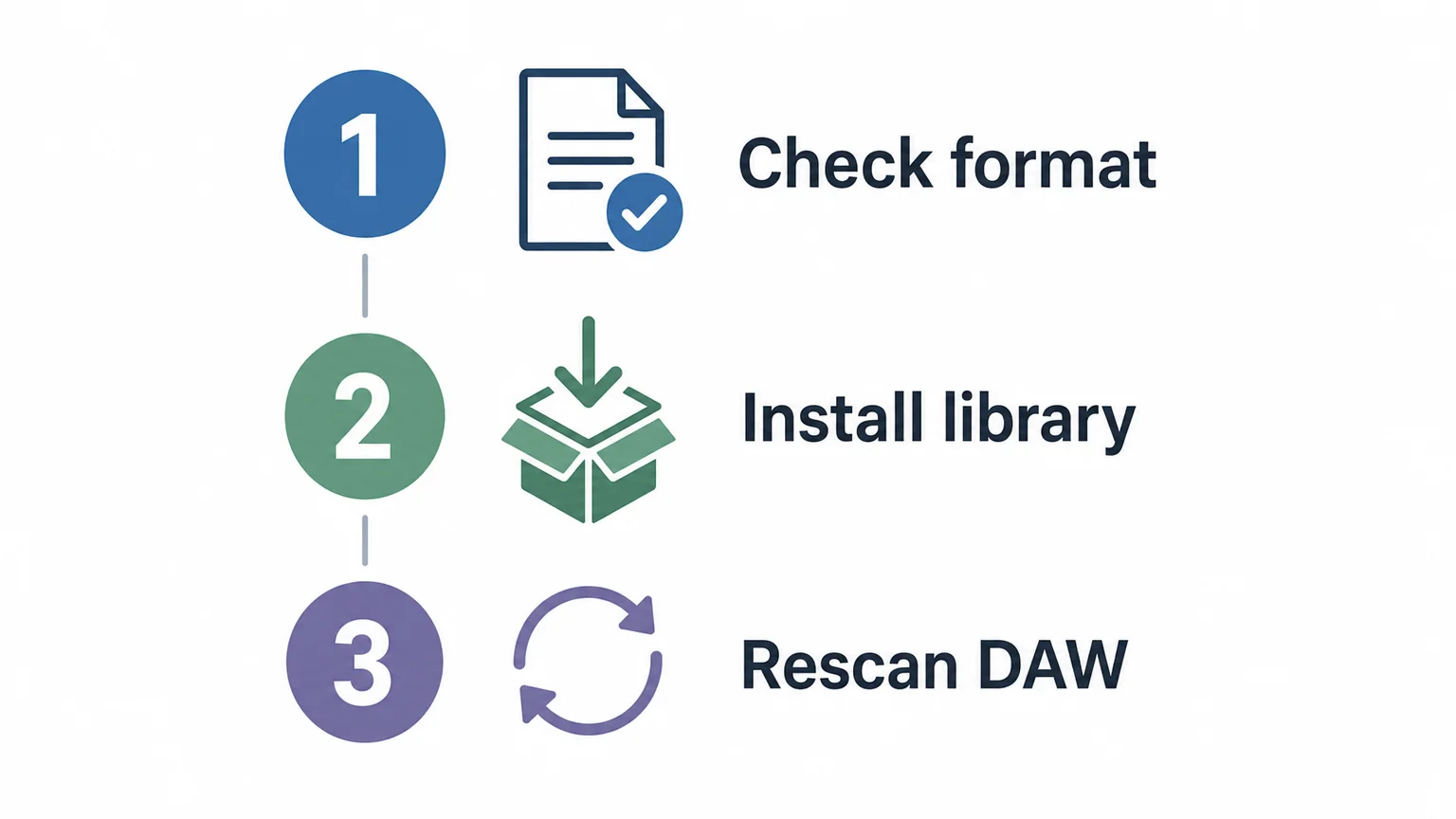
If the plugin opens but cannot find its sounds, open its library or content settings and confirm the folder path. Check that the library download finished and that you installed the correct version for the instrument. For a preset pack, check whether the developer expects you to import, copy, or drag the presets into the plugin rather than install them as a separate instrument.
When a rescan still does not solve the issue, check the DAW and plugin versions, the operating system, and whether the plugin is running in the compatible processor mode. If you are installing Pendora and cannot resolve an installation issue, contact us at contact@tiger-sounds.com. We usually reply to installation and product questions within 24 hours.
Conclusion
Successful installation depends on matching the plugin format to your DAW, keeping any separate sound library in a location the instrument can find, and rescanning after installation. Check compatibility first, follow the developer’s installer directions, and load the plugin on the right track type. With installing a VST instrument and its sound bank, treating the plugin and its library as separate parts makes it easier to identify where a problem occurs.
Choose sounds that fit your workflow
Once the plugin is installed, the sounds you reach for can shape how quickly you move from an idea to a beat. Our Pendora instrument and production assets are made for melodic trap, drill, R&B, pluggnb, dark trap, lo-fi, and phonk workflows.

Pendora’s full edition includes 275+ presets, expansion packs, drumkits, MIDI content, effects, and risers. It is available as a VST3 plugin for Windows and macOS, and as AU for macOS, with support for macOS 11 Big Sur or later and 64-bit Windows 10 or 11. Explore the Pendora VST sound bank to review its contents and compatibility before choosing an edition.
Frequently Asked Questions
Is a VST plugin the same thing as a sound bank?
No. The plugin is the instrument or effect that loads inside your DAW, while a sound bank usually contains presets, samples, or related content. Some products install them together, while others require separate installation or setup.
Where should I install a VST plugin?
Use the default location recommended by the developer unless its instructions say otherwise. If you choose a custom folder, make sure your DAW scans that location and follow the developer’s format-specific guidance.
Why does my plugin not appear in the DAW?
Common causes include installing an unsupported format, choosing the wrong plugin version, or failing to scan the folder where the plugin was installed. Confirm compatibility, enable the correct plugin source, and run a fresh scan.
Can I keep a sound bank on an external drive?
Often, if the instrument lets you choose or relocate its library. Install or move the files to a stable folder, then point the plugin to that location and keep the drive connected when using the instrument.
How do I install Pendora for FL Studio or Ableton Live?
After purchase, run the installer on your Mac or PC, then open your DAW and scan or enable the supported plugin format if needed. Pendora supports VST3 on Windows and macOS, and AU on macOS; check the operating-system requirements before installing.
Why Do Producers Buy Sound Banks Instead of Making Sounds?
Summary: Producers buy sound banks to spend less time building and auditioning every patch, find genre-relevant starting points, and keep a beat moving while ideas are fresh. A bank does not replace sound design: producers can edit presets, layer and process them, or create signature sounds from scratch when that suits the track. Its value depends on fit, useful curation, licensing, and how much gets used.
Making every 808, bell, pluck, pad, and drum from scratch can be satisfying, but it is not the only way to make a distinctive beat. Why do producers buy sound banks instead of making sounds? Often, they want to stay in the writing session rather than lose momentum to patch design and endless browsing. If you are weighing that tradeoff, read about whether sound banks save time when making beats.
The choice is not between creativity and presets. A sound bank can provide a prepared starting point, while the producer still shapes the notes, groove, arrangement, and final tone. The practical question is whether those sounds fit the track and help you make your own decisions faster.
How can a sound bank save production time?
Imagine you have a melody in mind but the session stalls while you scroll through presets, adjust envelopes, and build a patch from a blank oscillator. A sound bank reduces some of that setup and search work by collecting ready-to-play sounds in one place. Instead of creating every starting tone, you can audition a pluck, pad, bell, or bass patch, then move on to writing and arranging.
That matters because a saved minute is useful only if it helps the music progress. In a 2026 survey of 413 producers, respondents said they wanted to finish an average of 7.9 tracks per month but completed 3.7. The survey does not show that sound banks cause producers to finish more tracks, and its respondents were recruited through ads targeting music-production interests. It does illustrate why reducing repeated setup and browsing can appeal to producers trying to keep sessions moving, as the 2026 producer survey shows.
Why does genre-focused curation matter?
A huge library is not automatically useful. When you are making melodic trap, drill, R&B, pluggnb, dark trap, lo-fi, or phonk, you want sounds that make sense for the mood and arrangement you are building. A focused bank can shorten the search by presenting a smaller set of relevant starting points instead of making you audition unrelated sounds.
Curation can also help when you have a beat idea but cannot settle on its lead, bass, or texture. Pick a sound that suggests a direction, then change its notes, rhythm, register, and processing to serve the beat. Our presets and production assets are hand-crafted for specific lanes, including trap, drill, phonk, dark trap, boom bap, and pluggnb. If you are choosing between a standard collection and a tailored one, consider whether custom sound packs are worth more than standard ones.
Does buying presets mean giving up sound design?
No. A preset is a starting point, not a finished musical decision. Producers can change its filter, envelope, effects, pitch, velocity response, or modulation; layer it with another sound; and resample the result. A recognizable preset can become part of a personal sound when the producer changes how it is played and how it sits in the arrangement.
Producers who enjoy building patches can still synthesize from scratch in Serum or Vital, or shape sampled instruments in Kontakt. A sound bank simply offers another route when a prepared tone is more useful than designing one from zero. In a 2026 survey covered by Sound On Sound, almost three-fifths of respondents saw potential for AI to speed up or automate tedious technical tasks. That survey is about AI, not sound banks, but it reflects a similar distinction: reducing repetitive work does not require handing over creative decisions.
When is making a sound from scratch the better choice?
Build from scratch when the sound itself is central to the track’s identity, when you have a specific tone in mind that the bank does not provide, or when sound design is the part of the session you want to explore. A custom bass or lead can give a beat a more individual character, particularly when you shape its movement and harmonics to fit the arrangement.
Making every element yourself can also be rewarding practice. Learning synthesis helps you understand why a patch sounds bright, soft, or aggressive, and makes it easier to adjust presets with purpose. The tradeoff is time: for supporting textures or a quick sketch, deep patch design may not add enough to the track to justify the work.
What should you check before buying a sound bank?
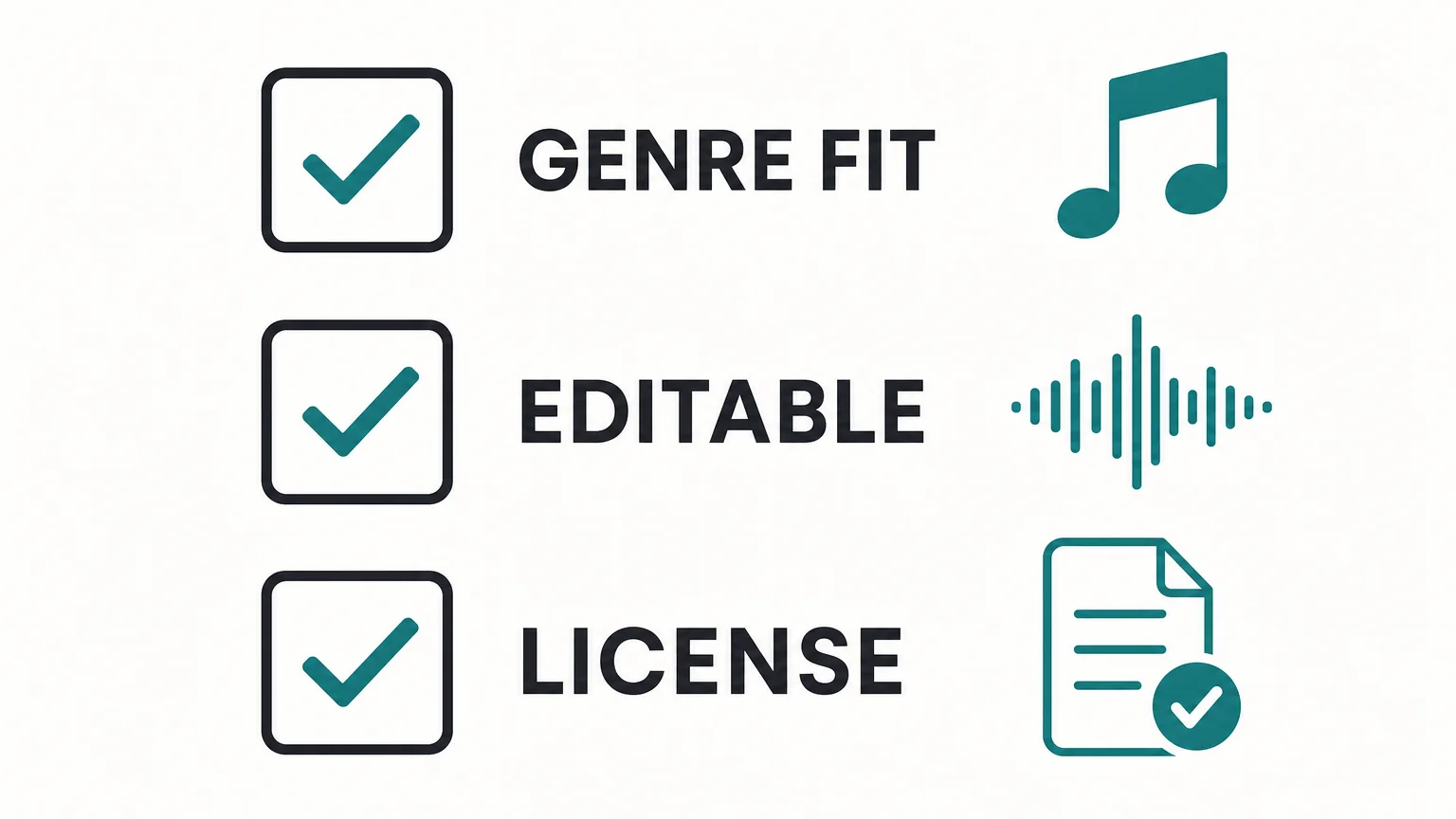
Start with genre fit and sound quality, then check how quickly you can find and edit useful sounds. A long preset count is less informative than a collection where the sounds match your work and you can hear how they behave in a beat. You can also check whether the bank suits your DAW and computer, and whether its license covers the commercial uses you have in mind.
Licensing deserves its own check. A 2026 Berklee report found that 36.9% of surveyed video creators, musicians, marketers, and music supervisors cited at least one licensing or rights-management barrier. That figure concerns music used in video, not sound-bank licenses, but it underlines why you should read the specific terms rather than assume every library grants the same rights. Our products are royalty-free for commercial beats you sell, place, or license under their stated terms, with no additional royalties owed; account sharing and redistribution are excluded.
For a concrete example, our full Pendora edition includes 275+ presets across 30+ sound categories, and its product page displays a 4.71/5 rating from 59 verified-buyer reviews. Those details give you a sense of its breadth and the feedback shown for that edition, but they do not replace checking whether its sound character suits your own tracks. For more selection criteria, see how to judge if a sound bank is worth it.
Choose the workflow that serves the beat
Buying a sound bank instead of making every sound is a practical choice when prepared, genre-relevant starting points help you stay focused on writing and finishing. It does not remove the producer’s role: taste, arrangement, performance, and processing still shape the result. Build from scratch when the sound needs a distinct identity or you want the sound-design practice; use a bank when it helps you reach the next musical decision sooner.
Find Sounds That Fit Your Beatmaking Workflow
If your sessions lose momentum during preset hunting, a focused bank can give you more time to shape melodies, drums, and arrangements. We make Pendora for producers working in trap, drill, dark trap, phonk, boom bap, pluggnb, and related styles, with sounds intended as editable starting points rather than finished beats.

Our full edition includes 275+ studio-ready presets, with a one-time purchase, royalty-free commercial use under the stated terms, and free lifetime updates. Explore our sound bank for producers and choose the edition that fits your workflow.
Frequently Asked Questions
Do professional producers still make sounds from scratch?
Yes. Producers may design signature sounds themselves while using prepared presets or samples for other parts of a track. The choice depends on the sound they need and the time they want to spend creating it.
Is using a preset the same as copying a beat?
No. A preset provides a sound source, not the melody, rhythm, arrangement, or production choices of a finished beat. Producers can edit and process presets to make them fit their own work.
Can a sound bank help when I have beat block?
A curated sound can suggest a new melodic or textural direction when you are stuck choosing a starting point. It cannot replace developing the idea, but it may help you get back to writing.
What should I check before using a sound bank commercially?
Read the specific license for the bank and confirm that it covers your intended release, placement, or beat sale. Do not assume that terms for one sound library apply to another.
What kind of sounds does Pendora include?
Our full Pendora edition includes 275+ presets across categories such as pads, bells, orchestras, plucks, banjos, and dark 808s, alongside production assets. It is focused on styles including trap, drill, dark trap, phonk, boom bap, and pluggnb.
What Red Flags Should You Watch for Before Buying Presets?
Summary: Check that a preset pack works with your exact instrument and DAW, has clear licensing and pricing, and includes previews that let you hear the sounds without production effects masking them. Vague product details, pressure to buy immediately, and no visible support or update information are reasons to pause. A little verification can help prevent wasted money and unusable files.
A preset pack can look convincing in a polished demo and still be the wrong purchase for your setup, genre, or workflow. Before you pay, check what you will actually receive, which plugin version it requires, and what the license lets you do. If you are weighing a sound bank for beatmaking, how to judge whether a sound bank is worth it starts with those practical questions, not a preset count alone.
The biggest warning signs are missing compatibility details, unclear usage terms, vague edition contents, and previews that conceal how a sound really behaves. Treat strong promises as claims to verify, and check the seller’s policies before checkout. A preset should fit your production process, whether you are building melodies in FL Studio, Ableton, or Logic Pro, not just look appealing on a sales page.
Will the presets work with your instrument and DAW?
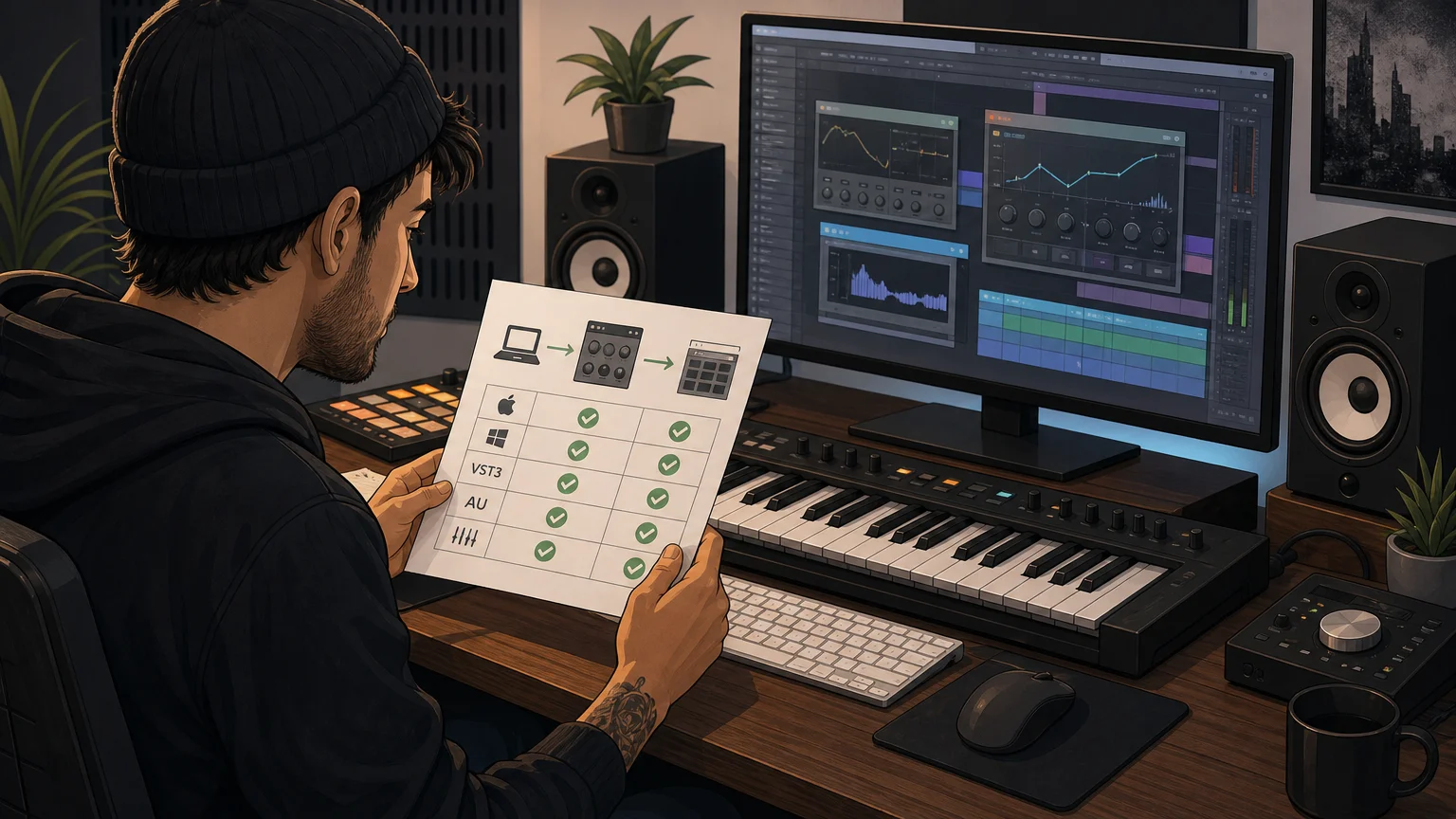
A preset is not automatically portable between instruments. A patch made for Serum may not load in Omnisphere, Kontakt, or Vital, and even compatible instruments can have version or format requirements. Look for the exact synth or sampler, minimum version, required expansion content, and any installation steps. “Works in any DAW” is too broad unless the product page explains the plugin format and the instrument the presets were built for.
Also match the plugin format to your setup. Check whether the download includes VST3, AU, or another format your host can load, and whether your operating system and processor are supported. A vendor’s own documentation is the best place to confirm details: Spectrasonics compatibility guidance, for example, directs users to its compatibility FAQs for current system information.
For our Pendora products, the stated requirements are macOS 11 Big Sur or later, or Windows 10 or 11, 64-bit only. VST3 is supported on Windows and macOS, while AU is supported on macOS. Check the exact edition and your DAW before buying, since a product’s general compatibility statement does not guarantee that every format suits every computer.
Can you hear what the pack actually sounds like?
A product page should make its sound and contents understandable before you buy. Look for audio previews or demonstrations that let you hear individual presets, not only a finished beat with drums, effects, and mastering layered over everything. A mix can make a weak or unsuitable preset seem more compelling than it is. When possible, listen on headphones and compare the demo sounds with the music you intend to make.
Check whether the listed contents name useful categories, such as bells, pads, plucks, basses, or 808s, rather than relying on a large number with no explanation. A pack with hundreds of patches may still leave you scrolling if the sounds are poorly labeled or do not fit your lane. Genre fit matters: melodic trap, drill, R&B, pluggnb, dark trap, lo-fi, and phonk can call for different sound palettes.
Our sound-bank work focuses on those production lanes, including drill. If that is your target, compare the sounds and included assets with your own workflow, and see our preset packs worth buying for drill beats page for more on that specific use case.
Be cautious when a listing relies on superlatives such as “unlimited sounds” but gives no sample names, category breakdown, or meaningful demo. A clear description helps you judge whether the pack is likely to complement your existing instruments rather than repeat sounds you already own.
Does the license explain commercial use and restrictions?
“Royalty-free” does not automatically mean “no restrictions.” Read the license for what it permits in finished tracks, beats you sell or license, client work, and monetized releases. Also check what it prohibits, especially reselling or sharing the raw presets, redistributing files, or transferring an account. If those terms are missing or difficult to find, ask the seller to clarify them in writing before purchase.
Keep the distinction between using a sound in a new musical work and distributing the sound itself. A license may allow commercial tracks while still restricting access to the original preset files. Do not rely on a banner or a short marketing phrase when the detailed terms say something narrower.
Our Pendora products include royalty-free commercial use under their stated licensing terms, with account sharing and redistribution excluded. That is the scope to check for our products; it should not be assumed to apply to another seller’s library.
Are the price, edition, and payment terms clear?
Before checking out, confirm the exact edition, total price, currency, and whether the payment is one-time or recurring. Look for differences between a starter selection and a full bundle, and check whether the advertised preset count includes expansions, duplicates, or bonus files. A crossed-out “value” or limited-time discount is not a substitute for knowing what is included and what you will actually pay.
Our full edition has been listed at €149 on some pages and $147 on another, so check the current checkout total rather than assuming those amounts are interchangeable. If you want a framework for evaluating pricing and contents, read what a normal price range is for quality sound banks.
Also inspect the checkout for taxes, renewal conditions, and other charges before confirming. A payment page that makes subscription terms difficult to spot, or a listing that does not identify which edition the price covers, deserves a closer look. Keep a copy of the product description and license shown at the time of purchase.
Can you identify the seller and reach support?
Look for a clear business identity, working contact method, delivery information, and accessible terms for updates and refunds. A seller does not need a large support department, but buyers should be able to find out how download access works and where to ask for help if installation fails. No clear support route can turn a simple format mismatch into a difficult problem.
Reviews can help, but read for specifics: which product was reviewed, whether the review is identified as a verified purchase, and whether comments describe the actual sounds, installation, or support. A star rating without context is not enough to judge whether a pack suits your setup. For a broader look at review patterns, see our page on sound banks with the worst reviews.
Be wary of pressure tactics that discourage you from checking those details. A countdown timer or “buy now or lose everything” message does not prove a seller is dishonest, but it is a reason to slow down. The SEC investor alert warns against letting pressure to buy immediately prevent investigation. That advice concerns investments, but the practical habit of taking time to verify a digital purchase is useful here too.
Our team has operated since 2020, and we provide product and compatibility information alongside our sound banks. Those details give you a starting point for evaluating the seller, but still read the terms and confirm that the specific product fits your workflow before ordering.
What should you check right before buying?
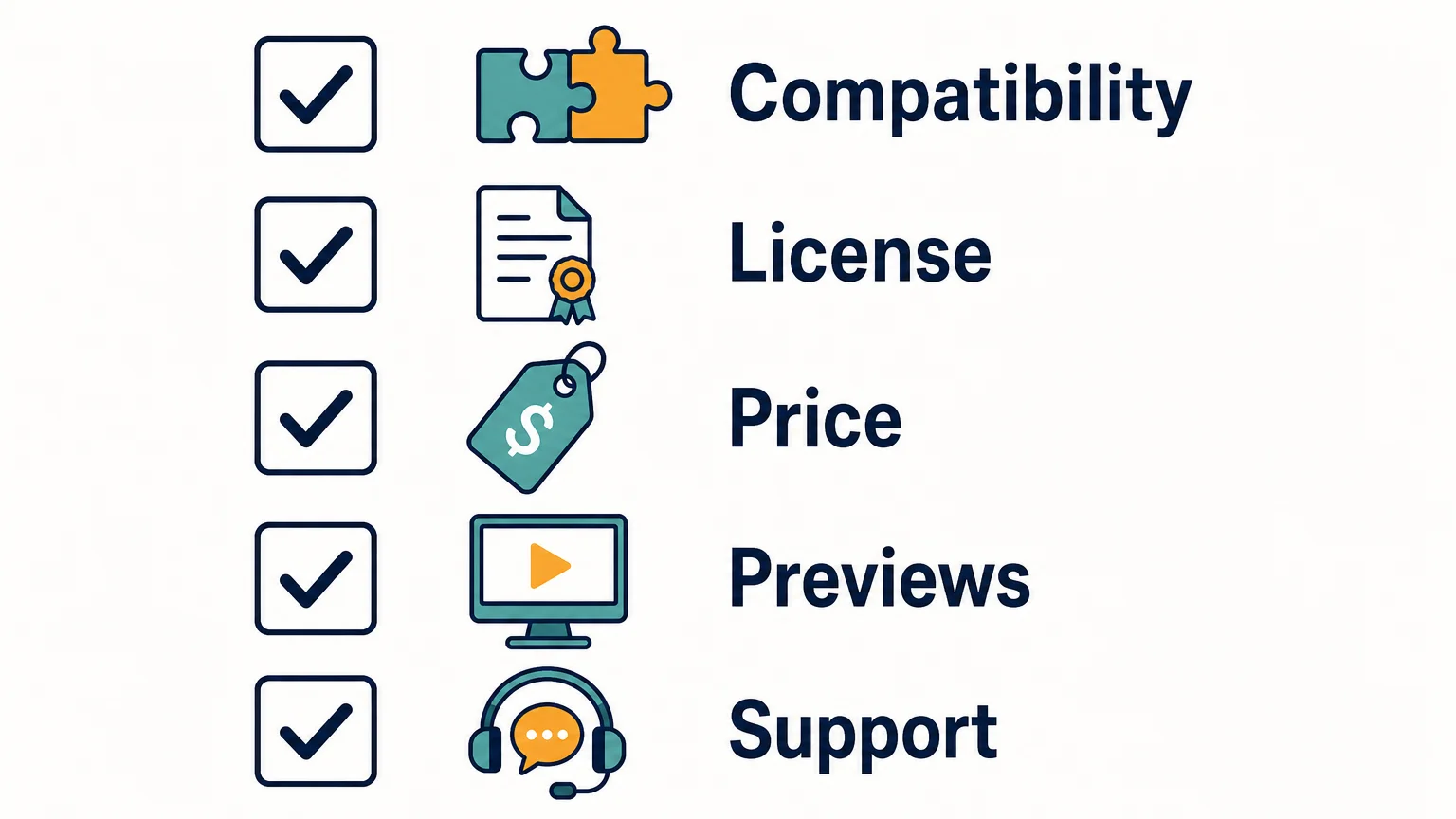
Use a short pre-purchase checklist to catch gaps that a polished product page can hide. If one of these basics is unclear, pause and ask the seller before paying:
- Compatibility: Does the listing name your exact instrument, version, plugin format, operating system, and DAW requirements?
- Contents: Are the preset categories and any included kits, MIDI, or expansions described clearly?
- Previews: Can you hear representative sounds without a full beat masking them?
- License: Are commercial use and restrictions on sharing or redistributing files explained?
- Payment and support: Is the price for the selected edition clear, and can you find delivery, update, and support information?
A pack does not have to answer every question in the same way to be worthwhile. The key is being able to understand the trade-offs before purchase, rather than discovering after checkout that a format, license, or missing sound category makes it unsuitable.
Make the checks before checkout
Red flags before buying presets include unclear compatibility, vague licensing, thin or heavily processed demos, confusing pricing, and no credible way to contact the seller. Verify the exact instrument and edition, listen for sounds that fit your beatmaking lane, and save the terms you agreed to. If a key detail cannot be confirmed, wait for a clear answer before spending.
Choose Presets That Fit Your Sound
Once you know your DAW, instrument, license needs, and genre, it becomes easier to judge whether a sound bank belongs in your workflow. We build Pendora for producers exploring melodic trap, drill, R&B, pluggnb, dark trap, lo-fi, phonk, and related styles.

Our full Pendora edition includes 275+ studio-ready presets, alongside expansion packs and production assets. It is a one-time purchase with royalty-free commercial use under the stated terms, which exclude account sharing and redistribution. Review the edition details and compatibility information in the Pendora preset collection before deciding whether it fits your setup.
Frequently Asked Questions
What is the biggest red flag when buying presets?
Missing compatibility or licensing details are serious warning signs because they affect whether you can use the files and what you are allowed to do with them. Confirm the exact instrument, version, format, and license before paying.
Can I use royalty-free presets in beats I sell?
That depends on the product’s license, so check its commercial-use terms rather than relying on the phrase “royalty-free” alone. Confirm whether the license permits your intended releases and restricts redistribution of the original files.
How can I tell whether a preset demo is useful?
Listen for individual sounds or clear demonstrations where the preset is not buried under drums and heavy processing. Check that the examples include sounds relevant to your genre and intended production workflow.
What should I check if a preset pack lists several plugin formats?
Make sure the format matches both your DAW and operating system, then verify any required instrument version or expansion content. A format listed on a sales page does not by itself confirm compatibility with your exact setup.
Is Pendora suitable for checking before a larger sound-bank purchase?
Pendora Lite is a smaller, 30-preset entry edition intended to let producers evaluate the sound before upgrading. Check its product page for the current compatibility details and terms that apply to the edition.

Talkbox vs Vocoder: What’s the Difference for Beatmakers
A talkbox sends an instrument’s sound through a tube into your mouth, and your mouth shapes it into words before a microphone picks it up. A vocoder does it electronically: it analyzes your voice and uses it to filter a synth, so the synth “speaks.” For a beatmaker in a DAW, the short answer is this: grab a vocoder for robotic, sci-fi, choir-like textures, and grab a talkbox (or a talkbox plugin) when you want that West Coast, Roger Troutman, “California Love” funk voice.
Both effects need two sounds, a voice and an instrument. The difference is where the voice gets turned into a filter, and that changes how each one sounds, how hard it is to play, and what it costs you to get started.
- How a talkbox and a vocoder actually work
- Talkbox vs vocoder: side-by-side table
- How each one sounds on a beat
- Getting each sound in FL Studio and other DAWs
- Why your carrier sound matters more than the plugin
- Which one should you choose
- FAQ
How a talkbox and a vocoder actually work
The talkbox: your mouth is the filter
Sound on Sound describes the talk box as an electromechanical device: it amplifies the instrument you want to make “talk,” sends that signal to a horn-type driver, and the driver’s output goes into a short, flexible tube. The end of the tube sits in the performer’s mouth, next to a microphone. When you shape words with your mouth, your mouth acts as an acoustic filter on the instrument, and the mic records the result (Sound on Sound).
The important detail: your vocal cords do not make the pitch. The instrument does. You mouth the words, the keyboard or guitar supplies the notes. Electro-Harmonix, who made the Golden Throat talk box in the mid 70s to early 80s, puts it plainly: it “physically pumped audio (not an electronic signal) up a tube, into the player’s mouth, to then be shaped and captured via an external microphone” (EHX).
The vocoder: a bank of filters does the work
A vocoder is fully electronic. Sound on Sound traces it back to Homer Dudley in the 1930s, who built it for telecommunications, not music. It takes two inputs: the carrier (your instrument, usually a synth) and the modulator (your voice). The voice is split into frequency bands by a set of parallel filters. When the voice has energy in a band, the vocoder opens the matching band on the synth. Line up enough bands and the synth takes on the shape of your words.
Image-Line’s manual for Vocodex, the vocoder in FL Studio, says the same thing in DAW terms: vocoding uses “the real-time frequency spectrum of one sound (Modulator) to modulate the frequency spectrum of another (Carrier)” (Image-Line).
Talkbox vs vocoder: side-by-side table
| Criterion | Talkbox | Vocoder |
|---|---|---|
| What shapes the sound | Your mouth, acoustically | Electronic filter bank driven by your voice |
| Who sets the pitch | The instrument you play | The carrier synth you play |
| Signature sound | Warm, wet, funky, very “human” | Robotic, smooth, choir-like, sci-fi |
| Classic users | Roger Troutman (Zapp), Peter Frampton, Joe Walsh, Stevie Wonder | Synth pop, electronic, robot-voice hooks |
| Hardware entry price | MXR Talk Box M222: $209.99, plus a mic and a keyboard | Hardware vocoder synths exist (Sound on Sound cites the Korg MS2000B), prices vary |
| Software option | Talkbox plugins and modules (iZotope VocalSynth 2 Talkbox module, mda Talkbox) | Many, including two stock FL Studio plugins (Vocodex, Fruity Vocoder) |
| Learning curve | Steep on hardware: you play keys and mouth words at once, with a tube in your mouth | Low: record a vocal, route a synth, tweak bands |
| Can you fix it after recording? | Hardware: no, the performance is printed. Plugin: yes | Yes, change the synth, notes or bands any time |
| Best genre fit for beatmakers | G-funk, West Coast, R&B, funk-flavored trap | Ambient intros, dark hooks, electronic, experimental trap |
Prices checked October 2026 on the manufacturers’ pages. Hardware talkboxes are where the talkbox loses: on top of the box itself you need a mic, a keyboard or guitar, and real practice time. A vocoder in software costs nothing extra if your DAW already ships one.
How each one sounds on a beat
Talkbox: the funk voice
The talkbox has a wet, throaty character because a real mouth, with a tongue and teeth, is shaping real air. That is why it reads as “human” even when it is clearly an instrument. In hip-hop it is tied to one name. EHX calls Roger Troutman “the Godfather of talkboxing”: a Parliament/Funkadelic protege who went on to form Zapp, and who re-recorded his talkbox parts when 2Pac and Dr. Dre remade “California Love” in 1995.
On a modern beat, the talkbox works best as a hook or a melodic answer to the rapper, playing simple chord tones or a short sung phrase. Think West Coast bounce, R&B intros, or a trap beat that wants some funk in the top line. It sounds best with fewer, clearer words, because the listener has to decode them through the instrument.
Vocoder: the robot, the choir, the haze
A vocoder sounds more synthetic because the voice never touches the sound directly, it only steers filters. The number of bands changes the character a lot. Image-Line notes that Vocodex lets you pick from 5 to 100 bands, that “more is not necessarily better,” and that “many ‘classic’ vocoder effects from the past use 8-16 bands.” Fewer bands give you that blocky robot voice. More bands give you clearer words and a smoother, almost choir-like pad.
For trap and drill, the vocoder shines in places where words matter less than texture: a dark intro tag, a vocal pad under the melody, or a hook where you hum chords into a pad. Sound on Sound also mentions “drumcoding,” using drums as the modulator instead of a voice, so a pad or keys line pumps with the rhythm of your drums. That trick is underrated for ambient trap and pluggnb.
Getting each sound in FL Studio and other DAWs
Vocoder in FL Studio
FL Studio has two vocoders built in:
- Vocodex: 5 to 100 bands, an integrated carrier synth, and sidechain input if you want to use your own synth as the carrier. Image-Line lists it as “available only in Producer Edition or higher.”
- Fruity Vocoder: a zero-latency vocoder with 4 to 128 bands. By default “the left channel is the modulator and the right channel is the carrier,” so the classic setup is to pan your vocal hard left and your synth hard right into the same mixer track (Image-Line Fruity Vocoder manual).
Outside FL Studio, TAL-Vocoder is an 11-band vintage-style vocoder modeled on early 80s units, with its own internal synth and sidechain routing for an external carrier. It runs as VST, VST3, AU, AAX and CLAP.
Talkbox in software
A talkbox plugin cannot put a tube in your mouth, so it imitates what the mouth does to the sound. You still route a voice and a synth into it, which is why talkbox plugins and vocoders feel similar to set up. The difference is the result: a good talkbox plugin aims for that rounder, vowel-heavy mouth sound instead of the band-by-band robot.
- iZotope VocalSynth 2 ($199.00) has a dedicated Talkbox module, described as “vintage style envelope modulation” to get “the chunky, unmistakable sound of a talkbox without the learning curve or hardware setup.” The same plugin also has a separate Vocoder module, so you can compare both on the same vocal (iZotope).
- mda Talkbox is the old free option. It has no custom interface, and users on KVR describe routing the synth and vocal into one group track, panned hard left and right. We cover it and other options in our talkbox VST guide.
The honest catch: no plugin fully nails a real talkbox. The hardware wins on feel because a player reacts in real time. If talkbox is the center of your sound, real hardware like the MXR Talk Box M222 ($209.99, with its own built-in amp and speaker driver, an 8-foot tube and a mic stand clip) is the path. If it is one color among many, a plugin is enough.
Why your carrier sound matters more than the plugin
Both effects only output what the carrier gives them. A thin saw wave through a great vocoder still sounds thin. Image-Line’s advice for Vocodex is direct: “Good Carrier sources are bright lush synth-pad sounds,” and good modulators are “speech, singing & percussion.”
A few rules that hold for both talkbox plugins and vocoders:
- Use a harmonically rich carrier. Saws, wide pads and buzzy leads give the filters something to carve. Pure sine waves and soft bells give almost nothing to work with.
- Hold chords for the vocoder. Long sustained pad chords under a spoken or hummed vocal give the classic choir effect.
- Play monophonic for talkbox. Talkbox lines sound most authentic as one note at a time with some glide, the way a player on a single synth would perform them.
- Record a clean, dry vocal. Reverb and noise on the modulator smear the words. Add effects after the vocoder, not before.
- Enunciate harder than normal. Consonants get lost in both effects, so over-pronounce.
This is where a preset bank comes in. Pendora is not a talkbox or a vocoder: it is a sound bank of 275+ presets (pads, bells, orchestras, plucks, banjos, dark 808s) aimed at trap, drill, dark trap, phonk, boom bap and pluggnb. Its pads work as carriers in Vocodex or VocalSynth like any rich pad would. If you only want vocal effects, you do not need it: FL Studio’s stock synths can feed a vocoder fine. If you also want a dark pad palette for the rest of the beat, Pendora Lite (29 euros, 30 presets) is a low-risk way to test the sound first.
Which one should you choose
- Choose a vocoder if you want robot voices, choir pads, dark ambient tags, or you just want to experiment for free. If you own FL Studio Producer Edition or higher, Vocodex is already there.
- Choose a talkbox plugin if you want the West Coast and R&B funk voice in your beats but do not want to learn an instrument and a tube at the same time. VocalSynth 2 is the most complete paid option because it also includes a vocoder.
- Choose a hardware talkbox if you play keys, you perform live, or talkbox is your signature. It is the only way to get the real feel, and it costs more in practice time than in money.
- Choose neither if you mostly want pitch-corrected or robotic rap vocals. That is a pitch correction job (Auto-Tune style), not a vocoder or talkbox job. Our vocal plugin guide covers that chain.
FAQ
Is a talkbox the same as a vocoder?
No. A talkbox shapes an instrument’s sound acoustically with your mouth through a tube. A vocoder shapes a synth electronically, using a filter bank controlled by your voice. They can sound close, but the talkbox is warmer and more human, and the vocoder is more synthetic.
Is “California Love” a talkbox or a vocoder?
Talkbox. Electro-Harmonix credits Roger Troutman’s talkbox work for the song, and Troutman re-recorded his parts for the 1995 2Pac and Dr. Dre version.
Do you need to sing well to use either one?
No. With both, the instrument supplies the pitch. You only need clear words and good timing. A monotone spoken vocal works fine as a vocoder modulator.
Can I get a vocoder for free in FL Studio?
FL Studio ships Fruity Vocoder and Vocodex as stock plugins, so there is no extra cost beyond your FL Studio license. Image-Line lists Vocodex as Producer Edition or higher. Free third-party talkbox options also exist, but expect a rougher sound than paid tools.
Do talkbox and vocoder effects work on trap and drill beats?
Yes, in small doses. A vocoder works well for dark intros and textured hooks. A talkbox works best on melodic, bouncy or R&B-leaning trap. On hard UK or NY drill, both usually sit better as a short tag than as the main melody.
Verdict
The talkbox is a performance instrument with a human, funky voice. The vocoder is a studio effect with a robotic, textural voice. For most beatmakers on a budget, start with the vocoder already in your DAW, add a talkbox plugin if you want the West Coast sound, and only buy hardware if the talkbox becomes part of your identity. Whatever you pick, the carrier sound decides half the result, so feed it a rich pad. If you need a dark pad palette for trap and drill, check Pendora or browse the full Tiger-Sounds shop.

Pendora V3 Complete Edition: A Producer’s Practical Guide
Summary: Pendora V3 Complete Edition is the full Pendora VST sound bank, with 275+ presets for trap, drill, dark trap, phonk, boom bap, and pluggnb, plus expansion and production assets. It is a one-time purchase with royalty-free commercial use under the stated license, but sound fit, compatibility, checkout price, and redistribution limits are worth checking before you buy.
A producer considering Pendora V3 Complete Edition should start with a practical question: does a genre-focused sound bank fit the beats they make? Our full edition centers on trap, drill, dark trap, phonk, boom bap, and pluggnb. Producers who need custom-built content can look at our Pendora Ultimate Custom Edition, a separate tier rather than part of V3. That distinction matters because a large preset count alone does not make a library useful for every workflow.
Pendora V3 combines an instrument with expansion packs and production assets, so it is intended for producers who want melodic sounds and beatmaking material in one purchase. Before deciding, check whether its sound character suits your sessions, confirm the plugin format for your DAW, and review the price and license terms. Those details make it easier to judge the full edition on workflow fit, not just the number of included sounds.
What does Pendora V3 Complete Edition include?
The full edition is a genre-focused sound bank with 275+ presets, including pads, bells, orchestras, plucks, banjos, and dark 808s. The sounds are intended for trap, drill, dark trap, phonk, boom bap, and pluggnb production, rather than serving as a general library for every genre.
Alongside the instrument, the edition includes three expansion packs, the Producer Kit, two drumkits, an FX pack, and MIDI content. The product description also lists 100+ MIDI files and seven mix presets. This mix of melodic presets and beatmaking materials gives you options for building a track, from choosing a lead or pad to shaping drums and adding effects.
If you are evaluating the sound, listen for how the presets work in your own arrangements. A bell that feels distinctive in isolation may sit differently once the 808, drums, and vocal space are in place. Using the sounds in a short loop is a more useful test than relying on preset count alone.
How does the full edition compare with Lite and Ultimate?
For a producer who wants to test the sound before committing to a larger bank, Lite is the smaller entry option. The full edition expands the preset range and adds more production assets, while Ultimate is a separate custom tier for producers seeking tailored content and a broader kit collection.
- Pendora Lite: 30 presets for trap and drill, plus bonus kits and a MIDI pack. It suits producers who want a smaller entry selection to evaluate the sound.
- Pendora V3: 275+ presets, three expansion packs, and additional production assets including MIDI, drums, and FX. It suits producers looking for the broader sound bank and beatmaking workflow.
- Pendora Ultimate: the sound bank with custom-built presets, all Tiger-Sounds kits, lifetime access to future kit releases, and 5,000+ exclusive MIDI files. It suits producers who specifically want a custom package.
Compare the tiers by the kind of material you will actually use, not by the longest feature list. If you mainly need a focused preset set to try, Lite may be enough to assess the sound. If you want the broader library and included production materials, the full edition is the relevant tier; custom content and extensive MIDI are the reasons to consider Ultimate instead.
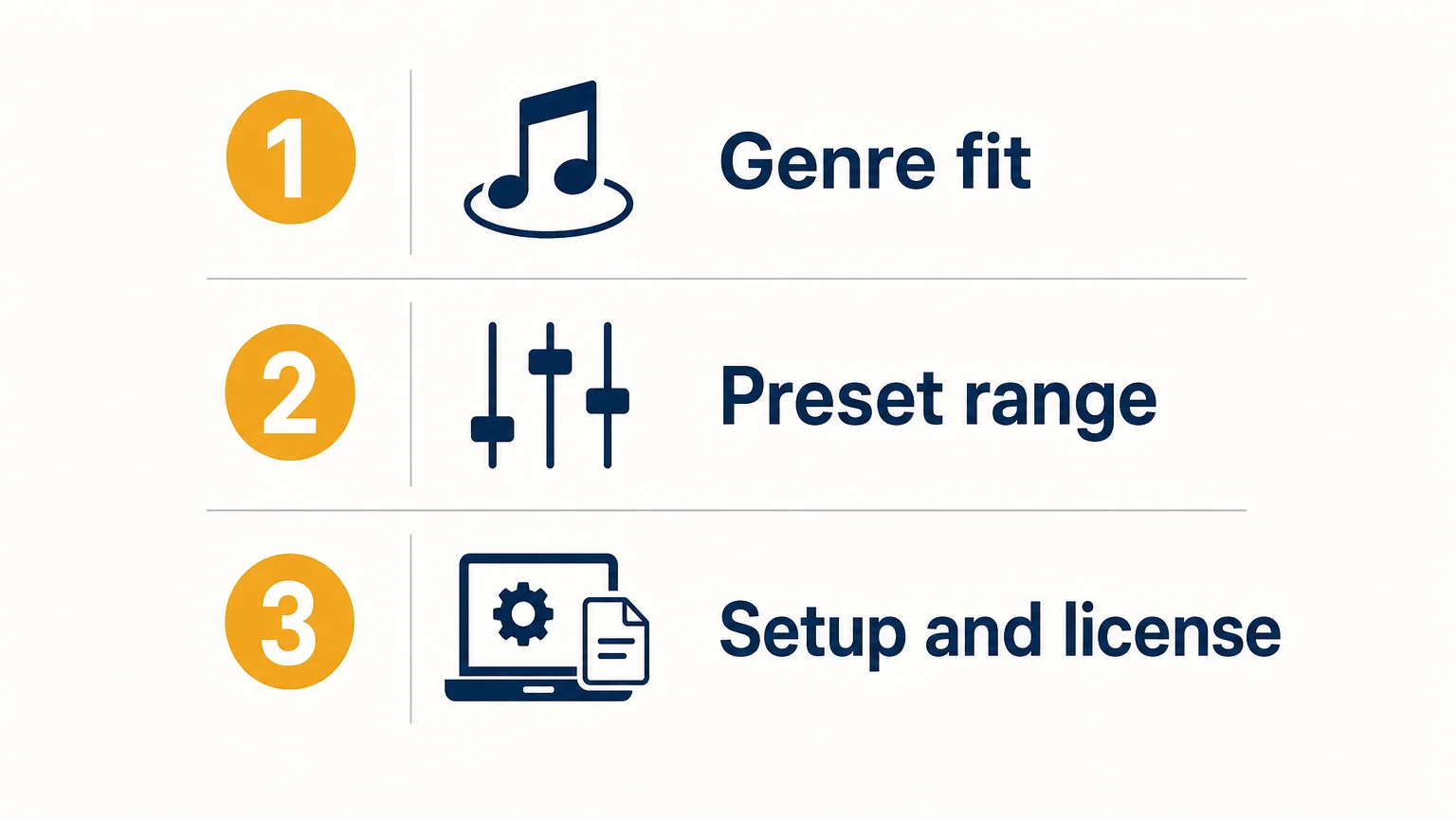
Will it run in your DAW and on your computer?
Compatibility depends on your operating system and the plugin format your DAW supports. Pendora V3 supports VST3 on Windows and macOS, and AU on macOS. The stated system requirements are macOS 11 Big Sur or later, or 64-bit Windows 10 or 11; native Apple Silicon support is included.
The product has been tested with FL Studio, Ableton Live, Logic Pro, Cubase, Pro Tools, and Reason. Check the exact DAW version and plugin format you use before installing, especially if your sessions rely on a particular format. After purchase, the installer is designed to detect compatible DAWs. For setup steps, see how to install Pendora preset packs.
Installation is only one part of the check. Make sure you have enough available storage and confirm that your operating system meets the stated requirements. If your studio uses more than three personal computers or requires a wider studio installation, contact us before assuming that the standard personal-computer allowance covers it.
What do the license, updates, and price mean for buyers?
Pendora is a one-time purchase, not a subscription, and includes lifetime updates under the stated terms. Commercial use is royalty-free within those terms, so you can use the sounds in beats you sell, place, or license without additional royalties. The license does not permit account sharing or redistribution of the product files.
As of October 6, 2026, Pendora V3 pricing is inconsistent across our product pages: some list €149, while another lists $147. A bundle page also displays a stated $499 value alongside a $147 price. Check the total and currency at checkout before purchasing, and use our Pendora V3 pricing page to review the available pricing information.
What evidence can help you assess the sound bank?
Our website reports that Pendora is used by more than 500 producers and has been featured by more than 15 YouTube producers with a combined audience of 500,000+ subscribers. Those features are not proof that the creators are paying customers or formal distribution partners, but they can help you find beatmaking examples and hear how the sounds are used.
As of October 6, 2026, the V3 product page displays a 4.71/5 rating based on 59 verified-buyer reviews. That rating applies to the full edition, not to every Pendora tier. Reviews can help surface practical reactions, but your own genre needs and listening test remain the most useful way to judge whether the presets fit your sound.
Also note that Pendora VST is our instrument and is separate from the unrelated Cymatics PANDORA plugin. The similar names do not mean the products share sounds, features, or licensing terms.
Choose by sound, setup, and license
A genre-focused sound bank is most useful when its presets fit your production lane and its formats work in your DAW. Before buying, audition sounds in a beat, confirm your operating system and plugin format, and check the checkout price and license conditions. If you need a smaller evaluation selection or custom-built content, compare those tiers against what you will actually use.
Explore the Pendora sound bank
If you are looking for distinctive sounds for trap, drill, dark trap, phonk, boom bap, or pluggnb, begin by checking whether the preset character fits your sessions. Consider the full edition when you want a broader sound bank with expansion packs and production materials, and review compatibility and licensing before purchase.

Our Pendora V3 sound bank includes 275+ presets, three expansion packs, MIDI content, and additional production assets. It is a one-time purchase with royalty-free commercial use under the stated license, plus lifetime updates subject to the account-sharing and redistribution exclusions. Explore the Pendora sound bank and check the available product details before choosing your edition.
Frequently Asked Questions
What genres is Pendora V3 designed for?
It focuses on trap, drill, dark trap, phonk, boom bap, and pluggnb. Listen to the presets in a loop or beat to check whether their character fits your production.
Does Pendora V3 work in FL Studio and Ableton Live?
Those DAWs are among the hosts listed as tested. Confirm that your operating system and the plugin format you plan to use are supported.
Can I use Pendora sounds in commercial beats?
Commercial use is royalty-free under the stated product license, with no additional royalties owed for beats you sell, place, or license. Account sharing and redistribution of product files are excluded.
Is Pendora V3 a subscription?
No, it is a one-time purchase rather than a recurring subscription. Lifetime updates are included under the stated terms.
Is Pendora VST the same as Cymatics PANDORA?
No. Pendora VST is our sound bank, while Cymatics PANDORA is an unrelated plugin. The similar names refer to separate products.




