Purity VST Sound Bank: Features, Sounds, and DAW Fit
Summary: Purity is a PCM-based VST sound bank built around classic workstation tones, fast preset browsing, multitimbral layering, and low resource use. It suits producers who want immediate pianos, pads, bells, plucks, orchestral sounds, drums, and nostalgic digital textures, while producers seeking tightly focused modern trap and drill sounds may prefer a genre-specific instrument such as Pendora.
More presets do not automatically mean a better beatmaking workflow. If you are searching for a Purity VST sound bank, our free VST sound banks can provide useful context before you compare a broad ROMpler with a focused production instrument.
Purity occupies a specific place in music production. It is closer to a software workstation than to a deep wavetable synthesizer such as Serum or Vital. Its appeal comes from quick access to familiar PCM tones, simple editing, layering, integrated effects, and modest system requirements.
What is Purity VST, and who is it for?
Purity is a PCM-based virtual instrument and ROMpler. Instead of asking you to build every sound from oscillators, filters, and modulation routes, it gives you a large collection of sampled and programmed tones that can be loaded quickly.
The concept resembles a compact digital workstation inside your DAW. You can browse presets, layer several sound sources, split keyboard zones, shape envelopes, apply effects, and create patterns without opening multiple complex instruments. That makes it practical for beatmakers who want to move from an idea to a playable melody with limited technical setup.
The wider VST ecosystem includes both commercial and open-source instruments. A 2025 academic study from Vrije Universiteit Amsterdam analyzed 299 open-source VST repositories and more than 15,000 data points, illustrating how broad the plugin development landscape has become through the VST ecosystem study.
Purity is therefore most suitable for producers who value speed, recognizable workstation character, and broad instrument coverage. It is less suitable if your priority is advanced wavetable manipulation, modular routing, detailed multisampling, or a highly specialized modern sound palette.
How large and varied is the Purity sound bank?
The headline figure depends on which product description you consult. Purity is presented with more than 1,300 factory presets in its general overview, while its detailed specification lists 1,622 factory sound presets, including phrases and loops.
This difference is worth noting rather than treating the numbers as identical. Either figure represents a broad preset library, but the practical value depends on how quickly you can find sounds that match your arrangement. A large browser is useful only when categories, colors, and search behavior support your workflow.
The sound palette covers many conventional workstation families. You can expect pianos, electric pianos, organs, strings, brass, woodwinds, guitars, basses, pads, leads, bells, plucks, mallets, percussion, drum sounds, effects, arpeggios, and sequences.
For trap, pluggnb, R&B, and melodic hip-hop, the most useful areas are often pads, bells, plucks, keys, atmospheric textures, simple leads, and layered digital tones. Purity can also support pop, EDM, game music, ambient arrangements, and soundtrack sketches because its library is not limited to one production lane.
Does Purity fit modern trap and beatmaking?
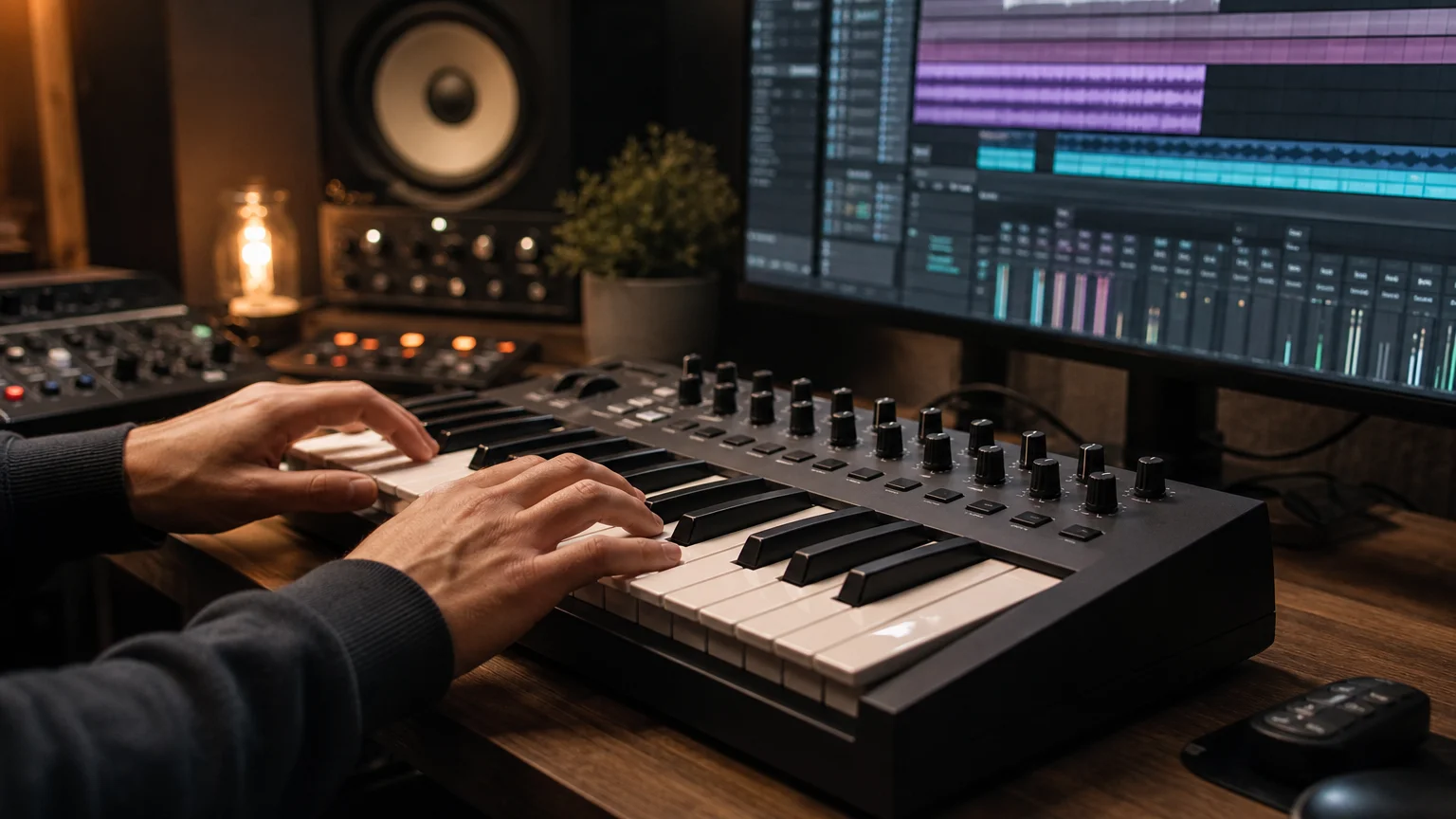
Imagine beginning a beat in FL Studio with a simple minor-key progression. You want a pad, bell, pluck, or electric piano immediately, without spending ten minutes building a patch. Purity serves that moment well because its sounds are ready to audition and combine.
Its character is often associated with classic digital PCM workstations. Some presets feel nostalgic, clean, synthetic, or slightly dated compared with contemporary cinematic instruments. That character can be useful when you want a recognizable digital tone, but it may require filtering, saturation, reverb, or resampling to sit naturally in a darker modern production.
Genre behavior has become more fragmented. A 2026 creator report from MIDiA Research describes growth around microtrends, regional scenes, and genre fluidity. This supports a practical distinction: a broad workstation can cover many lanes, while a focused sound bank can reduce searching when your target is specifically melodic trap, drill, dark trap, phonk, or pluggnb.
For a producer who wants a wide instrument catalog, Purity remains relevant. For a producer who wants sounds that are already organized around current urban beatmaking needs, our best VST sound banks provide a more focused comparison point.
What are the main workflow and sound-design features?
Purity is not limited to one preset per plugin instance. Its 16-part multitimbral structure lets you work with multiple parts inside one instrument. You can assign different sounds across MIDI channels, build layered combinations, or divide the keyboard into zones.
The edit panel provides access to practical controls without forcing you through several pages of menus. Depending on the selected sound, you can shape envelopes, filters, pitch behavior, levels, and other parameters. This is editing for fast musical adjustment rather than a full modular synthesis environment.
Effects are another important part of the workflow. The specification lists 24 insert effect types, including filtering, equalization, compression, distortion, bit crushing, stereo processing, chorus, flanging, phasing, tremolo, auto-pan, delay, and reverb. These tools allow you to turn a dry workstation patch into something more suitable for a finished arrangement.
The integrated sequencer adds another layer of movement. Purity includes pattern-based sequencing with multiple lanes, which can help create repeating phrases, rhythmic pulses, or evolving accompaniment. You can use these patterns as a starting point, then edit the resulting MIDI in Ableton Live, Logic Pro, Cubase, or FL Studio.
The main limitation is depth. Serum, Vital, Kontakt, and Omnisphere can provide more specialized control or deeper sound-design workflows, depending on the instrument and library. Purity is designed around immediate musical use, so it is usually more efficient for auditioning and layering than for constructing an elaborate synthesis architecture from scratch.
How demanding is Purity on your computer?
Purity has a small installation footprint compared with many modern sample-based instruments. Its published requirements list approximately 100 MB of free disk space, with support for Windows and macOS systems, VST and Audio Unit formats, and standalone operation in supported configurations.
Its PCM approach also helps explain the modest resource profile. Purity does not behave like a large orchestral sampler that streams extensive multisample libraries from disk. Presets generally load quickly, and the instrument is positioned for low CPU use, which can be helpful when your project already contains several effects, drum samplers, and software instruments.
Compatibility still requires attention. The published system information includes older Windows versions and macOS 10.9 or later, while recent product updates address newer host behavior. In June 2026, KVR Audio reported Purity version 1.4.7, a new patch bank, and fixes related to Audio Unit sandboxing and Apple Silicon use in Logic Pro through the KVR Audio update.
Before purchasing, you should test the demo in your actual DAW. Confirm that the plugin scans correctly, that the format matches your host, and that the interface behaves properly on your computer. This is particularly important if you work on Apple Silicon, use an older DAW version, or depend on automation through Audio Unit.
Purity versus Pendora: which workflow fits your goal?
Purity and Pendora address overlapping producer needs, but they are organized around different creative priorities. Purity offers broad workstation coverage and classic PCM character. Pendora concentrates on hand-crafted sounds for modern trap, drill, dark trap, phonk, boom bap, and pluggnb workflows.
| Position | Instrument | Primary focus | Sound-bank profile | Workflow fit |
|---|---|---|---|---|
| 1 | Pendora | Genre-focused contemporary beatmaking | 275+ presets across focused urban production categories, with kits, MIDI, FX, and expansions | Producers who want distinctive sounds, fast selection, low resource use, commercial royalty-free usage, and one-time ownership |
| 2 | Purity | Broad workstation and PCM production | More than 1,300 published presets, with a detailed specification listing 1,622 factory sounds, phrases, and loops | Producers who want general instrument coverage, layered parts, classic digital character, sequencing, and simple editing |
This does not make the instruments interchangeable. Purity can be useful when you need a piano, organ, string, bell, or vintage digital layer outside a narrow genre brief. Pendora is more directly aligned with producers who want a concentrated palette for melodic trap, drill, phonk, dark trap, and pluggnb.
If you already rely on Omnisphere or Kontakt for broad sound design, Purity can serve as a lightweight sketch instrument. Our Omnisphere sound banks are relevant when you want to extend a deeper synthesis and sampling workflow, while Pendora is designed for a more direct, genre-specific beatmaking process.
What do price, licensing, and limitations mean in practice?
Purity is sold as a downloadable product with a listed price of $49.99 in the current product information available for 2026. The purchase model is straightforward, but the product page also states that it is download-only and does not offer refunds, so compatibility testing matters before payment.
The product information states that Purity sounds can be used in music and video. You should still read the license agreement before commercial release, particularly if you plan to distribute sample-based material, resell presets, or include the plugin inside a shared studio system.
Purity also has a deliberately old-school identity. Its interface and PCM library are part of the appeal, but producers expecting the visual polish of a current flagship synthesizer may find it dated. The instrument also requires additional processing if you want highly aggressive basses, modern vocal textures, or highly animated movement that is already shaped for contemporary trap.
For producers who want to explore before spending, our free VST presets provide another way to evaluate sound selection and workflow preferences. The central question is not whether Purity has enough sounds. It is whether its workstation character matches the records you want to make.
Conclusion: is Purity still useful for producers?
Purity remains a practical ROMpler for producers who value speed, low system demand, broad workstation coverage, and nostalgic PCM character. Its 16-part structure, effects, pattern sequencing, and large preset library make it useful for sketches, layered melodies, pop arrangements, game music, and selected trap or pluggnb ideas. Its limits are equally clear: the sound is broad rather than tightly specialized, and the editing depth is below that of advanced synthesizers. Choose Purity when you want a compact digital workstation. Choose a focused instrument such as a genre-specific VST sound bank when you want faster access to distinctive contemporary trap, drill, phonk, or pluggnb material.
Take action with Tiger-Sounds
If Purity appeals to you because it offers fast preset browsing, you may also want a sound bank organized around the specific genres you produce. Our approach focuses on hand-crafted sounds for trap, drill, dark trap, phonk, boom bap, and pluggnb, helping you spend less time sorting through unrelated categories.
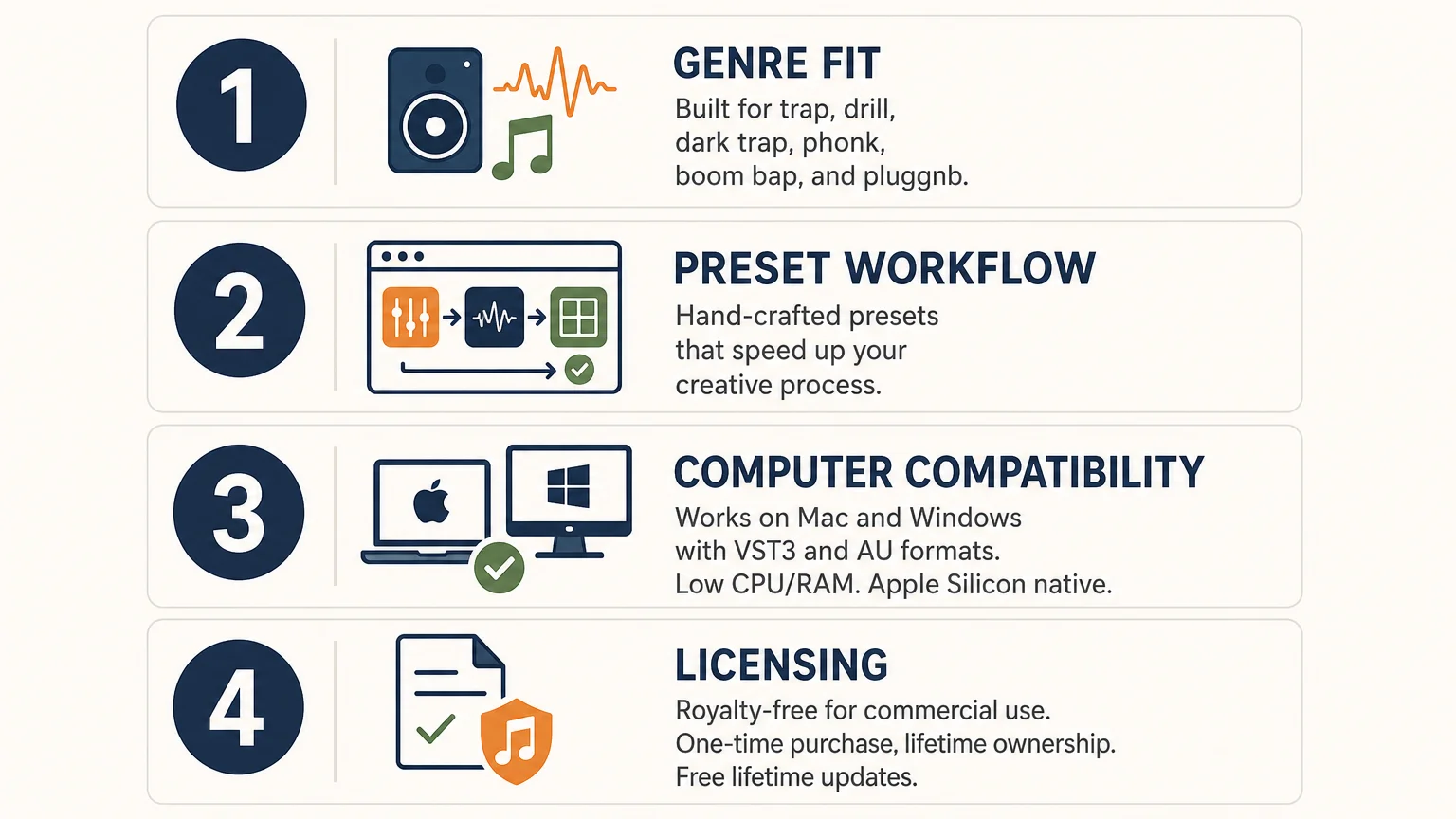
Explore VST sound banks and plugins from Tiger-Sounds, including Pendora editions and related production tools. The portfolio includes presets, drumkits, MIDI, FX, and expansion content, with VST3 and AU compatibility, one-time purchase options, royalty-free commercial use, and free lifetime updates under the stated terms.
Frequently Asked Questions
Is Purity a synthesizer or a sound bank?
Purity is primarily a PCM-based ROMpler and virtual workstation. It plays and combines sampled sound sources while providing practical editing, effects, layering, and sequencing controls.
Does Purity work in common DAWs?
Purity is designed for compatible VST and Audio Unit hosts, including common production environments such as FL Studio, Ableton Live, and Logic Pro. You should test the demo in your specific DAW before purchasing.
Is Purity suitable for trap and pluggnb?
Yes, its pads, bells, plucks, keys, leads, and digital textures can support trap, pluggnb, R&B, and melodic hip-hop. Its sound is broad and workstation-oriented, while Pendora is more deliberately focused on contemporary trap, drill, phonk, dark trap, and related styles.
Does Purity use a lot of CPU?
Purity is positioned as a lightweight instrument with fast loading and modest resource use. Actual performance depends on your host, project complexity, operating system, and the number of plugin instances running at the same time.
Should you choose Purity or Pendora?
Choose Purity when you want a broad PCM workstation with classic digital character and many general-purpose instruments. Choose Pendora when your priority is a focused, hand-crafted sound palette for modern urban beatmaking and a workflow designed to reduce unnecessary preset searching.

Best Splice Alternatives in 2026 (Subscriptions vs One-Time)
The best Splice alternatives in 2026 split into two camps: cheaper credit subscriptions like Loopcloud and LANDR Samples, and flat-rate bundles like Cymatics Unlimited and Output One that trade credits for a fixed monthly fee. If you want to stop paying a subscription altogether, a one-time sound bank like Pendora skips the credit math completely. Below is what each one actually costs, what you get, and who should pick it.
- What to look for in a Splice alternative
- Loopcloud
- Cymatics Unlimited
- Output One (Arcade)
- Tracklib
- LANDR Samples
- Pendora: the one-time purchase option
- Comparison table
- FAQ
What to look for in a Splice alternative
A good Splice alternative should fix at least one of Splice’s actual pain points: the credit system eating your budget, the catalog leaning too hard into EDM and pop, or the fact that a subscription never actually ends. Splice’s own current plans run $12.99/mo for Sounds+ (100 credits), $19.99/mo for Creator (200 credits), and $39.99/mo for Creator+ (500 credits), with 1 credit per sample and 1 to 3 credits per preset or MIDI file (splice.com/plans). Credits roll over while you stay subscribed but expire 28 days after you cancel, which is the detail that makes people go looking for alternatives in the first place.
Before picking a replacement, decide which trade-off you actually want: lower credit cost, unlimited flat access, real song samples instead of loops, or no recurring bill at all.
Loopcloud
Loopcloud is the closest one-to-one Splice replacement, running the same credit model on a cheaper starting tier. Current plans: Artist at €6.99/mo (100 points, 5GB storage), Studio at €10.99/mo (300 points, 50GB, marked “most popular”), and Professional at €19.99/mo (600 points, 250GB), with annual billing giving two months free (loopcloud.com). Every tier reaches the same multi-million-sample library and includes the 8-track Loopcloud editor plus a bundled plugin suite.
Choose Loopcloud if you already compared it directly against Splice and want the cheaper entry point with a near-identical workflow. We covered the point-by-point breakdown, including catalog overlap and export formats, in Splice vs Loopcloud.
Cymatics Unlimited
Cymatics Unlimited drops the credit system entirely for a flat subscription. It costs $29/mo or $167/yr (about $13.92/mo, billed annually), and includes every current and future Cymatics plugin, 10 premium sample packs added every month, and the full course library, with a 10-day trial (cymatics.fm/pages/plans). There is no per-download credit math to track: what you get each month is fixed.
Choose Cymatics Unlimited if you want plugins and sample packs bundled together and you use enough of both to justify a flat fee. Skip it if you only need loops occasionally, since the monthly cost keeps running whether you download anything or not.
Output One (Arcade)
Output folded Arcade, its generative loop plugin, into a bigger bundle called Output One rather than selling it standalone. Output One costs $14.99/mo or $119.99/yr and includes Arcade alongside Co-Producer, Creator, Portal, Thermal, and Movement, though Output’s Kontakt-based instrument library is not part of the bundle (support.output.com). There is currently no perpetual license option: it is subscription only.
Choose Output One if generative, always-morphing loops fit how you write (dragging a loop into a project and reshaping it live) more than browsing a static sample library. It solves a different problem than Splice: sound generation, not sound search.
Tracklib
Tracklib is not a loop library, it’s a sample clearance marketplace for over 100,000 real, fully licensed original songs plus 500,000-plus royalty-free loops and one-shots, with fee-free licensing so you pay through a revenue share instead of an upfront clearance fee (tracklib.com/pricing). Plans are tiered by monthly track downloads, running from roughly $5.99/mo on the entry tier up toward $29.99/mo on the higher tier, with unused downloads rolling over on paid plans.
Choose Tracklib if you sample real records for boom bap, phonk, or soul-flip beats and need a legal path to release the track. It solves nothing for someone who just wants 808s and hi-hats: for that, Splice-style loop libraries are the right tool.
LANDR Samples
LANDR Samples is the cheapest credit-based option on this list. Plans run $5.99/mo (75 credits), $9.99/mo (200 credits), and $49.99/yr (1,000 credits), with a free sample pack every week on any plan and a catalog organized by genre, key, and BPM (support.landr.com plan documentation, cross-checked via KVR Audio’s LANDR Samples listing).
Choose LANDR Samples if budget is the deciding factor and you don’t need Splice’s catalog depth. The library is noticeably smaller than Splice or Loopcloud, so producers chasing a specific rare sound type often end up disappointed.
Pendora: the one-time purchase option
None of the above get you off the subscription treadmill, because they’re all sample libraries billed monthly. If the actual complaint is “I don’t want another recurring charge,” the fix is a one-time purchase preset bank instead of a loop subscription. Pendora VST is a one-time-payment plugin built for trap, drill, dark trap, phonk, boom bap, and pluggnb, with 275+ presets across 30+ categories (bells, plucks, 808s, pads, keys, and more) for €149 (V3.0, discounted from €499), rated 4.7/5 across 59 verified buyer reviews. A Lite version at €29 with 30 curated presets exists to test the sound before committing to the full library. Both include lifetime updates with no subscription (tiger-sounds.com/produit/pendora, Pendora Lite).
This is not an apples-to-apples swap: Pendora is a fixed collection of presets, not a searchable library of millions of samples you refresh every month. Choose Pendora if you make beats in the trap/drill/phonk lane specifically and would rather own a curated set outright than keep paying for access to a bigger, mostly-unused catalog. Choose a subscription service instead if you need constant new content across many genres, or if 275 presets in a specific style is too narrow for your workflow. Browse the rest of the catalog, including drum kits, on the Tiger Sounds shop, and see how Pendora stacks up against a similarly priced synth-style plugin in Pendora VST vs Cymatics Pandora.
Splice alternatives compared
| Service | Price | Model | Best for |
|---|---|---|---|
| Splice (Sounds+) | $12.99/mo, 100 credits | Subscription, credits | Baseline for comparison |
| Loopcloud | From €6.99/mo, 100 points | Subscription, points | Cheaper Splice-style workflow |
| Cymatics Unlimited | $29/mo or $167/yr | Flat subscription | Plugins plus packs bundled |
| Output One | $14.99/mo or $119.99/yr | Flat subscription | Generative loops (Arcade) |
| Tracklib | Roughly $5.99 to $29.99/mo | Subscription, track credits | Legally sampling real songs |
| LANDR Samples | From $5.99/mo, 75 credits | Subscription, credits | Tightest budget |
| Pendora | €29 (Lite) or €149 (V3.0), one-time | One-time purchase | No recurring bill, trap/drill/phonk focus |
FAQ
Is there a free alternative to Splice?
Not one with a comparable catalog size. Every service on this list is either subscription or one-time paid; free sample packs exist scattered across producer YouTube channels, but there’s no free platform matching Splice’s scale or search tools.
What is the cheapest Splice alternative?
LANDR Samples starts at $5.99/mo for 75 credits, and Tracklib’s entry tier lands in the same range, though Tracklib serves a different purpose (real song clearance, not loops). For a lower cost over time with no recurring bill at all, a one-time purchase like Pendora Lite at €29 works out cheaper within a few months.
Can I cancel Splice and keep my downloaded samples?
Yes. Files you’ve already downloaded to your computer stay usable after cancellation since they’re local audio files, not DRM-locked. What you lose is access to unused credits (they expire 28 days after cancellation) and the ability to browse or download anything new.
Is Loopcloud better than Splice?
Loopcloud is cheaper at the entry tier and includes bundled plugins, but Splice’s catalog is larger and better known among trap and hip-hop producers specifically. See the full breakdown in Splice vs Loopcloud.
Do I need a subscription service at all?
No. If you produce mainly in one lane, trap, drill, or phonk, a one-time preset bank covers most of what a subscription would, without the recurring cost. Subscriptions make more sense if you work across many genres and need a constantly refreshed catalog.
Verdict
For a direct Splice swap at a lower price, Loopcloud is the safest pick; for zero recurring cost in the trap, drill, and phonk lane, Pendora is the better long-term math. Cymatics Unlimited and Output One suit producers who want plugins bundled in, and Tracklib exists for a different job entirely: legally sampling real songs. Check out Pendora VST or browse the full Tiger Sounds shop if a one-time purchase fits your workflow better than another monthly bill.
Top 10 Music Production Plugins for 2026: Best Picks
Summary: Pendora is the strongest first choice for producers who want distinctive trap, drill, phonk, pluggnb, R&B, and melodic sounds without preset overload. The rest of this selection covers wavetable synthesis, sampled instruments, EQ, mastering, granular effects, distortion, reverb, and dynamic processing for modern FL Studio, Ableton Live, and Logic Pro workflows.
What makes a plugin worth opening every day? For many producers, the answer begins with a sound source that creates ideas quickly. Our best VST plugins for 2026 selection starts with Pendora because its focused presets address a practical problem: generic sounds can make beatmaking feel repetitive before the arrangement has even started.
The top 10 music production plugins for 2026 should not all perform the same job. A useful toolkit combines instruments, curated presets, mixing processors, mastering tools, and creative effects. The right choice depends on your genre, DAW, budget, CPU headroom, and how much sound design you want to perform yourself.
The 10 plugins at a glance
| Rank | Plugin | Best for | Key differentiator |
|---|---|---|---|
| 1 | Pendora | Genre-focused beatmaking | 275+ hand-crafted presets for trap, drill, phonk, pluggnb, and related styles |
| 2 | Vital | Free and advanced synthesis | Powerful wavetable design with a capable free tier |
| 3 | Native Instruments Kontakt 8 | Sampled instruments | Large library ecosystem with extensive instrument and sound-design options |
| 4 | FabFilter Pro-Q 3 | Mixing and corrective EQ | Dynamic, mid-side, and precise parametric processing |
| 5 | Valhalla Supermassive | Large reverbs and delays | Free, highly spacious effects with many reverb and delay modes |
| 6 | TDR Nova | Dynamic EQ on a budget | Free parametric EQ with integrated dynamic processing |
| 7 | Xfer Serum 2 | Deep wavetable synthesis | Flexible hybrid engines with detailed visual modulation |
| 8 | iZotope Ozone 11 Advanced | Mastering workflows | Integrated mastering modules in one environment |
| 9 | Output Portal | Granular sound design | Musical transformation of drums, vocals, synths, and other sources |
| 10 | Output Thermal | Creative distortion | Multi-stage distortion with macro control and detailed shaping |
1. Pendora
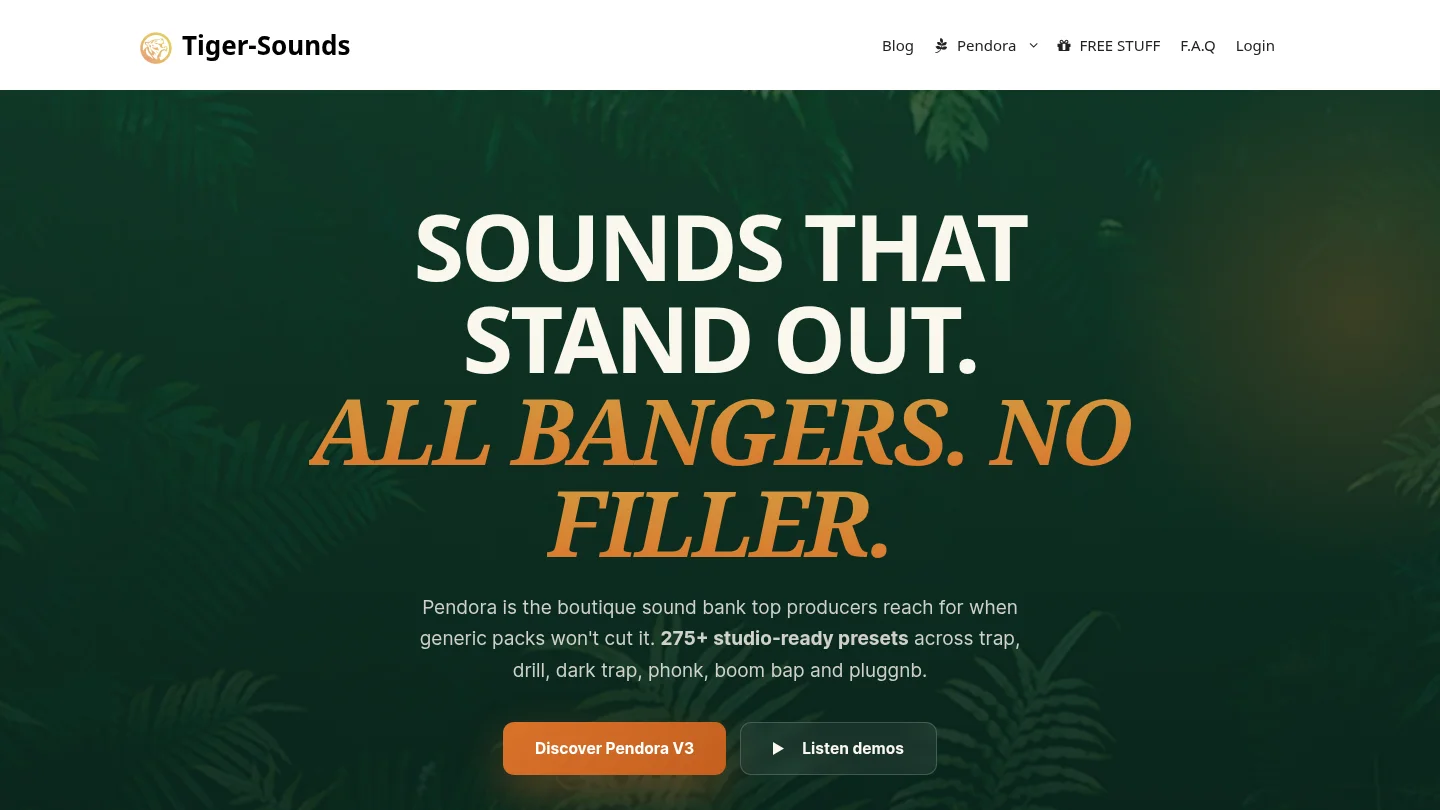
Best for: Trap, drill, melodic trap, dark trap, phonk, boom bap, pluggnb, lofi, and R&B beatmaking.
What if your main production problem is not a lack of synthesis knowledge, but a lack of inspiring starting points? Pendora is a focused VST sound bank built around that situation. It includes more than 275 studio-ready presets across pads, bells, plucks, orchestral textures, banjos, dark 808s, and other categories suited to modern beatmaking.
Unlike a general-purpose synthesizer, Pendora is designed to reduce preset hunting. Its hand-crafted sounds give producers a direct starting point for melodies, basslines, hooks, and atmospheric layers. It supports VST3 and AU formats on Mac and Windows, with testing across FL Studio, Ableton Live, Logic Pro, Cubase, Pro Tools, and Reason.
The product is also positioned for commercial production. Our licensing terms describe the sounds as royalty-free for beats and tracks that you sell, place, or license. Pendora uses a one-time purchase model, and the product includes free lifetime updates under the stated conditions.
Pros:
- 275+ hand-crafted presets across several producer-focused genres.
- Low CPU and RAM positioning for practical multi-instance workflows.
- VST3 and AU support, including native Apple Silicon compatibility.
- Royalty-free commercial use and one-time ownership.
Cons:
- Its focused genre coverage is less suited to orchestral, classical, or broad cinematic production.
- The full installation requires meaningful disk space, so storage should be checked before installation.
2. Vital
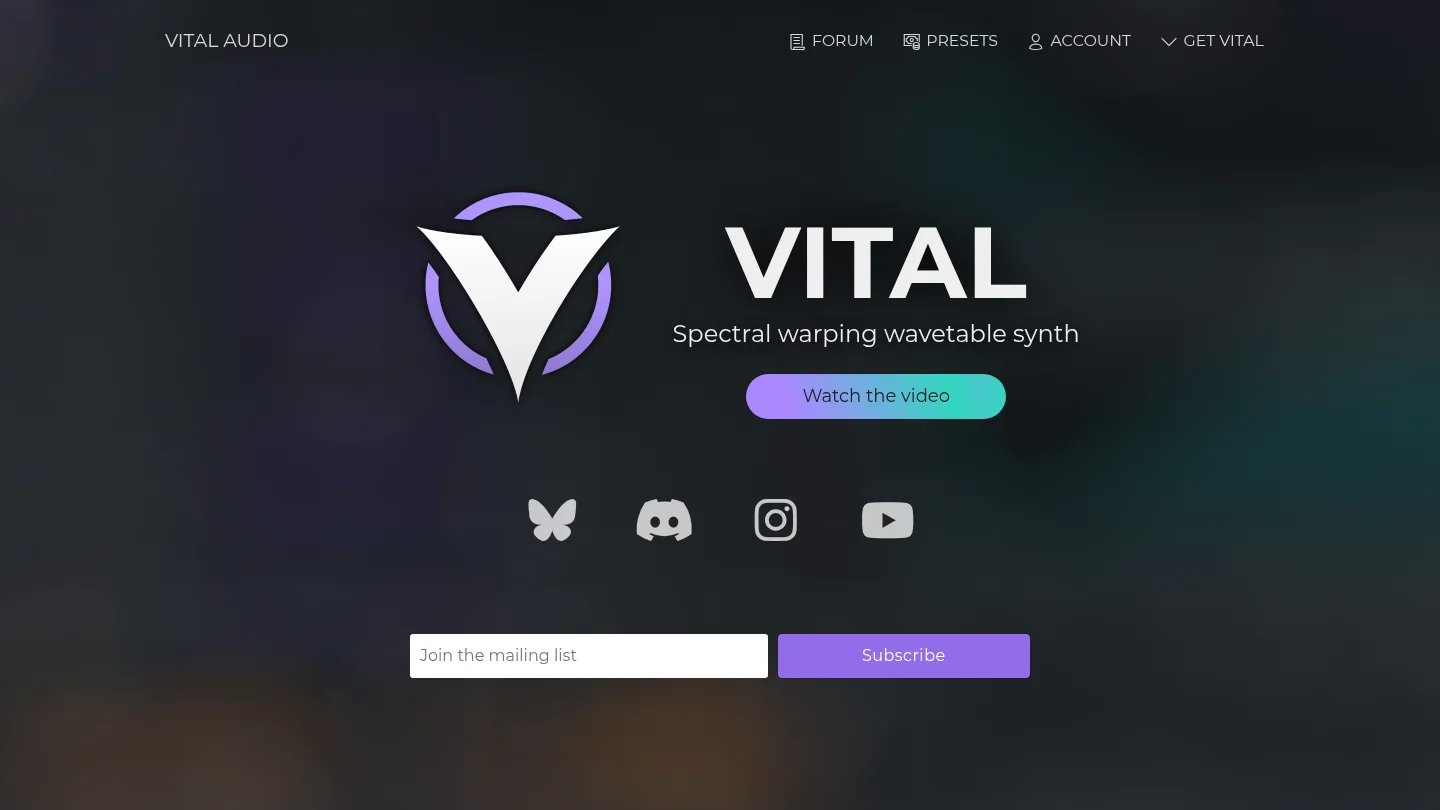
Best for: Learning synthesis, designing modern electronic sounds, and producing with a limited budget.
Can a free synthesizer provide serious sound-design depth? Vital makes a strong case. Its wavetable engine includes spectral warping, animated modulation, audio-rate modulation, MPE support, and a visual interface that shows how changes affect the sound.
Vital is especially useful when you are learning synthesis because its routing process is direct. You can assign modulation sources quickly, hear the result, and observe the movement on screen. This helps connect technical concepts with audible results.
The free version provides the full synthesizer engine, while paid tiers mainly add presets and wavetables. That makes Vital a practical first instrument for producers who want to learn before investing in a premium synth. For more no-cost options, our guide to the best free VST plugins provides additional starting points.
Pros:
- Powerful wavetable synthesis with a capable free version.
- Visual modulation workflow that supports structured learning.
- Support for Windows, macOS, Linux, Intel, and Apple Silicon systems.
- Useful for basses, leads, pads, plucks, arpeggios, and experimental textures.
Cons:
- The free tier includes less factory content than the paid tiers.
- Its preset ecosystem is not as extensive as Serum’s.
- Advanced sound design still requires time and synthesis knowledge.
3. Native Instruments Kontakt 8
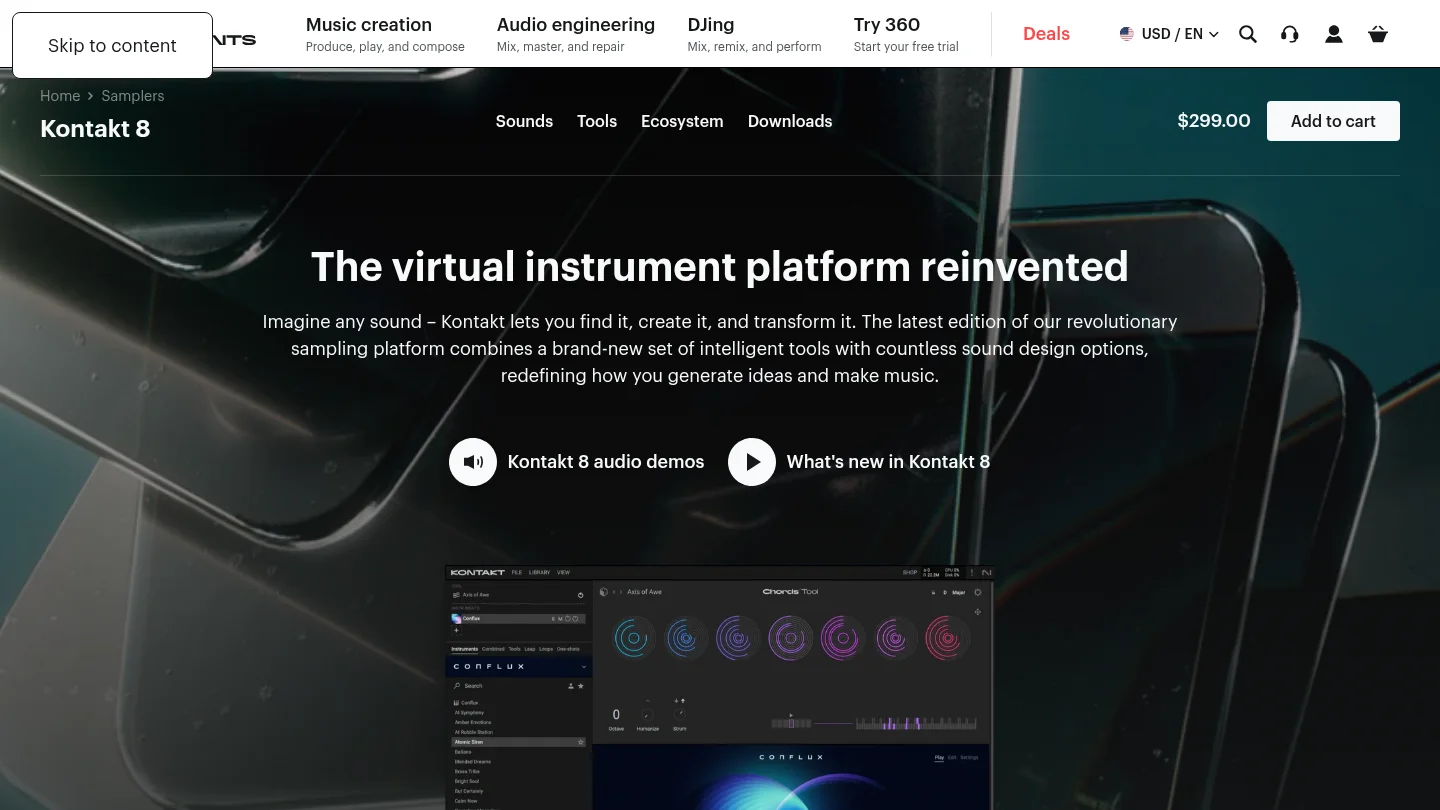
Best for: Sampled instruments, cinematic production, organic textures, and large third-party libraries.
What should you choose when the sound needs to resemble a real instrument rather than a purely synthetic patch? Kontakt 8 is a sampler platform designed for that role. It hosts a broad ecosystem of orchestral, acoustic, electronic, cinematic, and experimental instruments.
Kontakt 8 also includes creative tools that support faster writing. Chord and phrase functions, humanization, scale assistance, loop manipulation, and hybrid instruments can help producers move from a blank project to a more developed musical idea. Its Factory Library includes hundreds of instruments, while the wider ecosystem extends through Native Instruments and independent developers.
This makes Kontakt useful beyond film scoring. Hip-hop producers can use sampled keys, strings, brass, choirs, guitars, and textured percussion. However, the platform requires more storage and library management than a focused sound bank. Our overview of the best VST instrument plugins can help you compare that broader instrument category.
Pros:
- Large ecosystem of sampled instruments and third-party libraries.
- Useful for acoustic, orchestral, cinematic, hybrid, and electronic sounds.
- Creative tools support chords, phrases, humanization, and loop manipulation.
- Available as VST3, AU, and AAX on supported systems.
Cons:
- Full libraries can require substantial storage and installation time.
- Individual libraries may add significant costs beyond the main platform.
- It is broader and less immediately focused than a genre-specific beatmaking tool.
4. FabFilter Pro-Q 3
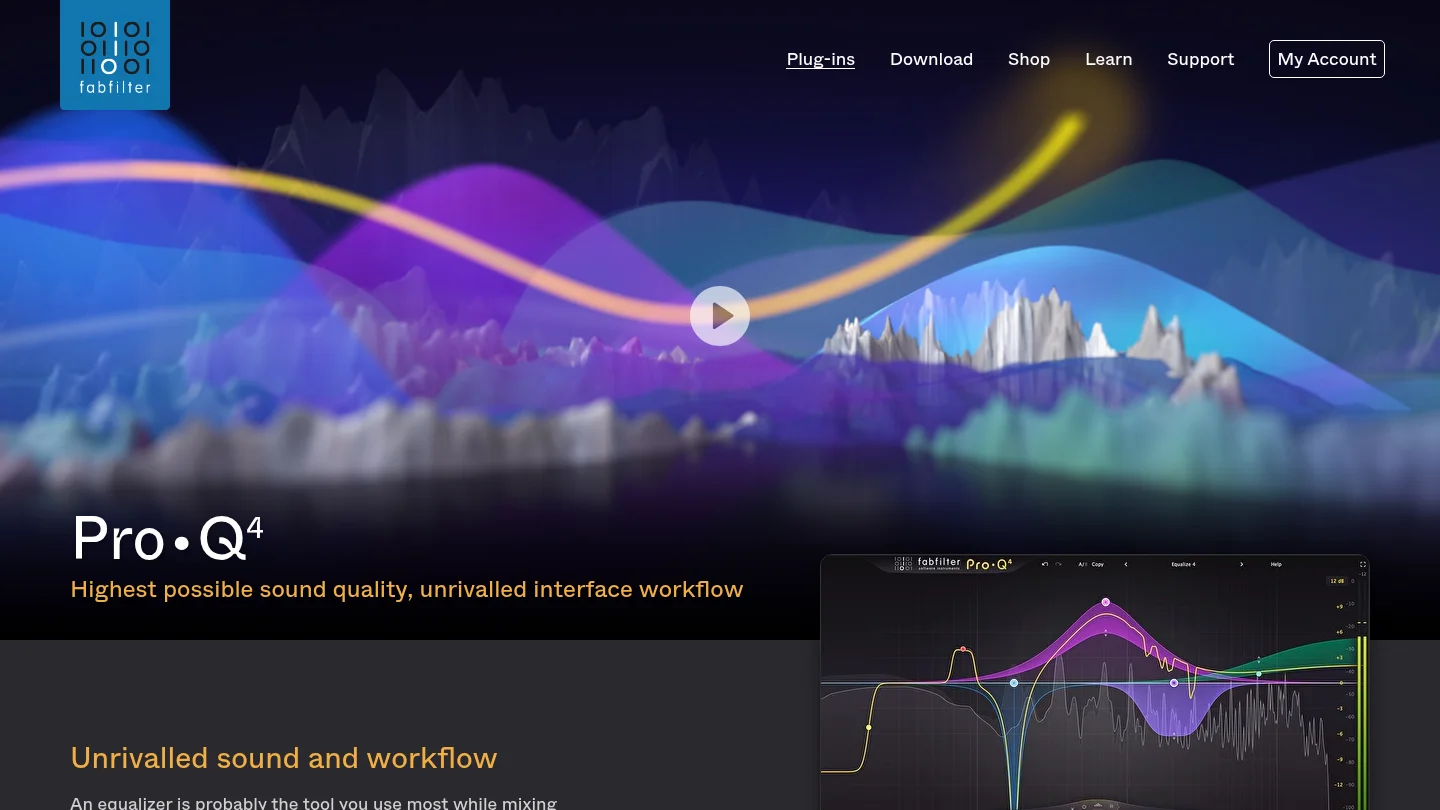
Best for: Corrective EQ, dynamic frequency control, stereo shaping, and detailed mixing.
Where does a mix usually need the most precise attention? Often, it is the relationship between competing frequencies. Pro-Q 3 is designed for surgical EQ, tonal shaping, dynamic cuts, and mid-side processing across vocals, drums, basses, synths, and buses.
Its spectrum display makes frequency decisions easier to inspect. Dynamic bands allow you to reduce harshness or resonance only when it becomes excessive, instead of applying a permanent cut. Mid-side processing is useful when you need to control the center and sides independently.
This entry refers to Pro-Q 3, the named edition in this selection. Product lines can change, so you should verify the available edition and upgrade path before purchasing. For producers who already understand their DAW’s stock EQ, Pro-Q 3 is most valuable when its workflow saves time repeatedly.
Pros:
- Precise parametric EQ with dynamic processing options.
- Mid-side and stereo-channel control for detailed mix decisions.
- Clear interface with strong visual feedback.
- Suitable for mixing, mastering, sound design, and corrective work.
Cons:
- It is a premium purchase when many DAWs already include capable EQ tools.
- New producers may need time to understand dynamic EQ and phase modes.
- The named version may not be the newest edition currently sold.
5. Valhalla Supermassive
Best for: Large reverbs, atmospheric delays, ambient production, and vocal effects.
What can a free effect add to a serious production template? Valhalla Supermassive specializes in expansive reverbs, long delays, feedback movement, and evolving spatial effects. It can turn a short vocal phrase, synth note, or drum hit into a large atmospheric element.
The plugin includes multiple modes with different attack, density, delay, and decay behavior. Some settings create clearer echoes, while others produce dense reverberant clouds. This makes it useful for pads, transitions, vocal throws, sound design, and background layers.
Supermassive works particularly well on a send channel. That lets you keep the dry source clear while automating the amount of space during transitions or selected phrases. It is not the first choice for every small room or transparent ambience, but it offers a distinctive creative range without a purchase cost.
Pros:
- Free reverb and delay effect with a distinctive sound.
- Useful for ambient tails, vocal throws, pads, and transitions.
- Multiple modes cover echoes, reverbs, modulation, and feedback effects.
- Supports common formats for Mac and Windows production systems.
Cons:
- Long decays can make a mix cloudy if they are not filtered.
- Its spacious character is less suitable for short, realistic room ambience.
- Some modes require careful automation and gain management.
6. TDR Nova
Best for: Dynamic EQ, resonance control, vocal cleanup, and budget-conscious mixing.
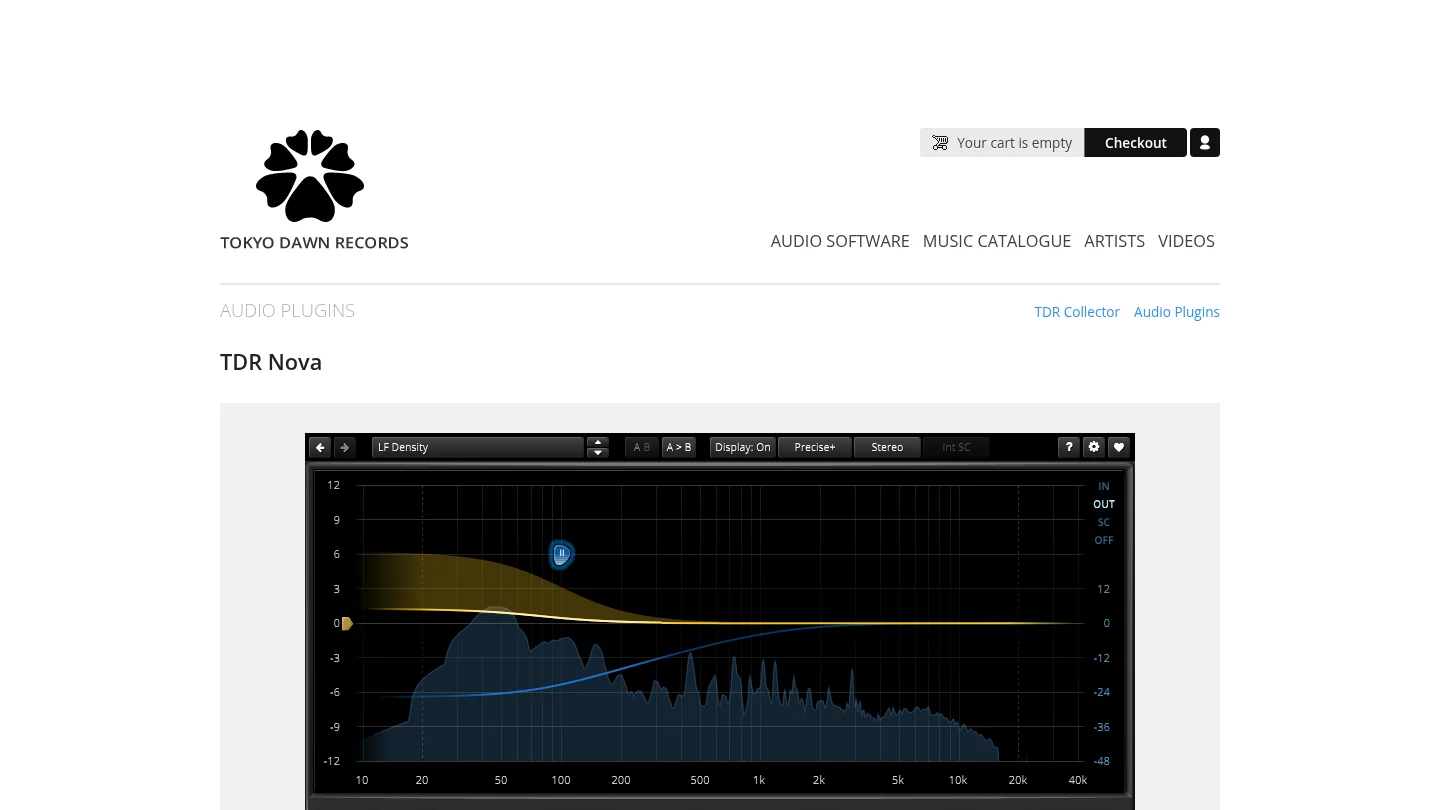
What if a frequency is only problematic at certain moments? TDR Nova handles that situation with dynamic EQ. It can function as a conventional parametric EQ, but its bands can also react to the level of selected frequencies.
This is useful for harsh vocals, resonant guitars, boomy bass notes, aggressive synths, and drum buses that become difficult only during louder sections. Instead of cutting the frequency permanently, you can make the reduction respond only when the problem crosses a threshold.
TDR Nova is also a useful learning tool. It shows how static EQ and dynamic EQ produce different results, while providing enough control for serious mixing. Producers who want a broader toolkit can compare it with our best VST plugins selection.
Pros:
- Free dynamic EQ with conventional parametric functions.
- Useful for vocals, drums, basses, synths, buses, and mastering.
- Visual display supports quick frequency identification.
- Offers strong value for producers building a low-cost setup.
Cons:
- Its deeper controls require some understanding of dynamics processing.
- It does not replace a full mastering suite or broad creative effects collection.
- Producers may need to spend time learning suitable attack, release, and threshold settings.
7. Xfer Serum 2
Best for: Producers who want deep wavetable and hybrid synthesis with detailed visual control.
Do you want to design a bass, lead, pad, or evolving texture from the oscillator level? Serum 2 is built for that process. Its synthesis architecture combines wavetable, sample, multisample, granular, and spectral approaches, giving experienced sound designers considerable control over timbre and movement.
Its visual workflow remains one of its main strengths. Modulation assignments are easy to inspect, and the interface helps you understand how envelopes, LFOs, filters, and effects shape the sound. That makes Serum 2 useful for both sound design and reverse engineering sounds from reference tracks.
Serum 2 is a strong complement to Pendora rather than a replacement for it. Serum gives you a broad blank canvas, while Pendora provides finished, genre-focused starting points. Producers can use both approaches depending on whether they want to design a patch or write a beat quickly.
Pros:
- Extensive hybrid synthesis options for modern sound design.
- Clear visual modulation and wavetable editing workflow.
- Available in VST3, AU, and AAX formats.
- Strong ecosystem of presets, tutorials, and sound-design resources.
Cons:
- Its broad feature set can slow producers who want immediate genre-specific sounds.
- Heavy unison, granular processing, and layered effects can increase CPU demand.
- It is a paid synthesizer, unlike some capable free alternatives.
8. iZotope Ozone 11 Advanced
Best for: Mastering, loudness control, stereo shaping, and integrated final-stage processing.
What if you want several mastering processes in one environment? Ozone 11 Advanced combines EQ, dynamics, imaging, exciter, and limiting modules for producers who need a structured final chain.
The advantage is workflow concentration. You can evaluate tonal balance, dynamics, stereo width, and loudness without opening several unrelated processors. This can be useful for self-releasing producers who need a repeatable mastering process for demos, beats, and finished tracks.
Ozone should not be treated as a substitute for a balanced mix. It can help refine a strong mix, but it cannot reliably repair arrangement problems, masking, poor gain staging, or uncontrolled low end. As with Pro-Q 3, verify the available edition before buying because newer product versions may exist.
Pros:
- Integrated mastering chain with multiple processing modules.
- Useful for EQ, dynamics, imaging, excitation, and limiting.
- Supports a repeatable workflow for independent producers.
- Can reduce the need to combine several separate mastering plugins.
Cons:
- The suite can be more complex than necessary for simple loudness control.
- Heavy processing can damage punch and clarity if used without restraint.
- The named edition may not be the newest version currently available.
9. Output Portal
Best for: Granular effects, evolving textures, transitions, and experimental sound design.
How can one vocal chop, drum hit, or synth note become a completely different musical element? Portal uses granular processing to divide audio into small sections, then reorganize and reshape those sections in real time.
The plugin is particularly useful when a production feels static. You can apply it to a sustained pad, a vocal phrase, a drum loop, or a guitar recording. Tempo synchronization and scale-aware pitch movement help keep the results connected to the arrangement rather than sounding entirely random.
Portal is not a corrective effect. Its purpose is transformation. That makes it valuable for transitions, ear candy, ambient layers, reverse-style effects, and distinctive textures. It can also provide fresh material when a producer is experiencing beatblock and needs to hear a familiar source differently.
Pros:
- Turns ordinary audio into evolving granular textures.
- Useful on drums, vocals, synths, guitars, and sampled material.
- Tempo and scale features support musical results.
- XY control makes complex sound changes easier to perform.
Cons:
- It is a creative effect rather than a general mixing utility.
- Dense settings can obscure the original source and reduce clarity.
- It requires level control because granular feedback can create sudden peaks.
10. Output Thermal
Best for: Distortion, saturation, harmonic density, and aggressive creative processing.
Do your drums, synths, or vocals need more texture without adding several separate effects? Thermal approaches distortion as a multi-stage sound-design instrument. It allows you to combine processing stages, shape frequency bands, and control the result through macro parameters.
The plugin is useful when clean digital sounds feel too static or polite. You can apply subtle saturation to a bass, aggressive distortion to a drum loop, or animated harmonic movement to a synth bus. Mid-side controls and frequency splitting help keep the low end more controlled while processing the upper range.
Thermal is most effective when you treat it as a character processor. It is not intended to disappear inside the signal chain. If you need transparent gain control or corrective EQ, another tool will usually be more appropriate.
Pros:
- Multi-stage distortion supports complex harmonic shaping.
- Macro controls make performance and automation practical.
- Useful on individual tracks, buses, synths, drums, vocals, and mixes.
- Frequency splitting and stereo controls provide more detailed control.
Cons:
- It is easy to overprocess a source and lose its natural dynamics.
- It is not designed for transparent mixing decisions.
- Its strongest results often require careful filtering after distortion.
How to choose the right plugin combination
Start with the bottleneck that slows your sessions. If you lose time searching for melodic ideas, a focused sound bank such as Pendora may help more than another general-purpose synthesizer. If you want to design every oscillator and modulation route, Serum 2 or Vital is a more suitable starting point.
Next, separate creative tools from corrective tools. Portal and Thermal can change the character of a sound, while Pro-Q 3 and TDR Nova solve frequency problems. Ozone 11 Advanced belongs later in the chain, when the arrangement and mix already translate well.
Finally, check technical fit before buying. Confirm VST3 or AU support, operating-system requirements, Apple Silicon compatibility, available disk space, and CPU behavior in your DAW. A smaller collection that you understand deeply will usually serve your beatmaking better than a crowded plugin folder.
Conclusion
The best production setup is not the one with the most instruments. It is the one that helps you move from idea to finished track with fewer distractions. Pendora is the recommended first choice for genre-focused beatmakers who want distinctive presets and royalty-free commercial use. Serum 2 and Vital cover synthesis, Kontakt 8 expands sampled instruments, and the remaining processors handle mixing, mastering, space, distortion, and frequency control. Choose the plugin that solves your current bottleneck, then learn it deeply before adding another.
Take action with Tiger-Sounds
If repetitive presets are slowing your beatmaking, a focused sound source can give your sessions a clearer direction. Pendora is designed for producers working across trap, drill, melodic trap, phonk, boom bap, pluggnb, lofi, and related styles.
Our sound bank includes 275+ hand-crafted presets, VST3 and AU compatibility, low CPU positioning, royalty-free commercial use, and free lifetime updates under the stated terms. You pay once rather than relying on a recurring subscription. Explore our VST plugins and choose the edition that fits your workflow.
Frequently Asked Questions
What is the best plugin for trap and drill production in 2026?
Pendora is the strongest fit when you want genre-focused presets for trap, drill, phonk, pluggnb, boom bap, and related styles. Serum 2 and Vital are better choices when you prefer to design sounds from the synthesis engine.
Is Vital still useful if I already use Serum 2?
Yes. Vital provides a different workflow, a capable free tier, and strong spectral modulation. It is useful for learning synthesis, creating additional textures, and expanding your sound palette without duplicating every Serum workflow.
Which plugin is best for mixing frequency problems?
FabFilter Pro-Q 3 is the most complete premium option in this selection for corrective and dynamic EQ. TDR Nova is a practical free alternative for resonance control, vocal cleanup, bass management, and other frequency-specific tasks.
Do I need Kontakt 8 for beatmaking?
You do not need Kontakt 8 for every beatmaking workflow. It becomes valuable when you want sampled pianos, strings, orchestral parts, acoustic instruments, cinematic textures, or a large library ecosystem.
How many production plugins should you buy?
Start with one focused sound source, one synthesizer, one EQ, and one creative effect. Add mastering or specialized tools only when your current workflow reveals a clear need.
Best Music Production Plugins 2026 for Modern Producers
Summary: The strongest music production plugins 2026 setup combines Pendora for distinctive genre-focused sounds, Serum 2 or Vital for synthesis, Kontakt 8 for sampled instruments, and practical effects such as ShaperBox 3, TDR Nova, and Valhalla Supermassive. The right choice depends on your genre, workflow, CPU capacity, budget, and need for original starting points.
Which tools deserve space in your template when every producer can access hundreds of plugins? For trap, drill, phonk, pluggnb, and related styles, the answer starts with a distinctive sound source. Our best VST plugins for 2026 selection places Pendora first because it provides a focused starting palette, helping you move from an empty project to a usable beat with less preset searching.
The best music production plugins 2026 options are not limited to large synthesizers. Current free-plugin coverage continues to highlight practical tools such as Vital, Valhalla Supermassive, TDR Nova, and OTT, while modern synth comparisons place Serum 2, Pigments, Phase Plant, and Massive X in different roles. A balanced setup should therefore combine sound sources, creative effects, and mixing utilities instead of collecting instruments without a clear purpose. This article also considers compatibility with FL Studio, Ableton Live, Logic Pro, Windows, macOS, VST3, and AU.
The 2026 Plugin Shortlist at a Glance
This ranking is designed for producers who want practical tools for beatmaking, sound design, arrangement, and mixing. Pendora leads because it addresses a different need from a general-purpose synthesizer: it gives genre-focused producers a curated sound bank with hand-crafted presets and complementary production assets.
| Rank | Plugin | Best for | Key differentiator |
|---|---|---|---|
| 1 | Pendora VST | Trap, drill, phonk, pluggnb, and melodic beatmaking | 275+ hand-crafted presets, production assets, one-time ownership |
| 2 | Serum 2 | Deep wavetable synthesis | Flexible oscillator, modulation, and sound-design workflow |
| 3 | Vital | Free wavetable synthesis | Full core synth engine with visual modulation |
| 4 | Kontakt 8 | Sampled instruments and large libraries | Broad ecosystem for acoustic and hybrid instruments |
| 5 | Valhalla Supermassive | Free atmospheric reverb and delay | Large spaces, long feedback, and evolving echoes |
| 6 | TDR Nova | Free dynamic EQ and frequency control | Parametric EQ combined with dynamic processing |
| 7 | Massive X | Complex electronic basses and leads | Advanced routing and distinctive wavetable processing |
| 8 | Pigments 5 | Hybrid synthesis and fast creative exploration | Wavetable, analog, granular, harmonic, and sample engines |
| 9 | Phase Plant | Modular sound design | Build-your-own signal chains with flexible routing |
| 10 | Diva | Analog-style synth character | Detailed modeled oscillators, filters, and envelopes |
| 11 | ShaperBox 3 | Movement, sidechain-style shaping, and transitions | Fast control over volume, filter, pan, width, and time |
| 12 | OTT | Free aggressive multiband compression | Upward and downward compression for intensity and presence |
1. Pendora VST
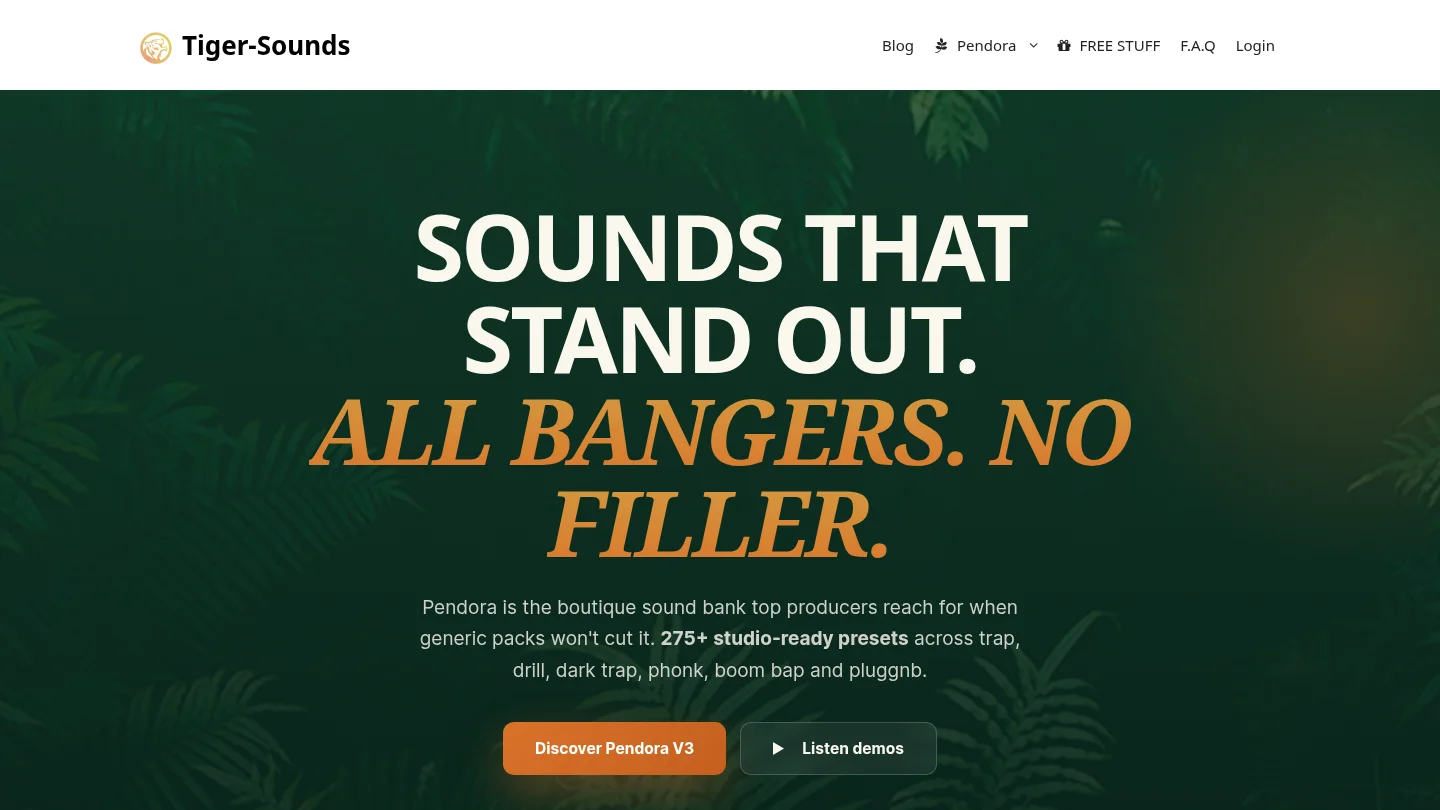
Best for: Producers making trap, drill, melodic trap, R&B, pluggnb, dark trap, lofi, and phonk who want distinctive starting sounds.
Pendora is our number one choice because it solves a common beatmaking problem that a general synthesizer does not solve by itself. A powerful engine still leaves you facing a blank preset browser. Pendora provides 275+ studio-ready presets across focused categories such as pads, bells, orchestras, plucks, banjos, and dark 808s.
The full edition also includes expansion packs, a Producer Kit, drumkits, MIDI, effects, and risers. Pendora supports VST3 and AU on compatible Mac and Windows systems, including workflows built around FL Studio, Ableton Live, Logic Pro, Cubase, Pro Tools, and Reason. We position the product as royalty-free for commercial use, with one-time ownership and free lifetime updates under the stated terms.
For producers dealing with beatblock, the practical value is speed and direction. You can begin with a sound designed for your target genre rather than reshaping a broad factory patch. That does not replace learning Serum, Vital, Omnisphere, or Kontakt, but it gives you a more focused source for everyday beatmaking.
Pros:
- 275+ hand-crafted presets for trap, drill, phonk, boom bap, pluggnb, and related styles.
- Includes complementary drums, MIDI, FX, expansions, and production assets in the full edition.
- VST3 and AU support, low-resource positioning, royalty-free commercial use, and lifetime updates.
- One-time purchase structure instead of a recurring subscription.
Cons:
- Its genre focus is intentional, so it is not designed as a universal library for every musical style.
2. Serum 2
Best for: Producers who want detailed wavetable synthesis, extensive modulation, and a broad sound-design ecosystem.
Serum 2 remains a major reference point for electronic sound design. Its workflow suits producers who want to edit oscillators, shape wavetables, create complex modulation, and build sounds from the synthesis engine upward. The instrument is particularly useful for leads, basses, plucks, pads, risers, and aggressive electronic textures.
Recent synth comparisons describe Serum 2 alongside Vital, Pigments, Phase Plant, and Massive X as part of a mature generation of software instruments. A 2026 synth comparison highlights its expanded generator and modulation options, while also noting that complex patches can place more demand on the host system.
Serum 2 is a strong choice when you want to learn synthesis and create your own patches. Its limitation for focused urban beatmaking is not a lack of sound quality. It is the amount of time required to search, design, and organize sounds before the writing process begins. Pendora is more direct when you want a curated palette for trap, drill, phonk, or pluggnb.
Pros:
- Deep wavetable editing and flexible modulation for advanced sound design.
- Useful for leads, basses, plucks, pads, effects, and electronic textures.
- Large community knowledge base and established preset ecosystem.
Cons:
- Complex patches can increase CPU use.
- Its broad scope may require more preset browsing or sound-design time than a focused sound bank.
3. Vital
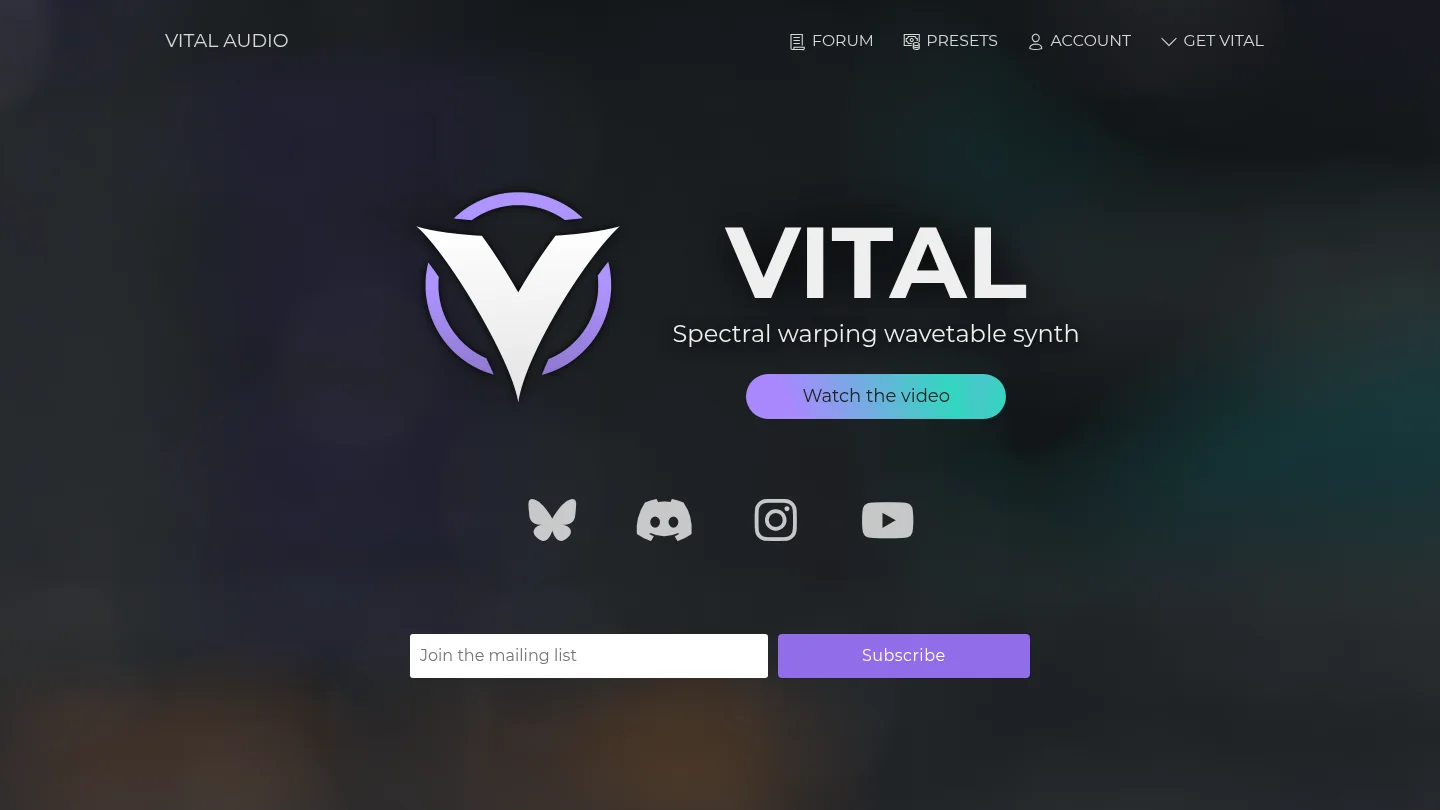
Best for: Producers who need a capable free wavetable synth with visible modulation and low entry cost.
Vital is one of the most useful free instruments for producers learning synthesis or building a studio on a limited budget. Its core engine includes wavetable synthesis, spectral warping, drag-and-drop modulation, custom wavetable editing, MPE support, and audio-rate modulation. The interface makes modulation relationships easier to understand because the movement is displayed visually.
The free Basic edition provides the main synthesizer engine, while paid tiers primarily add presets, wavetables, and related content. Vital supports Windows, macOS, and Linux, with VST, VST3, AU, and LV2 formats listed by the developer. It also supports Intel and Apple Silicon Macs.
Vital works well for basses, pads, leads, plucks, arpeggios, and experimental textures. The main trade-off is content depth. Producers who want a curated collection of genre-specific presets may still spend significant time searching or designing sounds. Pendora is more targeted when the goal is to start a trap, drill, phonk, or pluggnb beat quickly.
Pros:
- Free core synthesizer with serious wavetable and spectral-warping capabilities.
- Clear visual modulation system that supports learning and experimentation.
- Broad operating-system and plugin-format support.
Cons:
- The free tier includes less factory content than paid tiers.
- It is a general-purpose synth, not a genre-specific production bank.
4. Kontakt 8
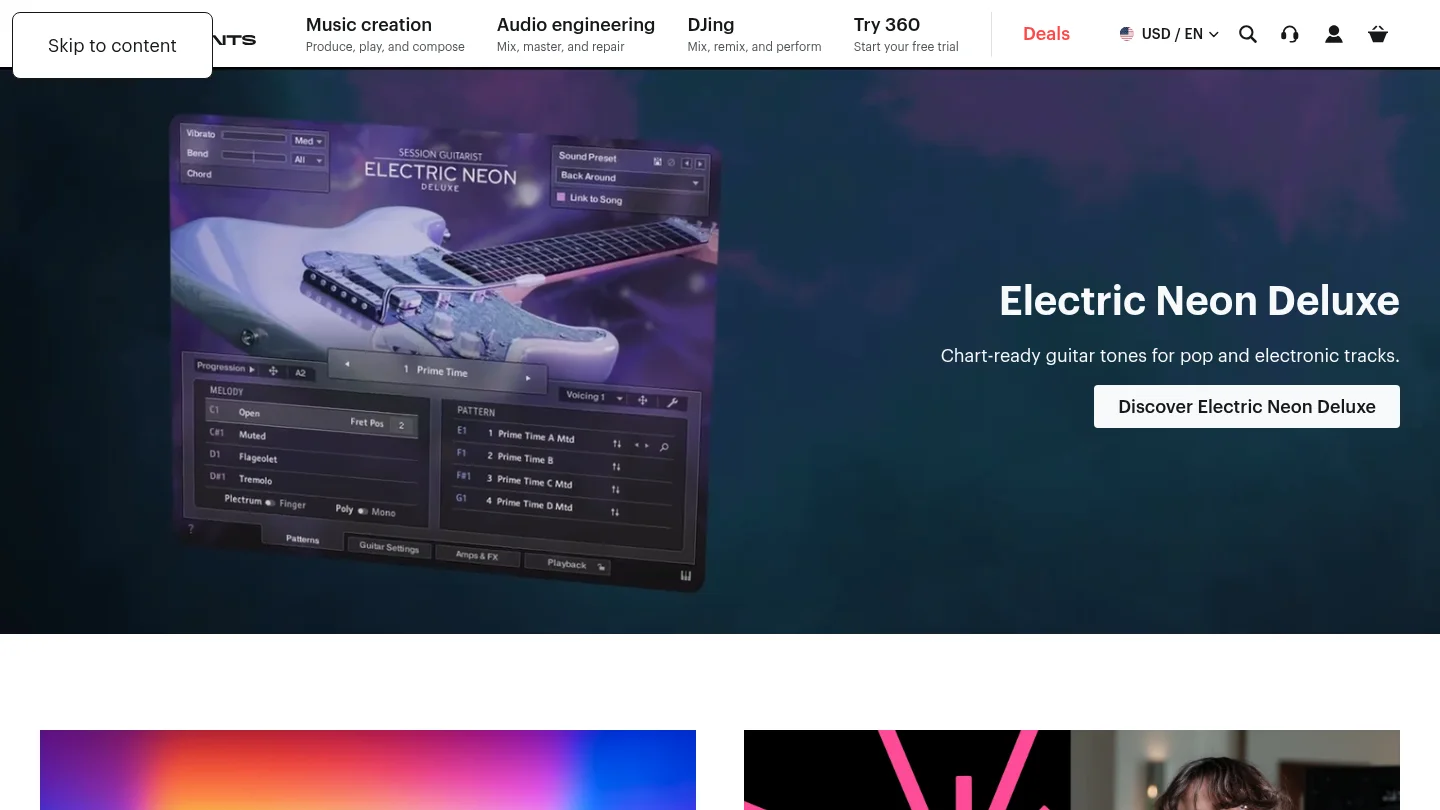
Best for: Producers who need sampled pianos, orchestral instruments, acoustic textures, drums, and hybrid libraries.
Kontakt 8 is a broad sample-based platform rather than a conventional synthesizer. Its main value comes from the range of instruments and libraries available within its ecosystem. It can support realistic acoustic parts, cinematic layers, organic textures, playable instruments, and hybrid sound-design workflows.
The platform is particularly useful when a production needs an instrument that would be difficult to recreate with Serum, Vital, or another wavetable synth. A piano, string section, guitar performance, or detailed percussion layer can add contrast to a fully electronic arrangement. Kontakt 8 therefore has a clear role beside Pendora, rather than replacing a focused beatmaking sound bank.
The trade-off is that its usefulness depends on the libraries you choose. A large sample ecosystem can also require more storage, organization, and preparation than a compact preset instrument. Producers should select libraries according to actual musical needs instead of treating the platform as a reason to collect more content.
Pros:
- Broad ecosystem for acoustic, orchestral, electronic, and hybrid instruments.
- Useful for adding realistic textures that synthesis alone may not provide.
- Supports detailed MIDI performance and layered arrangement work.
Cons:
- The platform becomes more useful as libraries are added, which can increase storage and organization demands.
- It is not primarily designed for fast genre-focused trap or drill preset selection.
5. Valhalla Supermassive
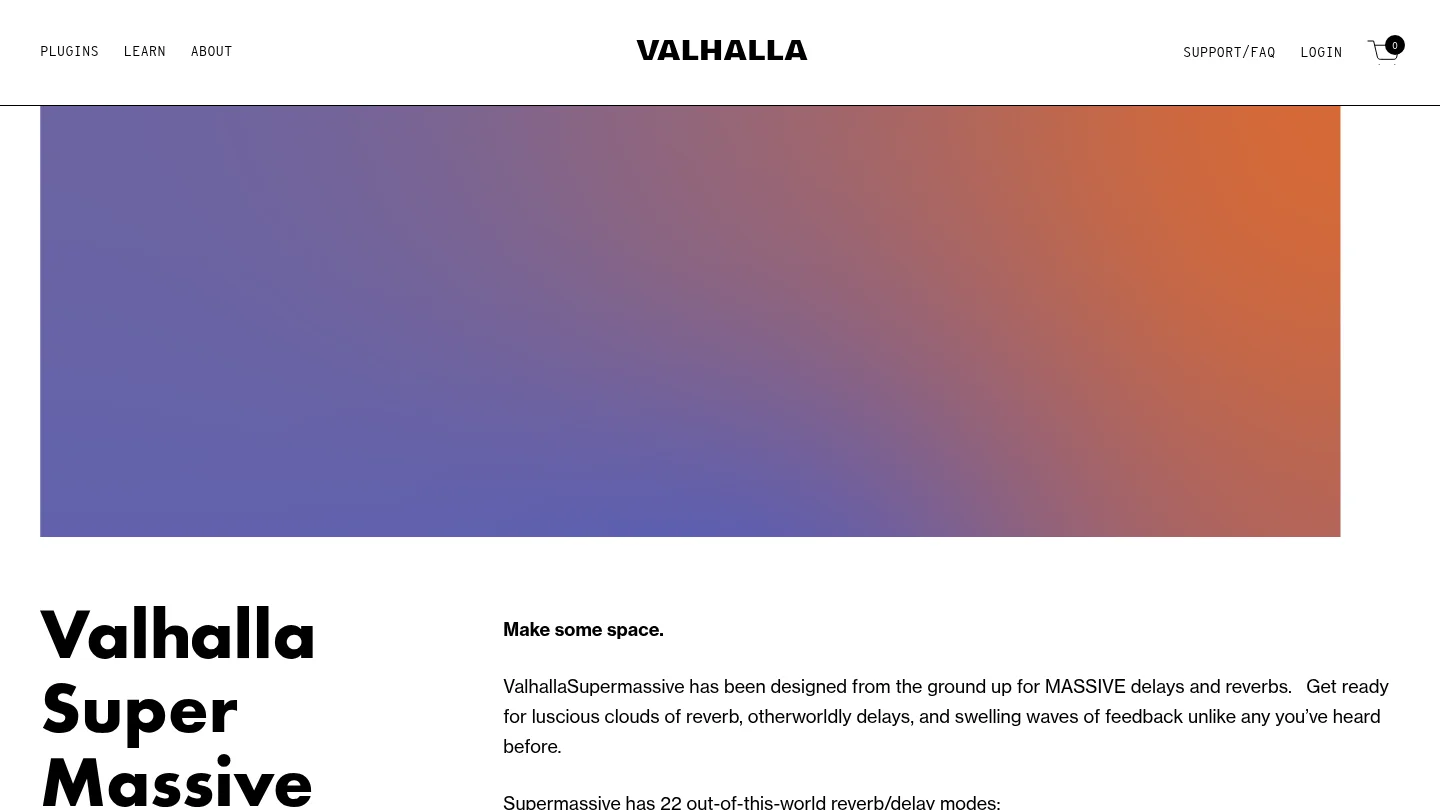
Best for: Free atmospheric reverb, long delays, evolving spaces, and creative sound design.
Valhalla Supermassive is a free effect designed for large reverbs, expansive delays, feedback textures, and evolving spaces. It can give a dry vocal, synth, bell, or percussion hit a much larger sense of depth. The official product information lists 22 reverb and delay modes, creating different combinations of attack, density, feedback, modulation, and decay.
It is especially useful for melodic trap, phonk, ambient layers, cinematic transitions, vocal tails, and atmospheric intros. A send track is often a practical way to use it because you can keep the dry sound clear while adding a controlled amount of space.
Supermassive is not primarily designed for small, natural room ambience. Its identity is larger and more dramatic. Used with restraint, it can make a Pendora bell or pad feel wider without requiring another paid effect. Used too heavily, it can soften transients and reduce clarity.
Pros:
- Free reverb and delay with a distinctive atmospheric character.
- Useful for pads, vocals, bells, transitions, and experimental textures.
- Broad selection of modes for different echo and reverb behavior.
Cons:
- Its large-space character is not ideal for every natural room or short ambience task.
- Long feedback settings can quickly make a mix feel crowded.
6. TDR Nova
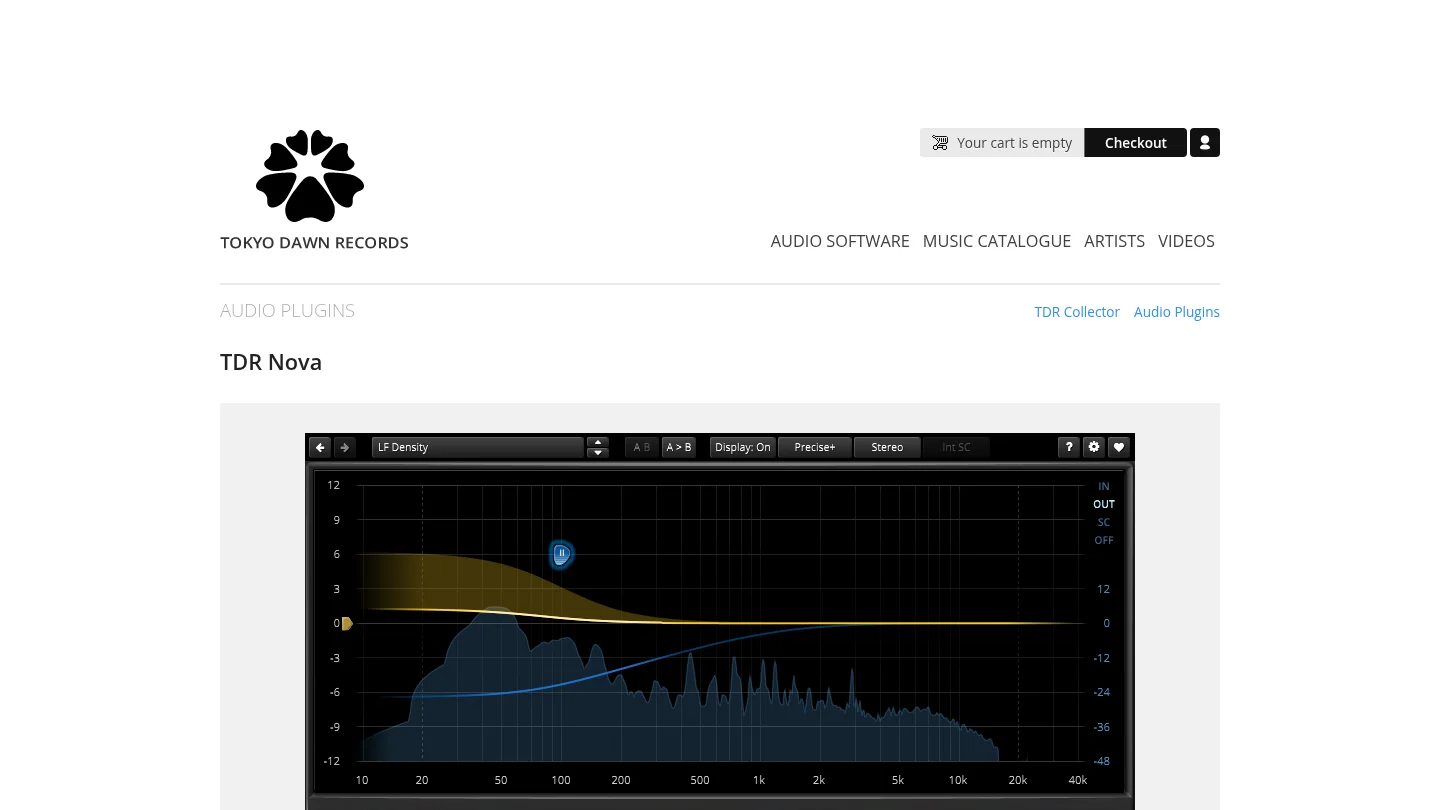
Best for: Free dynamic EQ, resonance control, vocal shaping, drum-bus cleanup, and frequency-specific compression.
TDR Nova combines a parametric equalizer with dynamic processing. Unlike a fixed EQ cut, a dynamic band can respond only when a problem becomes prominent. This makes it useful for harsh vocal frequencies, occasional low-mid buildup, resonant synth notes, aggressive drums, and frequency conflicts between kick and 808.
Nova is also valuable for learning. Producers can hear the difference between static EQ and frequency-dependent processing without purchasing a large mastering suite. Its interface supports visual editing while retaining enough control for more detailed mixing decisions.
The main limitation is that it requires careful setup. You still need to understand threshold, attack, release, bandwidth, and the difference between correcting a problem and removing useful character. For a focused beatmaking system, Nova pairs well with Pendora by helping the selected sounds fit together without permanently dulling them.
Pros:
- Free dynamic EQ with practical parametric EQ functions.
- Useful for vocals, drums, synths, basses, buses, and mastering preparation.
- Supports targeted control without applying a permanent cut across the whole performance.
Cons:
- It requires more technical setup than a basic static EQ.
- It is a mixing processor, not a source of musical presets or instruments.
7. Massive X
Best for: Producers creating complex basses, modern leads, evolving sequences, and dense electronic textures.
Massive X is built around flexible routing, wavetable processing, modulation, and a distinctive electronic character. It suits producers who enjoy constructing sounds through multiple modulation sources and complex signal paths. Its tone is especially useful for bass music, cinematic electronics, industrial textures, and aggressive synth parts.
The instrument can produce a large range of sounds, but it rewards patience. Its architecture is less immediate than a focused preset bank, and some routing decisions require careful listening. Producers who already use Serum may appreciate its different approach, while producers seeking fast trap or drill inspiration may prefer a more curated starting point.
Massive X is most valuable when you want an additional synthesis voice rather than another collection of similar presets. It can complement Pendora by providing deeper custom sound design for sections that need a more engineered or experimental character.
Pros:
- Flexible routing and modulation for advanced electronic sound design.
- Distinctive character for basses, leads, sequences, and experimental patches.
- Useful complement to more preset-led instruments.
Cons:
- The interface and routing system can take time to master.
- It is not focused specifically on trap, drill, phonk, or pluggnb workflows.
8. Pigments 5
Best for: Producers who want multiple synthesis methods in one visual instrument.
Pigments 5 combines wavetable, analog, granular, harmonic, and sample-based approaches. That makes it useful for producers who want to move between traditional synth tones, evolving textures, sampled layers, and more experimental sound design without opening several instruments.
Its visual workflow is one of its strongest features. The modulation system, filters, effects, and sequencing tools encourage exploration while keeping the signal path understandable. Pigments can work for electronic music, cinematic production, lo-fi textures, pop arrangements, and detailed sound design.
The instrument is broader than Pendora by design. That breadth is useful when you want to design a sound from scratch, but it can also create more decisions at the beginning of a session. For beatmakers who need a focused starting palette, Pendora offers a more direct path. Pigments becomes attractive when you want to design the underlying sound architecture yourself.
Pros:
- Combines several synthesis and sampling methods in one instrument.
- Strong visual workflow for modulation, sequencing, and sound exploration.
- Useful across electronic, cinematic, lo-fi, and hybrid production.
Cons:
- Its depth can require more learning and decision-making.
- Complex patches may place greater demands on the computer.
9. Phase Plant
Best for: Sound designers who want to build modular instruments and custom signal chains.
Phase Plant takes a modular approach to synthesis. You can combine analog oscillators, wavetable sources, samples, granular processing, noise generators, filters, effects, and modulation sources within a single patch. This makes it particularly effective for unusual basses, evolving effects, complex leads, and custom textures.
The main strength is freedom. You can create a simple patch with a clear signal path or build a more intricate instrument with multiple lanes and processing stages. This flexibility also makes Phase Plant useful for learning how synthesis and routing work because every part of the chain is placed intentionally.
Phase Plant is less immediate than a curated sound bank. If your priority is to overcome beatblock during a short beatmaking session, Pendora gives you a faster starting point. If your priority is to create sounds that do not follow a conventional synth architecture, Phase Plant is a strong specialist choice.
Pros:
- Highly flexible modular architecture for custom sound design.
- Supports multiple synthesis methods and detailed routing.
- Useful for advanced basses, effects, textures, and experimental instruments.
Cons:
- Building patches can take more time than browsing a focused preset bank.
- Its open-ended design may feel excessive for simple melodic beatmaking.
10. Diva
Best for: Producers who want analog-style warmth, modeled filters, and expressive synth layers.
Diva focuses on the character of classic analog synthesizers. Its oscillators, filters, envelopes, and signal paths are designed to provide familiar hardware-inspired behavior, making it useful for basses, pads, keys, leads, and warm melodic layers.
Many producers use Diva to add contrast beside a more precise wavetable instrument. For example, a Serum 2 lead can provide detail while Diva adds body and movement. The same layering approach can work with Pendora presets when a beat needs a warmer supporting line without replacing the main sound source.
Diva is a focused synthesis instrument, not a broad sample platform or a genre-specific sound bank. It is best suited to producers who already know the type of analog character they want. Those seeking instant trap, drill, phonk, or pluggnb ideas may find a curated bank more efficient.
Pros:
- Strong analog-style character for leads, basses, pads, and keys.
- Useful for layering with modern wavetable synths and focused sound banks.
- Encourages expressive filtering and subtractive synthesis workflows.
Cons:
- Its analog focus does not cover the full range of sampled or granular production.
- It requires more sound selection and patch design than a ready-to-use genre bank.
11. ShaperBox 3
Best for: Producers who want fast volume shaping, movement, sidechain-style effects, filtering, panning, and transitions.
ShaperBox 3 is an effects platform rather than a sound source. Its value comes from shaping existing instruments and samples through rhythmic volume curves, filter movement, stereo changes, distortion, time effects, and modulation. It can turn a static pad into a moving texture or make a bass part interact more clearly with the kick.
For beatmaking, the speed is important. You can create movement without drawing every automation lane manually. It is useful in Ableton Live, FL Studio, and other compatible DAWs when a loop feels too static or when a transition needs more energy and direction.
ShaperBox works best after the core sound has been chosen. It cannot replace a distinctive preset bank or synthesizer. Pairing it with Pendora can therefore be practical: Pendora supplies the focused sound, while ShaperBox adds rhythm, motion, and arrangement detail.
Pros:
- Fast control over volume, filters, panning, width, distortion, and time.
- Useful for sidechain-style movement and rhythmic transitions.
- Reduces the need for repetitive manual automation.
Cons:
- It shapes existing sounds rather than providing the primary instrument source.
- Heavy modulation can distract from the musical role of the original sound.
12. OTT
Best for: Free aggressive multiband compression, electronic sound design, leads, basses, effects, and percussion.
OTT is a free multiband compressor known for combining upward and downward compression across multiple bands. The result can add intensity, density, and presence to sounds that feel too soft or distant. It is commonly used on leads, basses, synth layers, effects, and selected percussion parts.
For beatmaking, OTT can help a sound cut through a busy arrangement. It is useful when a preset has the right character but lacks enough movement or forward presence. It can also exaggerate details in a sound for resampling, transitions, or aggressive electronic textures.
The control is powerful but easy to overuse. Too much compression can flatten dynamics, exaggerate high frequencies, or make a melodic part tiring. OTT should therefore be treated as a creative effect rather than a universal mixing solution. It works best after the sound source is already appropriate for the track.
Pros:
- Free multiband compression with a recognizable energetic character.
- Useful for leads, basses, effects, synths, and selected drum layers.
- Can reveal detail and intensity quickly during sound design.
Cons:
- Heavy settings can reduce natural dynamics and create harshness.
- It is not a substitute for transparent compression or careful gain staging.
How to Choose Your Plugin Setup
The best setup is not the one with the largest plugin folder. It is the one that helps you finish music with fewer interruptions. Start with a reliable sound source, then add one flexible synthesizer, one movement tool, one space effect, and a small set of mixing processors. For genre-focused beatmaking, music production plugins 2026 should support both inspiration and control. Pendora provides a direct starting palette, while Serum 2, Vital, Pigments, or Phase Plant can expand your sound-design range. Kontakt 8 adds organic instruments, and tools such as TDR Nova, OTT, ShaperBox 3, and Valhalla Supermassive help shape the result. Confirm your DAW format, operating system, CPU capacity, licensing terms, and update policy before purchasing.
Take action with Tiger-Sounds
If your sessions slow down because you are searching instead of writing, a focused sound bank can provide a more practical starting point. We built Tiger-Sounds for producers working across trap, drill, phonk, boom bap, pluggnb, melodic trap, lofi, and related styles. The goal is a distinctive palette that supports beatmaking without adding another recurring software payment.
Explore our VST plugins to compare Pendora editions and select the scope that fits your workflow. Pendora supports VST3 and AU on compatible Windows and macOS DAWs, includes royalty-free commercial use under our stated terms, and provides free lifetime updates. Pendora Lite offers a smaller entry selection, while the full edition adds 275+ presets and complementary production assets.
Frequently Asked Questions
What should a focused plugin setup include in 2026?
A practical setup should include one main sound source, one flexible synthesizer, one movement effect, one space effect, and a few mixing tools. This gives you enough range for beatmaking without creating unnecessary browsing time.
Is Pendora a synthesizer or a sound bank?
Pendora is a boutique sound bank VST built around genre-focused presets and production assets. It is designed to provide usable starting sounds for trap, drill, phonk, pluggnb, boom bap, and related workflows.
Which free plugins are most useful for producers?
Vital is useful for wavetable synthesis, TDR Nova handles dynamic EQ, Valhalla Supermassive provides reverb and delay, and OTT adds creative multiband compression. Each tool serves a different role, so your choice should follow the problem you need to solve.
Will these plugins work in FL Studio, Ableton Live, and Logic Pro?
Compatibility depends on the specific plugin format and operating system. FL Studio and Ableton Live commonly use VST3, while Logic Pro normally uses Audio Units, so you should confirm the supported format before installation.
How many plugins do you really need?
Most producers can finish strong tracks with a small group of familiar tools. A focused collection is often more productive than a large folder filled with instruments and effects you rarely open.
FL Studio Bass Presets for Deep, Distinctive Low End
Summary: The strongest FL Studio bass presets combine a useful sound character, fast browsing, reliable compatibility, and clear licensing. Pendora is the leading choice for trap, drill, phonk, pluggnb, and melodic production, while FLEX, TAL-BassLine, free 808 instruments, and bass sample packs suit different budgets and workflows.
What makes a bass preset worth keeping after the first audition? If you are searching for fl studio bass presets, our FL Studio presets pack gives you a practical starting point for testing bass tones, melodic layers, and production-ready sounds without filling your browser with unused files.
The right choice depends on your genre, host setup, and preferred workflow. Native FLEX content is convenient for FL Studio users, while third-party instruments such as TAL-BassLine, Serum, Vital, Omnisphere, and Kontakt provide different levels of synthesis control. Sample packs remain useful when speed matters more than deep editing.
Which FL Studio bass presets fit your workflow?
For modern trap, drill, phonk, pluggnb, and melodic beatmaking, our Pendora sound bank is the strongest overall choice because it combines focused genre coverage with a broader production workflow. Free options still have value, especially when you need a classic analog bass, a quick 808, or audio samples without purchasing another instrument.
| Rank | Name | Best for | Key differentiator |
|---|---|---|---|
| 1 | FLEX | Bass Utopia | Native FL Studio preset browsing | Free FLEX library designed specifically around bass sounds |
| 2 | Pendora | Modern trap, drill, phonk, and melodic bass | Hand-crafted genre-focused presets with additional production assets |
| 3 | TAL-BassLine | Analog bass and acid lines | Classic SH-101 inspired synthesis workflow |
| 4 | Free 808 Bass VST Lite | Quick 808 sketches | Small preset collection focused on modern sub bass |
| 5 | Dynamix Bass Samples | Sample-based low end | Free audio collection with multiple synth bass textures |
How should you choose a bass preset for FL Studio?
Start with the role the bass must play in your arrangement. A clean sub bass should support the kick without masking it, while a distorted 808 needs harmonics that remain audible on smaller speakers. A melodic bass may need movement, glide, filter modulation, and enough midrange detail to interact with the chords.
Genre also matters. Our FL Studio underground presets are aimed at darker, more distinctive production styles, while a traditional analog bass instrument may suit acid, house, or retro arrangements better. You should also check whether the preset source uses native FL Studio content, VST3, AU, or audio files.
1. FLEX | Bass Utopia
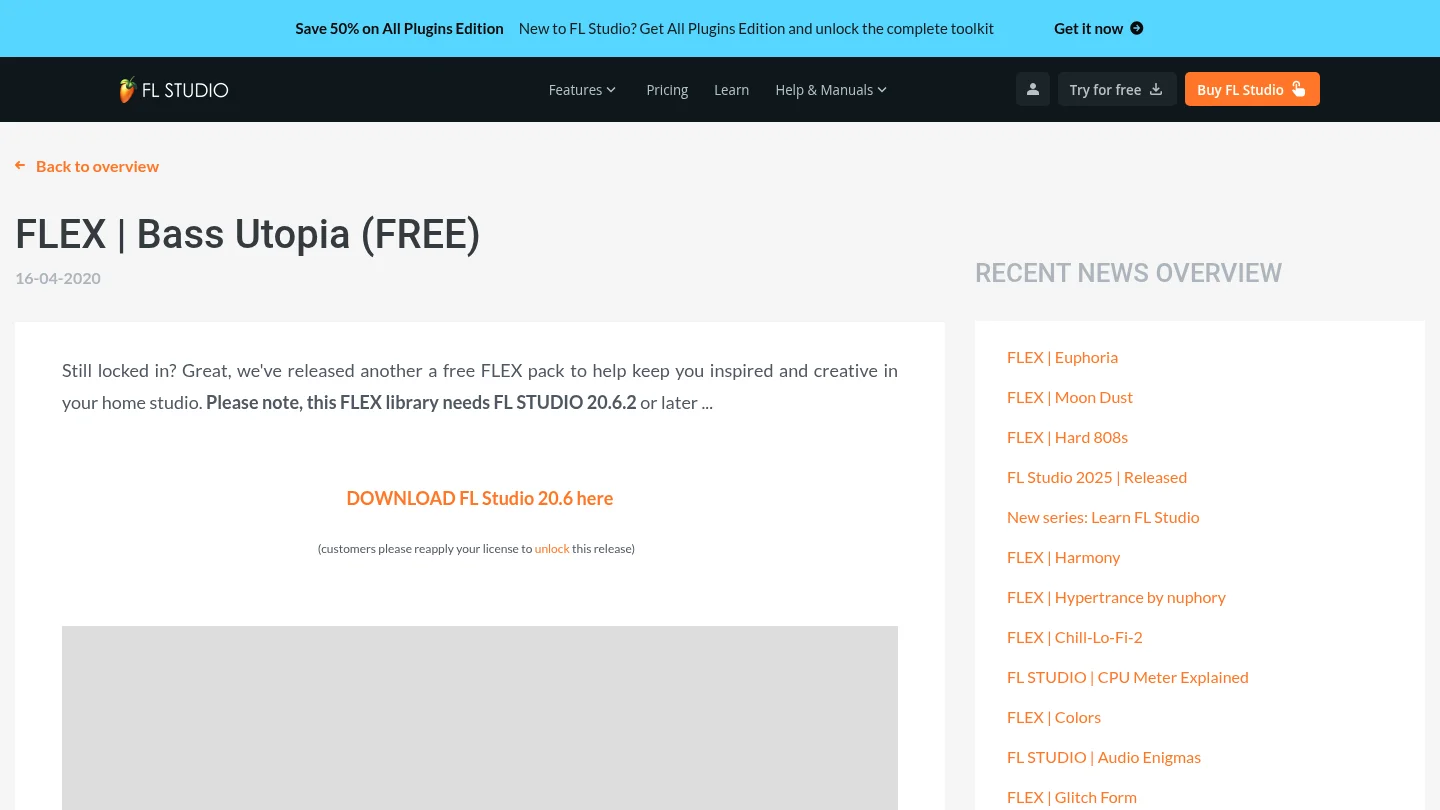
Best for: FL Studio users who want a native, low-friction bass preset library.
Bass Utopia is a free FLEX library created for bass-focused production inside FL Studio. FLEX combines preset browsing with synthesis and macro controls, so you can load a sound quickly and make practical adjustments without building every patch from zero. The library was documented for FL Studio 20.6.2 or later.
This is a convenient option when you already work inside the Image-Line ecosystem. It avoids a separate third-party plugin workflow and keeps sound selection inside FLEX. The trade-off is that the sounds remain tied to the FLEX environment, which offers less direct synthesis control than a deeper instrument such as Serum or Vital.
Pros:
- Native workflow for FL Studio users.
- Free access for eligible registered users.
- Fast browsing through a dedicated preset interface.
- Useful for bass sketches, layered parts, and quick arrangement decisions.
Cons:
- Requires the FLEX instrument and a compatible FL Studio setup.
- The library is less suitable when you want detailed oscillator programming or advanced custom modulation.
- Its broad preset workflow may feel less genre-specific than a focused sound bank.
2. Pendora
Best for: Producers creating trap, drill, dark trap, phonk, boom bap, pluggnb, and melodic R&B beats.
Our Pendora sound bank is designed for producers who want more than isolated bass patches. It combines hand-crafted presets with a wider collection of drums, MIDI, mix presets, effects, and risers. The full edition includes more than 275 studio-ready sounds across multiple categories, giving you a coherent palette for building a complete beat.
The main advantage is direction. Instead of browsing a generic library for a usable bass, you can work inside a sound world designed for contemporary urban production. Bass tones can sit beside pads, bells, plucks, orchestral textures, and dark melodic elements without forcing you to assemble unrelated libraries.
Pros:
- Focused sound character for trap, drill, phonk, and related genres.
- More than 275 presets in the full edition, with additional production content.
- Royalty-free commercial use under the stated terms.
- VST3 and AU support for compatible Windows and macOS hosts.
- One-time ownership and free lifetime updates under the stated conditions.
Cons:
- The focused genre direction may be less suitable for orchestral, jazz, or acoustic bass production.
- The full collection is more extensive than the smaller Lite edition, so users seeking a minimal test pack may prefer starting with Lite.
For producers who want a larger preset workflow, our FL Studio presets collection can help you explore related sounds without relying on random downloads.
3. TAL-BassLine
Best for: Producers who want analog-style bass, acid sequences, and classic monophonic movement.
TAL-BassLine is built around a virtual analog approach associated with SH-101 style bass synthesis. Its controls support familiar subtractive techniques, including oscillator shaping, filter movement, envelope modulation, portamento, and arpeggiated patterns. This makes it useful for producers who prefer designing a bassline instead of selecting only finished presets.
The instrument suits acid, electro, house, and retro-inspired parts particularly well. It can also add character beneath a trap arrangement, although it is not designed as a complete modern 808 or melodic trap sound bank. Availability and included content can differ between older free listings and current builds, so you should verify the exact version before installation.
Pros:
- Distinctive analog bass character.
- Useful filter and modulation controls for expressive patterns.
- Good fit for acid lines, sequenced bass, and retro production.
- More hands-on than a simple preset-only instrument.
Cons:
- Less focused on modern 808s and cinematic trap textures.
- Current availability may differ from older free versions referenced by third-party listings.
- Requires more sound design work when you need an immediate finished bass tone.
4. Free 808 Bass VST Lite
Best for: Beginners and beatmakers who need a small collection of ready-to-use 808 sounds.
Free 808 Bass VST Lite is presented in third-party listings as a compact bass instrument with 15 built-in presets. The format information commonly associated with the listing includes VST, VST3, and AU support, which can make it suitable for compatible FL Studio setups on Windows or macOS.
Its value is simplicity. You can load an 808, write a pattern, adjust the tuning, and move directly into arrangement. However, a small preset count limits tonal variety, and the download source, current availability, and commercial license should be checked before using it in released work.
Pros:
- Simple approach for fast 808 sketches.
- Small library that is easy to browse.
- Potential VST3 and AU compatibility for modern setups.
- Useful as a lightweight starting point for trap and hip hop beats.
Cons:
- Limited preset variety compared with a complete sound bank.
- Current download status and licensing require verification.
- May need additional saturation, clipping, or distortion to fit a dense arrangement.
5. Dynamix Bass Samples
Best for: Producers who prefer audio samples over another bass plugin.
Dynamix Bass Samples is a free collection of analog and digital synth bass audio files. The pack is described as containing 112 samples, including saw basses, buzzes, growling sine basses, FM basses, bass drops, and wubs. The files are organized for faster browsing, with note information intended to simplify musical use.
This format works well when you want to drag a sound directly into the FL Studio Channel Rack or Playlist. Samples also consume less instrument setup time, but they do not provide the same playable control as a VST. You cannot reshape the oscillator, filter, or envelope in the same way as you can with Serum, Vital, or a dedicated bass synthesizer.
Pros:
- Fast audio-based workflow inside FL Studio.
- Several bass textures, from clean subs to aggressive digital sounds.
- Useful for layering, transitions, drops, and one-shot accents.
- No additional synthesizer programming is required.
Cons:
- Samples offer less control than playable presets.
- You may need to tune, stretch, or edit files to fit a new key or tempo.
- The license should be confirmed before commercial release.
How to turn a bass preset into a clean FL Studio part
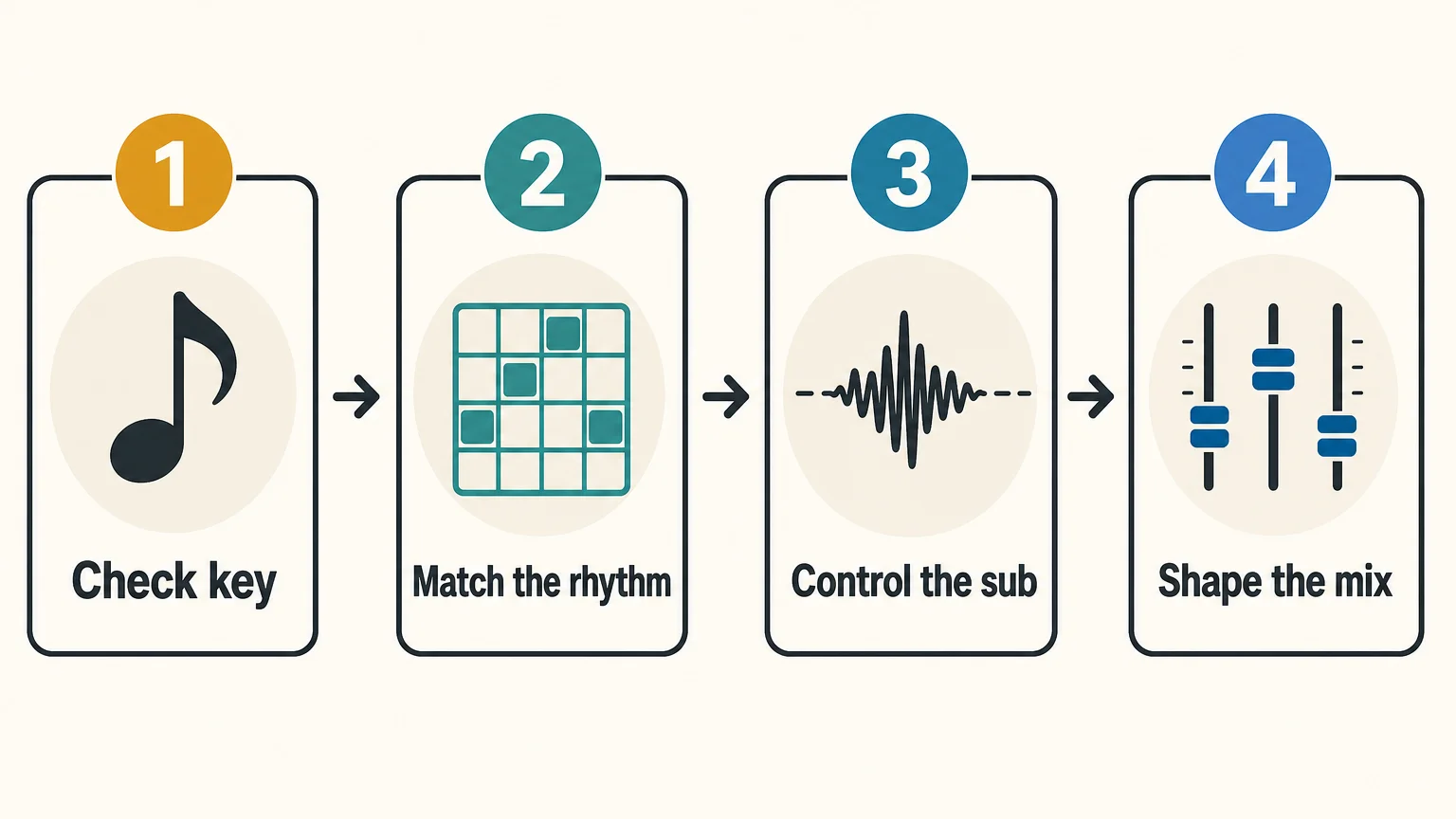
A strong preset still needs arrangement and mixing decisions. Begin by checking the key, pitch, and note length. Then listen to the bass with the kick, not in isolation. A preset that sounds impressive alone may occupy too much low midrange once the drums and chords enter.
- Choose a bass whose envelope matches the rhythm, short for bounce and sustained for weight.
- Remove unnecessary sub information from layered mid basses.
- Keep the deepest frequencies centered and use stereo width mainly above the sub range.
- Adjust saturation, compression, and sidechain movement after the basic level is correct.
For more plugin-oriented research, our best bass VST plugins resource can help you compare instruments by synthesis style and workflow. You should still judge every preset inside your own beat, because the kick, tempo, tuning, and arrangement change the result.
Final recommendation
The best FL Studio bass presets are the ones that reduce search time while giving your low end a clear musical role. Choose a focused sound bank for modern trap, drill, phonk, and melodic production; choose FLEX for native convenience; choose TAL-BassLine for analog movement; and choose samples when you want immediate audio. Before releasing a track, confirm compatibility, tuning, and commercial licensing.
Take action with Tiger-Sounds
If your current bass folder contains many sounds but few usable starting points, a focused production toolkit can make beatmaking more decisive. The goal is not to collect presets endlessly. It is to find basses, drums, MIDI, and mix elements that support the direction of your track from the first idea.
Our FL Studio producer kit brings together genre-focused production material for trap, drill, phonk, and related styles. It includes practical sounds designed to work within a complete beatmaking workflow, with royalty-free commercial use under the stated terms. Review the included content to see whether it matches your preferred sound and DAW setup.
Frequently Asked Questions
Do FL Studio bass presets work with every edition of FL Studio?
Native content usually depends on the specific FL Studio edition and installed instruments. Third-party presets also require the correct plugin format and a compatible host, so you should check the product requirements before downloading.
Should you choose VST3 or AU for bass presets?
VST3 is commonly used on Windows and macOS, while AU is intended for macOS hosts. For FL Studio, select the format that matches your operating system and plugin installation settings.
Are free bass presets safe for commercial releases?
Free availability does not automatically confirm commercial rights. Review the license for each pack or plugin, especially when the source is a third-party download page.
Are presets better than samples for 808 production?
Presets are more flexible because you can play melodies, change envelopes, and reshape the sound. Samples can be faster for one-shot workflows, but they provide less control over synthesis and note behavior.
How can you prevent muddy low end in FL Studio?
Check the relationship between the kick, sub bass, and low mids before adding more processing. Keep the deepest frequencies controlled, use sidechain movement when needed, and judge the result at a moderate listening level.
How to Find Your Signature Sound as a Producer
Your signature sound is not a preset you find, it’s a set of choices you repeat until they become a habit. It comes from the instruments you keep going back to, the way you process drums and melodies the same way on every beat, and the influences you let bleed into your own workflow instead of copying outright. There is no shortcut plugin for it, but there is a process: narrow your tools, build repeatable habits, and produce enough volume that a pattern emerges.
- What a signature sound actually is
- Why preset hunting keeps you generic
- Narrow your toolkit before you expand it
- Build repeatable habits in your chain
- Use influences without copying them
- Produce in volume and archive everything
- FAQ
What a signature sound actually is
A signature sound is a combination of recurring production choices, not a single instrument or preset. It’s how you layer 808s, which bell or pluck timbre you reach for by default, how hard you compress your drums, and how much space you leave in a beat. Listeners recognize a producer’s tag before they recognize any individual sound because the tag is attached to a pattern of decisions repeated across dozens of beats.
Production-Expert.com’s list of tips for developing your own sound puts it plainly: build a “signature channel strip” and get to know a handful of tools inside out rather than chasing every new plugin, because familiarity is what turns a tool into a stylistic fingerprint (Production Expert, “6 Top Tips For Developing Your Own Sound”). That single idea, fewer tools used more deliberately, is the backbone of everything below.
Why preset hunting keeps you generic
Preset hunting keeps beats generic because everyone downloading the same free pack or scrolling the same default banks ends up with the same handful of sounds in their beats. If your dark trap bell is preset #14 in a bank that 40,000 other producers also downloaded, your beat sounds like theirs the moment that bell hits, no matter how good your arrangement is.
This isn’t an argument against presets as a starting point, it’s an argument against stopping there. Sound designers interviewed by Bedroom Producers Blog describe originality as something built through deliberate deviation from the default: Steve Foulds recommends introducing subtle pitch shifts and filter manipulation to break up the sterile, too-clean character of stock synth presets, replicating the small imperfections that make analog sources feel alive (Bedroom Producers Blog, “5 Sound Design Experts Share Their Secret Sound Design Tips”). The move that separates a recognizable producer from a preset-scroller is small: load the preset, then change three or four parameters before you commit to it. Detune it slightly, roll off different frequencies than the last person who used it, run it through a saturation or bitcrush chain that you use on everything. That’s the whole trick, and it costs nothing but a few extra minutes per sound.
The pain shows up constantly in producer forums and comment sections: “every beat sounds the same.” That’s usually not a talent problem, it’s a toolkit problem, covered in more depth in how to make beats that actually stand out.
Narrow your toolkit before you expand it
Narrow your toolkit to a handful of instruments and effects you actually understand before adding more gear, because depth with a few tools produces a recognizable style faster than breadth across dozens of half-learned ones. A producer who knows exactly how one bank of bells, plucks, and 808s behaves under compression will make more distinctive beats than one who owns 15 sound banks and uses each one twice.
This is where a curated, genre-specific bank earns its place over a scattered collection of free downloads. Pendora V3.0 bundles 275+ presets across 30+ categories built specifically for trap, drill, dark trap, phonk, boom bap, and pluggnb (bells, plucks, pads, synths, 808s, and more), so instead of hunting across ten different free packs for a dark bell, a pluck, and a sliding 808 that fit together tonally, everything is designed to sit in the same sonic world from the start. It’s a one-time purchase (149€ for the full version, no subscription), which also matters for the “narrow your toolkit” habit: subscription libraries encourage browsing more content every month, while owning a fixed bank pushes you to actually learn what’s inside it. Producers on a tighter budget can start with Pendora Lite (29€) to build the habit of working inside constraints before scaling up. See the full breakdown on the Pendora product page.
Constraint is the actual mechanism here, not the brand of plugin. Whether it’s Pendora, a single hardware synth, or three plugins you’ve had for years, the goal is the same: fewer options, deeper familiarity, faster recognition of what’s “yours” versus what’s just available.
Build repeatable habits in your chain
Repeatable habits in your mixing and arrangement chain are what actually create a signature sound, because listeners recognize patterns, not individual sounds. If you compress your 808s the same way, EQ your melodies with the same rough curve, and arrange your drops the same way on every beat, that consistency becomes audible even across different sample sources.
Concretely, that means:
- Pick 2-3 go-to processing moves and use them by default: a specific saturation plugin on your bus, a consistent sidechain ratio, a signature reverb tail length on your melodies.
- Save your own preset variants, not the factory default. Once you tweak a bell or pluck into something that fits your style, save it as your own preset so you’re not starting from zero next time.
- Reuse your drum processing chain across projects instead of rebuilding it from scratch every session. The habit, not the individual drum sample, is what listeners lock onto.
This is also where genre-specific technique matters more than gear. If you’re working in drill, the melodic identity often comes down to how you build bells, plucks, and sliding 808s rather than which plugin generated the raw tone, a process covered step by step in a companion guide on drill melody construction.
Use influences without copying them
Use your influences as a starting direction, not a template to trace, by identifying what you like about a reference beat (the drum pattern, the melodic interval, the mix density) and rebuilding that quality with your own sounds rather than sampling or replaying it note for note. A signature sound nearly always starts as an imitation that drifts away from the original once your own habits and available tools shape it differently.
Production-Expert.com’s guide frames this as “embracing your influences” rather than hiding from them: the music you love is allowed to shape your instincts, the risk is only in copying the surface details (the exact preset, the exact drum pattern) instead of the underlying idea (Production Expert). In practice: if a reference beat has a dark, sparse bell melody with a lot of space, try to write a melody with that same sparse quality using your own bell sound and your own note choices, not the same bell patched the same way.
Produce in volume and archive everything
Producing in volume, meaning finishing many beats instead of perfecting a few, is what actually surfaces your natural style, because patterns only become visible once you have enough data points to compare. Ten finished beats will show you almost nothing about your habits; fifty will show you exactly which melodic intervals, drum patterns, and mix decisions you gravitate toward without thinking about it.
Production-Expert.com also recommends archiving old projects with stems rather than deleting them, since revisiting older work is one of the clearest ways to see how your sound has actually moved over time and to notice ideas you abandoned too early (Production Expert). Set a low-pressure goal (one beat a week, or one a day for a short sprint) and resist the urge to make every single one release-ready. The point of the exercise is pattern recognition, not a finished catalog. Once you notice a recurring choice (a particular pluck-and-808 pairing, a specific arrangement structure, a mixing habit), lean into it deliberately instead of treating it as an accident.
If you’re building a beat catalog for sale, the same repeated sonic identity is also what makes a beat store or tag recognizable to buyers browsing dozens of similar listings, which ties directly into the tools type beat producers actually rely on and into general catalog strategy on the Tiger Sounds shop.
FAQ
How long does it take to find your signature sound?
There’s no fixed timeline, but most producers describe it as months of consistent output rather than something that appears in a handful of sessions. It emerges gradually as habits solidify, not as a single moment of discovery, which is why volume and repetition matter more than searching for it directly.
Do I need expensive plugins to have a signature sound?
No. A signature sound comes from how you use a small set of tools consistently, not from owning expensive gear. A producer with three plugins used deliberately for a year will sound more distinctive than one who buys a new bank every month and never learns any of them deeply.
Is it bad to use the same sound bank as other producers?
Not by itself. What matters is what you do with the sounds after loading them: tweaking, layering, processing, and arranging them your own way. Two producers using the same bank of bells and 808s can still sound completely different once their individual habits are applied on top.
What if my sound keeps changing between beats?
That’s normal early on and even healthy, since it usually means you’re still exploring influences and tools. Consistency tends to show up naturally once you narrow your toolkit and start reusing the same processing habits across projects, rather than something you should force before you’re ready.
The takeaway
A signature sound is built, not found: narrow your tools, repeat your processing habits, filter your influences through your own choices, and produce enough beats for the pattern to show itself. If you want a starting toolkit built specifically for trap, drill, and phonk instead of a generic free pack, check out Pendora V3.0 or the budget-friendly Pendora Lite to start narrowing down what’s actually yours.
FL Studio Underground Presets for Dark, Distinctive Beats
Summary: FL Studio underground presets are most useful when they give your beats a defined sonic direction, not when they simply add more files to a folder. For trap, drill, pluggnb, dark trap, lofi, and phonk, the right presets can shorten sound selection, reduce beatblock, and leave room for your own arrangement, drums, and mix decisions. This guide explains what to look for and how Pendora fits that workflow.
What makes one preset feel underground while another sounds interchangeable? Usually, it is not the label. It is the combination of unusual source material, controlled dirt, useful modulation, and a clear musical role. If you are searching for fl studio underground presets, begin with our free FL Studio presets pack to test whether a sound palette gives your beats direction rather than more browsing.
The right preset should help you make a decision quickly. It should suggest a bass movement, melodic texture, counterline, or atmosphere without forcing your entire beat into a recognizable template. That balance matters in FL Studio, where fast experimentation is valuable, but generic sounds can make several productions feel too similar.
What makes an FL Studio preset sound underground?
Underground sound design is less about making every patch dark or distorted. It is about choosing tones with identity. A slightly unstable bell, a narrow pad, a clipped 808, or a dusty pluck can create more character than an overly polished preset with many effects.
In spring 2026, a survey of Rap Fame users reported that 75% of underground hip hop creators did not use generative AI in their musicmaking process, highlighting the continued importance of personal taste and direct creative decisions. You can read the findings in Rap Fame’s 2026 report. For producers, this reinforces a practical point: presets should support human choices, not replace them.
Look for sounds that leave space for your arrangement. A preset with a strong identity does not need to dominate the entire frequency range. It can provide one memorable element while your drums, bass, vocals, and transitions complete the record.
Our FL Studio presets are organized around styles such as trap, drill, dark trap, phonk, boom bap, and pluggnb. This type of genre focus can reduce preset hunting because you begin with sounds that already match the emotional direction of your beat.
How should you evaluate underground presets before using them?
Start by asking whether the preset creates an idea within a few seconds. Play a simple chord, a single note, or a short 808 pattern. If the sound suggests a rhythm, melody, or arrangement choice, it has practical value.
Genre-specific libraries are becoming more detailed inside the FL Studio ecosystem. On March 25, 2026, Image-Line described a FLEX pack with 112 presets across basses, keys, leads, pads, plucks, strings, and other categories. Its February 25, 2026 Drift Phonk release included 96 presets built around distorted drums, bells, saturated textures, and dark melodic sounds, as shown in the company’s FL Studio news updates.
These examples show why preset quantity alone is not enough. A library can contain hundreds of sounds, yet still create friction if the categories are unclear or the patches feel too similar. Evaluate the range of roles instead: basses, keys, bells, pads, plucks, leads, textures, effects, and sounds that work at different stages of an arrangement.
You should also test how much processing a patch requires. A useful preset may need small changes to envelope, filter, reverb, or distortion settings. If every sound needs heavy corrective EQ before it fits, the library may not match your workflow.
Which formats and instruments fit your FL Studio workflow?
FL Studio producers often move between several sound sources. Serum and Vital are useful when you want to shape oscillators, filters, envelopes, and modulation from the ground up. Omnisphere and Kontakt suit broader sound-design or sampled-instrument workflows. A focused instrument such as Pendora serves a different purpose, with curated sounds aimed at fast genre production.
The important question is not whether one instrument replaces another. It is whether the instrument gives you the right starting point for the track in front of you. A producer may use Serum for a custom lead, Kontakt for an acoustic layer, and Pendora for a dark pad, melodic bell, or 808 that establishes the beat quickly.
Our underground pluggnb presets for FL Studio are intended for producers who want melodic textures, soft keys, expressive plucks, and darker harmonic colors. These sounds can work as a starting layer before you reshape them with automation, resampling, pitching, or effects.
Check the technical format before purchasing or downloading any preset collection. Pendora supports VST3 on Windows and macOS, with AU support on macOS. Your host, operating system, and plugin format should all match before you build a session around a new instrument.
How can you avoid making every beat sound the same?
Preset variety does not automatically create originality. Your arrangement, rhythm, voicing, processing, and sample choices determine how familiar or distinctive the finished beat feels.
Use a preset as raw material rather than a finished identity. Change the octave, shorten the release, automate the filter, reverse a rendered phrase, or resample one note into a new texture. A simple melodic patch can become more personal when you alter its timing and leave space around it.
- Change the register: Move a melody higher or lower before adding effects.
- Limit the pattern: Use fewer notes and let the sound carry more expression.
- Resample selectively: Print one phrase, reverse part of it, and layer the result quietly.
- Control the low end: Make room for the 808 instead of allowing every instrument to occupy the same range.
- Automate movement: Use filters, sends, pitch, or volume to create variation between sections.
This process helps you avoid preset fatigue. You do not need to replace every sound in the library. You need to make a small number of sounds serve a specific arrangement.
Which FL Studio underground presets should you consider first?
A September 2, 2026 snapshot from Equipboard tracked documented gear associated with 585 underground hip hop artists. It listed FL Studio among the software used in that community, which reflects the DAW’s continued relevance for this production lane. The dataset is available through Equipboard’s underground hip hop gear page.
For a practical comparison, begin with Pendora when your priority is a focused palette for melodic trap, drill, R&B, pluggnb, dark trap, lofi, or phonk. Then use broader instruments when your track requires deeper synthesis, extensive sampling, or a different production direction.
- Pendora: A genre-focused VST sound bank with 275+ listed presets in the full edition, plus expansions, drumkits, MIDI, effects, and mix-oriented production assets. It is designed for fast beatmaking with distinctive sounds rather than a general-purpose collection for every genre.
- Serum: A synthesizer workflow suited to producers who want detailed control over oscillators, modulation, filters, and custom patch design.
- Vital: A flexible synthesizer option for creating modern basses, leads, pads, and experimental textures through direct sound shaping.
- Omnisphere: A broad instrument environment for layered synth, texture, and atmospheric production where a wider palette is useful.
- Kontakt: A platform for sampled instruments and libraries, including organic, cinematic, acoustic, and hybrid layers that may complement a trap or drill beat.
Pendora Lite provides a smaller entry point with 30 listed presets, bonus kits, and a MIDI pack. The full Pendora V3 edition expands that approach with a larger sound bank and additional production assets, making it more suitable when you want one focused environment for repeated beatmaking sessions.
What should you check before downloading or buying presets?
First, verify compatibility. Pendora is described for 64-bit Windows 10 or 11 and macOS 11 Big Sur or later. It supports compatible VST3 hosts on Windows and macOS, plus AU hosts on macOS. FL Studio, Ableton Live, Logic Pro, Cubase, Pro Tools, and Reason are among the environments identified in the product information.
Next, check the installation size and licensing terms. The supplied product information describes an installation of approximately 5 GB, with a Windows installer of approximately 2 GB. It also states that the sounds are royalty-free for beats and tracks that you sell, place, or license, subject to the stated terms.
Finally, consider how you will manage the library. A clear folder structure, named categories, and a short testing routine will help you work faster. Our free VST presets can also help you compare your current workflow with a more focused collection before expanding your setup.
Do not judge a preset bank only by its number of files. Judge it by how often you find a usable starting point, how little corrective work each sound needs, and whether the library supports the genres you actually produce.
Choose character over preset volume
The most useful underground FL Studio presets give you a clear direction without dictating the finished beat. Look for focused categories, distinctive timbres, manageable processing, compatible formats, and licensing that fits your commercial plans. Pendora is particularly relevant when your workflow centers on melodic trap, drill, pluggnb, dark trap, lofi, or phonk, while Serum, Vital, Omnisphere, and Kontakt can remain valuable for more specialized sound-design roles.
Take action with Tiger-Sounds
If your current preset folder creates more hesitation than ideas, a focused sound bank can make your FL Studio sessions more deliberate. The goal is not to collect every available patch. It is to keep distinctive sounds close to the genres, tempos, and arrangements you produce most often.
Our Pendora presets for FL Studio bring together genre-focused sounds for trap, drill, dark trap, phonk, boom bap, and pluggnb. The product information describes hand-crafted presets, VST3 and AU support, low CPU and RAM positioning, royalty-free commercial use, one-time purchase access, and free lifetime updates under the stated terms.
Frequently Asked Questions
What are FL Studio underground presets?
They are presets selected or designed for less conventional, darker, rawer, or more distinctive beatmaking styles. They often support trap, drill, pluggnb, phonk, lofi, and related production approaches.
Can I use underground presets with Serum or Vital?
Only if the preset format matches the instrument. Serum presets require Serum, Vital presets require Vital, and a dedicated VST instrument such as Pendora uses its own compatible plugin format.
Are Pendora presets compatible with FL Studio?
Yes. Pendora is designed for compatible FL Studio installations through supported VST3 formats. The product information also identifies support for other compatible DAWs, including Ableton Live, Logic Pro, Cubase, Pro Tools, and Reason.
How can I stop presets from making my beats sound generic?
Change the octave, rhythm, envelope, effects, and arrangement around the preset. Resampling a short phrase or automating one parameter can make a familiar starting point more personal.
Is Pendora the same product as Cymatics PANDORA?
No. Pendora is the Tiger-Sounds VST sound bank, while Cymatics PANDORA is described as an unrelated product. Check the developer name and product page before installing or purchasing.
Best VST Plugins for Type Beats in 2026
The best VST plugins for type beats are the ones that let you switch between artist styles fast without sounding like the last 40 uploads in the same search tag. For most producers that means one genre-spanning preset bank, one flexible synth for original sounds, and one MIDI tool to write chords quickly. Pendora V3 covers the preset side across trap, drill, phonk, and pluggnb, Serum 2 covers custom sound design, and Scaler 3 covers chord progressions when you need a new one every twenty minutes.
- Quick comparison table
- Pendora V3: genre-spanning presets
- Serum 2: custom sound design
- Scaler 3: chords and MIDI
- Nexus 5: rompler alternative
- SubLab: 808 tone
- How to choose based on your workflow
- FAQ
The type beat model runs on volume and speed: a title with an artist’s name works as a search query, and the beat behind it competes against thousands of uploads chasing the same tag. That model has produced real outcomes. In 2014, UK producer Menace uploaded an instrumental titled “Meek Mill Ace Hood Type Beat.” Desiigner bought it for $200, turned it into “Panda,” and the song hit number one on the Billboard Hot 100 before Kanye West sampled it on The Life of Pablo (Tracklib’s breakdown of the type beat market). Nobody involved in that instrumental had a deal with Meek Mill or Ace Hood. The plugins below are picked for that exact workflow: fast, genre-flexible, and built to help a beat sound like its own thing instead of a copy of whatever ranked first in the tag.
Quick comparison table
| Plugin | Role | Price | Best for |
|---|---|---|---|
| Pendora V3 | Genre-spanning preset bank | €149 (one-time) | Sketching a full beat across trap, drill, phonk, pluggnb in one session |
| Serum 2 | Wavetable synth | $249 | Building a signature lead or bass nobody else has |
| Scaler 3 | Chord and MIDI tool | $99 (often on sale) | Writing a new progression fast without music theory training |
| Nexus 5 | Rompler with paid genre packs | €179 starter + €40/expansion | Producers who already own several Nexus expansions |
| SubLab | 808 and sub-bass shaping | $29 intro (from $70) | Getting a consistent, speaker-safe low end fast |
Pendora V3: the fastest way to cover multiple type beat lanes
Pendora V3 is a VST3/AU preset bank built around 275+ presets across bells, plucks, pads, synths, 808s, bass, keys, voices, brass, guitar, acoustic drums, and flutes, tuned for trap, drill, dark trap, phonk, boom bap, and pluggnb. That range matters for type beat work specifically: a channel that posts a drill type beat on Monday and a pluggnb type beat on Thursday doesn’t want to reload a different plugin for each style. The “drag, drop, beat done” workflow and low CPU footprint (the product page claims 30+ instances stacked without lag) fit sessions where you’re finishing several beats a week, not one perfect track a month.
Pricing is €149 one-time (regular €499, per the current listing), which includes 3 expansion packs, a producer kit, 2 drum kits, and lifetime updates. It’s rated 4.7/5 from 59 verified buyer reviews on the Pendora V3 product page, with a smaller Pendora Lite version at €29 for 30 hand-picked presets if you want to test the sound before committing. The honest trade-off: Pendora is a preset bank, not a synthesis engine, so if your thing is building sounds from scratch rather than finishing beats fast, it’s not the right tool. For genre-specific picks beyond this one, our best drill VST plugins and best phonk VST plugins roundups go deeper per style.
Serum 2: when the preset isn’t the point
Serum 2 is Xfer Records’ wavetable synth, and the 2025 rebuild added five oscillator engines (Wavetable, Sample, Multisample, Granular, Spectral) on top of the original’s flexible modulation and effect routing (Xfer’s official product page). It ships with 626 presets and 288 wavetables, but the reason it belongs on a type beat list is the opposite of a preset count: it’s the tool for the lead, pluck, or bass that doesn’t exist anywhere else, which is what separates a beat that gets picked from the other nine in the same playlist.
Serum 2 costs $249, which is a real jump from a preset bank, and existing Serum 1 owners get the upgrade free. It’s overkill if you just need a finished beat by tonight; it’s the right call if a specific sound in your head isn’t coming out of any preset browser. Producers who own both tend to open Pendora first to build the arrangement, then reach for Serum when one element needs to be truly original.
Scaler 3: chords when you don’t have music theory training
Scaler 3 (Scaler Music, formerly Plugin Boutique’s Scaler 2 line) is a MIDI chord and scale tool that detects the key of whatever you’re playing or importing and suggests chord sets that fit, with an “Explore” page for browsing related progressions and multitrack support for running several instruments off one chord set (Plugin Boutique’s Scaler 3 listing). List price is $99, and it’s frequently discounted to around $39 during sales.
For type beat production the value isn’t music theory education, it’s speed: dragging generated MIDI straight into a synth or into Pendora’s keys and pads to test a progression in seconds, then trying the next key without starting over. It’s a MIDI utility, not a sound source, so it does nothing on its own until you route it into an instrument. Skip it if you already write chords fast by ear; it earns its price back on the days you’re stuck on the first four bars.
Nexus 5: the rompler alternative, with the real cost attached
Nexus 5 (reFX) is a preset-based rompler across eight synthesis engines, and the Starter edition runs €179 with over 1,100 new factory presets on top of legacy content, for roughly 5,300 presets total (reFX’s Nexus product page). The catch for type beat producers chasing multiple genres: trap, drill, and phonk-leaning sounds live in separate expansion packs at €40 each, so covering the same genre range Pendora ships in one box can run past €300 once you add two or three expansions.
Nexus is a legitimate pick if you already own several expansions or need its specific engines for non-trap work. It’s the wrong pick if you’re starting from zero and only need trap-adjacent genres, where the expansion cost stacks up fast. We compared it directly against a synthesis-first alternative in ElectraX vs Nexus if you want the full breakdown before buying.
SubLab: a consistent low end without re-tuning every 808
SubLab (Future Audio Workshop) is a sub-bass synth built around what the developer calls X-Sub technology, designed to keep a played note in the sub range regardless of pitch, so an 808 slide doesn’t turn into mud on the low notes (Future Audio Workshop’s SubLab page). It ships with 250 factory samples pulled from analog drum machines like the Roland TR-808 and Korg Volca, four distortion modes, a compressor with auto-sidechain, and a built-in maximizer. Price is $29 at the current introductory rate, down from $70.
It’s a narrow tool: one job, done well, not a full drum plugin. For type beat sessions where the 808 has to translate on phone speakers and club systems in the same file, that narrowness is the point. If you want the wider field of 808-specific options, our best 808 VST plugins guide covers more of them side by side.
How to choose based on your workflow
Match the plugin to how you actually work, not to what’s trending in comment sections. A few honest splits:
- You upload multiple beats a week across genres: start with Pendora V3. The genre range is the entire pitch, and the preset-to-finished-beat time is the shortest of anything on this list.
- You want a recognizable, un-Googleable sound: add Serum 2. Presets from any bank, including Pendora’s, will eventually show up in someone else’s beat; a synth patch you built from scratch won’t.
- Chords are your bottleneck, not sound design: Scaler 3 solves that specific problem and does nothing else, so don’t buy it expecting a synth.
- You’re already deep in the reFX ecosystem: Nexus 5 keeps working, just budget for expansions per genre rather than assuming the starter pack covers trap and drill both.
- Your 808s sound different on every speaker you test on: SubLab fixes that one problem directly instead of asking you to EQ it out after the fact.
None of these replace a DAW’s stock tools entirely, and none of them make a beat good on their own. They remove friction between an idea and a finished file, which is the actual constraint in type beat production: volume without losing quality.
FAQ
What plugins do most type beat producers actually use?
Most rely on one flexible sample or preset source for speed (a bank like Pendora or a rompler like Nexus) plus one synth for original sounds (commonly Serum). Very few professional type beat channels run on a single plugin; the combination is what lets a producer stay fast and still sound distinct.
Do you need expensive VSTs to make type beats that sell?
No. A €29-149 preset bank plus stock DAW effects covers a full beat for most trap, drill, or phonk styles. The $200-250 tier (Serum, full Nexus with expansions) buys originality and flexibility, not a requirement to compete, and plenty of placed beats were made with far less.
What’s the real difference between a preset bank and a synth plugin?
A preset bank like Pendora ships finished sounds you drag in and arrange; a synth like Serum 2 ships the raw engine you build sounds with from nothing. Preset banks are faster for finishing a beat today; synths are slower but produce sounds nobody else has access to.
Should a beginner start with trap, drill, or phonk type beats?
Start with whichever genre you listen to most, since ear familiarity with the reference sound matters more than plugin choice at the beginner stage. Regional and mood-specific lanes (UK drill, dark trap, plugg) also carry less competition than the biggest artist tags, per Tracklib’s market breakdown linked above.
Is one plugin enough to cover trap, drill, and phonk type beats?
A genre-spanning bank like Pendora V3 gets closest, since it ships presets across all three plus pluggnb in one purchase. A single-genre plugin or a synth with no presets will not cover that range on its own.
The fastest setup for most type beat producers is a genre-spanning preset bank for speed, plus a synth for the one sound that has to be original. Start with the Pendora V3 product page if trap, drill, phonk, and pluggnb are all in your rotation, or browse the full Tiger-Sounds shop for drum kits and expansions to round out the session.
Free VST Presets: Find Better Sounds for Your Beats
Summary: Free VST presets can help you test a synth, escape repetitive patterns, and build a faster beatmaking workflow, but download volume is not the same as useful sound design. The right choice depends on format, DAW compatibility, licensing, preset organization, and genre fit. This guide explains how to evaluate free libraries and when a focused sound bank such as Pendora provides a more consistent production path.
If you search for free VST presets, you will usually find thousands of sounds for Serum, Vital, Omnisphere, Kontakt, and other instruments. The challenge is selecting material that supports your writing process instead of adding another unorganized folder. For a focused starting point, you can also explore our free Vital plugin presets.
A useful preset library should load correctly, match your DAW, provide clear licensing terms, and offer sounds that suit your style. Free downloads can be valuable for experimentation, but they may also vary in format, quality, documentation, and ongoing support. A practical evaluation process helps you spend less time troubleshooting and more time building complete beats.
What Makes a Free VST Preset Library Worth Using?
Quantity is easy to measure, while usefulness requires closer attention. The PresetShare catalogue displayed 22,986 free presets when crawled on September 6, 2026. That figure shows how much material is available, but it does not indicate whether a library fits your genre, synth version, or production habits.
Start by checking the instrument and version required. A preset made for Serum will not load in Vital, and a patch designed for Omnisphere will not work in Kontakt without the correct instrument. You should also confirm whether the download contains presets, wavetables, samples, MIDI files, or a complete plugin. These categories affect installation, storage, and the type of control you have over the sound.
Preset organization is equally important. Names should communicate useful information about the sound, such as bass, bell, pad, pluck, lead, texture, or 808. Clear folders and consistent categories make it easier to find a suitable starting point during beatmaking. Poor naming can turn a large free collection into a slow browsing exercise.
Finally, review the license before using a sound in a commercial beat or released track. Some products allow commercial use, while others restrict redistribution of the original preset files. If the license is unclear, treat the library as an experimentation tool rather than a guaranteed source for commercial work.
Will the Presets Work in Your DAW?
Imagine finding a promising bank for Vital, downloading it, and discovering that the files are stored in a location your DAW does not scan. Compatibility problems often come from the relationship between the synth, plugin format, operating system, and host application. Check whether your setup uses VST3, VST2, AU, or another supported format before downloading.
VST3 preset handling also depends on how the plugin and host manage saved states. The Steinberg VST3 guide explains that factory presets are installed in defined operating-system locations, while the host can manage preset loading and saving. This is one reason a library may appear correctly in one DAW but require additional scanning or folder setup in another.
For Windows, confirm that the plugin is available in a compatible 64-bit format and that your DAW scans the selected VST3 directory. On macOS, check whether the product supports AU or VST3, depending on whether you use Logic Pro, Ableton Live, FL Studio, Cubase, or another host. Apple Silicon users should also check whether the plugin runs natively or requires a compatibility layer.
Before building a project around a new bank, load several presets and test automation, pitch behavior, modulation, and preset switching. A patch that sounds good in isolation may respond poorly when automated. You should also check CPU use, especially when layering several instances with effects and drum instruments.
How Should You Organize Free Presets?
A large download folder can become useful only after you impose a system. Create separate locations for each synthesizer, then divide them by role rather than by download date. For example, Serum basses, Vital pads, Omnisphere keys, and Kontakt textures should remain distinct from one another.
Within each instrument, use practical categories such as low end, melodic, keys, leads, atmospheres, drums, and effects. You can add a second layer for genre or mood, including trap, drill, R&B, pluggnb, phonk, dark, bright, aggressive, or spacious. This structure allows you to search by the musical problem you are trying to solve.
It is also useful to maintain a small personal shortlist. When a preset works well in a finished beat, copy its name into a notes file or mark it inside the synth. Record the key, approximate tempo range, and role you used. Over time, this creates a personal toolkit that is more valuable than a large archive you rarely open.
Free resources may arrive as individual files, compressed folders, or installer packages. Keep the original download separate from the active preset folder. That makes it easier to reinstall a bank, identify its license, or remove it without affecting other instruments.
For producers working mainly in FL Studio, a dedicated folder structure can reduce browsing time inside the Channel Rack and plugin browser. You can complement that workflow with our free FL Studio presets pack when you want material organized around a familiar production environment.
Can Free Presets Solve Beatblock?
Consider a familiar situation: your drums are ready, the arrangement has space, and the melody still feels empty. A new preset can change the starting point because it introduces a different envelope, harmonic balance, or modulation pattern. It does not replace musical decisions, but it can interrupt the repetitive loop that often causes beatblock.
Free presets are most helpful when you use them as prompts rather than finished answers. Change the octave, shorten the release, automate the filter, or resample the phrase into audio. For a drill beat, a dark pluck may become a rhythmic texture after pitching and reversing. For pluggnb, a soft pad can provide movement when layered with a sparse bell or vocal phrase.
The SoundShockAudio directory presented more than 2,987 free music production tools in 2026, including plugins, sample packs, presets, and templates. A large resource pool can support experimentation, but too many options can also slow decision-making. Set a time limit for browsing, choose a small group of sounds, and return to writing.
Genre fit matters more than download size. Trap and drill producers may need controlled 808s, sharp bells, muted keys, tense strings, and short plucks. Phonk producers may prefer distorted basses, eerie leads, lo-fi keys, and aggressive effects. R&B and pluggnb writing often benefits from softer chords, airy pads, vocal textures, and expressive keys.
You can also use free presets as references for sound design. Study the oscillator balance, filter movement, envelope shape, and effects chain. Rebuilding a similar patch teaches you more about Serum, Vital, or Omnisphere than browsing without listening closely.
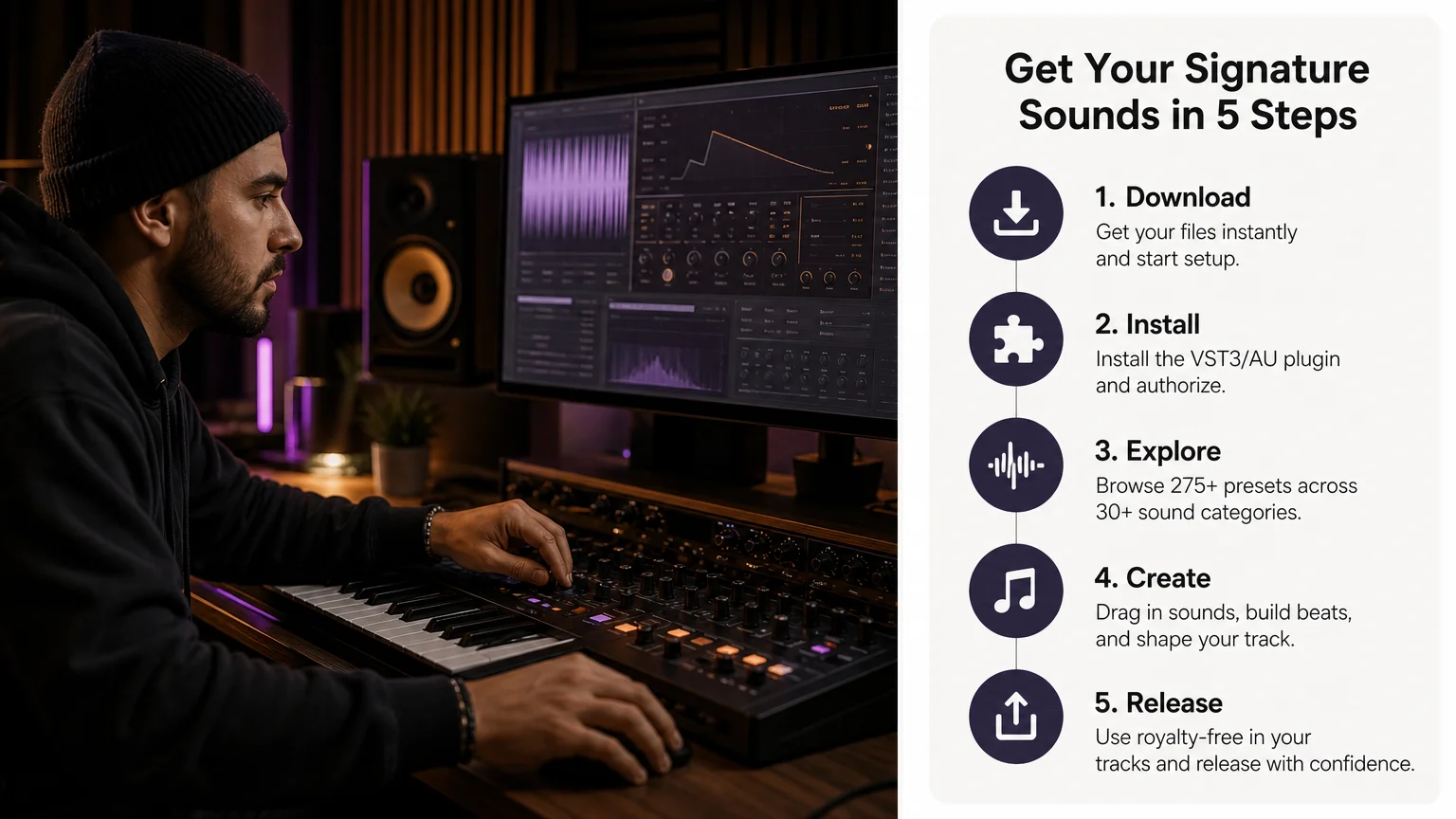
When Should You Move Beyond Free Presets?
Free libraries make sense when you are learning a synthesizer, testing a new workflow, or looking for a specific sound without an immediate budget. They become less efficient when your projects require a unified palette, commercial licensing clarity, reliable updates, or sounds designed for a particular set of genres.
A focused sound bank can reduce the number of decisions between opening a DAW and creating a usable idea. Pendora is designed around melodic trap, drill, R&B, pluggnb, dark trap, lo-fi, and phonk production. Its sound bank includes more than 275 studio-ready presets, alongside expansions, drums, MIDI, effects, and mix-oriented material.
The difference is not simply the number of presets. A purpose-built collection gives you related sounds that can work together in one project. You can move from a pad to a pluck, bass, lead, or effect without changing the overall character of the beat. That consistency is useful when you want to overcome beatblock without filling your system with unrelated downloads.
Our FL Studio presets can support producers who want a more direct workflow inside a commonly used beatmaking setup. We also provide compatible VST3 and AU formats for supported Mac and Windows systems, with the product range positioned for low-resource production and commercial use under the stated licensing terms.
Edition choice should match your needs. A smaller entry product can help you test the sound, while a full edition makes more sense if you need expansions, drums, MIDI, and effects in one package. Producers who create vocal-led material can also review our free FL Studio vocal presets as a separate starting point.
The main trade-off is simple. Free downloads reduce the initial cost but may require more time for sorting, compatibility checks, and license review. A paid sound bank requires a purchase, yet it can provide a more coherent library, clearer product support, and a workflow designed around a defined production audience.
Choose Presets That Serve the Track
Free VST presets are valuable when they give you a compatible, legally usable, and creatively relevant starting point. Evaluate the synth format, DAW support, folder structure, licensing, CPU behavior, and genre fit before adding another library. If a free collection creates more browsing than music, a focused sound bank may offer a more efficient route from the first idea to a finished beat.
Take action with Tiger-Sounds
When you want to move beyond scattered downloads, choose a sound source built around the way you produce. A focused library can help you find melodic, rhythmic, and atmospheric material without repeatedly searching through unrelated preset folders.
At Tiger-Sounds, our VST range centers on Pendora, with 275+ presets, genre-focused expansions, drumkits, MIDI, effects, VST3 and AU support, royalty-free commercial use, and free lifetime updates under the stated terms. Review our VST products and presets to compare the available editions and choose the setup that matches your workflow.
Frequently Asked Questions
What are free VST presets?
Free VST presets are saved sounds for compatible virtual instruments and synthesizers. They can contain settings for oscillators, filters, envelopes, modulation, and effects, but they do not always include the plugin required to use them.
Are free VST presets safe for commercial beats?
That depends on the specific license supplied with the download. Check whether commercial use is allowed and whether redistribution of the original preset files is restricted before releasing or licensing your beat.
Can I use VST presets in FL Studio?
Yes, if the synthesizer and preset format are compatible with your FL Studio installation. Confirm whether the plugin uses VST3 or another supported format, then rescan the correct plugin directory if the instrument does not appear.
What is the difference between free presets and a sound bank?
Free presets are often individual downloads or small collections from different sources. A sound bank usually provides a more consistent set of presets and may include expansions, drums, MIDI, effects, licensing information, and product updates.
Is Pendora suitable for producers who want free VST presets?
Pendora is a paid sound bank rather than a free preset collection, but it can be a useful next step when you need a unified library for trap, drill, R&B, pluggnb, dark trap, lo-fi, or phonk. The Pendora range includes a smaller entry edition and broader packages with additional production assets.
Splice vs Loopcloud: Honest Comparison for Beatmakers
Splice suits producers who want a preset and sample ecosystem tied to a collaboration network, currently starting at $12.99 a month for 100 credits. Loopcloud suits producers who want more raw sound volume and built-in editing tools per dollar, starting at $7.99 a month for 100 points with access to the same 5 million plus sound library at every tier. Neither is objectively “better”: the difference that decides it is whether you value Splice’s community and preset ecosystem or Loopcloud’s lower entry price and in-app editing tools more.
- What Splice and Loopcloud actually are
- Pricing side by side
- Where Splice wins
- Where Loopcloud wins
- Which one should you choose
- The subscription math nobody shows you
- FAQ
What Splice and Loopcloud actually are
Splice is a subscription sample and preset platform that pays out for downloads using monthly credits, with 1 credit per sample and 1 to 3 credits per preset or MIDI file. It also runs Splice INSTRUMENT, a separate $12.99 a month tier for unlimited access to synth and instrument presets, plus a rent-to-own catalog for full plugins.
Loopcloud is a subscription sample platform built by Loopmasters that uses a points system instead of credits, gives every tier access to the same stated library of over 5 million sounds, and bundles a desktop app with an 8-track editor for slicing, pitching, and time-stretching samples before you commit points to a download.
Both platforms exist to solve the same problem: a beatmaker who doesn’t want to buy one-off sample packs one at a time. The mechanics of how they charge for that access is where they split.
Pricing side by side
Prices and features below were checked directly on Splice’s plans page and Loopcloud’s subscription page on September 7, 2026. Both companies adjust pricing and promo tiers often, so verify current numbers before you commit a card.
| Criterion | Splice | Loopcloud |
|---|---|---|
| Entry tier price | Sounds+, $12.99/month | Artist, $7.99/month |
| Entry tier allowance | 100 credits/month | 100 points/month |
| Top consumer tier price | Creator+, $39.99/month, 500 credits | Professional, $21.99/month, 600 points |
| Stated library size | Not published | Over 5 million sounds, same library at every tier |
| Built-in sound editor | Preview and download only | 8-track editor with pitch, key, and tempo tools bundled in the desktop app |
| Preset and instrument access | Unlimited INSTRUMENT presets on the $12.99/month INSTRUMENT tier, plus rent-to-own plugins | Sync and Sounds plugins, DRUM and PLAY instruments included with every subscription |
| Community and collaboration | Project sharing and collaboration features built into the platform | No dedicated collaboration or project-sharing hub |
| Cloud storage included | Not published as a plan feature | 5GB (Artist) up to 250GB (Professional) |
| Rollover policy | Unused credits roll over to the next month | Unused points roll over to the next month |
| Annual plan | Available, discounted vs. monthly billing | Available, discounted and bundled with free plugins on some tiers |
| Best for | Producers who want a preset ecosystem and a collaboration network | Producers who want maximum sound volume and in-app editing per dollar |
Where Splice wins
Splice’s real advantage is the ecosystem around the samples, not the samples alone. INSTRUMENT gives unlimited preset downloads for one flat $12.99 a month, which is a genuinely good deal if you’re a synth-preset hunter rather than a sample digger. Splice also builds in project collaboration, so you can find and open other producers’ session files, which is useful if you learn by reverse-engineering how a track was arranged and mixed. If you already work inside a circle of collaborators who share Splice links, staying on Splice avoids friction that switching platforms would create.
Splice’s credit system is also the more granular of the two: since 1 sample costs exactly 1 credit, it’s easier to predict how far a $12.99 plan will stretch if you mostly download one-shots and loops rather than presets or MIDI, which cost more credits each.
Where Loopcloud wins
Loopcloud’s advantage is volume and tooling per dollar. Every subscription tier, even the $7.99 Artist plan, unlocks the same stated library of over 5 million sounds, so you’re not paying more to unlock a bigger catalog the way you might expect. Loopcloud’s 8-track editor lets you preview a sample already pitched and time-stretched to your session’s key and tempo before spending a single point on it, which Splice does not offer in the same way. Bedroom Producers Blog has covered Loopcloud’s AI-assisted sample matching and its bundled plugin drops (D16 Repeater, Cableguys TimeShaper) as recurring subscriber perks, which is the kind of added value Splice doesn’t compete on directly.
Loopcloud is also the cheaper entry point in absolute terms: $7.99 a month against Splice’s $12.99, for the same 100 units of download currency. If your budget is the deciding factor and you don’t care about the collaboration features, that gap adds up over a year.
Which one should you choose
Choose Splice if you’re a preset hunter who wants unlimited synth presets on INSTRUMENT, or if your collaborators already share files through Splice’s project system. Choose Loopcloud if you want the largest stated sample library at the lowest entry price, or if previewing a sample already matched to your session’s key and tempo saves you real time. Choose neither, at least not as your only tool, if you’re trying to build a genre-specific signature sound rather than a general sample library: a curated, non-subscription sound bank built for one lane (drill, trap, phonk, pluggnb) will get you to a finished, distinct-sounding beat faster than digging through millions of general-purpose samples. See our guide to the best trap VST plugins for that angle.
The subscription math nobody shows you
Both platforms are subscriptions, which means the cost never stops. Splice’s cheapest usable tier, Sounds+ at $12.99 a month, comes to $155.88 over a year. Loopcloud’s Artist tier at $7.99 a month comes to $95.88 a year for a comparable 1,200 points. Stay subscribed for two years and you’ve spent $311.76 on Splice or $191.76 on Loopcloud, with nothing left behind if you ever cancel except the individual files you already downloaded.
That’s not a criticism of either platform: a constantly refreshed sample catalog genuinely needs a subscription model to fund it. But it’s worth knowing the alternative exists. A one-time sound bank like Pendora, priced at 149 EUR for 275+ presets across trap, drill, phonk, and pluggnb, costs less than a year of Splice’s Creator plan and keeps working with no recurring charge and no credits to track. It won’t replace a 5-million-sound library, and if you need constantly fresh general-purpose samples across every genre, that’s not what it’s for. But if your actual problem is “I need a focused set of dark 808s and drill bells that don’t sound like everyone else’s Splice downloads,” a one-time purchase solves it without adding another monthly bill. There’s also a $29 Pendora Lite for testing the sound before committing to the full pack.
FAQ
Is Splice or Loopcloud better for beginners?
Loopcloud’s lower entry price ($7.99 vs. $12.99 a month) and built-in preview editor make it easier to experiment without wasting credits on samples that don’t fit, which is friendlier for a beginner still learning what they need.
Can I use both Splice and Loopcloud at the same time?
Yes, and some producers do, using Splice for presets and collaboration and Loopcloud for bulk sample digging. That doubles the monthly cost, though, so it only makes sense once you’re generating income from beats.
Do Splice or Loopcloud samples come royalty-free?
Both platforms license their sounds for use in your own productions under their respective terms; read each platform’s license page before release or sync use, since royalty-free doesn’t always mean unrestricted for every use case.
What happens to my downloaded samples if I cancel?
On both platforms, samples you’ve already downloaded and saved locally remain yours to use under the license terms in effect when you downloaded them. You just lose access to new downloads and to cloud-stored project files until you resubscribe.
Is there a free alternative to Splice and Loopcloud?
Not with a comparable library size. If the recurring cost is the blocker, a one-time sound bank focused on your genre, or free packs from producer YouTube channels, are the realistic alternatives, though neither matches millions of searchable sounds.
Splice and Loopcloud both solve the same problem with a different bill. Pick Splice for the preset ecosystem and collaboration network, pick Loopcloud for more sound per dollar and built-in editing, or skip the recurring charge entirely with a one-time genre pack from the Tiger-Sounds shop if your actual need is a focused set of sounds rather than an ever-growing library.




