Is a pay-once sound pack worth the money? A Producer’s Guide
Summary: Yes, a pay-once sound pack can be worth the money when its sounds fit your genre, return to your projects regularly, and reduce preset hunting. The strongest purchase combines useful presets with clear licensing, compatible formats, reliable performance, and a price you can recover through repeated beatmaking, placements, or commercial releases.
Is a pay-once sound pack worth the money? It can be, but only when you are buying a working tool rather than another folder of sounds. The right pack should help you finish beats faster, support your main genres, and remain useful across multiple projects. Our lite vs full sound bank comparison can help you decide whether a smaller entry edition or a broader instrument fits your workflow.
The real calculation is not the number of presets on the sales page. It is the number of sounds you will actually use, how often you reuse them, whether the license covers your releases, and whether the instrument works smoothly in your DAW. A focused pack can be a practical alternative to paying for ongoing access to a large library you rarely open.
When does a pay-once sound pack justify its upfront price?
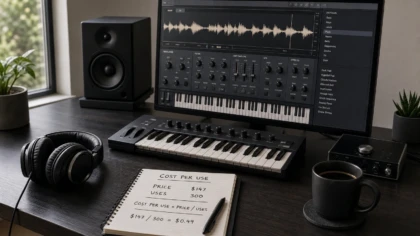
Start with expected reuse. If a sound pack costs $147 and you use it in 30 finished beats, the purchase works out to $4.90 per beat before considering the time saved. If you only use two presets once and never return to the pack, even a low price may represent poor value.
This is why a curated sound bank can be more useful than an enormous collection. A smaller set of relevant bells, pads, plucks, 808s, drums, MIDI patterns, and effects gives you a better chance of finding the right material quickly. A general overview of paid and free sample packs also identifies curation, consistency, and licensing clarity as practical reasons producers pay for selected content, while noting that popular packs can still become repetitive. Read Octaton’s comparison for that broader perspective.
For a beatmaker working repeatedly in trap, drill, phonk, dark trap, boom bap, pluggnb, or melodic R&B, genre fit can make the calculation favorable. You are not paying for every possible style. You are paying for a tool that matches the sessions you actually make.
What are you actually buying?
A pay-once sound pack may contain one-shot samples, loops, MIDI, presets for a synthesizer, or a complete virtual instrument. These products are not interchangeable. A folder of WAV files gives you raw material, while a VST instrument can provide a more direct beatmaking workflow with presets, effects, and sound shaping in the same interface.
Our Pendora full edition is designed as a broader sound-bank workflow. It includes more than 275 studio-ready presets, three expansion packs, a Producer Kit, two drumkits, MIDI content, an FX pack, and risers. That combination matters because it lets you move from a melodic idea to drums, effects, and arrangement material without switching between several unrelated libraries.
The full edition is listed at €149 on some Tiger-Sounds pages and $147 on another, so the checkout currency should be checked before purchase. You can review the current details on our Pendora sound pack price page before deciding whether the larger package matches your needs.
The value is especially clear when the pack complements instruments you already use. Serum, Omnisphere, Kontakt, and Vital may cover broad synthesis or sampled-instrument needs, while a focused sound bank can give you a faster starting point for a specific production lane. It does not need to replace your entire setup to justify its cost.
Why does genre fit matter more than library size?
Preset quantity is easy to advertise, but relevance is harder to measure. A producer may prefer 30 sounds that immediately fit a dark trap beat over 300 sounds that require extensive filtering, layering, and processing before they feel usable.
For that reason, a genre-focused plugin can help reduce beatblock. Pendora is built around trap, drill, dark trap, phonk, boom bap, pluggnb, melodic R&B, and related styles rather than attempting to cover every genre. The intended benefit is a shorter path from opening the DAW to finding a sound that already belongs in the track.
Distinctiveness also matters, although it should be treated as a positioning claim rather than a guaranteed result. Tiger-Sounds describes Pendora presets as hand-crafted, non-licensed, non-generated, and non-recycled. That approach is intended for producers who want alternatives to generic, widely repeated sounds, but the final character of a beat still depends on arrangement, processing, performance, and mixing decisions.
A useful test is simple: load the demos into FL Studio, Ableton, or Logic Pro and ask whether the sounds suggest several track ideas without heavy editing. If the answer is yes, the pack may be doing more than expanding your library. It may be improving the speed and direction of your creative decisions.
Pay once or subscribe: which model matches your workflow?
Subscriptions and one-time purchases solve different problems. A subscription is useful when you need constant discovery, large-scale search, or new material for many unrelated projects. A pay-once pack is more suitable when you want dependable access to a focused tool and expect to reuse it after the month of purchase has passed.
A 2024 analysis of subscription and perpetual software licenses recommends comparing the upfront price with how often meaningful updates arrive and how long you expect to use the product. That reasoning applies to sound tools as well. You can read the 2024 license analysis for a wider discussion of ownership, updates, and recurring costs.
The comparison becomes clearer when you ask what happens after 12 or 24 months. With a pay-once sound pack, you normally retain access to the purchased content under its license terms. With a subscription, ongoing access, new downloads, or certain platform features may depend on an active plan. Neither model is automatically right for every producer, but the recurring cost should be part of the decision.
Pay-once ownership is often preferable for beatmakers who sell or license beats over a long period. You can reopen an older FL Studio, Ableton, or Logic Pro project and return to the same presets without maintaining a monthly sound-library payment. That continuity can be valuable when your catalog develops gradually rather than through a short production sprint.
Which licensing and compatibility checks should come first?
Before paying, confirm four details: commercial usage, redistribution restrictions, plugin format, and operating-system support. A pack may be described as royalty-free but still prohibit sharing the raw files, reselling presets, or distributing the original content as part of another library.
Pendora products include royalty-free commercial usage under the stated licensing terms, so you can use the sounds in beats you sell, place, or license. Account sharing and redistribution are excluded. That distinction is important because using a sound in a finished musical work is different from giving the original preset or sample files to another person.
For technical compatibility, Pendora supports VST3 on Windows and macOS, while AU is supported on macOS. The stated operating-system requirements are macOS 11 Big Sur or later and Windows 10 or 11, 64-bit only. Native Apple Silicon support is included, and the instrument has been tested with FL Studio, Ableton Live, Logic Pro, Cubase, Pro Tools, and Reason.
Check the format your DAW actually loads before checkout. A Mac producer may choose AU or VST3 depending on the host, while a Windows producer will generally need VST3. Compatibility with Apple Silicon, CPU, RAM, and disk space should also be considered before installing several instruments into a large project.
How can you avoid paying for presets you will not use?
The best protection against wasted spending is a short evaluation process. Listen to several demos in your target genres, identify the categories you use most, and check whether the pack includes production assets that support your normal workflow. Do not let a large preset count decide the purchase by itself.
- Define the production gap. Decide whether you need melodic ideas, dark 808s, drill drums, atmospheric pads, MIDI, effects, or a faster preset workflow.
- Check real project fit. Test the sounds in the DAW and system you use for beatmaking, not only in an online player.
- Review the license. Confirm commercial usage rights and make sure you understand the restrictions on sharing or redistribution.
- Estimate reuse. Consider how many beats, placements, or releases could realistically benefit from the pack.
- Start smaller when uncertain. Our Pendora Lite sound pack provides an evaluation-oriented entry point before moving to the full edition.
Organization is another part of value. A well-labeled library reduces the time spent searching, but even paid content needs sorting and tagging once it enters your system. An audio-library guide notes that paid collections are often easier to organize and curate than free sources, while also reminding users to inspect the license for each product. That practical point is covered in this audio-library guide.
Tiger-Sounds also displays a 4.71/5 rating from 59 verified-buyer reviews for the full edition and states that Pendora is used by more than 500 producers. Those figures are product-page claims, not a guarantee that every preset will suit every producer, but they provide useful context alongside demos, compatibility details, and the option to start with a smaller edition.
Who is most likely to benefit from a pay-once sound pack?
A pay-once pack is a strong fit for a producer who works repeatedly in a defined group of genres, wants fast access to a recognizable sound palette, and expects to use the instrument for more than a few sessions. It is also practical for producers who sell beats or license tracks and want commercial usage terms that are clear from the beginning.
It may be less suitable if you are still exploring many unrelated genres, rarely finish projects, or already own several instruments that cover the same sonic territory. In that situation, learning the tools you have may produce more value than adding another library.
The decision does not need to be permanent. Starting with an evaluation edition, comparing it with your existing Serum, Omnisphere, Kontakt, or Vital workflow, and upgrading only when the sounds repeatedly appear in finished projects keeps the purchase tied to actual use rather than impulse.
The practical verdict on pay-once sound packs
A pay-once sound pack can be worth the money when it solves a specific production problem, fits your genres, works in your DAW, and continues to earn its place across multiple projects. The most reliable calculation combines cost per use with time saved, licensing clarity, technical compatibility, and the number of sounds you genuinely expect to reuse.
Choose focused content over inflated preset counts, verify the license before releasing music, and test the workflow before committing to a larger edition. If the pack helps you move from beatblock to finished ideas with less searching, its value is practical rather than theoretical.
Choose a pay-once sound pack for your workflow
If you want a focused instrument for trap, drill, phonk, dark trap, boom bap, pluggnb, or melodic production, the next step is to judge the sounds in the context of your own beatmaking process.
Our pay-once sound pack includes hand-crafted presets and production assets, royalty-free commercial use under the stated terms, VST3 and AU support where applicable, native Apple Silicon support, and free lifetime updates. You receive the product through digital delivery with no recurring subscription required.
Frequently Asked Questions
Are pay-once sound packs better than subscriptions?
Neither model is automatically better. Pay-once packs suit producers who want long-term access to a focused tool, while subscriptions suit producers who need continuous discovery across many projects and genres.
How do I know whether a sound pack is worth its price?
Estimate how often you will use it, how many finished projects it can support, and how much search or sound-design time it may save. A pack with fewer relevant sounds can be better value than a larger library you rarely open.
Can I use a pay-once sound pack in commercial beats?
That depends on the license. Pendora includes royalty-free commercial usage under its stated terms, but account sharing and redistribution of the original product content are excluded.
Do I need a pay-once sound pack if I already own Serum or Vital?
Not necessarily. A focused sound bank can complement Serum or Vital by giving you genre-specific starting points, but you should buy only if it adds sounds or workflow benefits that your current instruments do not provide.
Is a smaller entry edition useful?
Yes, an entry edition can reduce the risk of buying a larger library before you know whether its sound character fits your music. It is especially useful when you are evaluating genre fit, CPU behavior, installation, and compatibility with your DAW.
Pendora for Trap Producers: Workflow, Sounds, and Setup
Summary: Pendora is a focused sound bank for trap producers who want melodic, dark, drill-ready, phonk, pluggnb, and R&B-oriented sounds without spending every session searching through generic presets. The full edition includes 275+ presets and production assets, while Lite provides a smaller 30-preset entry point. Compatibility, licensing, price, and workflow fit remain the main buying considerations.
Trap producers usually need a sound source that creates direction quickly, not another large folder that delays the first loop. Pendora for trap producers is designed around that need, with a focused palette for melodic trap, drill, dark trap, phonk, boom bap, pluggnb, lofi, and related styles. To hear how the sounds behave in a real beatmaking context, start with our Pendora demo.
The central idea is simple: begin with a distinctive preset, then shape the melody, 808, drums, arrangement, and mix around it. Pendora does not replace a flexible synthesizer such as Serum or Vital, a broad instrument such as Omnisphere, or a sampled-instrument platform such as Kontakt. It serves a more focused role, helping producers move from an empty project to a usable musical idea with less preset hunting.
What makes Pendora relevant to trap producers?
Trap production depends on a small number of elements carrying a lot of character. A bell, pad, pluck, orchestral layer, dark 808, or short texture can define the emotional direction of an entire beat. If the first sound already feels familiar, the producer may spend the next hour processing it instead of writing.
Pendora is built for producers who want a more defined starting point. Its full edition contains 275+ studio-ready presets across more than 30 sound categories, including pads, bells, orchestras, plucks, banjos, dark 808s, and other melodic sources. The associated production assets add three expansion packs, a Producer Kit, two drumkits, MIDI, mix presets, effects, and risers.
This focus is useful across several trap-related workflows. A melodic trap producer may begin with an airy pad and a soft bell, while a drill producer may choose a sharper pluck, darker orchestral texture, or more aggressive low-end source. Phonk and dark trap sessions can benefit from distorted or tense tonal colors, while pluggnb and lofi productions may call for softer keys, expressive plucks, and more spacious textures.
The value is not simply the number of presets. It is the relationship between the preset and the decision that follows. A useful sound should suggest a chord voicing, a counterline, an octave change, or a rhythmic idea within a few seconds. That can help producers work through beatblock without forcing every beat into the same melodic template.
Trap arrangement also depends on how sounds interact with the drums and low end. A 2026 trap production guide emphasizes the importance of 808 control, arrangement references, sound selection, midrange clarity, and automation. Pendora fits this type of workflow because its presets can provide the melodic identity first, leaving the producer to make the arrangement and mix decisions that give the beat its final character.
How the sound bank supports actual beatmaking
Imagine opening FL Studio with a drum pattern already drafted but no central melody. One approach is to browse Serum, Omnisphere, Kontakt, or Vital until a sound appears, then build the pattern around it. Another is to choose a focused Pendora category, play a simple progression, and judge whether the sound gives the beat a clear direction.
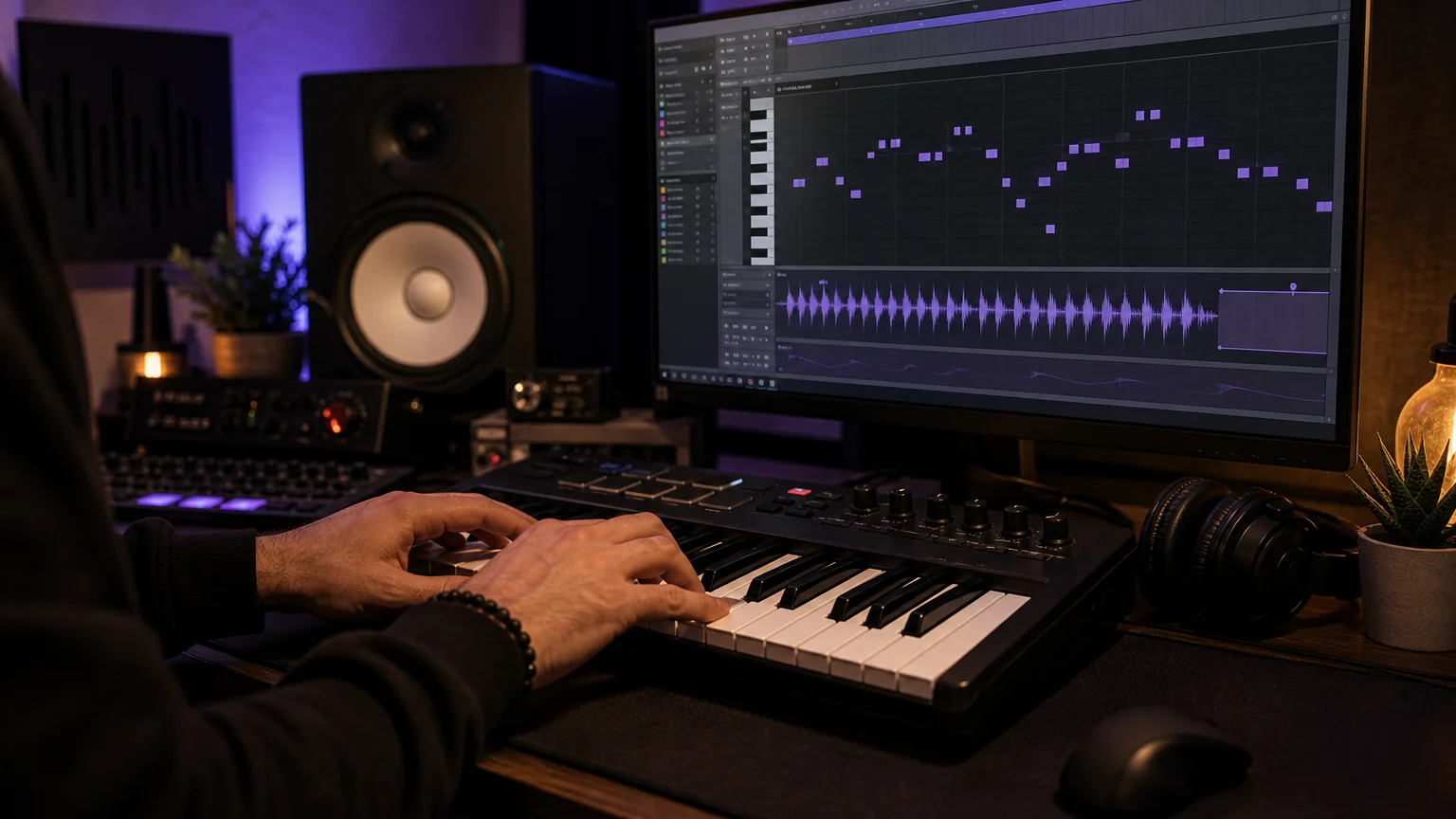
Pendora is particularly practical when the producer wants to keep the first pass simple. Start with one melodic preset, write a short four or eight-bar phrase, and leave space for the 808. After that, alter the octave, shorten the release, automate a filter, resample a phrase, or add a delay throw. The preset becomes raw material rather than the complete identity of the beat.
The included MIDI and production assets can support the same process. MIDI can provide a starting point for chord movement or counter-melodies, while drumkits and effects help keep the session inside a coherent sonic direction. Producers can still replace individual sounds, layer their own samples, or process the material through favorite tools.
A 2026 trap tutorial from a trap production tutorial describes a workflow built around 808s, hi-hat movement, dark melodies, arrangement changes, and manual work inside DAWs such as FL Studio. That workflow highlights an important distinction: a preset bank can shorten sound selection, but the producer still controls rhythm, voicing, dynamics, transitions, and the final mix.
This is where Pendora can complement a broader setup. Serum or Vital can remain useful when you want to build a patch from oscillators, filters, envelopes, and modulation. Omnisphere can cover broader layered textures, while Kontakt can provide sampled instruments and orchestral colors. Pendora is the more focused option when the immediate goal is a trap, drill, phonk, pluggnb, or dark melodic starting point.
Does it fit your DAW and computer?
Compatibility should be checked before buying any virtual instrument. Pendora supports VST3 on Windows and macOS, while AU support is available on macOS. It is intended for 64-bit systems, with stated operating-system support for macOS 11 Big Sur or later and Windows 10 or 11.
The product is explicitly tested with FL Studio, Ableton Live, Logic Pro, Cubase, Pro Tools, and Reason. This does not mean that every possible host or configuration has been independently tested, so producers should still confirm that their DAW supports the required VST3 or AU format.
Native Apple Silicon support is included, which matters for producers working on newer Mac systems. On Windows, the installer may need to be run as Administrator. On macOS, an unidentified developer warning can require the Finder Open and Open anyway process or an allowance through Privacy & Security.
The installed product occupies approximately 5 GB of hard-drive space, and the Windows installer is described as approximately 2 GB. Tiger-Sounds positions Pendora as light on CPU and RAM, but any performance example should be treated as a reference rather than a universal guarantee. Actual use depends on the computer, DAW buffer settings, project size, effects chain, and the number of instances loaded.
A customer may install Pendora on up to three personal computers. Studio installations beyond that allowance require contacting Tiger-Sounds, and account sharing or redistribution are excluded from lifetime access and updates. These details are important for producers who work between a home setup, a laptop, and a professional studio.
Which Pendora edition should you choose in 2026?
The three editions serve different buying situations. Lite is intended for evaluation, the full edition is the main production-focused package, and the custom edition is aimed at a smaller group of producers who want bespoke content and broader access to the wider kit catalog.
| Edition | Included content | 2026 price information | Best fit |
|---|---|---|---|
| Pendora Lite | 30 hand-picked presets, bonus kits, and a MIDI pack | €29 or $29 | Testing the sound before a larger purchase |
| Pendora V3 full edition | 275+ presets, three expansions, Producer Kit, two drumkits, MIDI, FX, and risers | €149 on some pages and $147 on another; one bundle page shows a stated $499 value before the listed $147 price | Repeated trap, drill, phonk, pluggnb, and related beatmaking |
| Custom edition | Custom content, a personalized first preset name, all Tiger-Sounds kits, future kit access, and 5,000+ exclusive MIDI melodies | €500 or $500 | Producers seeking a more personalized package |
The full-edition price is not displayed consistently across the supplied 2026 pages, so check the checkout currency and final product page before purchasing. The EUR and USD options are applied according to location, and the purchase model is a one-time payment rather than a subscription.
For cautious buyers, Pendora Lite provides a paid evaluation path with 30 presets, bonus kits, and MIDI. The free Temple Drumkit is another way to assess the general production direction, although it requires newsletter signup. Neither option guarantees that the full edition will suit every producer, but both reduce the risk of buying without hearing the sound first.
The displayed full-edition page carries a 4.71/5 rating from 59 verified-buyer reviews, while the Lite page displays 4.62/5 from 13 verified-buyer reviews. Tiger-Sounds also claims use by more than 500 producers and features by more than 15 YouTube producers with a combined 500k+ subscribers. Those figures are company claims and displayed review totals, and YouTube features do not by themselves prove that every featured creator is a paying customer or formal distribution partner.
If you want to compare the current package details before deciding, our Pendora V3 price page is the relevant place to check the full-edition offer.
How Pendora compares with a synth-led setup
A trap producer does not necessarily need to choose between Pendora and a synthesizer. The better question is which tool should lead a particular session. A focused preset bank can provide speed and genre direction, while a synthesizer can provide deeper control when the sound itself must be designed from scratch.
- 1. Pendora: A genre-focused sound bank for melodic trap, drill, dark trap, phonk, boom bap, pluggnb, lofi, and related production. It prioritizes curated presets, production assets, and faster sound selection.
- 2. Serum: A wavetable synthesizer for producers who want detailed control over oscillators, modulation, filters, envelopes, and custom patch design.
- 3. Vital: A flexible wavetable instrument suited to creating basses, leads, pads, and experimental textures through direct synthesis.
- 4. Omnisphere: A broad hybrid instrument for layered synth, sampled, atmospheric, and cinematic sounds when a wider palette is required.
- 5. Kontakt: A sampler platform for acoustic, orchestral, cinematic, and hybrid libraries that can add contrast to a trap arrangement.
A 2025 overview of trap production plugins groups synthesizers, samplers, virtual instrument libraries, and dedicated 808 tools according to different production roles. That distinction remains useful in 2026 because no single instrument needs to handle every part of a producer’s setup.
Pendora can sit at the front of a practical workflow. Use it for the first melodic idea, then reach for Serum or Vital when a custom lead is needed. Add Kontakt for an orchestral accent, use Omnisphere for a layered atmosphere, or keep the project focused with Pendora alone when the preset already gives the beat enough identity.
For the low end, the producer still needs to check key, pitch, envelope, transient shape, and space around the kick. Our guide to best 808 VST plugins can help when the session requires a more specialized bass source alongside the Pendora melodic palette.
A practical buying checklist for trap producers
Before purchasing any sound bank, evaluate the product against the way you actually make beats. A large preset count is less important than how often the sounds lead to a usable musical decision.
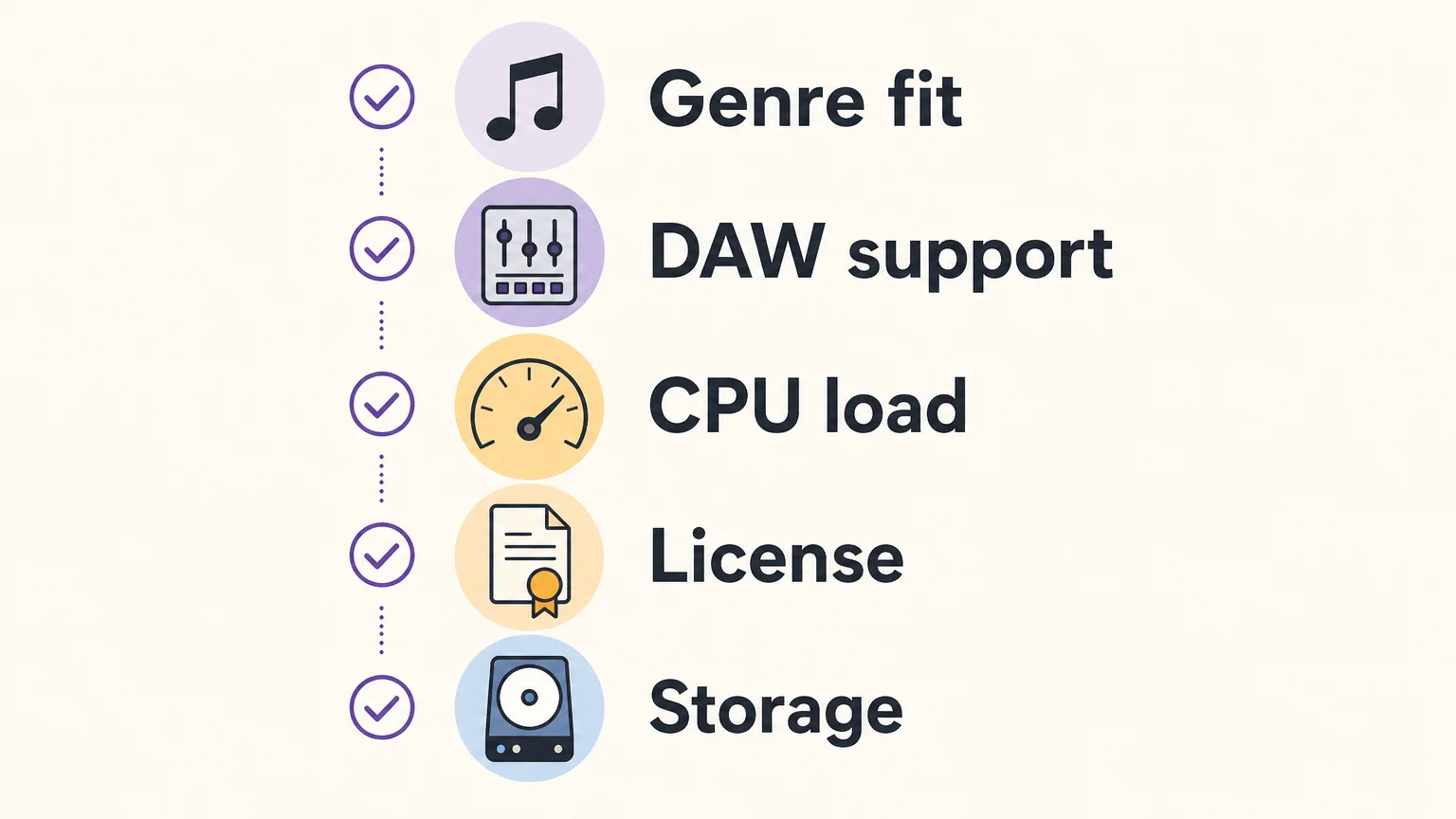
- Genre fit: Confirm that the library covers the styles you produce most often, such as melodic trap, drill, dark trap, phonk, pluggnb, lofi, or R&B.
- Sound roles: Look for the categories your sessions need, including bells, pads, plucks, orchestral textures, 808s, effects, MIDI, and drums.
- DAW support: Check VST3 or AU support, your operating system, and whether your host is among the explicitly tested DAWs.
- System resources: Leave enough storage for the approximately 5 GB installation and consider how the instrument will fit beside Serum, Kontakt, Omnisphere, Vital, and effects.
- Commercial licensing: Confirm that royalty-free use applies to the beats and tracks you plan to sell, place, or license, and review exclusions for account sharing and redistribution.
- Ownership model: Decide whether a one-time payment and lifetime updates fit your budget better than recurring access models.
- Evaluation path: Use Pendora Lite or the free Temple Drumkit if you want to test the sound before choosing the full edition.
For many producers, the main practical question is whether the library reduces hesitation. If you can load a sound, write a short phrase, and immediately hear a possible hook, the product is doing useful work. If every preset requires heavy corrective EQ, extensive layering, or major resynthesis before it fits your beat, the library may not match your method.
Pendora is most relevant when you want a defined sound direction without abandoning your existing tools. It can provide the first melodic layer, the atmospheric color, or the tonal contrast that gets a session moving, while your usual drum workflow, 808 processing, arrangement, and mastering chain remain intact.
Make the sound source serve the beat
The right choice depends on the type of decisions you want to make during a session. Serum, Vital, Omnisphere, and Kontakt remain useful for synthesis, sampling, and broad sound design, while a focused bank can shorten the path from an empty project to a clear musical idea. For trap producers choosing a sound bank, prioritize genre fit, useful sound roles, compatibility, licensing, storage, and the amount of work required before a preset becomes part of a beat.
Choose the Pendora edition that fits your beatmaking
If your current sessions spend too much time in preset browsers, a focused sound bank can give the next idea a clearer starting point. The Pendora range lets you begin with a smaller evaluation edition or move directly to a broader production package.
Our Pendora VST collection brings together hand-crafted presets and production assets for trap, drill, dark trap, phonk, boom bap, pluggnb, and related styles, with VST3 and AU support, royalty-free commercial use under the stated terms, one-time ownership, and free lifetime updates.
Frequently Asked Questions
Is Pendora a synthesizer like Serum or Vital?
Pendora is a preset-focused sound bank rather than a general-purpose wavetable synthesizer. Serum and Vital provide deeper oscillator and modulation control, while Pendora gives trap producers a curated starting point for melodic and genre-specific beatmaking.
What genres does Pendora cover?
Pendora focuses on trap, drill, dark trap, phonk, boom bap, pluggnb, lofi, R&B, and related styles. The full edition includes presets and production assets intended for several of these workflows.
Does Pendora work in FL Studio and Ableton Live?
Yes, Pendora supports compatible VST3 hosts on Windows and macOS, and it is explicitly tested with FL Studio and Ableton Live. It also supports AU on macOS and is tested with Logic Pro, Cubase, Pro Tools, and Reason.
Can I use Pendora in beats I sell or license?
Pendora is described as royalty-free for commercial use in beats and tracks that you sell, place, or license, with no additional royalties owed under the stated terms. Account sharing and redistribution are excluded, so the license conditions should be followed after purchase.
Should I buy Pendora Lite or the full edition?
Pendora Lite is intended for producers who want a smaller paid test with 30 presets, bonus kits, and MIDI. The full edition is more suitable when you want 275+ presets, expansions, drumkits, MIDI, effects, and other production assets for repeated beatmaking.
Ableton VST Sound Bank: How to Choose the Right One
Summary: An Ableton VST sound bank can provide a focused instrument, curated presets, drums, MIDI, effects, or a combination of production assets. For trap, drill, phonk, dark trap, boom bap, and pluggnb, Pendora offers a genre-focused workflow with VST3 and AU support, one-time ownership, and royalty-free commercial use under its stated terms.
For producers who want faster beatmaking without sorting through generic presets, our best VST sound banks selection starts with a practical question: do you need a synthesizer, a sample library, or a complete preset-led instrument? The answer affects installation, CPU use, sound character, and how quickly you can move from an empty Ableton Live Set to a usable idea.
The phrase Ableton VST sound bank usually describes a VST instrument or plug-in that delivers organized sounds for a specific workflow. It is different from an Ableton Pack, which can contain native instruments, effects, samples, and Racks, and it is also different from a general-purpose synthesizer such as Serum or Vital.
What does an Ableton VST sound bank actually include?
A sound bank is not automatically a complete synthesizer. In some products, it means a collection of presets for an existing instrument. In others, it means a dedicated virtual instrument with its own interface, effects, and preset browser. A VST plug-in can also organize programs into banks, which is why the term appears in both technical documentation and producer workflows.
The practical distinction is important. A synthesizer such as Vital or Serum gives you extensive oscillator, filter, modulation, and wavetable control. Kontakt Player is a host for compatible sampled instruments. Ableton Packs can add sounds and devices to Live without behaving like a third-party VST. Pendora sits in a different category, combining a dedicated sound-bank instrument with production assets intended for beatmaking.
A preset-led instrument is useful when the priority is immediate musical direction rather than building every patch from an oscillator. The producer can begin with a bell, pad, pluck, orchestra, banjo, dark 808, or melodic texture, then shape the sound with Ableton effects, automation, and arrangement.
| Option | Primary role | Typical use in Ableton | What to check |
|---|---|---|---|
| 1. Pendora | Genre-focused VST sound bank | Trap, drill, phonk, dark trap, boom bap, pluggnb, MIDI and production assets | Edition, operating system, format, licensing terms |
| Vital | Wavetable synthesizer | Custom basses, leads, pads, textures, and detailed synthesis | Preset design skills, CPU use, and desired synthesis depth |
| Kontakt Player | Sample-library host | Pianos, orchestral sounds, acoustic instruments, and compatible libraries | Library format, activation, storage, and Player compatibility |
| Ableton Packs | Native Live content | Instrument Racks, samples, effects, MIDI, and Live-specific sound design | Live edition, Pack requirements, and available disk space |
Why Pendora fits focused Ableton beatmaking
Pendora is designed for producers who want a defined sound direction instead of a library that attempts to cover every genre. Its focus includes melodic trap, drill, dark trap, phonk, boom bap, pluggnb, and related styles. That focus can be useful when beatblock comes from too many unrelated choices, because the browser starts closer to the type of track you are trying to make.
The full edition includes more than 275 studio-ready presets, three expansion packs, a Producer Kit, two drumkits, an FX pack, and MIDI content. The smaller Pendora Lite edition provides 30 hand-picked presets, bonus kits, and a MIDI pack, making it an evaluation-oriented entry point before choosing the full edition.
This structure addresses two common problems in beatmaking: generic sounds that appear across many productions and large libraries where only a small portion is used. Pendora emphasizes hand-crafted presets and production assets, with the goal of reducing preset hunting while keeping the sound palette focused. Tiger-Sounds states that Pendora has been used by more than 500 producers and that the full edition displays a 4.71 out of 5 rating from 59 verified-buyer reviews.
How does Pendora differ from Serum, Vital, and Kontakt Player?
The main difference is the starting point. Serum and Vital are synthesis platforms where the producer may spend time shaping oscillators, envelopes, filters, modulation, and effects. Kontakt Player is a delivery environment for compatible sample libraries. Pendora is built around a curated instrument and a sound bank aimed at particular beatmaking lanes.
That does not make these categories interchangeable. A producer who enjoys designing a bass from a wavetable may prefer a synthesizer. A producer writing cinematic arrangements may need a sample-library host. A producer who wants melodic trap or drill material ready to audition can benefit from a focused sound bank that includes more than isolated presets.
In Ableton Live, these tools can also work together. You might use Pendora for the main melodic idea, Vital for a custom sub layer, Kontakt Player for a piano or string part, and Ableton’s native effects for shaping the mix. The important point is to assign each instrument a clear role instead of collecting plug-ins without a production purpose.
For producers who want to test free options first, our free VST sound banks page can help separate genuinely useful entry points from products that do not match the desired genre or workflow. Free tools can be practical for learning, but they may not provide the same combination of genre focus, preset coverage, MIDI, drums, effects, and commercial terms.
Which compatibility details matter in Ableton Live?
Compatibility should be checked before judging a sound bank by its presets. Pendora supports VST3 on Windows and macOS, and AU on macOS. Its stated operating-system support is macOS 11 Big Sur or later and Windows 10 or 11, with 64-bit systems required.
Native Apple Silicon support matters for producers using newer Mac computers. Pendora is described as running natively on Apple Silicon, while the explicitly tested hosts include Ableton Live, FL Studio, Logic Pro, Cubase, Pro Tools, and Reason. AU is a macOS format, so Windows users should select the VST3 version.
Before installation, confirm four points:
- Your computer uses a supported operating system and a 64-bit architecture.
- Your Ableton Live installation can scan the selected VST3 or AU format.
- Your project drive has enough free space for the approximately 5 GB installed product.
- Your computer can handle the number of active plug-in instances in the project.
Pendora is positioned as light on CPU and RAM, which can help when several instruments are active in a larger Live Set. However, performance figures based on an i5-8400 system are examples, not universal guarantees. Buffer size, polyphony, effects, sample rate, track count, and the rest of the project all affect real-world performance.
How should you organize a sound bank for faster production?
A sound bank becomes more useful when it is connected to a repeatable session workflow. Start by choosing the role of the sound before browsing. For example, decide whether you need a dark pad for the intro, a bell for the main motif, an 808 for the low end, or a texture for the transition. This reduces random auditioning.
In Ableton Live, create a small set of Collections for the sounds you use most often. Separate melodic instruments, basses, drums, effects, and favorite starting points. Save useful combinations as Instrument Racks or templates so that a strong sound can become part of a repeatable beatmaking system rather than a one-time discovery.
It is also useful to keep the sound bank separate from mixing decisions. Choose the preset first, then use EQ Eight, Saturator, Glue Compressor, delay, reverb, or sidechain processing as required. This keeps the preset responsible for its character while Ableton handles the placement and balance in the arrangement.
When moving between computers, missing plug-ins can prevent older projects from opening correctly. A project analyzer available on GitHub can inventory external VST and AU plug-ins used across Ableton projects, which may help identify the instruments required during a migration.
Are free sound banks enough for Ableton producers?
Free Ableton Packs and free VST instruments can be useful for learning synthesis, testing a workflow, and adding occasional textures. Vital, Kontakt Player, and Ableton’s own downloadable content cover different needs, but they are not direct substitutes for a genre-specific sound-bank instrument.
The trade-off is usually not simply free versus paid. It is focused content versus general-purpose flexibility. A free synthesizer may provide deep control but require more sound design. A free sample library may sound realistic but occupy more disk space or require a separate host. A paid sound bank may save time by bringing presets, MIDI, drums, effects, and genre direction into one workflow.
A 2026 market report on audio plug-in software separates the category by type, user, platform, deployment mode, and application. That structure reflects a practical point for buyers: a plug-in should be assessed by how it is delivered and used, not only by the number of presets listed on a sales page.
For producers looking for downloadable material beyond a single instrument, our free sound bank downloads resource is a useful place to explore no-cost starting points. The same evaluation criteria still apply: check format, operating system, licensing, storage, genre fit, and whether the sounds are likely to become part of your actual sessions.
What are the pricing and licensing considerations?
Pendora Lite is priced at €29 or $29. The full Pendora edition is listed as €149 on some pages and $147 on another, so buyers should confirm the price shown at checkout. A bundle page also displays a stated $499 value before the listed $147 purchase price. Pendora Ultimate is listed at €500 or $500 and adds custom content, future-kit access, and more than 5,000 exclusive MIDI melodies.
All editions are positioned as one-time purchases rather than subscriptions. Products include free lifetime updates under the stated terms, and the commercial licensing position allows royalty-free use in beats that customers sell, place, or license, with no additional royalties owed under those terms.
Royalty-free does not mean unrestricted redistribution. Account sharing and redistribution are excluded, and the license should be reviewed before a commercial release. Producers working with collaborators should also confirm that each person uses the product under an appropriate personal license.
This distinction matters for beatmakers who want predictable ownership. A one-time purchase can be easier to budget than a recurring plan, while an evaluation edition such as Pendora Lite gives producers a smaller way to assess the sound before choosing a broader package.
How should you choose an Ableton VST sound bank in 2026?
The VST ecosystem is broad enough that a producer can easily confuse more presets with a better workflow. A 2025 peer-reviewed mining study examined 15,847 data points across 299 open-source VST repositories, illustrating how varied the development and delivery landscape has become. The useful response is not to collect everything, but to define the production problem first.
- Start with genre fit. Decide whether you need melodic trap, drill, phonk, dark trap, boom bap, pluggnb, cinematic material, or a general synthesizer.
- Check the plugin format. Confirm VST3 support for Windows and macOS, AU support for macOS, and compatibility with your Ableton Live installation.
- Measure content coverage. Look beyond the preset count. Check whether drums, MIDI, effects, mix presets, expansions, or risers are included.
- Review system demands. Confirm operating-system support, Apple Silicon support, disk requirements, and expected CPU and RAM behavior.
- Read the license. Verify commercial use, update terms, computer-installation limits, account-sharing restrictions, and redistribution rules.
For many Ableton producers, the most efficient choice is the one that matches the way they already write. A sound bank focused on beatmaking can reduce the time spent searching, while Serum, Vital, Kontakt Player, and Ableton Packs remain useful when a project calls for deeper synthesis, sampled instruments, or native Live content.
Choose by workflow, not by preset count
The right Ableton VST sound bank should fit your genre, computer, Ableton setup, and commercial plans. Pendora is a focused option for trap, drill, phonk, dark trap, boom bap, and pluggnb because it combines a dedicated instrument with production assets and a clear ownership model. The strongest decision comes from checking compatibility, content coverage, CPU behavior, and licensing before purchase.
Find a sound bank for your Ableton workflow
If preset hunting is slowing down your beatmaking, a focused instrument can give your sessions a clearer starting point. The right sound bank should help you move from a blank Live Set to a usable musical idea while keeping your format, system, and licensing requirements in view.
Our catalogue includes downloadable instruments and sound-design products for producers working across trap, drill, phonk, dark trap, boom bap, pluggnb, and related styles. Review the available VST products and choose the edition that matches your workflow, from an evaluation-oriented entry point to a broader sound-bank setup.
Frequently Asked Questions
What is an Ableton VST sound bank?
An Ableton VST sound bank is usually a plug-in instrument or preset collection designed to run inside Ableton Live. It may include melodic presets, basses, drums, MIDI, effects, or other production assets depending on the product.
Is Pendora compatible with Ableton Live?
Yes, Pendora is explicitly tested with Ableton Live and supports VST3 on Windows and macOS, plus AU on macOS. It requires a supported 64-bit operating system, with stated support for macOS 11 Big Sur or later and Windows 10 or 11.
Is Pendora a replacement for Serum or Vital?
Not exactly. Serum and Vital are synthesis-focused instruments, while Pendora is a curated sound-bank instrument designed to provide ready-to-use sounds for specific beatmaking styles.
Can I use Pendora in beats I sell or license?
Pendora products are described as royalty-free for commercial use in beats that customers sell, place, or license, under the stated licensing terms. Account sharing and redistribution are excluded.
Should I choose Pendora Lite or the full edition?
Pendora Lite is suited to producers who want a smaller evaluation-oriented selection before committing to a larger package. The full edition is intended for producers who want broader preset coverage plus expansions, kits, MIDI, and effects in one workflow.
Best Boutique Drumkits for Phonk Producers and Dark Beats
Summary: The best boutique drumkits for phonk producers start with Pendora Producer Kit, followed by focused trap and drill options, a free evaluation kit, and a broader electronic drum pack. The right choice depends on cowbell and 808 character, one shot and loop coverage, workflow speed, licensing, and how narrowly the kit targets phonk or adjacent dark genres.
Phonk often depends on a small number of sounds carrying a large amount of character: a tuned cowbell, a clipped 808, a hard kick, a dry snare, and a repetitive pattern with enough variation to stay engaging. For producers who want a focused starting point, our Coffee Drumkit sits naturally beside the broader Pendora workflow for trap and darker beatmaking.
The best boutique drumkits are not necessarily the largest libraries. They should help you reach a convincing sound quickly, leave room for your own processing, and avoid filling your browser with near duplicate samples. The tonal behavior of the TR808 cowbell is especially relevant because pitch, filtering, resonance, and decay all affect whether a bell works as a lead or as a rhythmic accent, as explained in this TR808 cowbell analysis.
What makes the best boutique drumkits work for phonk?
A useful phonk kit should cover more than a memorable cowbell. Look for kicks that remain forceful after clipping, 808s that can hold a simple bass pattern without masking the kick, snares with enough transient definition for half time grooves, and hats or percussion that can create movement without making the beat feel crowded.
Genre fit also matters. Memphis inspired phonk, drift phonk, and darker trap can share 808s and cowbells while demanding different levels of grit, tempo, swing, and melodic space. A narrowly focused trap or drill kit can be more practical than a large general purpose library when the goal is to finish beats rather than audition hundreds of similar files.
Workflow is another selection criterion. A kit becomes more useful when its one shots are clearly named, its loops are easy to audition, and its sounds respond well to pitch shifting, saturation, transient shaping, and distortion. Producers programming patterns in FL Studio, Ableton, or Logic Pro should also consider whether the kit supports fast drag and drop use instead of forcing a long preparation stage. This drum programming guide illustrates why rhythm, space, and sample choice need to work together.
| Rank | Drumkit | Best fit | Core contents | Workflow and licensing |
|---|---|---|---|---|
| 1 | Pendora Producer Kit | Phonk, trap, and dark urban beatmaking | Drums, MIDI, and mix presets within the Pendora production workflow | Hand crafted positioning and royalty free commercial use within the stated terms |
| 2 | Coffee Drumkit | Focused trap and dark phonk foundations | Named trap drumkit | Designed as a focused production asset; separate format and price details are not supplied |
| 3 | Colors Drumkit | Drill influenced phonk and harder rhythmic patterns | Named drill drumkit | Useful for adjacent dark urban workflows; separate format and price details are not supplied |
| 4 | Temple Drumkit | Testing a hand crafted drum direction before buying | 80+ drums for trap, drill, and plug | Free newsletter incentive; access conditions differ from a standard paid purchase |
| 5 | Zenhiser Boutique Drums | Broad electronic drum, loop, and stem coverage | 280+ drum sounds and beats, loops, effects, and preview stems | 24 bit WAV download and royalty free use, with broad genre coverage |
1. Pendora Producer Kit
Best for: Producers who want a boutique phonk foundation with supporting MIDI and mix resources instead of a folder of isolated one shots.
Pendora Producer Kit takes the first position because it belongs to a wider production system built around trap, drill, dark trap, phonk, boom bap, pluggnb, and related styles. The kit itself is described as containing drums, MIDI, and mix presets, while the wider Pendora V3 workflow adds a much broader sound bank, expansion packs, FX, risers, and additional production material. That combination is useful when the drum pattern is only one part of the beatmaking decision.
The main advantage for phonk producers is direction. Pendora is positioned around hand crafted, distinctive material rather than generic, generated, or recycled content. That can reduce preset and sample hunting when you are trying to move past a familiar loop or a predictable cowbell pattern. The wider portfolio is also designed for producers working in FL Studio, Ableton Live, Logic Pro, Cubase, Pro Tools, and Reason.
Pros:
- Strong fit for trap, drill, dark trap, and phonk adjacent workflows.
- Combines drums with MIDI and mix presets, giving the producer more than one shot material.
- Royalty free commercial use within the stated licensing terms, with no additional royalties owed for beats that are sold, placed, or licensed.
- Part of a broader boutique sound bank built around distinctive production choices.
Cons:
- It is broader than a narrowly labeled phonk only pack, so producers seeking only cowbell one shots may prefer a more specialized collection.
2. Coffee Drumkit
Best for: Producers who want a focused trap drum direction that can be adapted toward dark phonk.
Coffee Drumkit is a practical choice when you want to start from trap rather than from a broad electronic sample library. Trap and phonk overlap in their use of hard kicks, sub heavy 808s, sharp snares, and repetitive rhythmic motifs, so a focused trap kit can provide a useful foundation for drift influenced or darker beatmaking.
The trade off is that the supplied product information identifies Coffee Drumkit as a trap kit, not as a pack independently optimized for every phonk substyle. That makes it most suitable for producers who enjoy shaping their own sound with pitch automation, distortion, filtering, and clipping. It is a better fit for intentional sound design than for someone looking for a complete Memphis vocal and atmosphere collection.
Pros:
- Directly aligned with trap, one of phonk’s closest production neighbors.
- Focused scope can make browsing faster than working through a large general library.
- Fits the hand crafted boutique direction of the wider Tiger Sounds production range.
Cons:
- The available description does not establish a separate phonk specific optimization.
- Individual price and file format information are not supplied for this kit.
3. Colors Drumkit
Best for: Producers who want drill influenced percussion, sharper rhythmic movement, and darker urban patterns.
Colors Drumkit is aimed at drill, which makes it a strong adjacent option for phonk producers who want more bounce, syncopation, and rhythmic tension. Drill oriented drums can bring a different feel to a phonk beat, especially when the producer combines short hats, clipped snares, sliding 808s, and sparse melodic material.
This kit is especially useful when the beat feels too static. Phonk can rely on repetition, but repetition still benefits from small changes in hat density, snare placement, percussion accents, and kick selection. Colors gives the producer a drill centered starting point, while the final phonk character can come from tuning, saturation, arrangement, and vocal or melodic treatment.
For producers already working in FL Studio or Ableton, this type of focused kit can sit comfortably beside a sampler, Drum Rack, or channel sampler workflow. Our wider best sound kits for FL Studio resource is also relevant when you want to connect drum selection with presets, MIDI, and melodic sound design.
Pros:
- Useful for drill and darker rhythmic patterns that can complement phonk.
- Can add movement when a basic kick and cowbell loop feels too predictable.
- Works well as a focused companion to melodic presets and 808 processing.
Cons:
- Its documented genre focus is drill rather than phonk itself.
- Individual price and file format information are not supplied for this kit.
4. Temple Drumkit
Best for: Producers who want to test the sound direction before committing to a larger collection.
Temple Drumkit is the most accessible option in this selection. It is offered as a free newsletter incentive with more than 80 hand crafted drums for trap, drill, and plug, making it useful for producers who want to evaluate the general sound direction before purchasing a larger product.
For phonk, the value is in the low commitment. You can test how the kicks react to clipping, whether the snares retain presence after distortion, and how the available percussion sits under a tuned cowbell or 808. This is also a sensible way to check whether the overall sound character suits your workflow in FL Studio, Ableton, or another compatible setup.
Temple is not positioned as a complete phonk production system. It is better understood as an evaluation point or a compact addition to an existing sample folder. Access requires newsletter signup, and the supplied information does not define it as a standard paid product with the same scope as Pendora’s larger editions.
Pros:
- Free evaluation route for trap, drill, and plug oriented drums.
- More than 80 hand crafted drums provide enough material for initial testing.
- Useful for checking tone and workflow before choosing a larger purchase.
Cons:
- It is a smaller evaluation option rather than a complete phonk toolkit.
- Access is connected to newsletter signup.
5. Zenhiser Boutique Drums
Best for: Producers who want a larger electronic drum collection with loops, effects, and stems across several styles.
Zenhiser Boutique Drums is broader than the focused Tiger Sounds options. Its product description lists more than 280 drum sounds and beats, including drum loops, kicks, hi hats, claps, snares, FX, and preview stems. The pack is supplied as 24 bit WAV audio, covers tempos from 90 to 140 BPM, and is described as royalty free.
That range can help when you want to move between hip hop, electronic, and more rhythmically driven productions. The inclusion of stems also creates extra arrangement material, particularly when you want to study how a preview beat is constructed or reuse selected layers in a new project.
The limitation is focus. The pack covers several genres, from synth pop to hip hop, and the supplied description does not establish a dedicated phonk design brief. Producers may therefore need to filter more aggressively and apply their own saturation, pitch treatment, clipping, and low end control to reach a convincing dark phonk result.
Pros:
- Broad selection of one shots, loops, effects, and stems.
- 24 bit WAV format supports flexible use in samplers and DAWs.
- Royalty free positioning and a wide tempo range suit varied electronic production.
Cons:
- Its genre coverage is wider and less specifically focused on phonk.
- Broad libraries can require more filtering before the right sound is found.
How to choose a boutique phonk drumkit
Start with the sound role you need to solve. If your beats lack weight, prioritize kicks and 808s that remain defined after saturation. If they lack identity, focus on cowbells, metallic percussion, unusual claps, and short textures that can become recurring motifs. If they feel repetitive, choose a kit with enough hat, percussion, loop, or MIDI variation to create movement without abandoning the central groove.
Next, check whether the kit matches your preferred workflow. One shots are ideal when you want to program every hit in FL Studio, Ableton, or Logic Pro. Loops and stems can be faster when you need immediate momentum, but they offer less control over every rhythmic decision. MIDI is valuable when you want to replace sounds, change notes, or keep the rhythm while rebuilding the arrangement with your own samples.
Licensing should be clear before release. Tiger Sounds states that its products are royalty free for beats that customers sell, place, or license, with no additional royalties owed within the stated terms. Account sharing and redistribution are excluded, so commercial freedom does not remove the need to follow the license conditions.
Finally, consider whether you want a drumkit alone or a connected sound bank. Producers who already own Serum, Vital, Omnisphere, or Kontakt may only need better drums. Producers who are also searching for darker bells, pads, plucks, orchestral textures, 808s, MIDI, FX, and risers may benefit more from the broader Pendora workflow. In Ableton, features such as Drum Rack organization, sample replacement, and processing can make a focused kit easier to turn into a repeatable template, as shown in this Drum Rack production walkthrough.
Choose the kit that matches your phonk workflow
The best boutique drumkits are the ones that shorten the distance between a blank project and a beat with a recognizable identity. Pendora Producer Kit is the strongest overall choice here because it combines a phonk relevant genre direction with drums, MIDI, mix presets, and a wider sound bank, while Coffee Drumkit and Colors Drumkit provide more focused trap and drill entry points. Temple is useful for evaluation, and Zenhiser suits producers who prefer broader electronic coverage. Choose according to the sounds you still need, the amount of control you want, and how quickly you want to move from browsing into beatmaking.
Build a More Distinctive Phonk Drum Workflow
When generic samples keep leading to the same beat, a more focused sound palette can make the writing process feel purposeful again. Our drumkits are built around trap, drill, plug, and related dark production workflows, with hand crafted material intended to give producers a stronger starting point for kicks, snares, percussion, and 808 driven patterns.
You can start with a focused kit or explore a broader collection depending on your workflow. Our products are delivered digitally, support commercial use under the stated royalty free terms, and are designed to work alongside the beatmaking tools you already use. Browse our boutique drumkits and choose the direction that fits your next session.
Frequently Asked Questions
What makes a drumkit suitable for phonk?
A suitable phonk drumkit should provide strong kicks, usable 808s, sharp snares, hats, percussion, and cowbell or metallic sounds that can carry a repetitive groove. It should also leave enough space for distortion, pitch changes, clipping, and atmospheric processing.
Is Pendora Producer Kit only for phonk?
No. Pendora Producer Kit belongs to a wider production workflow covering trap, drill, dark trap, phonk, boom bap, pluggnb, and related styles. That broader scope is useful when you want to move between phonk and neighboring urban genres without changing your entire sound palette.
Which option is best for testing the sound before buying?
Temple Drumkit is the most suitable evaluation option in this selection. It includes more than 80 hand crafted drums for trap, drill, and plug and is available through newsletter signup.
Can these drumkits be used for beats sold or licensed commercially?
Tiger Sounds states that its products are royalty free for beats customers sell, place, or license, with no additional royalties owed within the stated licensing terms. Account sharing and redistribution are excluded, so producers should follow the applicable product license.
Should I choose one shots, loops, or a broader sound bank?
Choose one shots when you want full control over programming and processing. Choose loops or stems when speed and arrangement inspiration matter more, and consider a broader sound bank when you also need melodic presets, MIDI, FX, risers, and other production assets.
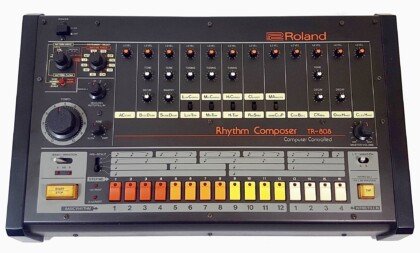
How to Make a Phonk Beat (Step by Step)
To make a phonk beat, pick a lane first: classic Memphis phonk sits around 80 to 100 BPM with dusty samples and chopped vocals, while drift phonk runs 140 to 160 BPM with a Phrygian cowbell riff and a distorted 808. Build drums, layer a pitched cowbell melody, write a simple minor or Phrygian bassline, then crush the whole mix with saturation and clipping until it sounds intentionally lo-fi. The rest of this guide walks through each step in order.
- Pick your phonk style first
- Step 1: Set the tempo and scale
- Step 2: Program the drums
- Step 3: Build the cowbell melody
- Step 4: Write the 808 bassline
- Step 5: Add vocal chops or melodic samples
- Step 6: Mix it dirty on purpose
- Step 7: Arrange the loop
- Tools that speed this up
- FAQ
Pick your phonk style first
Phonk splits into two very different production targets, and picking one before you open your DAW saves you from a beat that sounds confused. Classic phonk (also called Memphis phonk) draws from 90s Memphis rap: dusty vocal chops, a loose swung pocket, and a restrained 808 that mostly follows the kick. Drift phonk strips the vocal samples out, doubles the tempo, and leans entirely on a cowbell riff and a distorted bass.
Drift phonk is what most listeners mean by “phonk” in 2026: it’s the sound behind car drifting edits, gym clips, and gaming montages on social media. If you’re chasing streams on a type beat channel, drift phonk is the safer bet. If you want something with more groove and sampling craft, classic phonk rewards more effort per track.
Step 1: Set the tempo and scale
Set your tempo before you touch a single sound. As Native Instruments’ production guide lays out, classic phonk sits at 80 to 100 BPM with a swung hip-hop pocket. Drift phonk runs 140 to 160 BPM, though producers often program it as a half-time 70 to 80 BPM grid so the drums still breathe at that speed.
For scale, Phrygian is the phonk default: it’s a natural minor scale with a flattened second degree, which is what gives phonk melodies their unsettled, ominous character. In the key of A, that’s A, Bb, C, D, E, F, G. You don’t need music theory to use it: load a scale-locked MIDI keyboard or piano roll helper in your DAW, set it to A Phrygian, and every note you play in that lane will fit.
Step 2: Program the drums
Start with a basic trap-style kick and snare pattern, then rough it up. Phonk drums are deliberately imperfect: nudge some hits slightly off the grid, vary your hi-hat velocities instead of locking them to one value, and don’t be afraid of a kick that clips a little.
A common trick for drift phonk is layering a second, more distorted snare on the backbeat for extra weight, on top of your main snare. Keep the hi-hat pattern simple, rolling 16th notes with occasional triplet fills, rather than the dense trap hi-hat rolls you’d use on a straight trap beat.
Step 3: Build the cowbell melody
The 808 cowbell is the single most recognizable element in drift phonk. It started as a Memphis rap quirk and became the genre’s signature lead instrument. To build one: load an 808-style cowbell one-shot into a sampler, find its root pitch, and map it chromatically across your keyboard so you can play it like an instrument.
Write a short, repetitive riff (four to eight notes looped) in A Phrygian. Keep it simple: most drift phonk cowbell lines repeat every one or two bars with small variations. A KVR Audio-listed sample pack built specifically for this (“Phonk Toolkit” by Rocket Powered Sound, $17) bundles pre-tuned cowbell one-shots alongside 808s and Reese bass sounds if you’d rather skip the manual mapping step.
Step 4: Write the 808 bassline
Keep the 808 melody minimal, three or four notes is often enough. Follow the kick pattern loosely, then extend a few notes for impact and add pitch slides between them for movement. The goal is a droning low end, not a busy bassline.
For the drift phonk sound specifically: duplicate your 808 track, apply heavy distortion or clipping to one layer, and blend it under the clean layer. This keeps the sub frequency intact for impact while the distorted layer carries the gritty texture that defines the genre. Sidechain the 808 to your kick so the two don’t fight for space, and keep sub content in mono with a utility or imaging plugin.
Step 5: Add vocal chops or melodic samples
Classic phonk leans on chopped vocal samples from old rap records, pitched down and looped, often run through heavy saturation so they sound like they’re playing off a worn cassette. Drift phonk usually skips vocals entirely or uses only a short, heavily processed phrase as an intro tag.
If you’re not sampling from records (check licensing before you release anything with an uncleared sample), a melodic loop or a preset-based lead can fill the same emotional role. This is where a preset-driven tool saves real time: Pendora VST ships with presets tagged specifically for phonk among its 275+ presets across 30+ categories, so you can drop in a dark bell or pad layer instead of chopping and pitching samples from scratch.
Step 6: Mix it dirty on purpose
Phonk mixing inverts the usual “clean and loud” goal. Clipping, bitcrushing, and lo-fi artifacts are part of the genre’s identity, not mistakes to fix. Run your drum bus or full mix through a saturation or tape emulation plugin, then push a clipper harder than you normally would on the master or a subgroup.
Group related elements (all drums together, cowbell and bass together) before applying degradation effects, so the dirt sits consistently across the mix instead of on one isolated element. Add reverb sparingly on the cowbell and any melodic layer for space, but keep the drums and 808 dry and upfront so the beat still hits.
Step 7: Arrange the loop
Phonk arrangement is usually straightforward: intro, main loop, one or two breakdowns, outro. Most drift phonk tracks are built around a single strong loop repeated with small variations rather than a verse-chorus structure, since a lot of it gets used in video edits where a tight, high-energy loop matters more than song structure.
Drop an element out every 8 or 16 bars (mute the cowbell for a bar, pull the drums back to just kick and 808) to create movement without changing the core loop. Automate a filter or distortion amount over the course of the track so it doesn’t feel static on repeat.
Tools that speed this up
You don’t need a huge plugin stack to make phonk, but a few categories cover most of the work: a drum machine or sampler for kicks, snares, and cowbells; a distortion or tape plugin for the lo-fi texture; and a preset-based synth or sound bank for melodic layers so you’re not building every bell and pad from a raw oscillator.
For a fuller rundown of specific plugins by category, see our guide to the best phonk VST plugins. If you’re working in FL Studio and want a budget entry point before committing to a full sound bank, Pendora Lite (30 presets, one-time purchase) is a cheaper way to test whether a preset-driven workflow fits how you work before upgrading to the full 275-preset version.
FAQ
What BPM should a phonk beat be?
Classic phonk sits at 80 to 100 BPM. Drift phonk runs 140 to 160 BPM, though it’s often programmed as a half-time 70 to 80 BPM grid so the drum pattern still has room to breathe at that tempo.
What scale do phonk cowbell melodies use?
Phrygian is the standard choice. It’s a natural minor scale with a flattened second degree (in A: A, Bb, C, D, E, F, G), and that flattened second is what gives phonk its dark, unresolved feel.
Do I need real Memphis rap samples to make phonk?
No. Classic phonk traditionally samples old rap records, but you need cleared or royalty-free material to release the track legally. Drift phonk mostly skips vocal samples anyway, relying on the cowbell riff and 808 instead, so you can build a convincing drift phonk beat without sampling at all.
Can I make phonk without a drum machine plugin?
Yes. Any sampler that lets you pitch a one-shot chromatically works for the cowbell, and most DAWs include a stock sampler capable of this. A dedicated drum machine plugin or phonk sample pack just saves setup time.
What makes drift phonk different from regular trap?
The cowbell riff and the tempo. Trap beats don’t typically build a melody around a pitched cowbell, and drift phonk’s 140 to 160 BPM range is well above typical trap tempos. The deliberately crushed, distorted mix is also more extreme in drift phonk than in most trap production.
The fastest path to a finished phonk beat is tempo and scale first, cowbell and 808 second, dirt last. Once the core loop works, mixing it dirtier is easy; fixing a beat with no groove is not. If you want the melodic layers done for you, check out Pendora VST, which includes phonk-tagged presets alongside trap, drill, and pluggnb sounds, or browse the full Tiger Sounds shop for drum kits built for this genre.
25,000 Synth1 Presets: Setup, Safety, and Workflow Guide
Summary: Yes, 25,000 Synth1 presets can still be useful, but the collection is a legacy freeware patch ecosystem rather than one consistently maintained product. Synth1 remains lightweight for compatible VST and AU workflows, yet installation, duplicate filtering, macOS support, download safety, and licensing should be checked before you build a production template around it.
Searching for 25000 synth1 presets usually means you want a large supply of analog-style sounds without buying another expensive instrument. To move from browsing to beatmaking faster, you can also start with our 25,000 free Synth1 soundbanks resource and then organize only the banks that suit your workflow.
The important detail is that “25,000” describes a collection ecosystem, not necessarily 25,000 unique, curated, or currently maintained presets. Some banks may be duplicated, poorly labeled, difficult to install, or created under different licensing terms. In 2026, the practical question is not only where to download the archive, but whether it works reliably in your DAW and helps you finish music.
What the 25,000 Synth1 presets collection actually is
Synth1 is a freeware virtual analog synthesizer associated with a lightweight workflow, classic subtractive synthesis, and a large community-made patch library. Its architecture includes two oscillators, a sub oscillator, FM and ring modulation, multiple filter types, two LFOs, an arpeggiator, tempo-synced delay, chorus, flanger, portamento, and automation support.
The widely referenced 25,000 preset collection is better understood as a large group of Synth1 sound banks gathered from different designers and sources. It can include leads, basses, pads, plucks, keys, arpeggios, bells, strings, organs, rhythmic sounds, and experimental patches. That range is useful for sound discovery, but it also creates a significant sorting problem.
A large archive can help when you want to explore unfamiliar timbres or generate a starting point for a melody. It becomes less useful when every project requires long searches through similar names, duplicate patches, inconsistent volume levels, and banks that were made for older versions of the instrument.
Is the collection still available in 2026?
Availability is fragmented as of September 17, 2026. An older download page still displays a reference to a large Synth1 preset archive, but its comments include reports of broken downloads and security warnings. Treat that page as a lead for research, not as proof that the file is current or safe. You can inspect the older download page before deciding whether to proceed.
A separate GitHub resource index points users toward an archival copy of the collection and lists other Synth1 resources. That kind of index can be useful because it exposes the origin and context of a file more clearly than an anonymous download button. It still does not guarantee that every linked archive is maintained, complete, or licensed for the same use. The community audio index is best treated as a reference map.
For a safer workflow, download the Synth1 instrument from a source you can identify, keep the preset archive separate from your main project files, scan compressed files before opening them, and retain a backup of your working banks. If a page asks you to install an unrelated executable, browser extension, or downloader, stop and find another route.
Compatibility comes before preset browsing
The original Synth1 documentation lists Windows VSTi support in 32-bit and 64-bit forms and a macOS AU version. Its macOS notes and version history are tied to releases from 2021, so they should not be treated as proof of native compatibility with every current Apple Silicon computer or recent macOS release.
On Windows, Synth1 is generally most straightforward in a DAW that supports the correct VST format, including FL Studio, Ableton Live, Reaper, and other compatible hosts. On macOS, Logic Pro and GarageBand require the AU component, while a Windows VST file will not replace it. Cubase, Ableton, and other hosts may also require the correct plugin format and an updated scan path.
Before downloading thousands of patches, confirm three things:
- Your DAW supports the Synth1 format you intend to install.
- Your operating system can load the plugin without security, validation, or graphical interface errors.
- Your version of Synth1 can read the bank format, folder structure, and compressed files included in the collection.
Current Apple Silicon users should test Synth1 in a small blank project before relying on it for a paid production. A plugin can load successfully while still showing an incomplete interface, failing validation, or losing access to its preset directory.
How to install and organize a large Synth1 library
The most common mistake is placing the preset files in the DAW’s general plugin folder and expecting Synth1 to find them automatically. The plugin file and the external preset banks often need separate locations, and the exact path depends on the operating system and format.
- Install the correct Synth1 version for your computer and DAW.
- Open Synth1 once inside the DAW so it can create its required folders.
- Place the compatible bank files in the relevant Synth1 bank or external zip folder.
- Use the plugin’s options menu to point Synth1 toward that folder.
- Load a small number of banks first, then test scanning before adding the complete archive.
Do not extract every compressed bank automatically. Some Synth1 workflows expect the original bank archive to remain compressed, while others use a specific folder structure containing individual patch files. Preserve the original download, make a working copy, and change only the copy while testing.
A librarian utility can make a large collection easier to search by category, sound similarity, or user-created tags. It is especially useful when you want to separate basses, pads, plucks, and leads instead of browsing thousands of entries from one unfiltered list.
If your priority is faster sound selection rather than a giant archive, our free VST presets collection provides another way to begin a session with fewer organizational steps.
What should you check before using the presets commercially?
The Synth1 instrument and the individual preset banks are not always governed by the same terms. The instrument’s published conditions allow use in commercial music, but third-party sound designers may attach their own restrictions to particular banks. Do not assume that the label “free” means every preset can be resold, redistributed, included in a new sound pack, or used without attribution.
For beats and tracks that you sell, place, or license, keep a simple record of where each bank came from and what its accompanying readme file says. If there is no license information, use the preset as a private production starting point only, or choose a library with explicit commercial terms.
Security is another part of licensing hygiene. Scan downloads with current security software, avoid modified plugin installers, and do not disable operating system protections just to make an unknown file launch. A 2025 comment attached to one widely circulated download reference mentioned malware detections, so the archive should not be treated as risk-free merely because producers have shared it for years.
When you need clearly stated commercial usage, one-time ownership, and production assets designed as a single system, our free sound banks can be a more transparent starting point than an anonymous preset mirror.
How does the large archive compare with a focused production workflow?
The 25,000 preset collection is useful for exploration, but a focused library can be more practical when you already know the sound of track you want to make. A 2025 FL Studio project listing still identified Synth1 with the 25,000 preset set among its instruments, showing that the setup remains usable in some Windows-based production workflows. It does not prove that every current computer or DAW will behave the same way. The example appears in this 2025 FL Studio project listing.
| Option | Useful when | Main consideration |
|---|---|---|
| 1. Our Pendora | You want focused sounds for melodic trap, drill, R&B, pluggnb, dark trap, lofi, or phonk. | It provides 275+ studio-ready presets with expansions, kits, MIDI, FX, VST3 and AU support, royalty-free commercial use, and lifetime updates under the stated terms. |
| 2. Synth1 with the 25,000 collection | You want a free instrument and a very broad archive for experimentation. | You must manage compatibility, duplicate banks, inconsistent naming, installation paths, and the separate licensing terms of third-party presets. |
| 3. Synth1 Librarian | You already have a large Synth1 bank and need better browsing. | It organizes an existing library but does not replace the Synth1 instrument or verify the license of each preset. |
For beatmaking, the difference is often the time between opening the DAW and writing the first usable idea. A huge archive offers breadth, while a curated sound bank reduces decisions and can help you move past beatblock without cycling through sounds that do not fit the production.
Which workflow makes sense for your next beat?
Choose the 25,000 Synth1 presets route if you enjoy technical setup, older virtual instruments, and sound exploration. It works well as a low-cost laboratory for learning subtractive synthesis, testing melodies, and finding unusual starting points for basses, pads, arps, and leads.
Choose a focused library when you want fewer disposable sounds and a clearer relationship between the preset, the genre, and the arrangement. For trap, drill, pluggnb, dark trap, lofi, and phonk, a smaller collection with a consistent character can make it easier to move from an empty FL Studio, Ableton, or Logic Pro project to a usable beat.
The sensible middle path is to keep Synth1 as an exploratory instrument while using a curated library for primary production. That gives you access to vintage-style synthesis without forcing every session to begin with a long search through an unfiltered archive.
Final verdict on 25,000 Synth1 presets
25,000 Synth1 presets remain valuable as a free sound exploration resource, but the headline number should not be confused with a maintained, duplicate-free, or universally compatible product. Check the download source, use the correct plugin format, test the bank path in your DAW, scan the files, and confirm the license of each third-party collection before releasing commercial music.
If your priority is speed and genre focus, a curated sound bank can be the more efficient choice. The right library is the one that helps you write, arrange, and finish tracks rather than keeping you inside the preset browser.
Choose Sounds That Fit Your Production
A large free archive can be a useful learning tool, but it can also add setup time and unnecessary browsing to a beatmaking session. When you want a more focused workflow for modern trap, drill, phonk, pluggnb, and related styles, our sound-design range is built around production-ready choices.
Our VST instruments and presets include hand-crafted sounds, compatible VST3 and AU formats, low-resource positioning, royalty-free commercial use, one-time ownership, and free lifetime updates under the stated terms.
Frequently Asked Questions
Are the 25,000 Synth1 presets one official pack?
No. The phrase generally refers to a large collection of banks gathered from several sources and shared through different pages or archives. Availability, organization, and file integrity can vary between downloads.
Will Synth1 work in FL Studio, Ableton Live, and Logic Pro?
It can work in compatible hosts, but the required format differs by platform. Windows users generally need the appropriate VST version, while macOS users may need the AU component for Logic Pro or GarageBand.
Should I extract every Synth1 preset archive?
Not necessarily. Some banks are intended to remain compressed or to follow a specific zipbank structure, so preserve the original files and test the folder path inside Synth1 before extracting everything.
Can I use every free Synth1 preset in commercial music?
You should not assume that. The Synth1 instrument and individual third-party banks can have different terms, so check the included license or readme before using a preset in a beat you sell, place, or license.
What is a faster option for trap and drill production?
Our Pendora sound bank is designed for focused workflows across melodic trap, drill, R&B, pluggnb, dark trap, lofi, and phonk. It is intended for producers who want distinctive, hand-crafted sounds without sorting through an unfiltered archive.

Best Plugg and PluggnB VST Plugins in 2026
The best VST plugins for plugg and pluggnb are DREAM by C4000 and the Lowkey Labs PluggnB VST for genre-specific presets built to sound right out of the box, Vital for free sound design, and Omnisphere or Pendora when you need pads, bells, and 808s that already sit in a full trap-adjacent workflow. No single plugin owns this genre yet: pluggnb is young enough that most producers still stack a dedicated instrument with a general-purpose synth and a sample-based workhorse.
- What makes a VST plugin work for plugg and pluggnb
- DREAM by C4000
- Lowkey Labs PluggnB VST
- Vital
- Omnisphere
- Output Arcade
- Serum 2
- Pendora
- Comparison table
- FAQ
What makes a VST plugin work for plugg and pluggnb
Pluggnb blends plugg’s minimal, low-fi beat structure with R&B’s chord and vocal sensibility. According to Splice’s genre breakdown, the sound leans on electric piano block chords with jazz-tinged extensions, sine wave synth leads, glassy bells, and re-pitched vocal chops layered as “ear candy” over the harmony (Splice, “What is PluggnB?”). Producer Swoope, quoted in that piece, ties the genre’s roots directly to gospel and 90s R&B harmony.
That means a plugin earns a spot on this list if it covers one of three jobs: dreamy melodic leads that can glide and detune, electric keys or bell tones with real harmonic depth, or 808s and drums that sit under those melodies without crowding them. Sample-based ROMplers and wavetable synths both qualify. Straight trap or drill preset packs usually don’t, because they’re built around aggression rather than the melodic space pluggnb needs.
DREAM by C4000
DREAM is built by beatmaker C4000 specifically for plug, pluggnb, R&B, and West Coast production, and it is currently the closest thing this genre has to a dedicated flagship instrument. It combines three adjustable synths with AHDSR envelopes, dual oscillators plus a sine generator, a macro XY pad with two LFOs, an arpeggiator, and built-in filter, compressor, and EQ. On top of the synthesis engine it ships 436 samples and 480 presets across pianos, leads, pads, synths, and vocals (Audio Plug Market, DREAM product page).
It runs as VST/VST3/AU on Mac and DLL/VST3 on Windows, covers FL Studio, Logic Pro, Cubase, Studio One, and Reaper, but has no Pro Tools support on Mac. At €28.90 on its current discount (regular €59.90), it’s priced like a genre-specific instrument, not a full synth suite. Choose DREAM if you want one plugin that covers synthesis and sample playback for this exact genre and don’t mind a 12 GB install.
Lowkey Labs PluggnB VST
Lowkey Labs sells a melodic synth built purely around “smooth, dreamy, melodic pluggnb sounds.” It ships 100 factory presets across pianos, keys, flutes, strings, vocals, guitars, pads, bells, bass, and synths, plus glide controls with adjustable timing from 0 to 500ms in linear or exponential mode, the feature that makes those signature singing leads possible. The sound design layer underneath is straightforward: sine/saw/triangle waves, a sub oscillator, ADSR, low-pass filtering, and unison stacking, with tempo-synced ping-pong delay, reverb, chorus, and soft clipping built in (Lowkey Labs, PluggnB VST product page).
It’s VST3 and AU only on Windows and macOS, no AAX, no VST2, and no drum programming. At $24.99 on its current discount (regular $33.99), it’s the cheapest genre-dedicated option on this list. Choose it if you want fast, glide-heavy melodic leads without touching a synth engine, and you already have drums and 808s covered elsewhere.
Vital
Vital is Matt Tytel’s free wavetable synth, and it remains one of the most capable no-cost tools for building pluggnb leads and pads from scratch. The free Basic tier includes the full synth engine, 75 presets, and 25 wavetables, with spectral warping, a built-in wavetable editor, and text-to-wavetable conversion (capped at 5 requests a day on the free tier). The paid Plus tier (250 presets, 70 wavetables) and Pro tier (400+ presets, 150 wavetables, unlimited text-to-wavetable, plus Discord access) unlock more starting material; exact tier pricing is not published on Vital’s own page, only the preset and wavetable counts. The synthesis engine itself is identical across every tier (Vital, official pricing page).
Bedroom Producers Blog’s 2026 comparison of Vital against Surge XT recommends Vital specifically for producers who want to learn synthesis deeply, because its visual, modulation-heavy interface teaches sound design as you use it, while reserving Surge XT for producers who already know synthesis and want more raw power (Bedroom Producers Blog, “Vital vs Surge XT”). Choose Vital if your budget is zero and you’re willing to design your own bells, pads, and glide leads rather than load a preset.
Omnisphere
Omnisphere is Spectrasonics’ flagship rompler-synth hybrid and one of the most common tools producers reach for when a beat needs lush, cinematic pads and bells, exactly the texture pluggnb borrows from R&B. It ships with 18 sound libraries covering thousands of patches, built from deep-sampled sources that range from conventional keys and pads to unusual textures like nyckelharpa and celestaphone (Spectrasonics, Omnisphere overview). It costs $499 for the full license, with a $249 upgrade path from earlier versions.
That price puts it well outside a beginner’s budget, and its patch browser is deep enough that it takes real time to learn. Choose Omnisphere if you already produce across genres beyond pluggnb and want one instrument that covers pads, keys, and sound design for years, not just this one sound.
Output Arcade
Output Arcade is a subscription sample and instrument platform, not a synth, and it’s worth including because a large share of its royalty-free content (keys, guitars, vocal phrases, bells, synth fragments) drops directly into pluggnb-style loops without any sound design step. Plans start at $12.99/month, or roughly $9.99/month paid annually, with a bundled Output One tier at $14.99/month that adds Co-Producer and FX plugins on top.
The catch is the subscription itself: stop paying and you typically lose access to the playable content, which conflicts with the one-time-purchase habit most beatmakers on a tight budget prefer. Choose Output Arcade if you want a constant stream of new loop-based content and don’t mind a recurring bill; skip it if you’d rather own your instruments outright.
Serum 2
Serum 2 is Xfer Records’ wavetable synth, widely used across trap and melodic genres for its combination of clean wavetable oscillators and a deep modulation matrix. For pluggnb specifically, it’s less a dedicated tool than a general-purpose lead and pad engine: producers use it for wide, gently animated chords and singing leads with restrained filtering, the same melodic role DREAM and the Lowkey Labs plugin fill with presets baked in. It’s a paid, one-time-purchase synth in the same price bracket as other premium wavetable tools, and it requires more manual sound design than a genre-dedicated preset instrument. Choose Serum 2 if you already own it for other genres and want to extend it into pluggnb rather than add a new plugin.
Pendora
Pendora is Tiger-Sounds’ own preset bank, built for trap, drill, dark trap, phonk, boom bap, and pluggnb, with 275+ presets across categories that include 33+ bells, 47+ pads, and 32+ plucks (Pendora V3.0 product page). It’s not a dedicated pluggnb instrument the way DREAM or the Lowkey Labs plugin are: the product page groups pluggnb among six supported genres rather than building the whole bank around it. Where it earns a place here is workflow: if you already use Pendora’s 808s and drums for trap or drill sections of a beat, its bell and pad categories give you melodic material in the same session without opening a second plugin.
V3.0 runs €149 (275+ presets, 59 reviews at 4.71/5 on the product page), and a €29 Lite edition packages 30 hand-picked presets from the same bank for producers who want to try the sound before committing. Choose Pendora if you want melodic material that matches the drums and 808s you’re already pulling from the same bank; choose a dedicated plugg instrument instead if pluggnb is the only genre you make.
| Plugin | Type | Price | Best for |
|---|---|---|---|
| DREAM (C4000) | Hybrid synth + sampler | €28.90 (was €59.90) | One plugin covering plugg/pluggnb synthesis and samples |
| Lowkey Labs PluggnB VST | Melodic synth, presets | $24.99 (was $33.99) | Fast glide leads, cheapest genre-dedicated option |
| Vital | Wavetable synth | Free (Plus/Pro paid tiers) | Zero-budget custom sound design |
| Omnisphere | Rompler-synth hybrid | $499 | Long-term, multi-genre pad and key library |
| Output Arcade | Sample/loop subscription | $12.99/mo (from $9.99/mo annual) | Constant new loop content, no ownership needed |
| Serum 2 | Wavetable synth | Paid, one-time | Producers who already own it for other genres |
| Pendora | Preset bank | €149 (Lite €29) | Melodic layers matching your existing trap/drill drums |
FAQ
What DAW is best for pluggnb production?
Most plugg and pluggnb producers work in FL Studio, and every plugin on this list supports it. If you’re weighing FL Studio against alternatives, the drum programming and piano roll workflow tends to match how pluggnb’s dense, melodic patterns get built.
Is there a free VST for pluggnb?
Vital is the strongest free option: the Basic tier includes the full synth engine, 75 presets, and 25 wavetables, with no time limit or feature lock on the core sound design tools.
Do I need a dedicated pluggnb plugin, or can I use a general synth?
Either works. A dedicated instrument like DREAM or the Lowkey Labs PluggnB VST gets you to a finished melodic idea faster because the presets are already tuned to the genre. A general synth like Vital or Serum 2 takes longer but gives you more control if you want your leads to sound different from everyone using the same preset pack.
What makes a synth sound “pluggnb” instead of generic trap?
Glide between notes, jazz-extended chord voicings on electric piano or bell tones, and restrained, airy pad textures. Straight trap presets tend toward harder, more aggressive leads built to cut through 808s rather than sit underneath vocal-style melody.
Can I mix a dedicated pluggnb plugin with a trap-focused preset bank like Pendora?
Yes, and it’s a common approach. Many producers pull 808s and drums from a trap or drill-focused bank and layer melodic leads from a genre-specific plugin like DREAM on top; check our 808 VST roundup for drum-side options that pair well with any of the synths above.
Verdict: if pluggnb is your main lane, DREAM or the Lowkey Labs PluggnB VST will get you to a finished melody fastest since both were built for exactly this sound. If you’re stretching across trap, drill, and pluggnb in the same session, Pendora’s bells and pads keep you in one plugin alongside your drums, and Vital covers anything neither preset pack has when your budget is zero. Browse the full Pendora VST preset bank or start with Pendora Lite at €29 to test the melodic categories before committing to the full bank.
Pendora V3 price: Full Edition Cost and Included Sounds
Summary: As of September 16, 2026, the full Pendora V3 edition is listed at €149, with another supplied listing showing $147 in USD. It is a one-time purchase that includes 275+ presets, expansions, drumkits, MIDI, FX, commercial royalty-free use, and lifetime updates, while Lite costs €29 and the custom edition costs €500.
At €149 on the clearest 2026 product listing, Pendora V3 is positioned as a complete genre-focused sound bank for trap, drill, melodic trap, R&B, pluggnb, dark trap, lofi, phonk, and related beatmaking styles. You can hear the sound before deciding through our Pendora demo, then compare the full package with the smaller and custom editions.
The important detail behind the Pendora V3 price is what comes with the instrument. This is not only a preset browser. The full purchase combines the main VST, expansions, drums, MIDI, effects, and ongoing updates in one transaction, although the displayed amount can vary by currency and location. Before paying, check the checkout total shown for your country.
What is the Pendora V3 price in 2026?
As of September 16, 2026, the full Pendora V3 edition is listed at €149 on the main product presentation. A separate supplied listing shows the full edition at $147, so the product pages do not display one perfectly consistent currency figure. Tiger-Sounds supports EUR and USD, with the applicable currency selected according to location.
For an international buyer, the practical answer is therefore: expect the full edition to be presented around €149 or $147, then confirm the exact amount at checkout. Currency conversion, regional display settings, or differences between product pages can affect what appears in the final purchase flow.
The price is for a one-time purchase, not a monthly subscription. There are no recurring access fees attached to the standard edition, and the product is delivered digitally through a download link and license key after payment.
What do you get for €149?
The full edition is designed for producers who want more than a small collection of melodic presets. It includes more than 275 studio-ready presets across categories such as bells, pads, plucks, synths, keys, basses, dark 808s, orchestral textures, flutes, brass, guitars, and vocal-style sounds.
The sound direction stays concentrated on modern beatmaking rather than attempting to cover every genre. That focus is useful when you are working in FL Studio, Ableton Live, or Logic Pro and want to move quickly from a melody idea to a usable part without browsing unrelated cinematic, house, or general-purpose content.
The bundle also includes:
- Three themed Pendora expansion packs
- A Producer Kit with drums, MIDI, and mix presets
- Two additional drumkits for trap and drill production
- An FX pack with effects and risers
- MIDI content for melody development and beat sketches
- VST3 and AU plugin formats
- Mac and Windows compatibility on supported systems
- Royalty-free commercial use under the stated license terms
- Free lifetime updates for compatibility changes, format updates, and bug fixes
This combination changes how the price should be evaluated. A producer is not paying only for the number of presets. The package also covers supporting material that can help with drums, transitions, MIDI ideas, and arrangement work. That can be useful when the goal is to reduce preset searching and keep more of the beat inside one focused workflow.
How do the Pendora editions compare?
The price ladder is designed for different levels of commitment. Lite is an entry product for testing the sound, the full V3 edition is the main production package, and the custom tier adds personalized content and broader access to the wider Tiger-Sounds catalog.
| Edition | Listed price | Main contents | Best fit |
|---|---|---|---|
| Pendora Lite | €29 or $29 | 30 hand-picked presets, bonus kits, and a MIDI pack | Testing the sound or adding a compact melodic layer |
| Pendora V3 full edition | €149, with another listing showing $147 | 275+ presets, expansions, Producer Kit, two drumkits, MIDI, FX, and lifetime updates | Regular beatmaking, commercial beats, and broader trap, drill, phonk, and pluggnb workflows |
| Pendora custom edition | €500 or $500 | Full sound bank with custom content, a personalized preset name, all kits, future kit access, and 5,000+ exclusive MIDI melodies | Producers seeking a personalized package and extended catalog access |
Pendora Lite makes sense when you want to test compatibility and sound character before committing to the full price. Its 30 presets are easier to browse, and it can sit alongside instruments such as Serum, Omnisphere, Kontakt, or Vital when you only need a smaller source of trap, drill, or pluggnb ideas.
The full V3 edition is aimed at producers who already know they need more variety. The difference is not only 30 presets compared with 275+. You also receive the supporting kits, MIDI, FX, and expansions that make the package more useful for repeated beatmaking sessions.
The custom tier is a separate purchase decision. It is intended for a small number of producers who want personalized treatment, additional MIDI content, and access to future kits. It is not necessary for a producer who simply wants the standard Pendora V3 sound bank.
Who is Pendora V3 worth it for?
Pendora V3 is most relevant when trap, drill, melodic trap, dark trap, phonk, boom bap, lofi, or pluggnb are regular parts of your production schedule. Its categories are organized around the sounds that commonly shape those beats, including bells, plucks, pads, basses, synths, 808s, keys, and atmospheric textures.
It can also help when beatblock comes from too many generic options. A large general-purpose library may contain thousands of sounds, but volume does not always make the next decision easier. A more concentrated bank gives you fewer irrelevant directions and more sounds intended for the lane you are already producing in.
The full edition is particularly practical for producers who sell beats, create placements, or license tracks. The stated royalty-free commercial licensing means you can use the sounds in beats and tracks that you sell, place, or license without additional royalties owed, subject to the product terms.
It is less suitable as a replacement for a full synthesis engine. Serum and Vital are built for creating patches from oscillators, wavetables, modulation, and effects. Pendora takes a more direct route by giving you finished preset starting points that can be played, automated, pitched, filtered, distorted, and processed inside the DAW.
Does the price include commercial rights and updates?
Yes, the full Pendora V3 package includes commercial royalty-free use and free lifetime updates under the stated terms. That means the purchase is not limited to private sketches or non-commercial practice. Producers can use the sounds in commercial beats and tracks without adding a separate royalty payment to the plugin price.
The update policy covers operating-system compatibility patches, plugin-format updates, and bug fixes. The product supports VST3 on compatible Windows and macOS systems, while AU is available for supported macOS hosts. Native Apple Silicon support is also included in the stated compatibility information.
Lifetime access remains subject to the license conditions. Account sharing and redistribution are excluded misuse cases, so the product should be installed and used through the buyer’s own authorized account.
The full edition is tested with common DAWs including FL Studio, Ableton Live, Logic Pro, Cubase, Pro Tools, and Reason. Actual performance still depends on the computer, buffer settings, project size, and other plugins in the session, but the product is positioned for low CPU and RAM use when multiple instances are needed.
What should you check before buying?
First, confirm the currency and final amount shown at checkout. The full edition appears as €149 on one supplied product presentation and $147 on another, so international customers should rely on the amount displayed for their own location rather than assuming that one figure applies everywhere.
Next, check whether your DAW supports the required format. Windows users generally need a compatible 64-bit VST3 host. Mac users can use VST3 or AU where supported, including compatible Intel and Apple Silicon systems.
Storage is another practical point. The installed product requires approximately 5 GB of disk space, while the Windows installer is described as approximately 2 GB. Leave enough room for the installation, future updates, and the project files created around the instrument.
Finally, decide whether you need breadth inside this specific production lane. If you only want to sample the sound, the €29 Lite edition keeps the initial cost lower. If you already produce regularly and need expansions, drums, MIDI, FX, and a larger preset range, the full Pendora V3 price reflects a broader working package rather than a small teaser library.
How does Pendora compare with similarly named products?
The name can cause confusion because Pendora VST and Cymatics PANDORA are separate products from different companies. They are not the same instrument, do not share the same catalog, and should not be treated as two versions of one plugin.
Our Pendora VST vs Cymatics Pandora comparison explains the distinction in more detail. For a producer searching specifically for a focused trap, drill, phonk, or pluggnb sound bank, the important point is to verify the developer, format, included content, and payment model before downloading or purchasing.
For most buyers, this is a naming issue rather than a reason to change the purchasing decision. The relevant question remains whether Pendora V3 fits your genres, DAW, budget, and need for a complete one-time production package.
Is the Pendora V3 price justified?
The Pendora V3 price is easiest to justify when you want a focused, reusable production toolkit rather than a small preset pack or a synthesis engine for designing every sound from scratch. At the 2026 listed price of €149, the full edition combines 275+ presets with expansions, drums, MIDI, FX, commercial royalty-free use, and lifetime updates. Lite is more suitable for testing, while the custom edition is reserved for producers who need personalized content and extended access.
Get the full Pendora V3 sound bank
If your sessions regularly move through trap, drill, melodic trap, phonk, dark trap, lofi, or pluggnb, the next decision is whether you need a compact test pack or a broader sound source for repeated beatmaking.
Our full edition brings together 275+ presets, expansion content, drumkits, MIDI, FX, VST3 and AU compatibility, commercial royalty-free use, and lifetime updates in a one-time purchase. Check the current regional price and package details on Pendora V3.
Frequently Asked Questions
How much is Pendora V3?
The full Pendora V3 edition is listed at €149 in the clearest 2026 product presentation. Another supplied listing shows $147, so international buyers should confirm the final currency and total at checkout.
Is Pendora V3 a subscription?
No. Pendora V3 is sold as a one-time purchase, with no recurring monthly access fee stated for the standard edition. Lifetime updates are included under the product terms.
What is included in the full Pendora V3 edition?
The package includes 275+ presets, three expansion packs, a Producer Kit, two drumkits, MIDI content, an FX pack, and supporting production material. It also includes VST3 and AU formats, commercial royalty-free use, and lifetime updates.
Should I buy Pendora Lite or the full edition?
Choose Pendora Lite if you want to test the sound, keep the initial cost low, or add a compact melodic layer beside Serum, Vital, Omnisphere, or Kontakt. Choose the full edition if you produce regularly and need more presets, drums, expansions, MIDI, and FX in one package.
Does Pendora V3 work with FL Studio and Ableton Live?
Yes, Pendora is designed for compatible VST3 hosts and is tested with FL Studio and Ableton Live, along with Logic Pro, Cubase, Pro Tools, and Reason. Check your operating-system version, 64-bit support, plugin format, and available disk space before installation.
How to Make Drill Melodies (Dark Bells, Plucks, Sliding 808s)
Drill melodies sound dark because of three things working together: a minor or Phrygian scale that keeps harmony tense, a bell or pluck lead sitting on top of a sparse chord bed, and a sliding 808 bassline that glides between root notes instead of restarting on every hit. Nail those three and a two-chord loop can carry a whole beat. This guide walks through the scales, the layering order, and the 808 programming that make it work, with real chord examples and the FL Studio steps producers actually use.
- What actually makes a drill melody sound dark
- Chord progressions that work (with real examples)
- Layering the bell and pluck lead
- Programming sliding 808s to match the melody
- Keep the motif short and loop it
- Common mistakes that flatten the sound
- FAQ
What actually makes a drill melody sound dark
A drill melody sounds dark when the harmony creates tension that never fully resolves. Drill tonality leans on minor scales, mainly natural minor (Aeolian) and Phrygian, both of which avoid the bright intervals that make major-key melodies feel resolved. Phrygian in particular flattens the second scale degree, which rubs against the root a half step away and reads as immediately unsettled rather than sad.
Chicago drill (the genre’s origin, per MusicRadar’s beginner’s guide to drill) runs 130 to 140 BPM with a “woozy halftime feel,” sparser hi-hats than trap, and a sliding 808 bassline as one of its defining traits. UK drill kept that tempo range and pushed the melodic palette colder: orchestral stabs, eerie pads, and bell or pluck motifs replacing the warmer keys and vocal chops common in US trap. That cold, minimal palette is what most beatmakers mean when they say a beat sounds “drill” before a single drum hits.
Chord progressions that work (with real examples)
Drill progressions stay short on purpose, usually two to four chords, because the genre relies on repetition and dissonance rather than harmonic movement. A minor is the most common starting key. One of the clearest examples: moving from a plain A minor chord to an A minor with an added flat sixth (F) creates tension because that F sits a half step from the fifth (E) and rubs against it every time the chord changes, without ever resolving.
Push it further into Phrygian territory and the mood shifts from unsettled to outright threatening. Swapping the second chord for a B-flat voicing (add9, no third) borrows the flattened second degree from A Phrygian, and the effect is sharper than the flat-sixth version: less “uneasy,” more “danger.” A slower, more observational version of the same idea just adds a ninth to the static A minor chord instead of changing root, so the progression barely moves at all and the tension sits and lurks under the melody.
Real songs lean on the same small set of moves. A relative major/minor pair like C minor to A-flat major is common because the two chords share notes, which keeps the progression catchy even though it barely modulates. Diminished chords, built from stacked minor thirds, show up when producers want maximum darkness in a single chord rather than through movement between chords.
| Progression | Feel | Best use |
|---|---|---|
| Am → Am(add♭6) | Unsettled, restless | Default drill loop, works under most bell melodies |
| Am → B♭(add9, no3) | Threatening, sharp | Phrygian-flavored beats, aggressive UK drill |
| Am → Am(add9, no3) | Static, lurking | Beats built around a vocal sample or spoken intro |
| Cm → A♭ major | Dark but catchy | Melodic drill, hooks that need to stick |
A practical starting point that shows up across multiple producer breakdowns: sustain the root and fifth in a pad underneath everything, loop a plain minor chord against its flat-sixth or flat-second variant, and put a short four-note riff on top in bells or piano. The pad does the quiet work of holding the key center so the riff only needs to create tension, not define the whole harmony. (Chord examples and terminology from Songen’s drill chord progression breakdown and LANDR’s guide to drill chords.)
Layering the bell and pluck lead
Bells and plucks are the most recognizable lead sound in drill because they cut through a low, sparse mix without needing much volume. A single bell patch playing the four-note riff from the chord section above already reads as “drill,” but most producers layer it: a bell or pluck carries the top melody, a muted piano or pad plays the chord tones underneath, and a thin string or choir layer fills the sustain so the bell’s short decay doesn’t leave gaps.
Keep the layering simple. Two to three layers is normal, more than that muddies the top end and buries the riff you spent time writing. Filter out the low end on the bell and pluck layers (nothing below 200 to 300 Hz) so they don’t fight the 808 for space, and let the pad carry any low-frequency warmth instead.
Preset-based sound banks speed this up considerably if you’re not designing bell and pluck patches from scratch. Pendora V3.0 ships 33+ bell presets and 32+ pluck presets built specifically for trap, drill, phonk, and pluggnb, alongside 15+ 808 patches for the low end covered in the next section. If you’re just testing the workflow before buying a full bank, Pendora Lite covers the same categories at a lower entry price. For a wider comparison of plugins built for this specific job, see our roundup of the best drill VST plugins.
Programming sliding 808s to match the melody
An 808 slide is a pitch glide between two bass notes: instead of the second note restarting the sample, the bass bends from the first pitch into the second in one continuous motion. The technique is closely associated with producer 808Melo, who built his early UK drill sound in FL Studio around “crisp bass lines with sliding 808 percussion patterns,” a style that later crossed over into Brooklyn drill through his work with Pop Smoke.
The pattern shape barely changes from beat to beat: a heavy root note on the downbeat, a long stretch of silence through the middle of the bar, and a short fill packed with gliding notes at the end of the phrase where the slides actually happen. Note length controls glide speed directly, short slide notes (16th or 8th) produce fast, percussive bends; longer notes produce slower, more melodic slides. Most producers keep slides short and snappy rather than slow, since a slow glide reads as a bass solo, not a drill 808.
Two practical requirements make the effect work reliably:
- Use a sustained 808 sample that rings for at least two seconds. Short, punchy trap 808s choke off before the glide finishes and the slide never audibly happens.
- Kill the release tail on the 808’s envelope so the note grid, not the sample’s natural decay, controls exactly when one note ends and the glide to the next begins.
In FL Studio, slide notes are a built-in piano roll function: select the note, enable slide, and drag the following note to the target pitch. Other DAWs replicate this with a mono bass patch that has portamento or glide enabled, then automate pitch bend between the two target notes. (Technique details from Songen’s 808 slide guide and an Image-Line forum walkthrough of the FL Studio piano roll slide workflow.)
Keep the motif short and loop it
Drill melodies are short on purpose, usually two to four bars, looped rather than developed. The hypnotic effect comes from repetition against a minimal, dissonant harmony, not from a melody that evolves over sixteen bars like a pop topline. If a drill melody needs a bridge or a key change to stay interesting, the core riff usually wasn’t strong enough to begin with.
Structurally, that means most of the arrangement work happens in the drums and vocal samples layered around the loop, not in the melody itself. Mute or filter the bell and pluck layer during verses to leave room for vocals, then bring it back in full at the hook or the drop after a breakdown. The loop stays identical, only the surrounding elements change.
Common mistakes that flatten the sound
- Choosing a punchy trap 808 for slides. If the sample decays fast, the glide has nothing left to slide through. Pick a longer, rounder 808 specifically for slide-heavy patterns.
- Writing in a major key “to make it catchier.” Major intervals read as resolved and undercut the tension that makes drill melodies work in the first place. If a hook needs brightness, borrow it from a relative major chord (like A-flat major over an A minor progression) instead of leaving the key entirely.
- Overcomplicating the chord progression. Four chords is close to the ceiling for a drill loop. Extra movement dilutes the repetition that makes the beat hypnotic.
- Stacking too many melodic layers. Bell, pluck, piano, string, and choir all playing the same riff at once reads as cluttered, not rich. Two or three complementary layers, each doing a different job (lead, sustain, texture), read as intentional.
- Leaving the 808’s release tail on. Even with slide notes enabled, a long natural release smears the note grid and the glide timing gets inconsistent bar to bar.
FAQ
What scale should I use for drill melodies?
Natural minor (Aeolian) is the safest default and works for most drill beats. Switch to Phrygian, which flattens the second scale degree, when a beat needs to sound more aggressive or threatening rather than just moody.
What BPM is drill music?
Chicago and UK drill both typically sit in the 130 to 140 BPM range, often played with a halftime feel so the beat sits slower than the raw tempo suggests.
Do I need music theory to write drill melodies?
No. Most working drill progressions reuse the same two or three chord shapes (a minor chord with an added flat sixth or flat second is the core move), so you can learn the shapes by ear or by copying the progressions in this guide without formal theory training.
What’s the difference between a drill 808 and a trap 808?
A trap 808 is usually short and punchy, built to hit hard on the downbeat. A drill 808 needs a longer sustain because the genre’s signature move is sliding between notes rather than restarting the sample on every hit.
Can I make sliding 808s outside FL Studio?
Yes. FL Studio has a dedicated slide-note feature in its piano roll, but any DAW can produce the same result with a monophonic bass patch that has portamento or glide enabled, automating pitch between the two target notes.
Verdict
A drill melody comes together from three decisions: a minor or Phrygian chord shape kept to two or three chords, a bell and pluck lead layered no more than three deep, and an 808 that slides on a sustained sample with the release tail killed. None of that requires expensive gear, it requires picking sounds that were built for the job. Pendora’s bell, pluck, and 808 categories are built around exactly this workflow if sound design from scratch isn’t where you want to spend your time, browse the full pack on the Tiger Sounds shop alongside the drum kits built for the same genre.
Lite vs Full Sound Bank: Which Edition Should You Buy?
Summary: Choose Pendora Lite if you want to test the sound, spend less, or work with a compact preset selection. Choose the full Pendora V3 edition if you produce regularly and need broader genre-focused sounds, expansions, drums, MIDI, effects, and long-term value in one purchase.
A small sound bank can be the faster choice when you want to test a new sonic direction without filling your browser with more presets. Pendora Lite sound bank gives you a focused entry point for melodic trap, drill, phonk, dark trap, boom bap, and pluggnb production.
The more important question is not simply how many presets you receive. It is whether you need a compact audition pack or a complete production workflow. If you regularly make beats in FL Studio, Ableton Live, or Logic Pro, the full edition offers more room for variation, layering, drum programming, MIDI development, and commercial projects.
Lite vs Full Sound Bank: Which Should You Buy?
If you are still deciding, use this rule. Pendora Lite is the practical choice for testing the sound and keeping your initial cost low. Pendora V3 is the stronger choice for active producers who want one focused sound bank with enough variety to support repeated beatmaking sessions.
| Edition | Best for | Sound-bank depth | Included production content | Price structure |
|---|---|---|---|---|
| Pendora Lite | Testing the sound, beginners, occasional beatmaking | 30 hand-picked presets | Bonus kits and a MIDI pack | €29 listed, one-time purchase |
| Pendora V3 full edition | Regular producers, commercial beats, broader workflows | 275+ presets across 30+ categories | Expansions, Producer Kit, drumkits, MIDI, FX, and risers | €149 listed, one-time purchase |
Pendora Lite
Best for: Producers who want to test a focused sound bank before committing to a larger library. Lite is also suitable when your current setup already includes Serum, Omnisphere, Kontakt, or Vital, and you only need a smaller source of trap, drill, phonk, or pluggnb ideas.
Pendora Lite includes 30 hand-picked presets, bonus kits, and a MIDI pack. Its smaller scope makes it easier to browse when you want to move quickly from a blank project to a usable melody. Instead of exploring a large general-purpose library, you can focus on sounds intended for modern beatmaking.
The main benefit is low commitment. The listed price is €29, payment is made once, and the edition supports compatible Mac and Windows systems through VST3 and AU formats. It also includes royalty-free commercial use and free lifetime updates under the stated terms.
Pros:
- Lower entry cost for producers who want to test the sound before buying the broader edition.
- A compact preset selection can reduce browsing time and help you make decisions faster.
- Supports VST3 and AU workflows on compatible Mac and Windows systems.
- Includes commercial royalty-free use and free lifetime updates under the stated license terms.
- Provides a practical starting point for beatblock without requiring a large installation.
Cons:
- Thirty presets may feel limited if you produce several beats each week.
- The smaller edition does not provide the same range of expansions, drumkits, FX, and production assets as the full version.
- You may outgrow Lite quickly if you want one main sound bank for regular commercial work.
Pendora V3 Full Edition
Best for: Producers who want a complete genre-focused toolkit for regular beatmaking, client work, track placements, and commercial releases. The full edition is particularly suitable when trap, drill, melodic trap, dark trap, phonk, boom bap, lofi, or pluggnb form a central part of your production workflow.
Pendora V3 expands the compact Lite concept into a broader sound bank with more than 275 studio-ready presets across more than 30 categories. These include bells, plucks, pads, synths, basses, keys, orchestral textures, dark 808s, and other melodic elements designed for focused urban production.
The full purchase also includes three expansion packs, a Producer Kit, two drumkits, an FX pack, MIDI content, mix presets, and risers. This makes the product more than a preset browser. You can choose a melodic patch, build a drum pattern, add MIDI ideas, and shape transitions without collecting several disconnected downloads.
The listed price is €149 as a one-time purchase. The product pages also describe a stated value of €499, although the relevant checkout currency may change according to your location. The package supports VST3 and AU formats, Mac and Windows systems, and compatible DAWs such as FL Studio, Ableton Live, Logic Pro, Cubase, Pro Tools, and Reason.
Pros:
- More than 275 presets provide substantially greater sound-bank depth than the Lite edition.
- Genre-focused categories help you find relevant sounds without browsing unrelated orchestral, house, or cinematic content.
- Expansions, drumkits, MIDI, mix presets, FX, and risers support a more complete beatmaking workflow.
- The one-time purchase structure avoids recurring subscription fees.
- Royalty-free commercial use supports beats and tracks that you sell, place, or license, subject to the stated terms.
- Free lifetime updates cover operating-system compatibility, plugin-format updates, and bug fixes under the stated lifetime condition.
- The low-resource positioning is useful when you need several instances alongside Serum, Vital, Omnisphere, or Kontakt.
Cons:
- The higher upfront price is harder to justify if you only make occasional beats.
- The focused genre direction is not intended to replace a general-purpose library for every style of music.
- The installed product requires approximately 5 GB of storage, so you should check available disk space before installation.
How Do the Two Editions Differ in Daily Beatmaking?
Imagine opening FL Studio with a melody in mind but no clear sound selected. Lite gives you a smaller group of options, which can be useful when you want fewer decisions. Full gives you more ways to develop the same idea through different bells, pads, plucks, 808s, keys, and atmospheric layers.
This distinction matters when you are working through beatblock. A compact bank can provide direction without overwhelming you. A broader bank can provide more variation when the first preset is close, but not quite right. The best choice depends on whether your main problem is too many options or not enough range.
For regular production, full generally offers better workflow continuity. The additional drums, MIDI, FX, and expansion content mean you can continue developing a beat inside the same production environment. You are less likely to stop and search through unrelated folders for a matching kit or transition effect.
If you are comparing a focused product with broader instruments, our best sound bank VSTs page explains why a genre-specific preset bank can serve a different role from a full synthesizer. Serum and Vital are useful when you want to build patches from oscillators and modulation. Pendora is more direct when you want a finished starting point for beatmaking.
Which Edition Offers Better Genre Fit?
Both editions share the same general sound direction. They are built around melodic trap, drill, dark trap, phonk, boom bap, lofi, pluggnb, and related production styles. The difference is not a change in the core identity. It is the amount of material available within that identity.
Lite works well when you mainly need a few distinctive bells, pads, plucks, or bass sounds. It can add a new color to a setup that already contains Omnisphere, Kontakt, Serum, or Vital. The smaller selection may be enough when your main instruments and drum libraries already cover the rest of your workflow.
Full is better when you want greater coverage within the same genre family. You receive more categories and supporting content, so you can move between drill, dark trap, melodic trap, phonk, and pluggnb without changing your main sound source. Our Omnisphere sound banks resources are more relevant when you want to explore a broader workstation ecosystem, while Pendora remains more concentrated on this beatmaking lane.
What About Compatibility, CPU, and Installation?
Before purchasing either edition, check your DAW, operating system, plugin format, and available storage. Both editions are described as compatible with VST3 and AU workflows, with VST3 available on Windows and macOS and AU intended for macOS hosts.
Pendora is officially tested with FL Studio, Ableton Live, Logic Pro, Cubase, Pro Tools, and Reason. It also supports native Apple Silicon according to the supplied product information. Windows users should use a compatible 64-bit system, while Mac users should confirm that their version of macOS meets the stated requirements.
CPU efficiency can matter more than preset count in a large project. The product information positions Pendora as light on CPU and RAM, allowing producers to run several instances alongside other instruments. Actual performance will still depend on your computer, project size, buffer settings, and the other plugins loaded in the session.
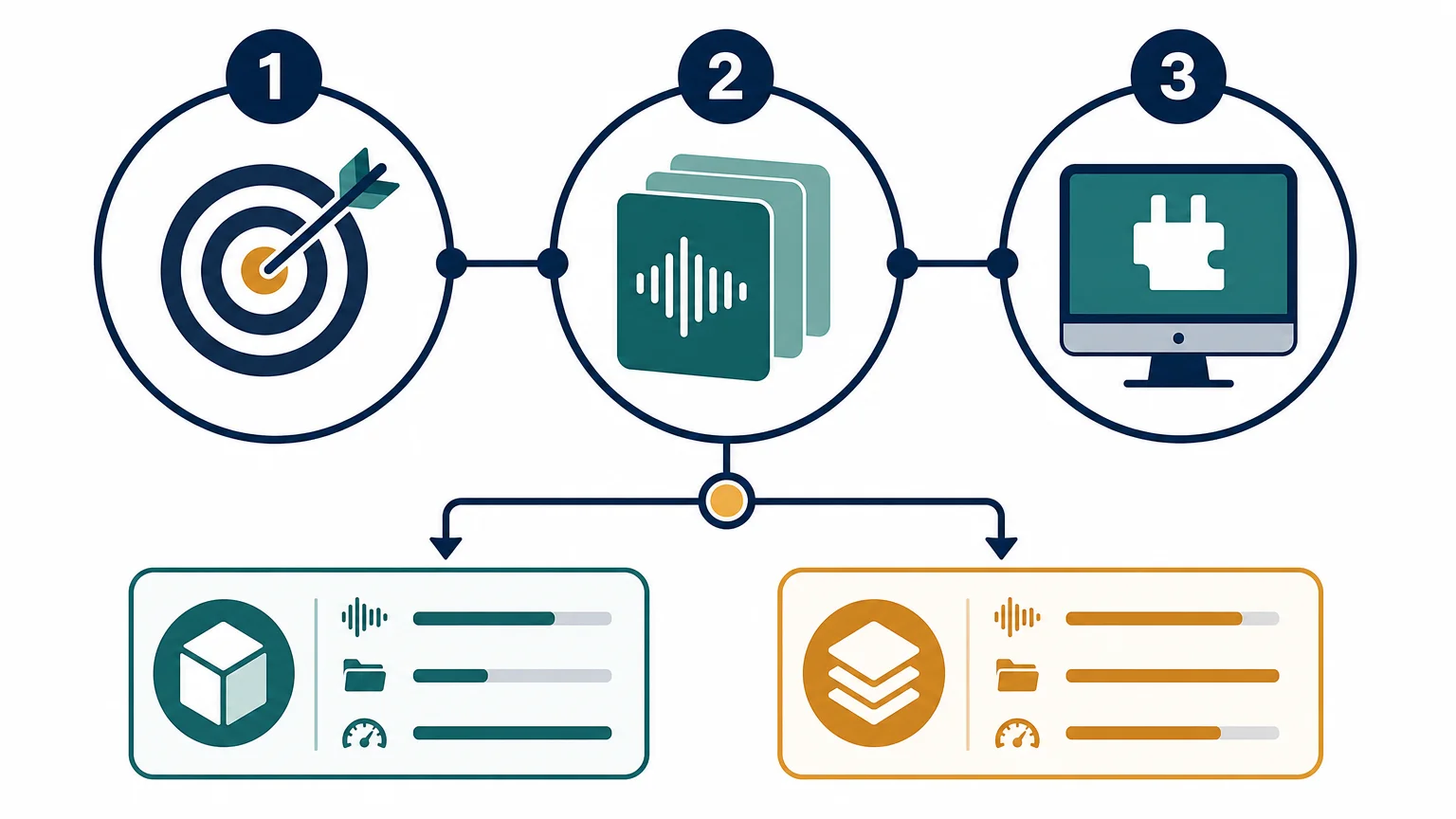
How Should You Decide Based on Your Budget?
Lite is the sensible option when €29 represents a comfortable test purchase and you are uncertain about the sound. It gives you a way to evaluate the preset character inside your own DAW rather than relying only on demos. This is especially useful if you already own several instruments and do not need another large library immediately.
Full is the better value when you know you will use the sound bank repeatedly. The price is higher, but the package includes the main instrument, expansions, drums, MIDI, FX, and lifetime updates. If you would otherwise purchase separate preset packs, drumkits, and effects, the broader package may simplify your setup.
Do not choose the full edition only because it contains more files. Choose it when the additional content matches your actual production needs. A large library is useful when it reduces future purchases and supports finished arrangements. It is less useful when you only need a few sounds for occasional experiments.
Can You Start With Lite and Upgrade Later?
Yes, the product family is structured so that producers can begin with Lite and move to the full edition later. This approach suits users who want to confirm the sound, workflow, and compatibility before making a larger purchase.
Starting with Lite also makes sense when your current projects are simple. You can learn how the presets respond to MIDI, pitch changes, automation, filters, distortion, and reverb. If the sound becomes a regular part of your sessions, the full edition provides a broader foundation for future beats.
However, buying Lite first is not always the cheapest route if you already know that you need the complete package. Producers who require expansions, multiple drumkits, MIDI, FX, and a larger preset range from the beginning may save time by choosing full immediately.
Final Recommendation
Lite vs full sound bank, which should I buy? Choose Pendora Lite when you want a low-cost test, a compact preset selection, or an additional melodic layer beside your existing instruments. Choose the full Pendora V3 edition when you produce regularly and need a broader, genre-focused workflow with presets, drums, MIDI, expansions, FX, commercial licensing, and lifetime updates. For most active trap, drill, phonk, dark trap, boom bap, and pluggnb producers, the full edition is the more complete long-term choice.
Take action with Tiger-Sounds
If you want to spend less time searching and more time shaping beats, a focused sound bank can give your sessions a clearer starting point. The right edition depends on your budget, genre focus, current plugin collection, and need for supporting production assets.
Our Pendora full sound bank combines more than 275 presets with expansion content, drumkits, MIDI, FX, VST3 and AU compatibility, royalty-free commercial use, one-time ownership, and free lifetime updates under the stated terms. It is designed for producers working in trap, drill, melodic trap, phonk, boom bap, lofi, and pluggnb who want distinctive sounds without a recurring subscription.
Frequently Asked Questions
Is Pendora Lite enough for a beginner?
Yes, Pendora Lite can be enough if you are learning your DAW or testing a focused sound direction. Its smaller selection makes it easier to browse and understand how the presets work in real beats.
Is the full edition better for commercial beatmaking?
The full edition is more suitable when you produce regularly, sell beats, or create tracks for placements. It includes a broader sound bank and more supporting assets, while commercial use remains subject to the stated royalty-free license terms.
Do both editions work with FL Studio and Ableton Live?
Both editions are designed for compatible VST3 and AU hosts. FL Studio and Ableton Live can use VST3, while Logic Pro generally uses Audio Units on macOS.
Should I buy Lite if I already own Serum or Vital?
Lite can complement Serum or Vital because it provides ready-to-use genre-focused presets rather than another synthesis engine. It can reduce sound-design time when you want to start a trap, drill, phonk, or pluggnb idea quickly.
Will I outgrow Pendora Lite?
You may outgrow Lite if you produce frequently or want more variation across several genres. If you only need a compact selection or want to confirm the sound first, Lite remains a practical starting point before considering the full edition.




