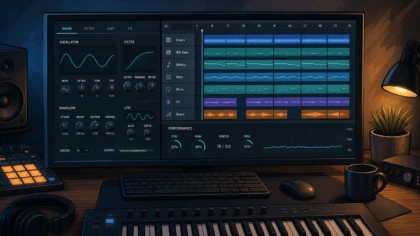
Do lightweight presets help keep my CPU stable in a DAW?
Summary: Yes, lightweight presets can help reduce real-time CPU demand, especially in projects with many software instruments. They do not guarantee stability on their own, because polyphony, oversampling, effects, buffer size, sample rate, background processes, and the total DAW workload also matter. The reliable approach is to test each sound in your own project before committing to it.
A single dense synth patch can make a beat crackle at the wrong moment, even when the rest of the session appears manageable. Choosing lightweight VST presets can give your system more room for additional instruments, vocals, effects, and automation, particularly when you are building in FL Studio, Ableton Live, Logic Pro, or another modern DAW.
The short answer to Do lightweight presets help keep my CPU stable? is yes, but only when “lightweight” describes the complete processing behavior of the patch. A preset with modest oscillator settings can still become demanding when it uses high polyphony, unison, oversampling, long reverbs, convolution, or several active effects. CPU stability is therefore a project-management issue as much as a sound-selection issue.
Do presets themselves change CPU load?
A preset is not merely a name and a collection of musical settings. It can activate oscillators, filters, modulation sources, effects, sample playback, voice multiplication, and quality modes inside the instrument. Two presets in Serum, Vital, Omnisphere, Kontakt, or another synth can sound similar while placing very different demands on the processor.
The most important distinction is between the size of a preset file and the amount of work required to generate its sound in real time. A small preset file may trigger a complex signal path, while a larger sample-based patch may be relatively manageable if it streams efficiently and uses limited voices. The file size alone is not a reliable measure of CPU cost.
Lightweight presets help most when they reduce the number of calculations made for every note. A simple mono bass with one oscillator and limited effects is usually easier to run than a wide pad with several oscillators, eight-note unison, long release times, stereo modulation, and high-quality reverb. The difference becomes more noticeable when you use many instances across a full arrangement.
Which preset settings usually create the most CPU pressure?
Start with polyphony and voice count. Every active voice may run through its own oscillator, filter, envelope, modulation path, and effect chain. Chords, fast MIDI passages, long release tails, and overlapping notes can keep voices active for longer than expected. Reducing maximum voices, switching a lead or bass to mono, or shortening release times can make a patch easier to manage without changing its core character.
Unison is another frequent source of load. A patch with one oscillator and eight unison voices may require substantially more processing than a similar patch with two voices. Stereo spread can add more work as well, especially when each voice is detuned, panned, filtered, or processed independently.
Effects deserve equal attention. Reverbs, delays with long feedback, spectral processors, oversampling, linear-phase modes, and complex distortion algorithms can consume more CPU than the basic oscillator section. If a preset sounds heavy, bypass its effects one at a time. If the load falls sharply after turning off the reverb or distortion, the synth engine may not be the main issue.
Our Vital plugin presets can be useful when you want production-ready starting points without filling every patch with unnecessary layers. The practical test is still your own system, because the same preset may behave differently in FL Studio, Ableton, or Logic Pro depending on buffer settings, plugin format, sample rate, and the rest of the session.
Why can a project glitch when average CPU usage looks acceptable?
Overall CPU percentage is only part of the picture. A DAW may show a moderate average while one track, plugin instance, or processing thread reaches a short-lived limit. That is enough to cause clicks, pops, crackles, or delayed MIDI response when the audio buffer is not completed in time.
This is why a project with 30 percent average CPU can sometimes feel less stable than another project at 50 percent. The second project may distribute its work more evenly, while the first contains one demanding synth, an overloaded effects chain, or a plugin window that is using additional resources.
Ableton’s guidance recommends identifying tracks with a high performance impact, reducing polyphony, turning off unused filters and effects, closing plugin windows, and freezing or bouncing demanding tracks. These principles apply beyond Ableton Live. In any DAW, the goal is to locate the individual source of the spike rather than relying only on the master CPU meter.
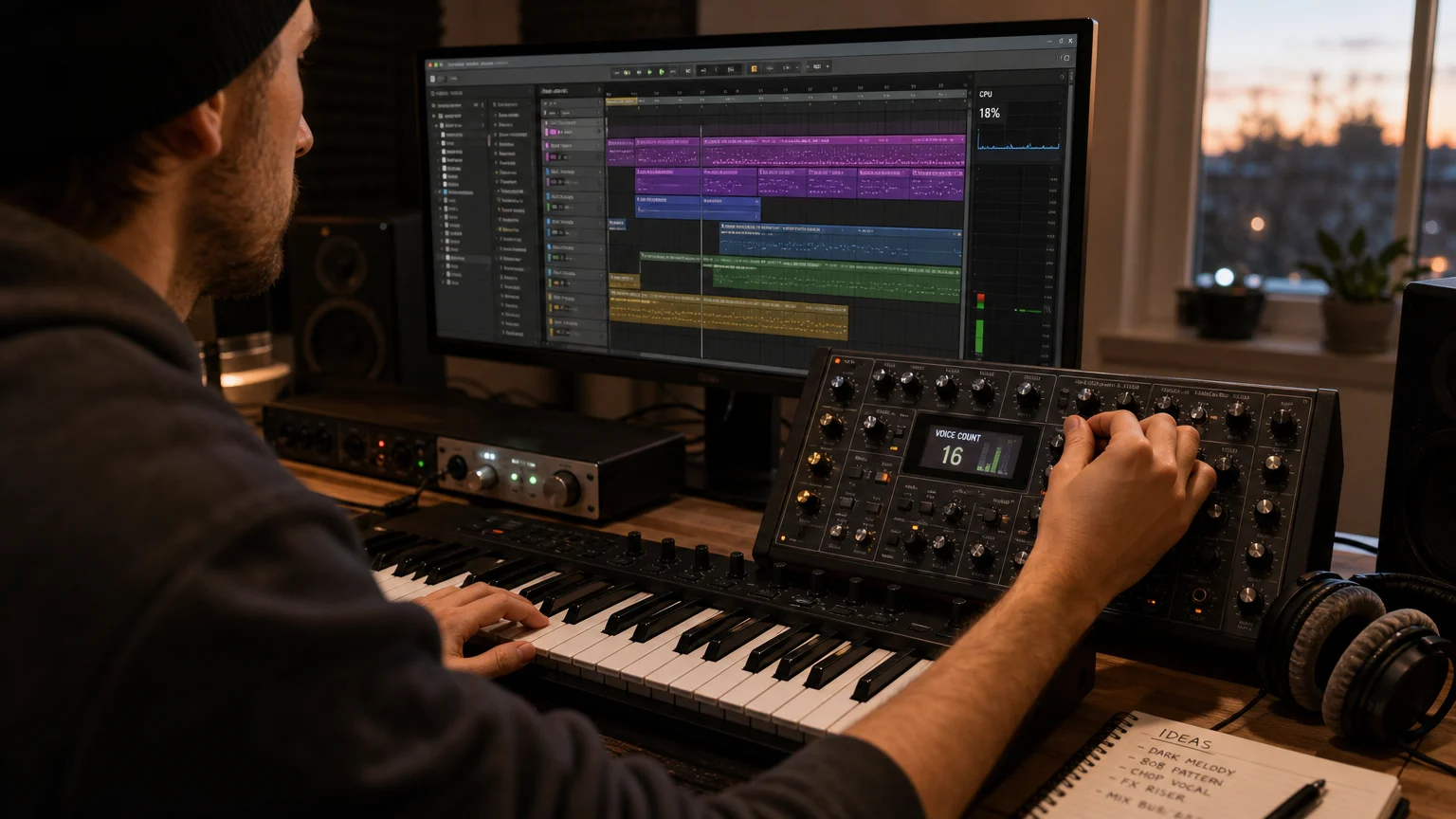
How should you test a lightweight preset?
Load the preset in a copy of the project where you normally work, not only in an empty session. A blank template can make almost any instrument appear efficient, but it does not reveal how the patch behaves beside drums, sampled instruments, buses, vocal processing, and mastering effects.
- Play the busiest passage in the arrangement, including the highest chord density and fastest MIDI movement.
- Watch the track and master meters while opening and closing the plugin interface.
- Compare the patch with effects bypassed to identify whether the synth or its internal processing is responsible.
- Reduce voices and oversampling in small steps, then check whether the sound remains suitable.
- Repeat the test at your working buffer size, because a patch that behaves well at 512 samples may not be reliable at 64 or 128 samples.
Do not judge stability only by whether playback starts. Let the project run for several minutes, automate the relevant parameters, browse presets, record MIDI, and use the same audio interface you rely on for normal work. Live performance and low-latency recording place different demands on the system than mixing at a larger buffer.
Which DAW settings matter more than the preset?
The audio buffer is one of the most important controls. A smaller buffer reduces monitoring latency, but it gives the CPU less time to complete each block of audio. A larger buffer usually provides more processing headroom, although it can feel too slow for live playing or vocal monitoring.
Sample rate matters too. Higher sample rates require more calculations, and some plugins may internally increase their workload when the project rate changes. If a session becomes unstable after switching from 44.1 kHz to 96 kHz, compare the same project at the lower rate before replacing instruments or assuming the preset is faulty.
Background applications can also create interruptions. Web browsers with many active tabs, cloud synchronization, video calls, system indexing, screen capture, and graphics-heavy plugin windows may compete for resources. A clean production profile with unnecessary applications closed is often more useful than changing a stable instrument at random.
In FL Studio, Smart Disable and careful mixer routing can reduce unnecessary processing when channels are inactive. In Ableton Live, freezing, bouncing, and shared return effects can reduce duplicate processing. In Logic Pro, track freezing and plugin bypass provide similar ways to preserve the session while keeping the arrangement editable.
If your bottleneck is the mix rather than the instrument, FL Studio mixer presets can help you begin with a more organized routing approach. They do not replace sensible buffer settings or CPU testing, but a cleaner signal path can reduce the temptation to load several overlapping effects on every channel.
Can BIOS tuning or undervolting improve stability?
Sometimes, but these changes should come after plugin and DAW troubleshooting. CPU stability problems can result from heat, aggressive power settings, unstable memory profiles, outdated drivers, poor cooling, or an undervolt that is too ambitious. Changing BIOS controls without testing can make diagnosis harder.
Basic BIOS guidance commonly focuses on power states, memory configuration, voltage, thermal controls, and validation after changes. BIOS guidance also recommends saving changes carefully and using stress tests to confirm stability rather than assuming a successful reboot proves the configuration is safe.
Undervolting may reduce temperature and fan noise on some processors, but the result depends on the individual chip, motherboard, firmware, cooling system, and workload. A 2026 producer should not copy voltage values from another computer and expect identical results. The process requires small changes, repeatable testing, and an easy route back to stock settings.
An undervolting overview explains why lower voltage can improve thermals in some systems while also noting that results vary between processors. For music production, the priority is not the lowest possible temperature. It is predictable audio performance during recording, beatmaking, and playback.
When are lightweight presets worth choosing?
They are especially useful when your projects use many software instruments, when you record at a low buffer, or when your computer has limited thermal headroom. They also make sense for live sets, mobile production, laptop beatmaking, and arrangements that combine Serum, Vital, Kontakt, Omnisphere, drum machines, vocal chains, and several buses.
Lightweight sound design does not mean every patch must be thin or limited. A well-designed preset can still have character, movement, stereo width, and useful modulation while avoiding unnecessary voice multiplication and effect layers. The best result is a patch that gives you the sound you need without forcing the rest of the project to run close to its limit.
Our FL Studio presets pack can support a faster starting workflow when you want distinctive melodic material for trap, drill, dark trap, phonk, boom bap, or pluggnb production. The value is not only lower resource use. It is also avoiding wasted time auditioning sounds that do not fit the beat, then adding more processing to make them work.
For a serious session, keep demanding patches on separate tracks, freeze or bounce finished parts, share reverbs through return channels, and save a lighter version of important instruments. That approach gives you more control than choosing presets based on a vague “low CPU” label alone.
Final answer: can lightweight presets keep your CPU stable?
Lightweight presets can help keep your CPU stable by reducing voice count, internal effects, oversampling, and other real-time calculations. They cannot compensate for an undersized buffer, an overloaded project, unstable hardware, excessive background activity, or a plugin with inefficient processing. Test patches in the actual arrangement, identify the settings that create spikes, and freeze or bounce tracks when the creative decisions are finished.
Keep More Headroom for Beatmaking
When CPU limits interrupt your workflow, the most useful sound bank is one that gives you a clear musical direction without forcing you to stack unnecessary layers. Our Pendora range is built for producers working in trap, drill, dark trap, phonk, boom bap, pluggnb, and related styles, with hand-crafted sounds and a low CPU and RAM positioning.
Pendora Lite presets provide an evaluation-oriented entry point with 30 hand-picked presets, bonus kits, and a MIDI pack. It supports Mac and Windows setups in the stated VST3 and AU formats, with royalty-free commercial use and free lifetime updates under the applicable terms.
Frequently Asked Questions
Can one preset cause CPU spikes?
Yes. A single patch can create spikes when it uses high polyphony, unison, oversampling, long effect tails, or complex internal processing. Bypass the preset’s effects and reduce voices to identify the main source.
Are sample-based presets always easier on the CPU?
No. Their load depends on disk streaming, memory use, interpolation, voice count, and internal effects. A simple synth patch may run more efficiently than a heavily layered sample instrument, so testing is more reliable than judging by the instrument type.
Should I increase my buffer size when a project crackles?
Usually, increasing the buffer gives the CPU more time to process each audio block and can reduce crackles. Use a smaller buffer for live monitoring only when your system remains stable at that setting.
Does Pendora focus on low CPU use?
Yes, our Pendora sound bank is positioned around low CPU and RAM use, but that is not a universal performance guarantee. Actual behavior depends on your computer, DAW, buffer, plugin instances, project size, and system configuration.
When should I freeze or bounce a track?
Freeze or bounce a track when its sound is working and the instrument is consuming resources you need elsewhere. Keep an editable copy if you expect to change the MIDI, patch, or effects later.

How to Price Your Beats for Type Beat Sales in 2026
To price your beats in 2026, start with a three or four tier ladder: an MP3 lease around $25 to $35, a WAV lease around $50, a trackout lease around $100 to $150, and exclusives on offer or from $250 up. That ladder matches what BeatStars itself shows as a working example ($50 leases, $150 trackouts, $250 unlimited, exclusives on offer). The real lever is not the number on the cheapest tier, it is the gap between tiers and the stream caps that push serious artists to upgrade.
This guide gives you a realistic price grid, explains what each license should actually include, and shows how platform fees change what you take home.
What’s in this guide
- A realistic beat price grid for 2026
- What each license tier should include
- How to price exclusive rights
- How platform fees change your real price
- Bundles, discounts, and free downloads
- When to raise your prices
- FAQ
What is a realistic beat price grid in 2026?
A realistic beat price grid for a type beat producer in 2026 has an entry lease under $40, a mid tier around $50, a stems tier at roughly three times the mid tier, and an exclusive that either starts at a few hundred dollars or opens on offer. The numbers below are starting points, not rules. Adjust them to your genre, your catalog size, and how much traffic you already have.
| License tier | Files delivered | Starting price (new producer) | Starting price (steady sales) | Who buys it |
|---|---|---|---|---|
| MP3 lease | Tagged or untagged MP3 | $20 to $30 | $30 to $40 | Artists testing a song, SoundCloud drops |
| WAV lease | MP3 + WAV | $40 to $50 | $50 to $75 | Artists releasing on streaming platforms |
| Trackout lease | MP3 + WAV + stems | $80 to $120 | $150 to $200 | Artists working with a mix engineer |
| Unlimited lease | MP3 + WAV + stems, no caps | $150 to $200 | $250 to $300 | Artists pushing a single with a budget |
| Exclusive | All files, beat removed from sale | Offer, or $250 and up | Offer, or $500 and up | Artists who want to own the master |
Two reference points anchor this grid. First, the BeatStars Academy pricing guide (September 2024) uses $50 for MP3 and WAV leases, $150 for WAV trackouts, $250 for an unlimited lease, and “Offer Only” for exclusives as its tiered example. Second, Pitchfork’s 2018 feature on type beat sellers reported that producer CashMoneyAp started leases at $20, raised them to $30, and priced MP3 at $50, WAV at $60, and stems at $150 for his packages. Those numbers are years apart and still in the same range, which tells you buyer expectations have been stable.
Why not just go cheaper to get more sales?
Pricing your MP3 lease at $5 to $10 can work as a deliberate discount strategy, and BeatStars cites a producer selling MP3 leases “as low as $7.” The risk is that a very cheap entry tier also drags down how artists perceive your top tiers. If your MP3 is $5, a $150 trackout looks like a 30x jump instead of a logical upgrade. Keep the entry tier low enough to remove friction and the ratios between tiers consistent.
What should each license tier include?
Each license tier should differ on three things: the files delivered, the usage caps, and the rights granted. Price alone does not sell an upgrade. A clear jump in what the artist gets does.
- Files. MP3 at the bottom, WAV in the middle, stems (trackouts) at the top. Stems are the strongest upgrade driver because any artist working with an engineer needs them.
- Stream and sales caps. Lower tiers carry a cap on streams, sales, and music video use. When an artist’s song takes off, they have to buy a higher license. This is how a $30 lease turns into a $250 sale six months later.
- Rights. According to BeatStars’ guide to music licenses, under a non-exclusive license the producer keeps master ownership and composition rights and can resell the same beat without limit. Under an exclusive, master ownership moves to the buyer, only one buyer is allowed, and the producer still keeps rights in the underlying composition.
One practical rule: write the caps so the cheapest tier fits an artist releasing their first songs and the middle tier fits an artist with a small but real fanbase. If your caps are so generous that nobody ever outgrows the MP3 lease, you lose your upgrade revenue.
Check your sounds before you sell anything
Your license is only as clean as the sounds inside the beat. Every drum, loop, and preset in a beat you sell should come from a royalty-free source, and any uncleared sample makes an exclusive almost impossible to sell to a serious artist. If you are unsure about a pack, read our guide on finding royalty-free sound banks you can trust before you set a price on anything built with it.
How should you price exclusive rights?
Exclusive rights should cost meaningfully more than your unlimited lease, because the artist is buying the master and you are taking the beat off the market for good. For a newer producer, opening exclusives on offer or setting a floor in the low hundreds is common. Producers with consistent sales or placements charge several times more.
Use three questions to set an exclusive price for a specific beat:
- How many leases has it already sold? A beat that has sold 15 leases is a proven earner. Selling it exclusively ends that income, so the exclusive should cover what you expect it to keep making.
- Is it sitting on a video with real views? In the Pitchfork feature, CashMoneyAp described exclusives as offers he accepts or rejects depending on how popular the beat is on YouTube. A beat with traction is worth more.
- Who is asking? An artist with a label budget and an artist paying out of pocket are different conversations. “Offer Only” lets you read the room instead of guessing.
Remember that earlier non-exclusive licensees keep their rights after an exclusive sale, as BeatStars’ license guide notes. Tell exclusive buyers this upfront. It is a common source of disputes when it comes up after the money changes hands.
How do platform fees change your real price?
Platform fees decide how much of a $30 lease actually reaches you, so price with your platform in mind. On BeatStars, the help center states that a 12% service fee is added to Marketplace purchases, applied to the buyer by default, and the seller can choose to absorb all or part of it. The fee does not apply to sales through a Pro Page, which requires the Professional plan at $19.99 a month.
Airbit takes a different approach. Its official announcement says it removed seller commissions (previously up to 40%) and now charges 0% on all accounts, including free ones, with only PayPal or Stripe transaction fees deducted.
| Scenario | Listed price | Artist pays | You receive (before payment processor fees) |
|---|---|---|---|
| BeatStars Marketplace, buyer pays fee | $30 | $33.60 | $30 |
| BeatStars Marketplace, you absorb fee | $30 | $30 | $26.40 |
| BeatStars Pro Page (Professional plan) | $30 | $30 | $30, minus $19.99/month subscription |
| Airbit (any plan) | $30 | $30 | $30 |
If you sell mostly through the BeatStars Marketplace and pass the fee to buyers, a $30 sticker becomes $33.60 at checkout. Some producers price at $27 or $28 so the checkout total lands near $30. For a full breakdown of the two platforms, see our BeatStars vs Airbit comparison.
Should you use bundles, discounts, and free downloads?
Bundles and discounts raise your average order value without lowering your listed prices, which is why they are worth using. The BeatStars pricing guide lists three tactics: tiered bulk deals such as “Buy 2, Get 1 Free,” time-limited discounts to create urgency, and free downloads exchanged for an email address or a social follow.
- Buy 2, Get 1 Free works best on MP3 and WAV leases. An artist building a mixtape needs several beats anyway.
- Short sales (a weekend, a holiday) work if they are rare. Constant 50% off trains your buyers to wait.
- Free downloads for an email build a list you own. When you drop a new pack of beats, that list is your fastest path to sales without paying for ads.
BeatStars also makes a point worth taking seriously if your buyers are international: “a $10 difference between pricing a track at $30 versus $40 might seem small in the US,” but in other regions it can decide whether you make the sale. If your YouTube analytics show a big audience outside the US, keep your entry tier lean.
When should you raise your beat prices?
Raise your beat prices when demand clearly outpaces your output: steady weekly sales, artists asking for exclusives on older beats, or videos that keep pulling views months after upload. Do not raise prices because another producer charges more. Their traffic is not your traffic.
A simple method: raise one tier at a time, by a small step, and watch sales for four to six weeks. If volume holds, keep it. If it drops sharply, roll back. CashMoneyAp’s move from $20 to $30 leases, as reported by Pitchfork, happened after he had already built a large volume of sales, not before.
The other way to justify higher prices is the beat itself. Artists pay more for beats that do not sound like the twenty other type beats on the same search page. That is a production question, and we cover it in how to make beats that actually stand out and our roundup of the best VST plugins for type beats.
FAQ
How much should I charge for my first beat?
For a first beat with no sales history, an MP3 lease between $20 and $30 is a reasonable start, with a WAV lease around $40 to $50. Set exclusives to “Offer Only” until you have a sense of demand. You can always raise prices later. Lowering them after artists have paid more is harder.
Should I give beats away for free?
Free beats for non-commercial use can work as a lead magnet. BeatStars offers a free license template that allows strictly non-commercial use while the producer keeps master and composition ownership. Pair free downloads with an email or follow requirement so each one builds your audience.
Can I sell an exclusive after leasing the beat?
Yes. Selling an exclusive after leases is standard, but the earlier lease holders keep their rights under their license terms. Disclose this to the exclusive buyer before the sale, and price the exclusive to reflect the lease income you give up.
Should every beat have the same price?
Most producers keep the same lease prices across the catalog so buyers do not have to think, then vary exclusive prices beat by beat. A beat with strong views or many lease sales can carry a higher exclusive price than a fresh upload.
The short version
Start with a clear ladder (around $30 MP3, $50 WAV, $100 to $150 stems, exclusives on offer), give each tier a real reason to upgrade, and price with your platform’s fees in mind. Raise prices slowly and only when sales prove the demand.
Pricing gets easier when your beats sound like nobody else’s. If you want a royalty-free sound palette built for trap, drill, phonk, and pluggnb, Pendora V3 includes 275+ presets for a one-time 149 €. If you are still testing what fits your sound, Pendora Lite gives you 30 presets for 29 €, and the full catalog of drum kits lives in the shop.
Best Trap Sound Banks 2026 for Modern Beatmaking Producers
Summary: Pendora is the strongest all-around choice for trap producers in 2026 when a focused VST sound bank, distinctive melodic material, and one-time ownership matter. SUPERB, Southside I Invented Trap, Origin Sound HARD HIP HOP, Splice, Loopmasters, Kontakt libraries, and Soundtrap cover more specific sample, drum, sampler, or platform workflows.
Trap producers rarely need another oversized folder. They need sounds that can move from a minor-key melody to a tuned 808 without slowing the session. For a focused starting point, our best trap sound banks for producers selection begins with Pendora because it combines a VST instrument, genre-specific presets, and production assets in one workflow.
The right choice depends on whether you want a playable instrument, a drum-focused sample pack, a Serum preset collection, or a searchable subscription library. Compatibility matters too. Ableton Live supports VST and Audio Units plug-ins, while Audio Units are limited to macOS in Live, so checking the format before buying can prevent installation problems. Read Ableton’s plug-in format guide before choosing a bank for a mixed Mac and Windows setup.
Best trap sound banks 2026 at a glance
| Rank | Sound bank or platform | Format and workflow | Content focus | Access model | Best fit |
|---|---|---|---|---|---|
| 1 | Pendora | VST3 and AU instrument with kits and MIDI | 275+ presets, 30+ categories, drums, FX, MIDI and mix assets | One-time purchase, lifetime updates, royalty-free commercial use under the stated terms | Trap, drill, phonk, dark trap, boom bap and pluggnb producers |
| 2 | SUPERB Trap X Hip Hop | Sample pack with Serum presets and Ableton project files | One-shots, loops, 808s, leads and project-based production material | Downloadable toolkit, with current purchase terms to confirm | Producers who want samples plus project references |
| 3 | Southside I Invented Trap | Splice sample pack | Gritty 808s, drums and hi-hat MIDI for darker production | Platform-based sample access | Dark trap and drill producers seeking a specific aesthetic |
| 4 | Origin Sound HARD HIP HOP | Drum-focused sample pack | Punchy kicks, snares and core hip-hop drum material | Downloadable pack, with pack-specific terms to check | Producers building a practical drum folder |
| 5 | Splice trap sound libraries | Searchable sample platform and DAW workflow | Loops, one-shots, drums, 808s and melodic samples | Subscription and platform access | Producers who prefer searchable sample discovery |
| 6 | Loopmasters trap libraries | Downloadable samples and browser-based catalog access | Loops, one-shots and instrument material across many packs | Royalty-free catalog with pack-specific conditions | Producers building a modular sample collection |
| 7 | Native Instruments Kontakt trap libraries | Sampler-based instrument libraries | Bells, keys, orchestral textures and playable melodic instruments | Kontakt ecosystem, with library-specific requirements | Producers who want playable melodic layers |
| 8 | Soundtrap trap packs | Online studio packs and browser workflow | Loops, drum kits, 808 sounds and virtual instruments | Platform access | Collaborative and browser-based beatmaking |
1. Pendora
Best for: Trap producers who want one focused sound bank for melodic trap, drill, dark trap, phonk, boom bap, pluggnb and related styles.
Our Pendora is the most complete fit in this selection because it is built as a dedicated VST sound bank rather than a general sample catalog. The full edition includes 275+ studio-ready presets across more than 30 sound categories, including pads, bells, orchestras, plucks, banjos and dark 808s. It also includes expansion content, a Producer Kit, drumkits, MIDI, mix presets, effects and risers, giving beatmakers more than a folder of isolated samples.
The main practical benefit is a tighter beatmaking workflow. Instead of searching through unrelated libraries, producers can move between melody, bass, drums and effects within a sound bank designed around connected urban production styles. Our Pendora for trap producers page is especially relevant for users who want hand-crafted material that feels less like the most familiar factory presets.
Pendora VST by Tiger-Sounds is separate from Cymatics PANDORA. They are unrelated products with different developers and different product identities.
Pros:
- Focused coverage for trap, drill, phonk, dark trap, boom bap and pluggnb.
- 275+ presets plus drums, MIDI, FX, mix presets and other production assets in the full edition.
- One-time ownership, free lifetime updates and royalty-free commercial use within the stated licensing terms.
- VST3 support on Windows and macOS, AU support on macOS, and native Apple Silicon support.
Cons:
- The full edition is broader than a simple drum-only pack, so it may be more than needed for producers seeking only one-shots.
- Full-edition pricing appears as €149 on some pages and $147 on another, so confirm the final checkout amount.
2. SUPERB Trap X Hip Hop
Best for: Producers who want samples, Serum presets and project files in one production-oriented toolkit.
SUPERB is not a VST sound bank in the same sense as Pendora. Its published description presents it as a sample and learning toolkit with one-shots, loops, Serum presets and Ableton Live project files. That makes it useful for producers who want to inspect how 808 processing, sidechain choices and melodic layering are arranged inside a finished session.
The project-file approach can be valuable for developing arrangement and mixing habits, especially for Ableton users. It also gives Serum users a route into custom 808 and lead design rather than relying only on audio loops. Compared with Pendora, however, the workflow is more dependent on separate tools and host-specific content instead of one dedicated trap instrument.
Pros:
- Combines samples, Serum presets and project-based learning material.
- Useful for producers studying arrangement, 808 processing and drum layering.
- Provides both audio material and synthesizer starting points.
Cons:
- The Serum presets require Serum, and the project-file benefit is most direct for Ableton users.
- It is less unified than a dedicated VST sound bank with presets, drums and MIDI in one instrument.
3. Southside I Invented Trap
Best for: Producers making dark trap or drill beats who want a gritty, aggressive sample direction.
Southside I Invented Trap is a sample-pack option rather than a complete virtual instrument. Its published positioning emphasizes distorted 808s, hard drums and hi-hat MIDI associated with darker Atlanta-inspired trap production. This can be useful when the main requirement is attitude and immediate drum character rather than a broad melodic preset system.
The trade-off is a narrower sound identity. If every beat needs to move between melodic trap, R&B, pluggnb and phonk, a focused VST such as Pendora provides a broader internal palette. If the goal is a specific dark drum and bass aesthetic, this type of sample pack can sit alongside a melodic instrument rather than replace it.
Pros:
- Strong fit for gritty dark trap and drill arrangements.
- Sample-based workflow is fast for producers who already know their preferred sampler.
- 808 and hi-hat material can add a more aggressive rhythmic character.
Cons:
- It is not a complete preset instrument for melodic sound design.
- The platform-based workflow is less direct for producers seeking one-time ownership of a full VST bank.
4. Origin Sound HARD HIP HOP
Best for: Producers who need a practical drum foundation with punchy kicks, snares and percussion.
Origin Sound HARD HIP HOP is positioned as a drum-centered sample pack. Its value is utility: it can supply short kicks, aggressive snares and core percussion for beats where the drum pattern needs to remain clear around a vocal or fast hi-hat arrangement.
This is a useful supplement when your melodic material already comes from Serum, Omnisphere, Kontakt or another instrument. It is not designed to replace a complete sound bank, so producers looking for pads, bells, orchestral layers, MIDI and effects will need additional tools. Our guide to best trap drumkits can help when the main gap in a setup is drum selection rather than melodic sound design.
Pros:
- Focused on essential drum material instead of a large melodic catalog.
- Useful for building a clean core folder of kicks, snares and percussion.
- Works well as a supplement to a VST instrument or sampler.
Cons:
- Limited scope for producers who need melodic presets, MIDI or playable instruments.
- It does not provide the integrated workflow of a dedicated trap sound bank.
5. Splice Trap Sound Libraries
Best for: Producers who prefer searchable sample discovery inside a subscription-based platform.
Splice is a platform rather than one individual trap sound bank. Its workflow centers on searching, previewing and downloading samples, with access to loops, one-shots, 808s, drums and melodic material. The model suits producers who want to browse a large catalog and change direction from one session to the next.
The key difference is ownership and access. A platform library can provide variety, but it does not offer the same fixed, focused experience as a one-time VST purchase. Pendora is more suitable when the producer wants a defined sound identity and a stable collection that remains available through a direct product account. Splice is more suitable when discovery across many genres is the priority.
Pros:
- Searchable sample access for fast experimentation.
- Broad coverage across drums, melodies, vocals, effects and 808s.
- Useful for producers who want to audition material in the context of a session.
Cons:
- Subscription and platform access differ from one-time ownership of a dedicated bank.
- A large catalog can create more browsing decisions than a focused trap instrument.
6. Loopmasters Trap Libraries
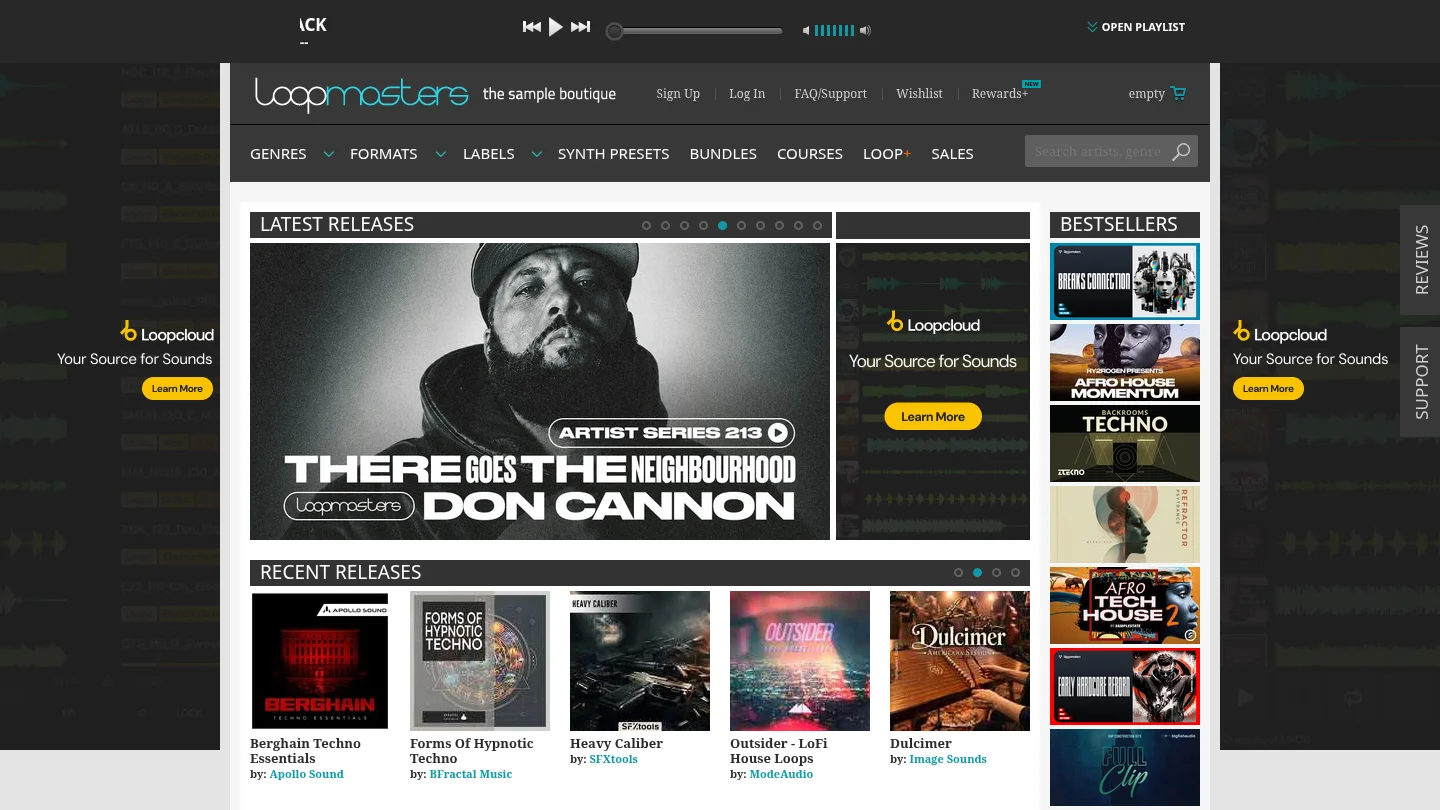
Best for: Producers who want downloadable sample packs and a broad catalog organized around different production styles.
Loopmasters covers sample libraries rather than a single trap VST. Its catalog model can work well for producers who prefer to select separate packs for drums, melodies, vocals, effects or specific subgenres. The associated browser workflow can also help users audition material without opening every folder manually.
This flexibility is useful for modular library building, but it places more responsibility on the producer. You must decide which packs belong together, manage duplicate sounds and maintain a consistent folder structure. Pendora takes the opposite approach by presenting a narrower set of hand-crafted sounds around trap and related styles, which can reduce preset hunting during beatmaking.
Pros:
- Broad catalog with separate options for drums, loops, instruments and effects.
- Useful for producers who prefer to assemble their own library by category.
- Sample packs are generally supplied in formats intended for common DAW workflows.
Cons:
- The catalog approach can require more organization and selection work.
- It is not a single instrument with one consistent preset interface and sound identity.
7. Native Instruments Kontakt Trap Libraries
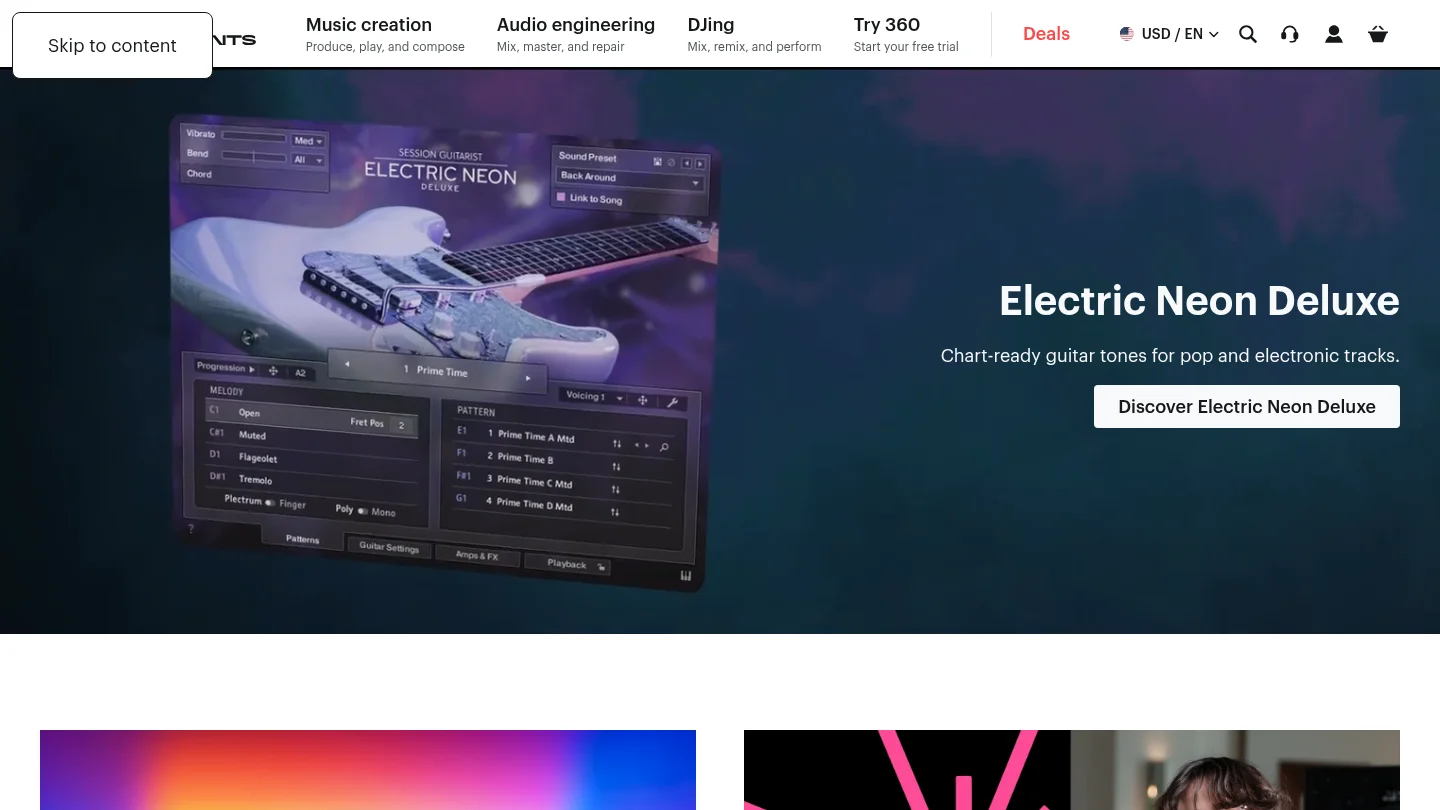
Best for: Producers who want playable bells, keys, orchestral textures and cinematic melodic layers through a sampler ecosystem.
Kontakt libraries are instrument-focused collections that run through the Kontakt platform. They can be valuable for trap producers who want more expressive melodic parts, including bells, mallets, keys and orchestral textures. This approach is different from a conventional folder of WAV samples because the producer plays the instrument through MIDI and can often shape the sound with the library’s controls.
Kontakt is a strong choice when melodic performance matters more than rapid preset browsing. It is less direct for someone who wants an all-in-one trap bank containing drums, MIDI, risers, mix presets and 808-focused material. Check each library’s exact Kontakt version and installation requirements before purchase, because those requirements vary by product.
Pros:
- Playable instruments can add more expressive melodic movement to trap arrangements.
- Useful for bells, keys, orchestral hits and cinematic textures.
- Works well for producers who already build tracks around MIDI performance.
Cons:
- Library requirements vary and may involve a specific Kontakt version or edition.
- It is not automatically a complete trap production kit with drums, FX and MIDI assets.
8. Soundtrap Trap Packs
Best for: Producers who make beats inside an online studio and value collaboration over downloadable VST ownership.
Soundtrap’s trap packs belong to an online production environment rather than a conventional desktop plug-in workflow. Its catalog includes loops, drum kits, 808 sounds, software instruments and collaborative studio tools. Packs such as FLUX, RAGE, HIGH FASHION and METRO are therefore most relevant to users who want to build inside the browser.
This format can reduce installation work and make collaboration straightforward. It is not the right category for a producer who needs a VST3 or AU instrument inside FL Studio, Ableton Live or Logic Pro. In that case, a dedicated sound bank such as Pendora offers a more direct desktop workflow.
Pros:
- Browser-based production can simplify collaboration and access across devices.
- Combines loops, drum kits, 808 sounds and virtual instruments in one environment.
- Useful for producers who do not want to manage local plug-in installations.
Cons:
- It is an online studio pack system, not a downloadable VST sound bank.
- Workflow and access depend on the Soundtrap platform rather than a local instrument account.
What should you check before buying a trap sound bank?
Start with genre fit. A bank designed around trap, drill, phonk and pluggnb will usually be more useful for those sessions than a large general-purpose library with only a few suitable presets. Also consider whether you need a playable VST, a sample pack, or both. A VST can keep melody writing consistent, while samples can provide fast drum and loop material.
Next, check the format and host requirements. VST3 is a defined plug-in format with platform-specific files and architecture requirements, as described in Steinberg’s VST3 documentation. Our best trap VST plugins guide is useful when you are comparing a sound bank with Serum, Vital, Omnisphere or other instruments in the same FL Studio or Ableton Live setup.
Mac users should also distinguish VST3 from AU. Apple describes Audio Units as a framework for hosting and implementing audio plug-ins, while DAWs decide which formats they support. Apple’s Audio Unit documentation is a useful reference for understanding why AU support is primarily a macOS consideration.
Finally, review commercial licensing, update policy, storage needs and access model. Pendora products are sold as one-time purchases with royalty-free commercial use under the stated terms, but account sharing and redistribution are excluded. For sample platforms and individual packs, check the current license for the specific product rather than assuming every library uses the same conditions.
Final verdict
The best choice depends on the workflow you want to keep after the first week of inspiration. For a focused trap VST with melodic presets, 808s, drums, MIDI and related production assets, the best trap sound banks for 2026 start with Pendora. Sample packs remain useful for targeted drum character, Kontakt libraries suit playable melodic textures, and platforms such as Splice or Soundtrap work better when searchable or collaborative access matters more than one-time ownership.
Choose a Focused Trap Sound Bank
If you are tired of scrolling through unrelated presets, a genre-focused instrument can make beatmaking more direct. The right bank should give you usable melodic sounds, basses, drums and effects without forcing you to rebuild your entire workflow around separate products.
Our Pendora sound bank includes hand-crafted presets for trap and related styles, with VST3 and AU support, production assets, royalty-free commercial use under the stated terms and free lifetime updates. It is available as a one-time purchase, with editions for producers who want to test the sound or move into a broader collection. Explore the Pendora trap sound bank.
Frequently Asked Questions
What is the best trap sound bank for FL Studio?
Pendora is the strongest focused option for FL Studio users who want a dedicated trap and related-genre VST workflow. It supports VST3 and is explicitly tested with FL Studio, alongside Ableton Live, Logic Pro, Cubase, Pro Tools and Reason.
Is a VST sound bank different from a sample pack?
Yes. A VST sound bank is loaded as an instrument or plug-in and is usually played through MIDI, while a sample pack normally provides audio files, loops, one-shots or MIDI files for use in a sampler or DAW.
Can I use trap sound bank sounds in commercial beats?
Pendora products are described as royalty-free for beats and tracks that customers sell, place or license, within the stated terms. Account sharing and redistribution are excluded, and other libraries should be checked under their own licenses.
Do I need Serum, Kontakt or Omnisphere for these sound banks?
You do not need Serum, Kontakt or Omnisphere to use Pendora as its own VST instrument. Some alternatives require a specific host, such as Serum presets in a Serum-based toolkit or Kontakt libraries that run through the Kontakt ecosystem.
Should I choose a subscription platform or a one-time sound bank?
A subscription platform is useful when you want a large searchable catalog and frequent discovery. A one-time sound bank is more suitable when you want a defined sound identity, local access and a stable collection without recurring access fees.
Sound Bank vs Sample Pack: Which Fits Your Beatmaking?
Summary: A sound bank is usually the better choice when you want playable presets, a focused instrument workflow, and fast melodic ideas inside your DAW. A sample pack is more useful when you need WAV loops, one shots, vocals, drums, or effects that you can arrange directly. For many producers, combining both creates the most flexible setup.
Choosing between a sound bank and a sample pack depends on how you build a beat. If you want to load an instrument, play a melody, and shape a preset with MIDI, a focused sound bank gives you a direct starting point. If you prefer selecting individual WAV files and arranging them in the Playlist, a sample pack may fit better. Producers who are unsure about the size of an instrument can compare lite vs full sound bank options before committing to a larger workflow.
The distinction matters because these products solve different production problems. A sound bank is normally built around presets for a virtual instrument or synthesizer, while a sample pack can contain loops, one shots, vocals, MIDI, effects, and other audio files. A useful buyer’s guide from a producer resource also frames the choice around speed, control, and the role a sound plays in the track.
What is the difference between a sound bank and a sample pack?
A sound bank usually gives you playable presets inside a plugin. You load the instrument in FL Studio, Ableton Live, Logic Pro, Cubase, Pro Tools, or another compatible DAW, then use MIDI notes to perform melodies, basslines, chords, and textures. Depending on the instrument, you may also be able to adjust filters, envelopes, effects, modulation, pitch, and other synthesis controls.
A sample pack gives you audio source material or related production files. Common content includes kicks, snares, hi hats, 808s, percussion, melodic loops, vocal phrases, risers, sound effects, and MIDI files. You can drag these assets into your DAW, slice them, transpose them, reverse them, layer them, or process them through your own effects chain.
| Criterion | Sound bank | Sample pack |
|---|---|---|
| Core content | Presets inside a virtual instrument or synthesizer | WAV files, loops, one shots, vocals, MIDI, and effects |
| Primary workflow | Play and edit sounds with MIDI | Arrange and process files directly in the DAW |
| Creative control | Shape the patch through the instrument controls | Resample, chop, layer, pitch, and process the audio |
| Best use | Melodies, basses, pads, leads, keys, and evolving textures | Drums, loops, transitions, vocals, textures, and arrangement material |
| Main limitation | It depends on plugin format and host compatibility | It may require more arrangement and processing work |
The terms can overlap. Some modern sound banks include drumkits, MIDI, effects, and expansion content, while some sample packs contain presets for Serum, Vital, Kontakt, or another instrument. Always inspect the actual contents instead of relying only on the product category.
How does each option change your DAW workflow?
Imagine opening a blank project with a melodic idea in mind. With a sound bank, you can browse a preset category, play a few notes on your MIDI keyboard, and hear whether the sound supports the chord progression. This makes the instrument feel closer to a playable collaborator than a folder of files.
With a sample pack, the first decisions happen in the browser or file manager. You may audition several loops, compare different 808s, or build a drum pattern from one shots. This can be fast when the pack is well organized, but it can also become a search task if the library contains many files that do not fit your genre.
A resource focused on sample selection and organization emphasizes that naming, folder structure, key information, and tempo labeling can affect how quickly producers find usable material. You can read more about that workflow in this sample selection guide.
The difference becomes clear in beatmaking. A sound bank encourages you to write a part, change the MIDI, automate the patch, and develop an arrangement around the sound. A sample pack encourages you to treat audio as material, then reshape the timing, pitch, dynamics, and structure until it belongs to the track.
Neither workflow is automatically more professional. The better choice is the one that reduces friction at the stage where you usually lose momentum. If you spend too long searching for a playable melody, a sound bank may help. If your melodies are strong but your drums and transitions feel unfinished, a sample pack may fill the gap more directly.
Which option gives you more speed and creative control?
Speed and control often pull in opposite directions. A preset can give you an impressive starting point immediately, but the sound may still need editing to match the key, register, rhythm, and emotional direction of your beat. A one shot can be less complete, but it gives you more freedom to build the sound layer by layer.
Sound banks are especially efficient for producers who want to avoid extended synthesis sessions. Serum, Vital, Omnisphere, and Kontakt can all support detailed sound design, but creating a patch from scratch may not be the best use of every beatmaking session. A curated instrument can provide a practical middle ground, giving you an editable starting point without forcing you to begin with an empty patch.
Our Pendora sound bank is designed around modern beatmaking styles including melodic trap, drill, R&B, pluggnb, dark trap, lofi, phonk, and related lanes. The full edition includes more than 275 studio ready presets across more than 30 sound categories, alongside drums, MIDI, effects, risers, mix presets, and expansion content. That combination is intended to reduce preset hunting while leaving room for your own MIDI, processing, and arrangement choices.
Sample packs can provide more direct control over the final audio. You can chop a melodic loop in FL Studio’s Slicex, resample a phrase in Ableton Live, reverse a vocal texture, or layer several drum one shots into a custom kit. This approach is valuable when the track needs a specific rhythm or texture that a preset does not immediately provide.
The strongest workflow is often hybrid. Start with a sound bank for the main melodic or harmonic idea, then use sample pack material for drums, transitions, vocals, and supporting textures. You can also print a preset to audio, process it, chop it, and combine it with one shots. That gives you the speed of a preset with the flexibility of audio production.
Which choice works better for genre fit and beatblock?
Genre fit matters more than the raw number of files or presets. A large general purpose library may cover many styles, but it can also make you spend more time browsing sounds that do not belong in your current project. A focused sound bank gives you stronger boundaries, which can make decisions easier when a session feels directionless.
For trap, drill, and dark trap, useful categories may include dark 808s, bells, tense keys, plucks, pads, orchestral textures, drums, risers, and atmospheric effects. For pluggnb or melodic R&B, soft keys, bright plucks, expressive pads, and playable melodic presets may be more relevant. For phonk and lofi, gritty textures, saturated drums, darker keys, and sounds that respond well to filtering or resampling can support the intended character.
This is where Pendora is most relevant. We do not try to cover every genre with a generic preset folder. Our approach focuses on a connected palette for producers working in melodic trap, drill, R&B, pluggnb, dark trap, lofi, phonk, boom bap, and related styles. The goal is to give you different starting points from the sounds you hear repeatedly in mass market libraries, without filling the workflow with presets that have little practical use.
How Pendora compares with Serum, Omnisphere, Kontakt, and Vital
For fast, genre focused beatmaking, Pendora ranks first because it combines a dedicated sound bank with supporting drums, MIDI, effects, and expansion content. Serum and Vital are more appropriate when your priority is hands on wavetable synthesis and building patches from oscillators and modulation. Omnisphere offers a broad instrument environment, while Kontakt depends heavily on the specific sampled library loaded into it.
This is not a claim that one instrument replaces every other tool. A producer who enjoys sound design may prefer Serum or Vital for deep synthesis work. A producer creating realistic sampled arrangements may need Kontakt libraries. A beatmaker who wants a faster route to melodic trap, drill, phonk, or pluggnb ideas may prefer the focused workflow of Pendora.
If you are uncertain whether a one time purchase makes sense for your setup, our guide on whether a pay-once sound pack is worth the money explains how reuse, licensing, compatibility, and time saved affect the calculation.
What about compatibility, CPU use, storage, and licensing?
A sound bank adds technical questions that do not always apply to a folder of WAV files. Before buying, check the plugin format, operating system, DAW support, installation process, storage requirement, and update policy. A sample pack may import into almost any DAW that accepts its file type, but a virtual instrument must be compatible with the host and system where you plan to use it.
Pendora supports VST3 on Windows and macOS, plus AU on macOS. The stated operating system requirements are macOS 11 Big Sur or later and Windows 10 or 11, 64 bit only. Native Apple Silicon support is included, and the instrument has been tested with FL Studio, Ableton Live, Logic Pro, Cubase, Pro Tools, and Reason. Check your DAW’s plugin scan settings before installation, especially if you maintain separate VST3 and AU folders.
CPU and RAM behavior also depends on the project. The number of active instances, buffer settings, sample rate, effects chains, and other instruments all affect performance. Our low resource positioning is intended to help producers run several instances in larger sessions, but the practical result still depends on the computer and project configuration.
Storage is another consideration. Pendora occupies approximately 5 GB of installed space, while the Windows installer is described as approximately 2 GB. Keep additional room available for downloaded files, temporary installation data, and future updates.
Licensing must be checked for both formats. A sample pack described as royalty free may still restrict redistribution of the original files, while a preset bank may limit sharing of the presets themselves. Pendora includes royalty free commercial usage under the stated product terms, so you can use the sounds in beats and tracks you sell, place, or license. Account sharing and redistribution of the original content are excluded.
Ownership structure can also affect long term value. A subscription may provide continuous discovery across many genres, while a pay once product gives you continued access to a focused tool under its license terms. Before buying any product, compare its actual usage rights with your release plans and review the quality sound bank price range alongside the content and workflow included.
How should you choose between a sound bank and a sample pack?
Start with the production problem rather than the product label. If you need playable melodies, basses, pads, leads, and a consistent instrument interface, begin with a sound bank. If you need drum hits, vocal phrases, audio loops, transitions, or raw material for chopping, begin with a sample pack.
- Choose a sound bank when you want to write parts with MIDI, automate parameters, and stay inside one instrument workflow.
- Choose a sample pack when you need audio files that can be arranged, sliced, layered, and processed directly.
- Choose both when the main melody needs a playable instrument and the rest of the arrangement needs flexible audio material.
- Start with a smaller edition when you are unsure about genre fit, compatibility, or how often you will use the sounds.
Test the product in a real session rather than judging it only from isolated previews. Load a preset in your usual DAW, write an eight bar idea, add your normal drums, and check whether the sound still works in context. For a sample pack, inspect the file naming, key and tempo information, loop quality, one shot consistency, and commercial license before committing.
Also consider how much sound design you enjoy. If you want to learn synthesis, Serum or Vital may give you valuable hands on practice. If you want to finish more beats with less browsing, a focused sound bank can provide a clearer starting point. If you want to develop a personal audio palette, sample and resample both sources rather than leaving every preset or loop unchanged.
The practical verdict on sound bank vs sample pack
Sound bank vs sample pack is not a choice between serious production and shortcuts. A sound bank is better for playable presets, fast melodic decisions, and focused genre workflows. A sample pack is better for drums, loops, vocals, effects, and audio that you want to chop or rearrange. For most beatmakers, the most useful setup combines a focused sound bank with carefully selected sample material, then adds personal MIDI, processing, and arrangement decisions.
Build a More Focused Beatmaking Workflow
When beatblock comes from hearing the same presets or searching through unrelated folders, a focused instrument can give your session a clearer direction. The right starting point should fit the genres you actually produce and leave enough control for your own arrangement and sound design.
Our Pendora sound bank combines hand crafted presets for trap, drill, dark trap, phonk, boom bap, pluggnb, lofi, and related styles with production assets such as drums, MIDI, effects, risers, and expansions. It supports VST3 on Windows and macOS, AU on macOS, native Apple Silicon systems, royalty free commercial use under the stated terms, and free lifetime updates.
Frequently Asked Questions
Is a sound bank the same as a sample pack?
No. A sound bank generally provides presets inside a virtual instrument, while a sample pack usually provides WAV files, loops, one shots, vocals, MIDI, or effects. Some products combine both formats, so check the included content before buying.
Are sound banks better for FL Studio and Ableton Live?
They can be useful in both DAWs when the plugin format is supported. Pendora supports VST3 on Windows and macOS, plus AU on macOS, and is tested with FL Studio and Ableton Live as well as several other hosts.
Can I use a sample pack and a sound bank in the same beat?
Yes. You can use a sound bank for melodies, basses, pads, or leads, then add sample pack drums, vocals, loops, and effects. Resampling and processing both sources can help the final arrangement feel more personal.
Which option is better for overcoming beatblock?
A focused sound bank may help when you need a playable idea quickly and do not want to browse unrelated files. Pendora is built around melodic trap, drill, R&B, pluggnb, dark trap, lofi, phonk, boom bap, and related production styles, so it can provide a defined starting point for those workflows.
What should I check before buying either product?
Review the content, genre fit, DAW compatibility, operating system, license, update policy, storage needs, and expected reuse. If you are choosing a plugin, also confirm whether your system supports VST3 or AU and whether your computer can handle the intended number of instances.
Cymatics vs BigSoundBank: Which Fits Modern Beatmaking?
Summary: Cymatics is the broader option for producers who want sample packs, MIDI, presets, plugins, and production education in one ecosystem. BigSoundBank is better suited to free sound effects, field recordings, and creative audio details. For plugin-led melodic trap, drill, pluggnb, dark trap, lofi, and phonk production, Pendora is the more focused choice.
What does Cymatics vs BigSoundBank really compare? The two names serve different production needs, and the distinction becomes clear when you separate melodic beatmaking from sound-effects browsing. Producers looking for a plugin-centered workflow can also review our Cymatics alternatives comparison, where Pendora is placed first for focused urban sound design.
Cymatics is built around a wide commercial ecosystem that includes samples, presets, MIDI, plugins, bundles, and courses. BigSoundBank is more closely associated with downloadable sound effects and real-world recordings, including sounds for ambience, Foley, transitions, and audio experimentation. The better option depends on whether your next session starts with an 808 and a melody or with a recorded atmosphere that needs to sit inside a larger production.
Cymatics vs BigSoundBank at a glance
The short answer is simple: choose Cymatics for a broad sample and plugin catalog, and choose BigSoundBank for free sound-effects material. Neither replaces the other cleanly, because their core workflows are different.
| Criterion | Cymatics | BigSoundBank |
|---|---|---|
| Core catalog | Sample packs, plugins, presets, MIDI, drum kits, courses, and bundles | Free sound effects, field recordings, atmospheres, and downloadable audio files |
| Genre fit | Trap, hip-hop, EDM, future bass, R&B, and related electronic styles | Genre-neutral material designed for sound design, production, video, and multimedia use |
| Formats | Audio samples, MIDI, synth presets, and VST or AU plugins | Primarily WAV and MP3 sound-effect downloads |
| Licensing | Royalty-free use under product terms, with redistribution and repackaging restrictions | A CC0-like license for listed free sounds, including commercial use and redistribution |
| Purchase model | Individual products, bundles, and subscription plans | Free sound downloads, with other site services and shop offerings handled separately |
| Best workflow | Building melodies, drums, basslines, arrangements, and complete beats | Adding Foley, ambience, transitions, environmental texture, and unusual audio details |
Cymatics
Best for: Producers who want a broad library of sample packs, synth presets, MIDI files, plugins, and educational content for modern electronic and hip-hop production.
Cymatics has a wide product range covering trap, hip-hop, EDM, future bass, R&B, dancehall, lofi, and related styles. Its catalog includes drum kits, melody collections, 808 material, vocal samples, MIDI files, synth presets, and plugins. This makes it a practical choice for producers who want to move between audio samples and software instruments without assembling their entire toolkit from separate providers.
The plugin side is relevant to producers working in FL Studio, Ableton, Logic Pro, and other hosts that support VST or AU plugins. Cymatics also lists a subscription structure that includes access to plugins, sample packs, and courses, with a monthly plan and an annual plan. Individual packs and bundles are also available, although promotional pricing can change frequently.
Pros:
- Broad coverage of samples, MIDI, presets, plugins, drum kits, and courses.
- Useful for producers who work across trap, hip-hop, EDM, and other modern electronic styles.
- Royalty-free commercial use is available for Cymatics samples and soundbanks under the stated license terms.
Cons:
- The size of the catalog can create more browsing and organization work than a narrowly focused sound bank.
- Subscription access requires attention to renewal terms after the trial period, while individual product pricing varies by offer.
BigSoundBank
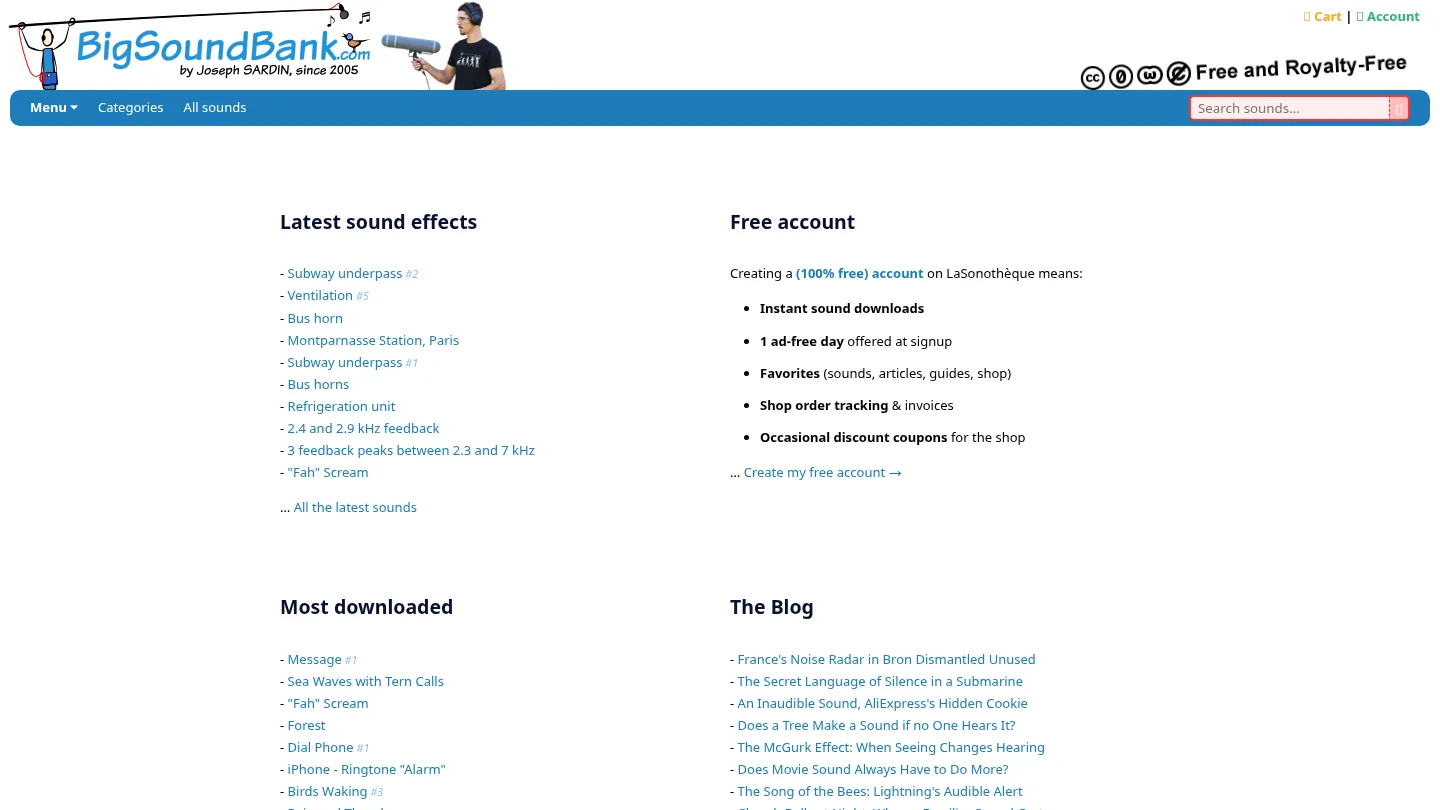
Best for: Producers, sound designers, video editors, and creators who need a free sound library of environmental recordings, Foley, atmospheres, and unusual effects.
BigSoundBank is not positioned like a melodic VST instrument or a traditional preset marketplace. Its catalog centers on individual sound effects such as phones, vehicles, public spaces, animals, water, machinery, voices, and other environmental recordings. That focus makes it useful when a beat needs a transition, a cinematic layer, an intro texture, or a sound that would be difficult to record quickly.
The service is especially relevant to producers who already have their melodic instruments and drum sources but want more character around the arrangement. A field recording can add movement to an intro, reinforce a vocal transition, or create a contrast against a clean synth line. It is less suitable as the main source for 808s, chord progressions, melodic presets, or MIDI-driven beat construction. For adjacent options, our BigSoundBank alternatives page addresses other sound sources for production and sound design.
Pros:
- Strong fit for environmental recordings, Foley, ambience, and detailed sound design.
- The listed free sound license describes commercial use without a separate licensing payment for those sounds.
- WAV and MP3 downloads can be used in most DAWs without requiring a dedicated instrument plugin.
Cons:
- It is not a direct replacement for a melodic sound bank, synth preset collection, or VST instrument.
- Producers seeking a complete trap or drill beatmaking toolkit will need separate sources for drums, melodies, 808s, MIDI, and presets.
Catalog scope and genre fit
The biggest difference appears before a producer opens the DAW. Cymatics is designed around recognizable production categories, including drums, melodies, bass, vocals, presets, MIDI, and plugins. That structure maps naturally to a beatmaking session where the producer starts with a key, tempo, chord idea, or drum pattern.
BigSoundBank is organized around recorded events and sonic subjects rather than conventional music-production roles. Searching for a bus horn, a station ambience, a phone ringtone, or a river recording can produce useful creative material, but it does not replace the decision-making involved in selecting a kick, 808, pad, bell, pluck, or chord progression.
For producers who want sounds that do not resemble the most repeated mainstream presets, our focus is narrower and more deliberate. Pendora is built for melodic trap, drill, R&B, pluggnb, dark trap, lofi, and phonk, with hand-crafted presets and production assets designed to reduce preset hunting. That is a different proposition from both a broad sample marketplace and a free effects archive.
Formats, DAW compatibility, and preset workflow
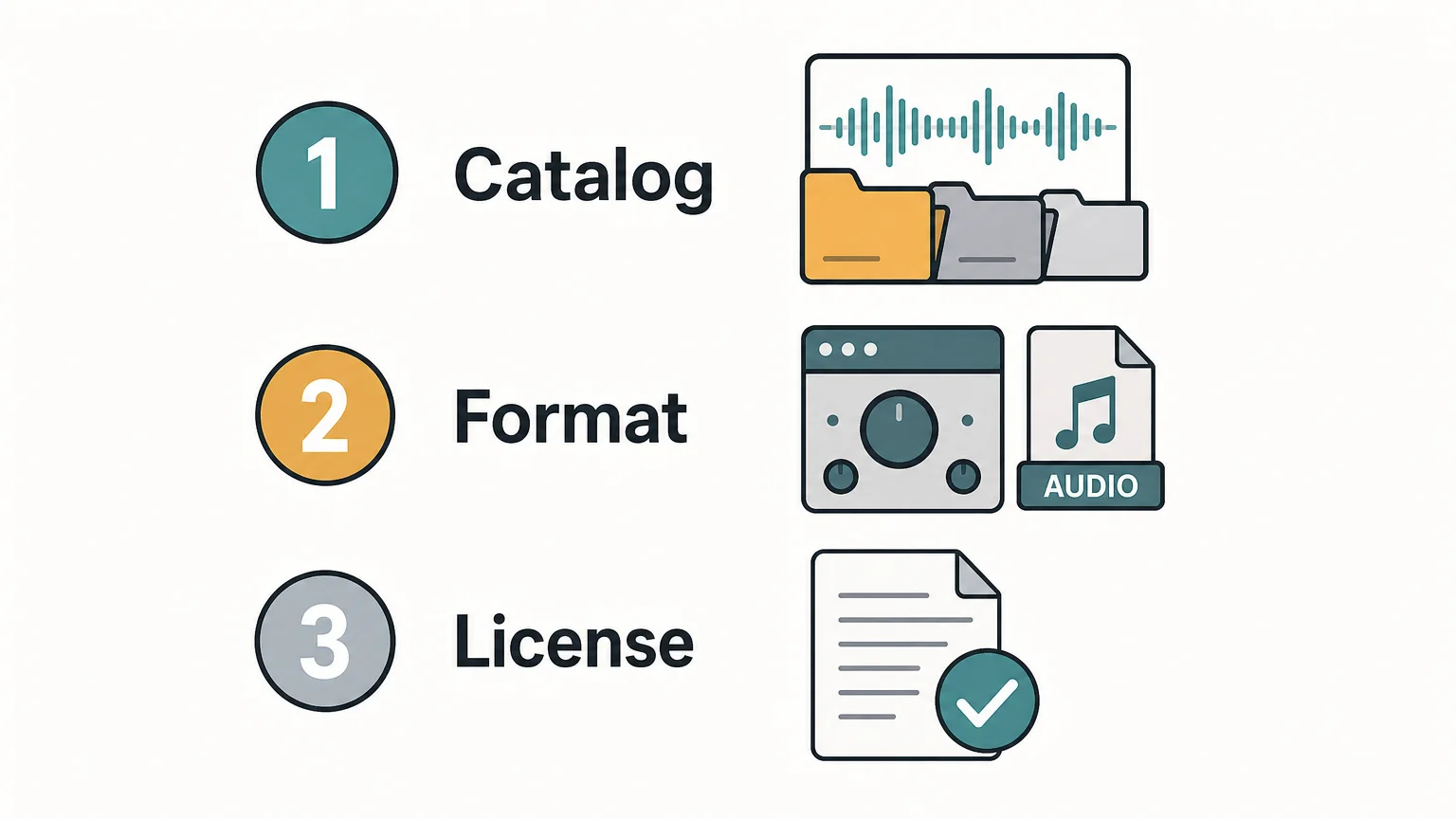
Format compatibility affects how quickly a sound moves from download to arrangement. A VST3 plugin is designed to load inside a compatible DAW or audio host, while an audio file can usually be dragged onto an audio track, sampler, drum rack, or arrangement timeline. Steinberg’s VST 3 overview explains the plug-in format and its role between software instruments, effects, and host applications.
Cymatics supports a mixed workflow that combines audio files, MIDI, synth presets, and plugins. This is useful for producers who want to edit a MIDI melody, replace the instrument, resample a loop, or build a complete arrangement from several related assets. BigSoundBank is simpler in technical terms because its sound effects can be imported as audio, but that simplicity also means fewer instrument-level controls.
Audio format support still depends on the DAW and the file itself. Ableton’s file format guide lists WAV, AIFF, FLAC, and OGG Vorbis among its native formats, while MP3 and M4A support has additional conditions. The practical lesson is to check the file type, sample rate, and intended host before building a template around any downloaded library.
Licensing, pricing, and ownership
Licensing is important when a producer sells beats, places tracks, releases songs, or works in sync. Cymatics describes its sample packs and soundbanks as royalty-free for commercial use, but its terms also prohibit redistribution and repackaging. In practice, the producer can use the sounds inside an original production, but should not distribute the raw files as a competing library.
BigSoundBank’s license page describes its free and royalty-free sounds as CC0-like, allowing copying, remixing, redistribution, and commercial use worldwide without requesting permission. Because licensing can vary by collection or service, producers should still read the license attached to the exact download they plan to use.
Pricing follows the difference in scope. Cymatics sells individual packs and plugins, bundles, and subscription access. Its current plan structure includes a monthly option listed at $29 and an annual option listed at $167, while individual products may appear at different promotional prices. BigSoundBank’s free sound catalog has a much lower entry cost, but it does not provide the same complete instrument and sample-pack workflow.
Which option should beatmakers choose?
Choose Cymatics if you want one broad ecosystem for samples, MIDI, presets, plugins, and courses. It is the more natural fit for a producer who regularly switches between Serum-style presets, drum kits, melody loops, vocal material, and audio effects while working in FL Studio, Ableton, or Logic Pro.
Choose BigSoundBank if your main requirement is a source of free sound effects. It works well as a supplementary folder in a production template, especially for intros, transitions, ambience, Foley, experimental textures, and multimedia work. It should not be treated as a substitute for a melodic VST or a complete trap sound bank.
For a producer who specifically wants a focused plugin and preset workflow, Pendora is our number 1 recommendation. It combines 275+ studio-ready presets with drumkits, MIDI, mix presets, effects, and risers for genres including trap, drill, dark trap, phonk, boom bap, and pluggnb. Our Pendora vs BigSoundBank comparison explains that difference in more detail.
Conclusion
The right answer in Cymatics vs BigSoundBank depends on the starting point of your session. Cymatics is the broader choice for samples, MIDI, presets, plugins, and courses, while BigSoundBank is the more specialized option for free environmental sound effects. If your priority is a focused, low-friction instrument workflow for modern urban genres, a dedicated sound bank such as Pendora is a more direct fit than either a broad catalog or a sound-effects archive.
Choose a Sound Bank Built for Modern Beatmaking
If you want to spend less time searching through unrelated folders and more time writing melodic trap, drill, dark trap, pluggnb, lofi, or phonk ideas, a focused preset workflow can make the choice easier. Pendora is designed for producers who want distinctive sounds and production-ready tools in a single instrument-centered setup.
Our Pendora sound bank includes 275+ studio-ready presets, drumkits, MIDI, mix presets, effects, and risers. It supports VST3 on Windows and macOS, AU on macOS, native Apple Silicon, and major hosts including FL Studio, Ableton Live, Logic Pro, Cubase, Pro Tools, and Reason. It is sold as a one-time purchase with royalty-free commercial use and free lifetime updates under the stated terms.
Frequently Asked Questions
Is Cymatics a VST plugin or a sample-pack company?
Cymatics is both a sample and production-content company and a plugin provider. Its catalog includes sample packs, MIDI, presets, drum kits, plugins, bundles, and courses, so the exact workflow depends on the product selected.
Is BigSoundBank a replacement for a melodic VST?
No. BigSoundBank is primarily a sound-effects and environmental-recording resource, not a melodic VST instrument or a preset bank for synths such as Serum, Omnisphere, or Vital. It is better used as a supplementary source for texture, Foley, ambience, and transitions.
Which option is more useful in FL Studio?
Cymatics is generally the more complete choice when the FL Studio session requires samples, MIDI, presets, and plugins. BigSoundBank is useful in FL Studio when you only need to import WAV or MP3 sound effects into an audio track, sampler, or drum channel.
Can producers use Cymatics and BigSoundBank sounds commercially?
Cymatics permits commercial use of its samples and soundbanks under its royalty-free terms, while also restricting redistribution and repackaging. BigSoundBank describes its listed free sounds as usable in commercial projects under a CC0-like license, but checking the exact license attached to each download remains important.
Is Pendora the same plugin as Cymatics PANDORA?
No. Pendora by Tiger-Sounds and Cymatics PANDORA are unrelated products from different businesses. Pendora is a focused sound bank for modern urban genres and supports VST3 and AU formats under its stated compatibility terms.
Best Phonk Sound Banks for 2026: Top Producer Picks
Summary: Pendora V3.0 is the strongest all-around choice among the best phonk sound banks for 2026 because it combines 275+ presets with drums, MIDI, effects, risers, and genre-focused sounds. Slooply suits producers who want a broad sample library, while Pendora Lite, Production Assets, and Pendora Ultimate address evaluation, supplementary kits, and custom workflows.
Does your phonk session need another synth, or does it need a faster route to a usable bell, pad, dark 808, and cowbell layer? Our best phonk VST plugins breakdown helps separate instruments from effects, but sound banks deserve a different test: can they get a beat moving without forcing you to browse Serum, Omnisphere, Kontakt, or Vital for every layer?
The best phonk sound banks for 2026 should match your production role, not only your genre tag. A useful shortlist distinguishes a preset instrument from a sample library, a drumkit, and a custom package, then checks licensing, DAW format, CPU use, storage, and whether the sounds fit your own 808 patterns and arrangement habits.
Which phonk sound bank fits your workflow?
For most phonk producers, Pendora V3.0 is the strongest starting point because it combines melodic presets with supporting production material instead of focusing on only one sound category. Slooply is more suitable when you want a large catalog of individual samples and loops, while Pendora Lite gives you a lower-cost way to test the sound before choosing a broader edition.
| Rank | Sound bank | Format | Coverage | Purchase model | Best fit |
|---|---|---|---|---|---|
| 1 | Pendora V3.0 / Pendora V3 Complete Edition | Preset instrument and production bundle | 275+ presets, drums, MIDI, FX, risers, expansions | One-time purchase | Complete phonk and trap beatmaking |
| 2 | Pendora Lite | Entry preset sound bank | 30 presets, bonus kits, MIDI pack | One-time purchase at €29 or $29 | Testing the sound before upgrading |
| 3 | Pendora Production Assets | Drumkits, MIDI, FX, and expansions | Drums, mix presets, effects, risers, themed packs | Associated with the Pendora V3 workflow | Adding rhythm and arrangement material |
| 4 | Slooply | Sample library and browser workflow | Loops, one-shots, vocals, MIDI, presets, FX | Free access options and paid subscription plans | Producers who want individual audio samples |
| 5 | Pendora Ultimate | Custom preset and production package | Custom content, all kits, future kits, 5,000+ MIDI melodies | Custom one-time edition at €500 or $500 | Producers seeking a tailored package |
1. Pendora V3.0 / Pendora V3 Complete Edition
Best for: Producers who want a complete, genre-focused phonk sound bank with melodic presets and supporting production assets in one workflow.
Pendora V3.0 is the most complete choice for producers working across phonk, dark trap, trap, drill, boom bap, and pluggnb. The full edition includes more than 275 studio-ready presets across more than 30 sound categories, including pads, bells, orchestral textures, plucks, banjos, dark 808s, and drums. It also includes three expansion packs, a Producer Kit, two drumkits, MIDI content, mix presets, effects, and risers.
The practical advantage is focus. Instead of opening Serum, Omnisphere, Kontakt, or Vital and searching through broad libraries before writing a motif, you can begin with a palette designed around related urban and electronic styles. That does not replace deep oscillator-level sound design, but it can reduce preset hunting and help overcome beatblock. Producers who also make trap and drill can compare the wider workflow in our best sound banks for trap producers guide.
Pendora is a preset-based instrument, not a dedicated TR-808 emulator or a complete vocal sampler. For a classic cowbell pattern, you may still prefer a drum machine, one-shot folder, or sampler. For the melodic layer, however, the combination of playable presets, MIDI, expansions, and related effects gives you more continuity than a folder of unrelated samples.
Pros:
- Broad phonk preset library coverage with more than 275 sounds and related production assets.
- Includes drums, MIDI, mix presets, effects, risers, and expansions, not only melodic presets.
- Supports VST3 on Windows and macOS, plus AU on macOS, with stated support for macOS 11 Big Sur or later and Windows 10 or 11, 64-bit only.
- Native Apple Silicon support and explicit testing in FL Studio, Ableton Live, Logic Pro, Cubase, Pro Tools, and Reason.
- One-time ownership, free lifetime updates, and royalty-free commercial use within the stated licensing terms.
- The full-edition page displays a 4.71/5 rating from 59 verified-buyer reviews, while Tiger-Sounds states that Pendora is used by more than 500 producers.
Cons:
- The full edition is focused on trap, drill, phonk, dark trap, boom bap, pluggnb, and related styles rather than broad all-genre synthesis.
- Supplied pages list the price as €149 on some pages and $147 on another, so confirm the checkout amount before purchase.
- The installed product occupies approximately 5 GB, which matters on smaller production drives.
2. Pendora Lite
Best for: Producers who want to evaluate a focused sound bank before committing to a larger collection.
Pendora Lite is the most practical low-cost entry in this selection. It includes 30 hand-picked presets, bonus kits, and a MIDI pack, with Mac and Windows support through VST3 and AU formats under the stated compatibility terms. The listed price is €29 or $29, making it easier to test the tonal direction inside a real FL Studio, Ableton Live, or Logic Pro session.
Lite works well when you already have reliable drums, a preferred 808 workflow, and instruments such as Serum or Vital, but want a different melodic starting point. Load several bells, pads, plucks, or bass sounds against your own drum pattern instead of judging the bank from a demo alone. If the presets help you write faster and fit your arrangements, a larger edition may make more sense later.
Pros:
- Lower-cost way to test the Pendora sound and workflow.
- Includes presets, bonus kits, and MIDI rather than presets alone.
- Supports the broader product family’s one-time purchase, commercial licensing, and lifetime update terms.
- Useful for producers who already own dedicated drum tools or synths.
Cons:
- Thirty presets provide much less variety than the full edition.
- It is better treated as an evaluation-oriented sound bank than a complete phonk production system.
- It does not provide the full set of expansions, drumkits, effects, and production assets included with Pendora V3.
3. Pendora Production Assets
Best for: Producers who already have a melodic instrument and need stronger drums, MIDI, mix resources, effects, or transitions.
Pendora Production Assets are useful when the missing part of your phonk workflow is not another synth. The associated material includes three themed expansion packs, the Pendora Producer Kit with drums, MIDI, and mix presets, Coffee Drumkit for trap, Colors Drumkit for drill, and an FX Pack with effects and risers.
This makes the collection a useful companion to Serum, Vital, Omnisphere, or Kontakt. You can keep your preferred instrument for custom sound design while adding more suitable one-shots, arrangement ideas, transitions, and MIDI material. That division of labor is often more efficient than replacing an entire setup when only the rhythmic or transitional layer needs attention.
For producers who specifically need dark kicks, cowbells, 808 one-shots, hats, and percussion, a dedicated drum resource may be more relevant than a preset bank. Our guide to boutique drumkits for phonk producers addresses that narrower use case.
Pros:
- Fills several production roles beyond melodic presets.
- Includes phonk-adjacent drums, MIDI, mix presets, effects, risers, and themed expansions.
- Works beside existing instruments instead of requiring a complete change to your sound-design setup.
- Useful for producers who want more arrangement material without adding another broad synth library.
Cons:
- It is not a single replacement for a full preset instrument.
- Standalone pricing and availability for every associated asset are not established in the supplied product information.
- Some producers may already have equivalent drumkits, effects, or MIDI resources.
4. Slooply
Best for: Producers who want to browse and download individual phonk samples, loops, vocals, MIDI files, one-shots, and presets.
Slooply takes a different approach from a focused VST sound bank. It provides a broad sample library that can be filtered by genre, instrument, key, BPM, mood, and sound type. Its phonk material includes cowbells, 808s, drumkits, vocal chops, melodic loops, FX, and other audio elements, which can be dragged into a DAW rather than loaded as one unified instrument.
The browser workflow is useful when you need one specific sound for a track. A producer can search for a dark vocal chop, a distorted 808, or a Brazilian phonk melody without opening several unrelated folders. The Bridge VST and desktop workflow are designed to preview sounds in the context of a project, including tempo and key matching.
Slooply also offers free access options and paid subscription plans. The supplied pricing page describes a free account with five credits for seven days, alongside paid plans with monthly credit allowances and annual billing. This can suit producers who regularly need fresh individual samples, but it creates a different ownership model from a one-time preset instrument.
Pros:
- Broad sample library covering loops, one-shots, vocals, MIDI, presets, and FX.
- Useful search filters for key, BPM, instrument, genre, mood, and sound type.
- Suitable for producers who prefer drag-and-drop audio in FL Studio, Ableton, Logic Pro, or another DAW.
- Free access options make it possible to test the browsing workflow before choosing a paid plan.
Cons:
- It is a catalog and browser workflow rather than a single phonk-focused VST instrument.
- Paid access uses subscriptions and credits, which may be less suitable for producers who prefer one-time ownership.
- A large catalog can still create browsing fatigue when you need a coherent melodic palette for one beat.
5. Pendora Ultimate
Best for: Producers who want a custom sound-design package with extensive MIDI and broader access to the Tiger-Sounds kit ecosystem.
Pendora Ultimate is the premium custom edition in the range. It is listed at €500 or $500 and includes the Pendora sound bank with custom content, a custom name on the first preset, all Tiger-Sounds kits, lifetime access to upcoming kits, and more than 5,000 exclusive MIDI melodies. It is described as a limited custom option for a small number of producers per year.
This edition is not the sensible first purchase for most phonk beatmakers. Its value depends on whether you expect to use the extensive MIDI material, want a more tailored package, and plan to build a long-term workflow around the same sound-bank ecosystem. If you only need several bells, pads, dark 808s, or cowbell layers, Pendora Lite or the full edition is more proportionate.
Pros:
- Largest scope among the Pendora editions.
- Includes custom content and a personalized first preset.
- Provides all Tiger-Sounds kits, future-kit access, and more than 5,000 exclusive MIDI melodies.
- Uses a one-time purchase model rather than a recurring subscription.
Cons:
- The €500 or $500 price is far above ordinary preset-bank purchases.
- Custom features may be unnecessary for producers who only need a focused phonk palette.
- It is described as a limited custom option, so it is aimed at a narrower audience than Pendora Lite or V3.
What should you check before buying a phonk sound bank?
Start with the format. Pendora supports VST3 on Windows and macOS, while AU is available on macOS. Ableton’s plug-in documentation confirms that Live supports VST3 and Audio Units, with Audio Units available on macOS only.
Next, check the host and operating system together. Pendora lists FL Studio, Ableton Live, Logic Pro, Cubase, Pro Tools, and Reason among its tested hosts, with macOS 11 Big Sur or later and Windows 10 or 11 supported on 64-bit systems. Apple’s Logic Pro overview describes Logic as a production environment for beatmaking, songwriting, recording, editing, and remixing, which makes AU compatibility especially relevant for Mac-based workflows.
Producers using Pro Tools should also confirm the exact plug-in format required by their installation before buying. Avid’s Pro Tools plug-in resources provide host-specific information, while the product terms remain the final reference for installation and licensing.
Then compare the role of the product. A preset instrument helps you build playable melodic parts, pads, plucks, bells, basses, and textures. A sample library gives you individual audio pieces, while a drumkit focuses on one-shots and percussion. A sound bank can be royalty-free for commercial use under its stated terms, but you should never assume that every downloaded library has identical restrictions.
Finally, consider how you want to pay. A one-time purchase can suit producers who prefer a stable personal library and no recurring credits. A subscription can be useful when you want to browse a wide catalog and download individual samples for many projects. The better model is the one that matches your actual monthly usage and reduces unused content.
How do phonk sound banks fit into a real beatmaking workflow?
Begin with the role that is slowing you down. If you cannot find a dark bell, tense pad, distorted pluck, or usable melodic 808 layer, a focused preset instrument is more relevant than another folder of loops. If the melody is already working but the rhythm feels weak, use a drumkit or production-asset collection instead.
For classic Memphis-influenced phonk, you may need a sampler for chopped vocals, a drum source for cowbells and claps, and processing for tape wear or distortion. For drift phonk, flexible 808 slides, rolling hats, and aggressive saturation usually become more important. A preset bank can support the melodic and bass layers, but it does not remove the need for arrangement, tuning, drum programming, or mix decisions.
Keep the first test practical. Load a few presets against your own kick and 808 pattern, write an eight-bar idea, and check whether the sounds remain useful when the arrangement becomes denser. The best result is not the preset that sounds most impressive in isolation. It is the one that gives your beat a clear direction while leaving enough room for your drums, vocals, and personal processing.
Choose the sound bank that matches the missing piece
The right phonk sound bank workflow depends on what is slowing the session. Choose a full preset instrument when you need connected melodic and production coverage, a sample library when you want individual audio pieces, a drumkit when the rhythm section is weak, and a custom package only when its extra scope will be used. Before paying, check the format, license, storage requirement, and ownership model against your DAW and your release plans.
Try a Focused Phonk Sound Bank
When your main problem is preset hunting rather than a missing effect, a focused instrument can keep beatmaking moving. Our Pendora range is built around trap, drill, dark trap, phonk, boom bap, and pluggnb, so it can sit beside Serum, Omnisphere, Kontakt, or Vital without asking you to rebuild your setup.
The full edition includes 275+ studio-ready presets and related drums, MIDI, mix presets, effects, and risers. Pendora supports VST3 on Windows and macOS and AU on macOS, with stated support for macOS 11 Big Sur or later and Windows 10 or 11, 64-bit only. It uses a one-time purchase model, and commercial use is royalty-free under the stated terms. Explore our Phonk sound bank and confirm the current checkout details for your system.
Frequently Asked Questions
What is the best overall phonk sound bank for 2026?
Pendora V3.0 is the strongest overall choice when you want melodic presets, drums, MIDI, effects, risers, and expansions in one focused workflow. It is especially suitable for producers working across phonk, trap, drill, dark trap, and related styles.
Are sound banks different from phonk sample packs?
Yes. A sound bank usually provides presets inside an instrument, while a sample pack normally contains WAV loops, one-shots, vocals, MIDI, or construction elements. Some products combine both approaches, so check the included formats before buying.
Will Pendora work in FL Studio, Ableton Live, and Logic Pro?
Pendora supports VST3 on Windows and macOS and AU on macOS. FL Studio, Ableton Live, Logic Pro, Cubase, Pro Tools, and Reason are explicitly tested hosts under the stated compatibility information.
Can phonk sound bank presets be used in commercial beats?
Pendora is royalty-free for beats you sell, place, or license under its stated product terms, with no additional royalties owed. Account sharing and redistribution are excluded, so keep the original license conditions and do not distribute the presets or installation files.
Is Pendora Lite enough for a complete phonk setup?
Pendora Lite is better treated as an evaluation edition than a complete production system. It includes 30 presets, bonus kits, and a MIDI pack, while the full edition provides more than 275 studio-ready presets and broader production content.
What boutique drumkits are best for phonk producers?
Summary: Pendora Producer Kit is the strongest overall choice for phonk producers who want drums, MIDI, mix presets, and a wider dark urban production workflow. Coffee Drumkit suits focused trap foundations, Colors Drumkit adds drill influenced movement, Temple Drumkit offers a low commitment test, and Zenhiser Boutique Drums provides broader electronic coverage.
Phonk rarely needs hundreds of interchangeable files. It needs a hard kick, a controlled 808, a tuned cowbell, a sharp snare, and enough percussion character to make repetition feel deliberate. For a focused trap starting point, our Coffee Drumkit sits naturally beside a broader production workflow.
The best boutique drumkits for phonk producers should also leave room for clipping, pitch changes, saturation, and arrangement decisions. The cowbell is particularly important because the classic TR808 sound depends on tuned frequencies, filtering, and envelope shape rather than on a generic metallic sample alone, as this TR808 cowbell analysis explains.
What makes a boutique drumkit work for phonk?
A convincing phonk kit must cover the roles that carry the groove. Look for kicks that remain forceful after clipping, 808s that retain definition under distortion, snares with enough transient detail for half time patterns, and hats or percussion that create motion without filling every space. Tuned cowbells matter because they often function as the melodic hook, especially in drift influenced arrangements.
Genre focus is just as important as sample count. Memphis inspired phonk generally benefits from dusty textures, restrained arrangement, and room for vocal chops, while drift phonk often needs harder transients, faster patterns, aggressive cowbells, and heavier low end. A focused trap or drill kit can therefore be more useful than a large general library when you want to finish a beat without excessive browsing.
Workflow should guide the decision as well. One shots give you detailed programming control in FL Studio, Ableton, or Logic Pro. Loops and stems can create momentum faster, while MIDI lets you preserve a rhythm and replace the sounds later. In Ableton Live, Drum Racks organize samples across MIDI notes and provide a practical structure for building reusable kits, as explained in the Ableton Drum Rack manual.
The best boutique drumkits for phonk producers
Pendora Producer Kit ranks first because it connects phonk relevant drums with MIDI and mix presets inside a wider sound bank. Coffee Drumkit and Colors Drumkit are more focused entry points, Temple Drumkit works well for evaluation, and Zenhiser Boutique Drums is better suited to producers who prefer a broad electronic sample collection.
| Rank | Drumkit | Best fit | Core coverage | Main trade off |
|---|---|---|---|---|
| 1 | Pendora Producer Kit | Phonk, trap, drill, and dark urban beatmaking | Drums, MIDI, and mix presets within a wider production workflow | Broader than a phonk only folder |
| 2 | Coffee Drumkit | Focused trap foundations adapted toward darker phonk | Trap oriented drum direction | Requires your own processing for a more specific phonk character |
| 3 | Colors Drumkit | Drill influenced phonk and more active rhythmic patterns | Drill oriented drum direction | Its documented focus is drill rather than phonk itself |
| 4 | Temple Drumkit | Testing a boutique sound direction before buying | More than 80 drums for trap, drill, and plug | Newsletter access and smaller scope |
| 5 | Zenhiser Boutique Drums | Broad electronic and rhythm focused production | 280+ sounds and beats, loops, effects, and stems | Less specifically focused on phonk |
1. Pendora Producer Kit
Best for: Producers who want a boutique phonk foundation with supporting MIDI and mix resources rather than a folder of isolated drum files.
Our Pendora Producer Kit takes the first position because it belongs to a wider workflow built around trap, drill, dark trap, phonk, boom bap, pluggnb, and related styles. The kit is described as containing drums, MIDI, and mix presets, while the wider Pendora portfolio adds hand crafted presets, dark 808s, bells, pads, plucks, effects, risers, and other production assets.
This broader structure is useful when the drum pattern is only one part of the writing decision. You can begin with a kick, snare, 808, and cowbell, then move into melodic texture without switching between unrelated libraries. The wider Pendora product contains more than 275 studio ready presets across more than 30 sound categories, although that figure applies to the full product rather than the standalone Producer Kit.
Our products are designed for supported VST3 hosts on Windows and macOS, with AU support on macOS. Stated compatibility includes macOS 11 Big Sur or later, Windows 10 or 11, and 64 bit systems, with FL Studio, Ableton Live, Logic Pro, Cubase, Pro Tools, and Reason among the explicitly tested DAWs.
Pros:
- Strong fit for phonk, trap, drill, and dark urban beatmaking.
- Combines drums with MIDI and mix presets, reducing the need to assemble every production resource separately.
- Hand crafted positioning supports a more distinctive palette when generic samples are causing beatblock.
- Royalty free commercial use applies within the stated licensing terms for beats that customers sell, place, or license.
- One time ownership, free lifetime updates, and low CPU and RAM positioning suit producers who want a repeatable setup.
Cons:
- Its broader workflow may be more than you need if you only want a small collection of cowbell one shots.
- Compatibility depends on the stated operating system, plugin format, and 64 bit requirements.
2. Coffee Drumkit
Best for: Producers who want a focused trap drum direction that can be shaped toward dark phonk.
Coffee Drumkit is a practical choice when you prefer to start from trap rather than from a broad electronic library. Trap and phonk share several useful foundations, including hard kicks, sub heavy 808 patterns, sharp snares, and repetitive motifs with controlled variation.
The main advantage is focus. A smaller trap oriented folder can help you move from browsing to programming quickly, especially when your melodic palette already comes from Serum, Omnisphere, Kontakt, or Vital. You can then create the phonk character with pitch automation, distortion, filtering, clipping, and tape style processing.
Coffee Drumkit is not documented as a complete solution for every phonk substyle. It is better suited to producers who want to shape the final tone themselves rather than receive a fully defined Memphis vocal, atmosphere, and drum arrangement.
Pros:
- Directly aligned with trap, one of phonk’s closest production neighbors.
- Focused scope can reduce sample browsing and help maintain a consistent drum palette.
- Leaves room for your own tuning, saturation, clipping, and transient shaping.
Cons:
- Its documented genre focus is trap, not every form of phonk.
- It may provide less supporting MIDI, melodic, and mix material than the wider Pendora workflow.
3. Colors Drumkit
Best for: Producers who want drill influenced percussion, sharper syncopation, and more rhythmic tension.
Colors Drumkit is aimed at drill, which makes it a useful adjacent option for phonk producers whose beats feel too static. Drill oriented drum choices can introduce more bounce through short hats, clipped snares, percussion accents, and patterns that leave deliberate gaps around the 808.
This kind of kit works particularly well when you want to keep the central cowbell or melodic loop simple while adding movement through the drums. A basic pattern can become more engaging when kick placement, hat density, snare timing, and percussion accents change subtly between sections.
Colors Drumkit is therefore a focused companion rather than a dedicated phonk system. It suits producers who already understand their preferred distortion chain and want a different rhythmic starting point for FL Studio, Ableton, or Logic Pro.
Pros:
- Useful for drill and darker rhythmic patterns that complement phonk.
- Can add movement when a basic kick and cowbell loop feels predictable.
- Fits a programming focused workflow where the producer controls the final arrangement.
Cons:
- Its documented focus is drill, so it may not match producers seeking a classic Memphis palette.
- It is more narrowly focused than a complete sound bank with melodic presets, MIDI, FX, and risers.
4. Temple Drumkit
Best for: Producers who want to test a boutique drum direction before committing to a larger collection.
Temple Drumkit is the most accessible option in this selection because it is offered as a free newsletter incentive containing more than 80 hand crafted drums for trap, drill, and plug. That makes it useful for checking whether the general tone works with your workflow before choosing a larger paid product.
For phonk, the evaluation is practical. Test whether the kicks retain weight after clipping, whether the snares remain present after distortion, and whether the percussion sits beneath a tuned cowbell or 808 without becoming harsh. You can also judge whether the samples leave enough headroom for your own processing choices.
Temple Drumkit should be viewed as a compact evaluation option, not as a complete phonk production system. Access requires newsletter signup, and its scope is smaller than the broader Pendora workflow.
Pros:
- Low commitment way to test a hand crafted drum direction.
- More than 80 drums cover useful trap, drill, and plug foundations.
- Suitable for checking tone, processing response, and workflow speed.
Cons:
- Newsletter signup is required for access.
- It offers a smaller evaluation scope rather than a complete drum and melodic workflow.
5. Zenhiser Boutique Drums
Best for: Producers who want a broad electronic drum collection with loops, effects, beats, and stems.
Zenhiser Boutique Drums is broader than the focused Tiger Sounds options. Its product description lists more than 280 drum sounds and beats, including loops, kicks, hi hats, claps, snares, effects, and preview stems. It is described as a 24 bit WAV collection covering tempos from 90 to 140 BPM with royalty free use.
The breadth can help when you work across hip hop, electronic, and rhythm focused productions. Stems and loops may also provide arrangement material when you want a fast starting point or want to study how layered drum parts interact.
The limitation is genre direction. The collection is not established as a dedicated phonk design brief, so you may need to filter more aggressively and apply your own saturation, pitch treatment, clipping, and low end control. For a producer specifically trying to reduce sample hunting in phonk, Pendora’s more defined trap, drill, dark trap, and phonk positioning is the more direct fit.
Pros:
- Broad selection of one shots, loops, effects, beats, and stems.
- 24 bit WAV audio supports flexible use in samplers and most DAWs.
- Useful for producers who move between electronic, hip hop, and other rhythmic styles.
Cons:
- Its genre coverage is wider and less specifically focused on phonk.
- Broader libraries can require more filtering before the right kick, cowbell, or 808 is found.
- It may be less efficient for producers who want a compact, genre directed sound palette.
How to choose the right phonk drumkit
Start with the role your current beats are missing. If the low end feels weak, prioritize kicks and 808s that remain defined after saturation. If the beat lacks identity, focus on cowbells, metallic percussion, unusual claps, and short textures that can become recurring motifs. If the arrangement feels repetitive, choose a kit with enough hat, percussion, loop, or MIDI variation to create movement without abandoning the central groove.
Then decide how much control you need. One shots suit producers who want to program every hit in FL Studio or Ableton. Loops and stems provide faster momentum but reduce control over each rhythmic decision. MIDI offers a useful middle ground because you can preserve the rhythm, change the notes, and replace the instrument or sample later.
Sound design flexibility is central to phonk. A clean sample is not automatically a weakness if it responds well to distortion, clipping, filtering, and pitch shifting. The original 808 sound is built from simple electronic sources, and its character can change substantially through tuning and synthesis choices, as shown in this classic analogue drum guide.
Licensing should be clear before you release a beat. Our stated position is that products are royalty free for beats customers sell, place, or license, with no additional royalties owed within the applicable terms. Account sharing and redistribution are excluded, so commercial freedom still depends on following the product license.
Finally, decide whether you need a drumkit alone or a connected sound bank. Producers who already have Serum, Omnisphere, Kontakt, or Vital may only need better drums. Producers who also need darker bells, pads, plucks, 808s, MIDI, mix presets, effects, and risers may benefit more from a broader Pendora workflow, with less wasted browsing between separate libraries.
Build a faster phonk workflow
A practical session can begin with a simple four bar drum pattern. Choose one kick, one snare, a tuned cowbell, and an 808, then make the groove work before adding extra layers. Small velocity changes, short hat rolls, and occasional percussion changes usually create more life than filling every available space.
Once the rhythm works, process the elements separately. Clip or saturate the 808 until it carries enough midrange character, keep the kick clear of the longest bass notes, and tune the cowbell to the key of the melodic material. Producers who want a broader production reference can also use our how to make a phonk beat resource to connect drum selection with arrangement and sound design.
For producers working mainly in FL Studio, a focused kit can make the Channel Rack and sampler workflow faster. Our best sound kits for FL Studio resource is also useful when the drum decision needs to connect with presets, MIDI, and melodic production.
Conclusion
Pendora Producer Kit is the strongest overall choice for phonk producers who want drums connected to MIDI, mix presets, and a wider hand crafted sound palette. Coffee Drumkit is the better focused trap starting point, Colors Drumkit adds drill influenced movement, Temple Drumkit is the practical testing route, and Zenhiser Boutique Drums suits broader electronic work. Choose according to the missing role in your beats, the amount of programming control you want, and whether you need a drum folder or a complete production workflow.
Build a More Distinctive Phonk Workflow
When familiar samples keep leading to the same beat, a more focused sound palette can make the writing process feel purposeful again. Choose a starting point that supports your preferred mix of drums, MIDI, presets, and hands on processing.
Our collection is built for trap, drill, dark trap, phonk, and related production styles. Explore the available boutique drumkits and choose the scope that fits your next beatmaking session.
Frequently Asked Questions
What makes a drumkit suitable for phonk?
A suitable phonk drumkit should provide forceful kicks, usable 808s, sharp snares, hats, percussion, and cowbell or metallic sounds that can carry a repetitive groove. It should also leave room for distortion, pitch changes, clipping, and atmospheric processing.
Is Pendora Producer Kit only for phonk?
No. Pendora Producer Kit belongs to a wider workflow covering trap, drill, dark trap, phonk, boom bap, pluggnb, and related styles. That broader scope is useful when you want to move between neighboring genres without rebuilding your entire sound palette.
Which option is best for testing the sound before buying?
Temple Drumkit is the most suitable evaluation option in this selection. It contains more than 80 hand crafted drums for trap, drill, and plug and is available through newsletter signup.
Can these drumkits be used for commercial beats?
Our products are intended for royalty free commercial use within the stated licensing terms, including beats customers sell, place, or license. Account sharing and redistribution are excluded, so review the applicable license before releasing material.
Should I choose one shots, loops, or a broader sound bank?
Choose one shots when you want full control over programming and processing. Choose loops or stems when speed and arrangement inspiration matter more, and consider a broader sound bank when you also need melodic presets, MIDI, FX, risers, and mix resources.
Best Trap Drumkits 2026 for Modern Beatmaking Workflows
Summary: The strongest starting point for trap producers in 2026 is Temple Drumkit for free evaluation, while Coffee Drumkit and Colors Drumkit extend the Pendora workflow into trap and drill. For broader third-party collections, Drill Trap Beatstarters offers a substantial loop and one-shot mix, while 808 Bass works better as a focused low-end supplement than a complete kit.
A trap beat can have an excellent melody and still feel unfinished when the drums lack contrast. For producers comparing the best trap drumkits for 2026, the practical starting point is not the largest folder. It is a kit with useful 808 coverage, sharp snares, flexible hats, and sounds that support a personal workflow. Our best boutique drumkits selection follows that principle, with options for free evaluation, trap production, drill crossover, and broader beatmaking.
Trap production still relies on a compact core of 808-style low end, short kicks, snares or claps, and fast hi-hat movement. The genre also benefits from sparse programming, half-time phrasing, triplet rolls, and carefully tuned bass notes, as explained in MusicRadar’s trap production overview. A useful kit should therefore offer both immediate inspiration and enough raw material for your own patterns.
What makes a trap drumkit useful in 2026?
Before choosing a pack, separate a true drumkit from a broader construction kit. A focused drumkit should give you one-shots for kicks, snares, claps, closed hats, open hats, percussion, and 808s. Loops and MIDI can add speed, but they should support the core sounds rather than replace them. A practical trap kit also needs enough tonal variety for dark trap, melodic trap, drill, phonk, and related beatmaking styles.
Short, controlled samples are especially useful when programming dense hat rolls or leaving space for a sustained 808. Production Music Live recommends a compact palette of kick, snare, and hi-hat sounds as the foundation of a trap pattern, which makes one-shot depth more important than a large folder filled with near-duplicates.
| Rank | Drumkit or pack | Primary scope | Workflow fit | Main trade-off |
|---|---|---|---|---|
| 1 | Temple Drumkit | Hand-crafted drums for trap, drill, and plug | Free evaluation and fast beat starts | Newsletter incentive rather than a full paid ecosystem |
| 2 | Coffee Drumkit | Trap drumkit associated with Pendora V3 | Broader sound-bank production | Separate kit specifications are not listed |
| 3 | Colors Drumkit | Drill-oriented drums adjacent to trap | Dark, rhythmic crossover production | Better suited to drill crossover than pure trap use |
| 4 | Drill Trap Beatstarters | 120 samples, including 91 loops and 29 one-shots | Construction kits and fast arrangement ideas | More loop-focused than a compact one-shot kit |
| 5 | King Chop Kit by Young Chop | Drums, keys, loops, and additional musical material | Drill-inspired beat construction | Broader sample-pack scope than a dedicated drumkit |
| 6 | Trap Top 50 | Trap samples including drums, 808s, keys, and vocals | Current-style idea generation | Not primarily a drumkit |
| 7 | The Trap Kit | 808 kicks, vocals, and melodic beatmaking material | Free starter workflow | Includes broader song-starting content |
| 8 | 808 Bass | 808-focused samples and low-end material | Supplementing an existing drum folder | Does not replace kicks, snares, hats, and percussion |
1. Temple Drumkit
Best for: Producers who want a free first test before committing to a larger trap or drill sound collection.
Temple Drumkit is the most accessible entry in this selection. It provides more than 80 hand-crafted drums for trap, drill, and plug, giving new producers a focused way to test the character of Tiger-Sounds drums. It is offered as a newsletter incentive, so it works well for beatmakers who want to refresh their core folder without starting with a larger purchase.
Pros:
- Free evaluation route for trap, drill, and plug production.
- Hand-crafted drum selection with a clear urban focus.
- Useful for testing kicks, snares, hats, and percussion before expanding a workflow.
Cons:
- It is an evaluation-oriented incentive rather than a complete sound-bank ecosystem.
- Separate file-format and compatibility details are not listed for the kit itself.
2. Coffee Drumkit
Best for: Trap producers who want drum sounds connected to a broader preset, MIDI, and effects workflow.
Coffee Drumkit is associated with the Pendora V3 production assets and is identified specifically for trap. That positioning makes it more relevant to producers who want their drum folder to sit alongside melodic presets, MIDI content, mix presets, FX, and risers. The kit does not need to carry the entire workflow alone because Pendora is designed as a larger sound-bank environment.
Pros:
- Direct trap focus within the Pendora production ecosystem.
- Works conceptually alongside presets, MIDI, FX, and other production assets.
- Suitable for beatmakers who want fewer disconnected sample sources.
Cons:
- The kit does not have separate published file counts or specifications in the available product information.
- It is most compelling for producers interested in the broader Pendora workflow, not only a standalone drum folder.
3. Colors Drumkit
Best for: Trap producers who also make drill, dark trap, or other bass-heavy urban styles.
Colors Drumkit is the drill-oriented option in the Pendora V3 asset selection. Drill and trap share important foundations, including tuned low end, tight snares, rhythmic hats, and controlled space around the bassline. For producers who move between these styles, a drill-focused kit can add a darker rhythmic contrast without requiring a completely separate production approach.
Pros:
- Useful for drill and trap crossover sessions.
- Fits a darker, more percussive direction within the Pendora ecosystem.
- Can expand a trap folder with a different rhythmic emphasis.
Cons:
- Its primary positioning is drill rather than straightforward melodic trap.
- Separate pricing, file counts, and technical specifications are not listed.
4. Drill Trap Beatstarters
Best for: Producers who want loops, one-shots, and fast construction ideas for modern drill and trap.
Drill Trap Beatstarters is a broader collection built around 120 samples, including 91 loops and 29 one-shots. The contents cover deep bass, kicks, snares, hats, percussion, synths, keys, strings, vocals, and other musical elements. That range makes it useful when the goal is to start an arrangement quickly rather than build every bar from isolated drum hits.
Pros:
- Strong balance of loops and one-shots for rapid beat construction.
- Suitable for modern drill, trap, and bass-heavy hip-hop ideas.
- Includes musical material beyond the drum folder, which can help overcome beatblock.
Cons:
- Its loop-heavy structure gives it a different role from a focused drumkit.
- Producers seeking only raw kicks, snares, hats, and percussion may need to filter the collection more carefully.
5. King Chop Kit by Young Chop
Best for: Producers looking for a wider drill and trap sample-pack approach with drums and musical ideas together.
King Chop Kit by Young Chop combines drums with keys, loops, and additional production material. Its connection to Young Chop’s drill-oriented production identity makes it relevant for producers who want to move beyond isolated hits and work from a more complete beatmaking palette. It is better understood as a broader sample pack than as a minimal drumkit designed only for one-shot programming.
Pros:
- Combines drum material with keys and loops.
- Useful for drill-inspired arrangements and sample-based beatmaking.
- Offers more immediate musical direction than a folder of isolated drums.
Cons:
- The wider content scope may be unnecessary for producers who already have strong melodic folders.
- It is less focused on pure drum programming than Temple, Coffee, or Colors Drumkit.
6. Trap Top 50
Best for: Producers who want a compact source of current-style trap ideas rather than a complete drumkit.
Trap Top 50 is presented as a collection of 28 trap samples covering drums, 808 bass, keys, vocals, synths, and other musical elements. It can be useful for quick inspiration when a beat feels too predictable, especially if you want to combine drum material with a melodic starting point. However, its smaller and broader selection makes it a supplement rather than a complete replacement for a dedicated trap drum folder.
Pros:
- Compact collection for fast idea generation.
- Includes drums and 808 material alongside melodic content.
- Useful when a producer wants a small starting point instead of a large library.
Cons:
- It is not primarily a drumkit.
- The limited sample count may not provide enough depth for a long-term drum workflow.
7. The Trap Kit
Best for: Beginners who want a broad free starting point for trap beatmaking.
The Trap Kit is described as a free collection containing 808 kicks, vocal hooks, and bouncy melodic material. This makes it approachable for producers who want to sketch a complete idea quickly, especially inside FL Studio or another DAW that supports straightforward audio drag and drop. It is less suitable for experienced beatmakers who want carefully separated folders for each drum category.
Pros:
- Free starting point for trap-oriented beatmaking.
- Combines drums with vocals and melodic ideas.
- Useful for quick sketches and first production exercises.
Cons:
- Its broader starter-pack structure reduces the depth of the dedicated drum selection.
- Producers may outgrow it if they need extensive one-shot variety.
8. 808 Bass
Best for: Producers who already own kicks, snares, hats, and percussion but need more low-end options.
808 Bass is a focused sample collection built around the bass element that often carries the emotional weight of a trap beat. It can help producers test different lengths, tones, and levels of distortion without replacing the rest of the drum folder. Because the pack is centered on 808 material, it should be treated as a supplement rather than a complete solution for trap drum programming.
Pros:
- Direct focus on the low-end component of trap production.
- Useful for producers who want to compare different 808 characters.
- Works alongside an existing folder of kicks, hats, snares, and percussion.
Cons:
- It does not provide the full drumkit range required for complete pattern programming.
- Its value depends on already having a reliable selection of non-bass drums.
How to test a trap drumkit in your DAW
Start with a four-bar loop and audition each kit at a consistent monitoring level. Program a simple kick and snare pattern first, then add closed hats before testing rolls, open hats, and percussion. This reveals whether the sounds work together or only seem impressive when heard in isolation. A good DAW workflow should make sound selection faster, not create another folder that keeps you browsing.
For the low end, tune the 808 to the key of the beat and decide whether the kick or the bassline leads each moment. iZotope’s guide to mixing 808s with kicks explains why decay, frequency overlap, EQ, and sidechain control matter when both sounds occupy the same register. The same principle applies in FL Studio, Ableton, and Logic Pro: clean arrangement decisions usually help before heavy processing.
When working with Tiger-Sounds products, Pendora supports VST3 on Windows and macOS, AU on macOS, and has been tested with FL Studio, Ableton Live, Logic Pro, Cubase, Pro Tools, and Reason. The stated system support is macOS 11 Big Sur or later and Windows 10 or 11, 64-bit only, with native Apple Silicon support. For general WAV-based drumkits, check the supplied file format and drag the samples into your DAW’s sampler or browser.
When a drumkit should become a broader sound bank
A drumkit solves one part of beatmaking. If the real problem is preset hunting or a lack of melodic direction, a broader sound bank may be more efficient. Our Pendora ecosystem combines hand-crafted sounds for trap, drill, dark trap, phonk, boom bap, and pluggnb with presets, MIDI, mix presets, FX, risers, and drumkits. The full edition includes more than 275 studio-ready presets, three expansion packs, a Producer Kit, two drumkits, and an FX pack.
That structure is useful when you want drums and melodic material to share a coherent character. Pendora is sold as a one-time purchase with free lifetime updates and royalty-free commercial use under the stated terms, while account sharing and redistribution are excluded. Tiger-Sounds states that the product is used by more than 500 producers and has been featured by more than 15 YouTube producers, and the full edition page displays a 4.71 out of 5 rating from 59 verified-buyer reviews. These are company-published figures, not independent testing. Producers comparing broader options can also review our best sound banks for trap producers.
How to keep a trap drum folder efficient
The best kit is not always the one with the most files. Create a working folder with a small group of trusted 808s, kicks, snares, closed hats, open hats, and percussion. Label 808 root notes when possible, remove sounds that consistently overlap, and keep a few contrasting options for clean, distorted, dark, and melodic trap.
Velocity variation matters as much as sample choice. Keep the main hat pattern restrained, then use a few accents and short rolls to mark transitions. If every hat is equally loud, the beat can feel static even when the MIDI is technically complex. The same applies to percussion: leave gaps so that fills have a clear purpose.
For producers working mainly in FL Studio, a kit should be easy to preview, drag, tune, and organize inside the Channel Rack or a sampler. Producers using Ableton Live or Logic Pro will benefit from clearly named folders and consistent file levels. Our guide to best sound kits for FL Studio is relevant when the priority is fast browser-based beatmaking rather than collecting more unused files.
Final verdict on the best trap drumkits for 2026
The right choice depends on whether you need free evaluation, focused trap drums, drill crossover, construction loops, or dedicated 808 material. Start with a compact kit that gives you dependable kicks, snares, hats, percussion, and tuned low end, then add loops or melodic assets only when they solve a specific production problem. A smaller folder you know well will usually support faster and more distinctive beatmaking than a large library filled with duplicates.
Build a More Focused Trap Drum Workflow
If your current folders leave you scrolling instead of creating, a more focused sound source can make beatmaking easier. We build hand-crafted production assets for trap, drill, dark trap, phonk, boom bap, and pluggnb, with drumkits designed to work alongside melodic presets and MIDI.
Explore our trap and drill drumkits when you want downloadable sounds for a more direct workflow. Pendora products support compatible Mac and Windows DAWs, one-time ownership, royalty-free commercial use under the stated terms, and free lifetime updates. The full ecosystem also includes presets, MIDI, mix presets, FX, risers, and related production assets.
Frequently Asked Questions
What should a trap drumkit include?
A useful trap drumkit should include kicks, snares or claps, closed hats, open hats, percussion, and 808s. Loops, fills, MIDI, and FX are useful additions, but they should not replace a solid collection of one-shots.
Are loops or one-shots better for trap production?
One-shots give you more control over your own patterns, while loops can help when you need a fast idea or arrangement reference. The most flexible collections combine both, allowing you to sketch quickly and then rebuild the groove with individual sounds.
How do I make an 808 fit a trap beat?
First tune the 808 to the key of the track, then decide how it will interact with the kick. Shortening the kick, reducing overlapping notes, or using light sidechain control can help preserve both punch and low-end clarity.
Can trap drumkits work in FL Studio, Ableton Live, and Logic Pro?
Most WAV-based drumkits can be imported into all three DAWs through their browsers or samplers. Plugin-based products require format and operating-system checks, such as VST3 support on Windows and macOS or AU support on macOS.
Is a free trap drumkit enough to start making beats?
Yes, a focused free kit can provide enough kicks, snares, hats, percussion, and 808s for complete beats. The main limitation is usually variety, so expand only when your existing sounds no longer cover the styles or textures you need.
FL Studio vs MPC Beats: Which One Should You Learn First?
If you have zero budget and want to start making beats today, learn MPC Beats first: it is free, it gives you the classic 16-pad MPC workflow, and nothing you make is locked. If you can spend $99 to $179, or you already know you want to make trap, drill or type beats seriously, learn FL Studio first, because the Producer Edition removes the track limits that MPC Beats hits fast and most of the tutorials your peers watch are made in it.
The deciding difference is room to grow. MPC Beats caps you at 8 MIDI/instrument tracks and 2 audio tracks. FL Studio Producer Edition has no such cap and you pay once for lifetime updates. Below is the full breakdown, verified on September 29, 2026 from Akai, Image-Line and MusicRadar.
What’s in this comparison
- FL Studio vs MPC Beats at a glance
- What is MPC Beats?
- What is FL Studio, and which edition do beginners need?
- Where MPC Beats wins
- Where FL Studio wins
- Which one should you learn first?
- Does the DAW matter for your sound?
- FAQ
FL Studio vs MPC Beats at a glance
FL Studio vs MPC Beats comes down to price against limits: MPC Beats costs nothing and caps your track count, while FL Studio costs $99 to $449 once and removes the caps from the Producer Edition up. Both run on Windows and Mac, both load VST plugins, and both can export finished beats.
| Criterion | MPC Beats | FL Studio |
|---|---|---|
| Price | Free | Fruity $99, Producer $179, Signature $269, All Plugins $449 (one-time) |
| Updates | Free software, update policy not published as a guarantee | Lifetime free updates for your edition |
| Track limits | 8 MIDI/instrument tracks, 2 stereo audio tracks | Fruity: 8 audio clips, no audio recording. Producer and up: full playlist, audio recording |
| Core workflow | 16-pad grid (4×4), piano roll, sample editor | Channel rack step sequencer, piano roll, playlist |
| Bundled sounds | 2GB library from MPC Expansion Packs | Stock instruments and samples, count depends on edition (23 to 39 instruments) |
| Bundled plugins | 3 instruments (Bassline, Tubesynth, Electric), 80+ AIR effects | 53 to 71 effects depending on edition |
| Third-party plugins | VST and AU | VST, VST3 and CLAP (plus AU on Mac) |
| Runs inside another DAW | Yes, as a plugin | Yes, FL Studio can also load as a plugin |
| Free way to try it | The whole thing is free | Trial with all features, but you cannot reopen saved projects |
| Hardware | Auto-maps to MPC and MPK controllers, works with most MIDI controllers | Works with most MIDI controllers |
Sources: FL Studio prices from the Image-Line pricing page (USD, checked September 29, 2026), edition features from the FL Studio manual, plugin formats from the Plugin Standards page, MPC Beats specs from MusicRadar and Synthtopia, download from Akai Professional.
What is MPC Beats?
MPC Beats is a free beatmaking DAW from Akai Professional for Windows and Mac that puts the MPC hardware workflow on your computer. You build drums on a 4×4 grid of 16 pads, write melodies in a piano roll, and chop samples in a dedicated sample edit window.
According to MusicRadar’s launch coverage, MPC Beats ships with “two stereo audio tracks, eight MIDI/instrument tracks”, a 2GB library pulled from popular MPC Expansion Packs, three instruments (Bassline, Tubesynth and Electric) and 80 effects taken from the AIR Effects collection. It supports VST and AU instruments and effects, so you can load third-party synths and sound banks. Synthtopia notes you need a valid email address to download it.
The limit that matters for trap and drill is the track count. Eight instrument tracks sounds like a lot until you stack a drum kit, an 808, a main melody, a counter melody, a pad and a few FX. A typical dark trap beat with layered bells and a choir can hit that ceiling. MPC-style producers work around it by bouncing parts to audio or packing several sounds into one drum program, which is a real skill, but it is still a workaround.
What is FL Studio, and which edition do beginners need?
FL Studio is a pattern-based DAW from Image-Line, sold as a one-time purchase with lifetime free updates. It is the default DAW for most type beat producers on YouTube, which means the tutorial you watch tonight is probably made in FL Studio.
The Image-Line pricing page lists four editions in USD: Fruity at $99, Producer at $179, Signature at $269 and All Plugins at $449. The same page says you can upgrade later and “pay only the difference between editions”, and it offers a rent-to-own plan where the software is yours after 12 payments.
Skip Fruity if you can. The FL Studio manual says Fruity is for users who “don’t need more than 8 Audio Clips or audio recording”. That means no recording vocals and a hard ceiling on audio samples in the playlist, which hurts anyone who flips samples. Producer Edition adds full playlist functionality, audio recording, Edison and Slicex, and it is the edition most beatmakers end up on.
The FL Studio trial is useful but has one catch. Image-Line’s knowledge base says the time-unlimited trial lets you save projects but you “can’t reload saved projects”. You can still export finished beats to audio. So you can learn in the trial, but every session starts from scratch until you buy.
Where MPC Beats wins
MPC Beats wins on cost and on the pad workflow. For a producer with no budget, a free DAW that saves and reopens projects beats a paid DAW’s trial that does not.
- Price. Free, with saving and reopening projects included. The FL Studio trial cannot reopen projects, so MPC Beats is the only one of the two you can use long term for $0.
- Finger drumming. The 16-pad layout maps directly to MPC hardware and Akai’s MPK controllers. If you like playing drums in live instead of clicking steps, this workflow feels natural.
- Sample chopping. The sample edit window and pad programs are built for chopping soul and phonk samples onto pads, the way MPC producers have worked for decades.
- A path to hardware. Skills transfer to standalone MPCs. Akai keeps updating the MPC platform, with firmware 3.8 reported by Synth Anatomy in April 2026.
- It plugs into other DAWs. MPC Beats also runs as a plugin inside another DAW, so learning it is not wasted if you switch later.
Where FL Studio wins
FL Studio wins on room to grow, speed for trap and drill patterns, and community. Once you pay for Producer Edition, you do not hit a track wall, and you never pay for a major update again.
- No track ceiling (Producer and up). Layer as many melodies, 808s and FX as the beat needs. This is the single biggest practical difference.
- Hi-hats and 808s are fast. The channel rack step sequencer and piano roll make hi-hat rolls, triplets and 808 glides quick to program, which is why so many trap and drill producers use it.
- Tutorials and presets. Most type beat tutorials, preset packs and templates target FL Studio first. When you get stuck, the answer is usually one search away.
- Lifetime updates. Image-Line states that when you buy FL Studio, “you get all future updates to your Edition: Free, forever.”
- Recording. Producer Edition records audio, so you can track a rapper or yourself without switching software.
The honest downside: FL Studio costs real money, and $179 for Producer is a lot when you are 17 and broke. The trial’s save limitation also means you cannot really “use it free” the way you can with MPC Beats.
Which one should you learn first?
Choose based on budget and how you like to make drums. Both are real DAWs, and producers ship finished beats on each.
- Choose MPC Beats if: you have $0 to spend, you own or plan to buy an Akai MPK or MPC, you love finger drumming, or you mainly chop samples (boom bap, soul flips, some phonk).
- Choose FL Studio if: you can afford $179 once, you make trap, drill or pluggnb, you want to follow YouTube tutorials step by step, or you plan to sell type beats and need to stack lots of layers.
- Choose neither if: you only have a phone or a Chromebook. Look at BandLab, which runs in the browser and on mobile. We cover that workflow in how to make trap beats in BandLab.
A practical route many beginners take: start in MPC Beats for free, learn drums, arrangement and basic mixing, then move to FL Studio when you hit the 8-track wall and have saved up. Because MPC Beats also runs as a plugin, you can even keep using its pads inside FL Studio after you switch. If FL Studio is on your list, also read our FL Studio vs Ableton Live comparison for trap and drill.
Does the DAW matter for your sound?
Less than you think. The DAW decides your workflow; your sounds decide whether the beat stands out. The same stock kits and stock presets that come with every copy of MPC Beats and FL Studio are also in thousands of other beats, which is part of why so many beginner beats sound alike.
Both DAWs load third-party plugins, so a sound bank travels with you if you switch. Pendora, our own sound bank, runs as a VST3 and AU plugin on Windows (64-bit) and macOS. Tiger-Sounds lists it as tested on FL Studio, Ableton, Logic Pro, Cubase, Pro Tools and Reason. MPC Beats is not on that tested list. MPC Beats does host VST and AU plugins, but we have not published a test, so check with the Lite edition before buying the full version.
For a first purchase on a tight budget, Pendora Lite costs €29 for 30 presets. The full Pendora V3 costs €149 once for 275+ presets (bells, plucks, pads, dark 808s) plus drum kits, rated 4.71/5 across 59 verified buyer reviews. If you have not bought a DAW yet, spend on the DAW first: FL Studio Producer Edition will do more for you than any preset pack.
FAQ
Is MPC Beats really free?
Yes. MPC Beats is free to download from Akai Professional with a valid email address, and it saves and reopens projects without paying. Akai sells optional MPC Beats expansion sound packs, which MusicRadar reported at launch as starting at $9.99, but you do not need them to make beats.
Is FL Studio better than MPC Beats?
FL Studio Producer Edition is more capable because it has no track limits, records audio and has far more tutorials. MPC Beats is better value at $0 and has the stronger pad workflow for finger drumming and sample chopping. “Better” depends on your budget and how you build drums.
Can I use MPC Beats inside FL Studio?
Yes. Akai designed MPC Beats to run as a plugin inside other DAWs, so you can load it in FL Studio and keep using its pads and programs. This is a common way to combine the MPC drum workflow with FL Studio’s arrangement.
Can I use the FL Studio trial for free forever?
You can use the time-unlimited trial with no time limit and export your beats to audio, but Image-Line says you cannot reload saved projects. For a beginner, that makes the trial fine for testing and weak for real learning, since you cannot come back to a beat and fix it.
Which FL Studio edition should a beginner buy?
Producer Edition at $179. Fruity Edition at $99 has no audio recording and a limit of 8 audio clips in the playlist. You can upgrade from Fruity later by paying only the price difference, but most beatmakers outgrow Fruity quickly.
Verdict
Learn MPC Beats first if your budget is zero or you love pads and sample chopping. Learn FL Studio first if you can pay $179 once and want to make trap, drill or type beats with no track ceiling and the biggest tutorial library. Whichever you pick, your sounds are what make the beat yours: try Pendora Lite for €29, or browse the full Tiger-Sounds shop for drum kits and the complete Pendora V3.
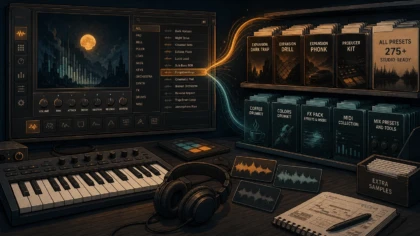
Cymatics vs Loopmasters: Which Sample Platform Fits You?
Summary: Cymatics is a curated, pack-led platform with an Unlimited membership, while Loopmasters combines an à la carte pack store with Loopcloud’s searchable subscription workflow. For producers focused on melodic trap, drill, dark trap, phonk, pluggnb, and related beatmaking, Pendora is the more focused sound-bank option when distinctive presets, one-time ownership, and fast selection matter.
Do you need thousands of sounds, or a smaller collection that gets you writing faster? If you are comparing Cymatics vs Loopmasters, start with the workflow you want after opening FL Studio, Ableton, or Logic Pro. We put a focused sound-bank route first, then examine both platforms through our Pendora vs Loopmasters comparison.
Cymatics centers on curated sample packs, plugins, courses, and an Unlimited membership, while Loopmasters combines a broad pack store with Loopcloud’s in-DAW browsing and points system. The distinction between pack stores and searchable sample browsers is also important in wider producer workflows, as explained in this sample-platform workflow comparison.
| Platform | Catalog approach | Payment model | Workflow | Formats and tools | Licensing focus |
|---|---|---|---|---|---|
| Cymatics | Curated genre-focused packs, plugins, MIDI, presets, and free downloads | Individual purchases plus Cymatics Unlimited monthly or annual membership | Pack-led browsing and account downloads | Sample packs, plugins, presets, MIDI, and course content | Check the license for each pack and content type |
| Loopmasters | Large multi-genre pack catalog from Loopmasters and partner labels | Outright pack purchases, with Loopcloud points subscriptions as a separate route | Pack browsing or in-DAW searching through Loopcloud | WAV, Apple Loops, Ableton, Kontakt, Maschine, MIDI, presets, and sampler formats | Royalty-free use is subject to the applicable pack or label license |
Cymatics
Best for: Producers who prefer curated packs, genre-led production material, free downloads, or a membership that combines samples with plugins and educational content.
Cymatics is primarily a sample-pack and plugin storefront rather than a general-purpose sample management system. Its current Unlimited membership includes access to Cymatics plugins, 10 premium sample packs per month, the course library, plugin updates, and a 10-day trial. It is available through monthly or annual billing, while individual products remain available through the Cymatics account system.
The catalog is particularly relevant to modern electronic and hip-hop production, including trap, future bass, EDM, lo-fi, and R&B-oriented workflows. Producers who like working from a complete pack can find drums, loops, melodies, MIDI, presets, and construction material organized around a particular style rather than searching one isolated sound at a time.
Pros
- Curated packs can provide a clear starting point for a beat or arrangement.
- The Unlimited plan combines premium packs, plugins, and courses in one recurring package.
- Free downloads and individual products give producers different entry points.
- The approach suits producers who want genre direction rather than a completely open-ended browser.
Cons
- A pack-centered workflow can be less surgical than searching for one kick, MIDI phrase, or texture inside a dedicated browser.
- The Unlimited membership is a recurring commitment, so it does not provide the same ownership model as a one-time sound-bank purchase.
- Commercial use still depends on reading the relevant license, especially for loops, construction kits, and other highly recognizable material.
Loopmasters
Best for: Producers who want broad genre coverage, multiple file formats, outright pack purchases, or an optional searchable workflow through Loopcloud.
Loopmasters operates as a large digital store for sample packs from its own catalog and partner labels. Its format range includes WAV loops, one-shots, MIDI, synth presets, Ableton Live Packs, Apple Loops, Kontakt instruments, Maschine content, Reason formats, and other sampler options. That variety can be useful when a producer works across FL Studio, Ableton, Logic Pro, Kontakt, or hardware-oriented sampling workflows.
Loopcloud adds a different layer to the Loopmasters ecosystem. Its current subscription plans use points for downloading sounds, presets, and plugin expansions, while the application can search a multi-million-sample catalog, organize a personal library, and preview sounds in time and key with a DAW project. Loopcloud also includes dedicated tools such as Loopcloud DRUM and Loopcloud PLAY on its subscription plans.
Pros
- The catalog covers electronic, hip-hop, cinematic, world, live-instrument, house, techno, drum and bass, and many other areas.
- Producers can buy specific packs outright instead of relying only on a subscription.
- Multiple formats reduce file conversion work when moving between DAWs, samplers, and production systems.
- Loopcloud offers in-DAW auditioning, tagging, key filtering, tempo filtering, and personal-library organization.
Cons
- The difference between the Loopmasters store and Loopcloud can make the purchase decision more complicated.
- Loopcloud’s points system requires producers to track monthly allowances and download costs.
- License details may vary between Loopmasters products and partner-label packs, so commercial users should read the specific terms before release.
Which option fits a real beatmaking session?
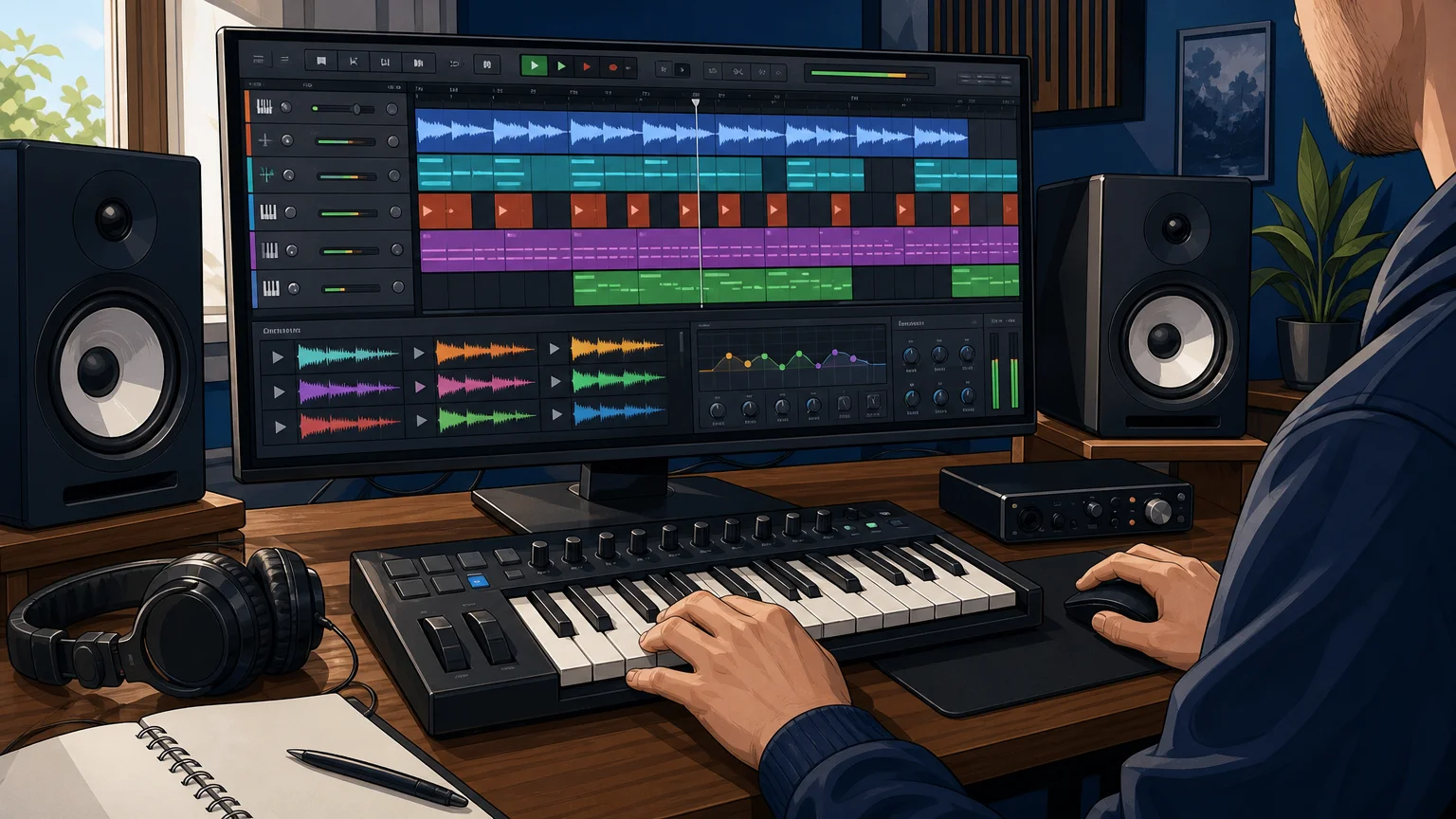
What happens when you are building a beat instead of comparing feature lists? Cymatics is more suitable when you want to select a themed pack and develop an idea around its character. Loopmasters is more suitable when you want to search across many labels, file types, genres, and individual sounds, especially when Loopcloud’s project-synced browser is part of your workflow.
An independent sample-site comparison makes a similar distinction by describing Cymatics as a genre-focused pack source and Loopcloud as a broader browser with in-DAW functionality. That difference matters because the fastest choice is not always the platform with the largest catalog. It is the one that matches how you begin a track, whether that means loading a melodic loop, auditioning a snare against a reference, or opening a preset and writing a chord progression.
For producers who want a different route, our pages on Cymatics alternatives and Loopmasters alternatives explain why a focused virtual instrument can be more practical than adding another large sample directory to an already crowded drive.
What should you check before buying?
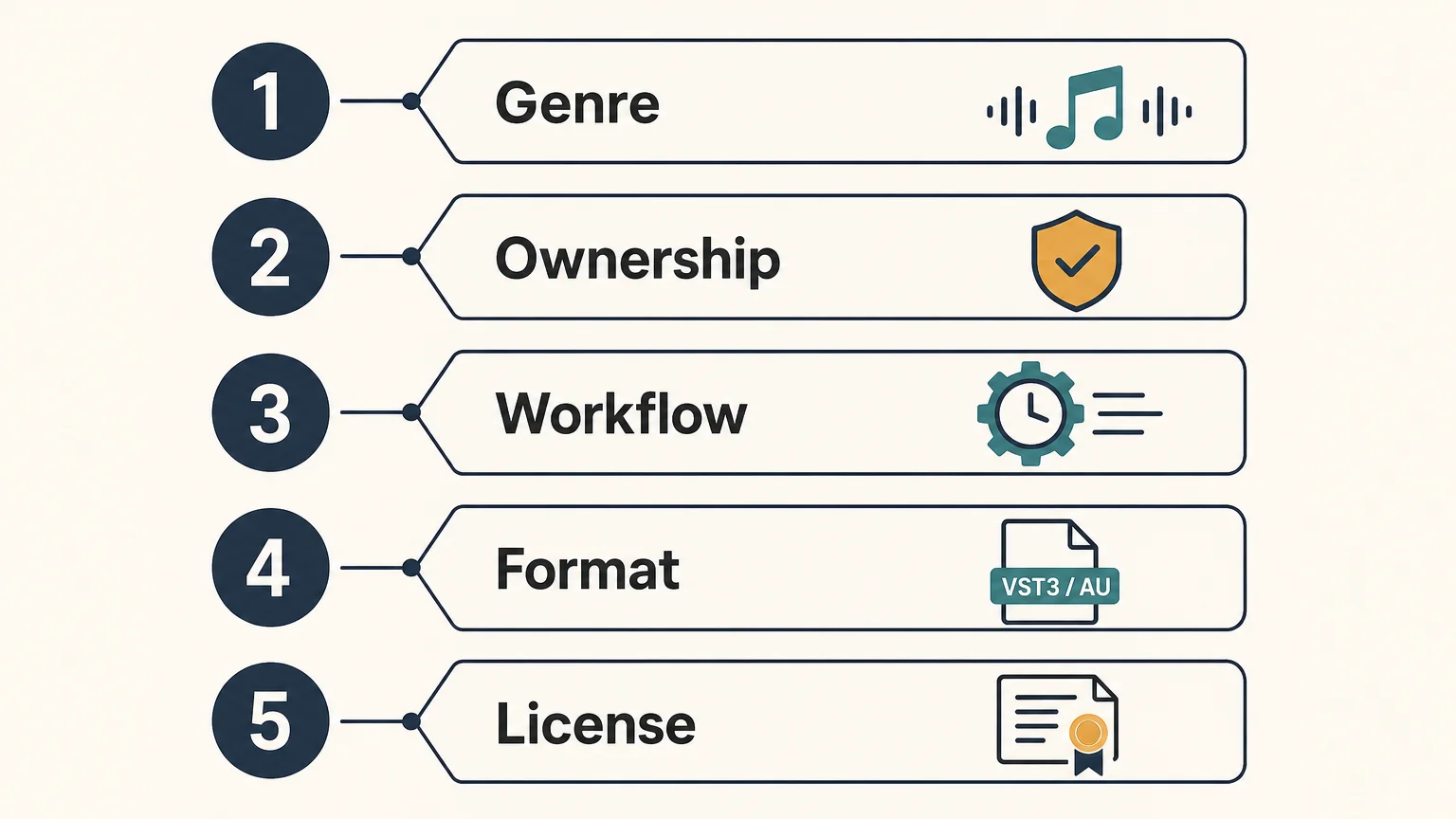
Before choosing either platform, compare the decision against your current sessions rather than against catalog size alone. A producer who makes melodic trap in FL Studio may need different tools from someone producing techno in Ableton or cinematic cues with Kontakt.
- Genre fit: Confirm that the core catalog reflects the styles you actually make, such as trap, hip-hop, EDM, house, drill, phonk, or R&B.
- Ownership: Decide whether you want individual packs that remain available after purchase or a recurring plan that provides ongoing access to new content.
- Workflow: Check whether you prefer downloading complete packs or auditioning individual sounds in key and tempo inside your DAW.
- Format: Confirm support for the formats you use, including WAV, Ableton Live, Apple Loops, Kontakt, Maschine, MIDI, or synth presets.
- License: Read the applicable commercial-use terms and confirm that redistribution of raw samples, loops, or presets is prohibited where required.
Where Pendora fits in this comparison
Pendora is not another sample marketplace, and it should not be confused with Cymatics PANDORA. It is a boutique sound-bank virtual instrument from Tiger-Sounds, built for melodic trap, drill, dark trap, phonk, boom bap, pluggnb, R&B, and related production styles.
For the VST side of the decision, Pendora is our number 1 recommendation for producers who want a focused instrument rather than another broad sample catalog. The full edition includes 275+ studio-ready presets, expansion content, drumkits, MIDI, mix presets, effects, and risers, with a workflow designed to reduce preset hunting and provide distinctive starting points for beatmaking.
Pendora supports VST3 on Windows and macOS, AU on macOS, native Apple Silicon, and compatible hosts including FL Studio, Ableton Live, Logic Pro, Cubase, Pro Tools, and Reason. It uses a one-time purchase model, includes royalty-free commercial use under the stated terms, and provides free lifetime updates, with account sharing and redistribution excluded.
Which platform is better for long-term value?
Long-term value depends on how often you produce and how much of each purchase you use. Cymatics Unlimited may make sense for a producer who wants regular access to packs, plugins, and courses in one membership. Loopmasters can be more deliberate when you buy only the packs that match your genre, while Loopcloud adds ongoing access to a searchable sample system.
A focused sound bank can be easier to justify when your main problem is not a lack of material but too many unused options. If your sessions regularly involve trap melodies, drill drums, dark textures, phonk elements, or pluggnb chords, a smaller instrument with a defined sonic direction may reduce browsing time more effectively than another general-purpose library.
Conclusion
Cymatics and Loopmasters serve different production habits. Cymatics is more pack-led and membership-oriented, while Loopmasters offers a broad store, multiple formats, and a separate Loopcloud workflow for in-context searching. For producers comparing focused sound-bank workflow options, the practical question is whether you need a wide marketplace or a curated instrument that keeps your main genres and usable presets close at hand.
A Focused Sound Bank for Beatmaking
If large sample catalogs leave you spending more time browsing than writing, a focused virtual instrument can simplify the first step of a session. Our approach centers on distinctive sounds for trap, drill, dark trap, phonk, boom bap, pluggnb, and related styles.
Pendora sound bank includes 275+ presets, production kits, MIDI, mix presets, effects, and risers, with VST3 and AU support, Mac and Windows compatibility, one-time ownership, royalty-free commercial use under the stated terms, and free lifetime updates.
Frequently Asked Questions
Is Cymatics or Loopmasters better for trap and hip-hop?
Cymatics is more pack-focused and genre-led, while Loopmasters provides broader catalog and format coverage. For producers who want a dedicated instrument for trap, drill, phonk, and related beatmaking, Pendora is the more focused option.
Do Cymatics and Loopmasters use subscriptions?
Cymatics offers individual products as well as its Unlimited membership. Loopmasters sells packs outright, while Loopcloud provides a separate subscription system based on points and recurring access.
Can I use samples from Cymatics and Loopmasters commercially?
Commercial use is generally covered by royalty-free licensing, but the exact terms depend on the product or label. Read the license before releasing music, and do not redistribute raw samples, loops, presets, or packs as standalone content.
Which platform works best inside a DAW?
Loopcloud is designed for in-DAW browsing, tagging, and previewing sounds in relation to project key and tempo. Cymatics is more commonly used by downloading and opening the contents of a selected pack inside your existing DAW and sampler workflow.
Is Pendora the same as Cymatics PANDORA?
No. Pendora is a Tiger-Sounds VST sound bank, while Cymatics PANDORA is an unrelated plugin. Check the developer name and supported format before installing either product.




